
Shopping Cart

Main features and benefits of the module
- Automatic abandoned cart detection — the module automatically recognizes when a customer has added products to the cart but has not completed the purchase. Just set the waiting time (e.g. 60 minutes) and the system will start working without your intervention.
- Recovery of guest carts (not logged in) — unlike many competing solutions, the module can track carts of people who do not have an account in the store. It uses a special email capture form displayed on the cart page, so you can recover orders even from one-time visitors.
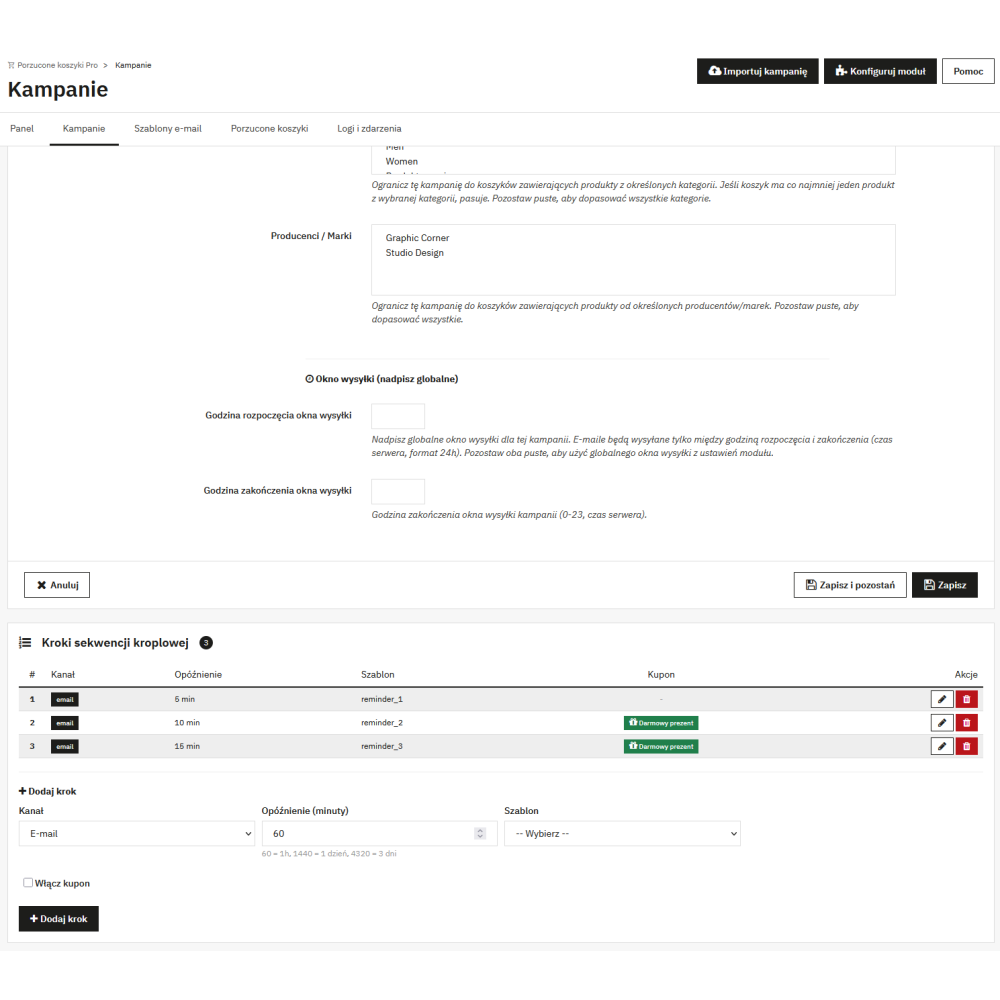
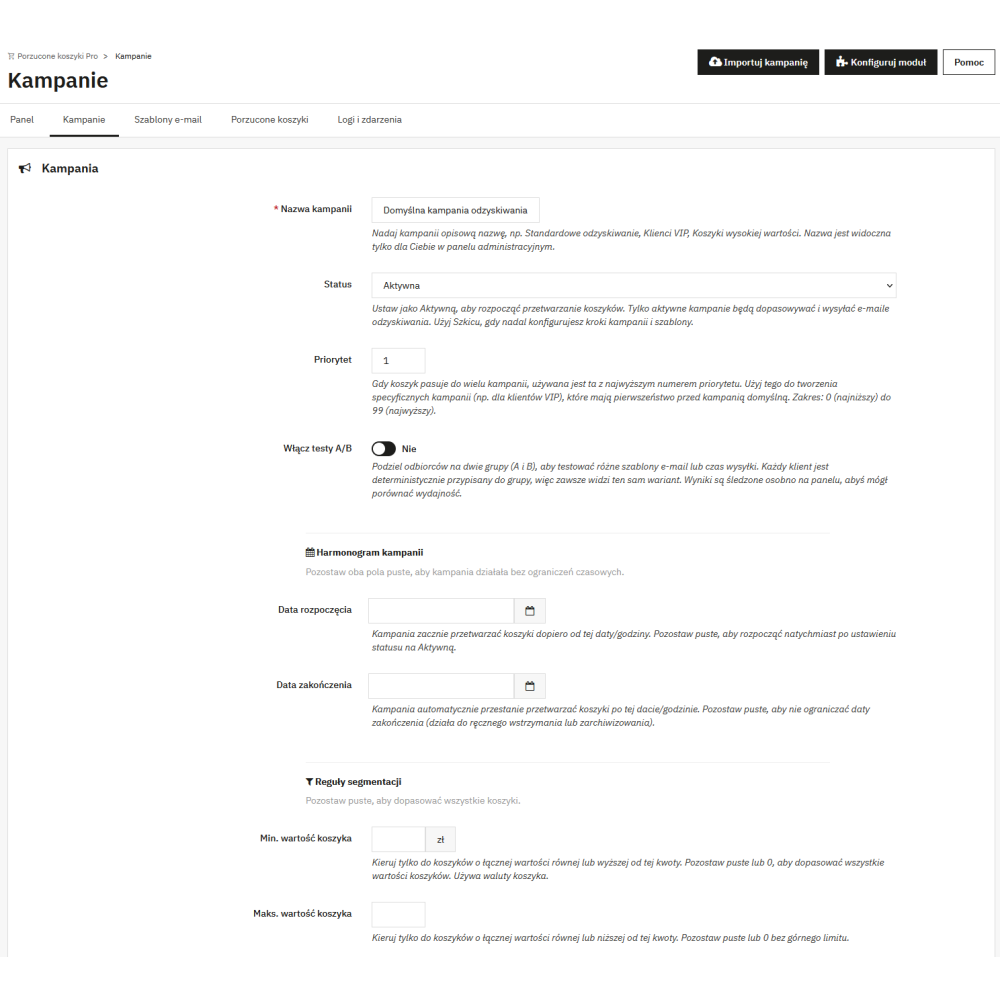
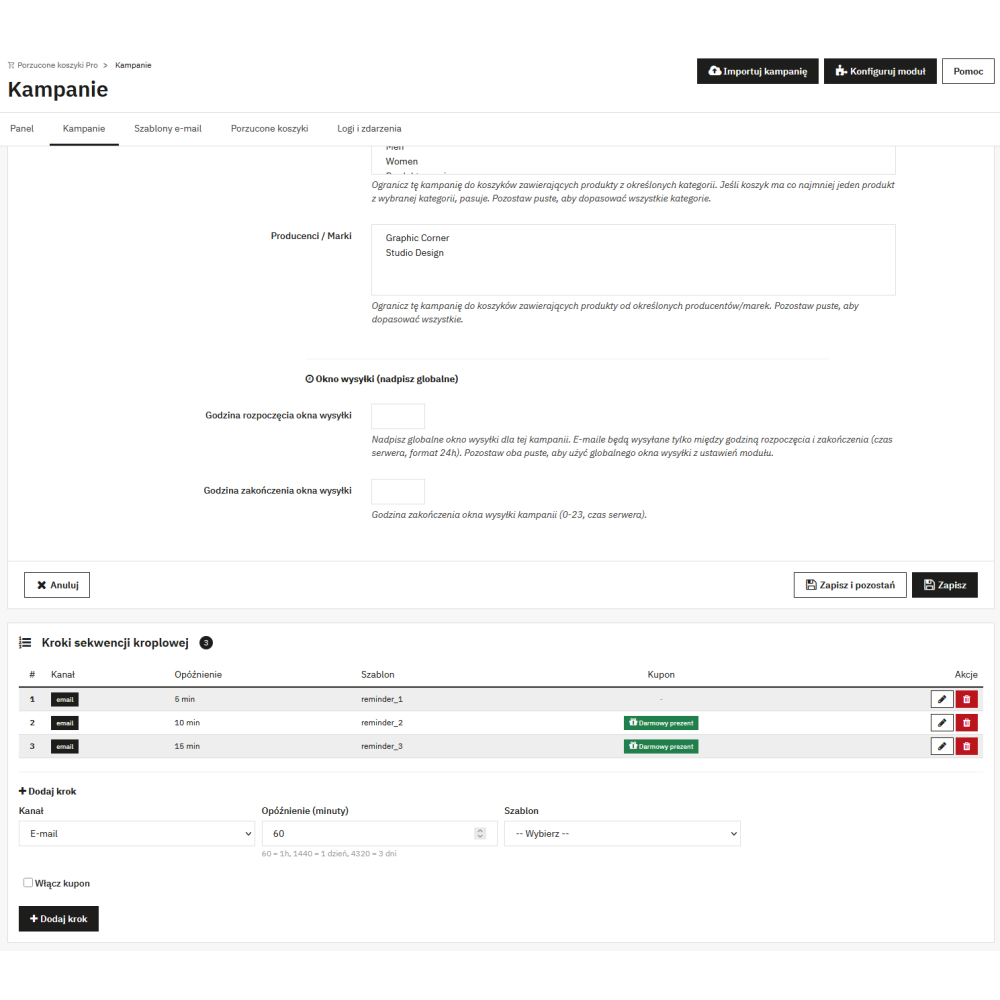
- Multi-step email campaigns (drip sequence) — you create sequences consisting of multiple steps, e.g. the first email after 1 hour, the second after 24 hours, the third after 72 hours. Each step can have a different template, a different coupon, and a different delay — exactly like in professional marketing automation tools.
- Automatic discount coupons with abuse protection — in each campaign step, you can enable automatic generation of unique discount codes. The module automatically creates percentage, fixed-amount, or free shipping coupons and attaches them to the email. At the same time, it protects you against abuse — coupon limit per customer, cooldown period between coupons, and restricting the coupon to products from the cart.
- Automatic coupon assignment after clicking the link — when the customer clicks the recovery link in the email, the discount coupon is immediately added to the cart. The customer does not have to copy or paste anything — this increases conversion because customers are not lost at the code entry stage.
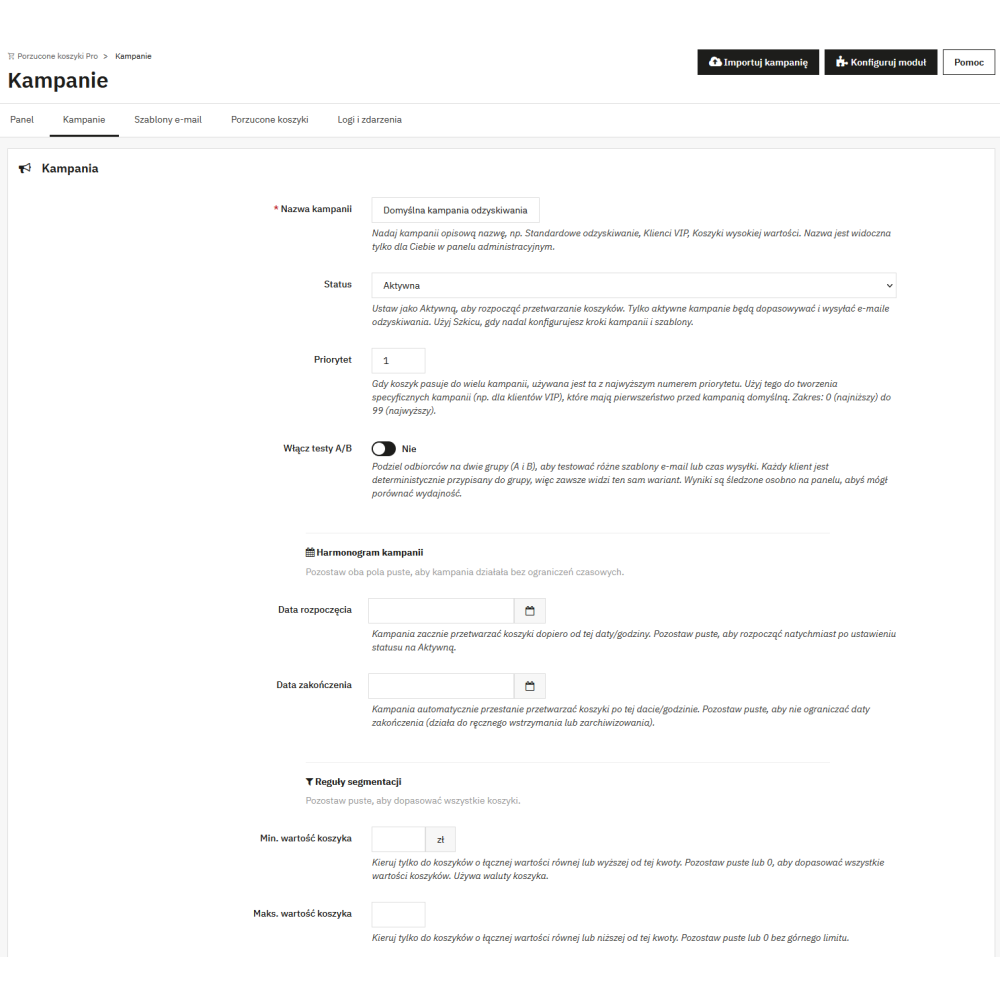
- Campaign segmentation — you reach only the right customers — each campaign can be targeted to a specific customer group based on: minimum and maximum cart value, PrestaShop customer group, delivery country, product categories in the cart, and manufacturer (brand). Thanks to this, for example, you can send a different email to VIP customers than to new visitors.
- A/B tests built into campaigns — you can create two variants (A and B) of the same campaign step with different email templates, content, or coupons. The module randomly assigns customers to variants and collects statistics, so you can check which variant converts better.
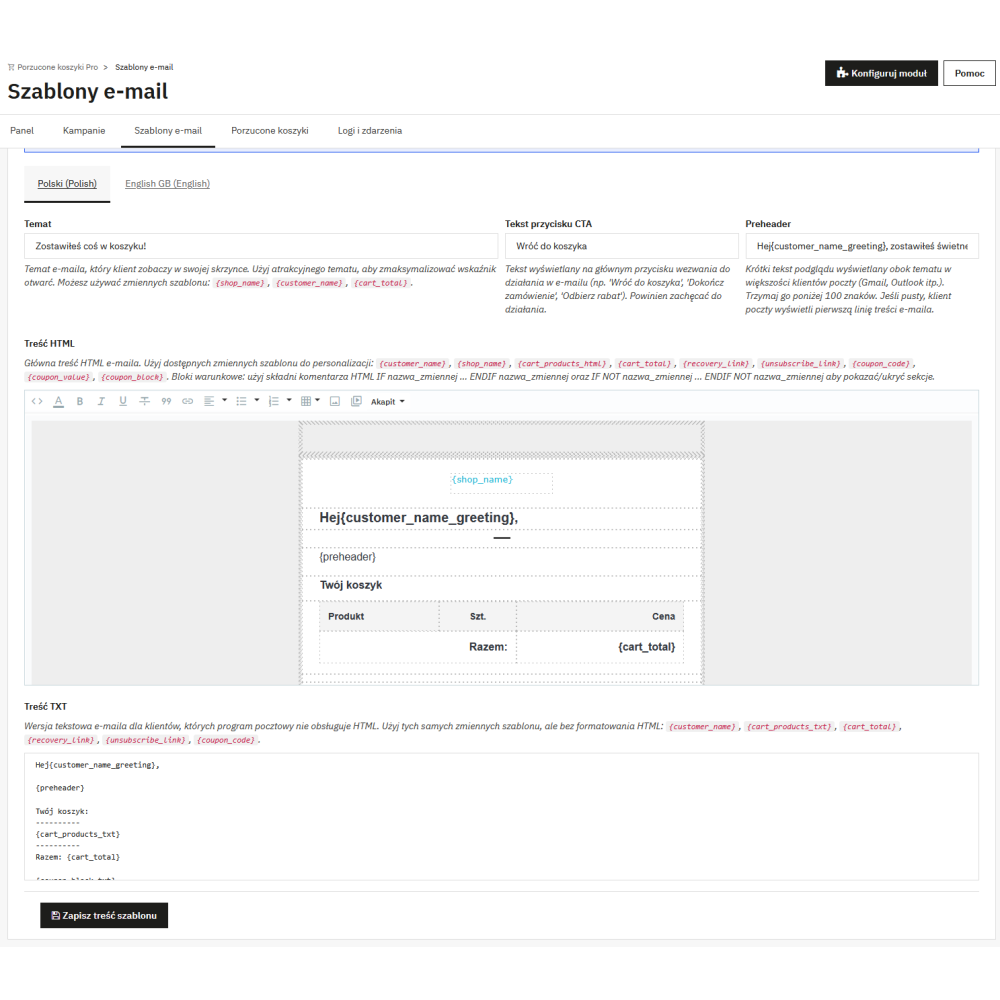
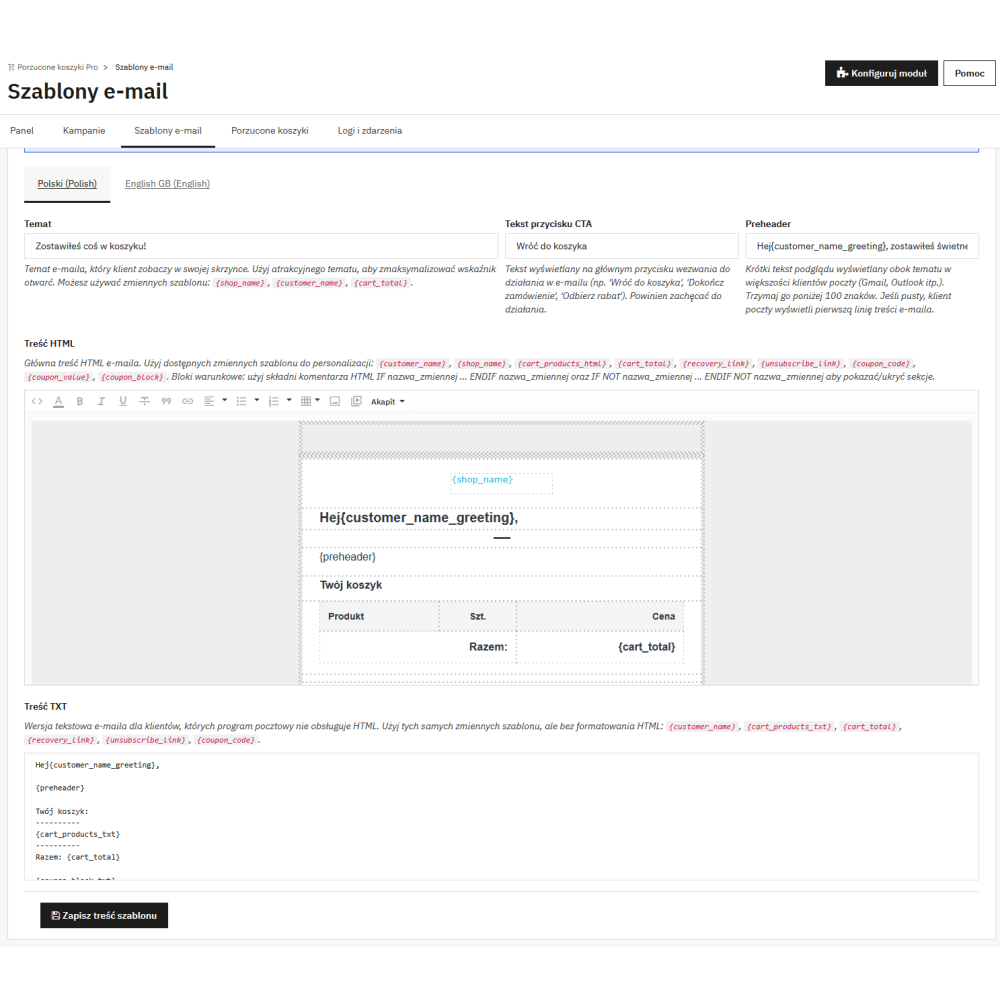
- Email template editor with live preview — you edit email templates directly in the store administration panel using a WYSIWYG editor. You can change the content, headings, preheaders, CTA button, and footer text. A preview is also available showing how the email will look after being sent.
- Ready-made email templates in 5 languages (PL, EN, DE, FR, ES) — the module installs professional, responsive email templates already translated into Polish, English, German, French, and Spanish. You do not have to write anything from scratch — after installation, the system is ready to work.
- Responsive email templates compatible with all email clients — the built-in templates are based on a table-based HTML/CSS layout compatible with Outlook, Gmail, Yahoo, Apple Mail, and every other popular email client. Emails look good both on desktop and on mobile.
- Conditional blocks in templates (IF/ENDIF) — you can hide or show parts of the email depending on the data. For example, the coupon block is displayed only when a coupon has been generated. You use a simple HTML comment syntax — no programming required.
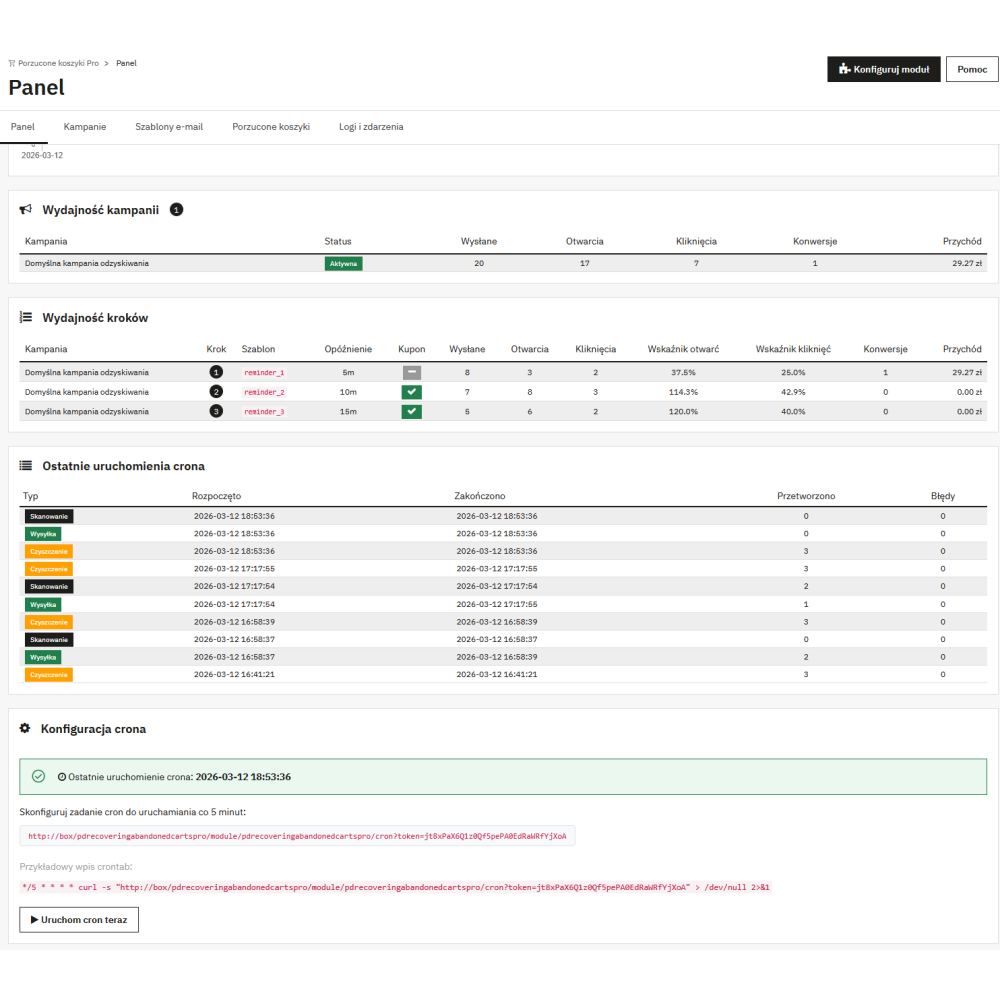
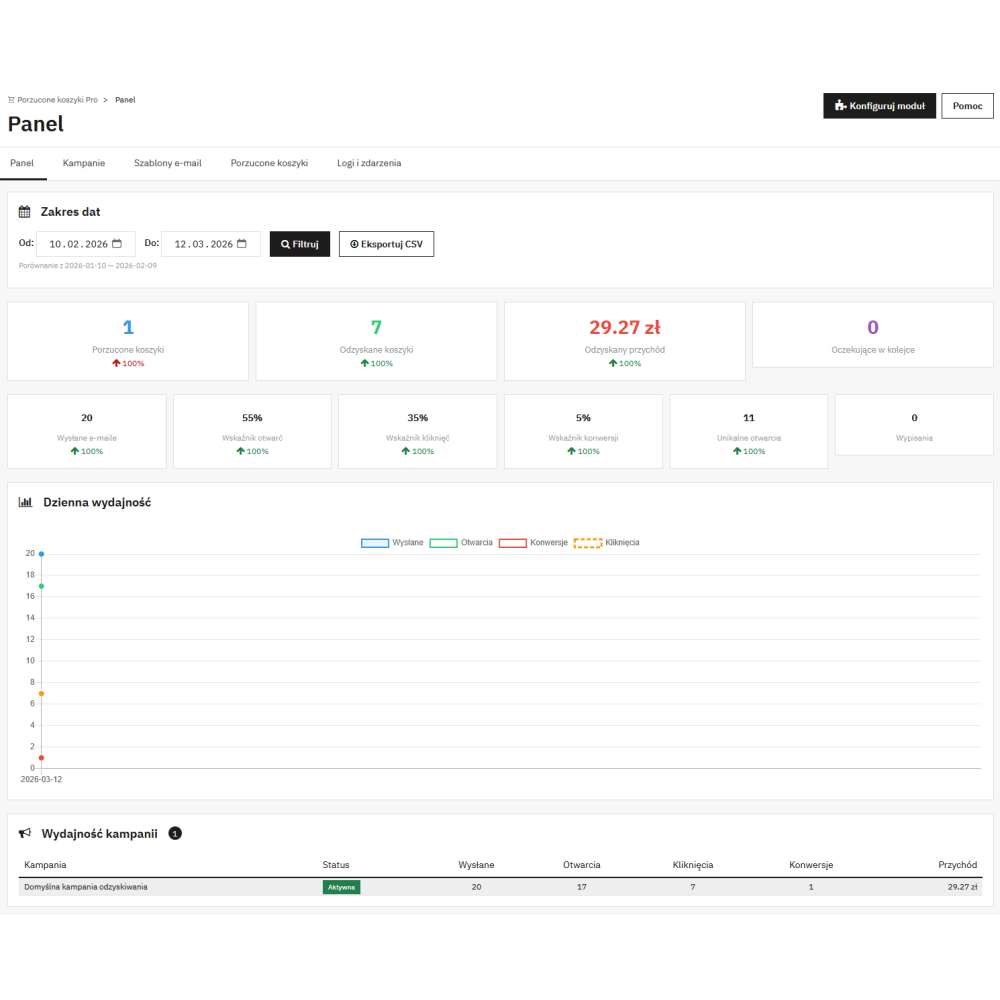
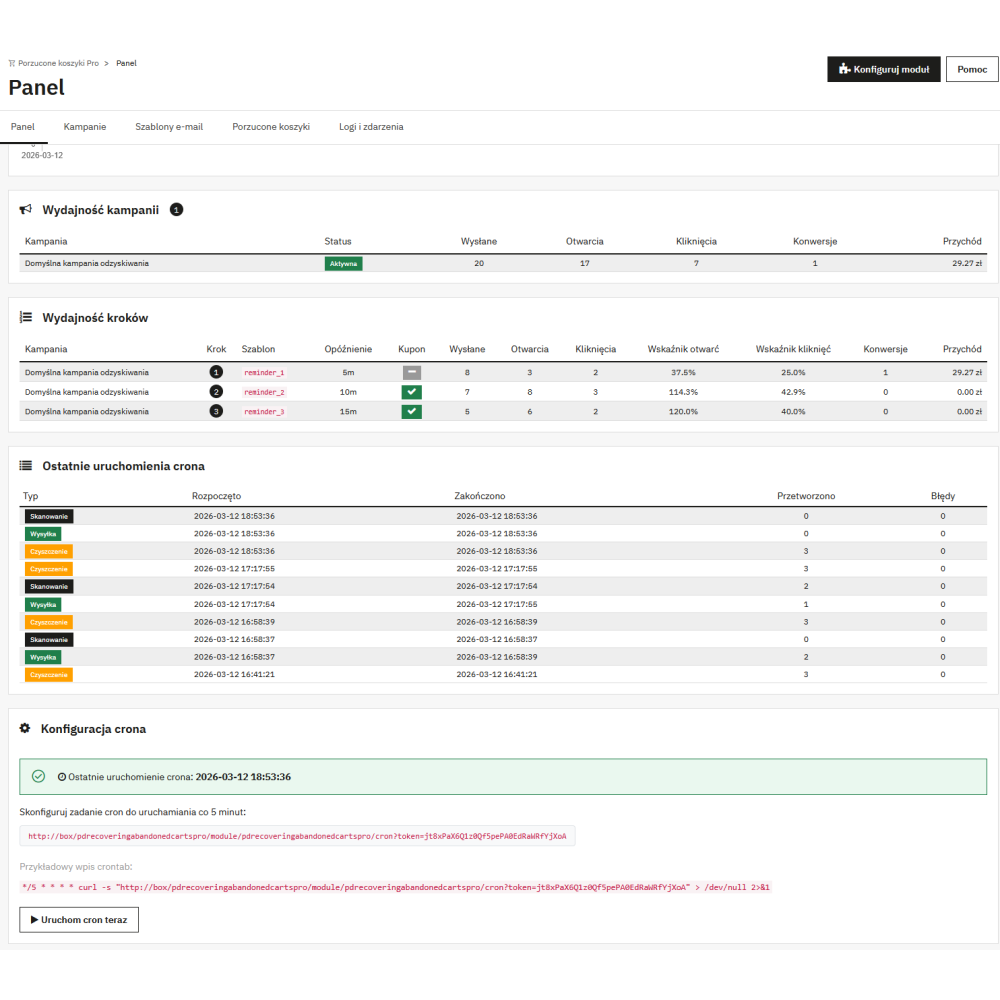
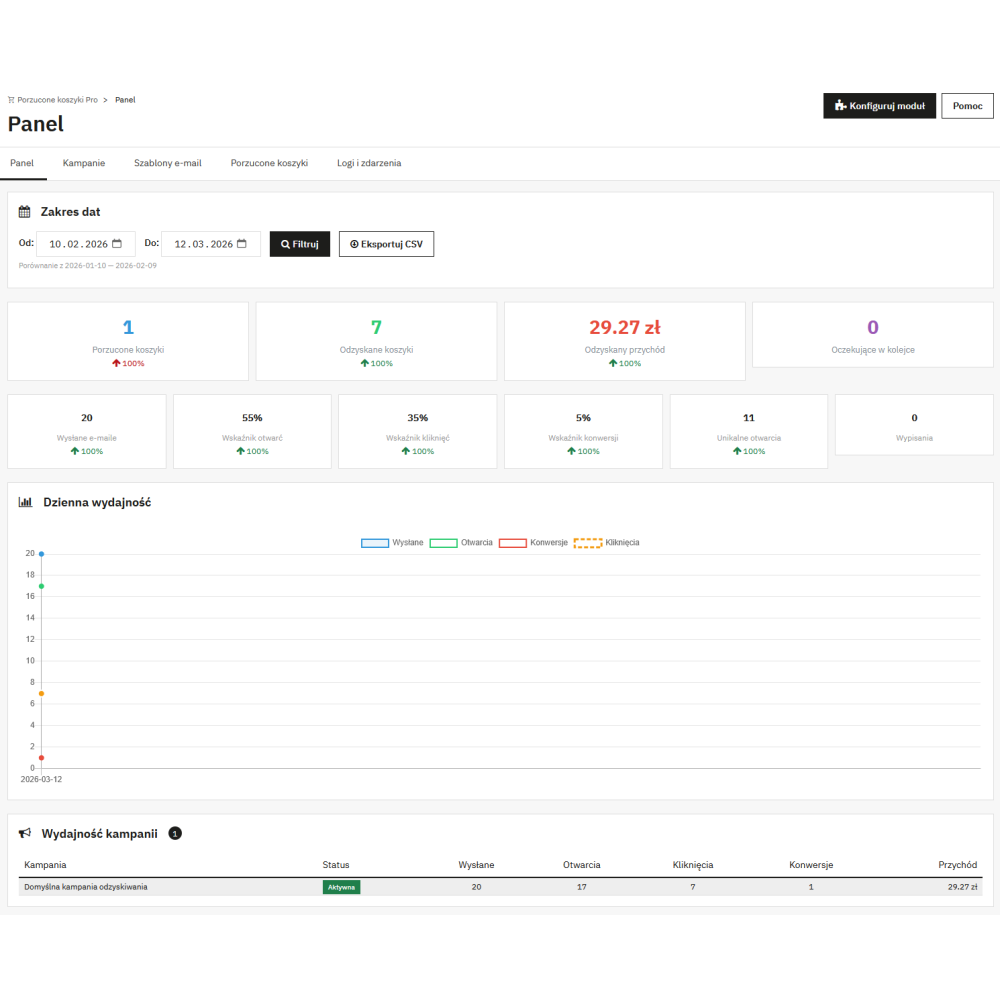
- Dashboard with real-time statistics — in the administration panel, you have a separate “Dashboard” tab with charts and figures: how many emails were sent, how many were opened, how many were clicked, how many carts were recovered, and how much revenue the recovery generated. Everything with date filtering and comparison with the previous period.
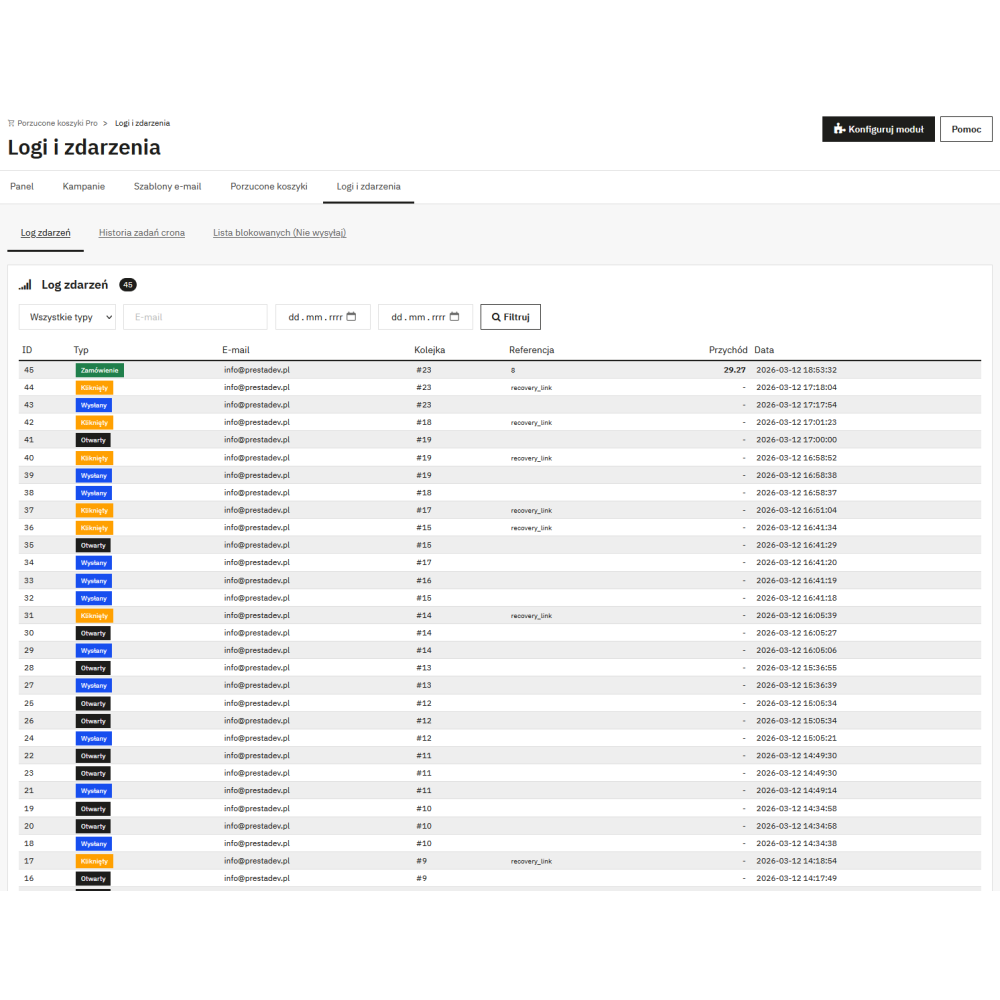
- Email open tracking (tracking pixel) — the module inserts an invisible tracking pixel into the email that records the moment the message is opened. Thanks to this, you know how many customers actually read your recovery email.
- Recovery link click tracking — each “Return to cart” link goes through the tracking system. The module accurately records when the customer clicked the link, which is the basis for calculating the CTR (click-through rate).
- Conversion tracking and revenue attribution — when a customer who received a recovery email places an order, the module automatically assigns that conversion to the campaign and calculates the recovered revenue. You can see exactly how much money the module earns for you.
- UTM parameters for Google Analytics — the module adds utm_source and utm_medium parameters to each recovery link, which you configure in the settings. Thanks to this, in Google Analytics you can see traffic from the “abandoned_cart” source and measure results independently of the module statistics.
- Email sending time window — you can set the hours during which the module sends emails (e.g. from 8:00 to 21:00). Emails scheduled outside this window will wait until the window opens. You do not send messages in the middle of the night when no one will read them.
- Advanced send queue management (throttling) — the module sends emails in batches with configurable delays between messages (e.g. 500 ms). This protects your SMTP server from overload and prevents the IP address from being blacklisted.
- Automatic resend in case of error — if an email is not sent due to a temporary SMTP error, the module automatically retries (by default up to 3 times) with increasing delays. You do not lose the chance to recover a cart because of a temporary technical problem.
- Protection against simultaneous cron execution (database lock) — the module uses a MySQL database lock, so even if cron is started twice at the same moment, duplicate email sending will not occur.
- Full GDPR compliance — the module offers automatic anonymization of personal data after a specified time (e.g. 180 days), automatic deletion of old logs and events, an option to send emails only to newsletter subscribers, as well as a built-in unsubscribe mechanism.
- Integration with the official PrestaShop GDPR module (psgdpr) — the module works with PrestaShop’s psgdpr module. It supports customer data export (right of access) and data deletion (right to be forgotten) directly from the GDPR panel.
- Email domain blacklist (disposable emails) — the module has a built-in list of disposable email domains (mailinator.com, tempmail.com, etc.) and does not send messages to them. This saves your SMTP limit and protects the sender reputation.
- Email capture form on the cart page — a non-intrusive form with an email field and a marketing consent checkbox is displayed on the cart page only for guests (not logged in). It collects email addresses in the background before the customer leaves the page.
- Automatic guest → customer identity merging — if a guest provided an email in the form and then created an account, the module automatically merges both identities into one. You do not lose abandoned cart history and do not send duplicates.
- Cart restoration from a frozen snapshot — when the customer clicks the recovery link, the module restores their cart exactly in the state in which they left it. Even if products were removed from the cart in the meantime, the system restores them from the snapshot saved at the moment the email was sent.
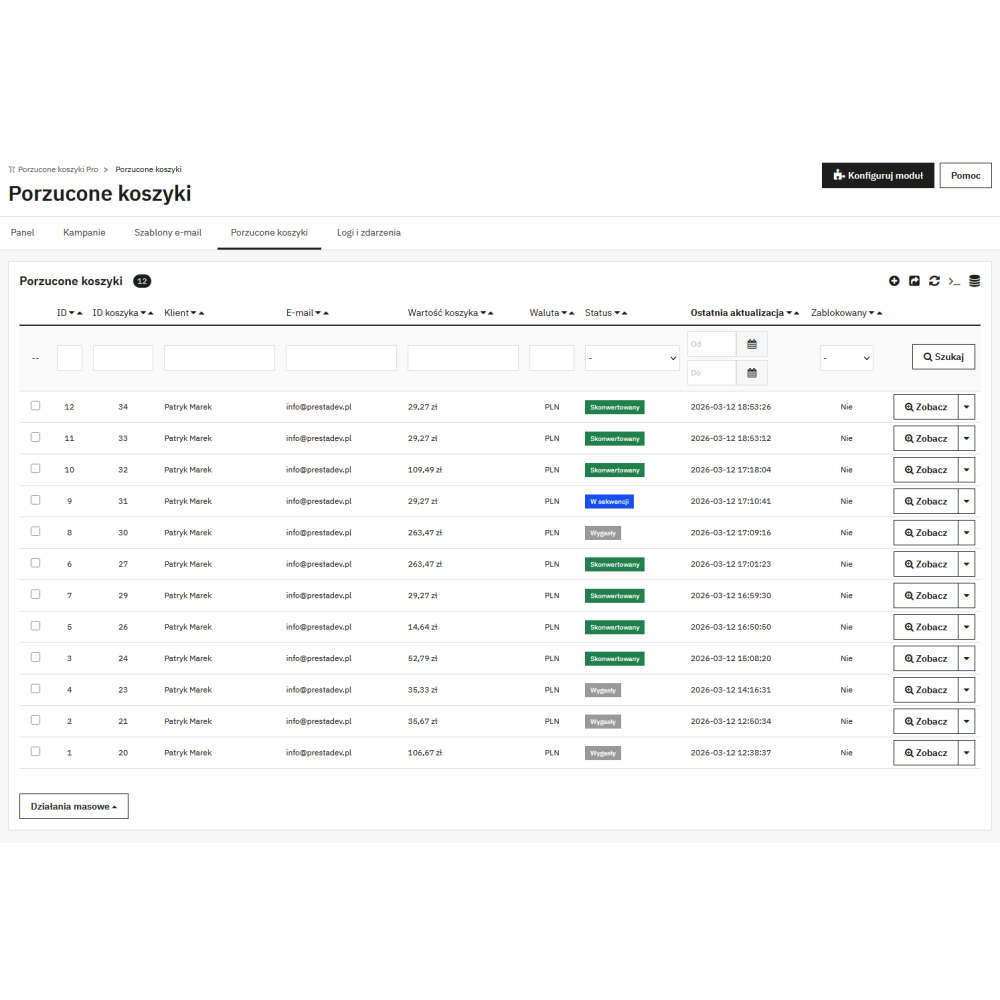
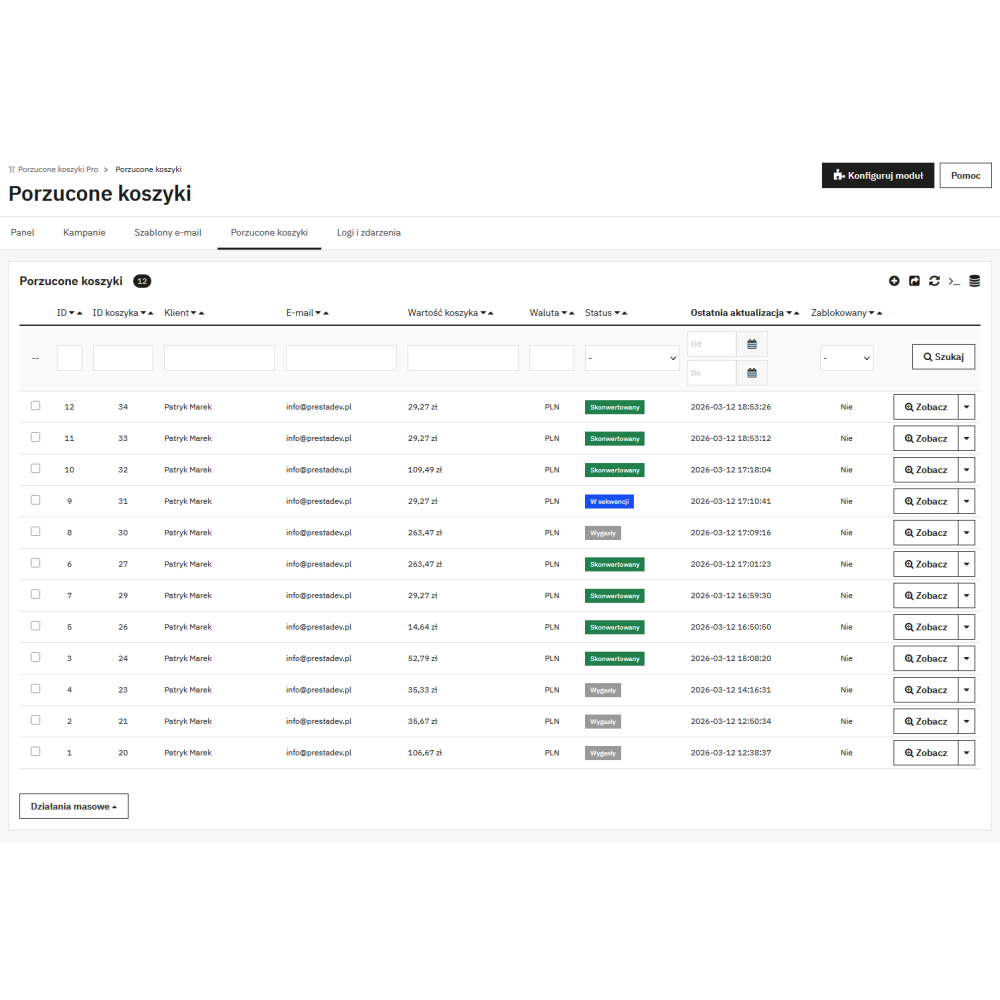
- Viewing and filtering abandoned carts in the panel — a separate “Abandoned carts” tab in the back office shows a list of all abandoned carts with status (active, in sequence, recovered), products, value, and customer data. You can filter, sort, and click into the details of each cart.
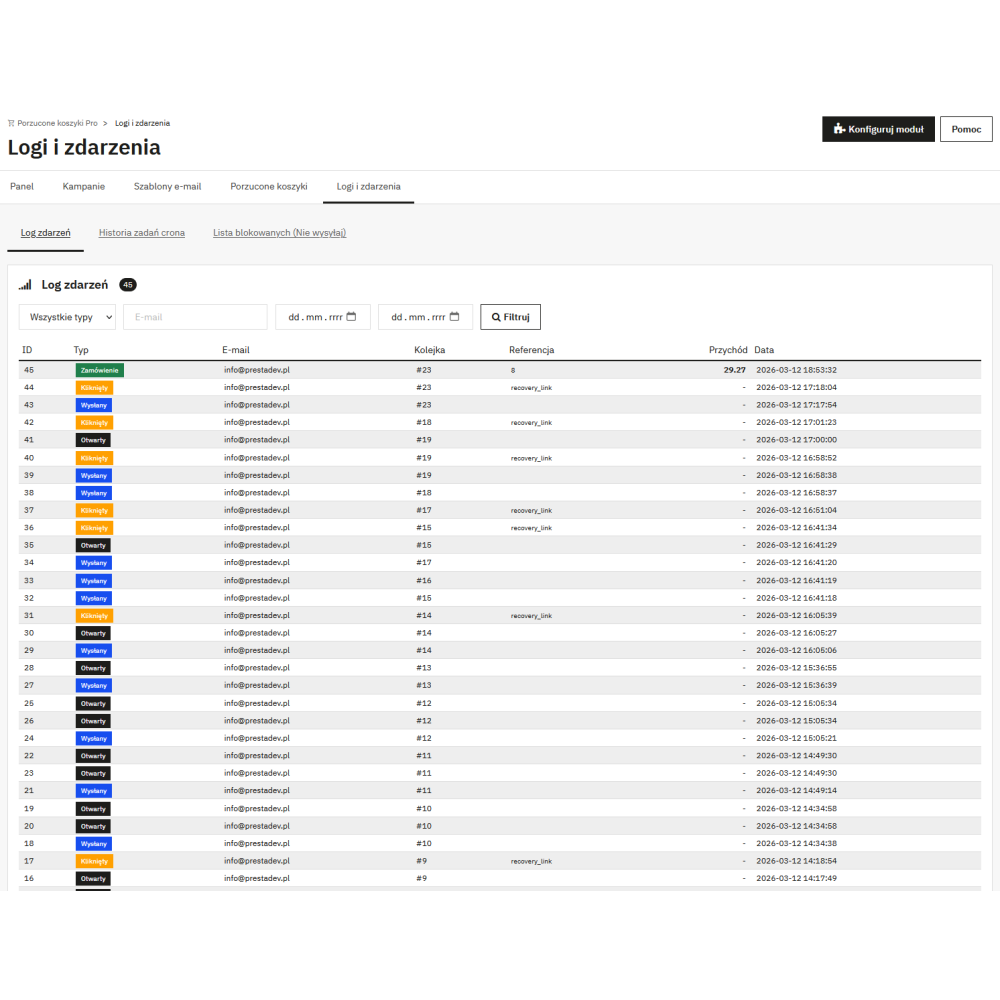
- Detailed cron and event logs — the “Logs and events” tab records every cron run, the number of processed carts, sent emails, and any errors. You have full transparency into what the module does in the background and can quickly diagnose problems.
- Multistore support — the module fully supports PrestaShop multistore mode. Each store can have its own campaigns, templates, settings, and statistics. Data is separated per store.
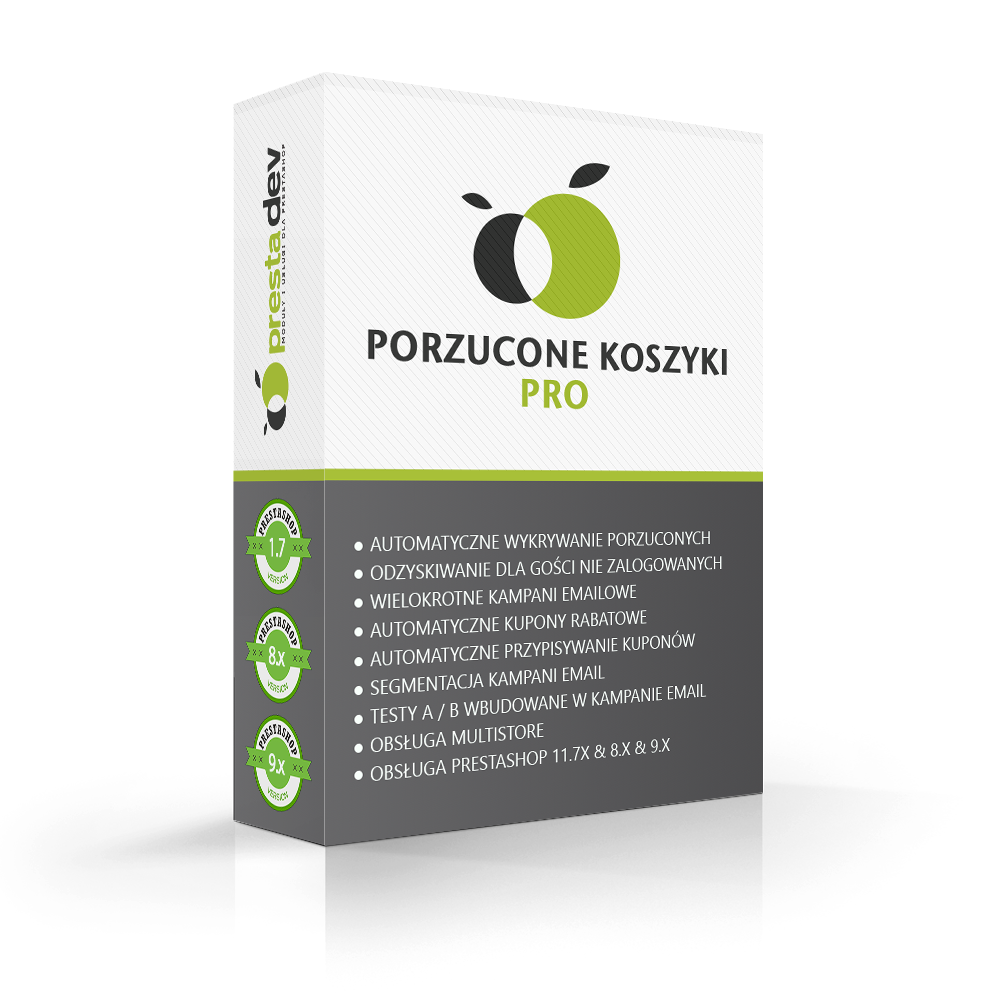
- Compatibility with PrestaShop 1.7 – 9.x and PHP 7.0 – 8.5 — the module works on all PrestaShop versions from 1.7 to the latest 9.x and supports PHP from version 7.0 up to 8.5. You do not have to worry about updating your store — the module is future-ready.
Link to the module demo:
Admin panel demo:
https://moduly-prestashop.eu/porzucone-koszyki/admin-dev
Front office demo:
https://moduly-prestashop.eu/porzucone-koszyki