
Shopping Cart






Main features of the module
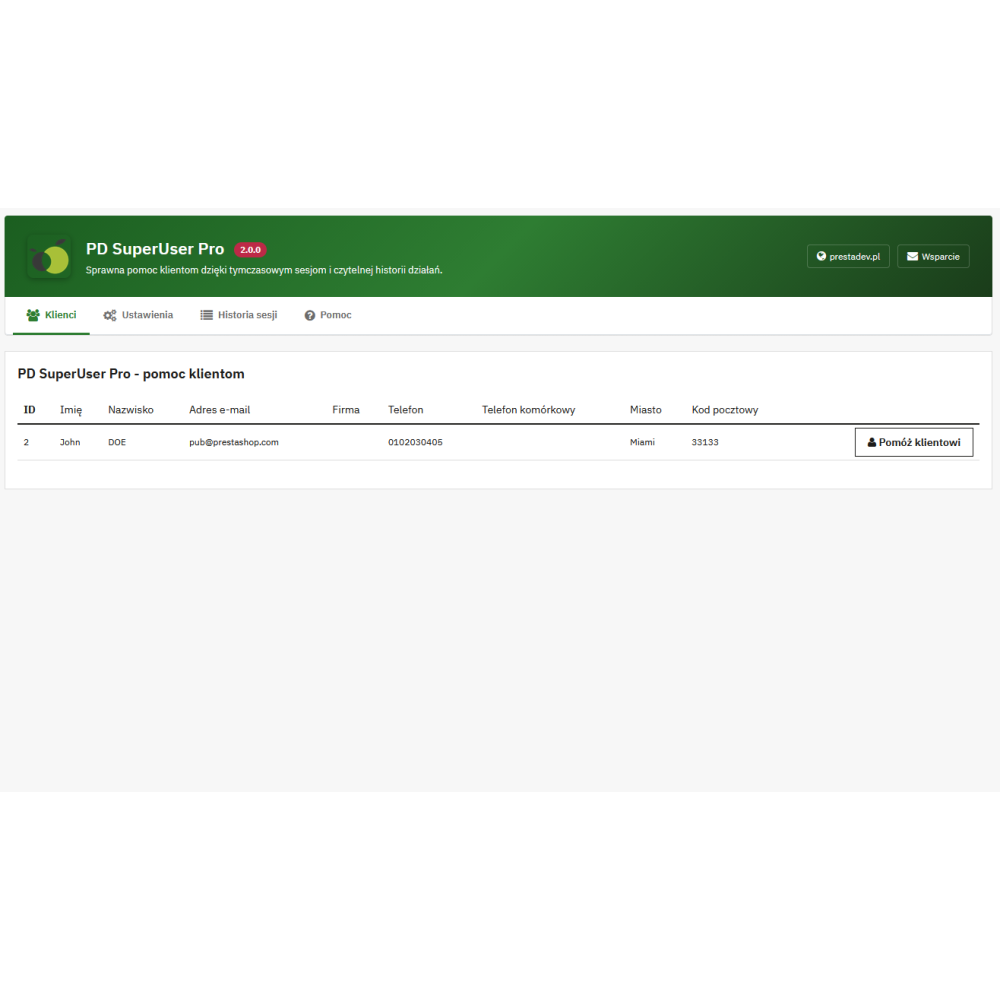
- Logging into a customer account from the administration panel. Access for authorized employees to active, registered customer accounts.
- Three places to start assistance. An action on the module's customer list and on the customer and order pages.
- Customer search. Native filters by ID, first name, last name, email address, company, phone numbers, city, and postal code; address data comes from the last non-deleted address.
- Confirmation of the selected account. After selecting a customer from the list, the assistance start form shows their first name, last name, and email address.
- Reason for accessing the account. Selection of one of three categories: “Customer assistance”, “Cart or order issue”, “Complaint or return”. The administrator can require a reason to be specified.
- Assistance in a new tab. The form opens the store page on the selected customer's account. The session uses the customer login in this browser.
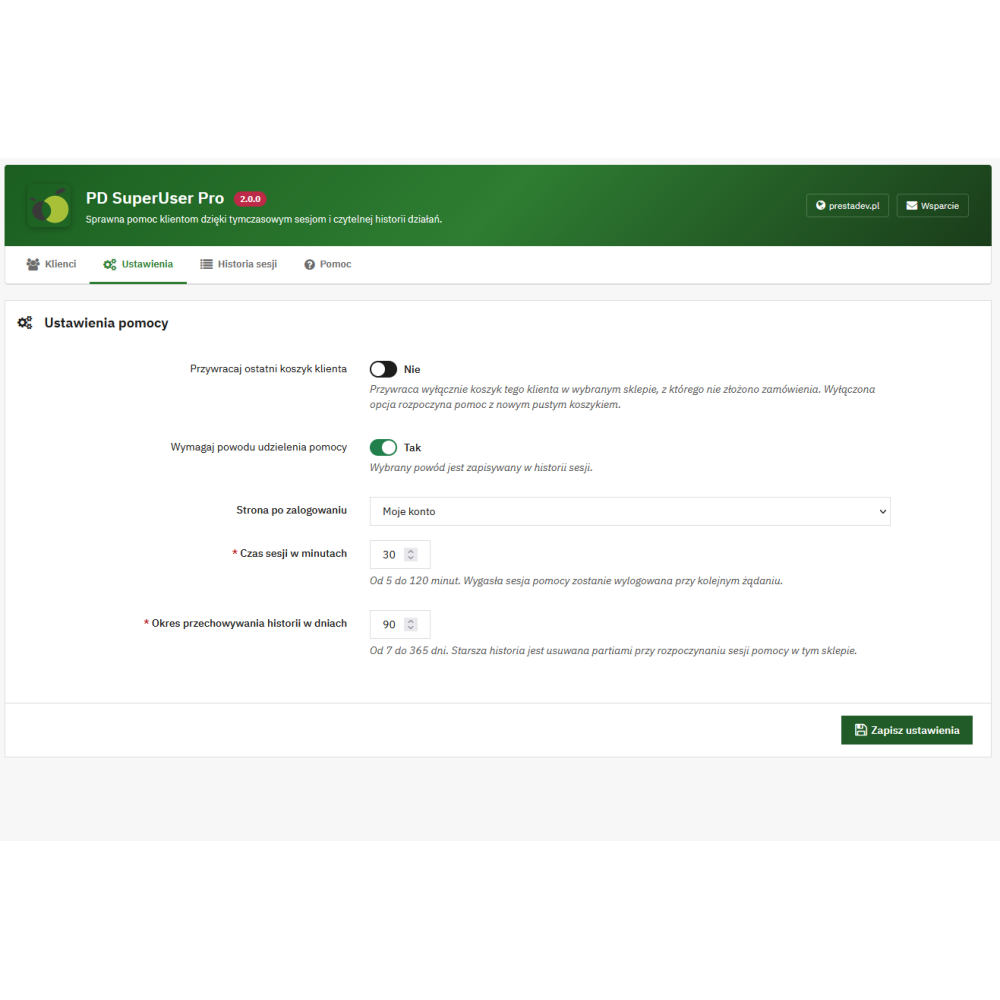
- Restoring the last cart. Optional use of the most recently updated cart belonging to the customer in the selected store that has not been linked to an order.
- Starting with an empty cart. An alternative assistance mode, set in the module configuration; an empty cart is also used when there is no suitable cart to restore.
- Four redirect targets. Homepage, customer account, checkout page, or cart — according to the administrator's setting.
- Assistance time limit. From 5 to 120 minutes for a new session. When the module is active, expiration is checked during subsequent storefront requests.
- Session bar on the front office. The first and last name of the assisted customer, the session expiration time, and the “End assistance” button, which ends the session and logs the customer out of the employee's browser.
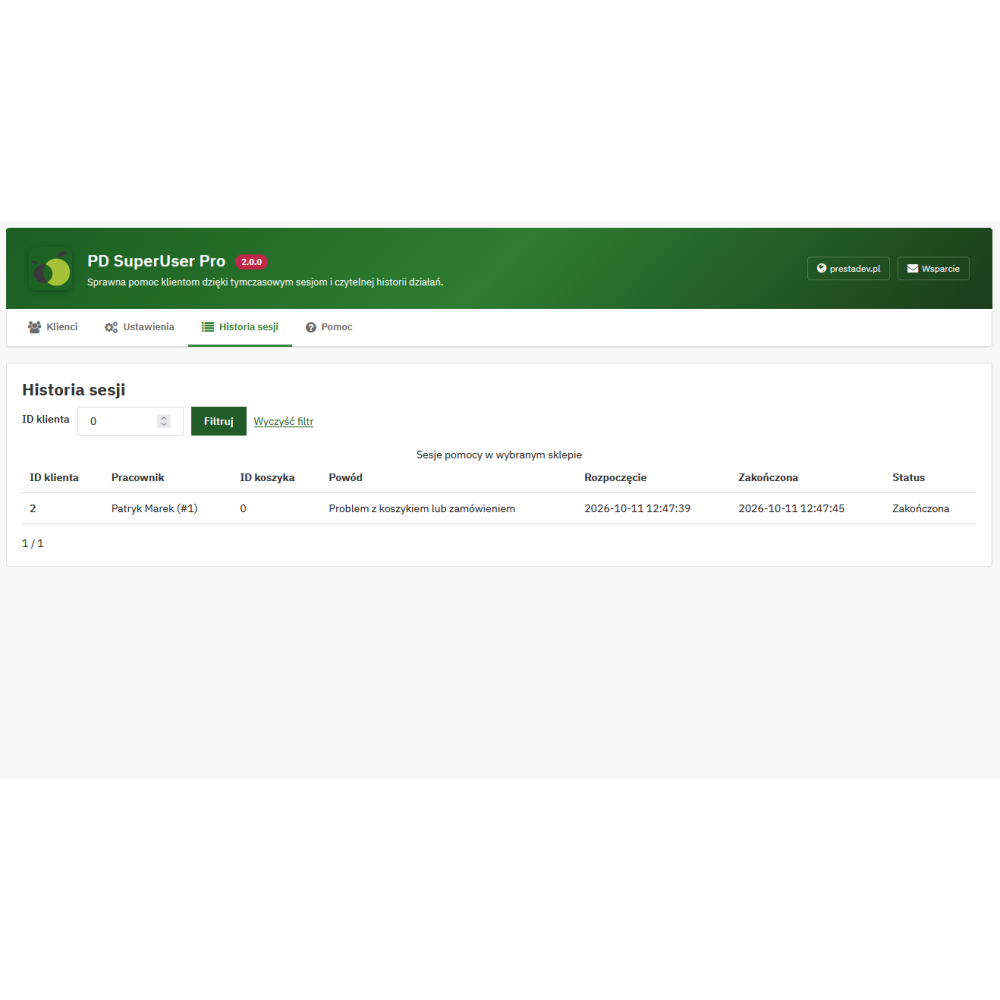
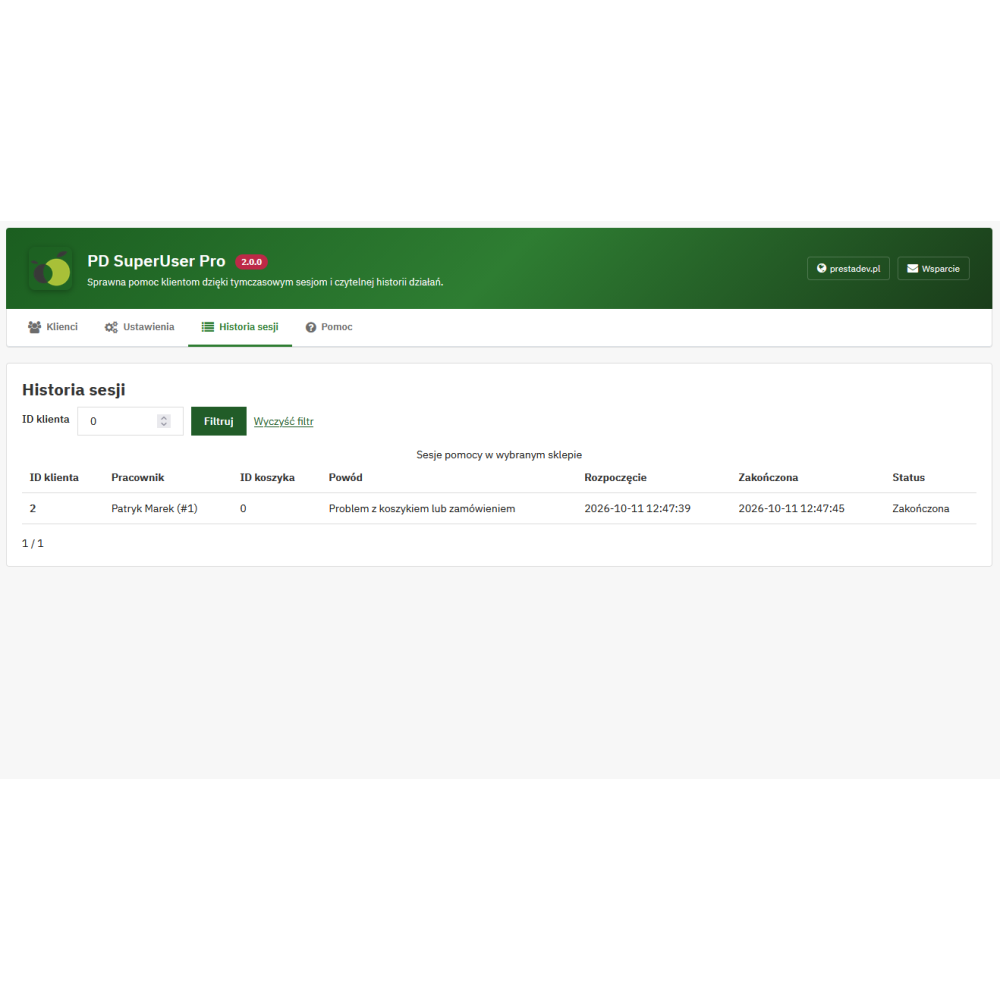
- Assistance session history. Customer and employee data, initial cart ID, reason, start and end dates, and session status.
- History overview. Entries for the selected store, filter by customer ID, and pagination of 20 sessions per page.
- Configurable history retention period. From 7 to 365 days, with cleanup of older entries when starting subsequent sessions.
- Access control. Verification of employee activity, their permissions for the module and customers, and access to the selected store. The assistance start form is signed, valid for five minutes, and intended for one-time use.
- Multi-store support. Settings and history related to the selected store; inclusion of customers shared within its store group.
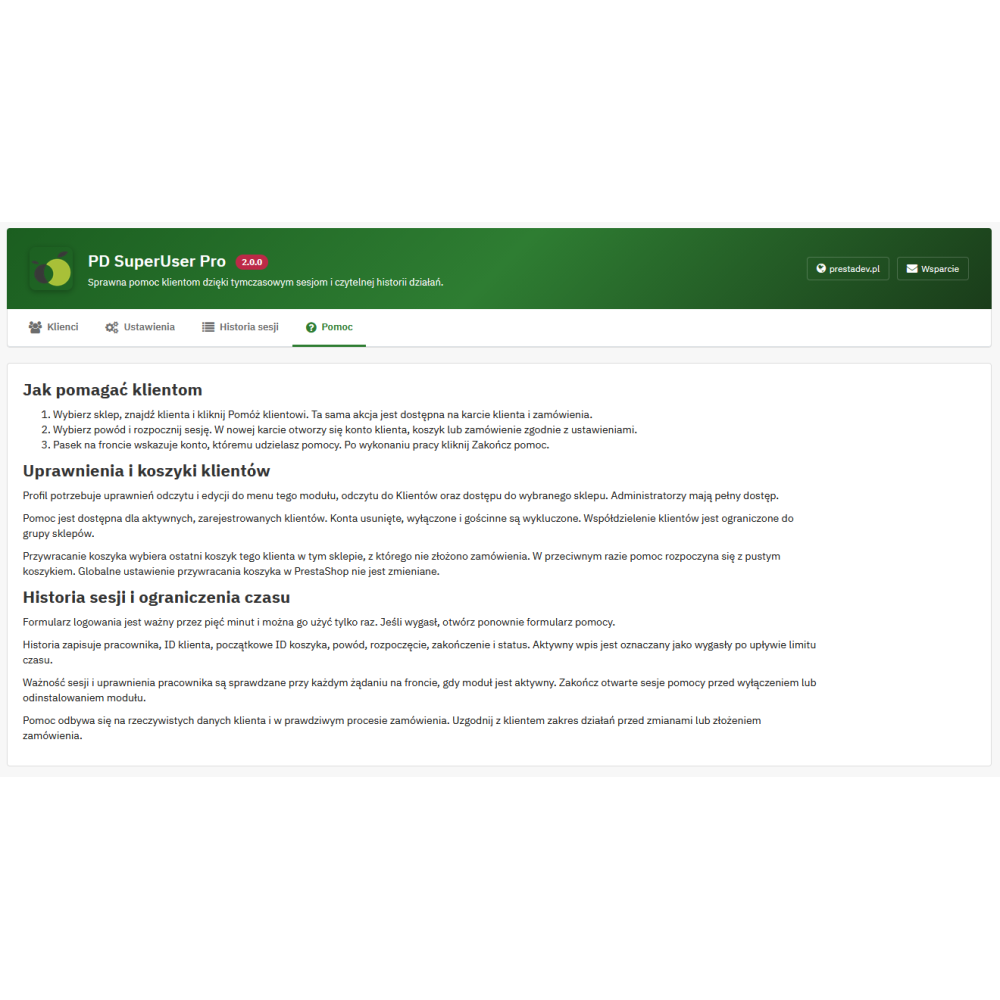
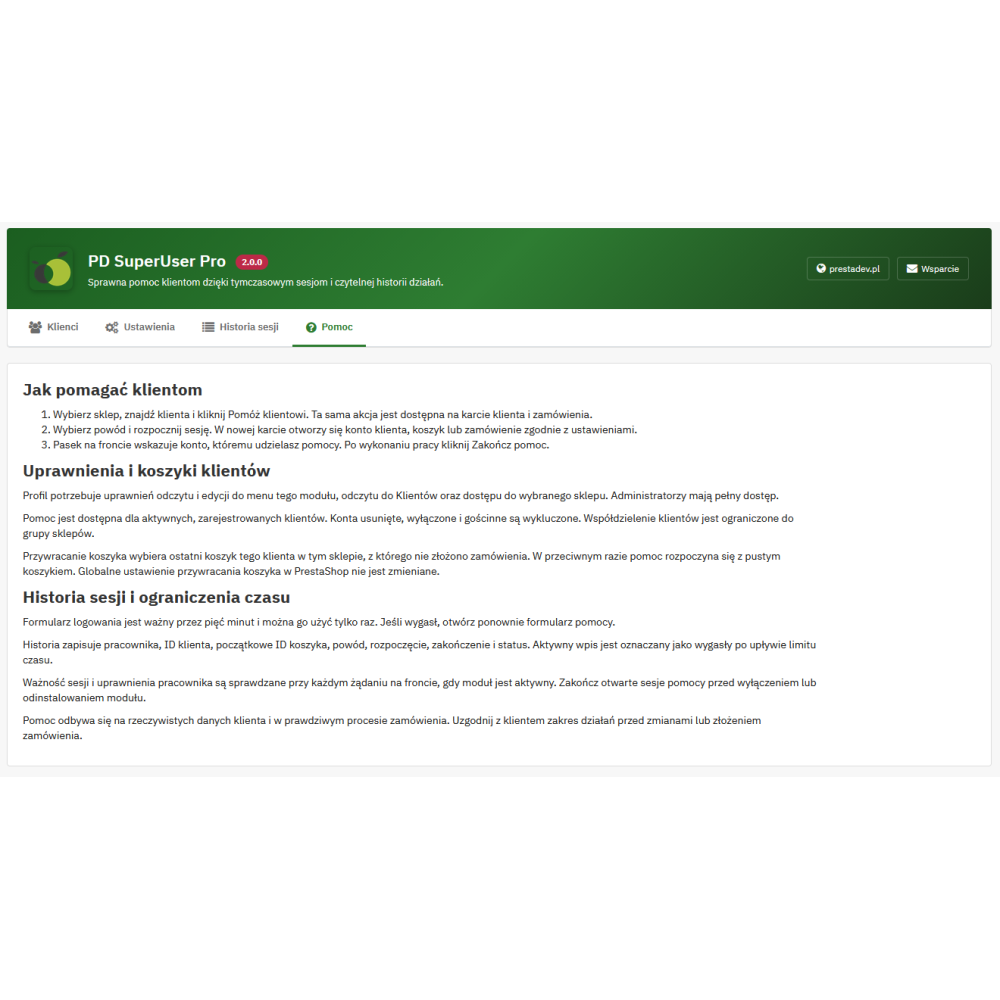
- Four panel tabs. Customers, Settings, Session history, and Help, with Polish descriptions of how to use the module.
Benefits for store staff and the customer
- Checking the request on the correct account. The employee can access a specific customer's account and view the cart related to their request.
- Assistance without sharing the password. The customer does not need to provide the employee with their password to allow them to start an assistance session.
- Access to assistance from the workplace. An action on the customer or order page allows assistance to be started without searching for the account again on the module list.
- Information about the person handling the case. The history makes it possible to determine which employee started the session, for which customer, and for what reason.
- Clear end of work on the account. The bar identifies the account being handled, and the end button logs the customer out of the employee's browser.
How does the customer assistance session work?
- Select a single store if you use multi-store mode, and find the customer on the module list or open their customer page or order page.
- Select the assistance action, indicate the reason, and start the session. The way the cart is used and the page after login are determined by the module settings.
- In a new tab, perform the actions agreed with the customer on their actual account. The front office bar indicates the account being handled and the session expiration time.
- When you finish, click “End assistance”. The module will save the end of the session and log the customer out of this browser.
Cart, session time, and history settings
| Setting | Available action | New installation |
|---|---|---|
| Restore the last cart | The customer's last unordered cart in the selected store or an empty cart. | Empty cart. |
| Page after login | Homepage, customer account, checkout, or cart. | Customer account. |
| Require assistance reason | Mandatory or optional reason selection. | Reason required. |
| Session time | From 5 to 120 minutes. | 30 minutes. |
| History retention | From 7 to 365 days. | 90 days. |
When updating, the module keeps the existing settings, and missing options are filled in with default values. Assistance mode does not change the global PrestaShop setting for cart restoration.
Customer assistance history
The history describes assistance sessions: who started the work, on which account, for what reason, and with what completion status. It distinguishes pending, active, completed, expired, failed, and cancelled sessions. It is a session register, without a detailed record of every change made on the customer account.
Older entries are removed for a given store when starting a session, in batches of up to 1000 records, according to the configured retention period. Changing this period does not mean immediate removal of all older entries.
Permissions and multi-store support
The employee needs read and edit access to the module menu, read access to customers, and access to the selected store; the super administrator has access after meeting the activity and store access conditions. Assistance is carried out in the context of a single store. If a store group shares customers, the module includes accounts belonging to that group, while the cart and history still apply to the store selected for assistance.
Compatibility and usage rules
The module is intended for PrestaShop 1.7.x, 8.x, and 9.x. The store should use a PHP version appropriate for its PrestaShop version. Displaying the assistance bar requires a standard location in the theme: displayAfterBodyOpeningTag or displayBanner.
The assistance session uses the store's actual data and functions, so the scope of changes and any order placement should be agreed with the customer. The new tab does not create an independent customer login — the assistance session replaces the previous front office login in this browser. Time expiration and permission revocation are checked on subsequent front office requests when the module is active; open sessions should be ended before disabling or uninstalling it. Uninstalling removes the session history and module settings.