
Payu payment link
PayU – repeated payment link in PrestaShop | PrestaDev

PayU payment link Pro for PrestaShop

Module version: 2.3.1

PrestaShop compatibility: 1.7.x 8.x 9.x

Module file updated: 11/10/2026 18:38:11

Product data updated: 04/12/2026 08:11:08


PD PayU Payment Link Pro is a PrestaShop module that allows you to send the customer a link to repay an order via PayU — directly from the order card in the administration panel or automatically through a scheduled cron job. The customer receives an email with a link leading to the PayU page, and after payment, PrestaShop automatically receives an encrypted IPN notification and changes the order status without operator intervention. The module works wherever orders get stuck in the “awaiting payment” or “payment failed” status and require a renewed payment request. PD PayU Payment Link Pro supports sandbox mode, IPN signature verification, separate credentials per store in multistore, and automatic reminders before the link expires. This is a solution for operators who want to recover lost payments quickly, securely, and without manually tracking every order.

License type / update
zł 123.00
zł 100.00no tax
Price history:

Description

Key module features

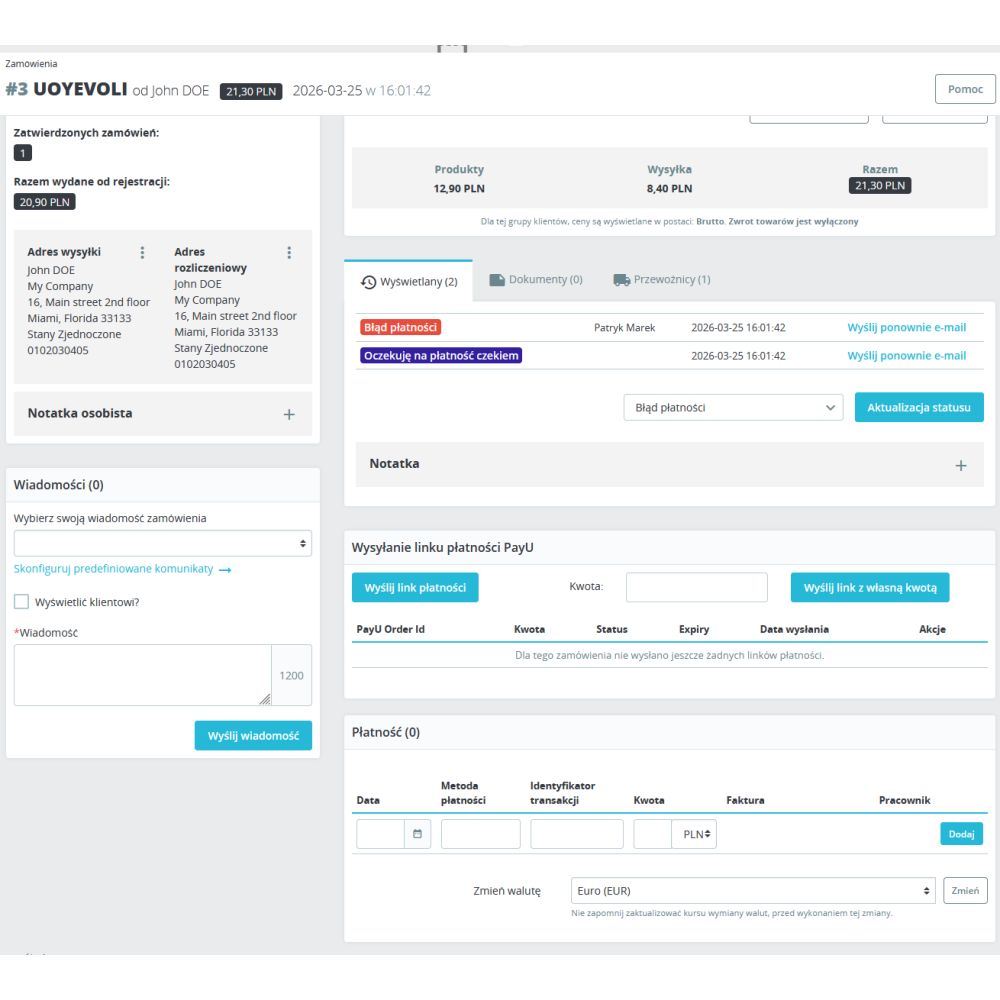
  • Sending a PayU payment link from the order page with one click — full amount or any amount entered by the operator.
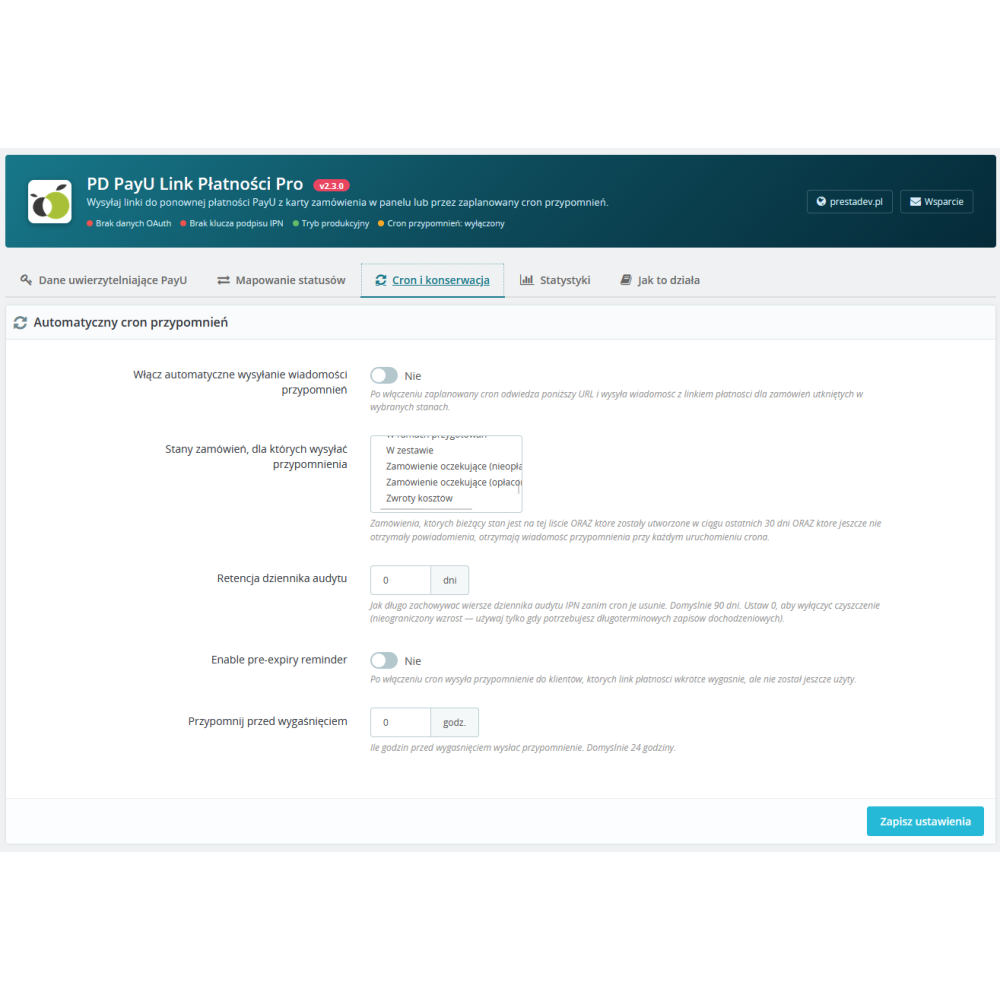
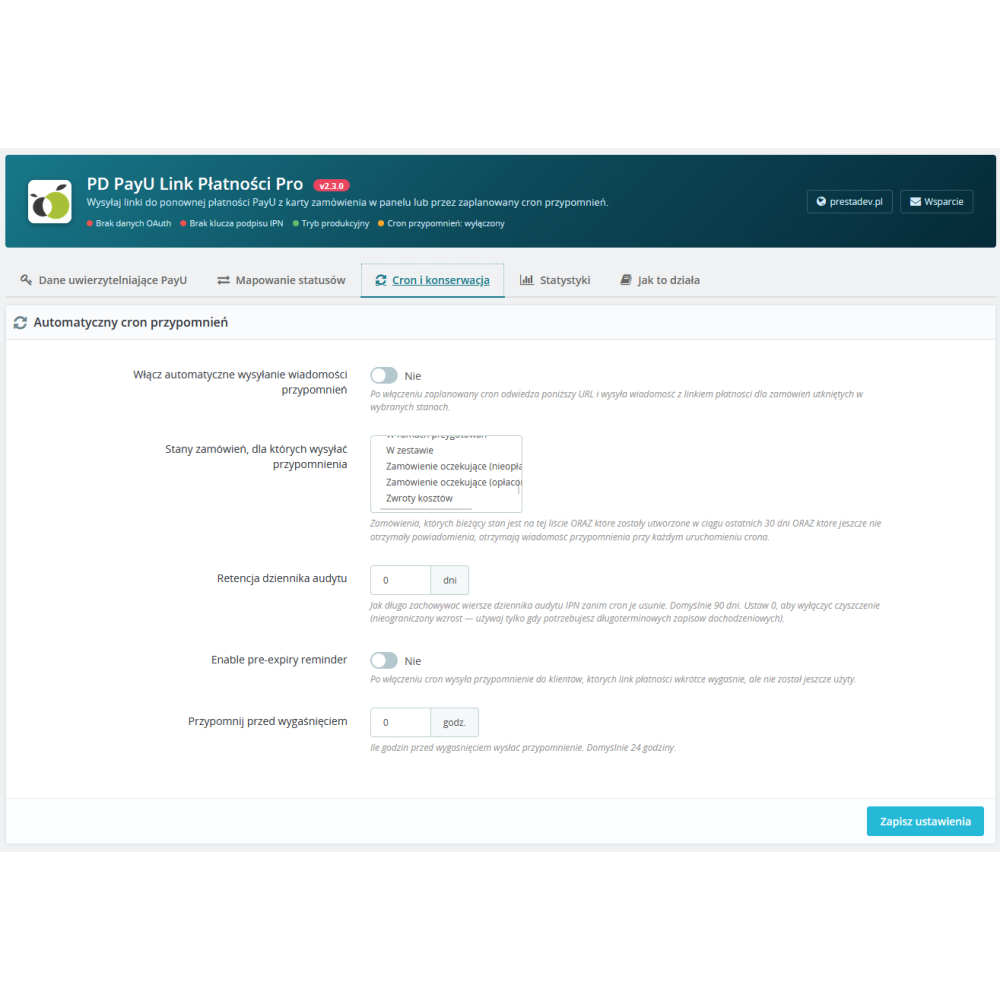
  • Automatic reminder cron that periodically checks orders in selected statuses and sends emails without operator intervention.
  • IPN signature verification (MD5 algorithm with the second key) — the module rejects forged notifications and protects the store from unauthorized marking of orders as paid.
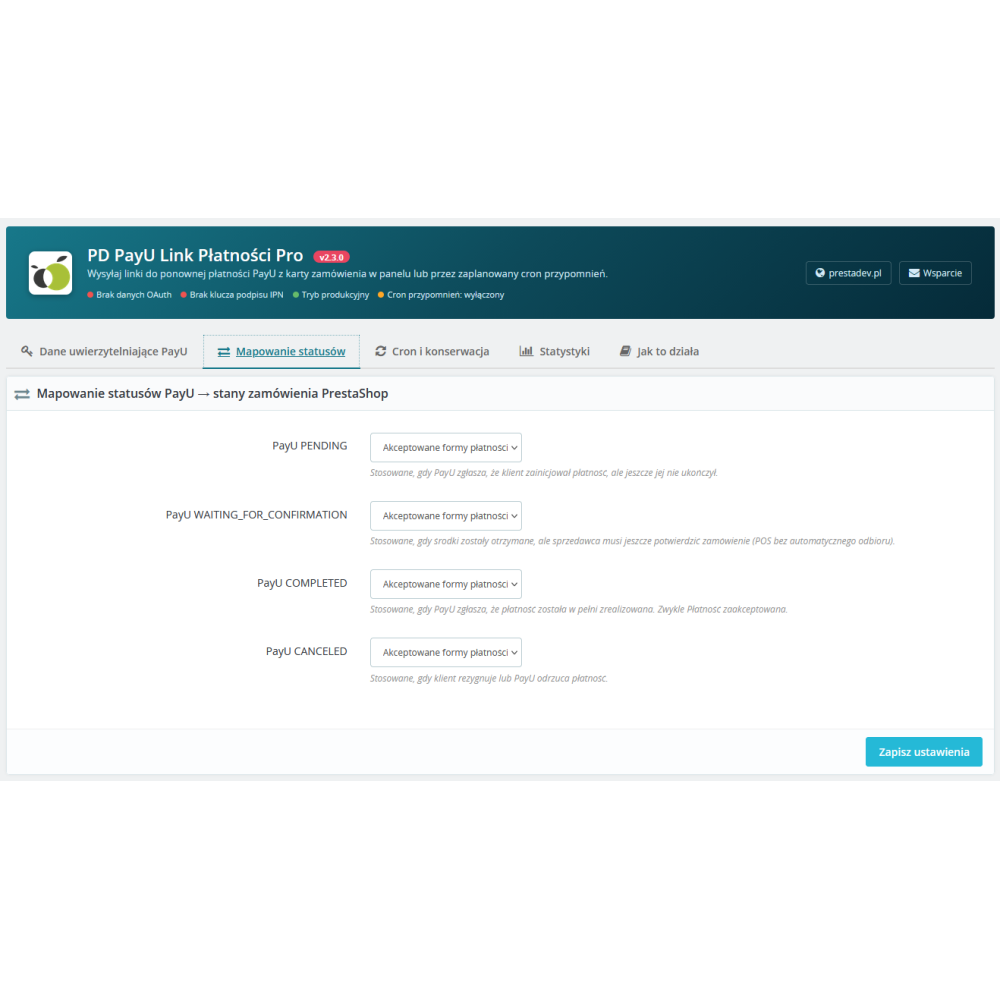
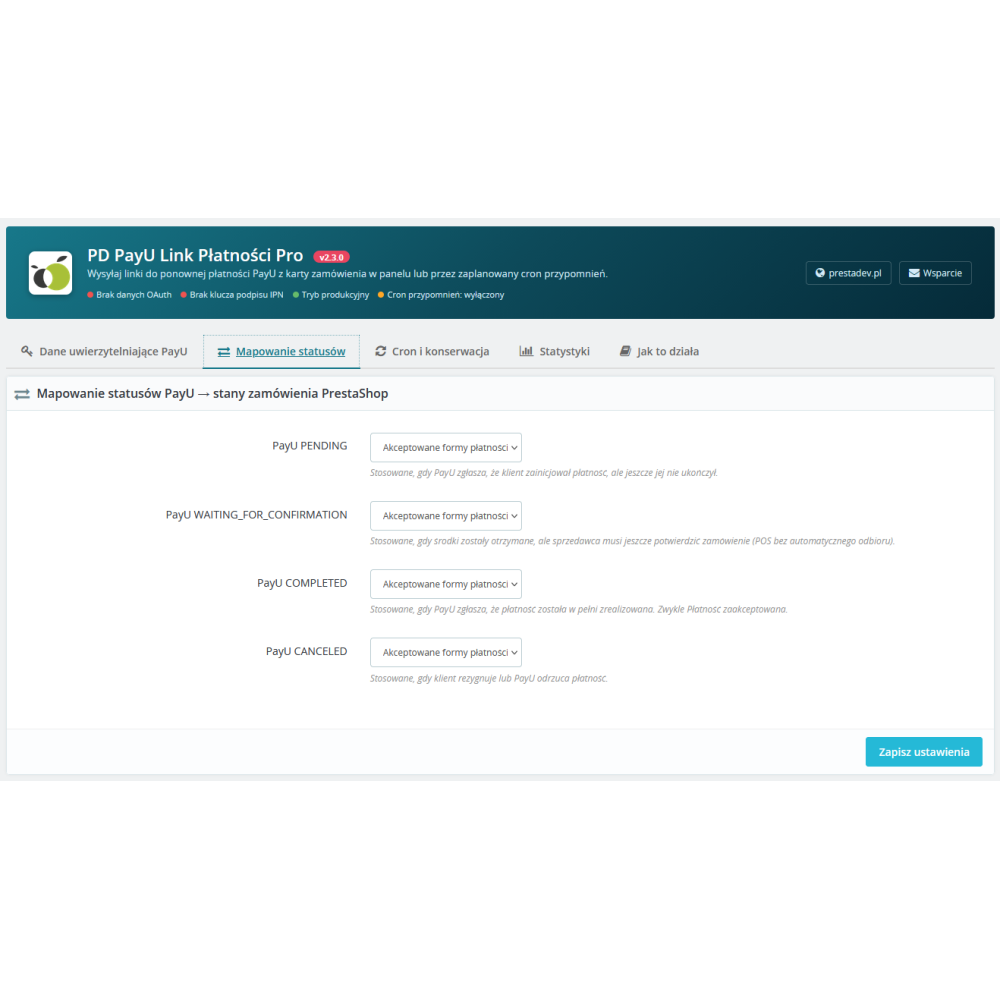
  • Automatic order status change after payment — PayU sends a notification, and the module maps the COMPLETED status to the selected PrestaShop status (e.g. “Payment accepted").
  • Sandbox mode allowing you to test the integration with a PayU test POS before deploying to production.
  • Multistore with separate credentials, IPN key, and configuration per store.
  • Reminder before link expiration — an automatic email sent by cron when the payment link is about to expire but has not yet been used.
  • “Resend” button next to each active link in the order history — resend the email without generating a new PayU order.
  • QR code generated for each payment link — useful for in-store service or printing on an invoice.
  • Internal note automatically added to the order each time a link is sent — with the amount, currency, link, and source (manual / cron).
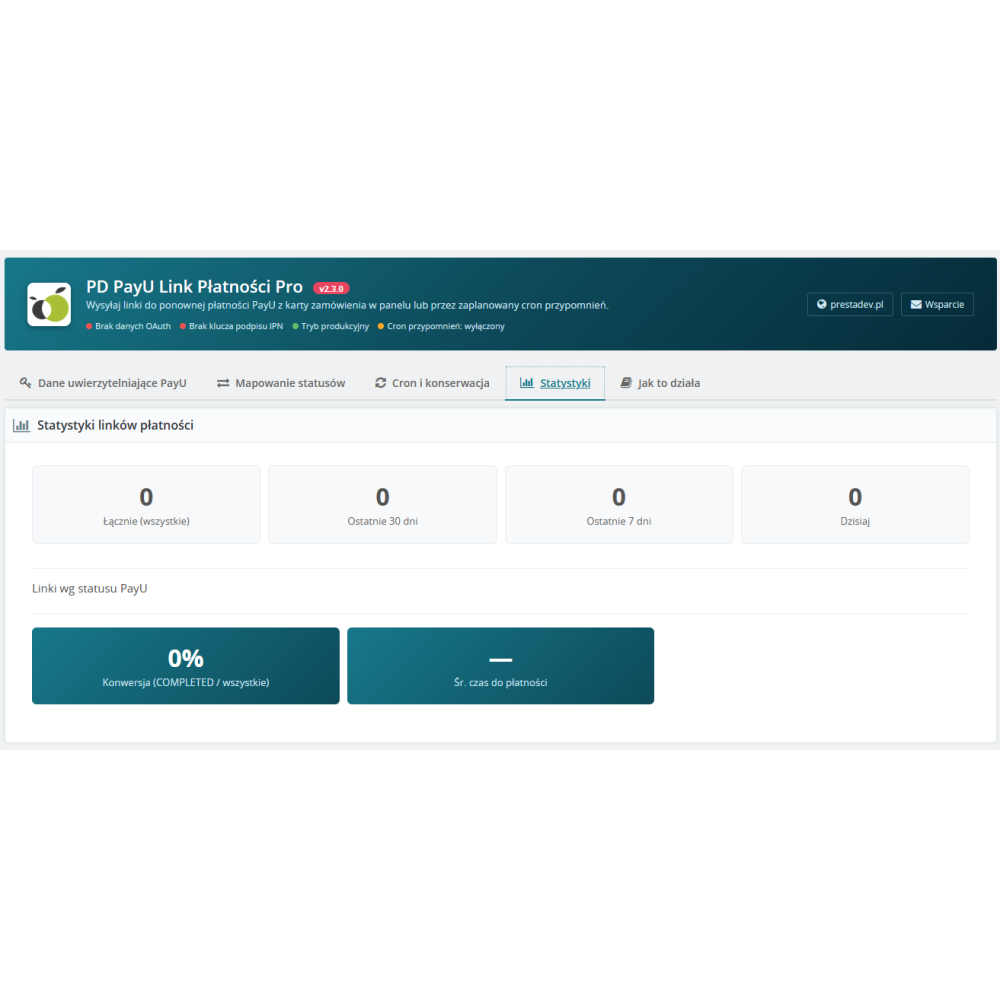
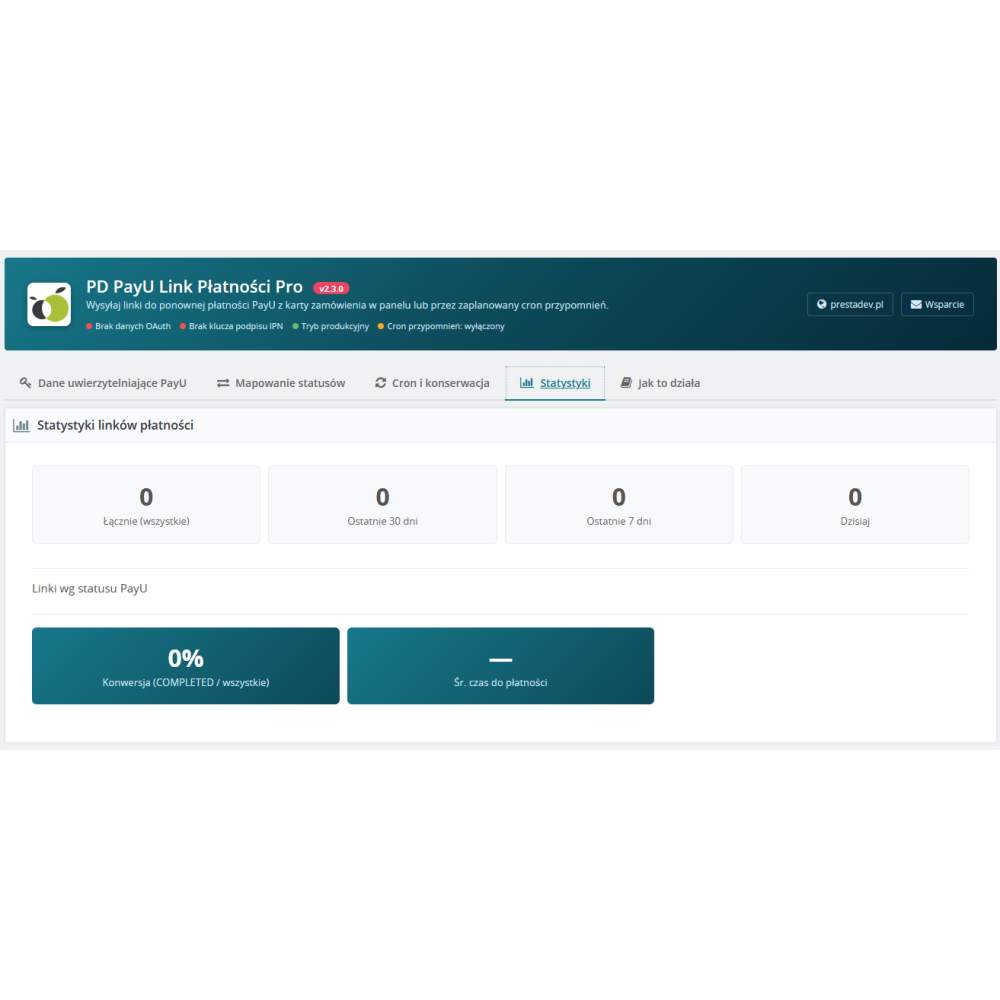
  • Statistics panel with the number of sent links, breakdown by PayU statuses, conversion rate, and average time to payment.
  • IPN audit log with automatic cleanup of old entries — configurable retention period (90 days by default).
  • OAuth token cache with automatic refresh — the module does not authenticate on every request, which speeds up operation and eliminates blocks on the PayU side.
  • Tabbed configuration with Polish user instructions, payment flow description, and a pre-launch checklist.

Benefits for the store

  • Recovering lost payments — instead of losing orders stuck in an unpaid status, you send the customer a convenient link for immediate payment.
  • Less manual work — cron sends reminders automatically, so the operator does not have to track each order separately.
  • Transaction security — IPN signature verification protects against a scenario in which someone from outside forges a “paid” notification.
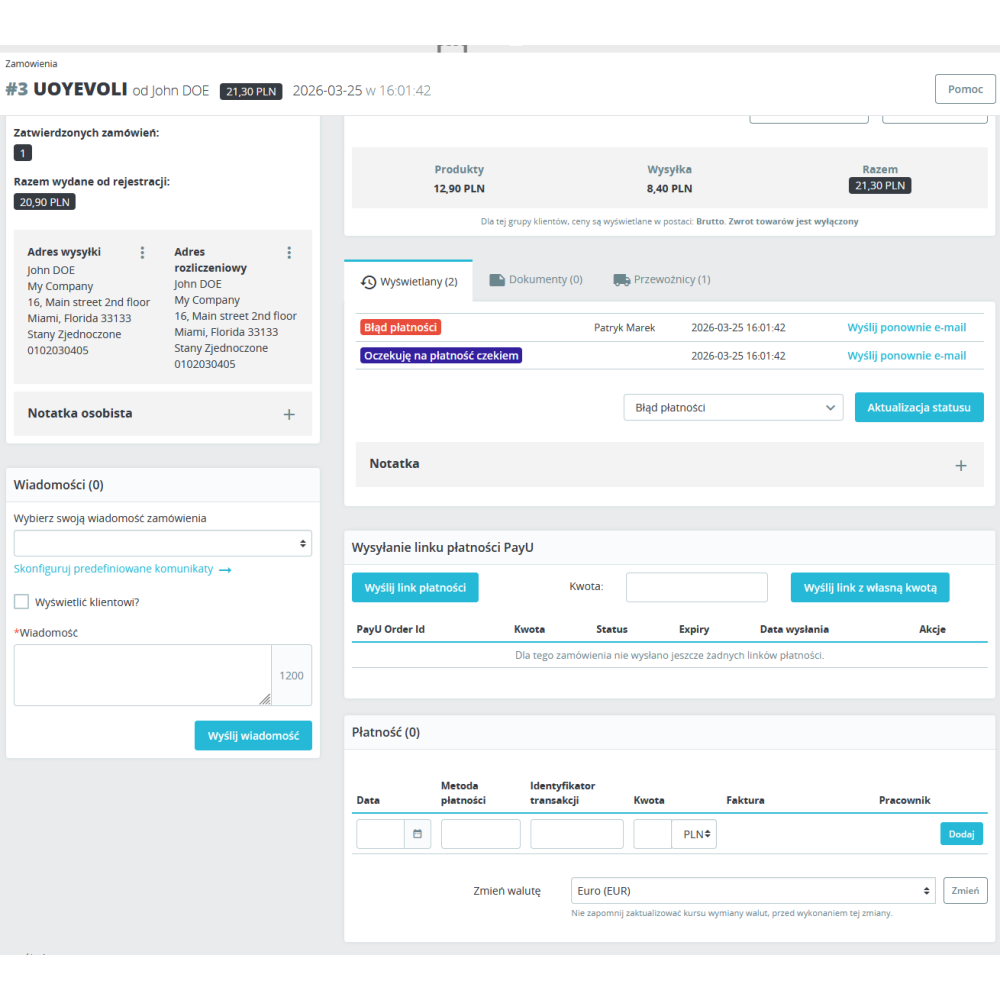
  • Full operator control — history of sent links, internal notes, PayU statuses, and time until expiration visible directly from the order page.
  • Convenience for the customer — the customer clicks the link in the email, goes to the PayU page, pays with the selected method (card, BLIK, bank transfer), and returns to the store with confirmation.
  • Safe testing — sandbox mode lets you test the entire flow without the risk of real transactions.
  • Fewer lost sales — a reminder before the link expires gives the customer a second chance to pay for the order.

Who this module is for

  • For PrestaShop stores using PayU as a payment gateway in the Polish and European markets.
  • For operators who regularly deal with orders stuck in the “awaiting payment” or “payment failed” status.
  • For stores with multistore that need separate PayU configuration for each point of sale.
  • For companies that want to automate sending payment reminders without involving customer service.
  • For sellers who also run brick-and-mortar sales, where the QR code with the payment link can be shown to the customer on screen or printed.

Why choose PD PayU Payment Link Pro

  • The module supports the full payment loop — from sending the link, through PayU confirmation, to automatic order status change in PrestaShop.
  • The configuration is divided into clear tabs with Polish instructions and a checklist, so launch does not require technical assistance.
  • Compatible with PrestaShop 1.7 to 9.x and PHP 7.0 to 8.5 — works on both older and the latest engine versions.
  • It has passed a multi-stage security, performance, and compatibility audit — this is not an experimental module, but a product ready for production deployment.

Product Details

Prestashop 9.x support
Yes
Support for Prestashop 8.x
Yes
Prestashop 1.7.x support
Yes
Prestashop 1.6.x support
Yes
Module translations
EN, ENG
Free support
Yes
Free updates (1 year)
Yes
Easy Installation
Yes
Requires engine modification
No
PDPLP-FULL

Changelog

Release history for this product. Expand an entry to see what changed.

  • moduł został kompletnie przepisany pod PrestaShop 9.x

FAQ

Find answers to the most common questions about this product.
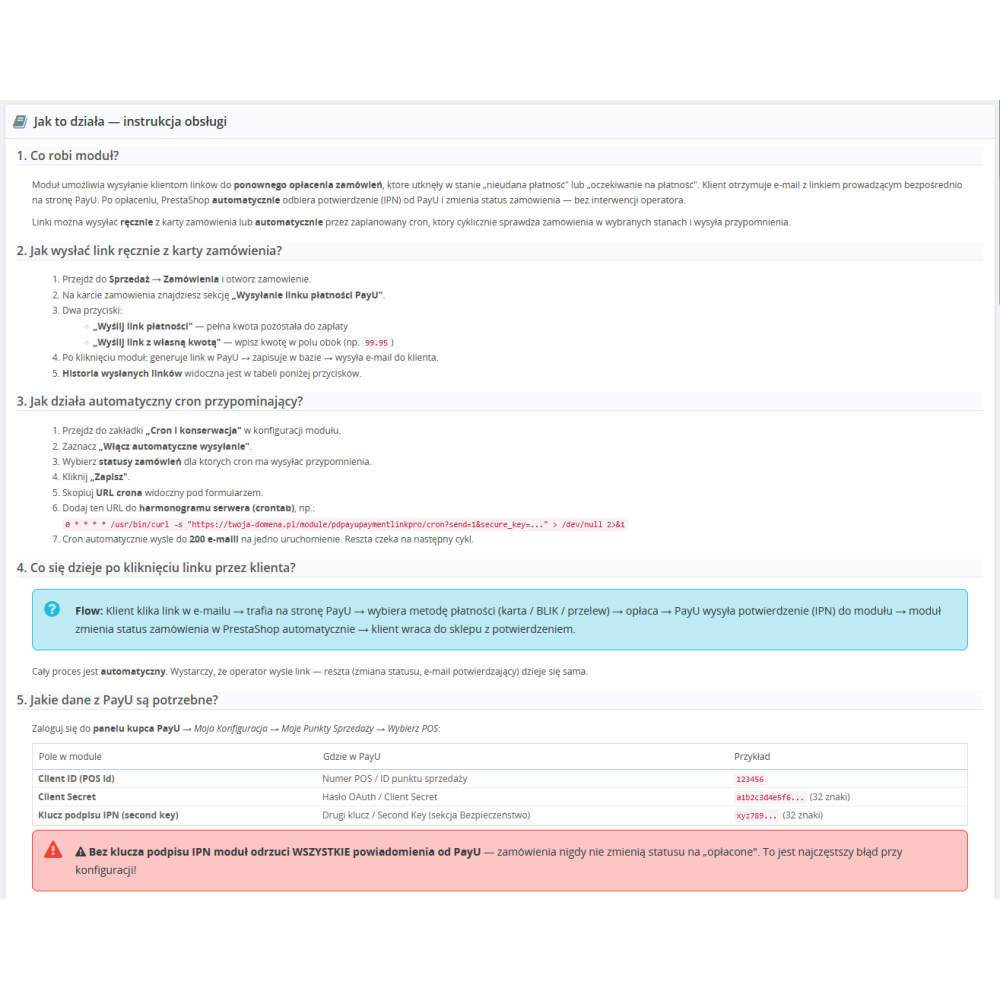
The module allows you to send the customer a link to repay the order via PayU. The link can be sent manually from the order page in the administration panel or automatically using a scheduled cron job. Once the customer has made the payment, PrestaShop automatically receives confirmation from PayU and changes the order status.

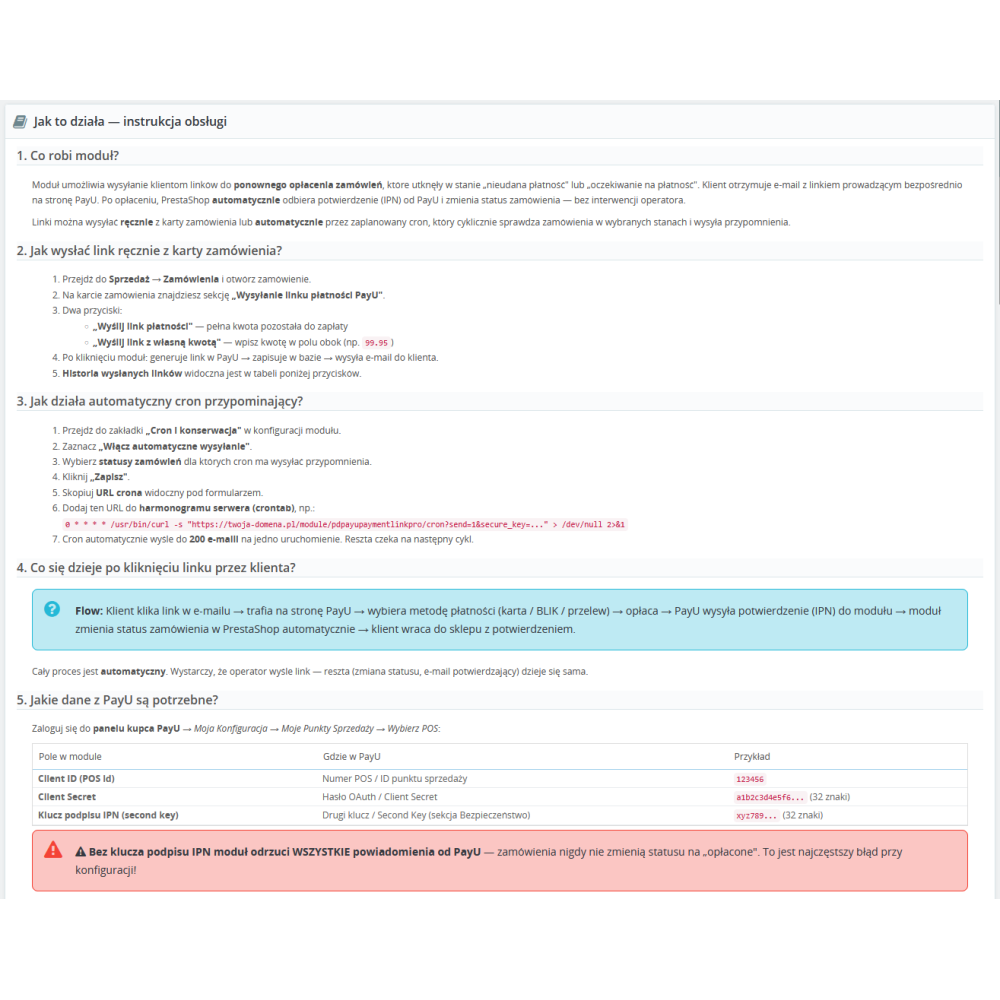
You need three pieces of data from the POS configuration in the PayU merchant panel: Client ID (POS number), Client Secret (OAuth password), and Second Key (IPN signature key). Without the IPN signature key, the module will reject all notifications from PayU and orders will never change status to paid.

On the order page, in the PayU payment link sending section, two buttons are available: Send payment link (the full amount remaining to be paid) and Send link with custom amount (any amount entered by the operator). After clicking, the module generates a link in PayU, saves it in the database, and sends an e-mail to the customer.

After enabling the cron function in the module configuration and selecting the order statuses to monitor, the module periodically checks orders in those statuses and sends customers emails with a payment link. The operator must copy the cron URL from the configuration page and add it to the server schedule (crontab). A maximum of 200 orders are processed per run.

The customer clicks the link in the email, is redirected to the PayU page, selects a payment method (card, BLIK, bank transfer), and pays for the order. PayU sends an encrypted IPN notification to the module, the module verifies its authenticity and automatically changes the order status in PrestaShop to the configured state (e.g. Payment accepted). The entire process is automatic.

Sandbox mode switches all API calls to the PayU test environment (secure.snd.payu.com), where you can safely test the integration without real transactions. PayU requires separate test credentials (Client ID, Secret, Second Key) for the sandbox. After testing, disable sandbox mode and enter the production credentials.

Yes. After enabling the Reminder before expiration option in the Cron and maintenance tab, the module automatically sends a second email to customers whose payment link will soon expire. By default, the reminder is sent 24 hours before expiration. This time can be changed in the configuration.

Yes. For each active link in the history table on the order page, a resend button (envelope icon) is visible. Clicking it resends the same email to the customer without generating a new PayU order. The button is available only for links that have not yet expired and have not been paid or cancelled.

For each payment link in the history table, a button with a QR icon is available. When clicked, a modal is displayed with a QR code generated from the payment link URL. This is useful in in-store sales scenarios, where the operator can show the QR code to the customer on the screen so that they can scan it with their phone and pay for the order.

Yes. Each store in a multistore configuration can have separate PayU credentials (Client ID, Secret, Second Key), sandbox mode, and status mapping. The cron processes orders from all active stores, and IPN notifications are verified per shop. Emails are sent from the address configured for the specific store.

The most common cause is a missing or incorrect IPN signature key (Second Key) in the module configuration. Without this key, the module rejects all notifications from PayU. To fix this, copy the Second Key from the POS configuration in the PayU merchant panel and paste it into the PayU Authentication Data tab in the module configuration. Also check the PrestaShop logs (Configure, Advanced, Logs) for entries from pdpayupaymentlinkpro.

The module has been designed with broad compatibility in mind and supports PrestaShop from version 1.7.0 up to 9.x, as well as PHP from 7.0 to 8.5. It works both on older installations and on the latest versions of the engine, maintaining consistent operation and configuration.

Reviews (0)

No reviews