
• New
CSV Export Pro – export of products and combinations to CSV compatible with PrestaShop import

CSV Export Pro – export of products and combinations to CSV compatible with PrestaShop import

Module version: 2.0.0

PrestaShop compatibility: 1.7.x 8.x 9.x

Module file updated: 09/25/2026 06:57:28

Product data updated: 09/25/2026 17:24:54


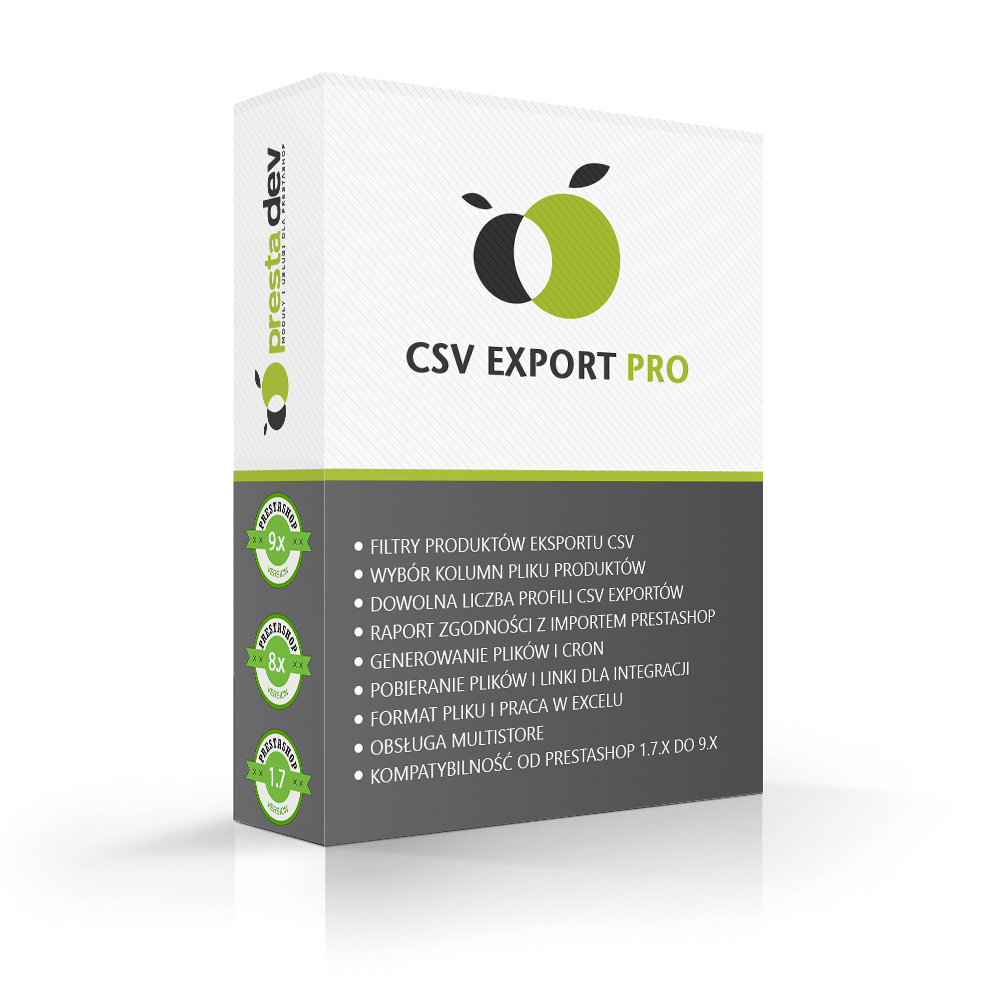
CSV Export Pro is a PrestaShop module that exports products and combinations to CSV files readable by PrestaShop’s built-in CSV import without reworking the columns. The module creates a separate file for the “Products” import type and a separate one for “Combinations”, and it matches the list of columns, their order, and the way values are written to the PrestaShop version that will import the file: 1.7.0–1.7.2, 1.7.3–1.7.6, 1.7.7–8.x, or 9.x. Each export profile has its own shop, data language, product filters, column set, product key, and separators. After each generation, the module saves a compatibility report indicating the product, column, and value that the PrestaShop import will not transfer, will change, or will reject. Files can be generated from the progress bar in the administration panel or via a CRON URL, and an interrupted run is resumed from where it stopped. Ready files can be downloaded in the panel or shared with integrations via a permanent link with a secret token, without logging in to the store. The module declares compatibility with PrestaShop 1.7.0–9.x and PHP 7.0–8.5.

zł 89.00
zł 72.36no tax
Price history:

Description

What the module is used for

  • Moving a catalogue to another store. A new store, migration to a newer PrestaShop version, or a test store – the files are prepared for the import of the target version, not the version you are exporting from.
  • Bulk editing in a spreadsheet. Export selected columns, modify them in Excel or another spreadsheet, and re-import them into the same store.
  • A permanent file for integrations. A wholesaler, comparison engine, ERP system, or another store can fetch the current file from a fixed URL, refreshed by CRON.

Files compatible with the import of the selected PrestaShop version

Four target versions

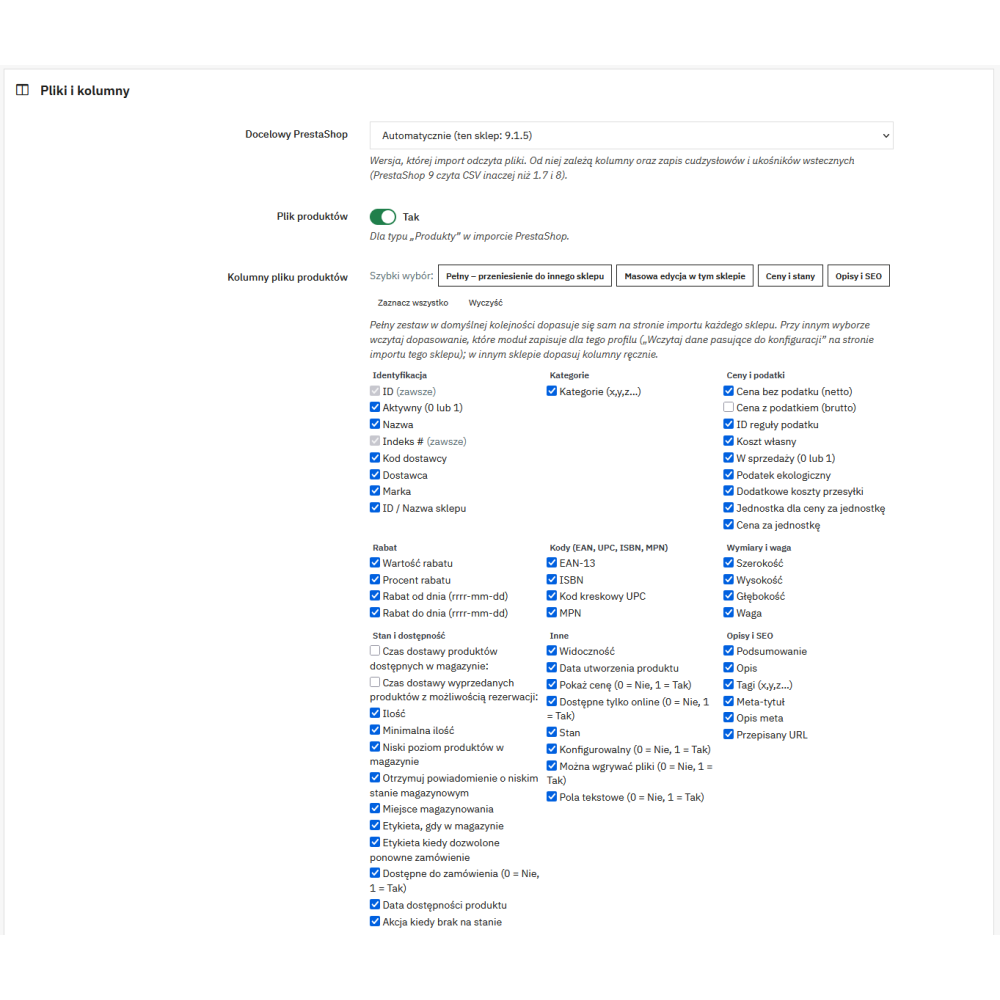
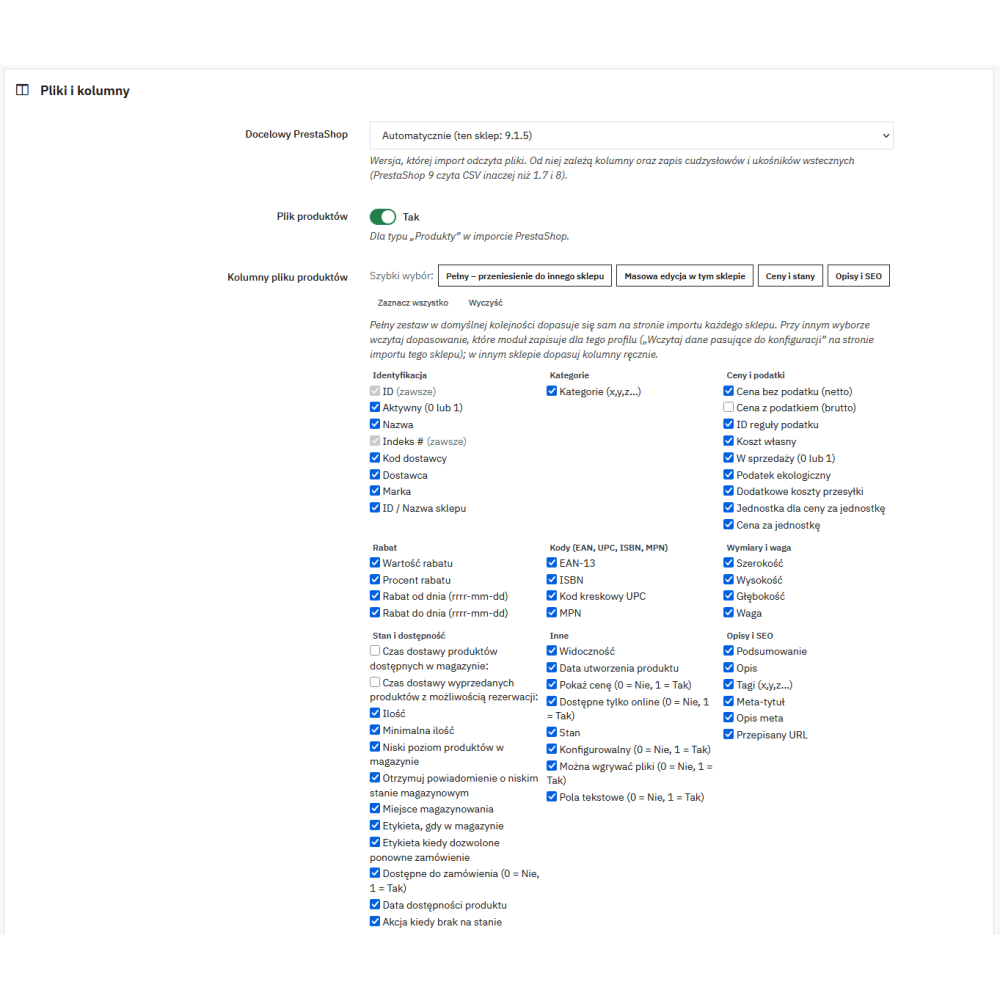
  • Import version selection. In the profile, you specify which PrestaShop will read the file: 1.7.0–1.7.2, 1.7.3–1.7.6, 1.7.7–8.x, 9.x, or “Automatically” (the current store version).
  • Columns in import order. The product file has from 63 columns (1.7.0–1.7.2) to 68 columns (1.7.7–8.x), and for PrestaShop 9 – 66 columns. The combinations file has from 23 to 26 columns. The order matches the import fields of the given version, so a full file maps itself automatically on the import page.
  • Columns existing only in some versions. For example, ISBN, MPN, low stock threshold, and warehouse location go only into files for versions whose import supports them; meta keywords and advanced stock management columns only into files for 1.7.0–1.7.2.
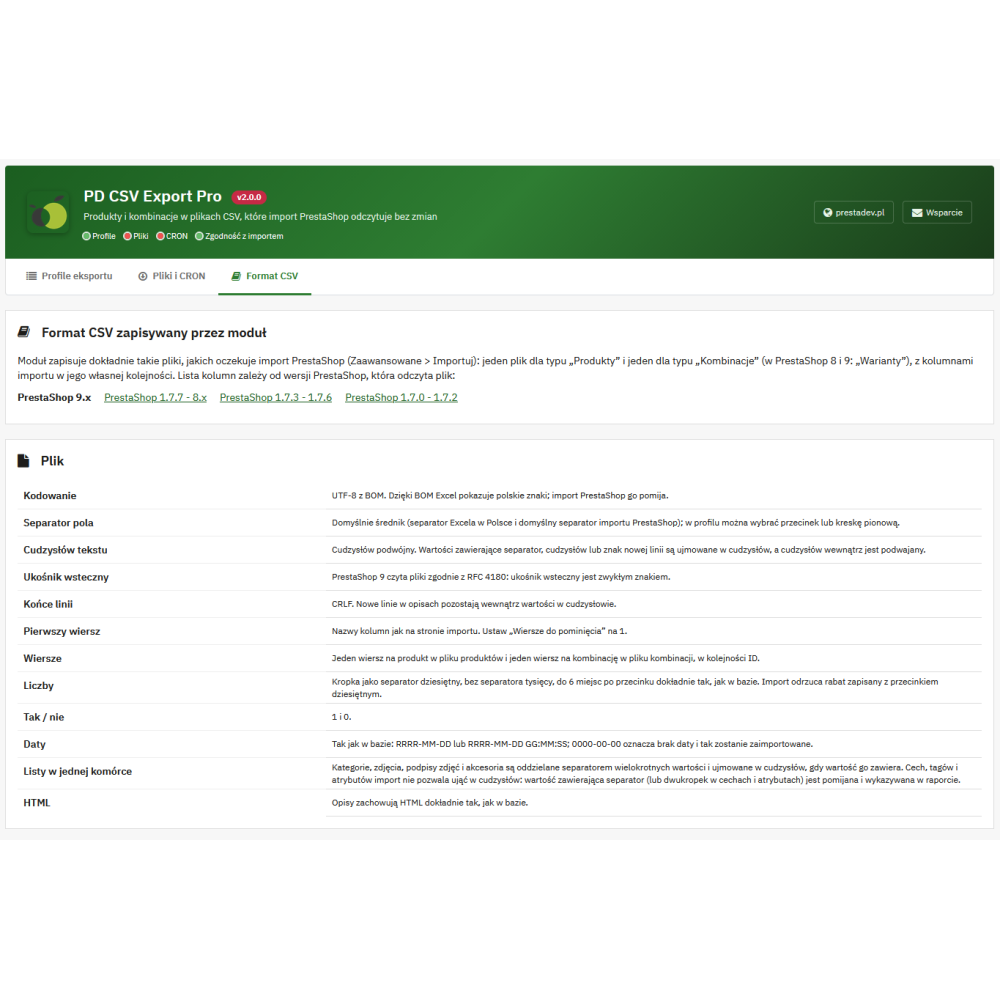
  • Two CSV writing methods. PrestaShop 9 reads CSV according to RFC 4180, while versions 1.7 and 8 treat quotes and backslashes differently. The module writes values so that the import of a specific version reads them unchanged, and when that is not possible – it reports it in the report.
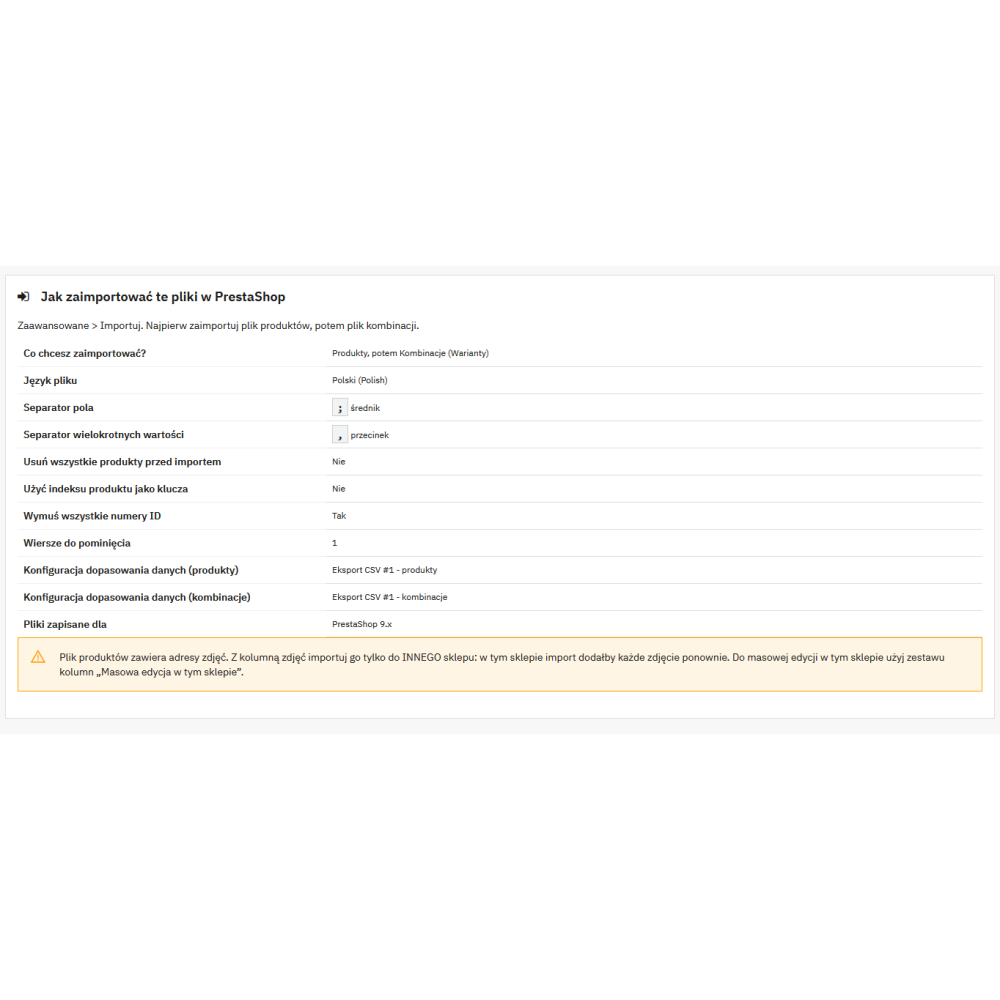
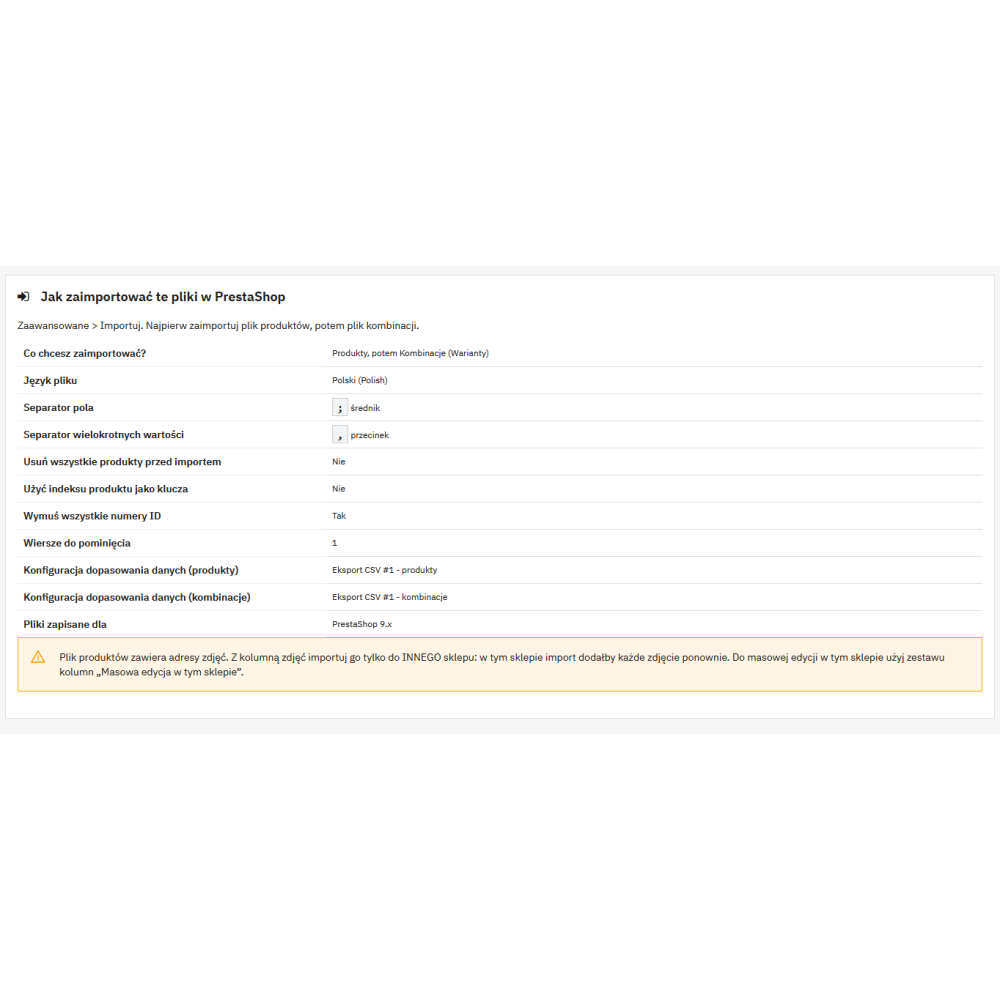
  • Saved column mapping. For each profile, the module creates a saved column mapping configuration in PrestaShop (“CSV Export #ID - products” and “CSV Export #ID - combinations”), which can be loaded on the import page when the file contains only some of the columns.
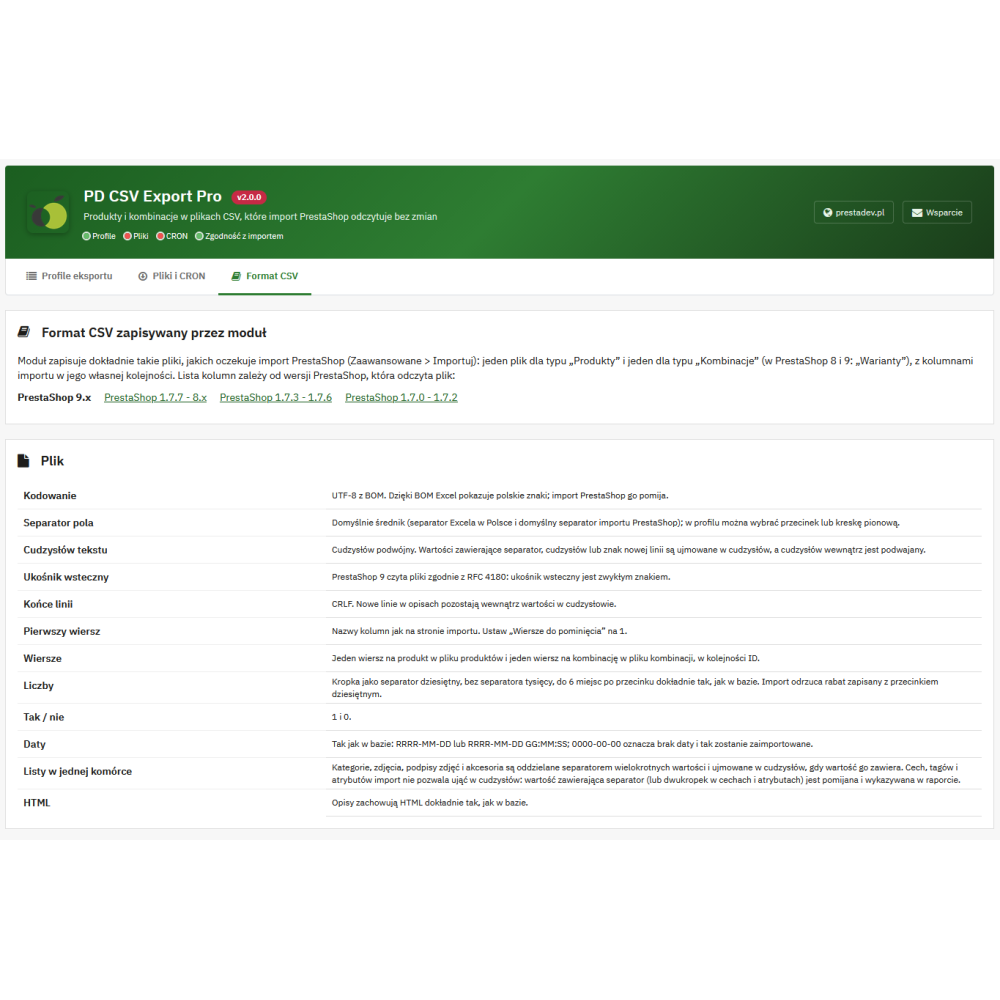
  • The “CSV Format” tab. A description of each column for the selected PrestaShop version and step-by-step import setting instructions.

Product file and combinations file

  • Separate files for two import types. A product file for the “Products” type and a combinations file for the “Combinations” type (“Variants” in PrestaShop 8 and 9); in the profile, you can enable one of them or both.
  • Full combinations file. The combinations file always contains all columns, because when updating combinations, the import overwrites price, weight, stock, and codes with values from the file – a missing column would clear that data.
  • Images as URLs. The images column contains URLs of the original image files from the profile store domain, with the cover image first, as well as alt texts. Images whose files are missing on the server are skipped and reported in the report.
  • Features, attributes, tags, and accessories in the format expected by the import (including feature as name:value:position:custom).
  • Tax-included price as the last column. The import initially maps columns by position and skips this field, so the module always places it at the end to avoid shifting the remaining columns.

Export profiles

Data source

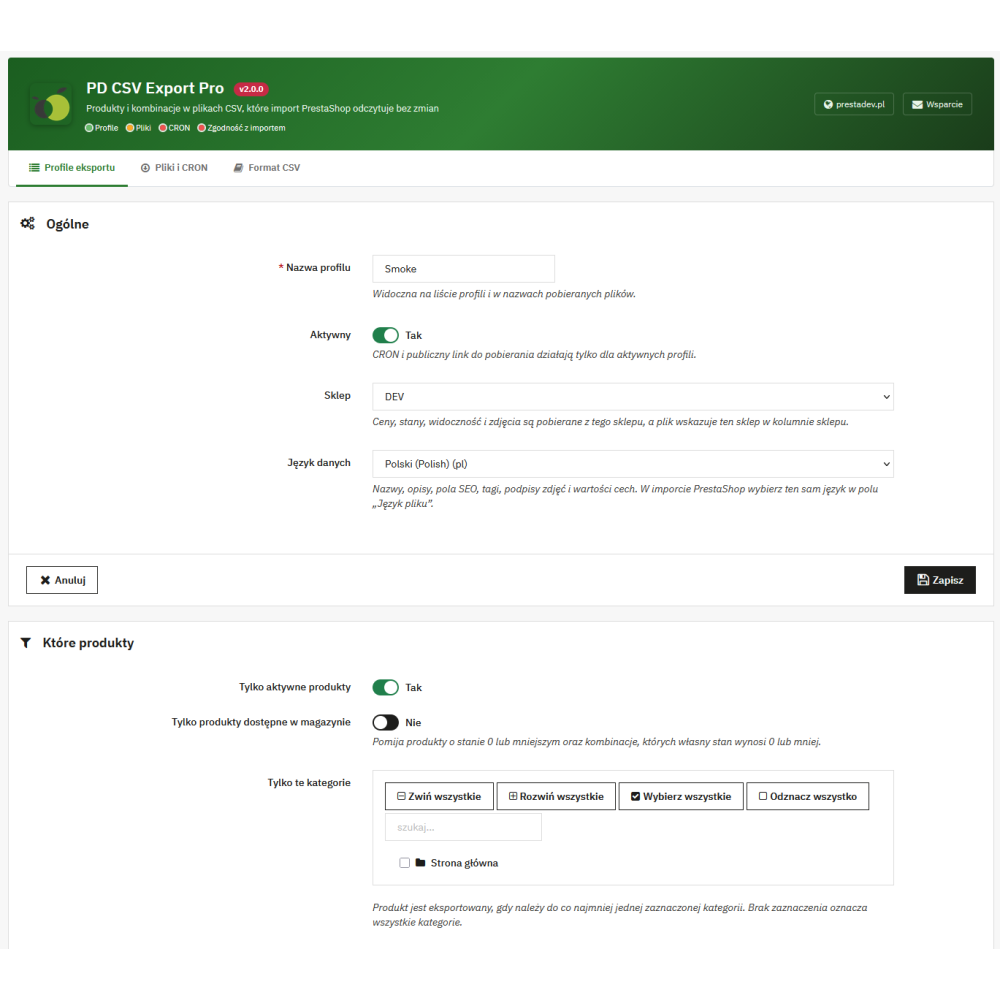
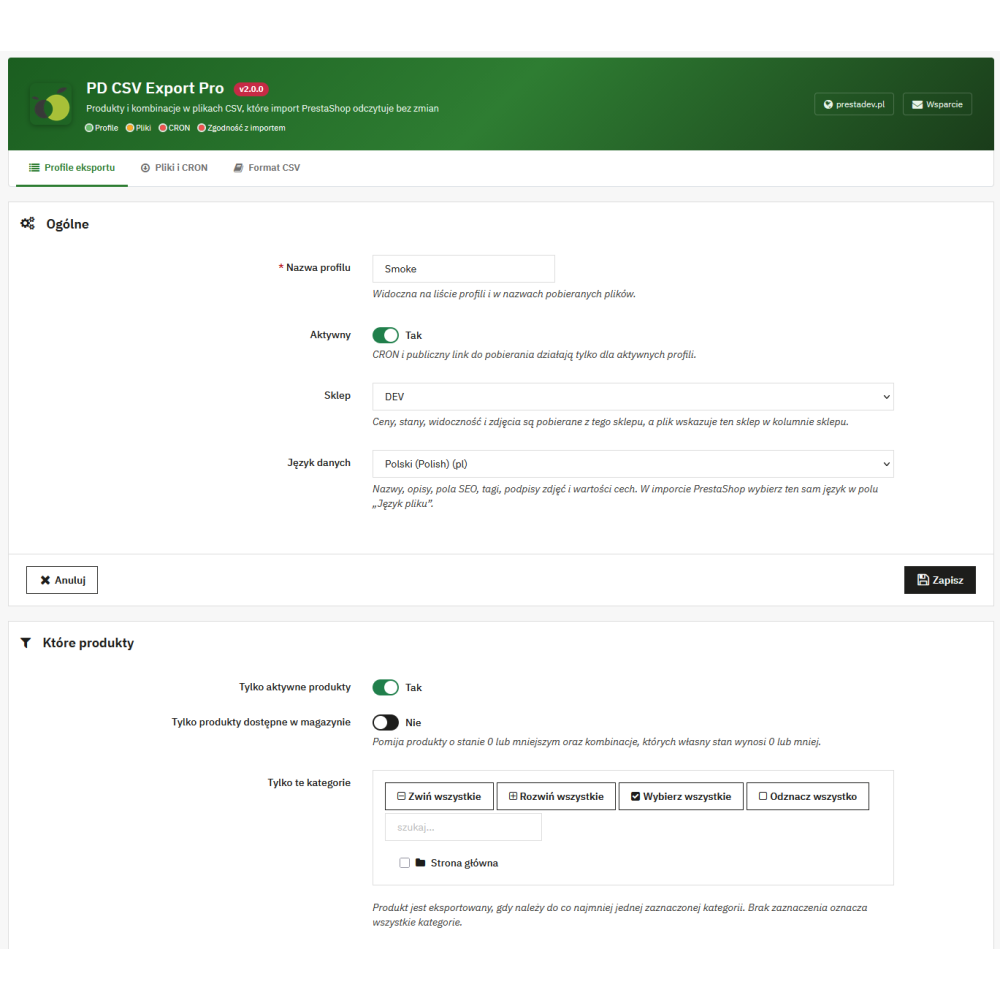
  • Any number of profiles. Each profile describes one set of files and has its own name, activity status, download link, and CRON URL.
  • Profile store. In multistore, prices, stock, visibility, and images are taken from the selected store, and the file provides that store in the store column.
  • Data language. Names, descriptions, SEO fields, tags, image captions, and feature values are exported in the profile language; the same language is selected on the import page as the file language.

Product filters

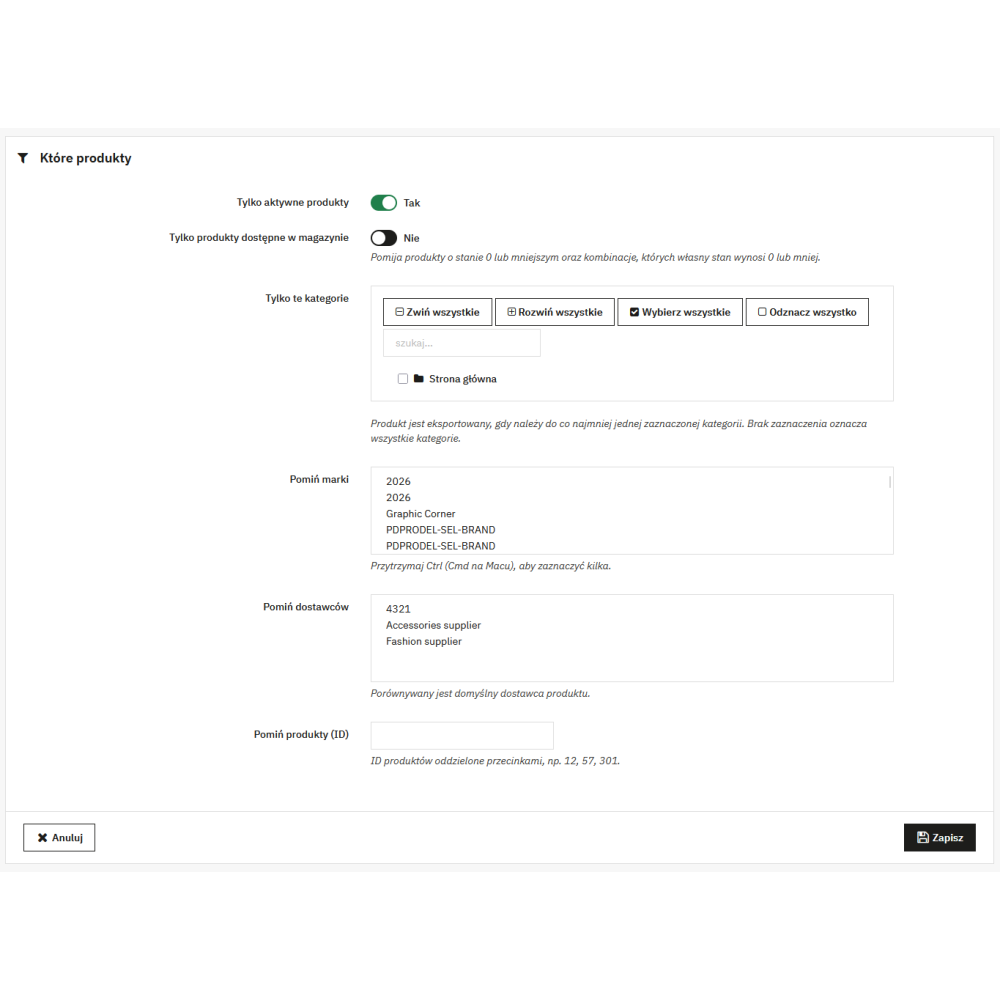
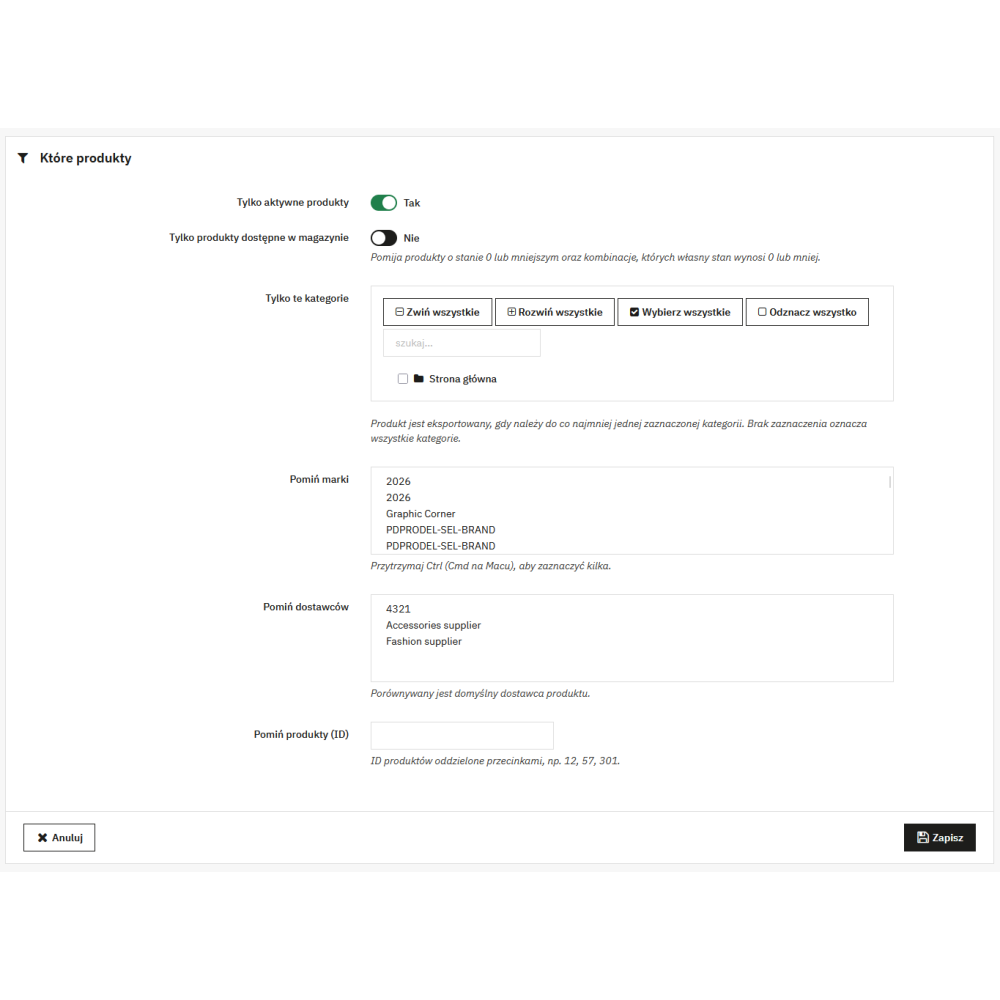
  • Active products only.
  • In-stock products only. Skips products with stock of 0 or less and combinations whose own stock is 0 or less.
  • Selected categories. A product goes into the file if it belongs to at least one selected category; no selection means all categories.
  • Exclusions. Skipping selected brands, suppliers (according to the product’s default supplier), and products with the specified ID numbers.

Columns and sets

  • Selection of product file columns divided into groups: identification, categories, prices and taxes, discount, codes (EAN, UPC, ISBN, MPN), dimensions and weight, stock and availability, descriptions and SEO, images, features, accessories, and virtual product.
  • Four ready-made sets: “Full – move to another store”, “Bulk editing in this store”, “Prices and stock”, and “Descriptions and SEO”.
  • ID and reference columns are always in the file, because the import uses them to identify the product.
  • The column list depends on the target version. After changing the version in the form, only the columns supported by that version’s import are available.

Product key, categories, and separators

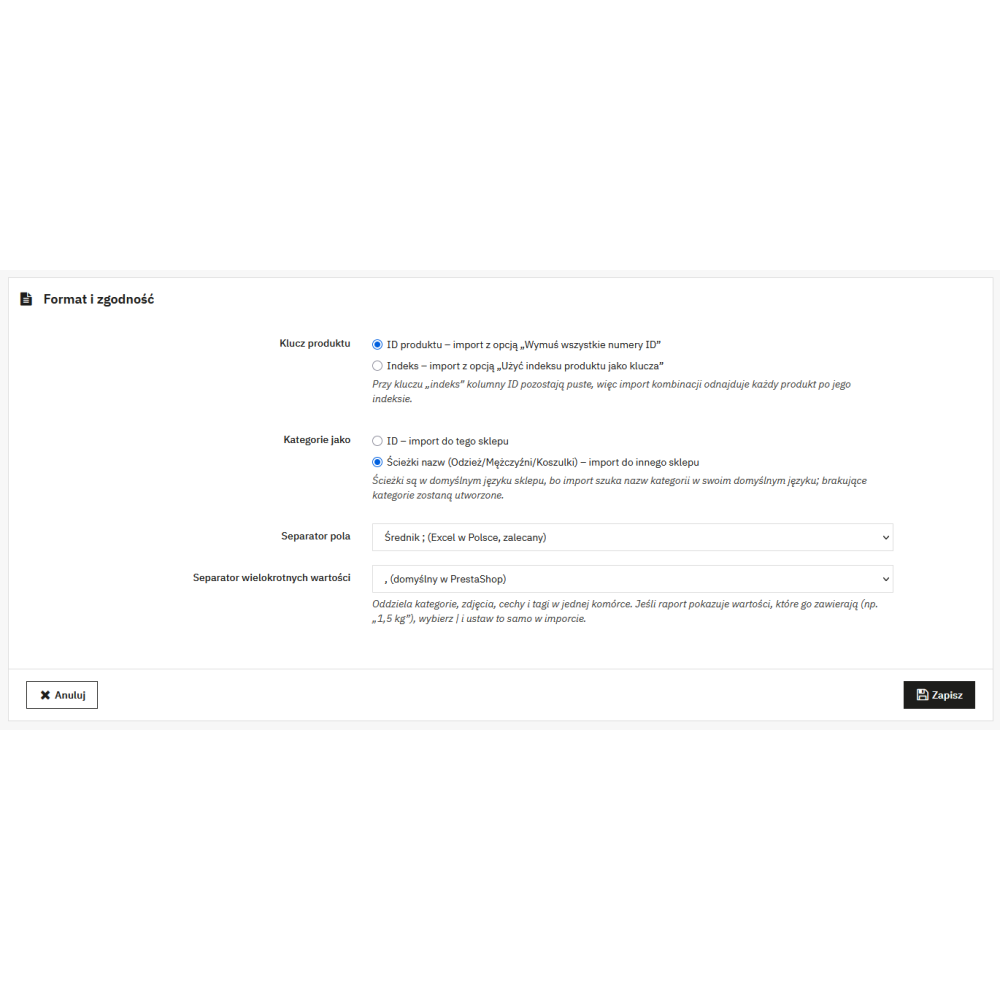
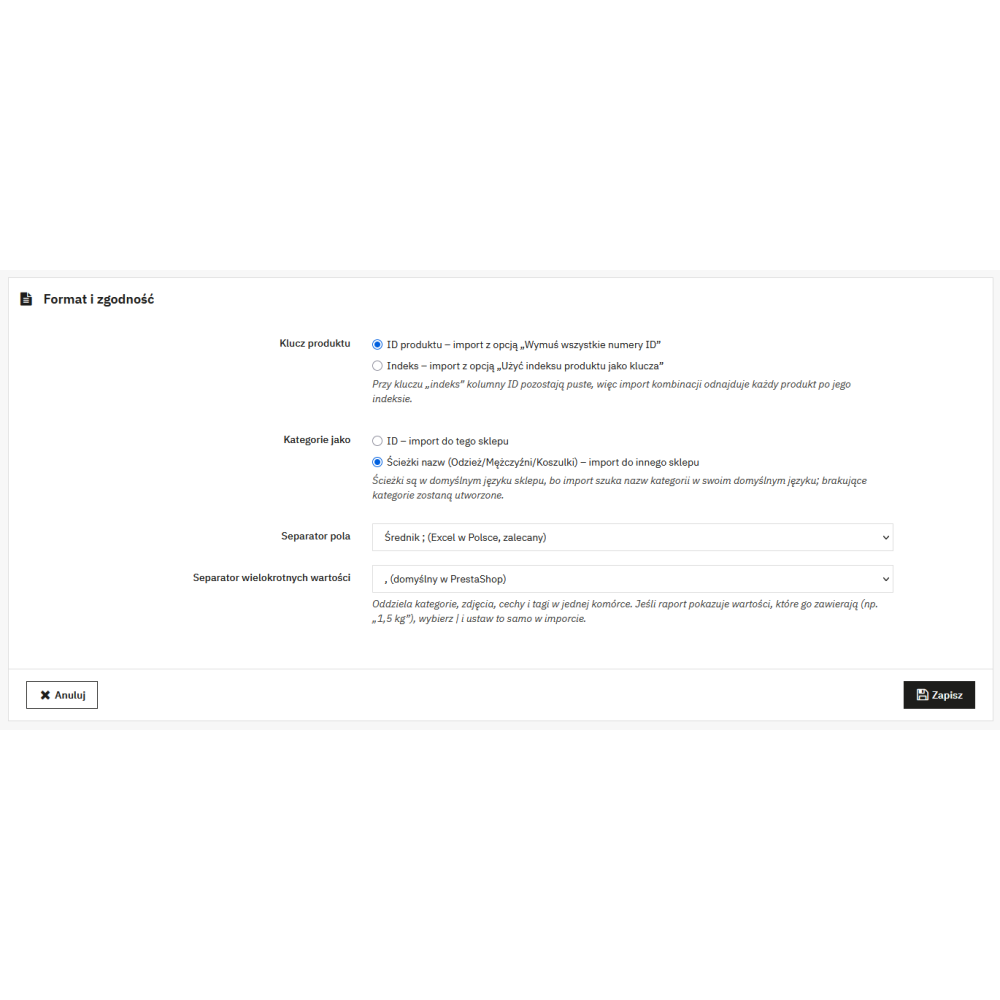
  • Product key: product ID (import with the “Force all ID numbers” option) or reference (import with the “Use product reference as key” option). With reference, the ID columns remain empty, and the combinations import finds the product by reference.
  • Categories as IDs – when importing into the same store – or as name paths (e.g. Clothing/Men/T-shirts) when importing into another store. Paths are saved in the store’s default language, because the import searches for categories in that language; missing categories will be created by the import.
  • Field separator: semicolon (default, compatible with Excel in Polish regional settings), comma, or vertical bar.
  • Multiple value separator: comma (default in PrestaShop), vertical bar, hash, tilde, or caret. The module does not allow setting the same character as the field separator.

PrestaShop import compatibility report

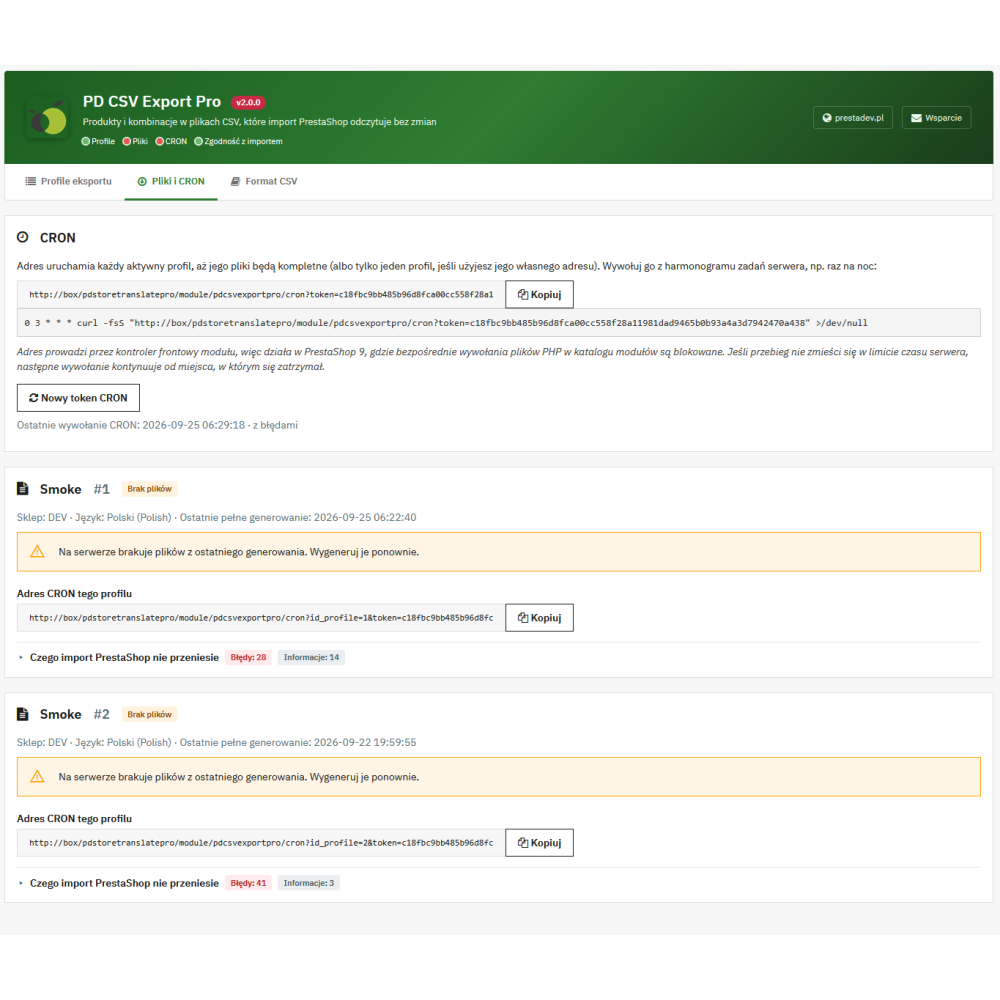
PrestaShop import stops the entire file at the first row it cannot save, and changes some values without warning. During export, the module checks 34 types of such cases and saves each of them in a separate CSV warnings file (level, code, product ID, combination ID, column, value, description). A summary with examples is visible in the “Files and CRON” tab, divided into errors, warnings, and information.

  • Rows that the import will reject: values that do not meet PrestaShop validation, products without a name in the profile language, combinations with a missing attribute name or attribute group name in the store’s default language.
  • Data that the import will not transfer: specific prices other than one discount for the entire catalogue, pack contents, customization field labels, virtual product files.
  • Values that the import will change: spaces at the beginning and end of a cell, the value “0” in features and tags, net amount discount (the import creates it as gross), combination impact on unit price, invalid combination EAN-13 code, combination ISBN in versions 1.7 and 8.
  • Separator and name conflicts: multiple value separator in content, colon in features and attributes, slash in category name, repeated category names, brand, supplier, or category names that are numbers.
  • Key issues: products and combinations without a reference, combinations with a duplicated reference (the import would merge them into one – the module exports only the first), accessories without a reference.
  • Characters outside UTF-8 are replaced with “?” so that the rest of the file keeps Polish characters.

File generation and CRON

  • Generation from the panel. The “Generate” button on the profile list opens a window with a progress bar, the number of processed products, the number of rows in both files, and the number of warnings; generation can be stopped.
  • Batch processing. Products are processed in batches of 100, so a large catalogue does not exceed the time limit of a single request.
  • Resume after interruption. If a run is interrupted, the next launch continues from the last saved batch, and the output file is the same as from a run completed in one go.
  • Safe publishing. New files replace the previous ones only after generation is completed; until then, the link provides the last complete files. Two simultaneous runs of the same profile are blocked.
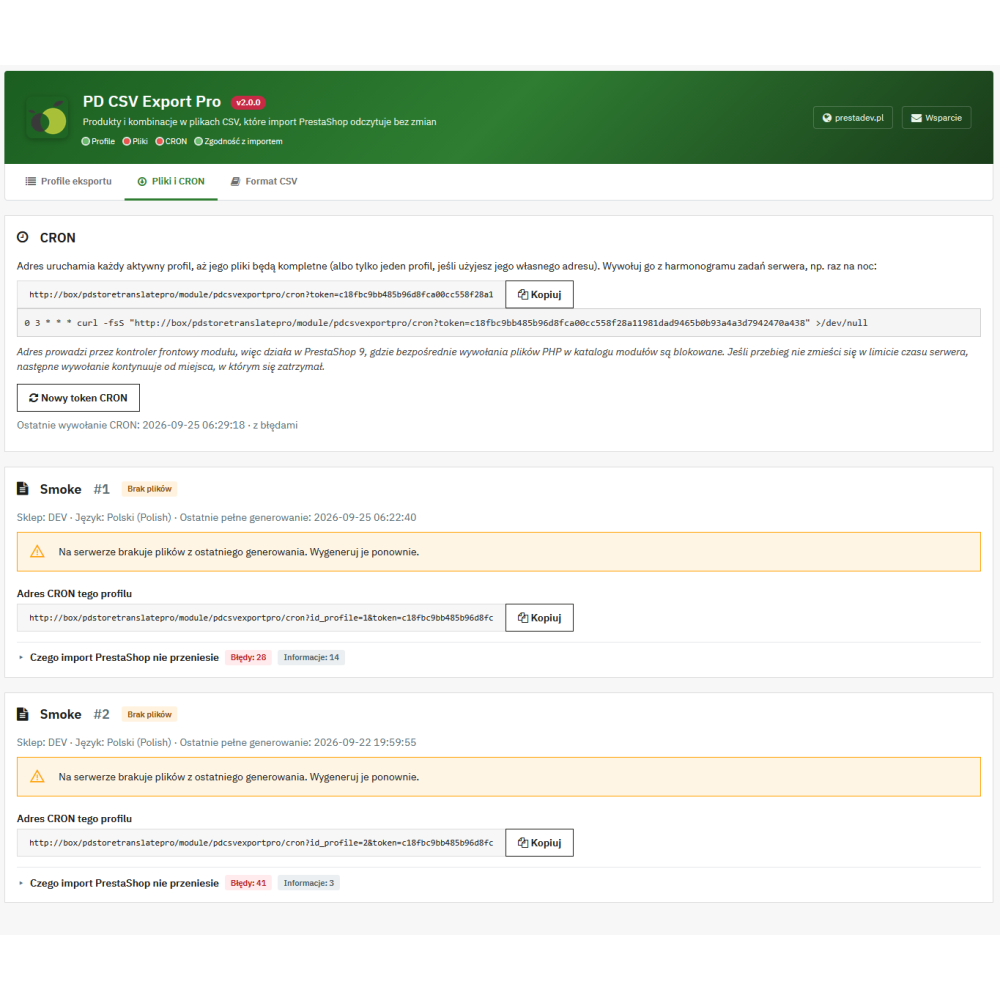
  • CRON URL for all profiles and for each profile separately. The URL goes through the module controller, so it also works in PrestaShop 9, which blocks direct calls to PHP files in the modules directory.
  • Continuation via CRON. If generation does not fit within the server time limit, the next CRON call will finish it from where it stopped.
  • Status in the module header. The header shows whether there are active profiles, whether files have been generated, when CRON was last called, and whether the last report contains errors or warnings.

File downloads and links for integrations

  • Download in the panel of the product file, combinations file, and warnings file; for the product and combinations files, the number of rows and size are visible.
  • Public link without login to the product file and combinations file, with a secret token separate for each profile. The link works only for an active profile.
  • Invalidating links. The “New download link” button creates a new profile token, and the “New CRON token” button creates a new token for CRON URLs; previous URLs stop working.
  • Files outside the store root directory. Generated files are stored in the module directory protected by the .htaccess file and are served only through a tokenized link or to an employee in the panel.

File format and working in Excel

  • UTF-8 with BOM, semicolon, CRLF line endings. The file opens in Excel with a double-click and with Polish characters preserved.
  • Decimal point and dates in database format, as expected by PrestaShop import. For price editing, it is best to open the file via Data > From Text/CSV with the regional settings set to “English (United States)”.
  • The first row is a header with column names in the profile language; on the import page, you set one row to be skipped.

Admin panel, permissions, and multistore

  • Tabs in the Catalog menu: “CSV Export Pro” (profile list), “Files and CRON”, and “CSV Format”, available from the module tab bar.
  • PrestaShop permissions. Access to the tabs is granted in the standard employee profile permissions; an employee with view-only rights cannot generate files or change profiles.
  • Employees restricted to stores. An employee sees and edits only the profiles of stores they have access to. CRON URLs, a new CRON token, and deletion of version 1.x files are available only to employees with access to all stores, because the CRON token serves every store.
  • Polish translation in both PrestaShop translation systems (dictionary and XLF catalogues).

Compatibility, installation, and update

  • PrestaShop 1.7.0–9.x, PHP 7.0–8.5 (declared compatibility). Installation, file generation, and uninstallation are automatically tested on PrestaShop 1.7.4.4, 1.7.5.2, 8.2.6, 9.0.2, and 9.1.5, and the full export → import → database comparison cycle on PrestaShop 8.2.6 and 9.0.2.
  • No external libraries and no Composer.
  • Update from version 1.x. The module moves saved configurations into profiles, removes old tabs and entry points (cron.php, get.php), and shows in the “Files and CRON” tab the CSV files that version 1.x left in the store root directory so they can be deleted.
  • Uninstallation removes tables, settings, tabs, saved import mappings, and generated module files.

Important operating limits

  • The module exports data; the import is performed using the standard PrestaShop CSV import, which has its own limitations described in the compatibility report.
  • PrestaShop import identifies combinations exclusively by reference – combinations without a reference will create duplicates when re-imported into the same store.
  • In PrestaShop 8 and 9, the combinations file can be imported into a store where products have a supplier only once; the second import stops with a database error in the PrestaShop core.
  • Since PrestaShop 8, the import adds the changed feature value next to the existing one instead of replacing it.
  • The module does not export orders, customers, or any data other than products and combinations.
  • The CSV file is not protected against spreadsheet formulas: values starting with the “=” character are written unchanged so that PrestaShop import transfers them exactly.

Product Details

Prestashop 9.x support
Yes
Support for Prestashop 8.x
Yes
Prestashop 1.7.x support
Yes
Free support
Yes
Free updates (1 year)
Yes
PDCSVEXPORTPRO

You might also like

Reviews (0)

No reviews