
• New
Automatic Facebook Posts Pro – PrestaShop module

Automatic Facebook Posts Pro — publishing content from PrestaShop

Module version: 1.1.3

PrestaShop compatibility: 1.7.x 8.x 9.x

Module file updated: 09/25/2026 17:33:45

Product data updated: 09/13/2026 10:54:14


Automatic Facebook Posts Pro is a PrestaShop module for automatically publishing store content to connected Facebook pages. It supports new products, promotions, back-in-stock items, bestsellers, and recurring reminders of selected offers. It also enables publishing posts from ph_simpleblog, categories, and CMS pages. The post content is generated from a configurable template, which may include product or article data, price, link, hashtags, and a call to action. The content library allows you to manually select items for publication, check the preview, and schedule sending. After configuring the Facebook connection, rules, and the CRON task, the module detects content and handles the queue according to the defined schedule. The panel also provides simulation, publication history, access diagnostics, and a connection renewal wizard.

zł 124.00
zł 100.81no tax
Price history:

Description

Key features and benefits

  • Less manual post preparation: templates pull data from the catalog and store content, reducing the need to copy names, descriptions, prices, and URLs.
  • Regular communication on Facebook: automations combine information about new events with recurring reminders of products and articles.
  • Control over offer selection: rules, filters, and exclusions let you define which content should enter the queue.
  • Planned publishing frequency: days of the week, hours, daily limit, and intervals between posts are set separately for each Facebook page.
  • Automation combined with manual selection: alongside rules, you can use the library and prepare selected publications manually.
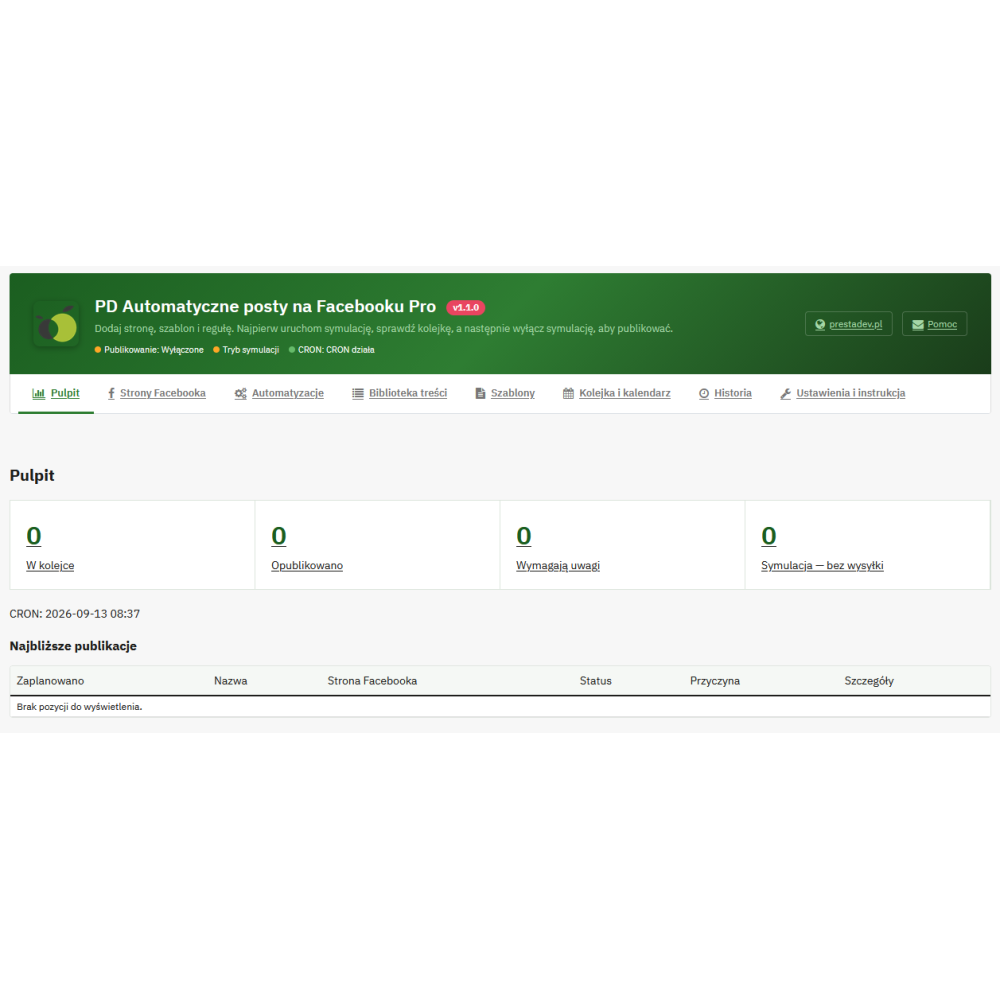
  • Visible workflow progress: the queue, calendar, history, and error messages help determine what is scheduled, published, or requires attention.

What can be published automatically on Facebook?

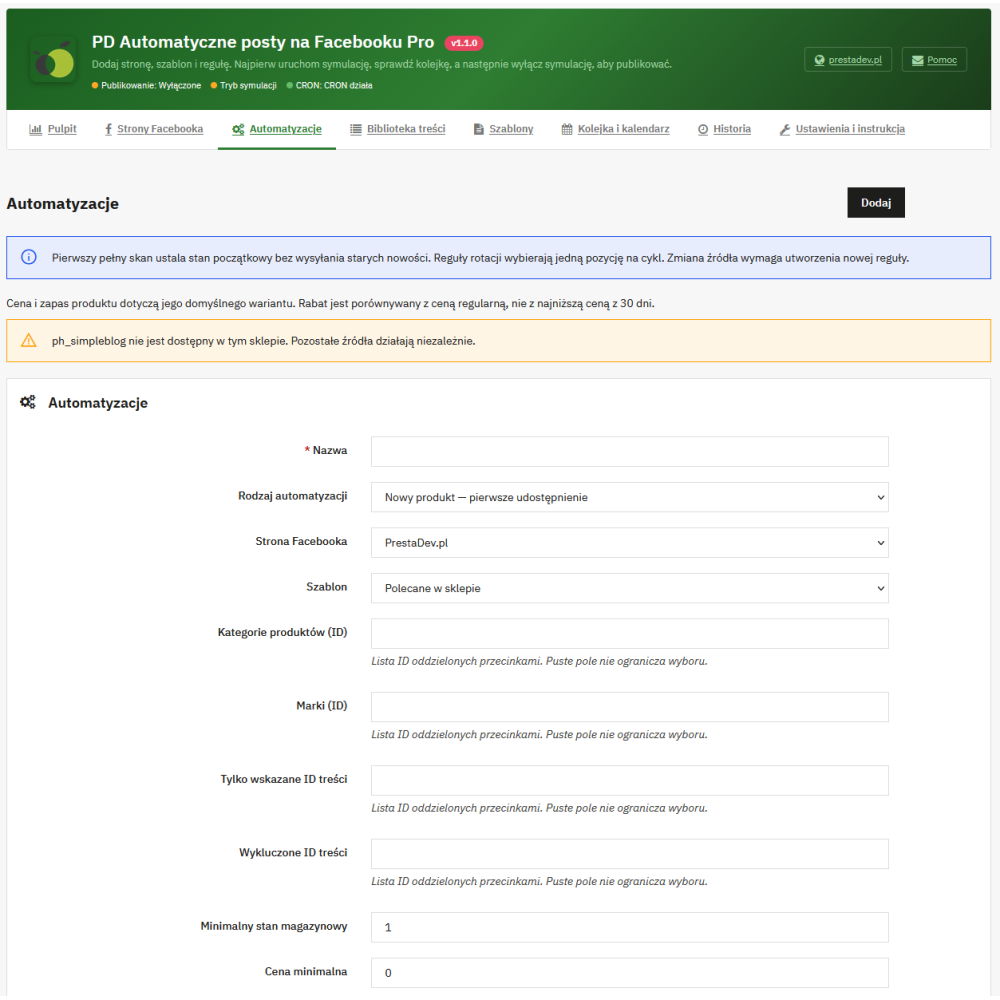
The module offers 10 types of automation. Each rule combines a content type with a selected Facebook page and a post template.

Publication type Module action
New products Detecting products appearing in the public offer and creating posts from items that meet the rule conditions.
New ph_simpleblog posts Publishing information about new publicly available blog posts, taking their publication date into account.
Product promotions Informing about a detected product price reduction based on an existing special price available in the public offer.
Ending promotions Reminding about a promotion within a specified time range before its saved end date.
Back in stock Publishing after detecting a quantity increase from below the defined threshold to a level meeting that threshold.
Bestsellers Recurring selection of products by number of units sold in the selected period, based on orders with paid status.
Product rotation Re-presenting subsequent products from the pool matching the filters, while maintaining intervals between repeats.
Article rotation Recurring reminders of existing public ph_simpleblog posts.
Store categories Publishing selected categories together with content and a link leading to the store.
CMS pages Recurring publication of indicated active informational pages available publicly.

When event-based rules are launched, the module saves the initial state of existing content. Thanks to this, the current catalog is not treated en masse as newly added offers. Rotation, bestsellers, and manual selection are used to present older products.

Rules tailored to the assortment and communication style

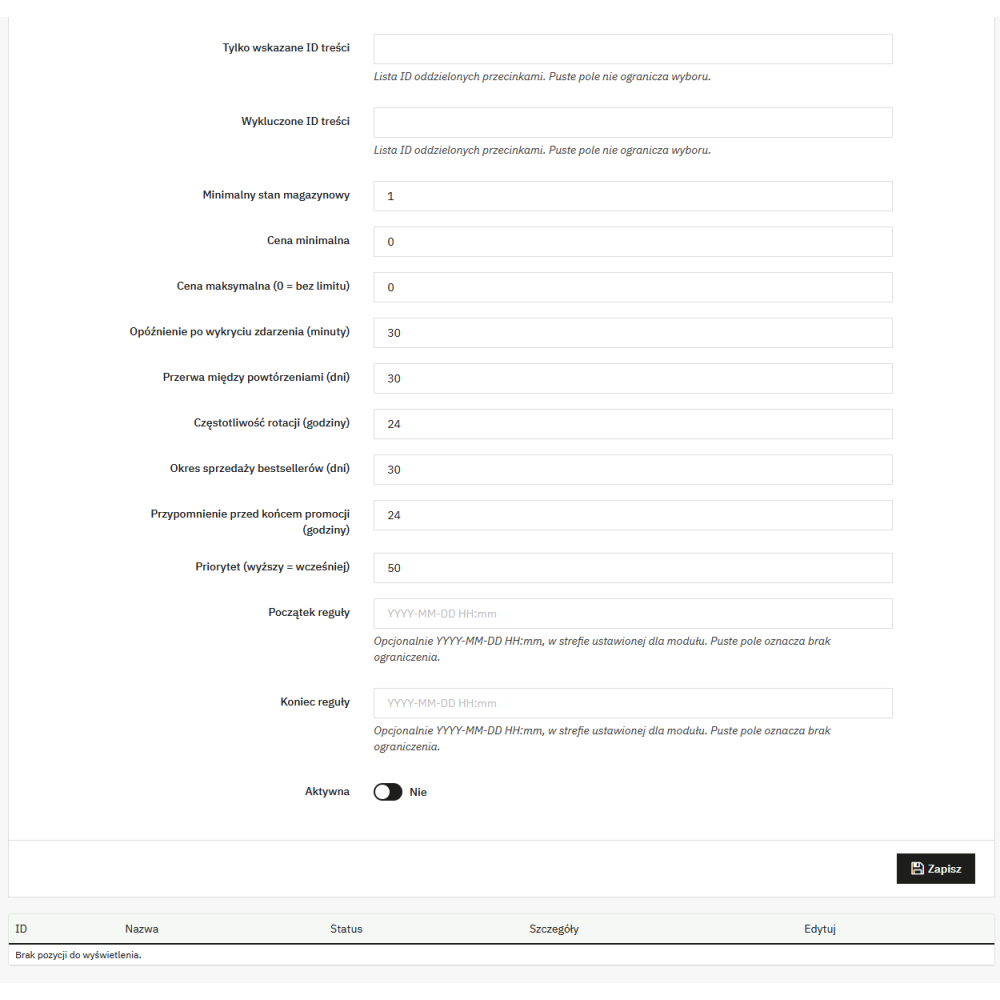
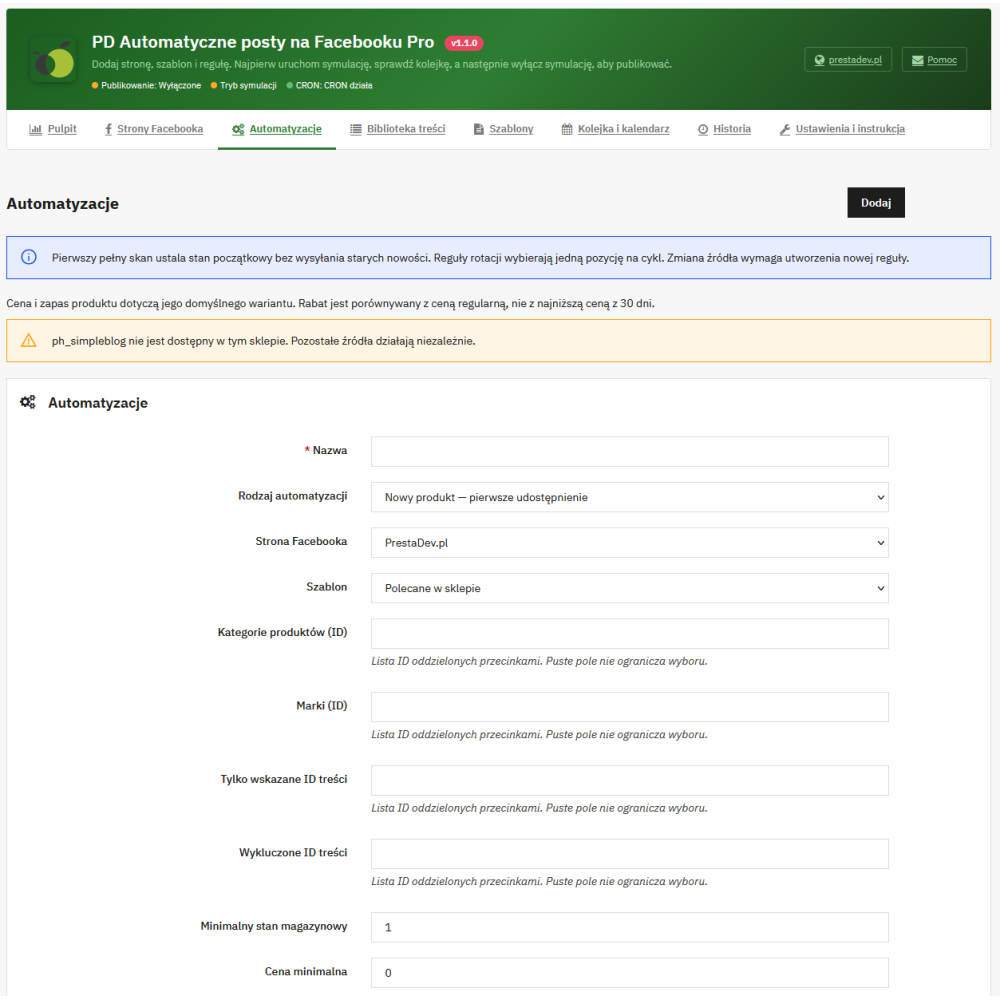
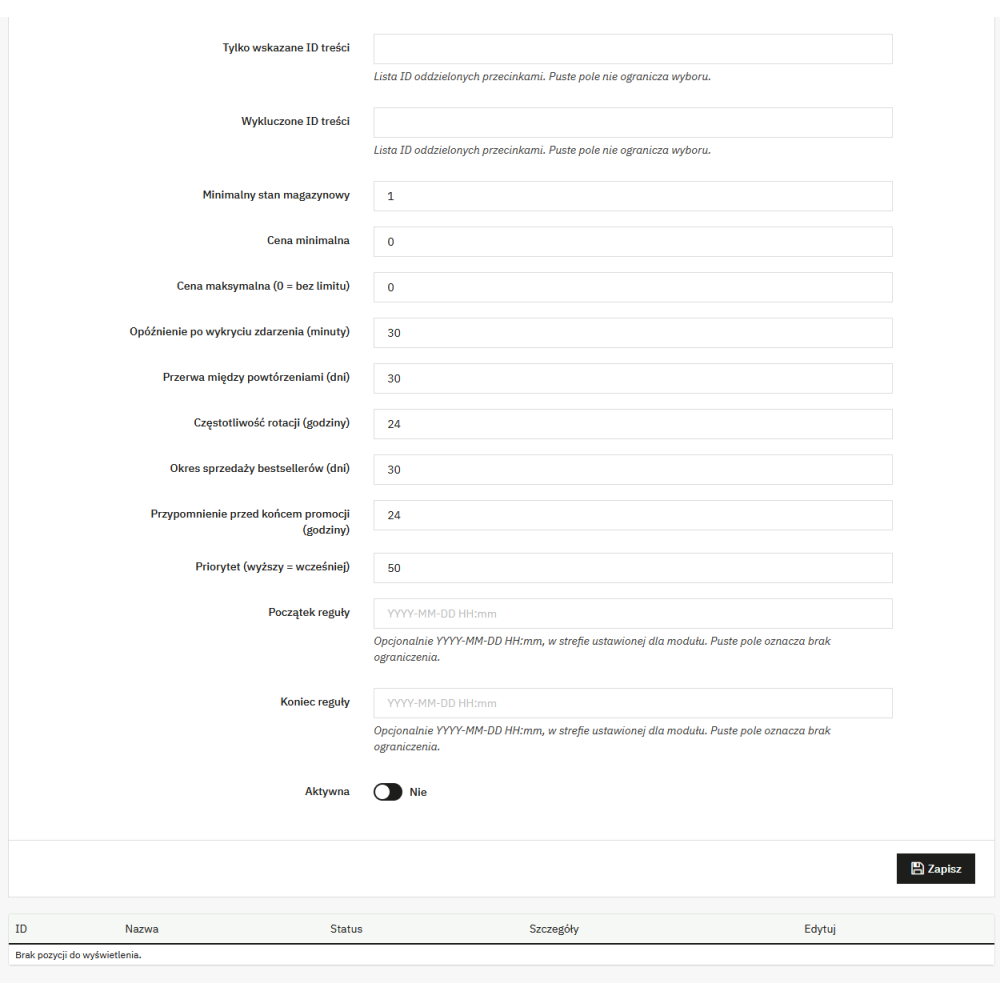
For products, you can define categories, brands, minimum stock level, and minimum and maximum price. Identifier lists let you indicate items covered by the rule or excluded from it. Separate content exclusions make it possible for automation to skip specific items.

Rules have their own enabled status, priority, activity period, and publication delay after event detection. For recurring publications, you set the execution frequency and the minimum interval before the same content is presented again. Additional parameters define the sales period analyzed for bestsellers and the lead time for reminders about the end of a promotion.

The module uses promotions already configured in PrestaShop. It recognizes price reductions available to a non-logged-in customer purchasing one unit, in the context of the Facebook page settings. It does not create discounts or coupon codes. A reminder about the end of a promotion requires a saved future end date.

Post templates, product data, and publication format

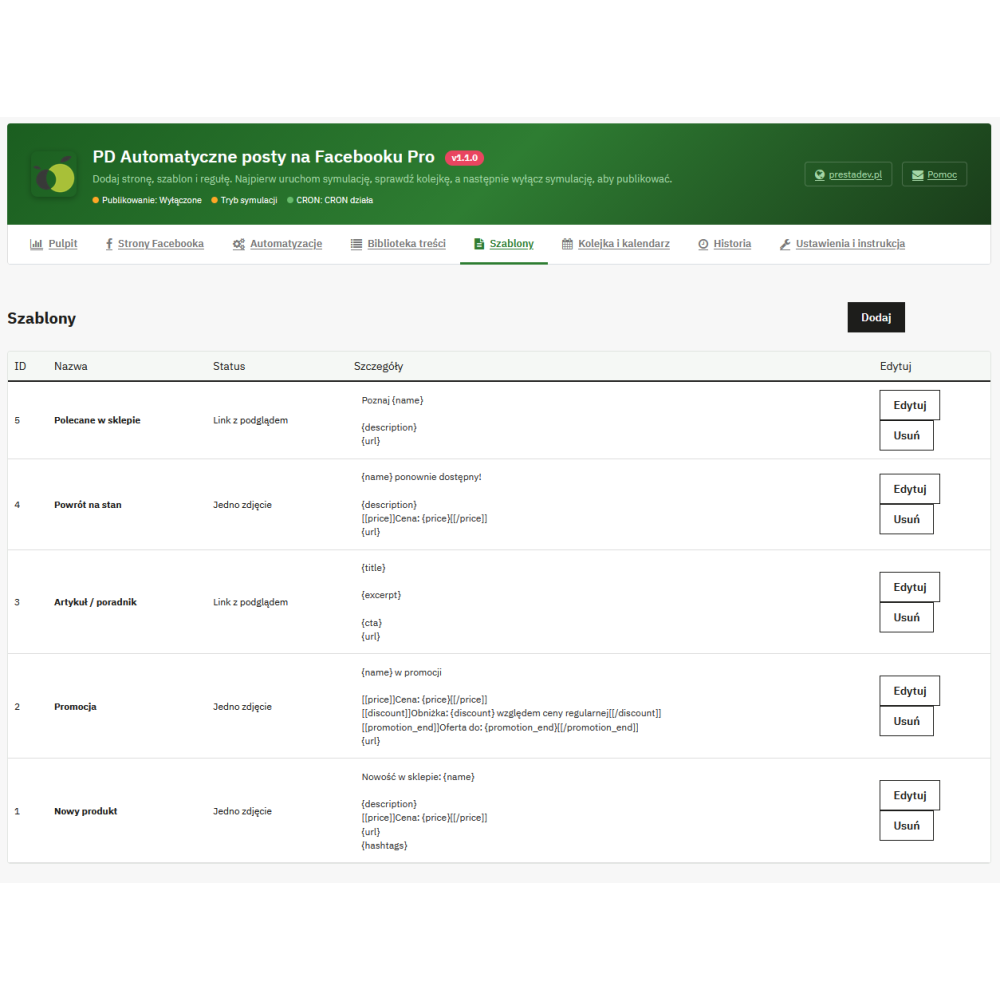
The template defines the content and one of four formats: text only, post with a link, post with one image, or post with multiple images. In the multi-image format, you can set a limit of up to 10 images, depending on the materials available for the given content. For products, the module retrieves store images starting with the cover image.

  • Product data: name, short description, brand, category, and availability message.
  • Price data: price, regular price, currency, discount percentage, and promotion end date, if available.
  • Informational content: title and shortened content of a blog post, category, or CMS page.
  • Common elements: content URL, store name, custom hashtags, and call to action.

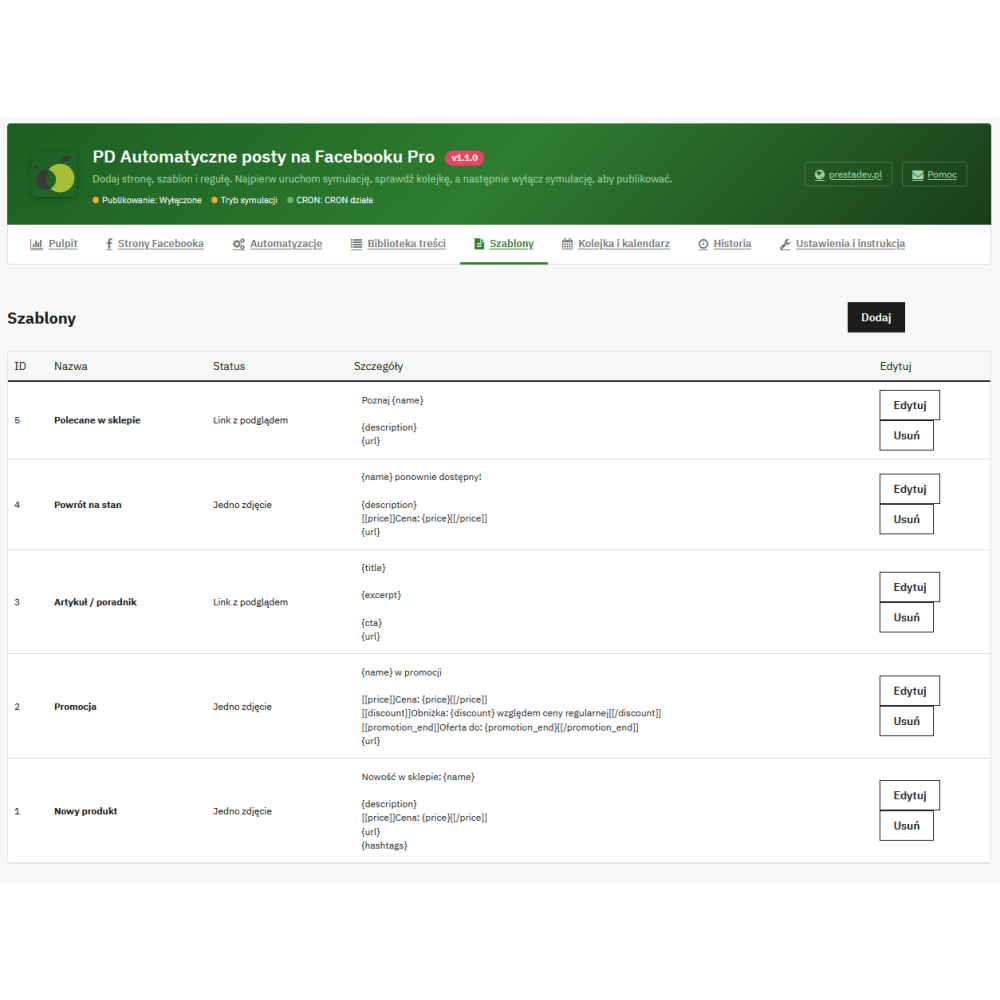
The editor provides 16 variables, including {name}, {description}, {price}, {title}, {excerpt}, and {url}. You can set the length of the shortened description, prepare text variants separated by the line ---, and use fragments displayed only when a specific field has a value. For example, the entry [[price]]Price: {price}[[/price]] omits the entire fragment when the price is not available.

Posts are created as plain text based on saved templates and store data. The module does not generate texts using AI and does not translate content. The appearance of the link preview after publication depends on Facebook; the preview in the panel is used to check the prepared message and materials.

Content library and manual post scheduling

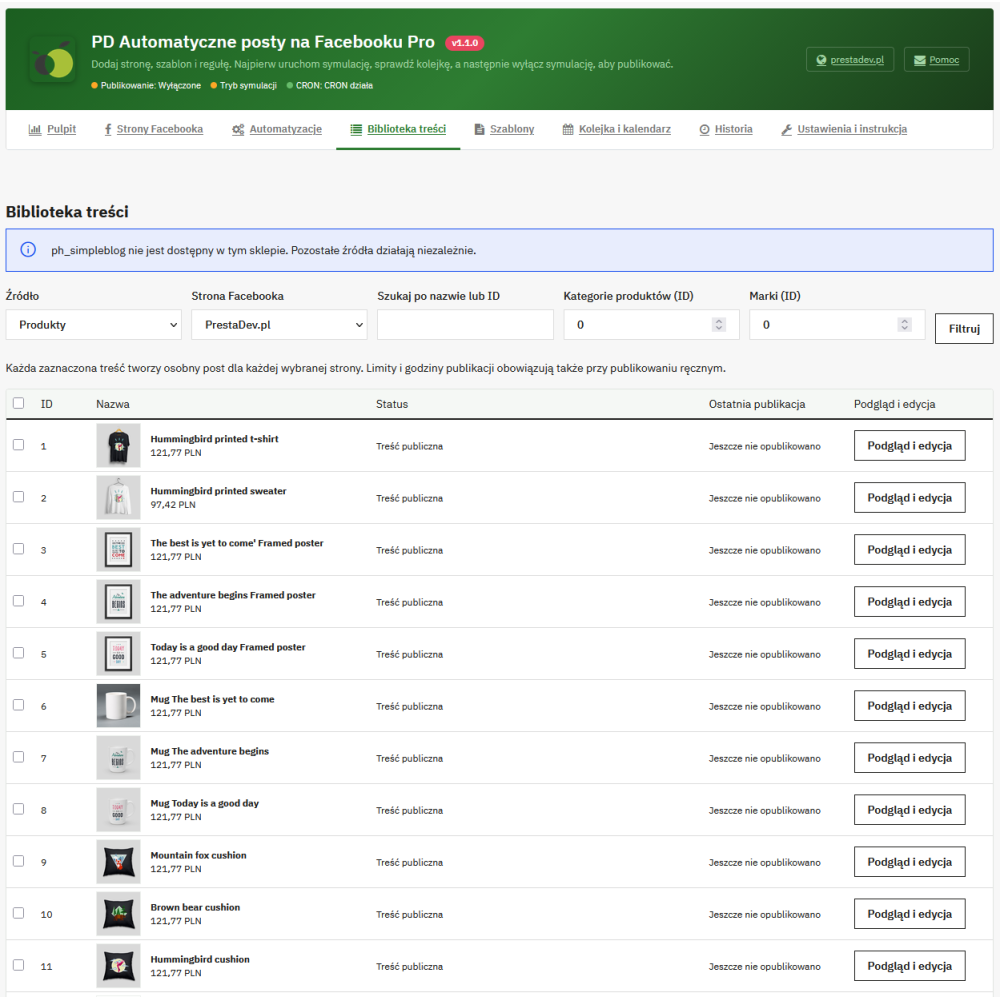
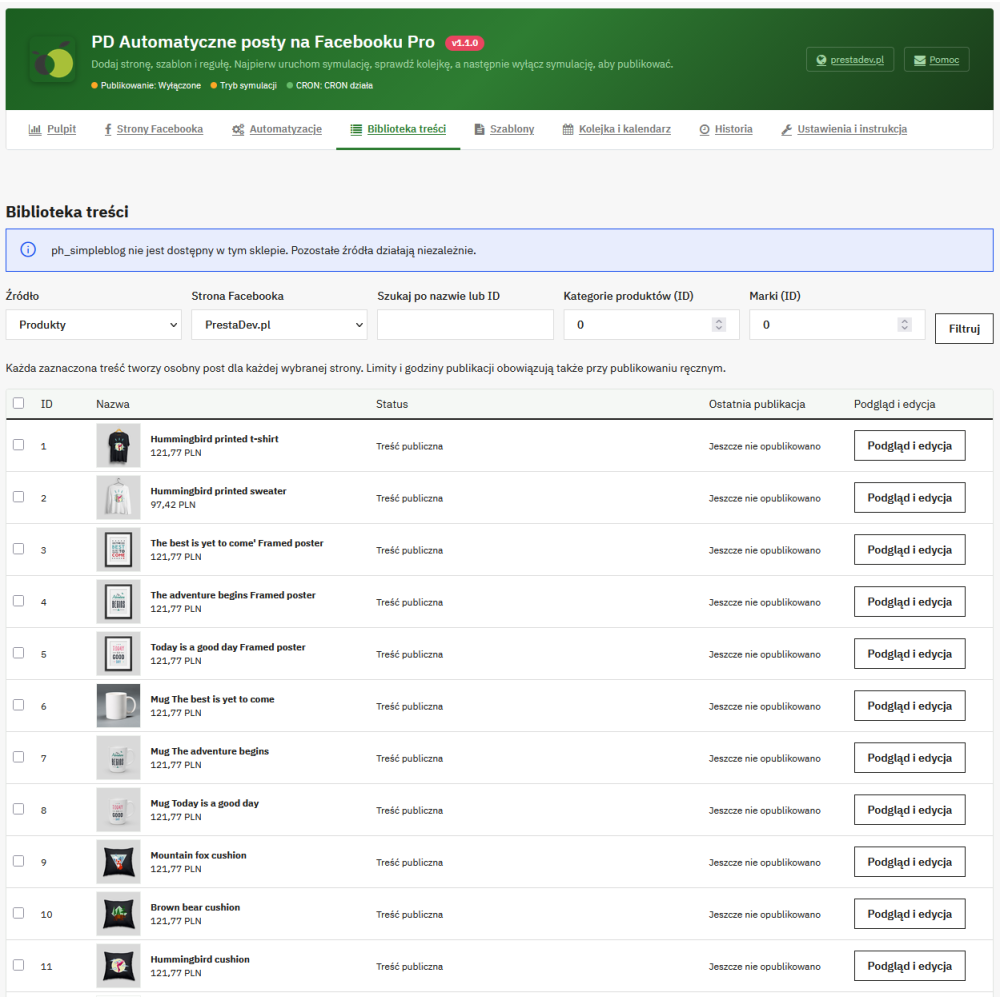
The library allows you to browse products, articles, categories, and CMS pages. Searching by name or identifier, as well as category and brand filters for products, makes it easier to find items for publication. You can select chosen records, indicate Facebook pages, a template, and the earliest sending date.

When preparing one piece of content for one page, preview, custom text, and image selection from the source materials are available. Manual publications go through the same queue and schedule restrictions as automations. The publish now command immediately triggers queue handling, but respects module activity, simulation mode, and allowed dates.

Integration with the ph_simpleblog blog

After detecting an active ph_simpleblog module, new posts, rotation of older articles, and manual publication selection from the library become available. The post can use the title, excerpt, post URL, and available cover image. The module checks the article's public availability and its publication date, so a post scheduled for the future is not immediately shared on Facebook.

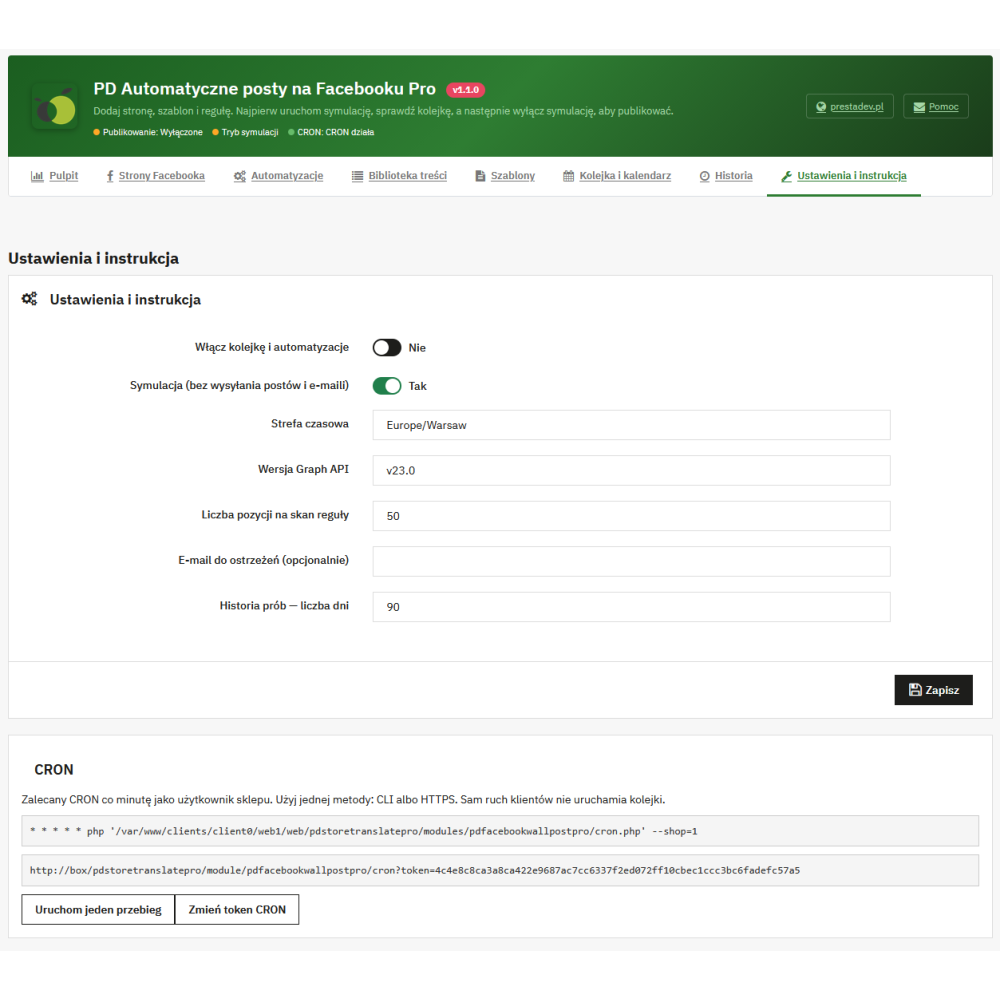
Schedule and automatic handling via CRON

For each Facebook page, you set the days of the week, time range, daily limit from 1 to 24 publications, and the minimum break between posts. A common time zone is configured for the given store. Dates resulting from rules or manual scheduling are adjusted to available slots in the schedule.

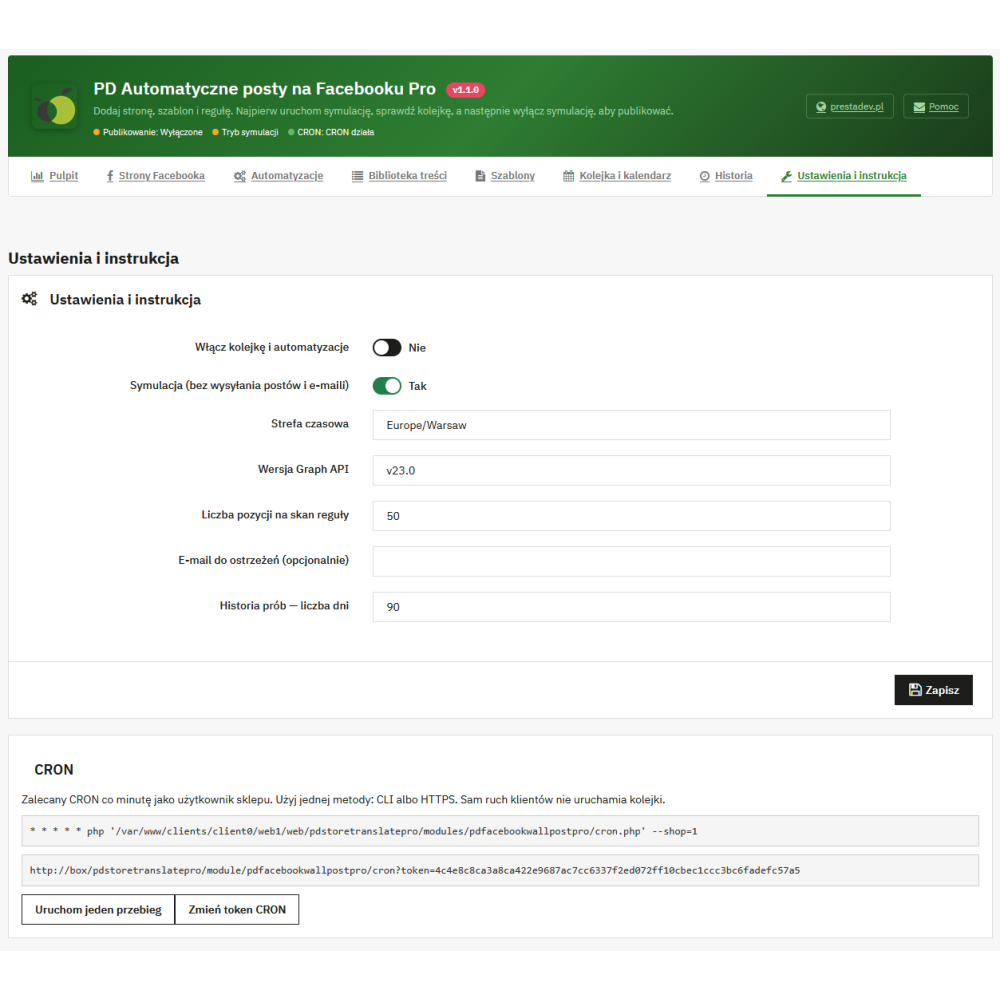
Full background operation requires a CRON job configured on the server. The panel provides a command-line instruction and an HTTPS URL secured with a token; the instruction recommends running it every minute. CRON detects content, handles the queue, and performs control tasks without opening the administration panel. Periodic scanning also makes it possible to detect data added by import, provided it has been saved correctly in the supported store structures.

Facebook connection and access renewal

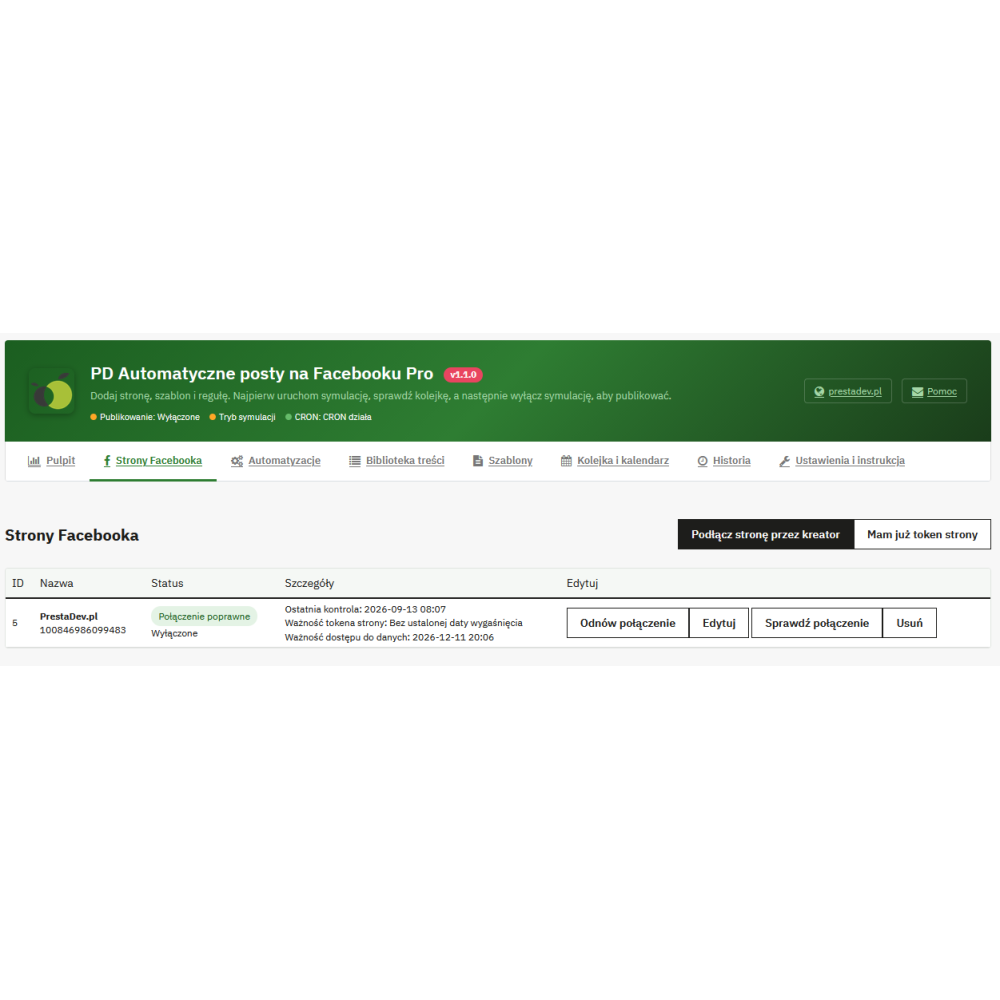
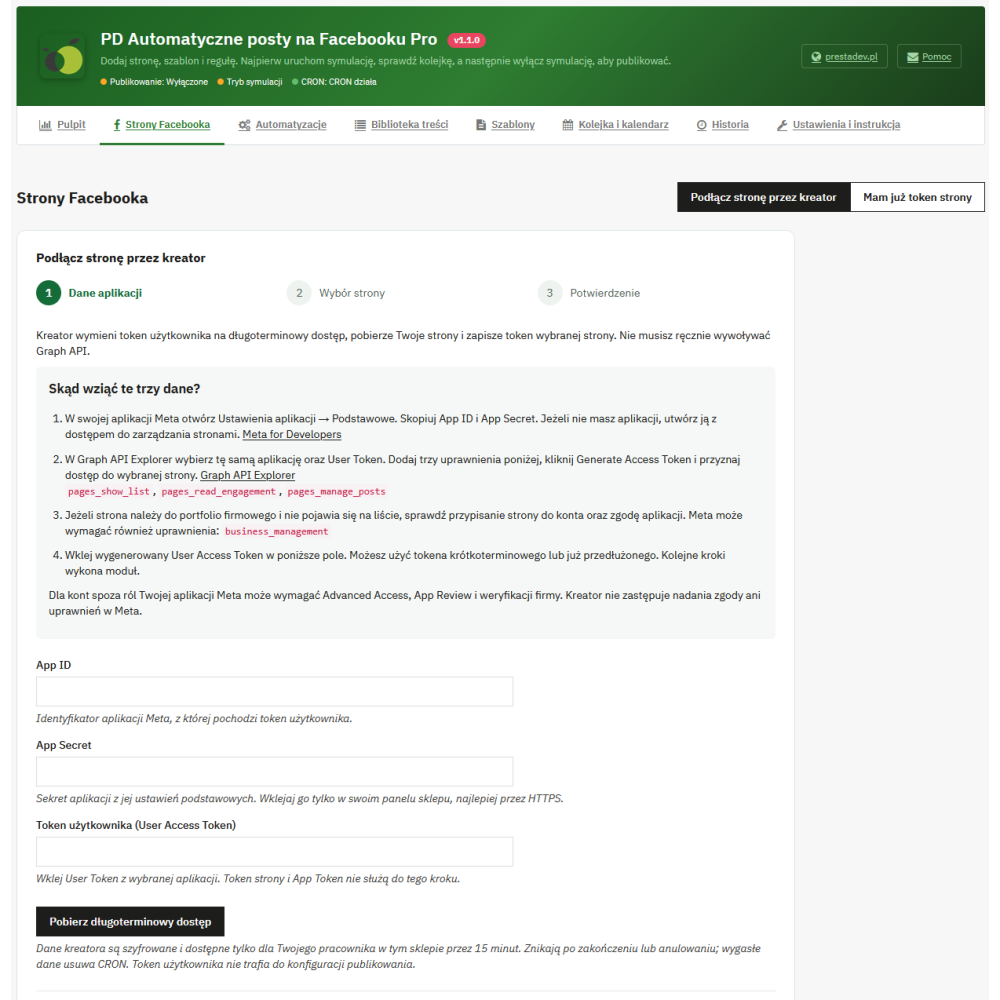
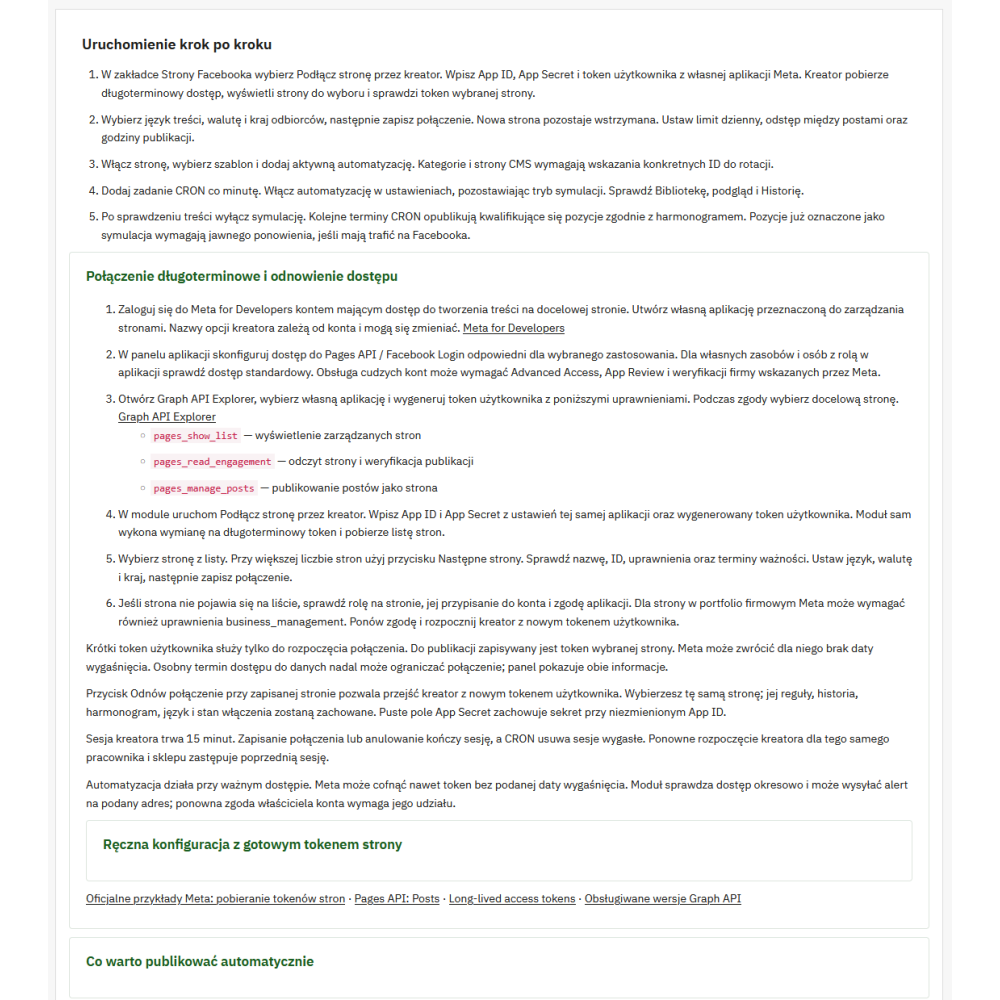
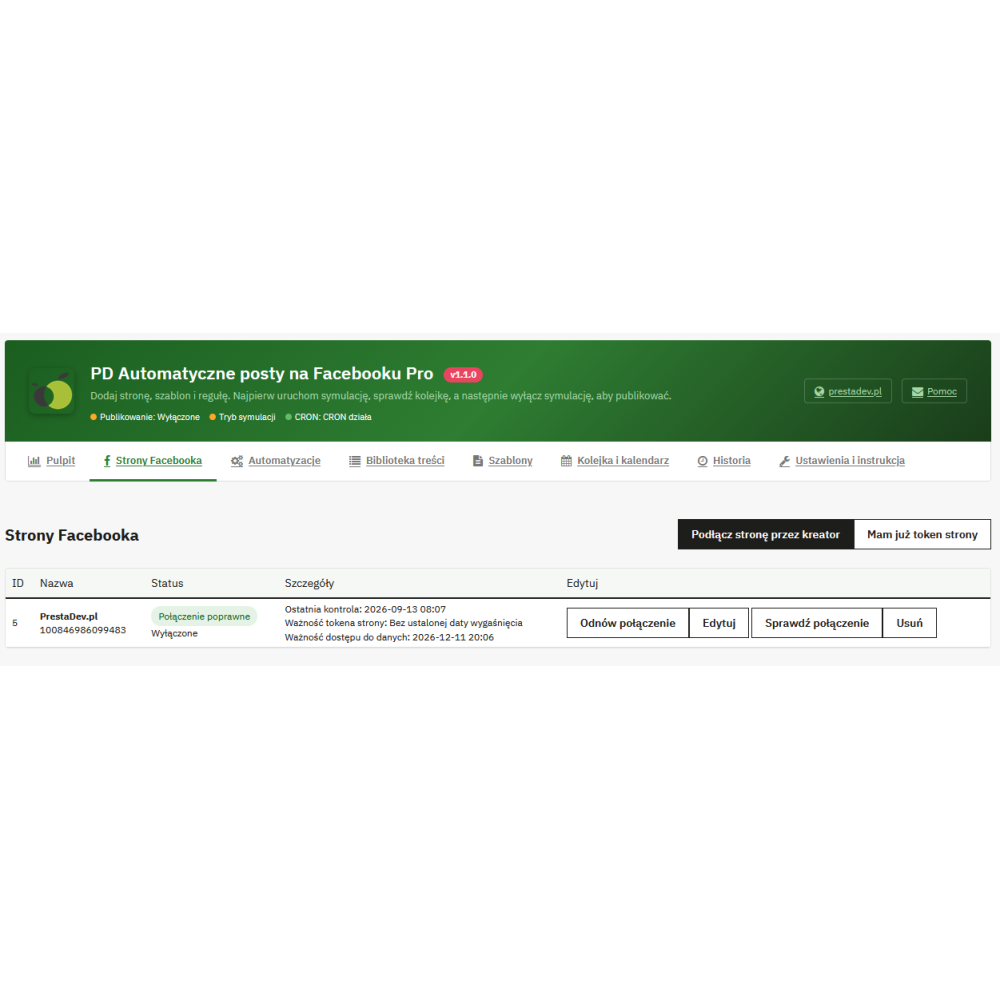
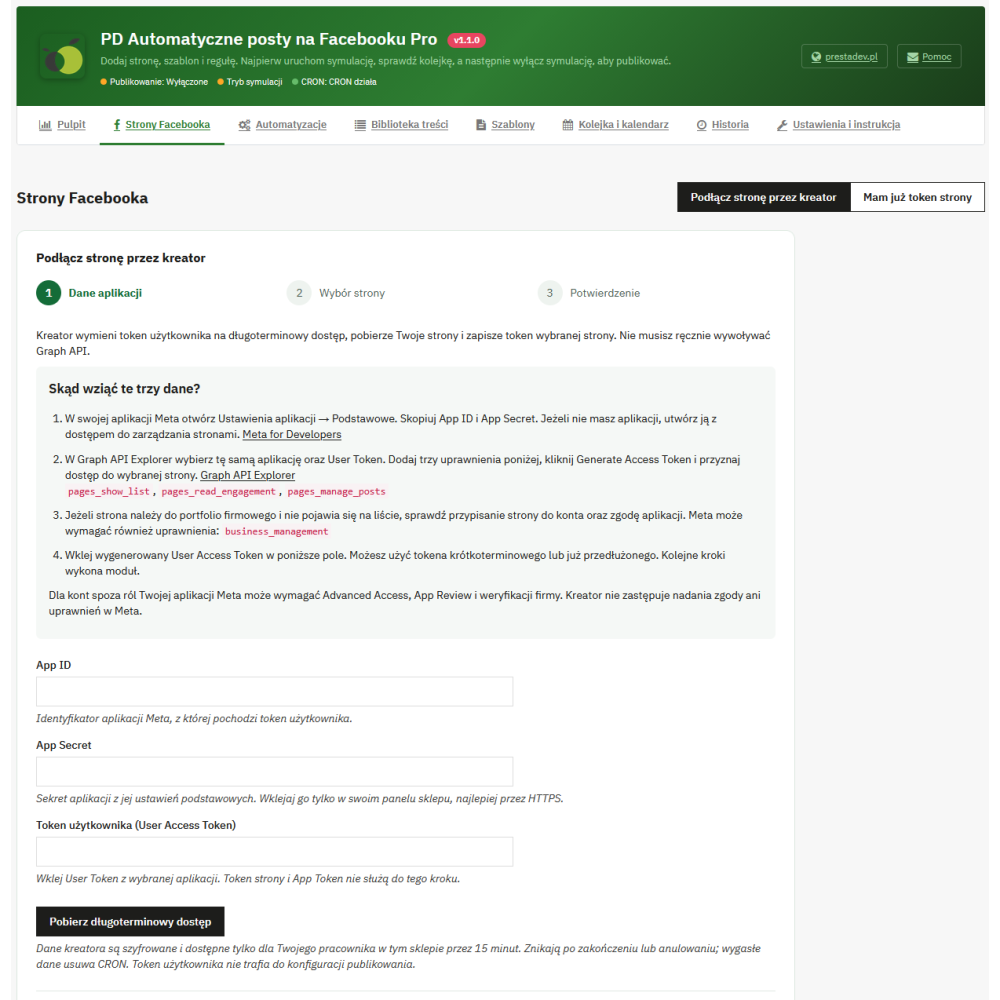
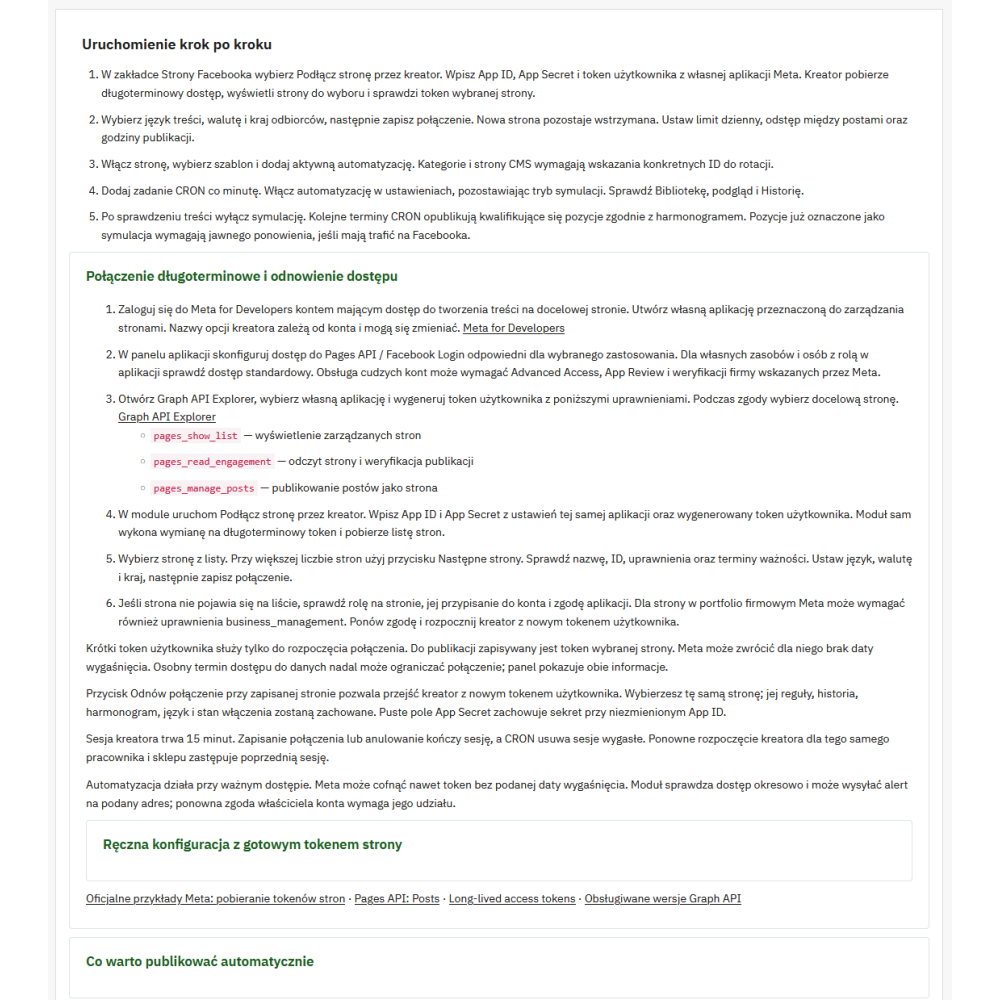
The wizard guides you through connecting your own Meta app to a Facebook page. After entering the App ID, App Secret, and user token, the module exchanges them for long-term access, retrieves the list of available pages, and verifies the selected page token. A separate form allows you to enter a ready page token. The instructions in the panel describe the required data, permissions, and subsequent configuration steps.

Diagnostics distinguish between token validity and data access validity, if the relevant information is available. The absence of a provided expiration date does not unconditionally mean permanent access. The module cannot independently replace the account owner's renewed consent. The connection renewal function lets you go through the wizard for the same page with a new user token while preserving its rules, history, and schedule.

Saved tokens and app secrets are encrypted. Automatic connection checks and optional email alerts help you notice access blockage, a known upcoming expiration date, or queue problems. These checks require active automation and CRON, and sending notifications also requires the store email to be configured; alerts are not sent in simulation mode.

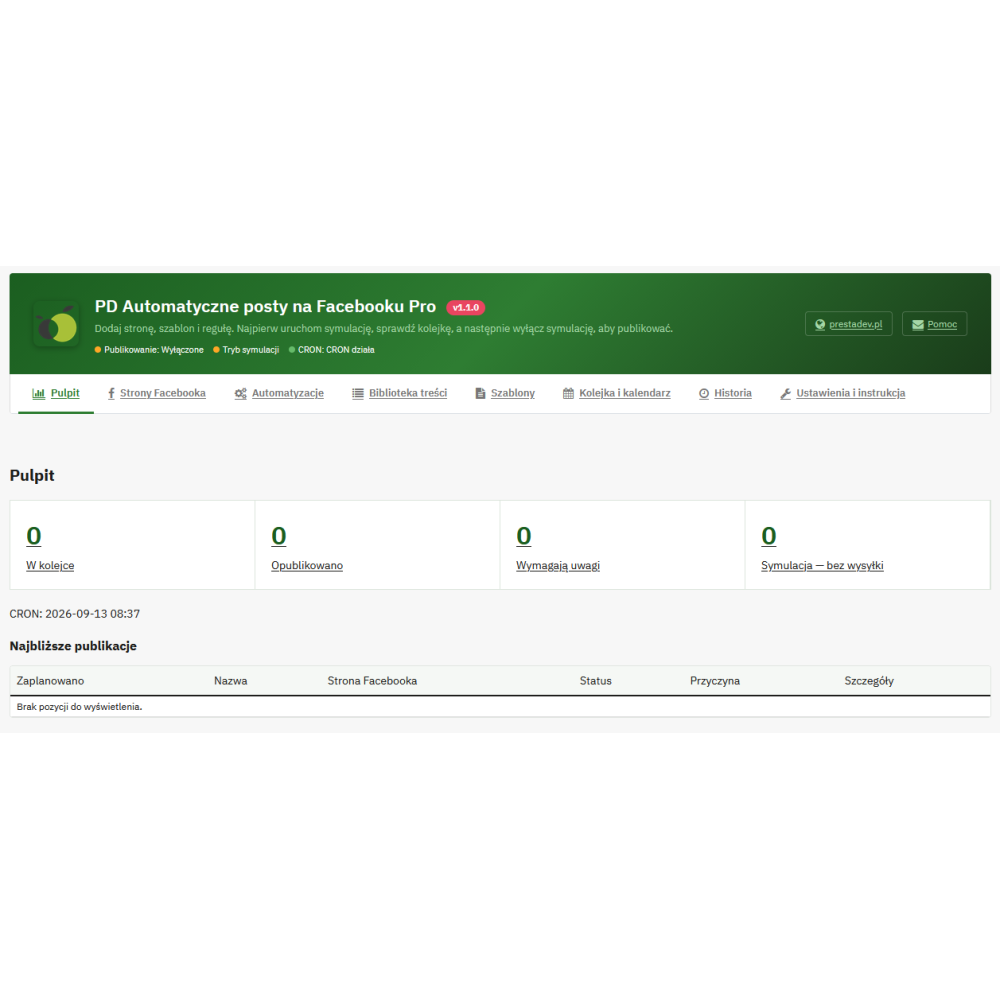
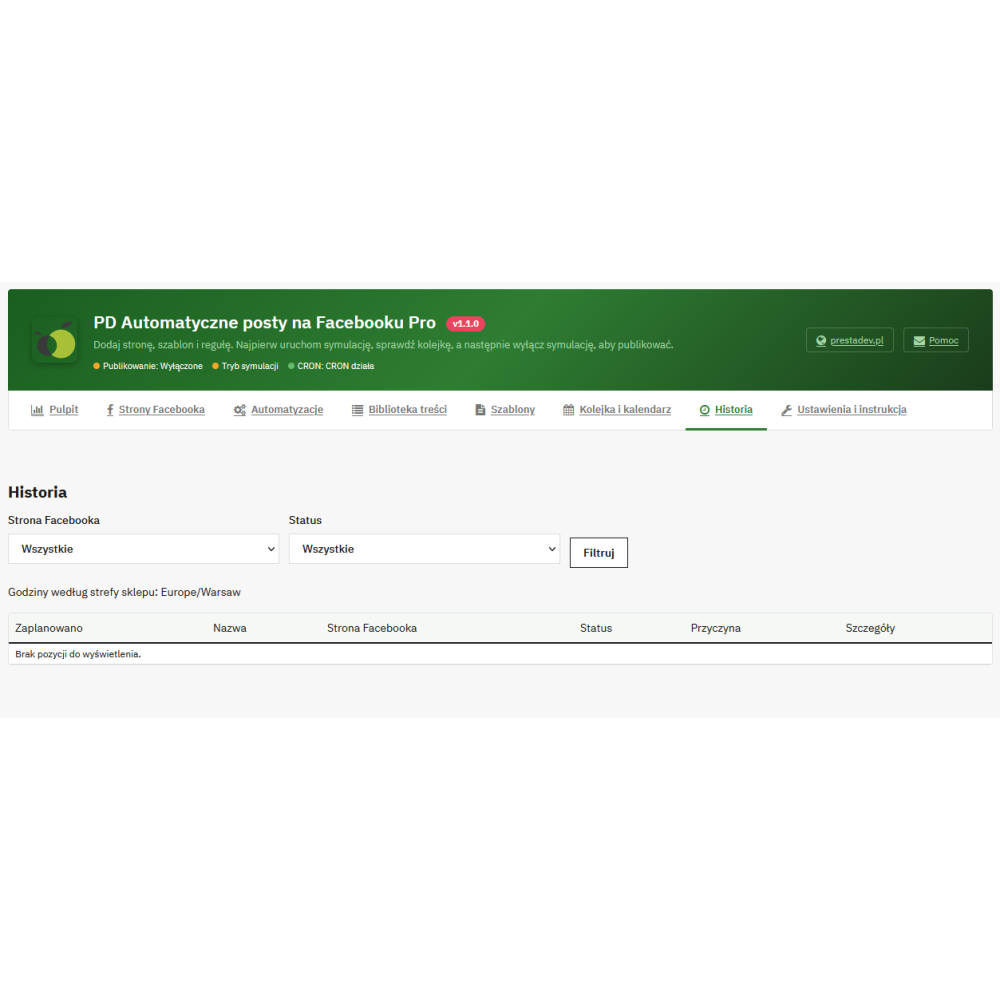
Queue, simulation, and publication history

  • Simulation mode: lets you trace content qualification and queue handling without publishing posts to Facebook. Tasks completed in simulation require deliberate repetition if they are to be actually sent.
  • Data verification before sending: the module retrieves the content again and checks its availability. For product rules, it repeats filter verification, and for promotions, it checks whether the detected discount still applies.
  • Protection against accidental repeats: event identifiers and history limit re-queuing the same event for a given page. Recurring rules have additional intervals between repeats.
  • Handling sending issues: selected temporary errors are retried with a delay, and an uncertain publication result can be checked by reading the page posts.
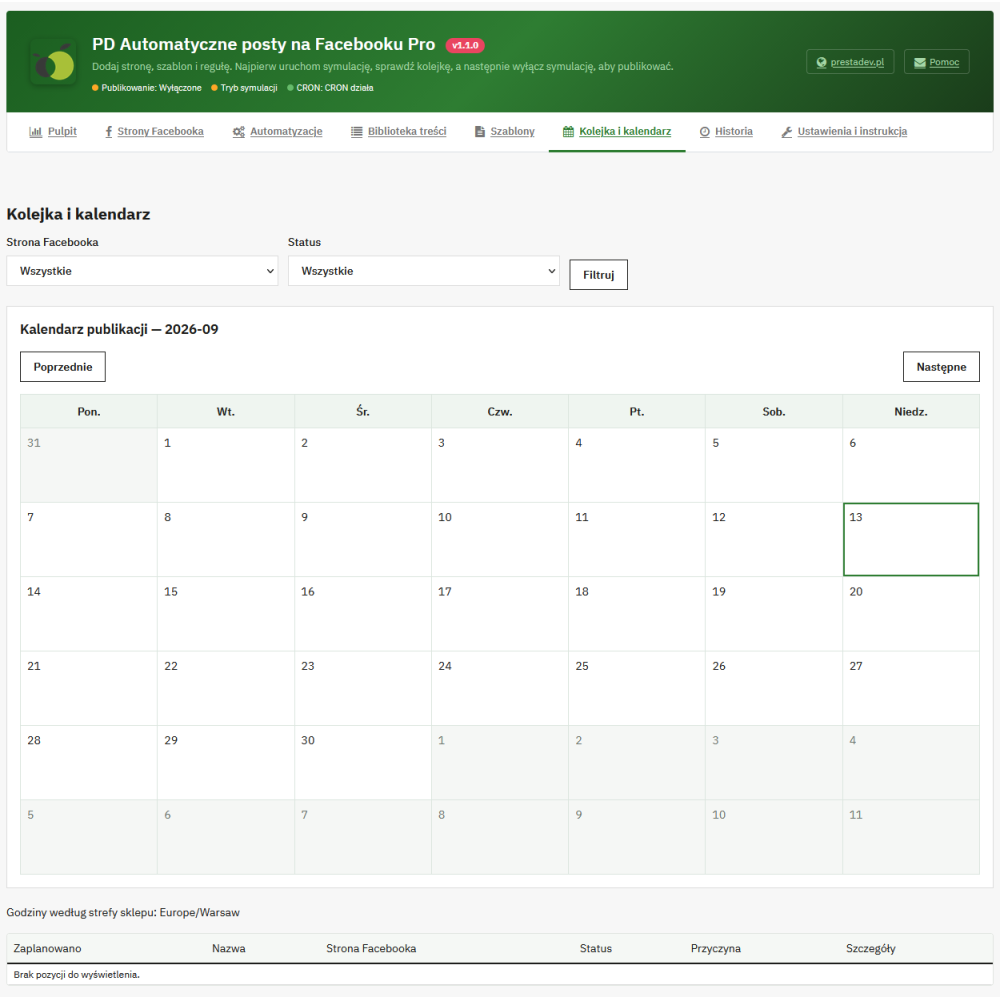
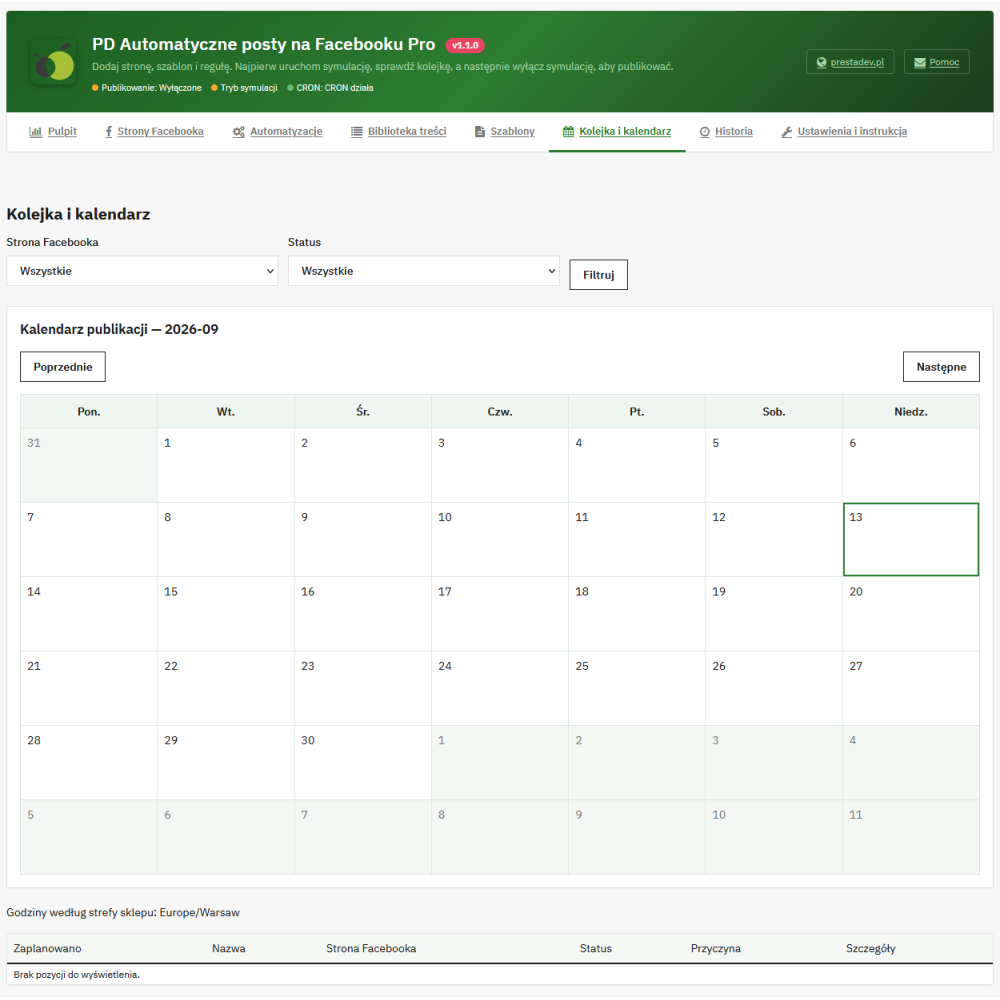
  • Task management: statuses, error details, a monthly calendar, and operations on pending tasks such as cancellation or rescheduling are available.
  • History with link: after successful publication, the module saves the post identifier and a link leading to Facebook.

Posts already published on Facebook are not automatically edited or removed after changes in the store. Data refresh applies to task preparation before sending.

Multiple pages, languages, currencies, and traffic tagging

The module allows you to configure multiple Facebook pages, each with its own language, currency, price calculation country, and schedule. It uses existing language versions of the content. For products with combinations, it reads the price and stock of the default variant; it does not prepare a separate automatic post for each combination.

In a multistore environment, settings, pages, rules, and queues are assigned to a specific store. Content links generated by the module receive UTM parameters with the Facebook source tag, social medium, campaign name from the template, and publication identifier. This makes it easier to identify traffic in an external analytics tool, if it is configured in the store; the module does not provide its own statistics for reach or sales from Facebook.

Requirements and scope of operation

The declared compatibility range covers PrestaShop 1.7.x–9.x. Installation requires the PHP extensions cURL, OpenSSL, and mbstring, and publishing requires server access to the Meta Graph API, appropriate page permissions, and a valid connection. Content URLs and images must be publicly accessible. Blog support requires a separate active ph_simpleblog.

Automatic Facebook Posts Pro publishes to Facebook pages. The module scope does not include private profiles, groups, Instagram, paid advertising campaigns, videos, reels, or stories.

Product Details

Prestashop 9.x support
Yes
Support for Prestashop 8.x
Yes
Prestashop 1.7.x support
Yes
Module translations
EN, ENG
Free support
Yes
Free updates (1 year)
Yes
Easy Installation
Yes
PDFBWPPRO

Changelog

Release history for this product. Expand an entry to see what changed.

  • dodano etapowy konfigurator pozyskania tokena Facebooka by ułatwić jego pozyskanie

FAQ

Find answers to the most common questions about this product.
Automatic Facebook Posts Pro is a PrestaShop module that prepares and publishes posts on connected Facebook pages based on store content. It combines automatic rules, templates, scheduling, and a queue with a library for manually selecting publications. Background operation requires a proper connection to Facebook and a configured CRON job.

There are no reviews for this product yet.

No. When the rule is launched, the module saves the initial state of existing products so as not to treat the entire current offer as new. The new products rule responds to the first detected public availability after this initialization, as well as to newly added items. To publish older assortments, you can use rotation, bestsellers, or manual selection.

Yes, in addition to signals from product saving, the module also performs periodic scanning of the store's data. This makes it possible to detect products added via import as well, provided that the importer correctly saves the data in the structures supported by the module. Detection takes place during CRON operation, and the publication date depends on the filters, the rule delay, and the page schedule.

Yes. The library provides products, ph_simpleblog posts, categories and CMS pages, as well as search by name or identifier. For products, category and brand filters are also available. After selecting the content, you choose Facebook pages, a template and a date, and for a single piece of content directed to one page, you can additionally prepare your own text and select photos.

Yes, one operation can include many selected pieces of content and many pages. The limit is 100 content–page connections; for example, 50 products directed to 2 pages gives 100 tasks. Each task goes into the queue and follows its page’s schedule. Manual editing of a single message and selecting photos are available when choosing one piece of content and one page.

Product rules allow you to specify categories, brands, minimum stock level, and minimum and maximum price. You can also provide product IDs to include or exclude. The price is evaluated in the currency and pricing context configured for the Facebook page. Category, brand, price, and stock level filters apply to products, not blog posts or CMS pages.

Yes. The module supports lists of excluded IDs in rules, as well as separate exclusions for content skipped by automation. The library displays exclusion markers, which makes it easier to control selected items. A deliberate manual choice may be used to publish such content if it remains public and meets the publication requirements.

No. The module publishes information about existing product price reductions, but it does not create special prices, cart rules, or coupon codes. The detected promotion must reduce the price available to a guest customer when purchasing one unit in the context of the given Facebook page. Discounts assigned to a specific customer and discounts requiring a larger quantity do not constitute the basis for this automation.

The rule checks the product's active discount and the saved end date. In the configuration, you specify how many hours before that time the reminder can be added to the queue. A promotion without an end date does not qualify for this type of reminder. Before sending, the module checks again whether the detected promotion is still valid.

The rule responds to an observed change in quantity from a level below the established threshold to a level that reaches that threshold. For such an event, the required threshold is at least one unit, and the product must be public and available for order. Simply saving a product that had already met the threshold earlier does not constitute another return to stock. For products with combinations, the stock level of the default variant is analyzed.

Please provide the text you want translated.

Yes. Product rotation rules and ph_simpleblog post rotation rules are used for this purpose, and bestsellers, categories, and CMS pages can also run cyclically. You set the rule execution frequency and the minimum interval before the same content is shown again. In one cycle, the rule selects at most one qualifying item; if there is no suitable content, no publication is forced.

When an active ph_simpleblog is detected, you can publish new posts, remind followers of older articles, and select them manually from the library. The module uses the title, excerpt, post URL, and available cover image in the language selected for the Facebook page. It checks the article's activity status, public availability, and publication date. It does not copy the entire article into the post and does not install the blog module.

This is a pdproductsfaqpro entry field.

The template can create plain text, a post with a link, a post with one image, or a post with multiple images. When generating a message from the template in image formats, the module adds the content URL if it is missing. The module publishes to Facebook pages; it does not support private profiles, groups, Instagram, videos, reels, or stories. Multi-image posts are not paid carousel ads.

For the multi-image format, you can set a limit from 1 to 10 images, depending on the available materials. In the case of a product, the module uses up to the first 10 store images, starting with the cover image and then following their order. When manually preparing one piece of content for one page, you can select images from this pool. The module does not generate new graphics.

A format with one or multiple images requires an available source image. The absence of such material makes it impossible to prepare the post in the selected format and is flagged as an issue. For content without images, a text-only or link template should be selected. There is no automatic creation of substitute graphics, nor any guarantee of the appearance of the link preview on Facebook.

There are 16 variables available: {name}, {description}, {price}, {regular_price}, {currency}, {discount}, {promotion_end}, {brand}, {category}, {availability}, {title}, {excerpt}, {url}, {shop_name}, {hashtags} and {cta}. Their values depend on the type of content and the data available in the store. For a product, the description comes from the short description, and for a ph_simpleblog entry, from its excerpt. The length of the shortened description or excerpt can be set from 20 to 2000 characters, and the final message has a limit of 5000 characters.

Yes. The fragment [[price]]Price: {price}[[/price]] will appear only when the price field has a value; similarly, other available fields can be used. Conditional fragments should not be nested. Several content variants can be separated by a line containing three hyphens, and the module will select the variant for a specific task. This is a selection from prepared texts, without AI-generated content and without A/B test statistics.

Yes. The template settings include fields for hashtags and a call to action, which are inserted into the message using the variables {hashtags} and {cta}. You can also enter your own wording directly in the template content. The post is prepared as plain text, without preserving the HTML formatting from the store.

Yes. The content URLs generated by the module receive the parameters utm_source=facebook, utm_medium=social, the campaign name set in the template, and the publication identifier in utm_content. The parameters can help identify traffic in the analytics tool that operates in the store and reads them. The module itself does not provide reports on reach, clicks, or sales attributed to posts.

Yes. Each page has its own language, currency, and country used when calculating the product price. The module retrieves the existing store content in the selected language and does not perform automatic translations. The country defines the price calculation context, not the geographical targeting of the post to Facebook audiences. Schedule settings are also assigned to a specific page.

For a product with combinations, the module uses the default variant to determine the price, quantity, and product URL. It does not automatically create a separate post for each combination. The price is calculated for one unit and for a guest customer, taking into account the country and currency settings of the Facebook page. The store settings regarding price visibility are also respected.

For each page, you set the days of the week, the time range, a limit of 1 to 24 posts per day, and the minimum interval between publications. The time zone is shared across the configuration of the given store. Additionally, the rules have a delay, an activity period, and a priority. Tasks receive available time slots that take these constraints and the remaining reservations in the queue into account.

No. The command starts queue processing, but it does not bypass the module and page activity, simulation mode, publication hours, daily limit, or the required interval. Similarly, a manually specified time is the earliest expected moment, which may be moved to an available slot in the schedule. It does not guarantee publication at the exact minute indicated.

It requires configuring a CRON job, while the administration panel does not need to be open. The module settings display the command to run in the command line and an HTTPS address secured with a token; the instructions recommend calling it every minute. CRON scans data, handles the queue, and performs control tasks. Installing the module itself does not add the job to the server's system scheduler.

Yes. Within the store, you can save several Facebook pages and assign them their own settings, templates via rules, and schedules. In a multistore setup, the configuration, pages, rules, exclusions, and queues are separated by store. Connections and CRON calls must be configured for the appropriate store; automations are not a shared queue for the entire installation.

In the wizard, you enter the App ID, App Secret, and user token generated for your own Meta application. The module exchanges the access for long-term access, retrieves the available pages, lets you select the correct one, and verifies its token. After verification, you save the connection and the language, currency, and country settings. The module includes instructions for the required permissions, but creating the application and granting consent on the Meta side requires action by the person managing the account.

Yes. The manual configuration form allows you to save the page ID and its Page Access Token. The App ID and App Secret can also be provided to enable more precise control over permissions and expiration dates. After saving, a connection test is available. The user token is intended to start the wizard, while the page token is required in the manual form.

There are no reviews for this product yet.

No. The renewal function runs the wizard with a new user token for the same saved page. The rules, history, schedule, language, currency, country, and page enabled status are preserved. This means that replacing access does not require recreating the automation from scratch.

The tokens and App Secret are stored in encrypted form using the store's key. The wizard's working data is also encrypted, and its session has a limited validity period. A backup required to preserve access should include the database and the store's encryption key. After changing this key, it may be necessary to re-save the access credentials.

Simulation allows you to verify content qualification and queue processing without publishing posts to Facebook. After installation, simulation is enabled by default, while automation itself is disabled. Items completed as simulated are not sent automatically after switching to live operation; they require an explicit retry. This makes it easier to verify the configuration before starting dispatch.

Before sending, the module retrieves the data again and checks the public availability of the content as well as the product requirements or rules. The automatic message is prepared using current data and a copy of the template saved when the task was created. For manually written text, a price change may send the task for review; the same happens if a manually selected image disappears. Editing the template does not automatically replace its copy in tasks already in the queue.

There are no reviews for this product.

Recognized transient errors can be retried with increasing delay, while access issues block sending and are visible in the panel. If it is unclear whether Facebook accepted the post, the task receives an uncertain result status. The module can check the page's publications instead of immediately sending the identical message again. If the result is still unresolved, retrying requires verification by the operator and confirmation that the post is missing.

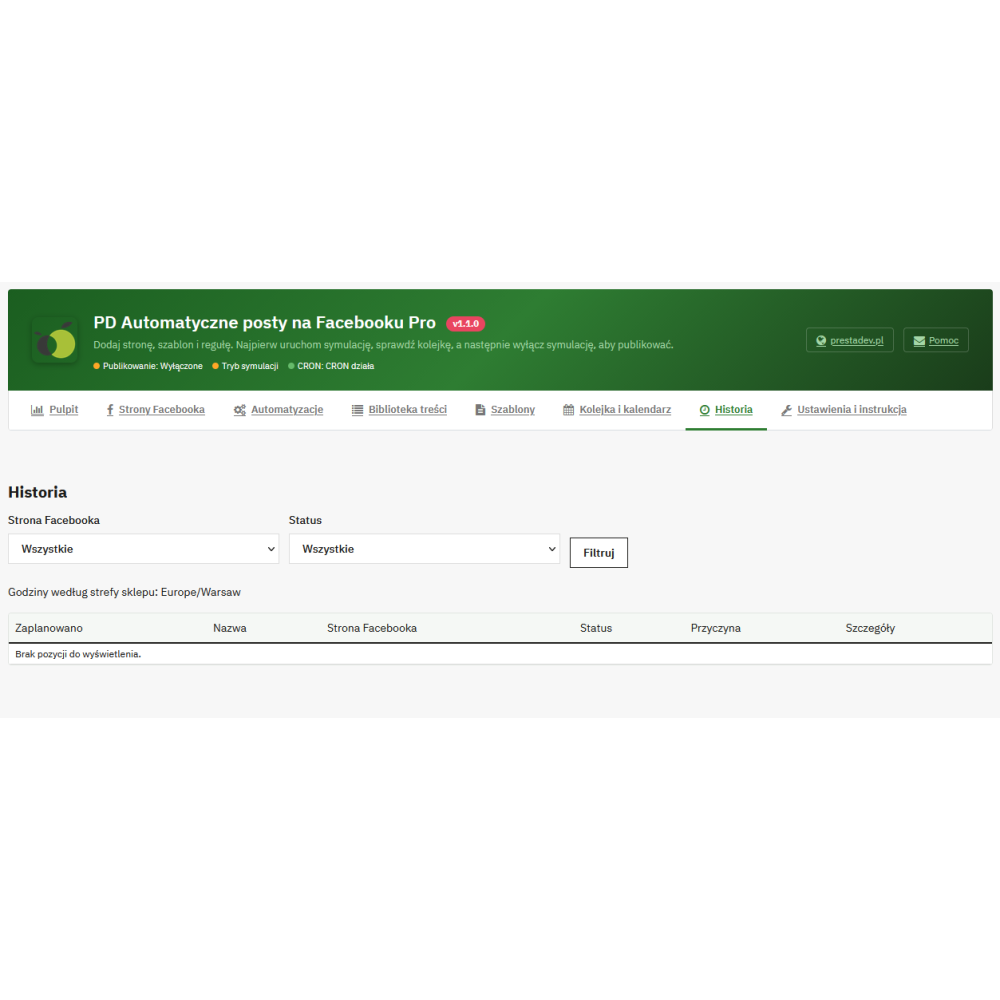
The panel provides a queue, a monthly calendar, history, and task details with their statuses and issue messages. Pending tasks can, among other things, be cancelled or rescheduled, depending on their current status. After confirmed publication, the post ID and Facebook link are saved. The panel data describes the module’s operation, not audience reach and reactions.

Yes, in the settings you can provide an address for alerts. Notifications include, among others, blocked access, a known upcoming expiration date, and tasks with errors, an uncertain result, or requiring verification. Sending is limited to no more than one alert per day and requires a working CRON and the store's email. Alerts are not sent in simulation mode or when automation is disabled.

The declared compatibility range covers PrestaShop 1.7.x–9.x. Installation requires the PHP extensions cURL, OpenSSL, and mbstring, and actual publishing requires server access to the Meta Graph API, page permissions, and a valid connection. Content and images must have publicly accessible URLs, and background processing requires CRON. Blog features additionally require the active ph_simpleblog module.

No. The module refreshes the data and checks the conditions before sending the task, but it does not synchronize later changes with an existing Facebook post. A price change, disabling the product, or deleting the item does not automatically edit or remove the published message. Such a publication must be managed directly on Facebook.

The {regular_price} field is populated when a promotion is detected and shows the current price calculated without taking the special price reduction into account. Based on this value and the current price, the module calculates the discount percentage. This is not the historical lowest price from the last 30 days; the module neither retrieves nor keeps such a price history.

Reviews (0)

No reviews