• -zł 20.00
Facebook Pixel Tracking for Prestashop 1.5.x and 1.6.x
Facebook Pixel and Conversions API for PrestaShop | PrestaDev
Facebook Pixel Tracking for Prestashop 1.5.x and 1.6.x

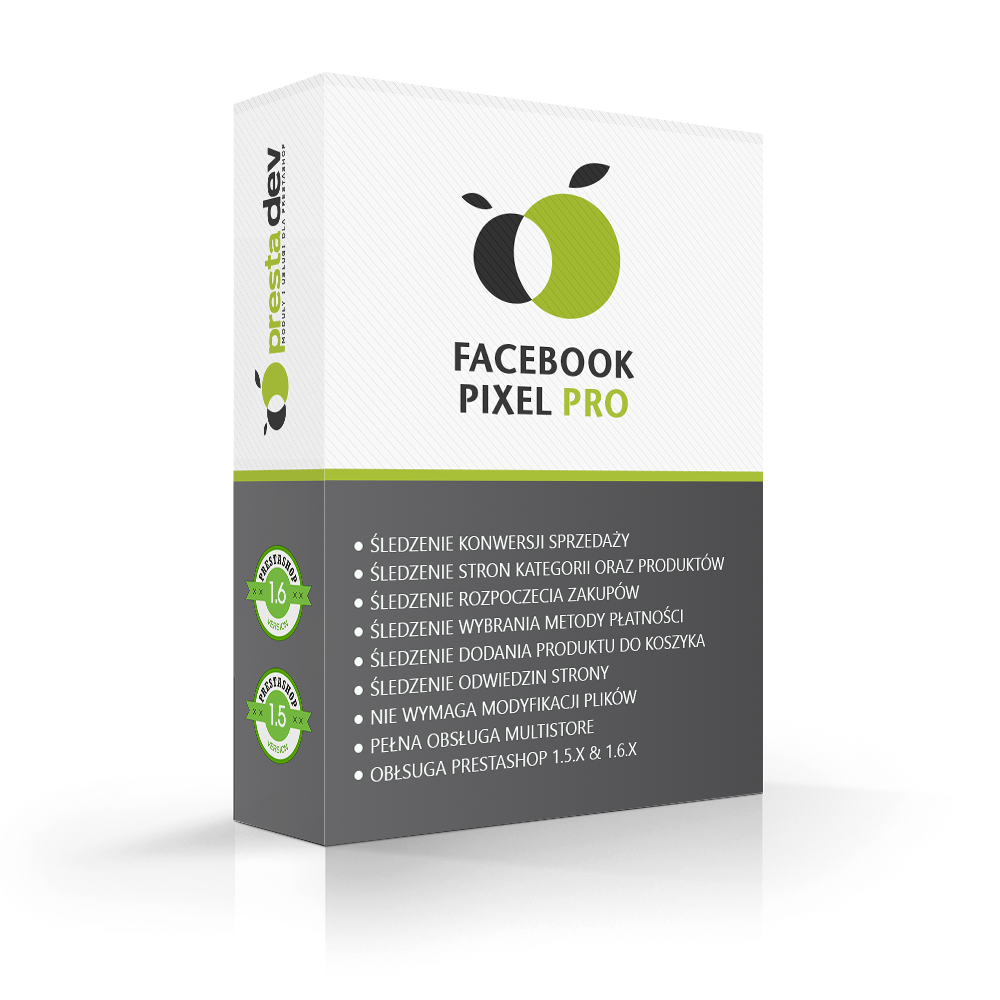
Facebook Pixel Pro module for PrestaShop

Module version: 1.5.0

PrestaShop compatibility: 1.7.x 8.x 9.x

Module file updated: 10/3/2026 16:59:47

Product data updated: 10/15/2026 11:14:40


5 Reviews

Facebook Pixel Pro integrates PrestaShop with browser-based Meta Pixel and optional Conversions API (CAPI) for Purchase events. It supports purchase-journey events, Advanced Matching and six product identifier formats with a prefix for matching the Meta catalog. In package 1.5.0, both Pixel and CAPI require active PD Cookie Pro in live mode and verified advertising consent. Server-side Purchase enters a queue when the paid order status and cart consent conditions are met; CRON handles sending and retries. CAPI also requires a Pixel ID, Access Token, PHP cURL and an HTTPS connection to Meta. A shared event_id supports deduplication but does not guarantee receipt or attribution of every conversion in Meta. Confirm the package for your PrestaShop, PHP, theme and checkout versions before deployment.

License type / update
zł 70.00
zł 56.91no tax zł 90.00 -zł 20.00
Lowest price in last 30 days before discount: zł 90.00

Description

Module features and benefits

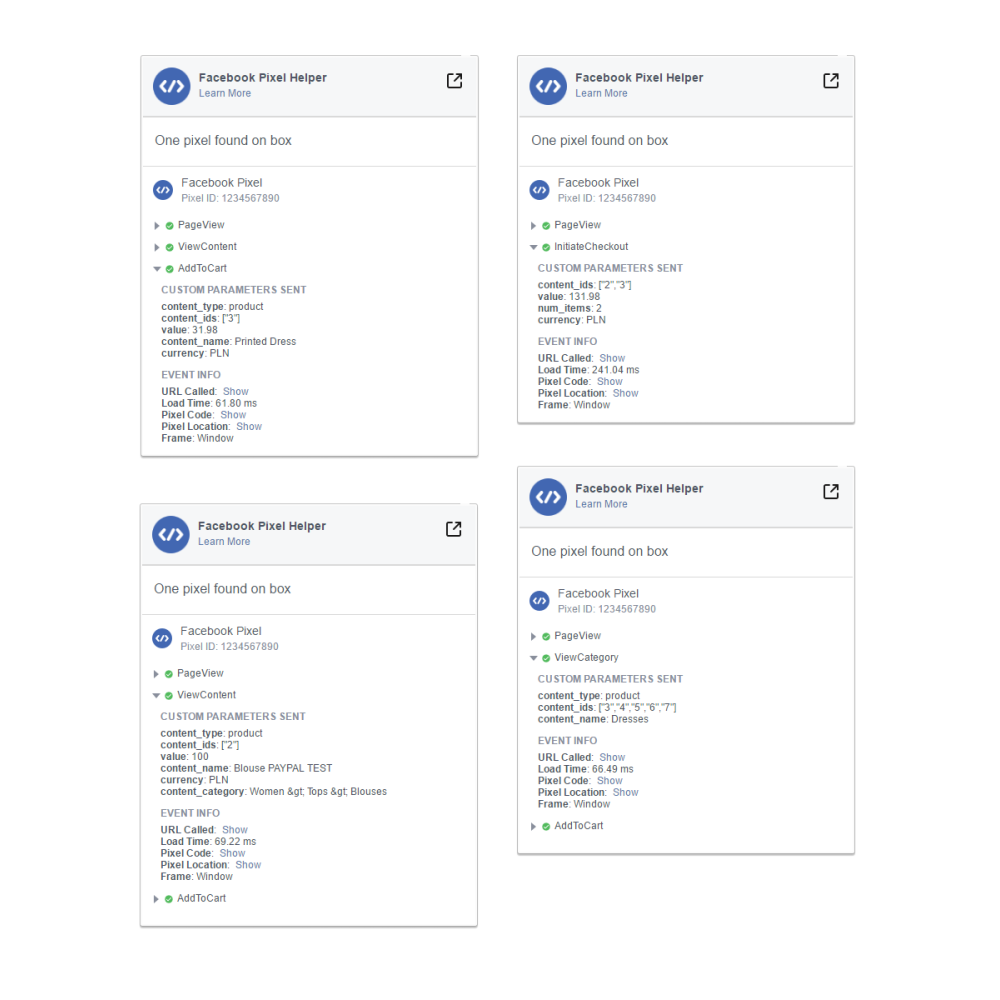
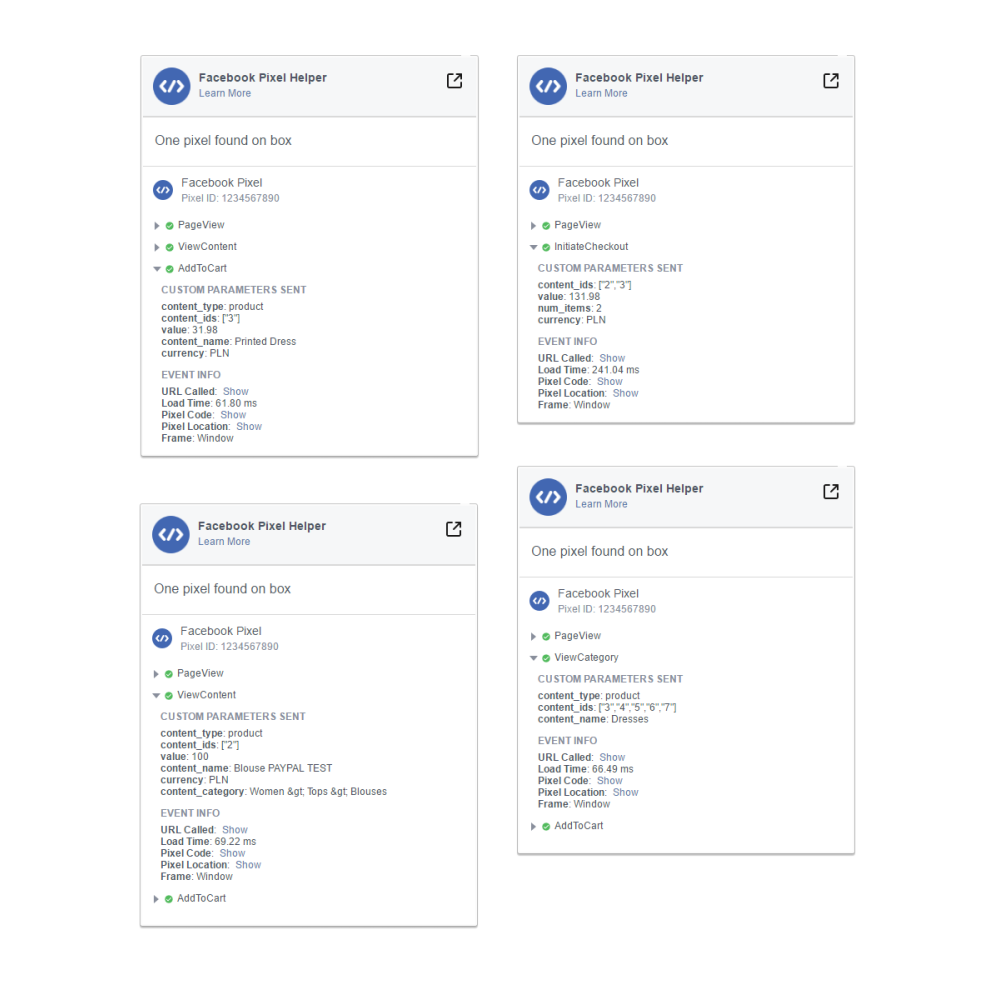
  • 9 Facebook Pixel events — PageView, ViewContent, ViewCategory, AddToCart, InitiateCheckout, AddPaymentInfo, Purchase, Search, and CompleteRegistration. Registration depends on event configuration, consents, and supported store paths; it does not mean measuring every action.
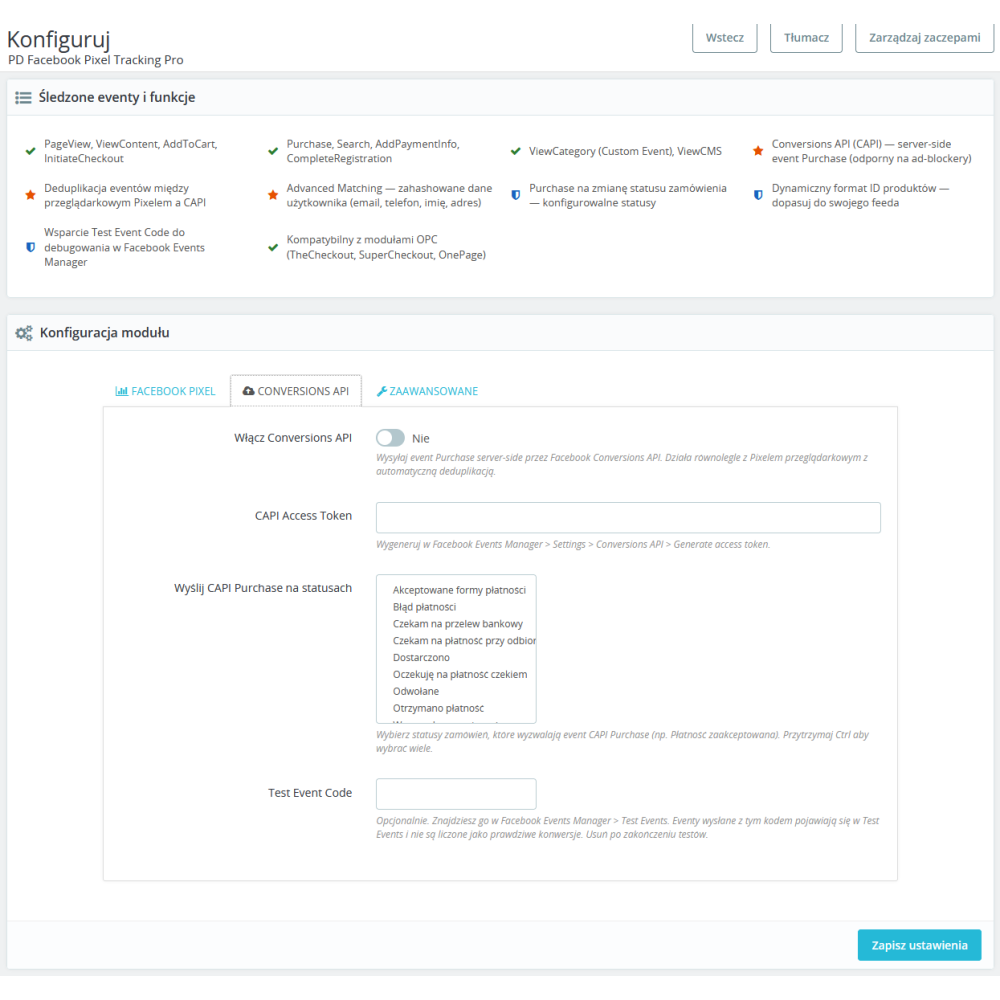
  • Conversions API (CAPI) and Purchase — In package 1.5.0, Purchase can enter the queue when configuration, paid order status and current cart consent conditions are met. CRON sends it to Meta without requiring the confirmation page; verify actual receipt separately.
  • shared event identifier — Purchase from Pixel JS and CAPI shares an event_id intended for deduplication. Correct event receipt and attribution must be verified in Meta
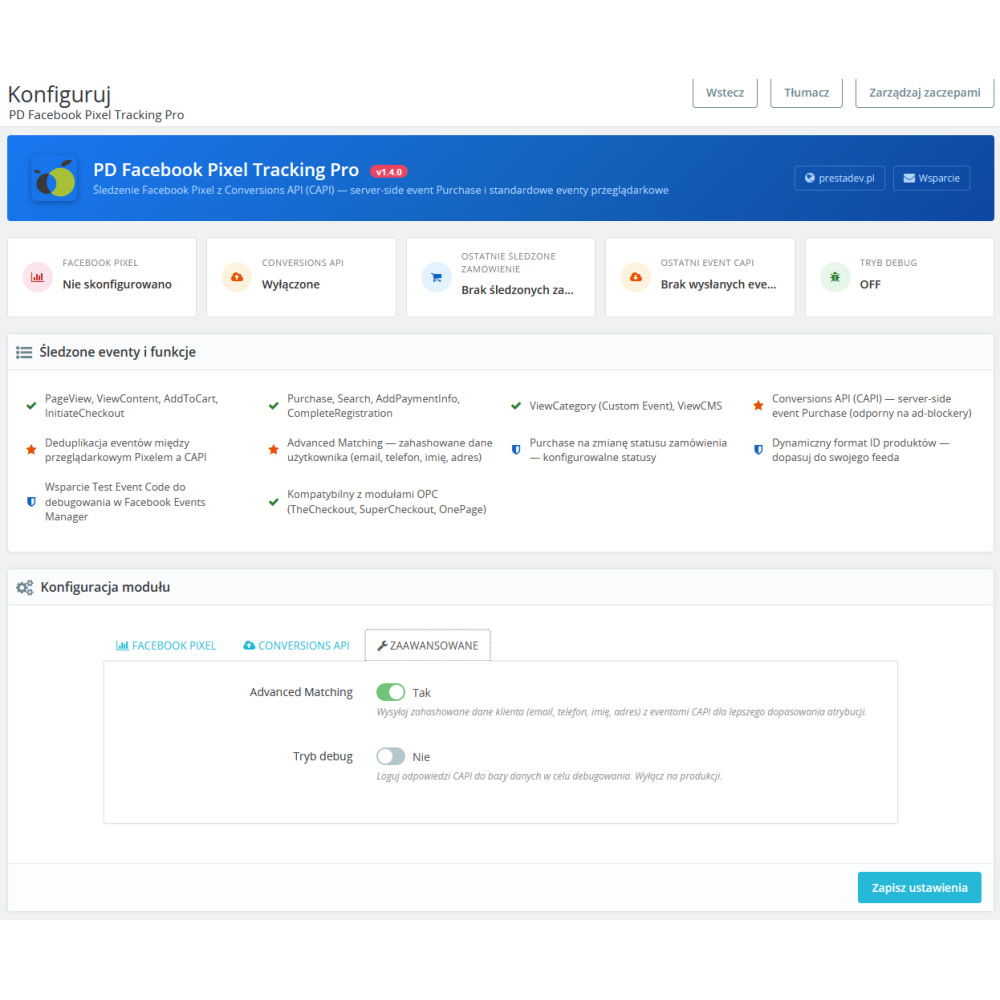
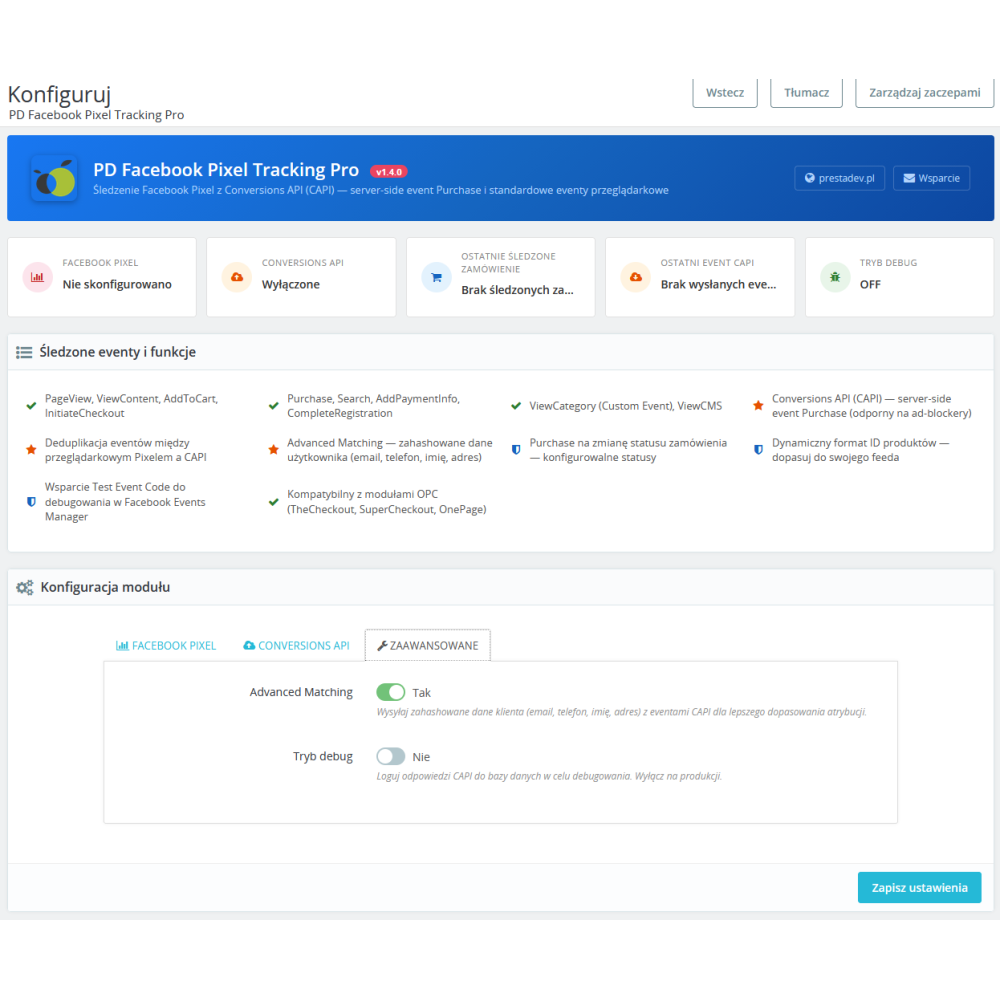
  • Advanced Matching — optional data for event matching. For CAPI, the module normalizes and hashes selected customer data with SHA-256; in the browser, it passes the available email, first name, and last name to fbq initialization without hashing them through the module’s PHP code
  • 6 product identifier formats — product ID, ID-attribute, ID_attribute, EAN-13/GTIN, reference, MPN/supplier reference — for matching with the Facebook product catalog (Product Catalog)
  • product identifier prefix — A configurable prefix such as ps_ can adapt identifiers to your feed. It must pass module validation; check that content_ids match the catalog.
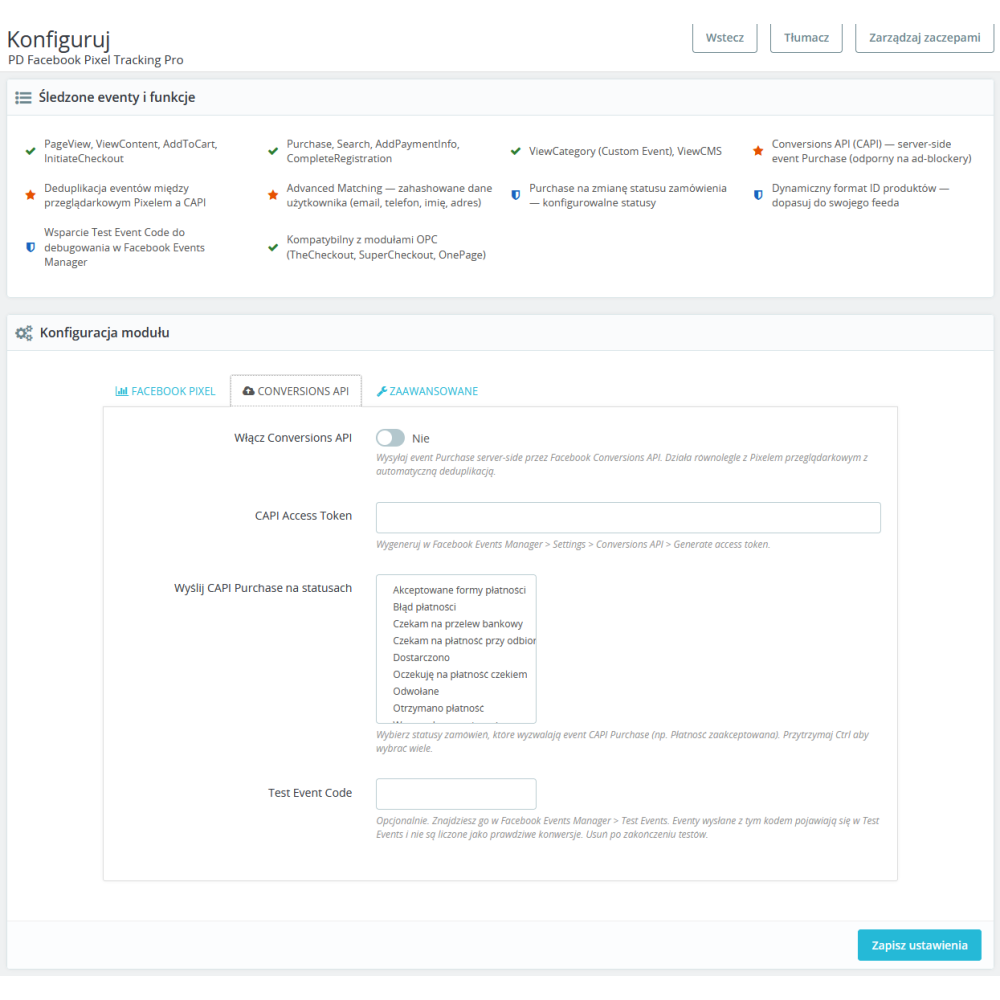
  • Paid order statuses — Choose statuses that qualify a Purchase. The code also checks the order status paid flag; selecting an arbitrary status alone does not trigger sending.
  • Test Event Code — an optional test code attached to the CAPI request. After meeting the sending requirements, check the result in Meta test tools; entering the code alone does not confirm event receipt.
  • tracks product combination changes — supports the ViewContent event after a recognized variant change and reading its data. The content_ids format results from the configuration: with the base product ID, the identifier may remain the same despite a price change. Check the behavior with the theme, consents, and variant export method you use.
  • support for dynamic attribute combinations — supports selects, radio buttons, and color swatches in the theme — reading combinations from elements recognized by the module script; a custom theme requires testing
  • CAPI readiness panel — Shows missing settings, queue states, the last attempt result and the last CRON run. Local readiness does not prove Meta receipt or attribution.
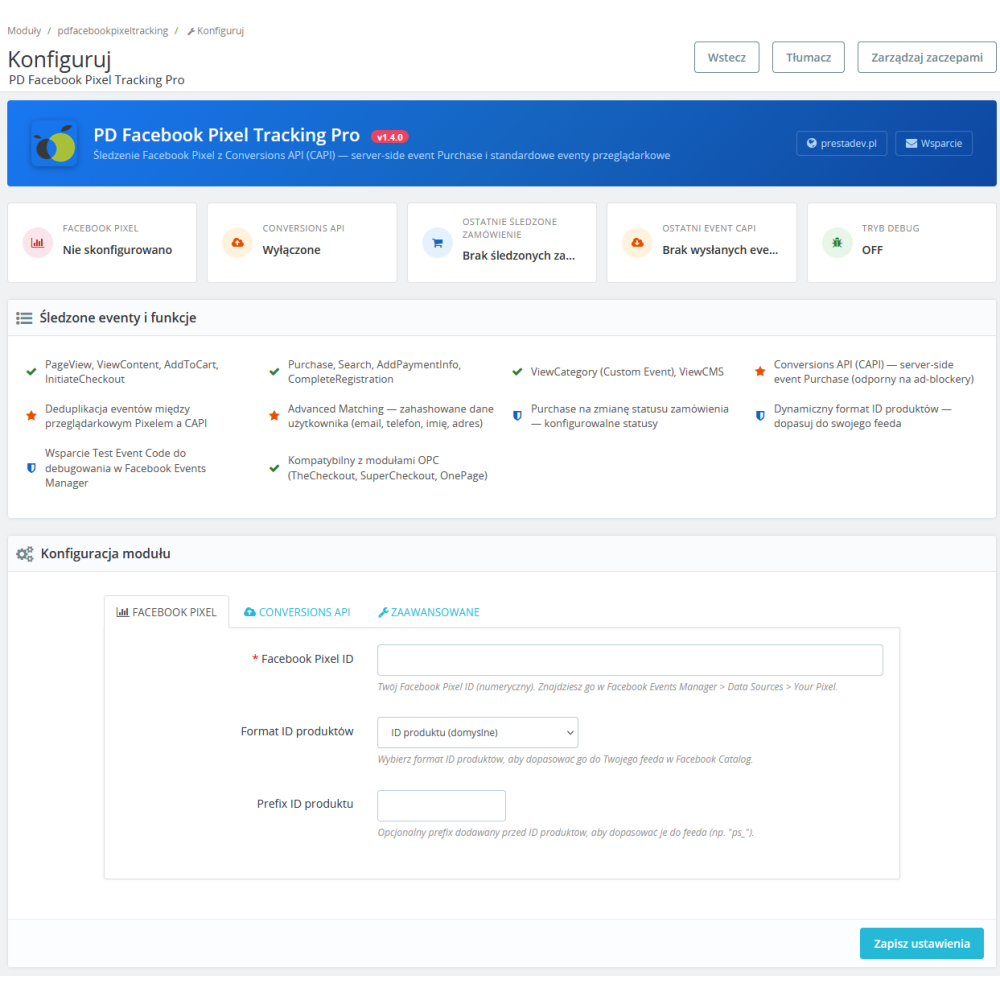
  • 3 configuration tabs with icons — a clear settings division: Facebook Pixel, Conversions API, Advanced
  • Send attempt history — CAPI attempt result codes and API acceptance confirmation are recorded in the database independently of debug mode, without customer data or Access Tokens in the attempt history. The browser flag records a queued call, not Meta receipt.
  • supported checkout paths — the code recognizes, among others, TheCheckout, SuperCheckout, and OnepageCheckout; event receipt must be verified with the checkout version, theme, and payments you use
  • Package selection for the store — Package 1.5.0 declares PrestaShop 1.7.0.0 as its minimum. Confirm a suitable legacy package for PrestaShop 1.6 and compatibility with PHP, theme and checkout separately; a version declaration does not replace store-specific acceptance checks.
  • full Polish localization — the entire administrative interface in Polish
  • Integration requirements — Pixel and CAPI require active PD Cookie Pro in live mode and verified advertising consent. CAPI also requires recorded cart consent, a Pixel ID, Access Token, selected paid statuses, PHP cURL, HTTPS to Meta and a running CRON job.
  • Purchase queue and CRON — A token-protected CRON URL or integration with the cronjobs module processes server-side Purchase and limited retries. This does not guarantee complete measurement or advertising attribution.


Link to the module demo:

Admin panel demo:
https://moduly-prestashop.eu/fb-pixel/admin-dev

Front-end demo:
https://moduly-prestashop.eu/fb-pixel

You can find the license, trial copy, and update terms in §7 of the Store Terms and Conditions.

Check the browser, CAPI, and catalog separately

Matching product identifiers with the Meta catalog is a different issue than event deduplication. The guide to IDs, variants, and Pixel distinguishes both cases and shows a dated in-house test of two cards with explicit limitations.

What should you check before launch?

  • Verify the Pixel ID and configured events. For the CAPI path, check the token, order statuses, and consent requirements described above.
  • Compare content_ids for a specific variant with the IDs in the catalog; then check the event_id of the same action passed through two channels.
  • Check the behavior after refusal and withdrawal of consent. Installing the module does not guarantee registration of every user action.

Product Details

Prestashop 9.x support
Yes
Support for Prestashop 8.x
Yes
Prestashop 1.7.x support
Yes
Prestashop 1.6.x support
Yes
Module translations
EN, EN
Free support
Yes
Free updates (1 year)
Yes
Easy Installation
Yes
PDFPT-FULL

You might also like

Changelog

Release history for this product. Expand an entry to see what changed.

  • poprawiono ConsentMode 2 w kombinacji z modułem pdcookiepro

  • dodano obsługę PrestaShop 9.x
  • nowy system tłumaczeń wdrożono do modułu

FAQ

Find answers to the most common questions about this product.

The module embeds Meta Pixel and supports PageView, ViewContent, AddToCart, InitiateCheckout, AddPaymentInfo, Purchase, Search and CompleteRegistration, plus the custom ViewCategory event. Optional CAPI handles server-side Purchase through a queue. Recording depends on settings, consent and supported store paths; it does not automatically cover every conversion.

Enter the Pixel ID and configure events. Package 1.5.0 requires active PD Cookie Pro in live mode and verified ad_storage and ad_user_data consent. For CAPI, configure an Access Token, select paid order statuses and run the protected CRON job. Also check recorded cart consent, PHP cURL and HTTPS connectivity to Meta. Saving settings does not confirm event receipt.

CAPI sends Purchase from the server through a CRON-managed queue without requiring the confirmation page. It requires configuration, a qualifying paid status and current cart consent recorded by PD Cookie Pro. It can complement the browser path, but blocking or missing context can still limit measurement and attribution.

For a given order's Purchase, the module calculates the same event_id for Pixel JS and CAPI to support deduplication of corresponding events. The queue distinguishes a browser-queued call from API acceptance. Neither local mechanism proves correct sales attribution in Meta.

Choose a format matching your feed: product ID, ID-attribute, ID_attribute, EAN-13/GTIN, reference or MPN/supplier reference. A prefix such as ps_ is also available. Compare a specific product or variant's content_ids with its Meta catalog identifier. Matching IDs is a prerequisite, not a guarantee of event receipt or advertising performance.

Advanced Matching is optional. For CAPI, the module normalizes and SHA-256 hashes selected available customer data. In the browser it passes email, first name and last name to fbq(init) without hashing those fields in the module's PHP code. Disabling this option does not remove Pixel or CAPI consent requirements; hashing alone does not establish GDPR compliance.

Test Event Code is added to the CAPI request. Once configuration, paid status and cart consent requirements are met, check CRON queue processing, the attempt result and the event in Meta's testing tools. A test code, browser flag or ready configuration alone does not prove receipt. Remove the test code after completing the check.

The code handles ViewContent after a recognized variant change and successful data reading through supported theme selectors. A base product ID can remain unchanged across combinations. Check content_ids, price, currency and consent in your theme; support for select, radio and color inputs does not mean compatibility with every theme.

Select statuses that qualify Purchase; the code also requires the paid flag. A status change queues a qualifying event, while CRON rechecks settings, order state and consent. Selected transient errors can be retried within a limited window of up to 48 hours. Not all errors are retried, and further status changes do not mean another conversion.

Without the confirmation page, browser Purchase may not run. The server-side CAPI queue has a separate trigger following a qualifying paid order status, but needs previously recorded current cart consent, settings and a working CRON job. Closing the browser does not guarantee conversion recording; check receipt and attribution separately in Meta.

The code recognizes standard checkout and paths including TheCheckout, SuperCheckout and OnepageCheckout. Events use specific controllers and selectors. Check InitiateCheckout, AddPaymentInfo and Purchase with your checkout version, theme, consent and each payment method before launch; this is not a claim of compatibility with every checkout.

Yes, CAPI is optional. Pixel JS still requires a Pixel ID, active PD Cookie Pro in live mode, verified advertising consent and script execution on a supported store path. CAPI handles server-side Purchase, not all browser events. Disabling CAPI does not guarantee complete measurement through Pixel alone.

For instructions on obtaining CAPI credentials, see Meta's official documentation: https://developers.facebook.com/docs/marketing-api/conversions-api/get-started/. Use the Pixel identifier and Access Token for the correct data source in your account. Pixel ID and token are different values. Enter the token in server-side module settings, not in a product description or public page code. Do not assume a fixed ID length or an unchanging Meta interface.

CAPI settings and identifier formatting are read in the order's shop context. Select the correct multishop store and check its Pixel ID, Access Token, statuses and feed format. PD Cookie Pro and current consent must also apply to that shop; receiving an event for one shop does not establish that the others work.

Package 1.5.0 declares PrestaShop 1.7.0.0 as its minimum. Confirm the package for PHP, theme and checkout and legacy availability for PrestaShop 1.6 separately. Pixel uses Meta services and active PD Cookie Pro in live mode. CAPI also needs a token, paid statuses, cart consent, PHP cURL, HTTPS and CRON; installation alone does not provide a complete setup.

Reviews (5)

5 Reviews

Super
Moduł kompletny łączy z facebookiem
By Dawid on 11/6/2022

Działa świetnie
Witam, jedyny moduł który podczas zmiany kombinacji odpala właściwy event ViewContent i przekazuje właściwe id produktu i kombinacji do Facebooka.
By on 10/27/2022

Obsługuje wszystkie eventy
jedyny taki na rynku, który działa z naszym szablonem a konkurencyjne słabo wypadły w tym teście....
By on 10/27/2022

Wsparcie odpowiada szybko
działa po małych poprawkach z naszym szablonem bez problemowo także polecamy !
By on 10/27/2022

Conversion API
Moduł nie wspiera Conversion API
By on 10/27/2022