
Shopping Cart

Module features and benefits
- A personal referral code and link for each partner: codes generated according to a pattern (prefix up to 10 characters, REF by default, and 4 to 12 random characters, e.g. REF-7KX2QM) or a custom code assigned by staff, e.g. ANNA10 for an influencer.
- The partner code is a PrestaShop cart rule managed by the module: it works in the standard discount code field, with no changes to the theme or checkout process, and changing the discount settings immediately updates all codes (except for partners with custom rates).
- The referral link works from any store page and from the invitation page, which shows the friend the offer and the code; the code is remembered for a set number of days (30 by default) and is added to the cart automatically when the friend adds a product.
- “Discount for new customers only” enforced by PrestaShop: codes are available to the customer group managed by the module, and PrestaShop checks this when the code is added, when logging in, and when placing the order.
- Partners do not use referral codes, neither their own nor other partners’ codes, including when purchasing as a guest with their email address, so codes cannot be exchanged between partners; two referral codes are never combined.
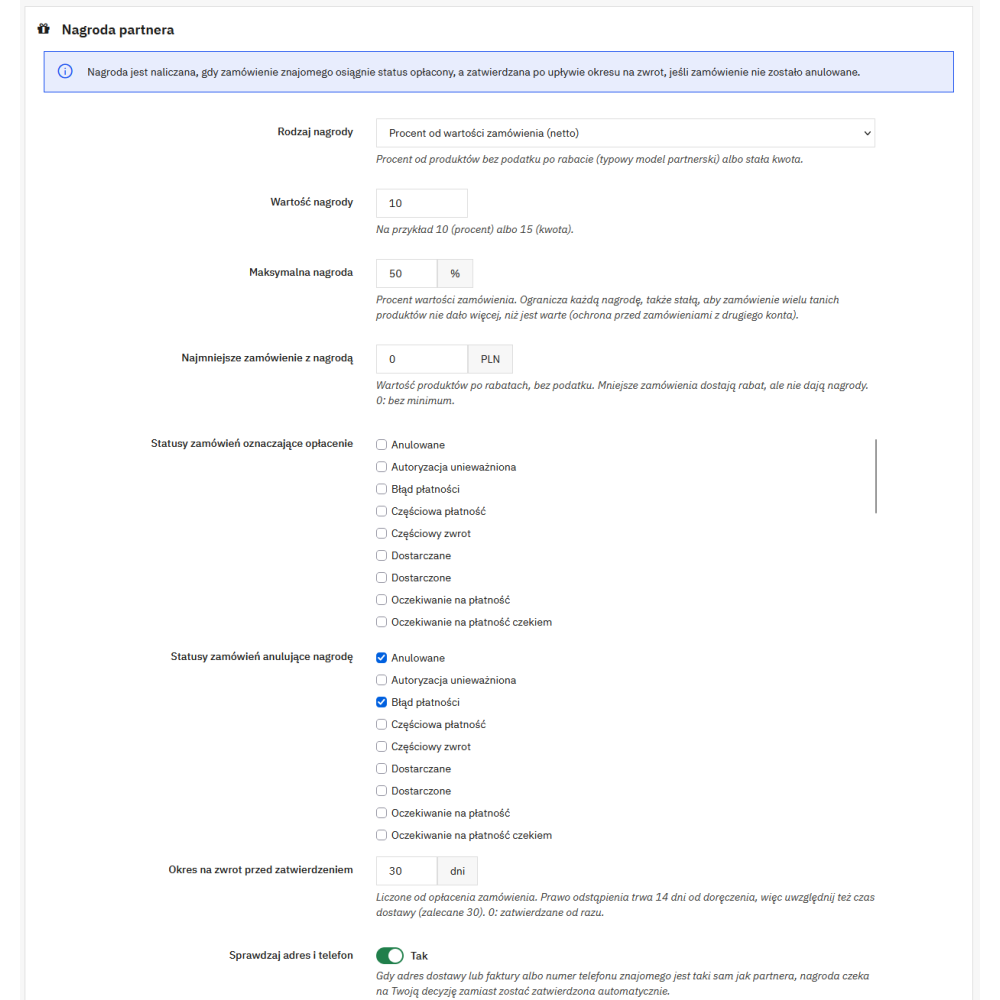
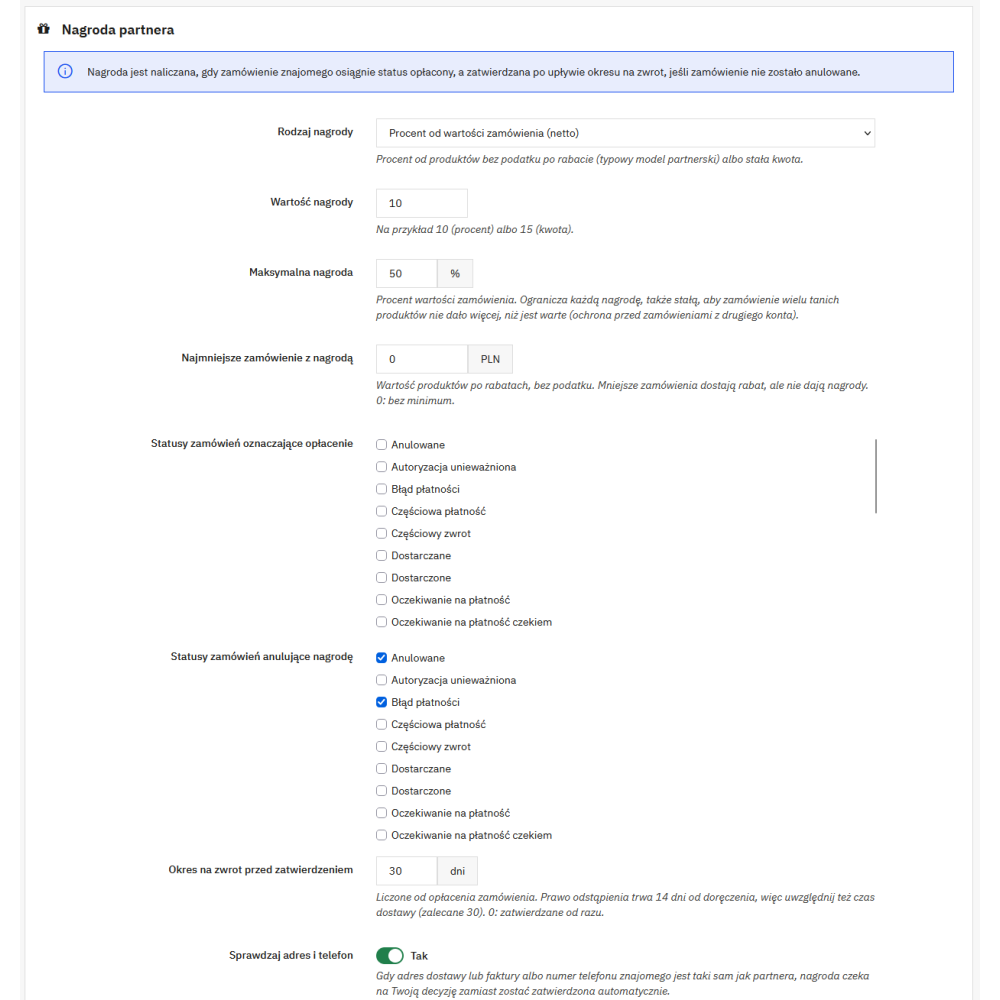
- The reward is calculated from the net product value after discount or as a fixed amount per order or per each ordered product, with a percentage cap of the order value (50% by default) and an optional minimum order value from which the reward is calculated.
- Return period before reward approval (30 days from payment by default, i.e. delivery time and 14 days to withdraw from the contract); the reward is approved only if the order still has paid status.
- A cancelled order cancels the reward, an order adjustment reduces it, and a full refund cancels it; a reward voucher that has not yet been used is reduced after the cancellation of the order for which it was issued.
- Abuse control: when the delivery or invoice address or the referred person’s phone number is the same as the partner’s, the reward waits for staff review instead of being approved automatically; the partner’s own orders do not generate a reward.
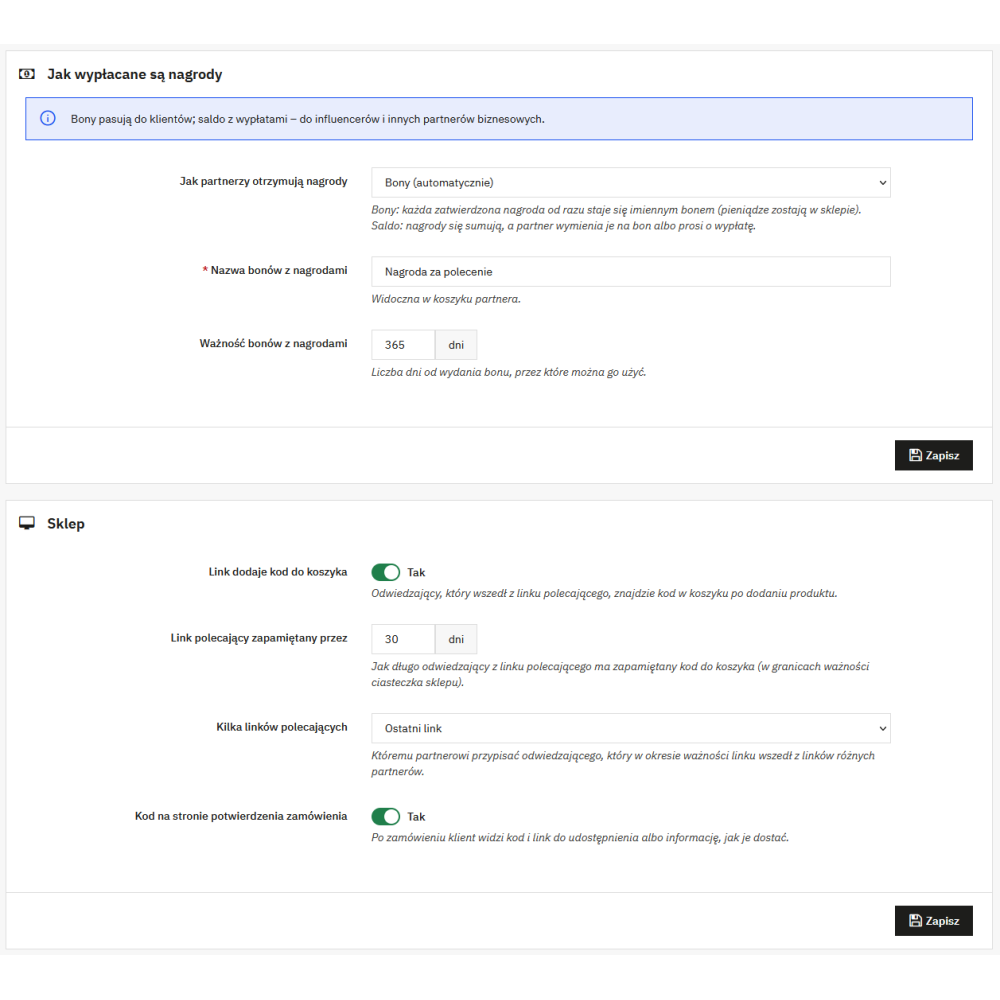
- Two ways to receive rewards: automatic personal vouchers (the money stays in the store) or balance, which the partner exchanges for a voucher or requests to be paid out; the mode can be set for the entire store and separately for a selected partner.
- Payouts at the partner’s request: bank transfer (the IBAN number is validated) or PayPal, minimum payout amount, email to staff with a masked account number, marking the payout with a title or transfer number, or rejecting it with a reason that the partner receives by email.
- Money security: payouts, settings, rates and partner codes, reward amounts, and unblocking a partner with held rewards require the module’s “Configure” permission, and the partner receives an email whenever their payout details are changed.
- Privacy: the partner sees only the friend’s order date on their page, without any personal data; export and deletion of personal data work through the official PrestaShop GDPR module.
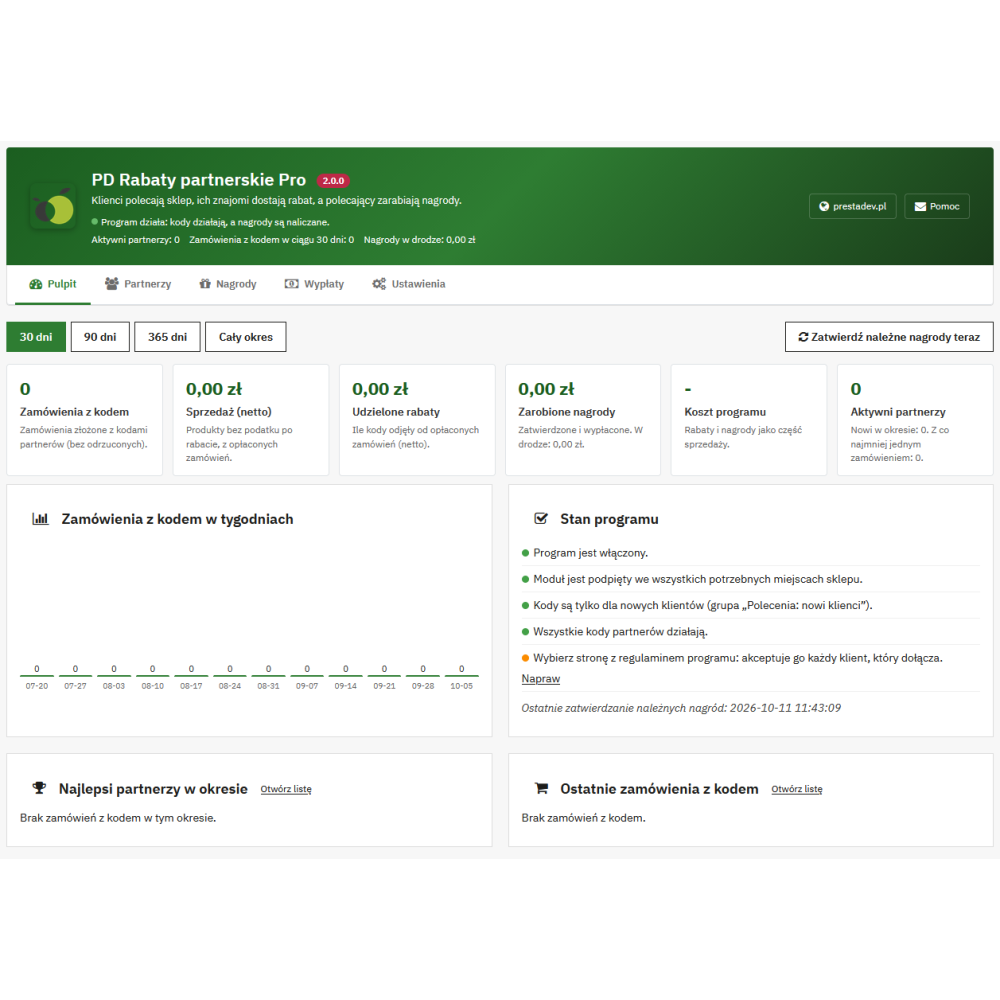
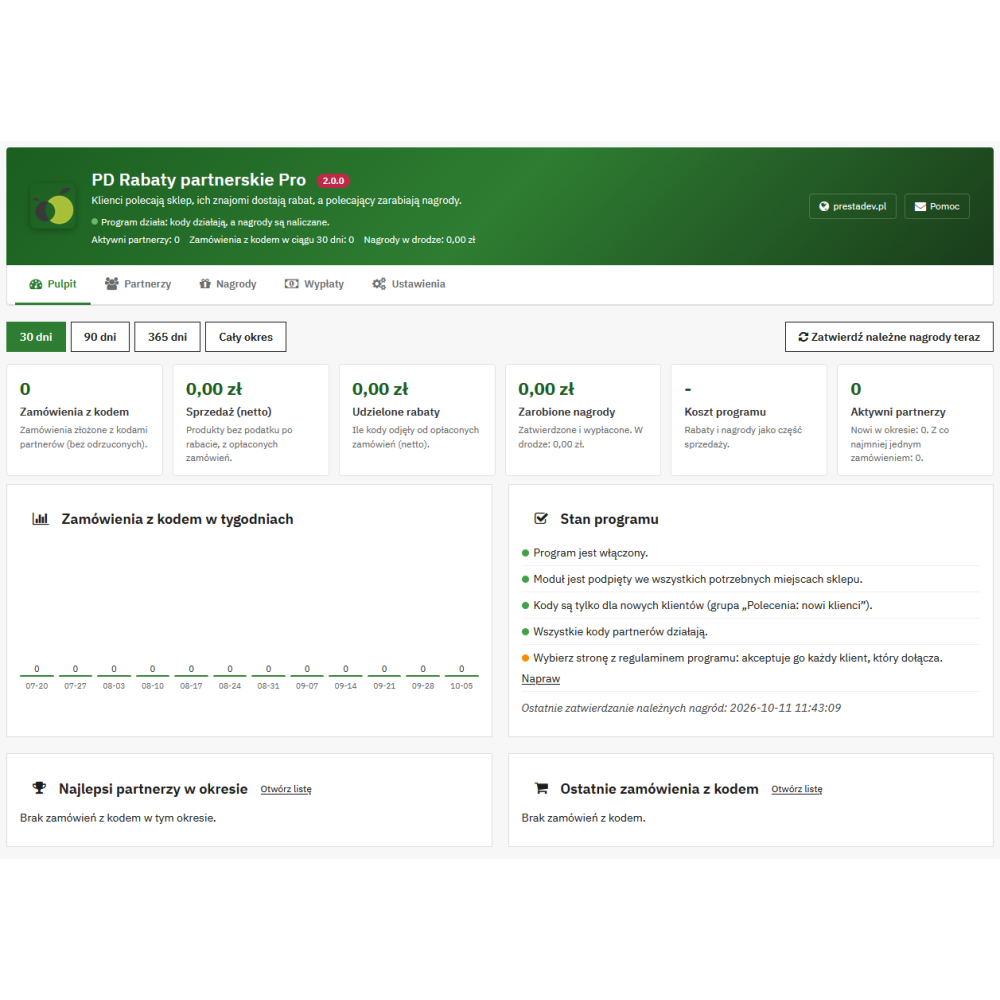
- Dashboard with the program cost (discounts and rewards as part of sales) and a program status checklist with links to fix settings and a repair button.
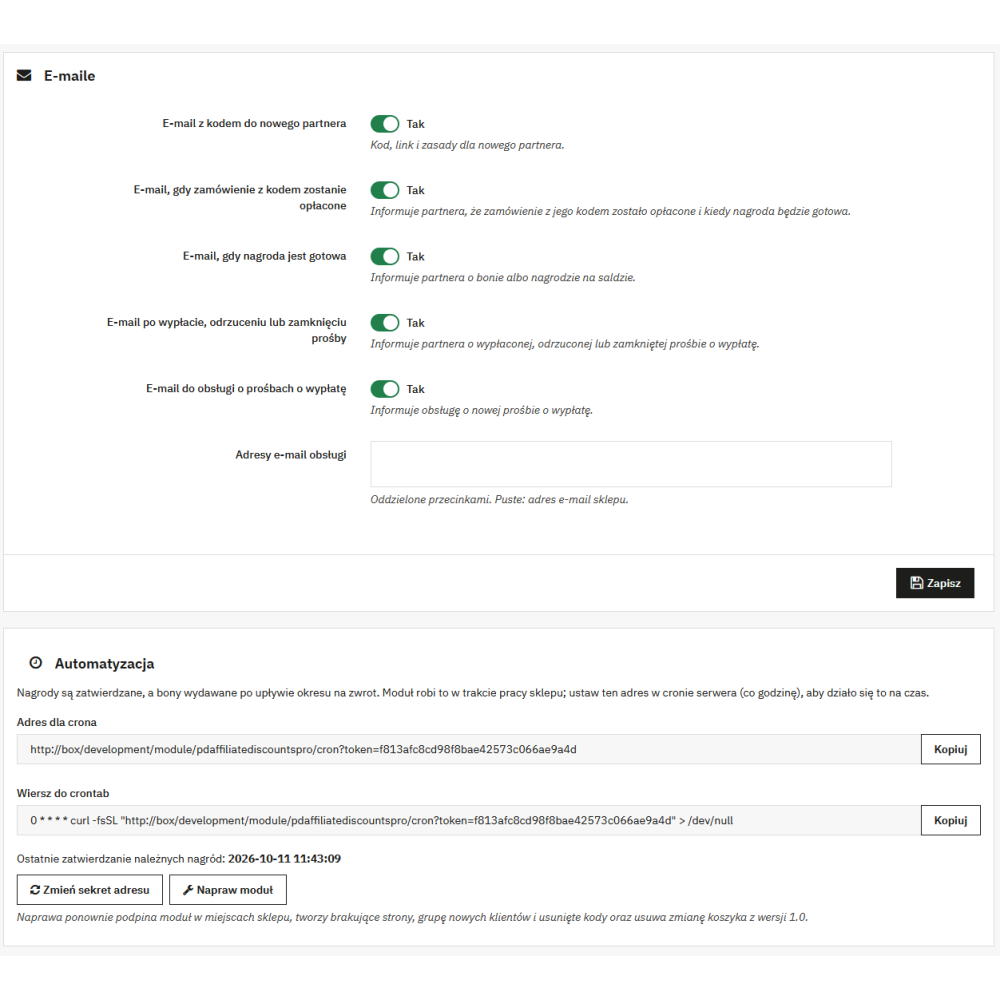
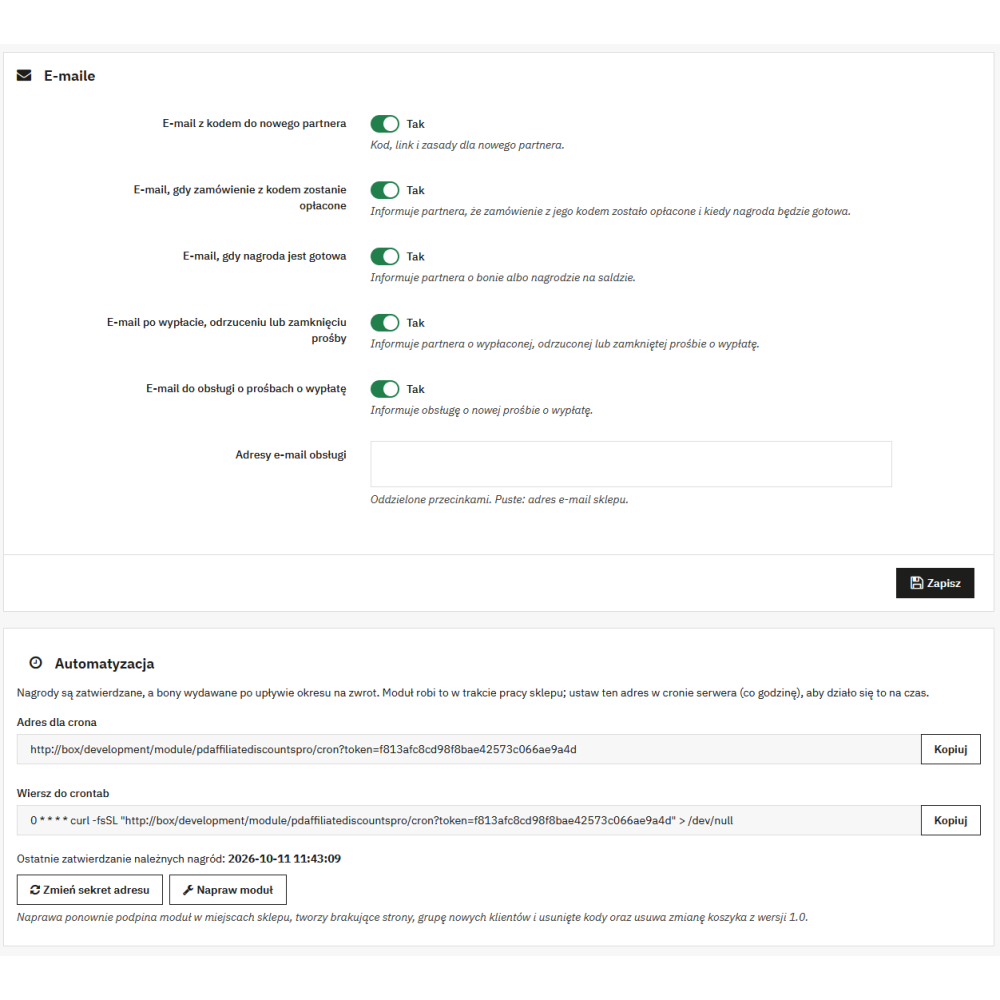
- Automatic settlement: a cron URL with a secret key or settlement during store usage; settlement also catches up on what the module missed while it was disabled (payments, cancellations, codes enabled outside the module).
- Front-end script without jQuery, and the module’s styles and scripts loaded only on module pages, the order confirmation page, and the customer account.
- No Composer, no external libraries, and no connections to third-party services.
How the referral program works
- The customer becomes a partner: automatically when their next order is paid, by joining on the “Referral program” page in their account (with acceptance of the program terms if a terms page has been selected), or by being added by store staff. The partner receives an email with the code, link, and program rules.
- The partner shares the code or link from the “Referral program” page in the account: with the “Copy code” and “Copy link” buttons, by email, via WhatsApp, Facebook and X, or through the system share option on the phone. They also see the code and link on the order confirmation page (option enabled by default).
- The friend enters from the link to the invitation page, which shows the discount and the code, and the code is added to the cart after adding a product. The friend can also enter the code manually in the discount code field.
- An order with the code appears on the rewards list with the status “Waiting for payment”. When the order is paid, the reward is calculated, moves to “Return period”, and the partner receives an email with information about when the reward will be ready.
- After the return period, if the order is still paid and has not been cancelled, the reward is approved: it becomes a personal voucher or is added to the partner’s balance, and the partner receives an email about it.
- In balance mode, the partner exchanges the balance for a voucher on their page or requests a payout. Staff receive an email, make the bank transfer or PayPal payment outside the store, and mark the request as paid out or reject it, and the partner receives an email with the result.
Key module functionalities
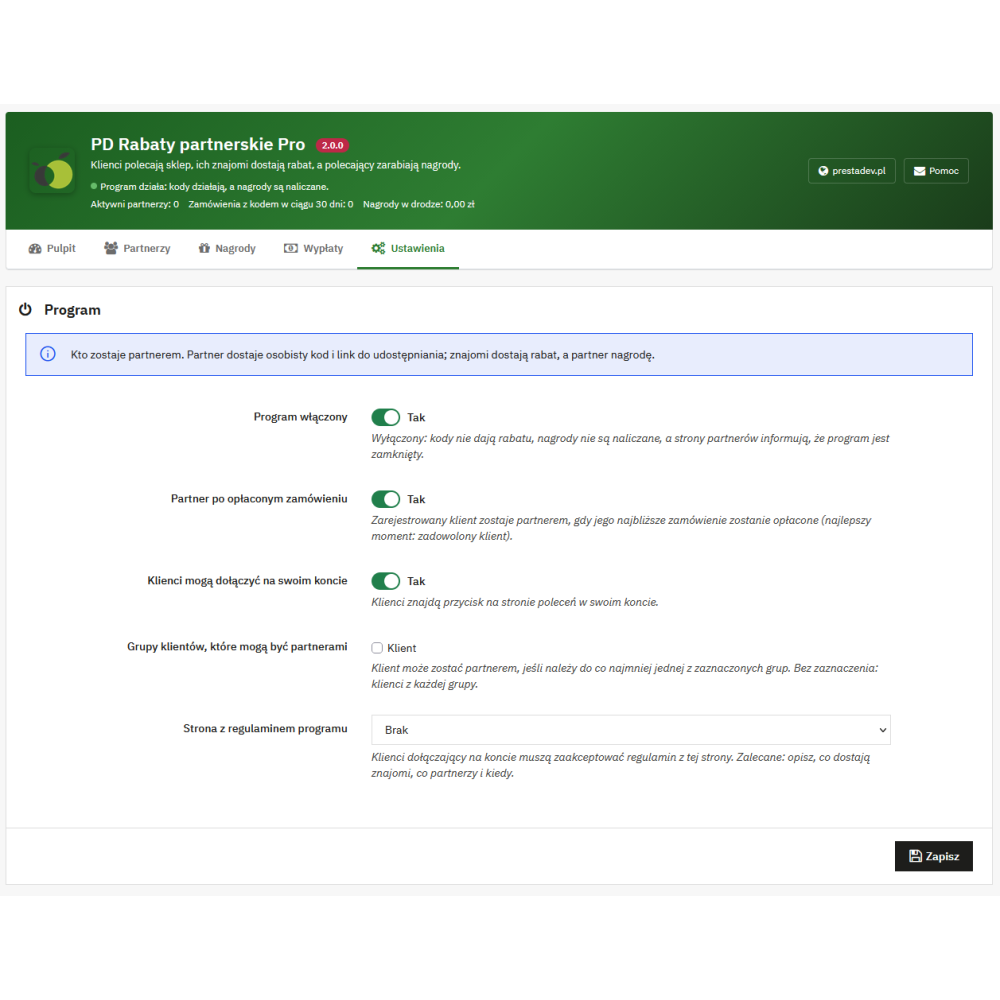
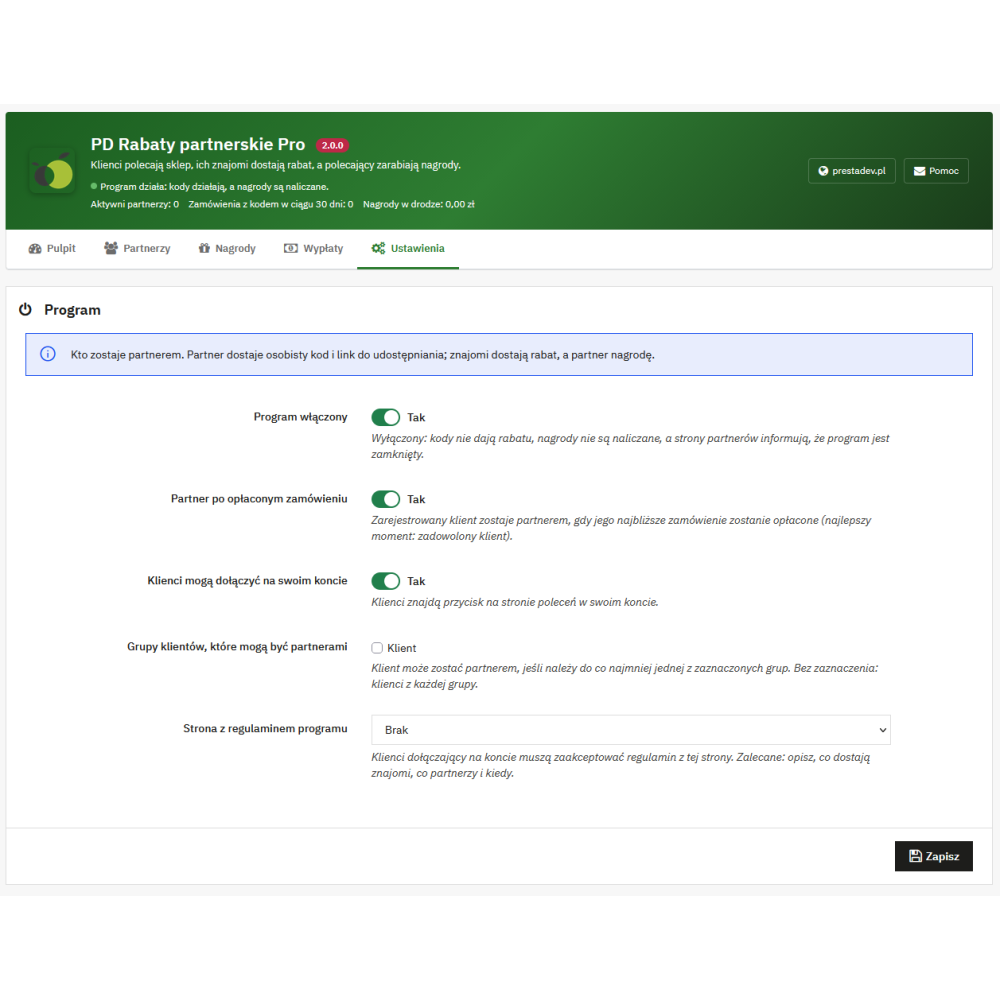
- Settings – Program: enabling the program, partner after a paid order, joining in the customer account, customer groups that can become partners, and the CMS page with the program terms accepted by the customer joining in their account.
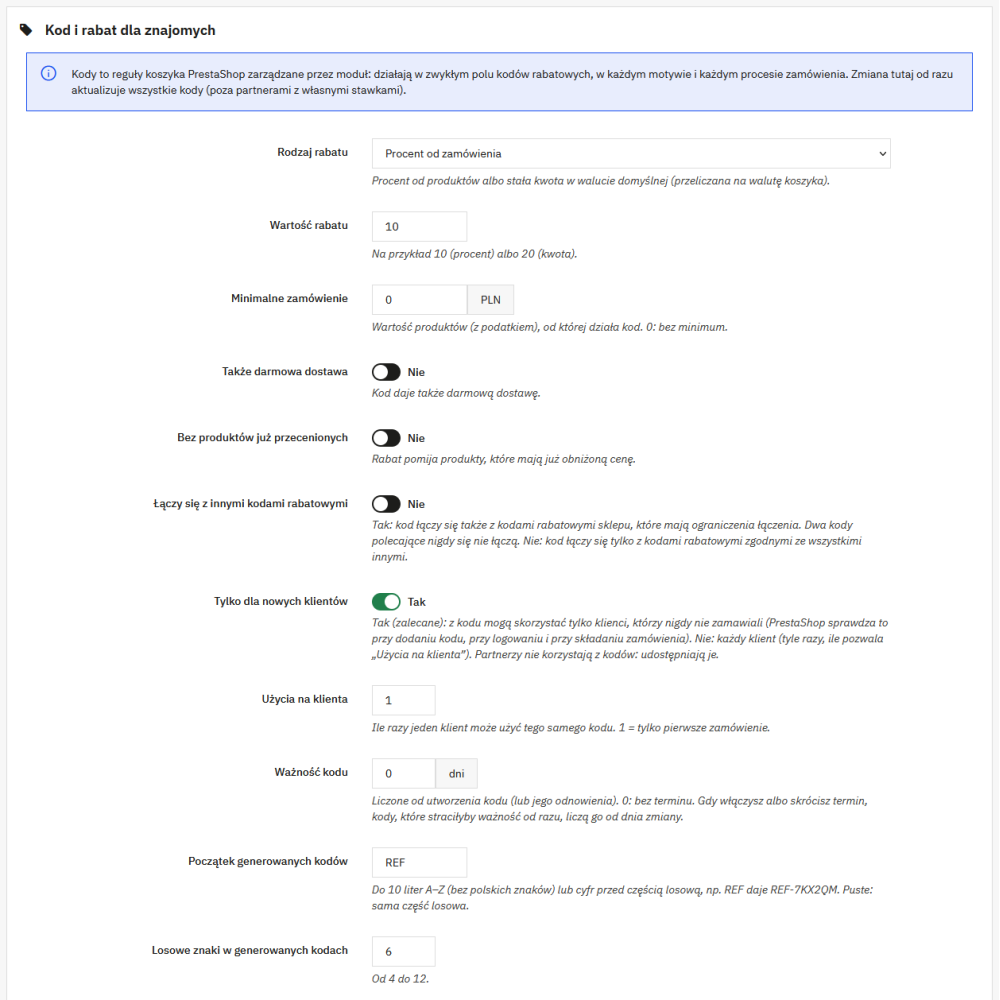
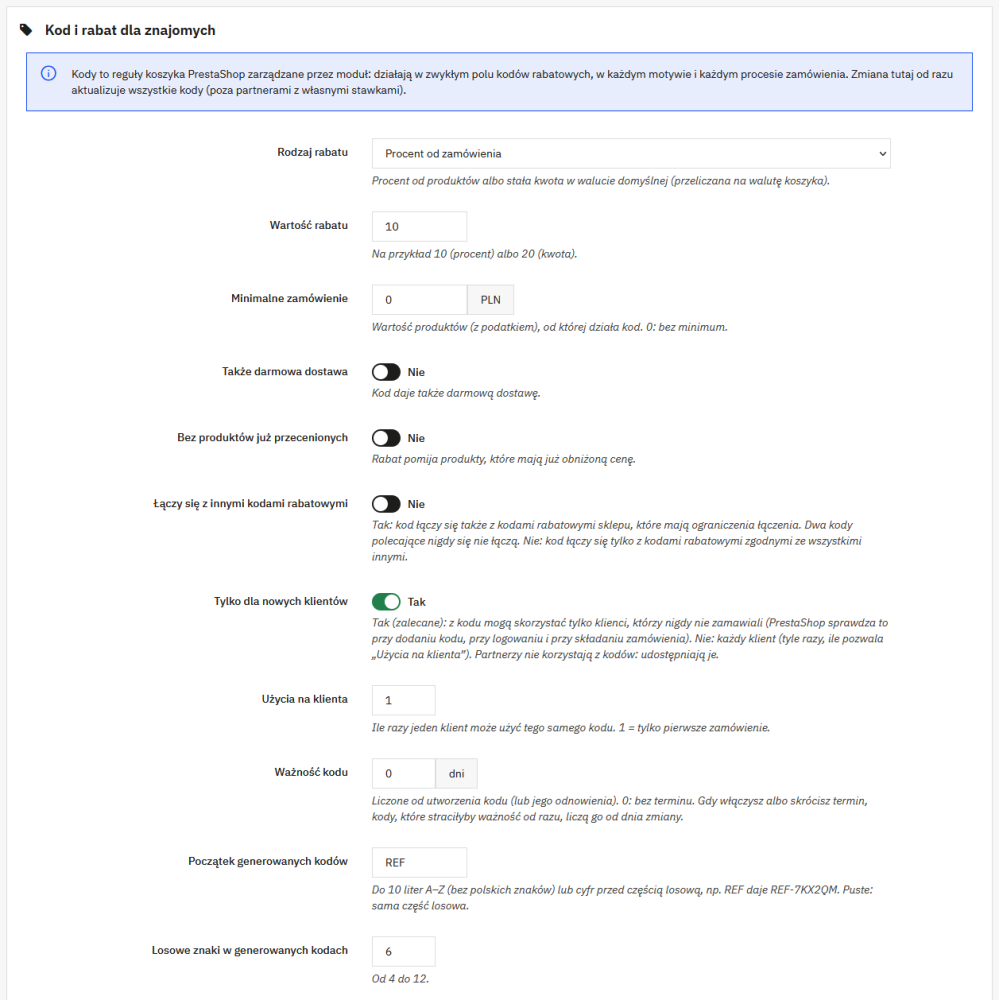
- Settings – Code and discount for friends: prefix and length of generated codes, percentage discount or fixed amount in the default currency (tax included or excluded, converted to the cart currency), free shipping, minimum order value, skipping already discounted products, combining with other store discount codes, “new customers only”, number of uses per customer (1 by default), code validity in days (0 = no expiry), and the discount name in the cart separately for each language.
- Settings – Partner reward: percentage of the net order value, fixed amount per order, or fixed amount per each ordered product, maximum reward as a percentage of the order value, minimum order qualifying for a reward, order statuses marking payment and cancelling the reward, return period, and checking the referred person’s address and phone number.
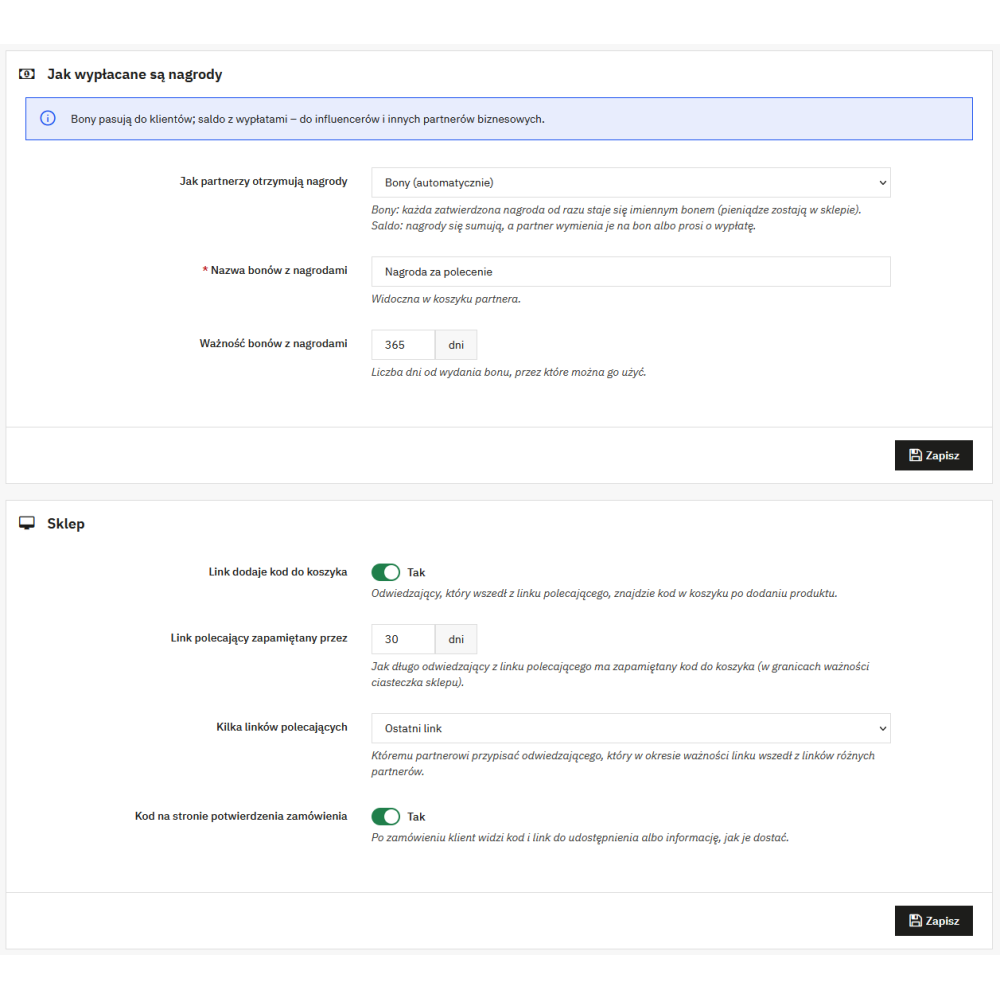
- Settings – How rewards are paid: vouchers or balance, reward voucher name and validity (365 days by default), exchanging balance for a voucher with a minimum amount (10 by default), balance payout on request with a minimum amount (50 by default), and payout methods: bank transfer and PayPal.
- Settings – Store: number of days the referral link is remembered, which partner counts when there are multiple links (last or first), automatic adding of the code from the link to the cart, and the referral code and link on the order confirmation page.
- Settings – Emails and Automation: separate email switches for the partner and for staff, staff email addresses for payout requests, cron URL with a secret key, ready-to-use crontab line, new key button, and repair button that reattaches the module, creates missing panel pages, the new customers group, and deleted codes.
- Module header: program status (working, disabled in settings or in the module manager, not attached, missing group, deleted codes, payout requests waiting for a decision) and the number of active partners, orders with a code from the last 30 days, and rewards in progress.
- Dashboard: periods of 30, 90 and 365 days and the entire period; orders with a code, net sales, discounts granted, rewards earned, program cost, active partners (new and with at least one order), chart of orders with a code in the last 12 weeks, top five partners in the period, and the program status checklist.
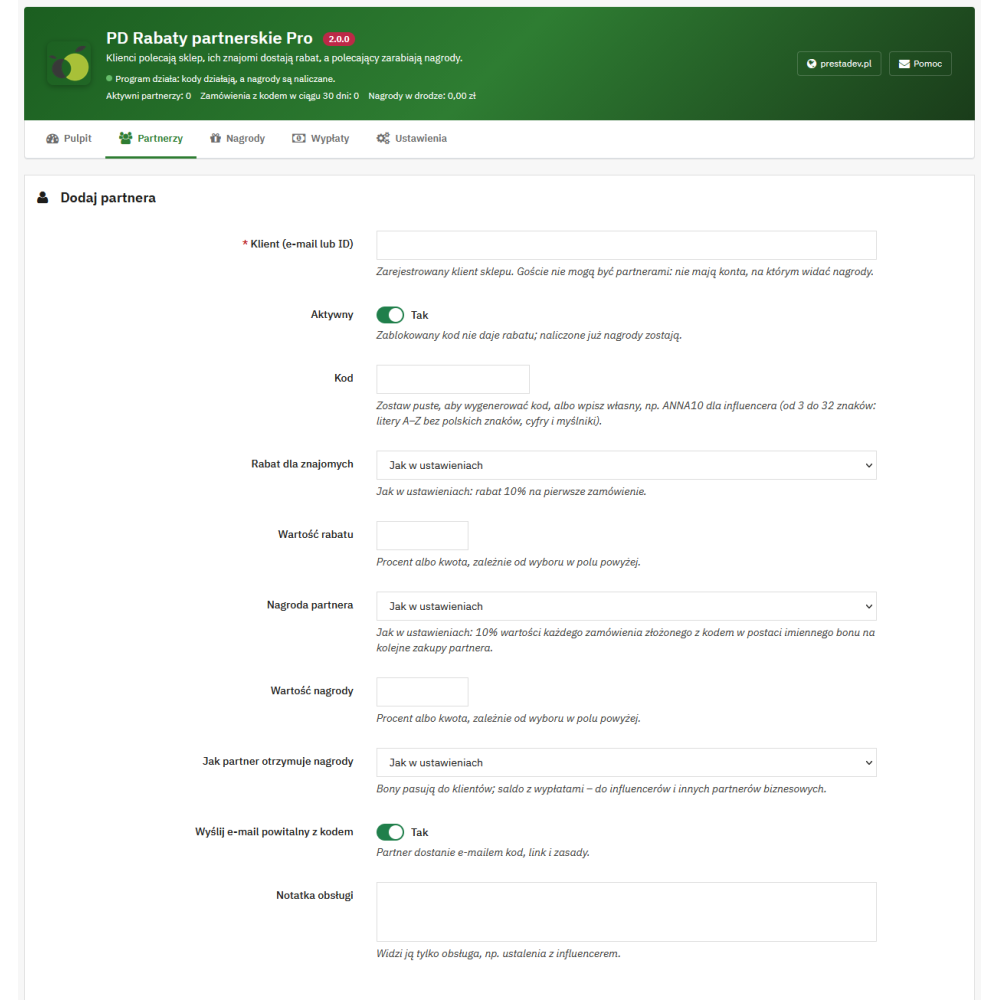
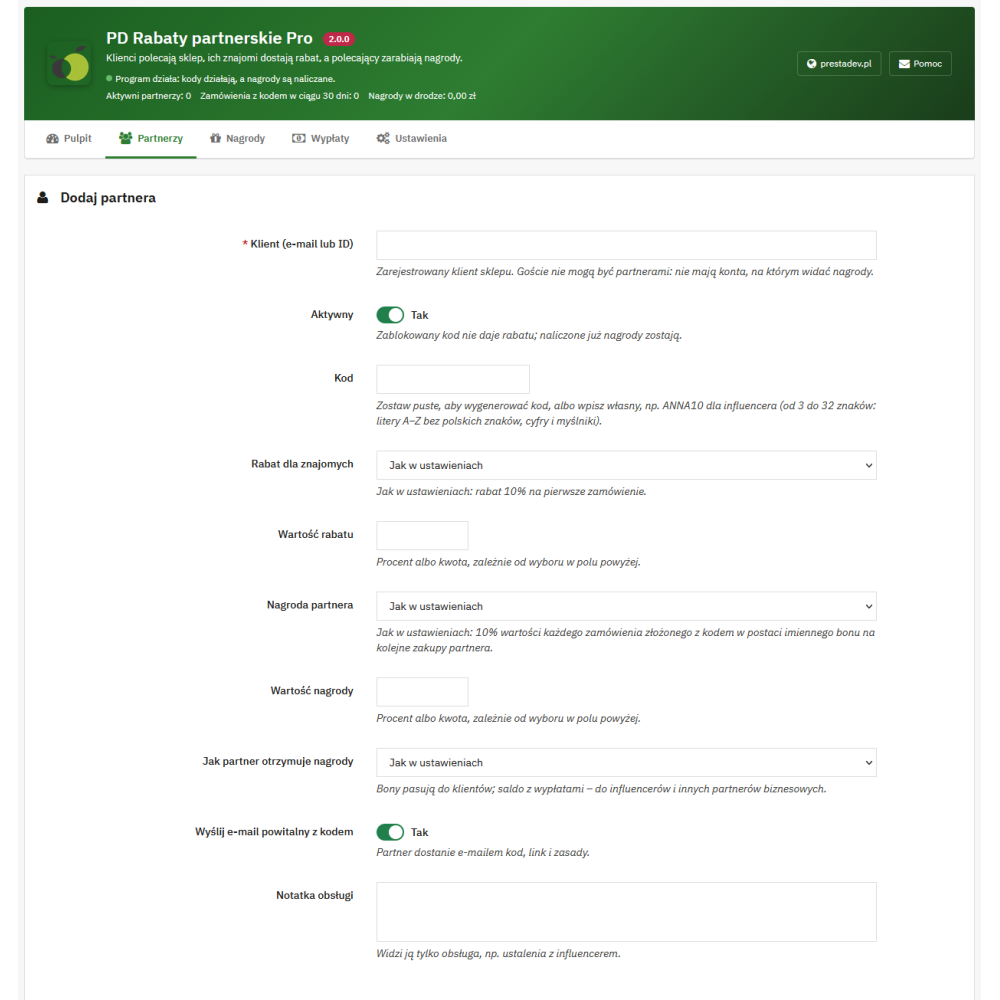
- Partners: list with code, code expiry date, number of orders, net sales, rewards earned, balance, source (after a paid order, joined in account, added by staff), and status; adding a partner by email address or customer ID with a custom code, custom rates, reward receiving method, and staff note; bulk blocking, unblocking and renewing codes, and CSV export.
- Partner card: statistics, offer for friends and partner reward, orders with a code, payouts, change history, and buttons: edit, block or unblock code, send code by email, renew expired code, recreate a code deleted in cart rules, and go to the customer card.
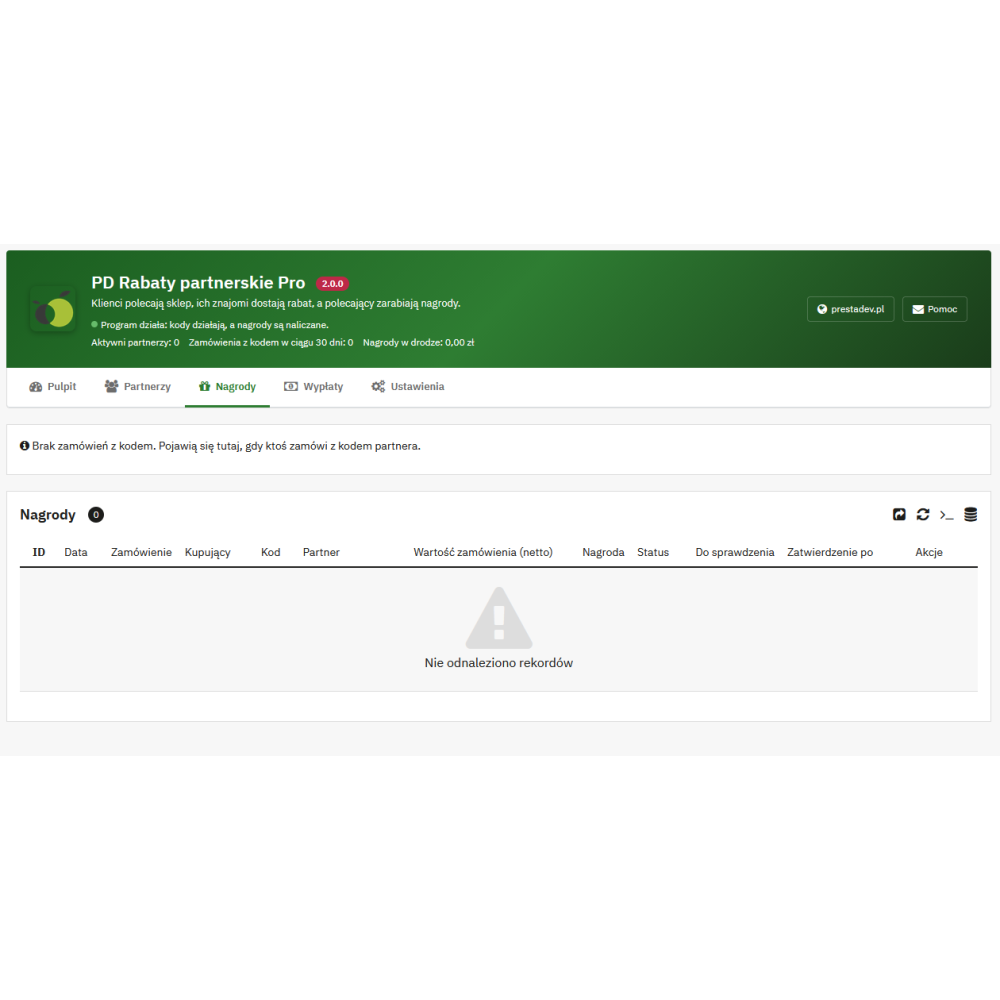
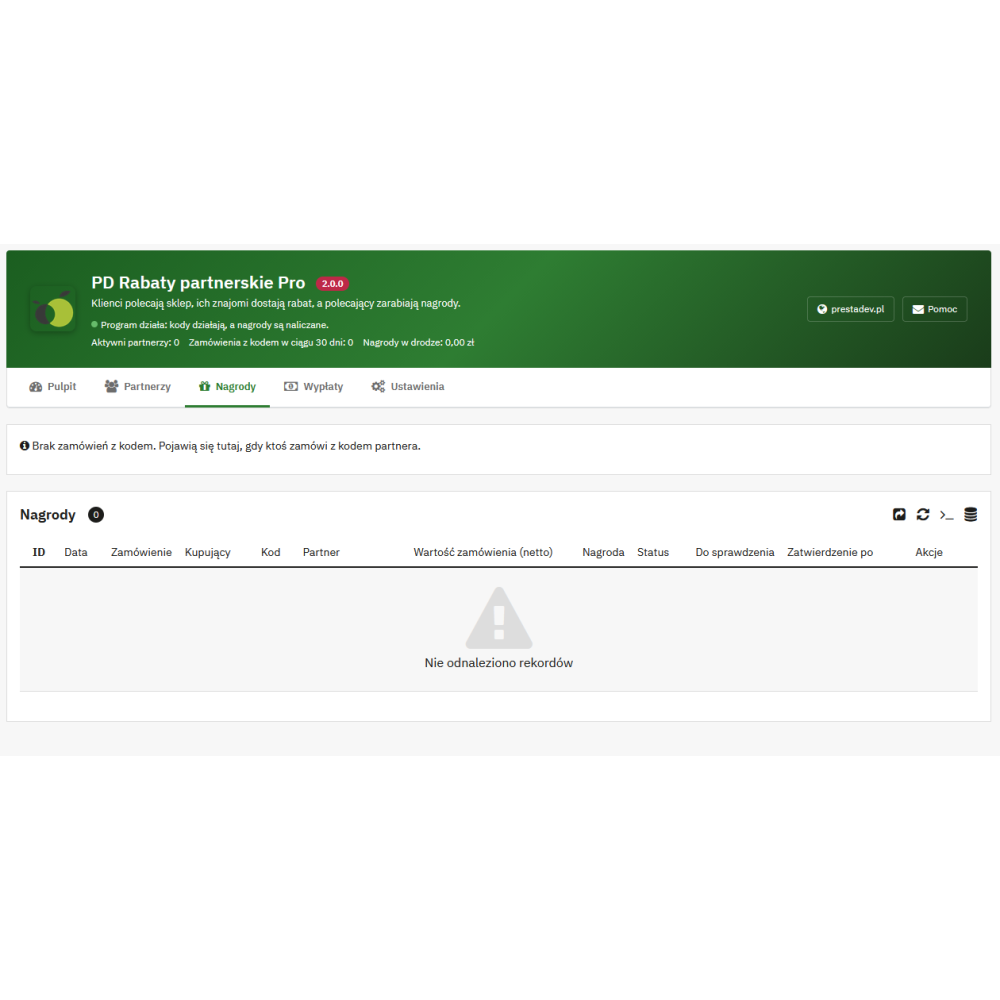
- Rewards: list of orders with a code with statuses “Waiting for payment”, “Return period”, “Approved”, “In payout request”, “Paid out”, “Cancelled”, and “Not counted”, approval date, and filter for rewards to review; approval before the end of the return period, cancellation, restoration, amount change, bulk operations, and CSV export.
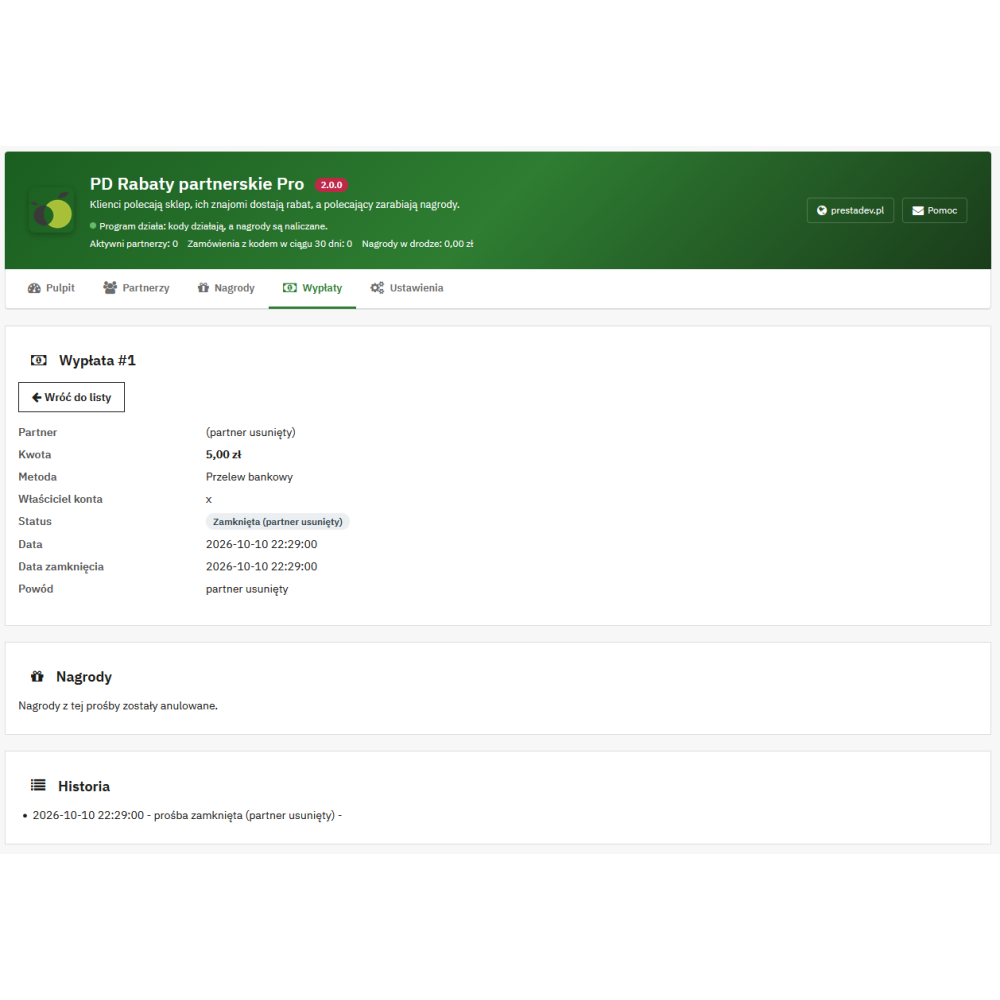
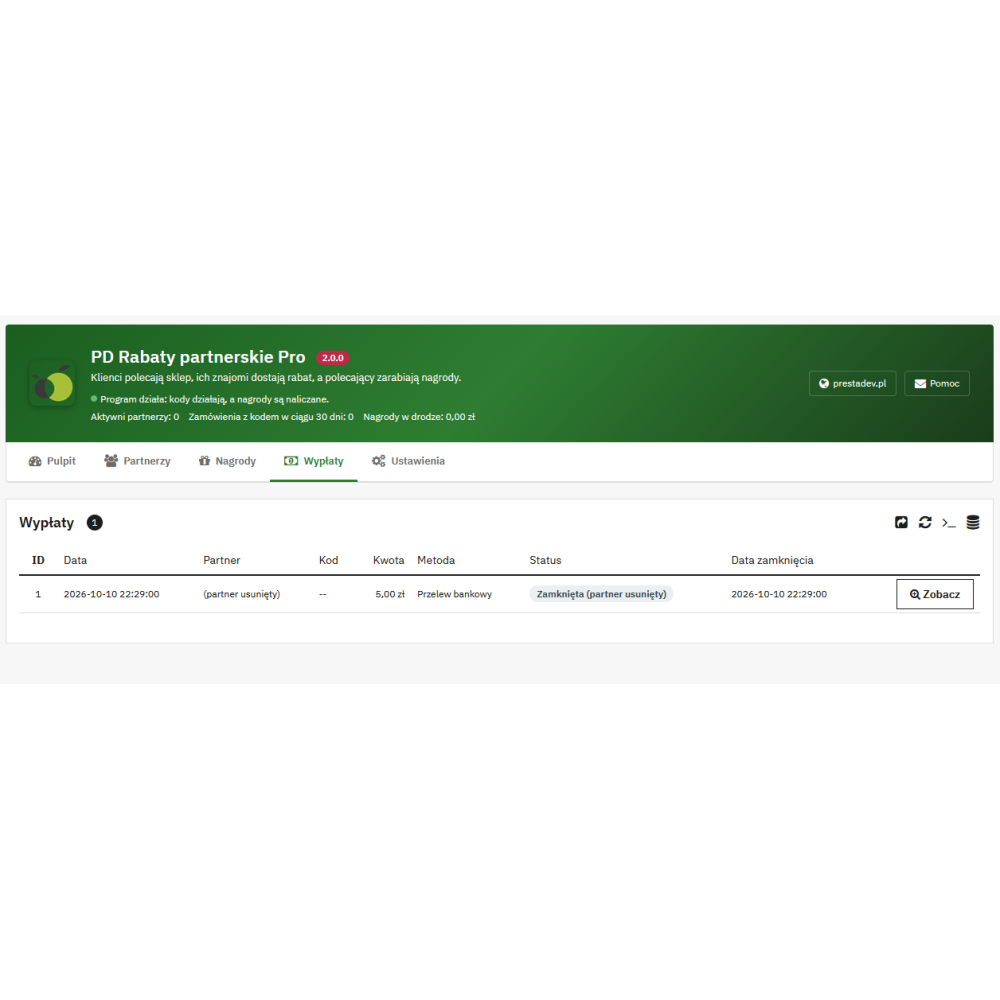
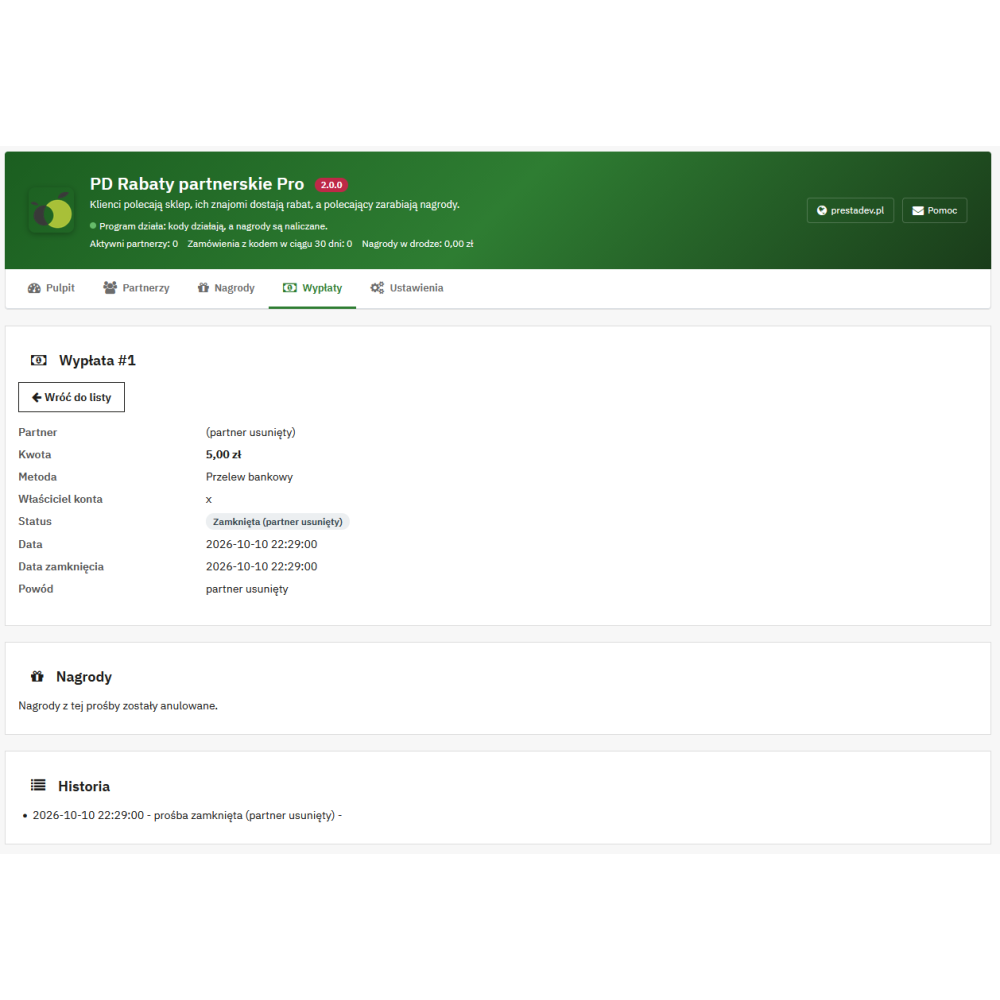
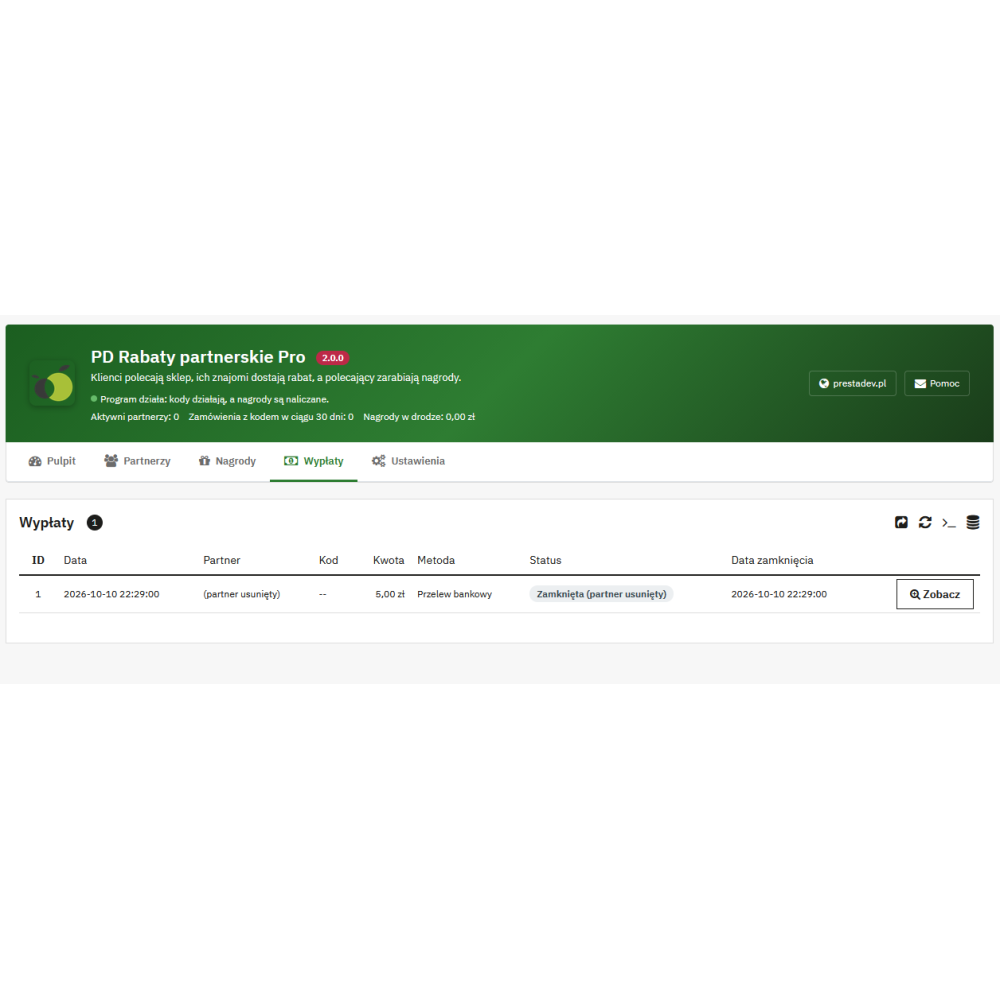
- Payouts: reward vouchers and partner payout requests with statuses “Submitted”, “Paid out”, “Rejected”, and “Closed”, request card with payout details, marking the payout with a title or transfer number, rejecting with a reason, and CSV export; a request whose rewards have been cancelled is closed automatically.
- Panels in the admin panel: on the customer card (whether they are a partner, number of orders and rewards earned, adding as a partner, excluding the customer from referral codes and restoring) and on the order card (code, partner, reward for the order, and its status with a link to the reward).
- “Referral program” page in the customer account: joining the program, code and link with copy and share buttons, “How it works” description, statistics (orders with a code, rewards in progress, balance, earned so far), list of orders with a code with date, reward and status, reward vouchers, exchanging balance for a voucher, payout details, payout request, and payout history.
- Emails: to the partner “Your personal referral code”, “An order with your code has been paid”, “Your reward is ready”, “Voucher for your referrals”, “Your payout has been completed”, “Information about your payout request”, “Your payout request has been closed”, and “Your payout details have been changed”, and to staff “New payout request in the referral program”; emails to the partner are sent in the customer’s language.
- Employee permissions: rights assigned to the module menu item apply on all its pages; an employee with view-only access gets read-only pages, and an employee without the “Configure” permission sees a padlock with an explanation instead of a button for blocked actions.
Business use cases
- Referral marketing based on satisfied customers, where the reward goes to the referrer only for a paid order that has not been cancelled or returned during the return period.
- Acquiring new customers: a discount on the first order for people who have not yet purchased from the store.
- Cooperation with influencers and business partners: a custom, easy-to-remember code, custom discount and reward rates, and balance with payout by bank transfer or via PayPal.
- Keeping money in the store: rewards issued as personal vouchers to be used for future purchases.
- Program cost control: reward cap, minimum order value, return period, and a dashboard showing what part of sales is spent on discounts and rewards.
- Multi-store shops: separate program settings for all stores, store groups, or a single store, and the partner code works in their store.
What the module does not do
- It does not pay out money automatically: the bank transfer or PayPal payment is made by store staff, and in the module they mark the request as paid out.
- It does not run a multi-level program: only the partner whose code was used in the order receives the reward.
- It does not count clicks or views of referral links: settlements are based on orders placed with a code.
- It does not show the partner the personal data of referred people, only the order date, reward, and its status.
- It does not calculate a reward for the partner’s own orders or, when the “new customers only” option is enabled, for orders from customers who have purchased before.
- It does not allow a customer with a guest account to become a partner: an account in the store must be created first.
- It does not connect to external affiliate networks or services; the WhatsApp, Facebook and X buttons are standard sharing links.
Compatibility
- PrestaShop: 1.7 – 9.x
- PHP: 7.0 – 8.5
- Themes and checkout process: the code works in the standard discount code field, the front-end script does not require jQuery (Classic and Hummingbird)
- Multistore: yes, settings for all stores, store groups, or a single store with value inheritance
- Multilingual: yes, Polish and English included, discount and voucher names separately for each language, emails in the customer’s language
- GDPR: export and deletion of partner data through the official PrestaShop GDPR module
- No Composer, no external libraries, and no connections to third-party services