
Shopping Cart




How does carrier availability work?
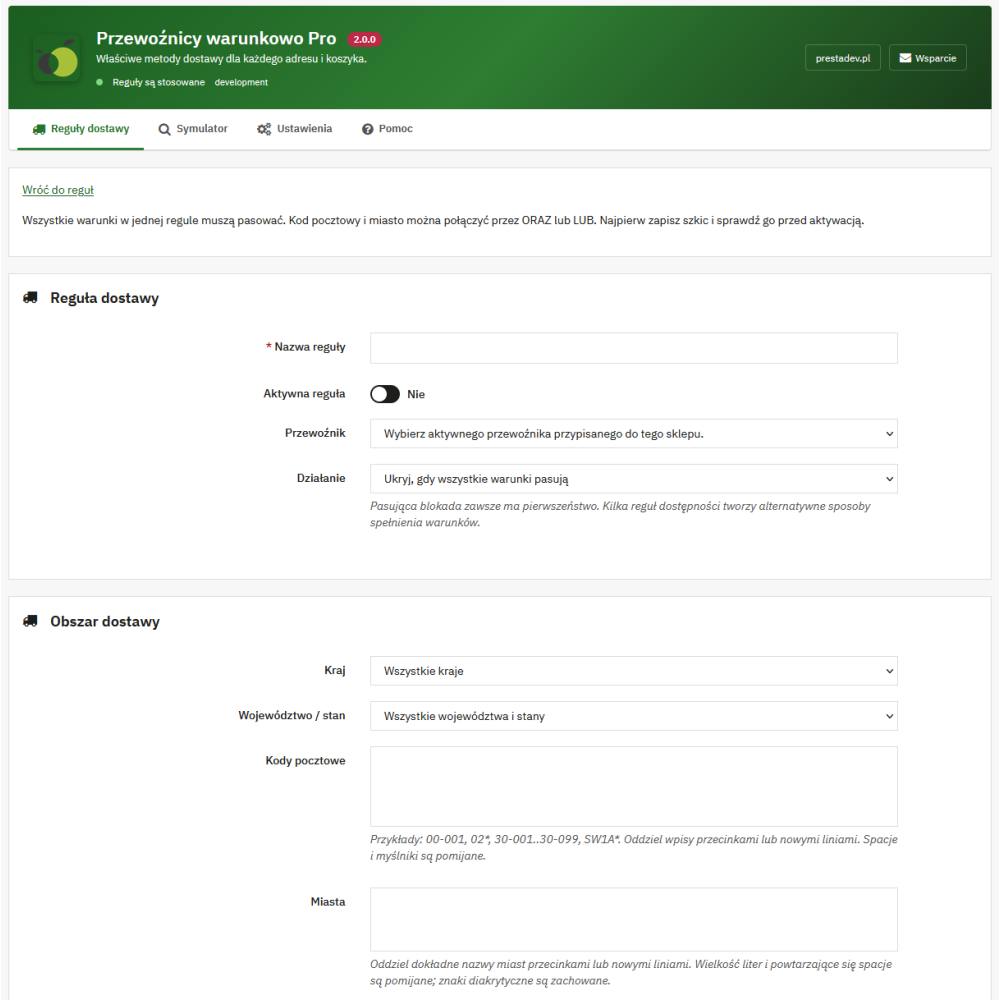
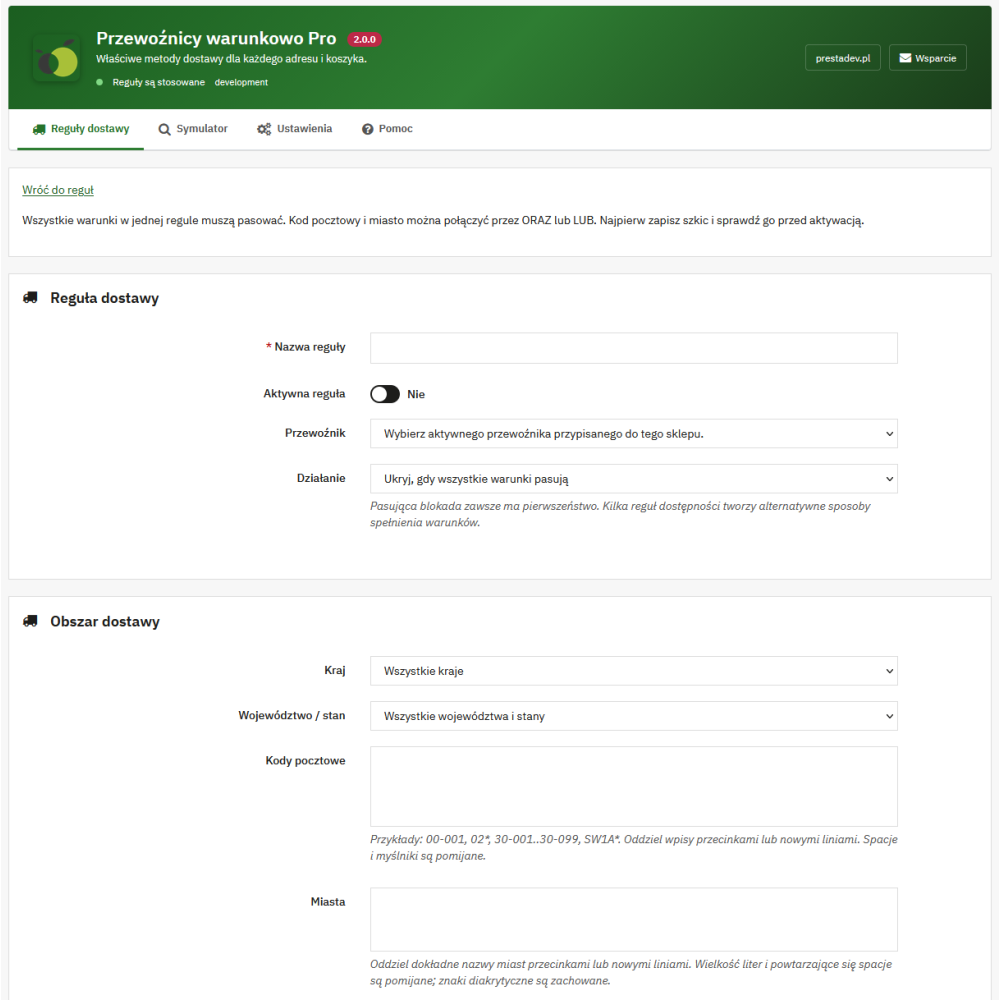
Each rule applies to one carrier in one store. You choose how it works, add the required conditions, and decide when the rule should be active.
- Hide when conditions are met: the delivery method disappears when the cart and address match the blocking rule.
- Available only when conditions are met: the carrier remains available if at least one active availability rule matches and no blocking rule matches.
- Blocking takes priority: a matching rule that hides the carrier overrides the rules for its availability.
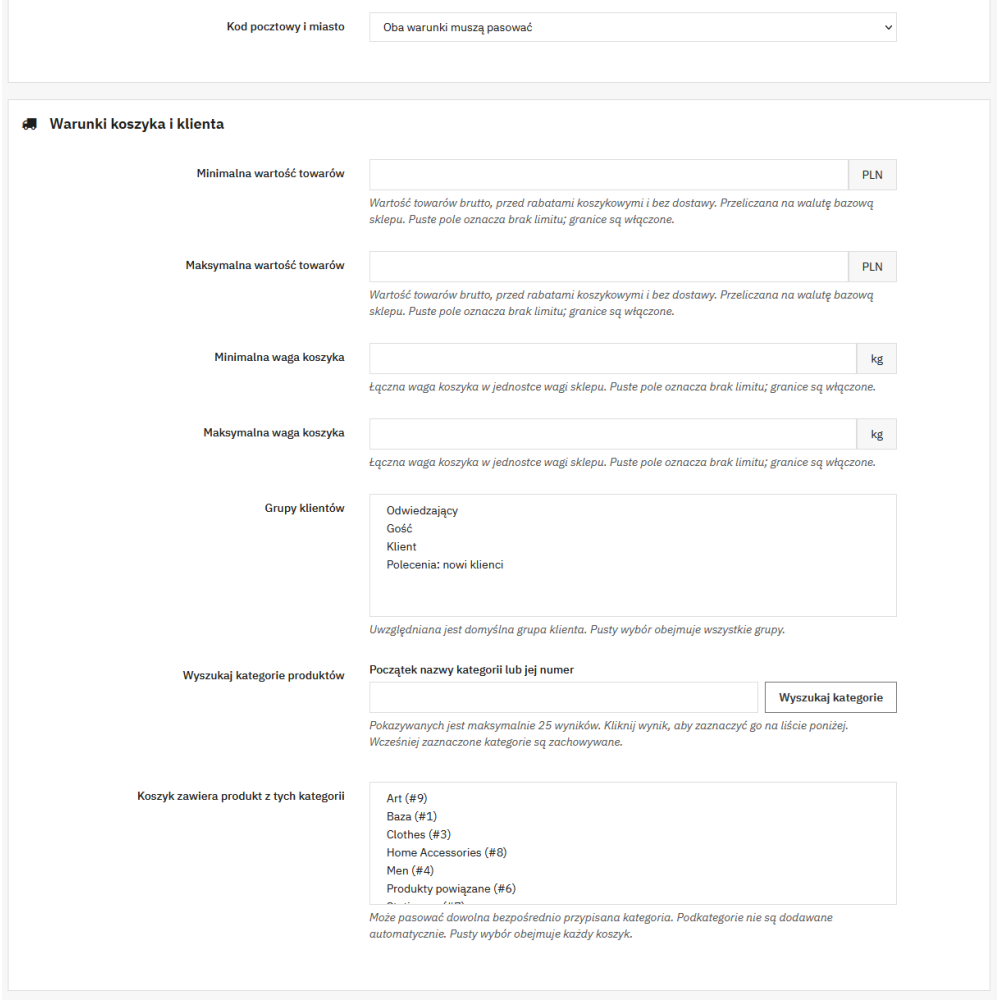
- Combining conditions: all conditions used in one rule must be met. For postal codes and cities, you can separately choose the “AND” or “OR” combination.
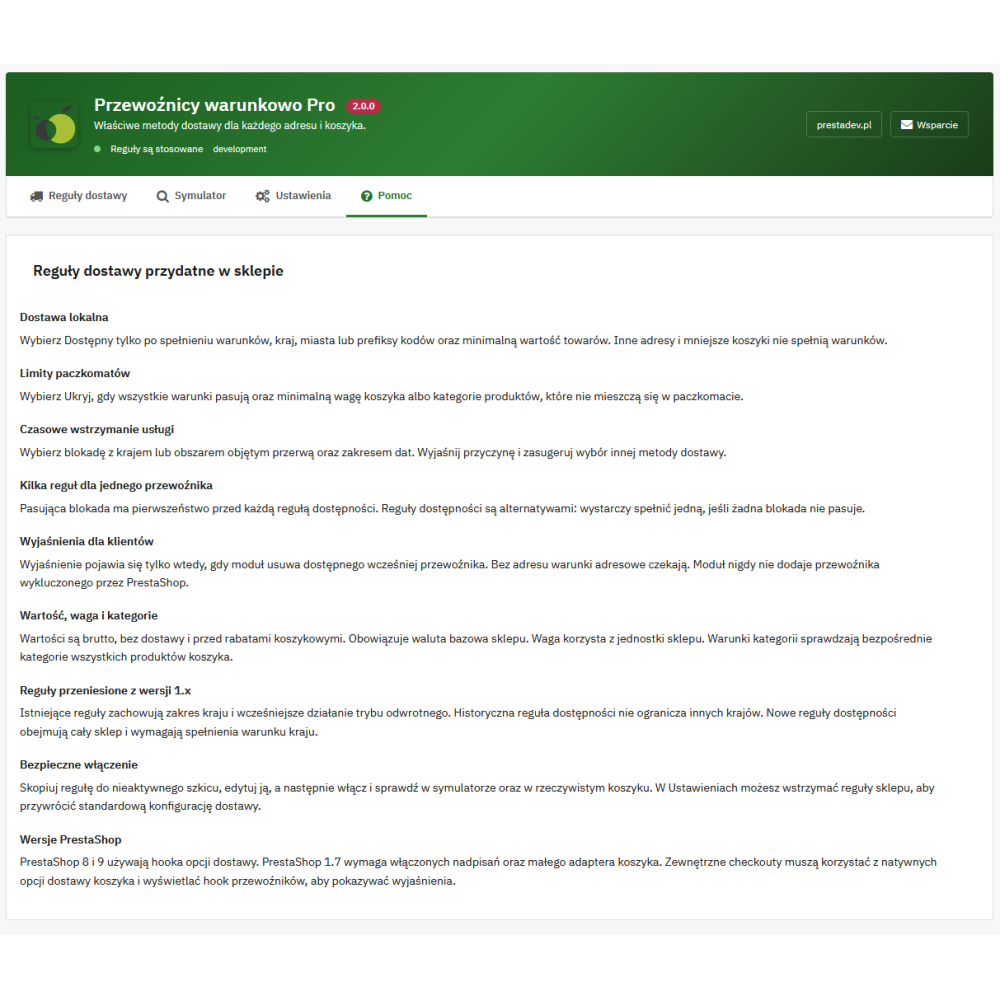
Empty conditions do not introduce restrictions, but saving a rule requires at least one condition. If a delivery address is needed for evaluation and the customer has not provided it yet, the module marks the address condition as waiting for data.
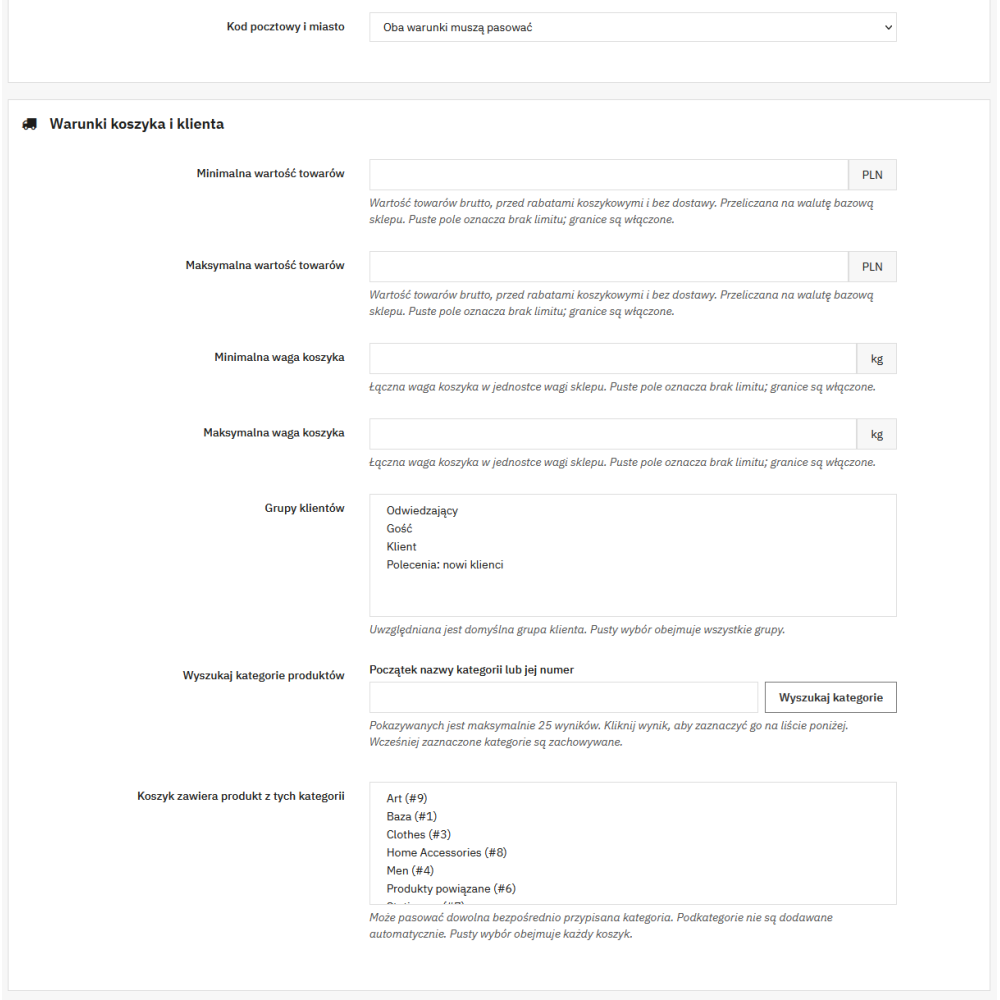
Delivery, cart, and customer conditions
| Condition | What can you set? |
|---|---|
| Country and region | The delivery country and the state or province assigned to it, if such a region is stored in PrestaShop. |
| Postal codes | Exact codes, prefixes with a trailing asterisk, and numeric code ranges of equal length. You can enter multiple items. |
| Cities | A list of cities. The comparison normalizes spaces and preserves diacritics, so a name with Polish characters remains distinct from the same spelling without them. |
| Product value | The minimum or maximum gross value of products, excluding delivery cost and before discounts from cart rules. |
| Cart weight | The lower or upper weight limit calculated by PrestaShop in the unit set in the store. |
| Customer group | One or more groups that must match the customer’s default group. |
| Product categories | Selected categories directly assigned to products. The condition is met when at least one product in the cart belongs to at least one indicated category. |
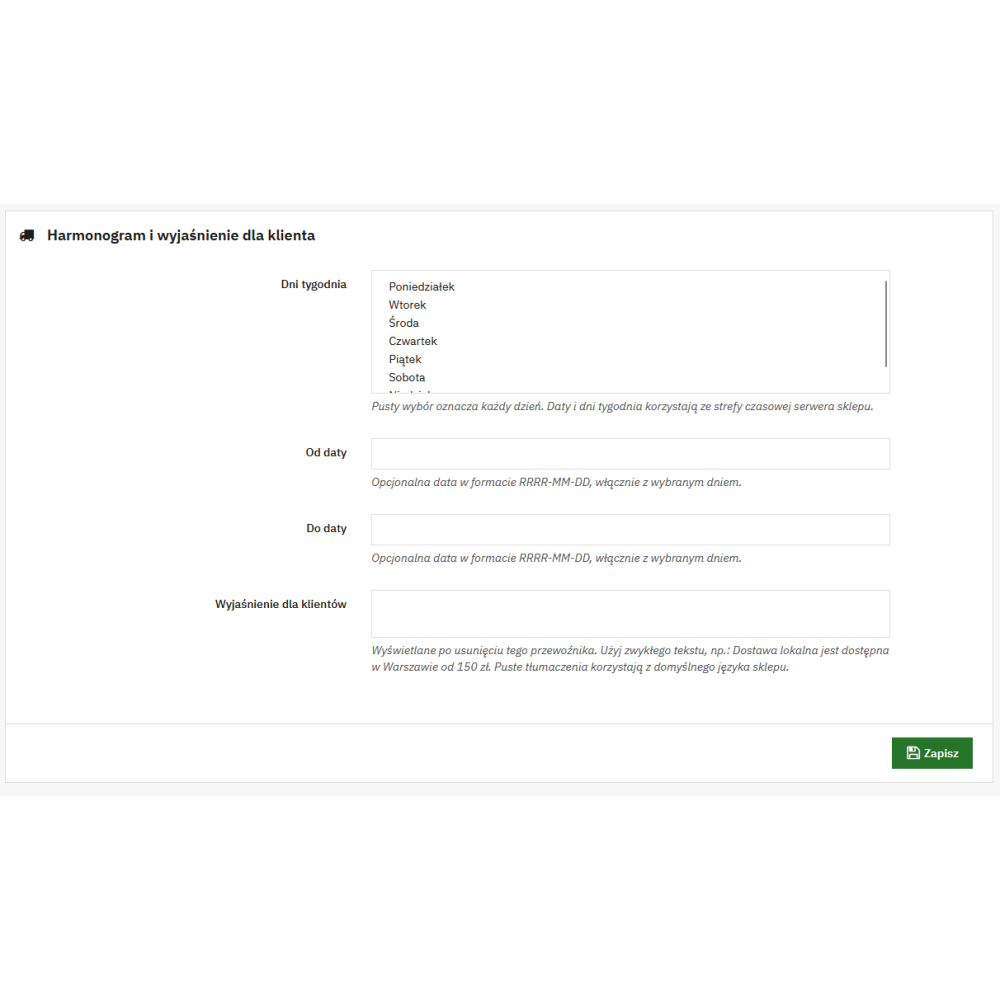
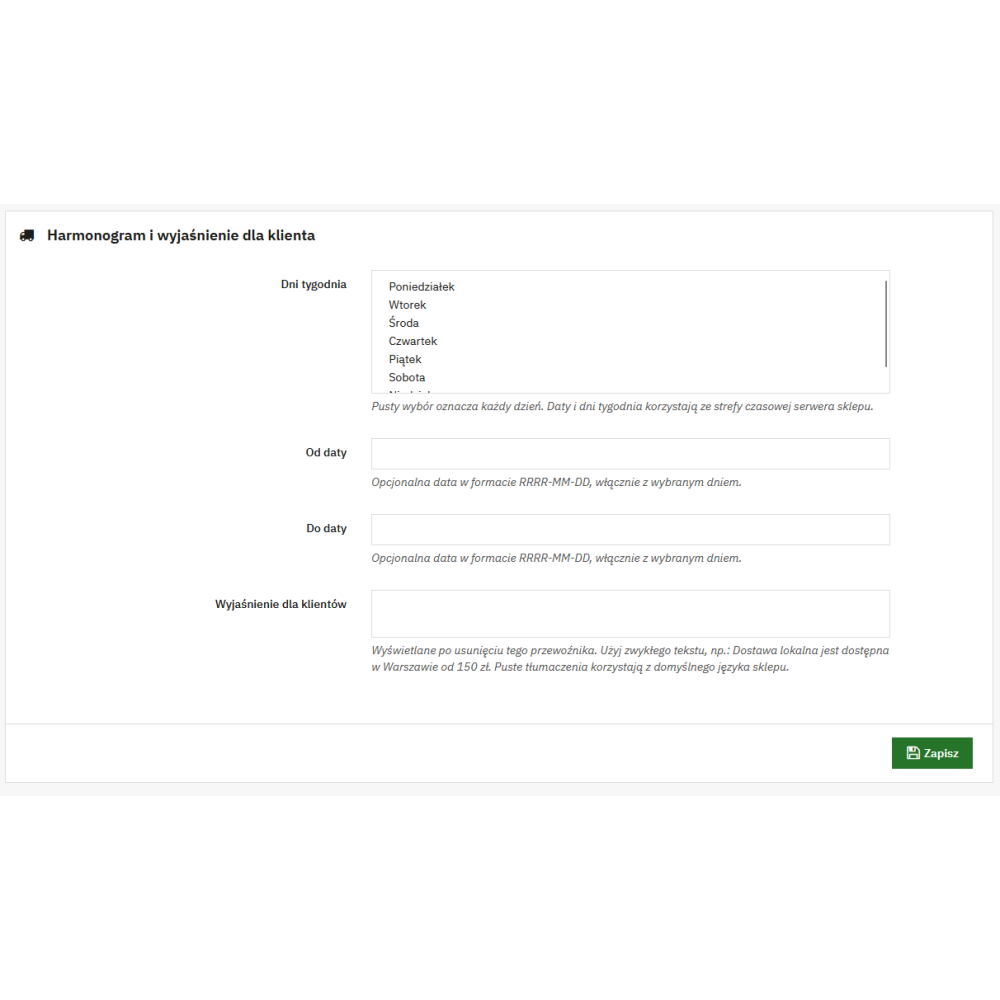
| Days of the week | Selected days on which the given rule applies. |
| Validity dates | A start date, an end date, or both ends of the period. The schedule uses the store server time. |
Amount, weight, and date limits are inclusive: a value equal to the set minimum or maximum meets the relevant condition. You enter amount thresholds in the store’s base currency; for a cart in another currency, the module uses the exchange rates stored in PrestaShop. Categories do not automatically include the entire subcategory hierarchy, and groups are evaluated according to the default group instead of all additional customer assignments.
Restricting delivery by postal code and city
Codes can be separated by commas, semicolons, or new lines. The module ignores spaces and hyphens when comparing postal codes.
- Exact code:
00-001also matches the format00001. - Prefix:
00*includes codes starting with00. - Range:
00-001..00-099includes numeric codes from00001to00099, including both ends. - City and code: choosing “AND” requires both fields to match; choosing “OR” allows the location condition to be met by a matching code or a matching city.
Ranges require digits and equal length of both ends. The module compares entries with the customer’s address; it does not determine an area on a map or the distance from the warehouse.
Examples of use in an online store
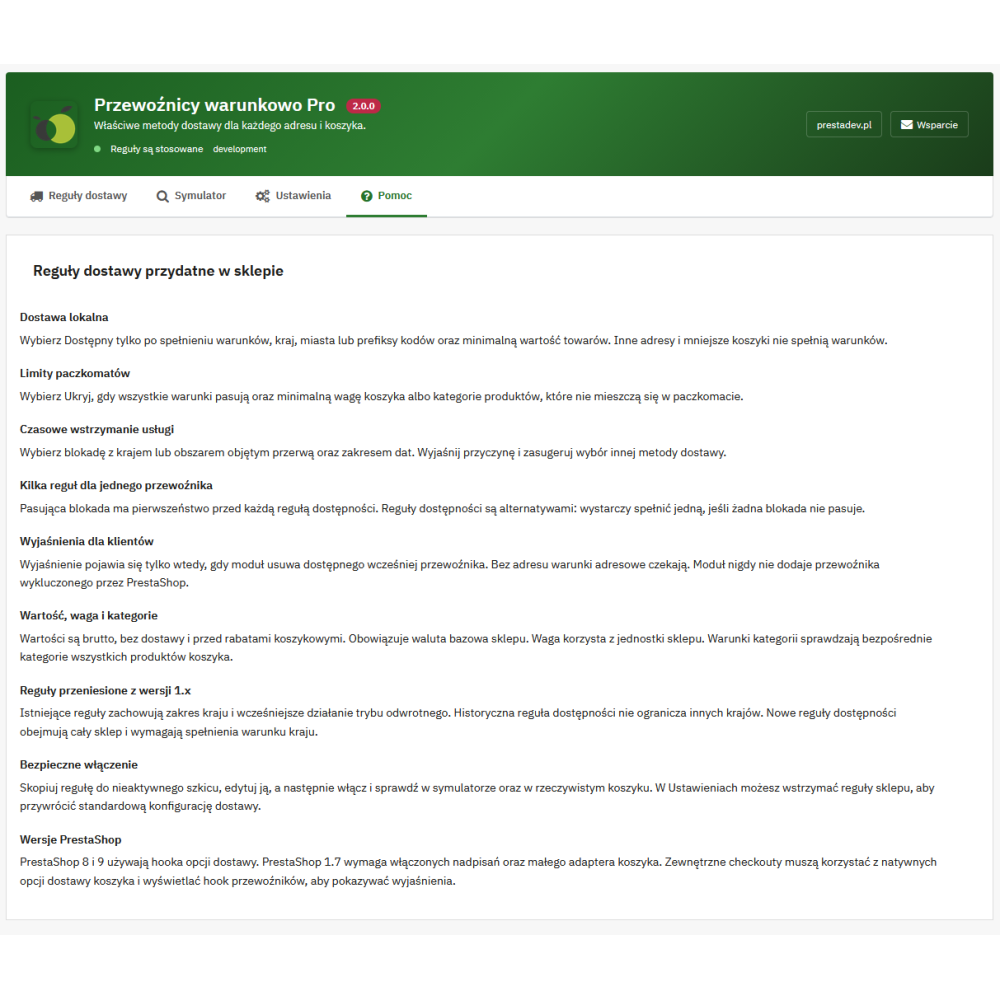
- Local delivery from a specific value: set a carrier available only for selected cities or codes and for carts worth at least PLN 150, if the zloty is the store’s base currency.
- Restricting delivery to parcel lockers: hide the selected method for carts with products from categories that require a different form of transport. You can define the weight threshold in a separate rule so that it blocks delivery regardless of category.
- Delivery for a selected customer group: link carrier availability to the customer’s default group, for example a wholesale customer group.
- Temporary service interruption: combine a carrier block with an area and a date range, and in the explanation indicate that the customer can choose another delivery method.
- In-store pickup on selected days: apply an availability rule to an existing carrier representing in-store pickup and select the days of the week.
- Multiple service areas: prepare several availability rules for one carrier. Meeting any of them is enough, as long as no blocking rule applies.
The module enforces the conditions set by the store owner. You define the limits of a specific carrier, the division of products into categories, and service days in the configuration; they are not fetched automatically from the transport company.
Admin panel features
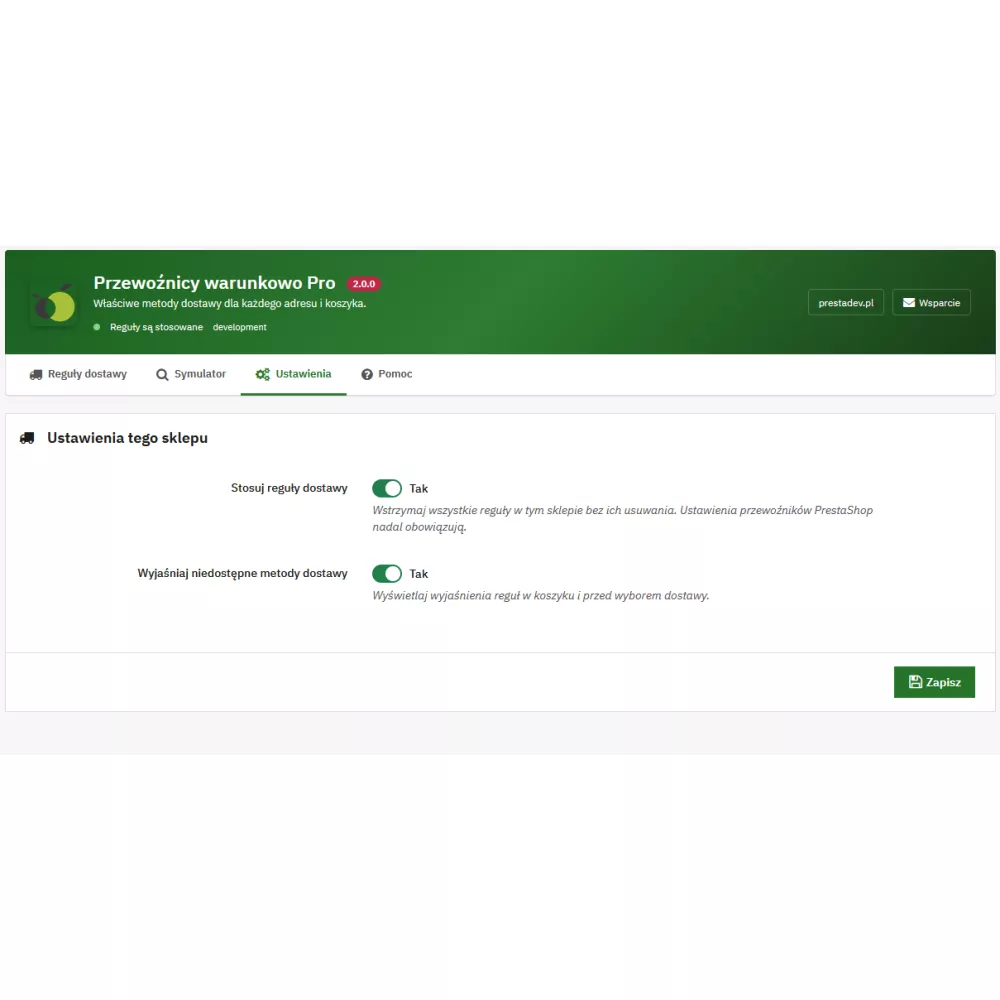
- Four tabs: delivery rules, simulator, settings, and help, with a header showing the store and the rule operation status.
- Rule management: adding, editing, enabling, disabling, and deleting, searching by name, and a list of 25 items per page.
- Drafts: a new form has an inactive rule by default, and a copy of an existing rule is saved as an inactive draft.
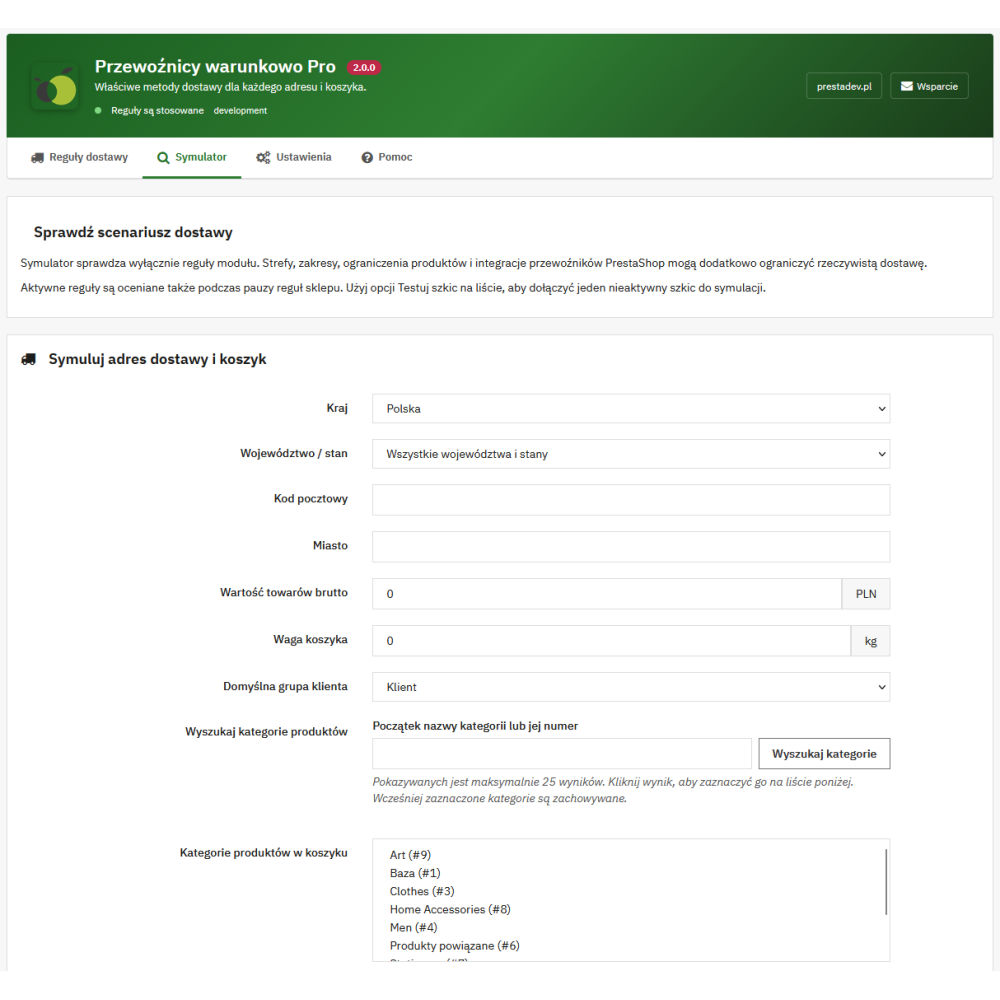
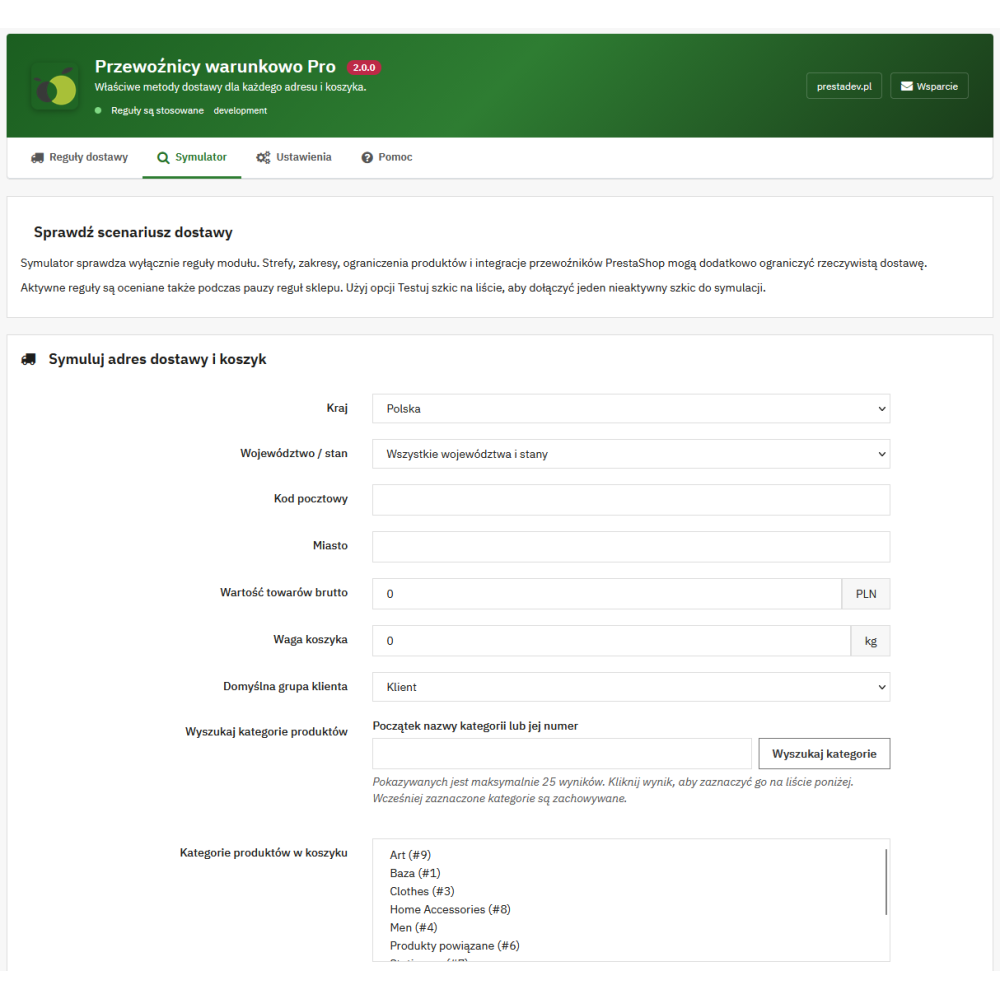
- Draft preview: you can include one inactive draft in the simulation without enabling it in the store.
- Condition simulator: lets you enter an address, value, weight, customer group, categories, and date, and then see the rule decision and unmet conditions.
- Form layout: separate sections for basic settings, delivery area, cart and customer, as well as schedule and explanation.
- Category search: selection by the beginning of the name or number, up to 25 search results, while keeping previously selected categories.
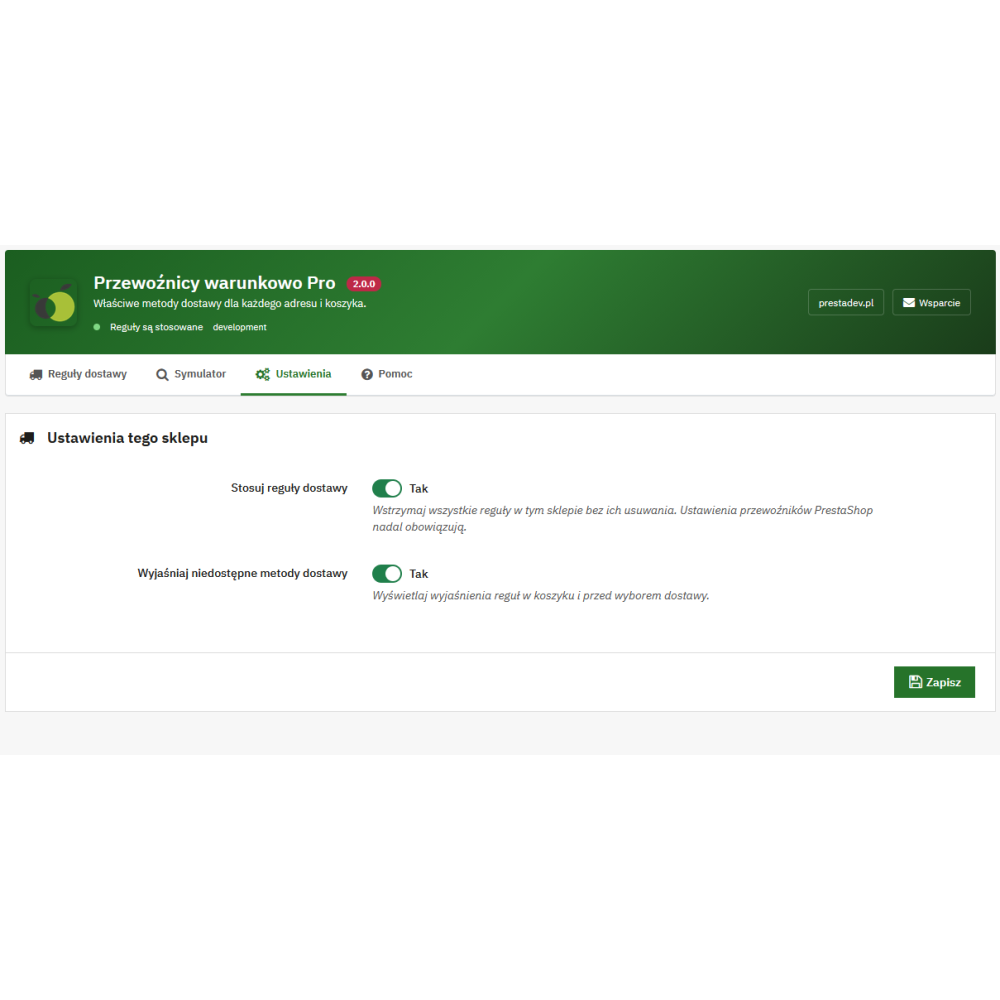
- Operation pause: disabling rule application in the selected store restores standard PrestaShop options without deleting the module configuration.
- Separate message switch: explanations can be hidden while delivery restrictions still apply.
The simulator shows the result of the module rules. It does not calculate shipping costs or all standard carrier restrictions, so a method marked as allowed by the module does not replace availability resulting from the PrestaShop configuration.
Information about unavailable delivery for the customer
You can add your own explanation to a rule, for example information about the service area, the required product value, or a temporary delivery interruption. Messages are saved separately for store languages, as plain text up to 1000 characters per language. If the appropriate language version is missing, the module uses the default language and then the general message.
Explanations apply to methods available according to PrestaShop that were removed by the module rules. They may appear in the cart and before carrier selection if the theme displays the appropriate module positions. After the last available option is removed, the customer receives information that no matching delivery is available, along with guidance regarding the address or contacting the store.
Information is refreshed after standard cart and delivery form change events. If the refresh fails, the module removes the previous content, shows a problem message, and provides a retry option.
Features and benefits for store operations
- One place to configure restrictions: address, cart, and customer conditions can be combined within named rules.
- Explanation for the buyer: custom text makes it possible to indicate the reason for delivery unavailability and the suggested next step.
- Preparing changes before activation: drafts and the simulator allow you to evaluate a rule without immediately affecting customer carts.
- Using existing carriers: the module works with delivery methods already configured in the store.
- Store separation: in a multistore environment, rules and settings are managed separately for the selected store.
- Preserving links: standard carrier editing in PrestaShop keeps the rule reference to its permanent reference.
Cooperation with PrestaShop and scope of operation
The module is intended for PrestaShop 1.7, 8, and 9. The module code remains compatible with PHP from 7.0 to 8.5, while the server must also meet the requirements of the PrestaShop version in use. In PrestaShop 8 and 9, filtering uses the native delivery options mechanism; PrestaShop 1.7 requires enabled overrides and installation of the cart adapter, without an override conflict for the same method.
Rules are assigned to a single store. In a multistore configuration, you select one store before managing its rules. Updating from an older 1.x version preserves rule data and the previous scope of operation of inverted rules.
The module narrows down ready delivery options, including those covering multiple packages. It does not make available a carrier disabled by standard PrestaShop restrictions, does not change shipping rates, and does not create integrations with transport companies. A weight or category condition does not replace package dimension measurement, transport booking, or delivery date determination.
In a custom checkout form, filtering requires the use of the cart’s native delivery options. Displaying explanations requires appropriate module positions in the theme, and their automatic refresh requires standard PrestaShop events.