Facebook Pixel Tracking for Prestashop 1.5.x and 1.6.x
Pinterest Pixel – conversions in PrestaShop Pro | PrestaDev

Pinterest Pixel Pro module for PrestaShop

Module version: 1.1.0

PrestaShop compatibility: 1.7.x 8.x 9.x

Module file updated: 04/9/2026 12:25:42

Product data updated: 04/9/2026 12:32:46


PD Pinterest Pixel Tracking — Professional Pinterest conversion tracking for PrestaShop

The PD Pinterest Pixel Tracking module integrates your PrestaShop store with the Pinterest advertising platform, automatically tracking key e-commerce events: product views, category browsing, add-to-cart actions, searches, customer registrations, and purchases. This gives Pinterest Ads Manager complete data on user behavior, enabling precise ad targeting, audience creation, and return on ad spend (ROAS) measurement.

License type / update
zł 98.00
zł 79.67no tax
Price history:

Description

Automatic Pinterest event tracking

The module supports all standard events required by Pinterest Tag — without the need for manual template code editing. Each event sends a complete set of product data (line_items) compliant with the Pinterest Conversion API specification, including product ID, name, price, category, and brand.

Pinterest Event When it fires Data sent
PageVisit Product page, homepage, other subpages Product ID, name, price, category, brand, currency
ViewCategory Category page List of products visible on the page (with pagination and filters)
AddToCart Adding a product to the cart (AJAX, without reload) Product ID, variant, price, quantity, brand
Search Store search Search phrase
Checkout Order confirmation Order value, product list, quantities, order number
Signup New customer account registration Registration event

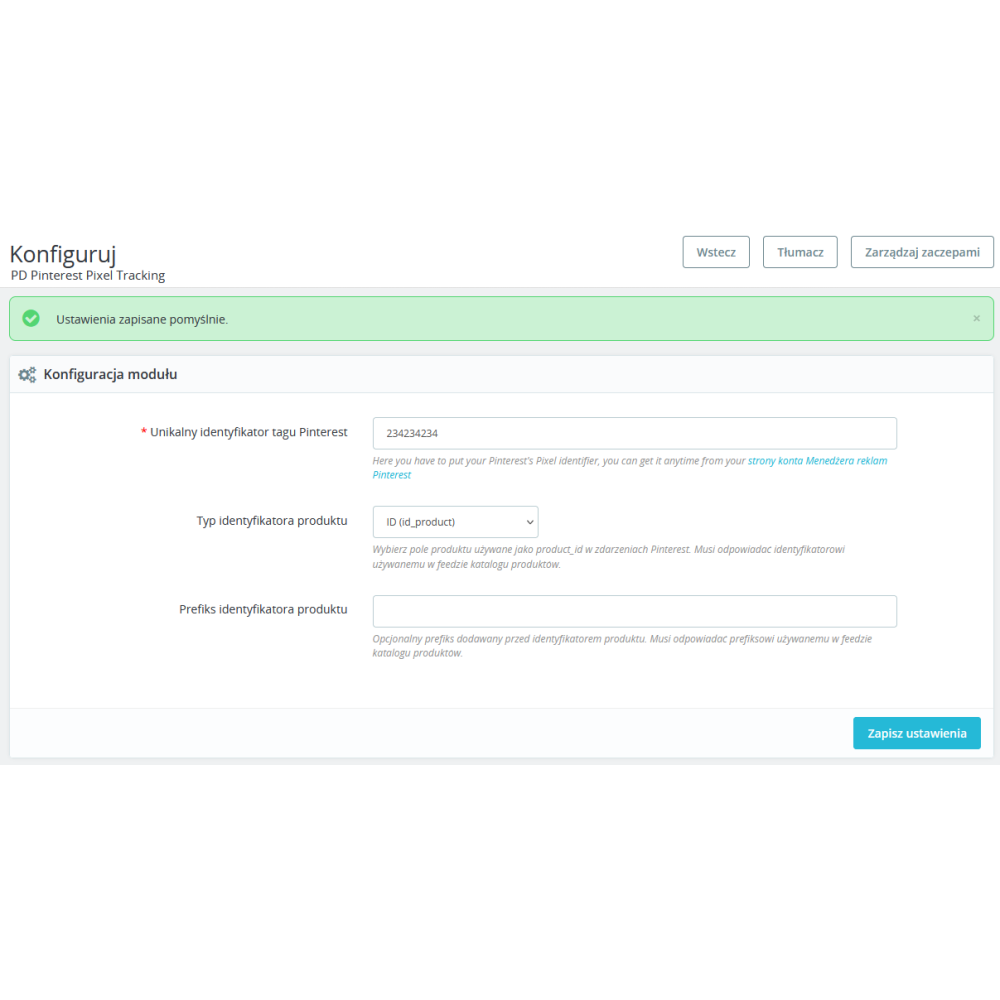
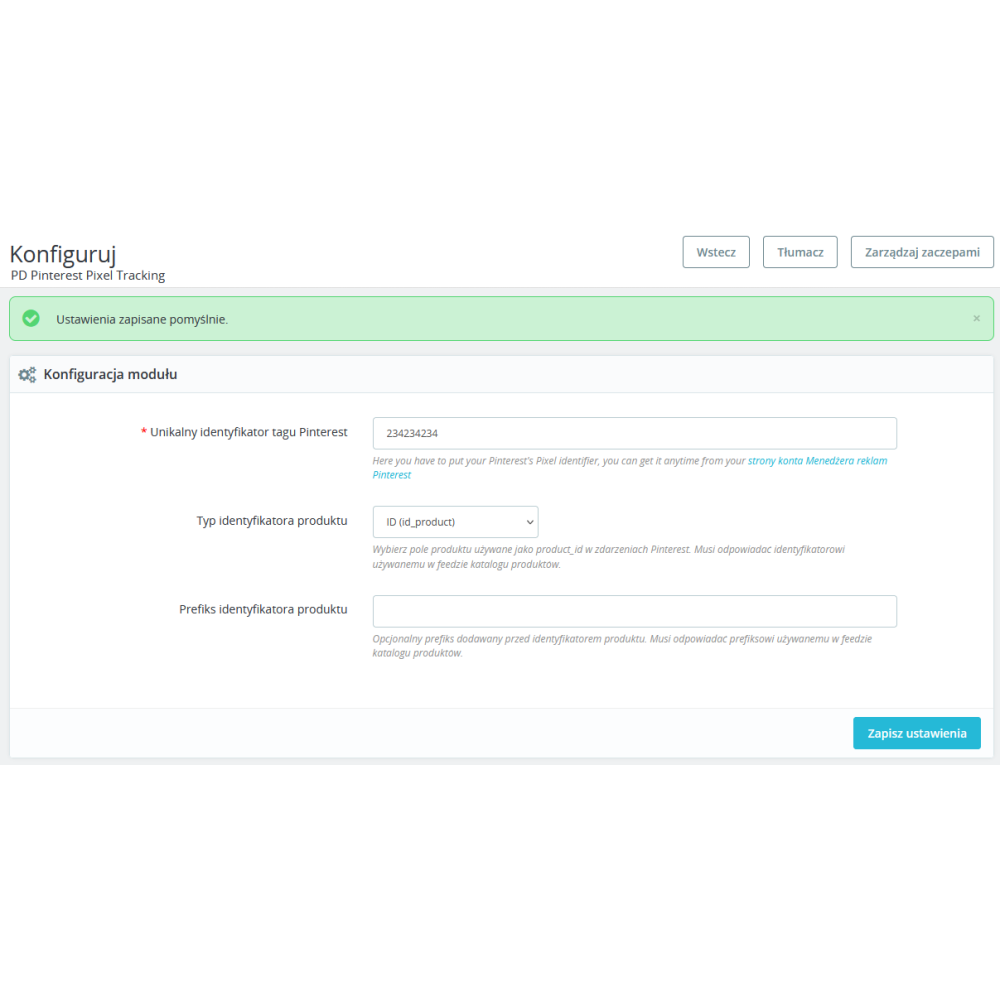
Configurable product identifier

A key Pinterest requirement is that the product identifier in the pixel (product_id) matches the identifier in the product catalog (XML feed). The module lets you choose which PrestaShop product field should be used as the identifier:

  • Product ID — default id_product from the PrestaShop database
  • ID + combination — id_product-id_product_attribute format for stores with variants
  • Reference — product index / catalog number
  • EAN-13 — European barcode
  • UPC — American barcode
  • ISBN — international book number
  • MPN — manufacturer part number

Additionally, a identifier prefix field is available, allowing you to add a fixed string before each identifier (e.g. PD_) to maintain full compatibility with the product feed format generated by modules such as PD Google Merchant Center Pro.

Enhanced Match — better conversion matching

For logged-in customers, the module automatically sends hashed personal data (SHA-256) to Pinterest: email address, first name, last name, and customer ID. This allows Pinterest to assign conversions more accurately to specific users, even when cookies are restricted — significantly improving the quality of reporting and campaign optimization.

Full compatibility

  • PrestaShop 1.7.x – 9.x — one module for all versions
  • PHP 7.0 – 8.5 — no Composer, no external dependencies
  • Multistore — each store can have its own Pinterest pixel ID and separate configuration
  • All themes — Classic, Starter Theme, Hummingbird, and custom themes
  • Multilingual support — configuration panel in Polish and English

Why it is worth it

  • One click — full integration — enter the pixel ID, save, and you're done; all events work automatically
  • Product catalog compatibility — the identifier in the pixel matches the identifier in the XML feed, enabling dynamic product ads
  • Precise category data — the ViewCategory event tracks exactly the products the customer sees on the page (including pagination, sorting, and filters)
  • Variant tracking — changing the combination on the product page and adding to cart sends data for the specific variant
  • Support for guests and logged-in customers — the purchase event works correctly for both guest orders and registered customers
  • RODO / GDPR — personal data hashed with SHA-256 before sending; no plain-text data is sent to Pinterest
  • Performance — no additional SQL queries on category pages, batch loading of category names during purchase, static query cache
  • Security — AJAX token validation, escaping of all variables in templates, no eval/exec

Requirements

  • PrestaShop 1.7.0 or newer (including 8.x and 9.x)
  • PHP 7.0 or newer
  • Pinterest advertising account with an active tag (Pinterest Ads Manager)

Product Details

Prestashop 9.x support
Yes
Support for Prestashop 8.x
Yes
Prestashop 1.7.x support
Yes
Prestashop 1.6.x support
Yes
Module translations
EN. EN
Free support
Yes
Free updates (1 year)
Yes
Easy Installation
Yes
PDPPT-FULL

You might also like

Changelog

Release history for this product. Expand an entry to see what changed.

  • Configurable product identifier type (id_product, id_combination, reference, EAN-13, UPC, ISBN, MPN)
  • Configurable product ID prefix (to match catalog feed format)
  • Category event now shows only products visible to customer (from Smarty listing instead of separate SQL)
  • Product brand in category viewcategory event (consistency with product pagevisit)

FAQ

Find answers to the most common questions about this product.

The module automatically installs the Pinterest tracking pixel (Pinterest Tag) in your PrestaShop store and sends standard e-commerce events: product view, category browsing, add to cart, search, purchase, and account registration. This allows Pinterest Ads Manager to receive complete data about customer behaviour, enabling precise ad targeting, the creation of remarketing audiences, and the measurement of return on ad spend (ROAS).

Log in to Pinterest Ads Manager (ads.pinterest.com), go to the Conversions > Manage Tags section. The tag ID is the string of digits visible next to your tag name (e.g. 2612345678901). Copy it and paste it into the module configuration field in the PrestaShop administration panel.

Pinterest requires the product_id field in the pixel to be identical to the id field in the product catalog (XML feed). In the module configuration, select the same identifier type that you use in the feed: Product ID, ID + combination, Reference, EAN-13, UPC, ISBN, or MPN. If your feed contains a prefix (e.g. PD_123), enter it in the Product Identifier Prefix field.

The module tracks 6 events: PageVisit (product page and other subpages), ViewCategory (category page with a list of visible products), AddToCart (adding to cart via AJAX without reloading the page), Search (store search), Checkout (order confirmation with full product data and order value), and Signup (registration of a new customer account).

Yes. The module records the purchase event for both logged-in customers and guests placing an order without creating an account. The event is triggered on the order confirmation page and on subsequent pages visited after the purchase, ensuring that the conversion is recorded even if the customer leaves the confirmation page before the pixel loads.

Enhanced Match is a Pinterest mechanism that improves the matching of conversions to users. The module sends the email address, first name, and last name of the logged-in customer, but only in a form hashed with the SHA-256 algorithm. Pinterest never receives the data in plain text. No personal data is sent for customers who are not logged in. Thanks to this, the module complies with GDPR requirements.

Yes. Each store in the multistore configuration can have its own Pinterest pixel ID, a separate product identifier type, and prefix. In the administration panel, select a specific store from the list to configure its settings. On the front end, the module automatically uses the configuration assigned to the current store.

Yes. The AddToCart event is handled via AJAX — when the customer clicks Add to cart on the product page, the module sends an asynchronous request to the server, retrieves the product data (including the selected combination, price, and variant), and immediately sends the event to Pinterest, without reloading the page. Tracking of combination changes on the product page works analogously.

Install the Pinterest Tag Helper extension for the Chrome browser. After entering the store page, the extension will show whether the pixel has been loaded and which events have been sent. Verify in sequence: the homepage (PageVisit), the product page (PageVisit with product data), the category page (ViewCategory with the product list), adding to cart (AddToCart), and placing an order (Checkout). Additionally, in Pinterest Ads Manager, in the Conversions > Event History section, you will see incoming events with a delay of a few minutes.

The module works with PrestaShop from version 1.7.0 up to the latest 9.x, and with PHP from version 7.0 to 8.5. It supports all popular themes: Classic, Starter Theme, Hummingbird, and custom themes. It does not require Composer, any external PHP libraries, or additional dependencies.

Reviews (0)

No reviews