
Shopping Cart




What the module is for
- Packing without opening orders. The warehouse team can see on the list what is in the order, how many units, what weight, which carrier the parcel should be sent with, and whether the customer left a message or ordered gift wrapping.
- Faster shipping. Picking list for multiple orders at once, packing cards, and the tracking number entered directly in the list cell.
- Backlog control. The “Time in status” column turns orange and red when an order waits too long, and the filter shows orders waiting longer than 1, 2, 3, 7, 14, or 30 days.
- Teamwork. Labels (e.g. Urgent, Waiting for stock, Packed) and shared views organise the work of multiple people on one list.
- Accounting and customer service. Invoice, invoice date, company and VAT number, product value, discounts, paid, email, phone, customer order count, and notes – without going to the order page.
31 additional columns in 6 groups
- Products: Products (quantity, reference, thumbnail, collapsing long orders after 1–20 rows), Units, Weight.
- Customer: First and last name, Email, Phone, Customer orders, Customer group, Customer note.
- Delivery: Carrier, Tracking number (editable), Delivery address, City, Postcode, Shipping cost, Waybill.
- Invoice and payment: Invoice, Invoice date, Company / VAT number, Invoice address, Product value, Discounts, Paid, Discount codes, Currency.
- Order: Messages (unread highlighted, preview of the last message), Order note (PrestaShop 1.7.8+), Gift, Language.
- Order handling: Time in status (orange and red thresholds), Labels.
Filters and sorting
- Filter in every column where it makes sense. Text (product searches in name, reference, supplier reference, EAN, and UPC), numbers (5, >2, <10, 2-5), dropdown lists (customer group, carrier, currency, language, label), yes / no, messages (present, unread, none), time in status, and phone number regardless of spaces and hyphens.
- Sorting by 22 module columns – including a column that you hid in your layout.
- Active filters above the table. Each filter is visible as a tag with the column name and value, including a hidden column filter, and you remove it with one click.
- Filters do not disappear. A filter set on a hidden column still works and remains when you perform the next search in another column.
List layout configured on the list
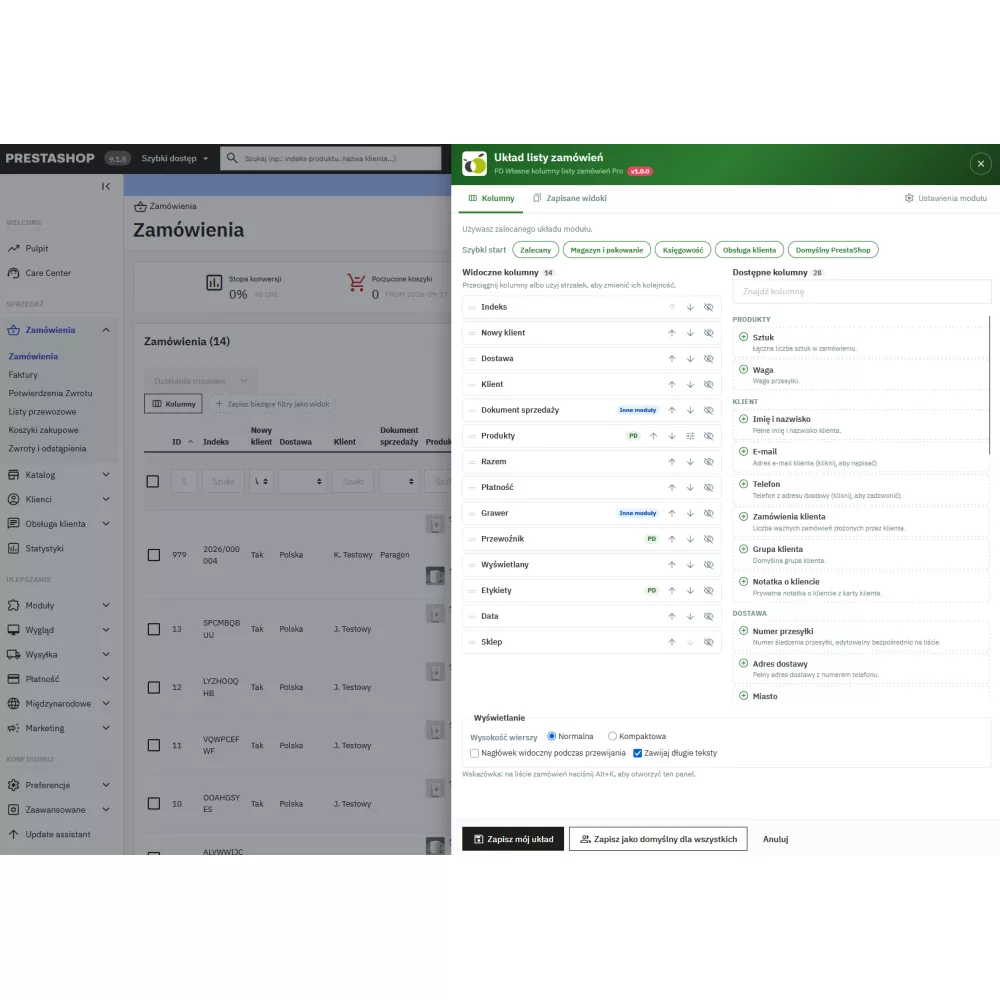
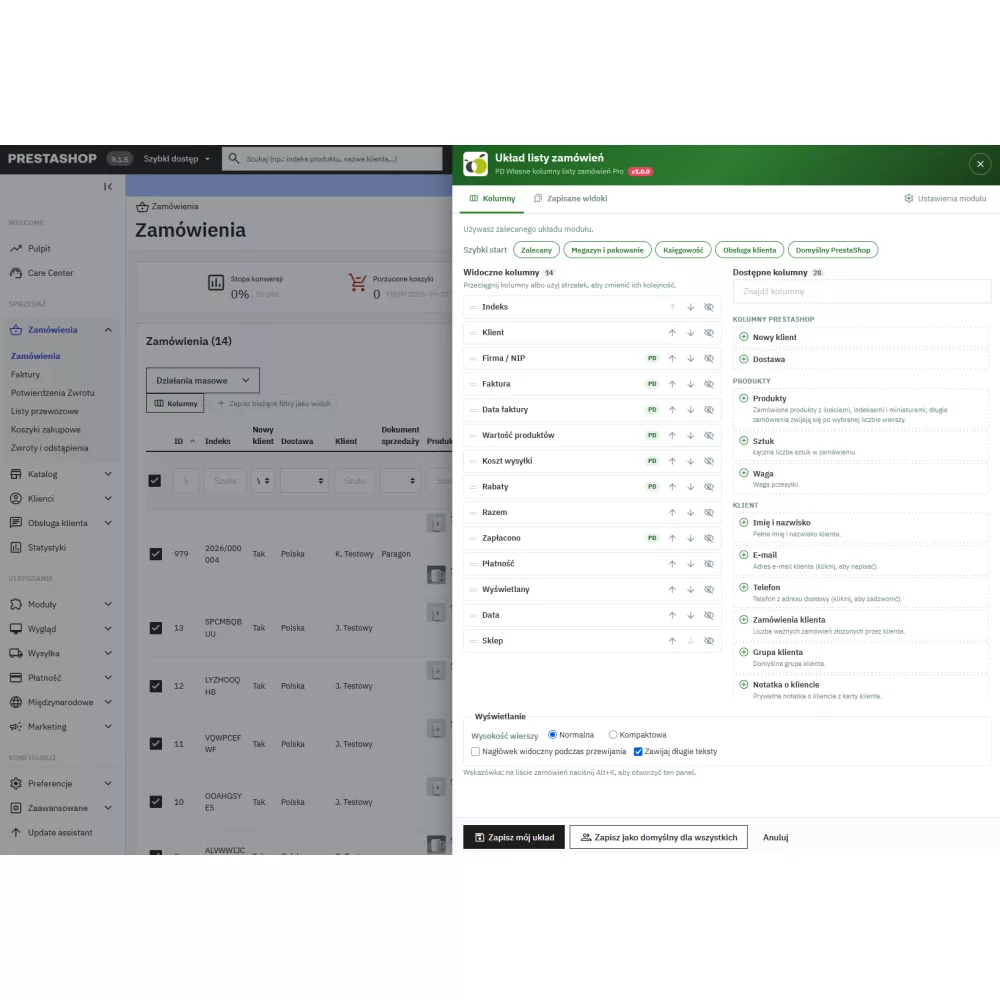
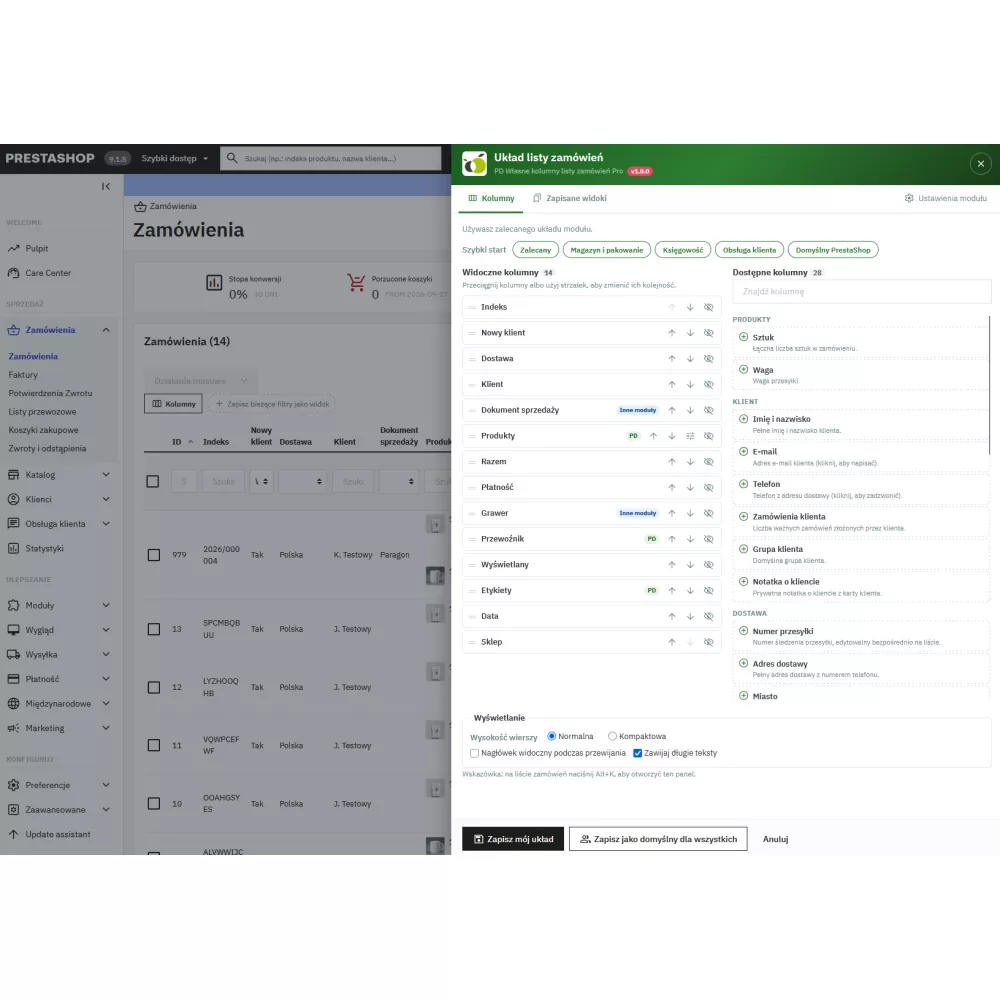
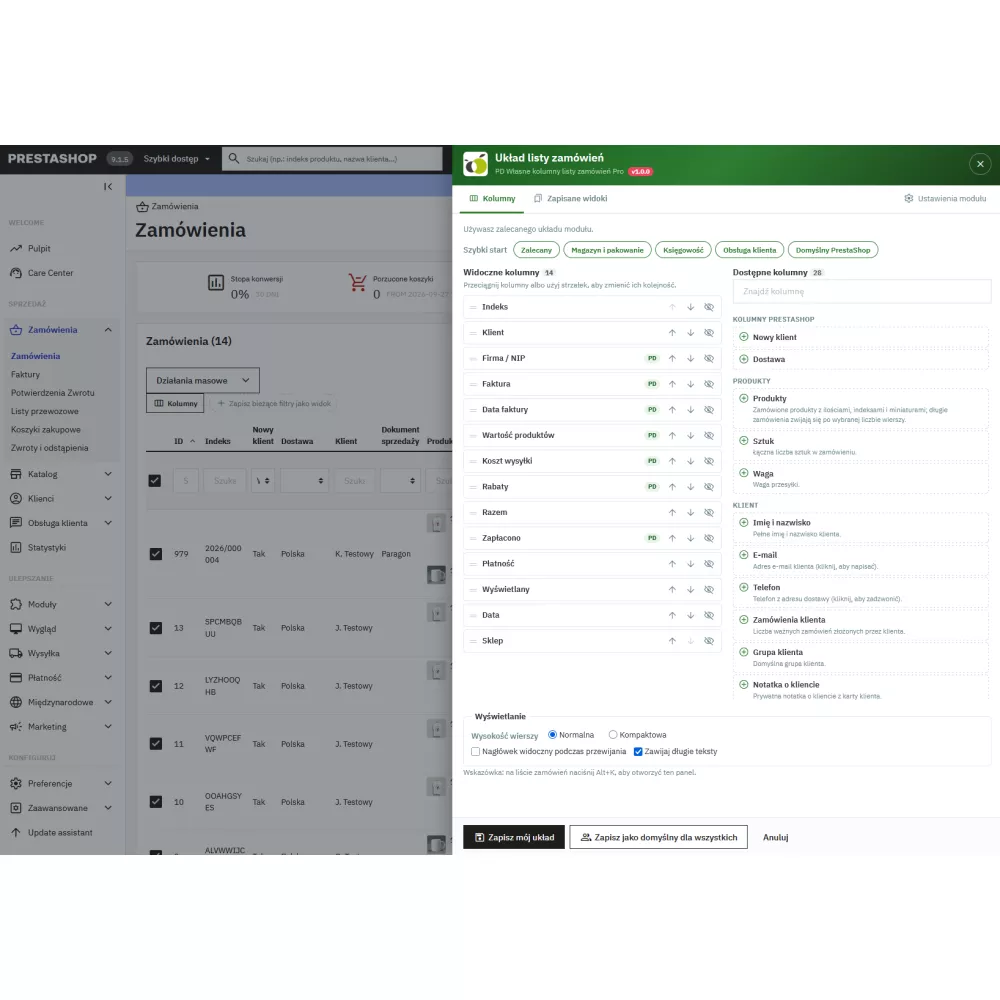
- Editor in the side panel. The “Columns” button above the list, the Alt+K shortcut (Option+K on Mac), or “Configure columns” in the list menu. Drag and drop with the mouse or arrows, column search, hints showing what each column displays.
- Ready-made sets: Recommended, Warehouse and packing, Accounting, Customer service, Default PrestaShop.
- PrestaShop and other module columns. You can move and hide them together with the module columns; only the checkbox, ID, and actions remain fixed.
- List appearance: normal or compact rows, sticky header while scrolling, wrapping long texts.
- Custom and default layout. Each employee saves their own layout; a person with module configuration permission sets the default layout for everyone who does not have their own. “Cancel” restores the list to the saved state.
Saved views
- Filters and sorting in one click. A view remembers filters, sorting, and the number of rows per page, and appears as a button above the list; the active view is highlighted.
- Personal and shared. Personal views belong to the author, shared views are created by people managing the module – up to 30 views per owner.
Order labels
- Custom coloured labels (up to 50), changed in a single order cell or added and removed in bulk from selected orders.
- Label filter – orders with the selected label or “No label”.
- Readable colours. The text colour is selected automatically according to WCAG contrast.
- Data order. A disabled label cannot be added, but it can be removed; a deleted label disappears from orders and saved views, and a new order never inherits labels.
Tracking number on the list
- Entered in the cell: “+” or pencil, Enter saves, Esc cancels, disallowed characters are blocked just like on the order page.
- Customer notification. Ticking “Notify customer” triggers the same PrestaShop mechanism as the order page: the “in transit” email and information for modules reacting to tracking numbers.
- Honest messages. For a carrier without a tracking URL, the module says whether PrestaShop sent the email without a link (1.7.7–8.0), or did not send it at all (8.1+).
Bulk actions
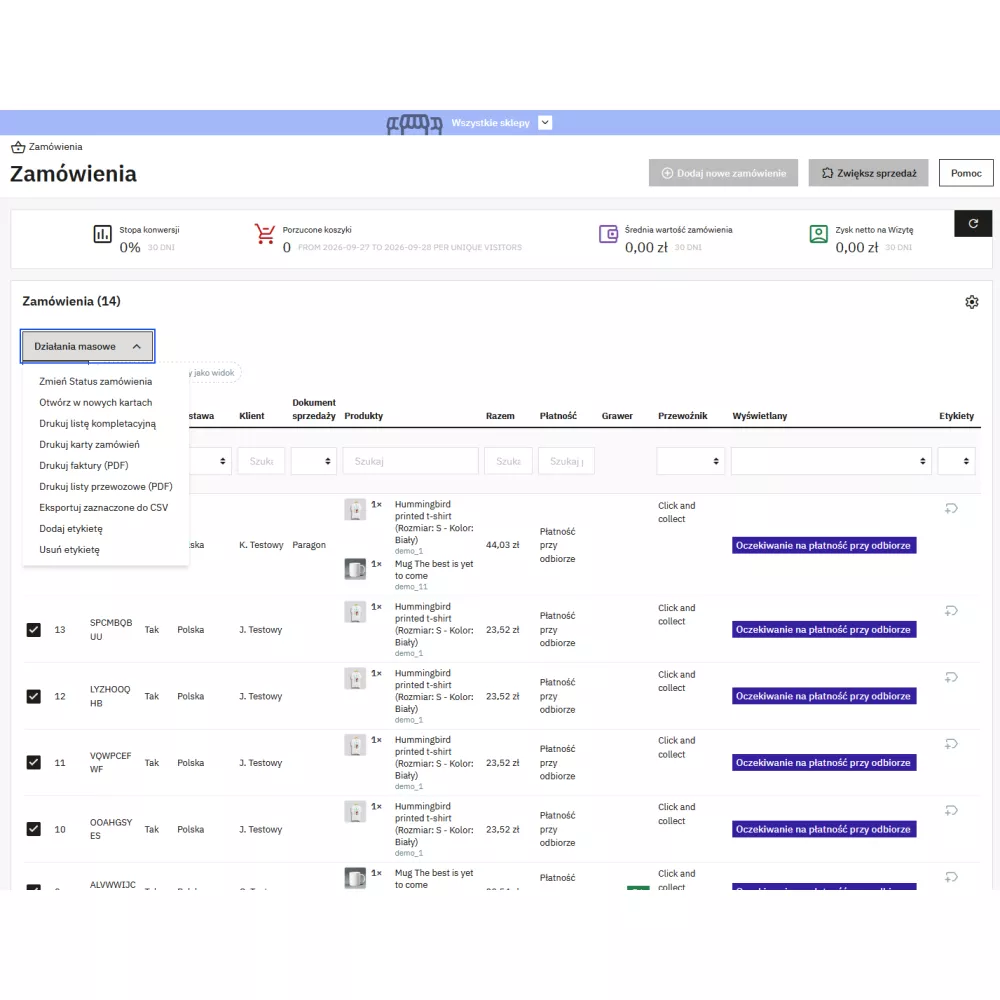
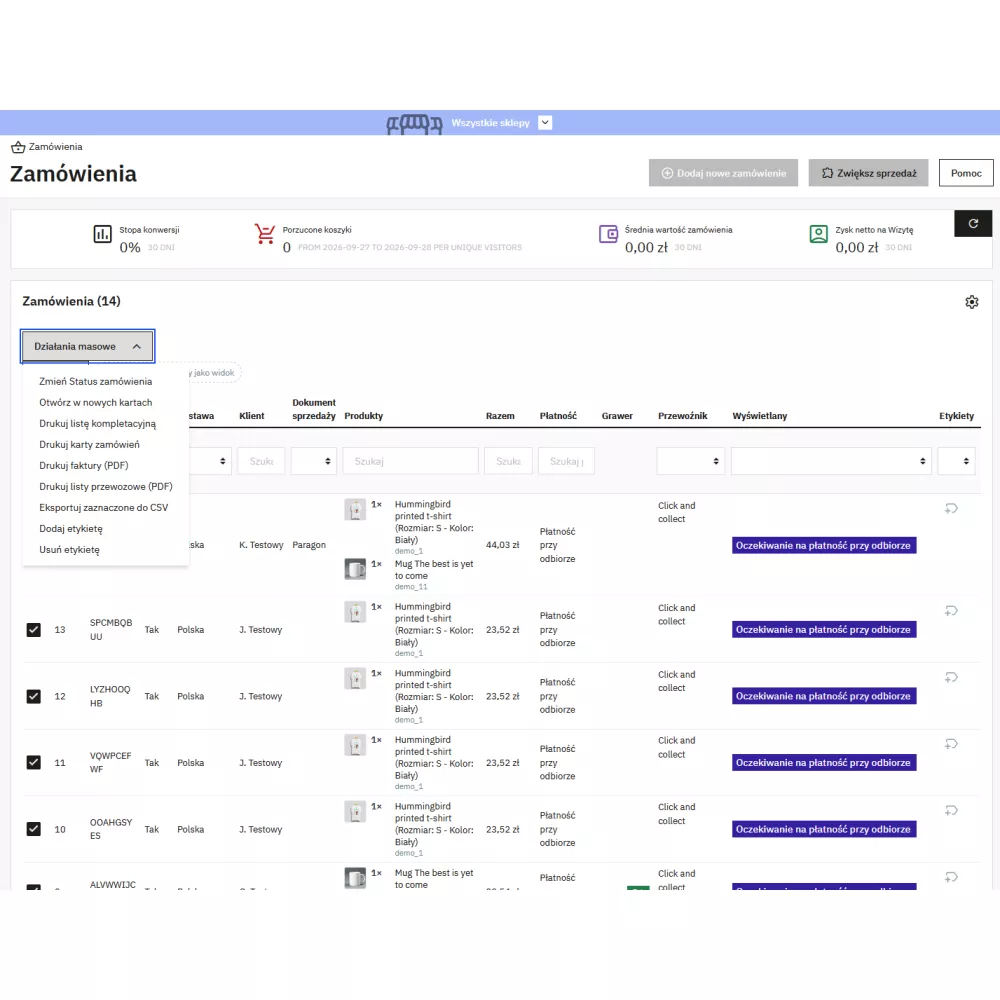
- Picking list. Products from selected orders summed by product, combination, and personalisation, sorted by warehouse location, with available stock, references, EAN, bundle contents, personalisation texts, and the order list. Cancelled, returned, and payment error orders are skipped and listed in the header, virtual products are not included in the list.
- Order cards for packing. One page per order: shop, addresses, customer, carrier, tracking number, customer message, gift wrapping, products with location and quantity to pack, returned items crossed out, warning for a cancelled order, number of units to pack; the order number is repeated on every printed page.
- Invoices and waybills in one PDF (PrestaShop templates, up to 100 orders). Orders without a document are listed by the module before printing the others.
- CSV export of selected orders – visible columns, UTF-8 with BOM, semicolon, values protected against spreadsheet formulas.
- Add label / Remove label. One bulk action covers up to 500 orders.
Configuration
- PD header with feature status and tabs: default layout, labels, shared views, settings, instructions.
- Settings: orange and red thresholds for the “Time in status” column (default 24 and 72 hours, 0 disables), editing tracking numbers on the list, default state of “Notify customer”, labels, saved views, and selection of bulk actions.
Permissions and multistore
- In line with Order permissions. Viewing orders allows seeing columns, saving your own layout and views, and printing; editing orders allows changing labels and tracking numbers; default layout, labels, and shared views require module configuration permission.
- Installation grants the module “View” permission to every profile with access to Orders, e.g. the warehouse profile.
- Multistore. The list respects the shop context, and documents, labels, and tracking numbers apply only to orders from shops the employee has access to. The picking list separates products from shops with separate stock and shows the shop name, and the order cards print the shop of each order. Labels, layouts, views, and settings are shared across all shops.
Compatibility and tests
- PrestaShop 1.7.7–9.x (order list in the new panel), PHP 7.1–8.5, MySQL 5.6+ / MariaDB 10.x, without Composer.
- Automated tests on PrestaShop 1.7.7.2, 1.7.8.5, 1.7.8.10, 8.0.0, 8.1.7, 8.2.6, 9.0.2, and 9.1.5: every filter and every sort compared with an independent calculation from the database, permissions, printouts, emails, uninstallation, and a test of a shop with two stores.
- Compatibility with other modules. Columns added by other modules appear in the editor, and PrestaShop CSV export works as if the module were not installed.
- Translations: Polish and English, in both PrestaShop translation systems.
Operational limits
- PrestaShop 1.7.6 and older are not supported – the order list in those versions is not a Symfony grid.
- Labels, layouts, views, and settings are shared across all shops in multistore mode.
- The “Units” column counts ordered units; the picking list and order cards subtract returns.
- The “in transit” email is sent by PrestaShop – its content depends on the shop template.
Link to the module demo:
Admin panel demo:
https://moduly-prestashop.eu/lista-zamowien/admin-dev
Front office demo:
https://moduly-prestashop.eu/lista-zamowien