
Shopping Cart

Key features and benefits
- Condition-based promotions: combining multiple criteria makes it possible to define who can receive a gift and with which purchase.
- Choice from products or categories: a single rule can include several offers, allowing the customer to choose from the assortment specified by the store.
- Separate gift price: a free or paid promotional item is settled separately from the regular purchase of the same product.
- Fixed or threshold-based number of gifts: the store defines the maximum number of units available for a given purchase.
- Availability and usage control: offers take product availability into account, and rules can have an overall usage limit and a per-customer limit.
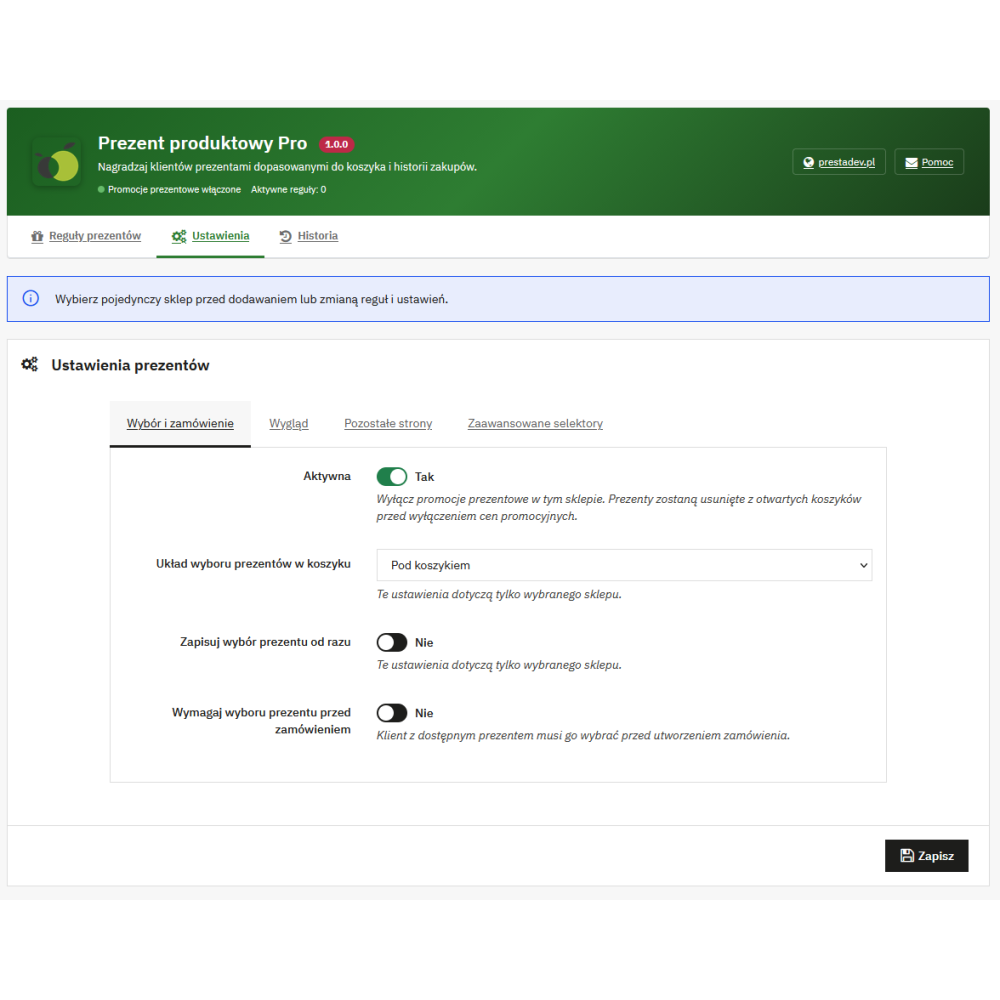
- Choice of display method: a cart block, pop-up window, or side panel allows the gift selection to match the store layout.
- History linked to orders: the administrator can check the applied rule, product, quantity, and item value based on the promotional price.
Ten types of promotion conditions
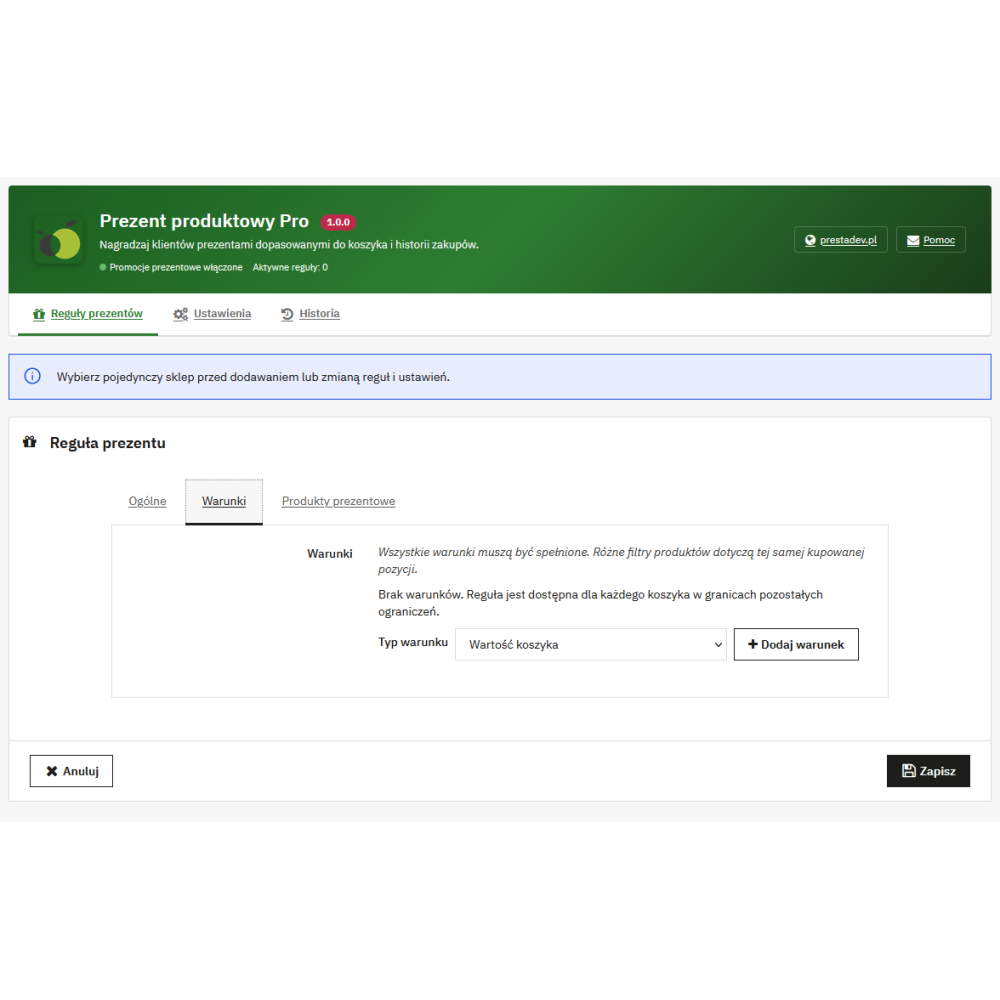
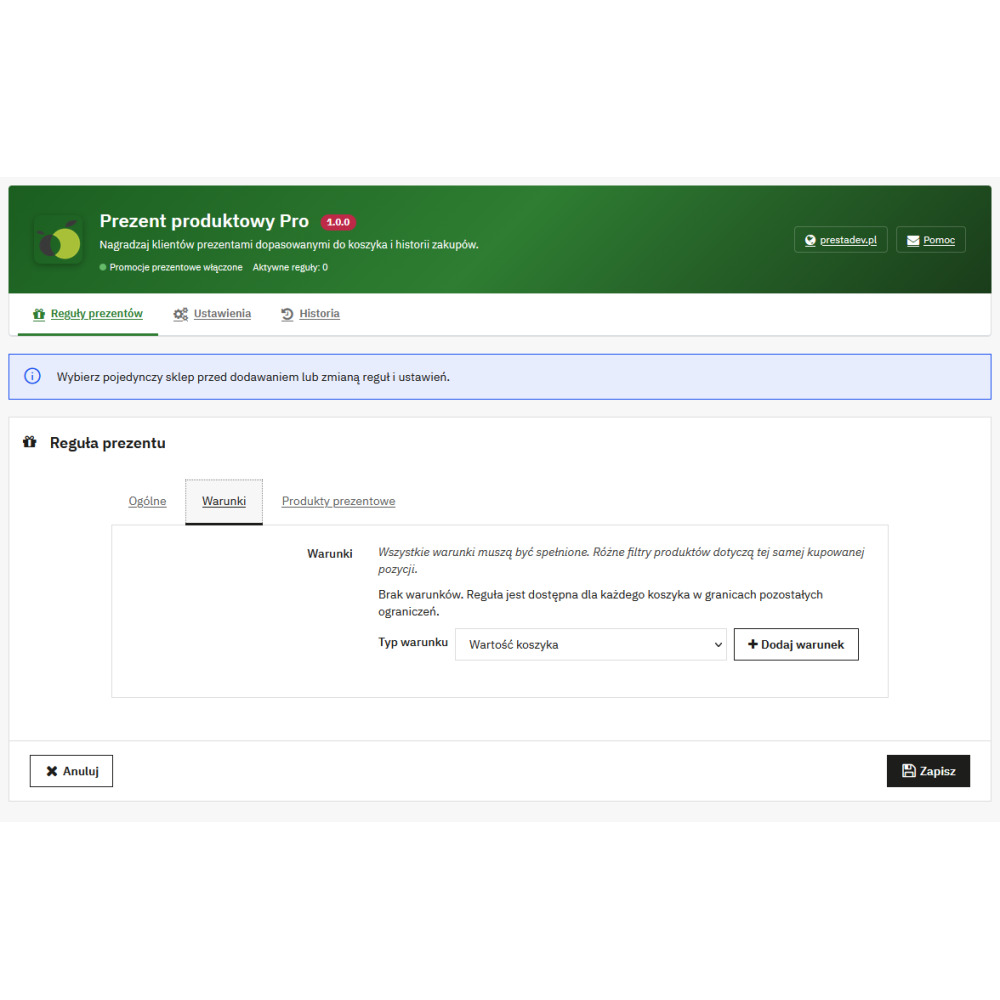
A rule can include several conditions. For the customer to become eligible for a gift, all added conditions must be met. For supported amounts, quantities, and weight, the following comparisons are available: at least, at most, or exactly the specified value.
| Condition type | Configuration scope |
|---|---|
| Cart value | Threshold in the selected currency, net or gross amount, optional inclusion of shipping, and deduction of discounts. |
| Cart weight | Comparison of the weight of purchased products with a defined value. |
| Products in cart | Including or excluding products based on specified products, categories, attributes, features, manufacturers, and suppliers, with additional criteria for unit price, quantity, and product value. |
| Selected customers | Assigning the promotion to specified customer accounts. |
| Customer groups | Including or excluding groups, with the option to check only the customer's default group. |
| Customer data | Title and minimum or maximum age calculated from the saved date of birth. |
| Order history | First order according to selected filters, number of orders, their total value, or number of ordered units, with the option to limit the period and statuses. |
| Delivery country | Checking the country resulting from the delivery address in the cart. |
| Customer birthday | A specified number of days before and after the birthday, based on the date saved in the customer account. |
| Event in the year | Selected month and day range, e.g. the date of an annual promotional campaign. |
The product-related condition can also determine whether to include products with special prices. In order history, the filter for specific products applies to the metric of the number of ordered units. If the promotion is to cover specific order statuses, they must be indicated in the condition.
Gift products, variants, and prices
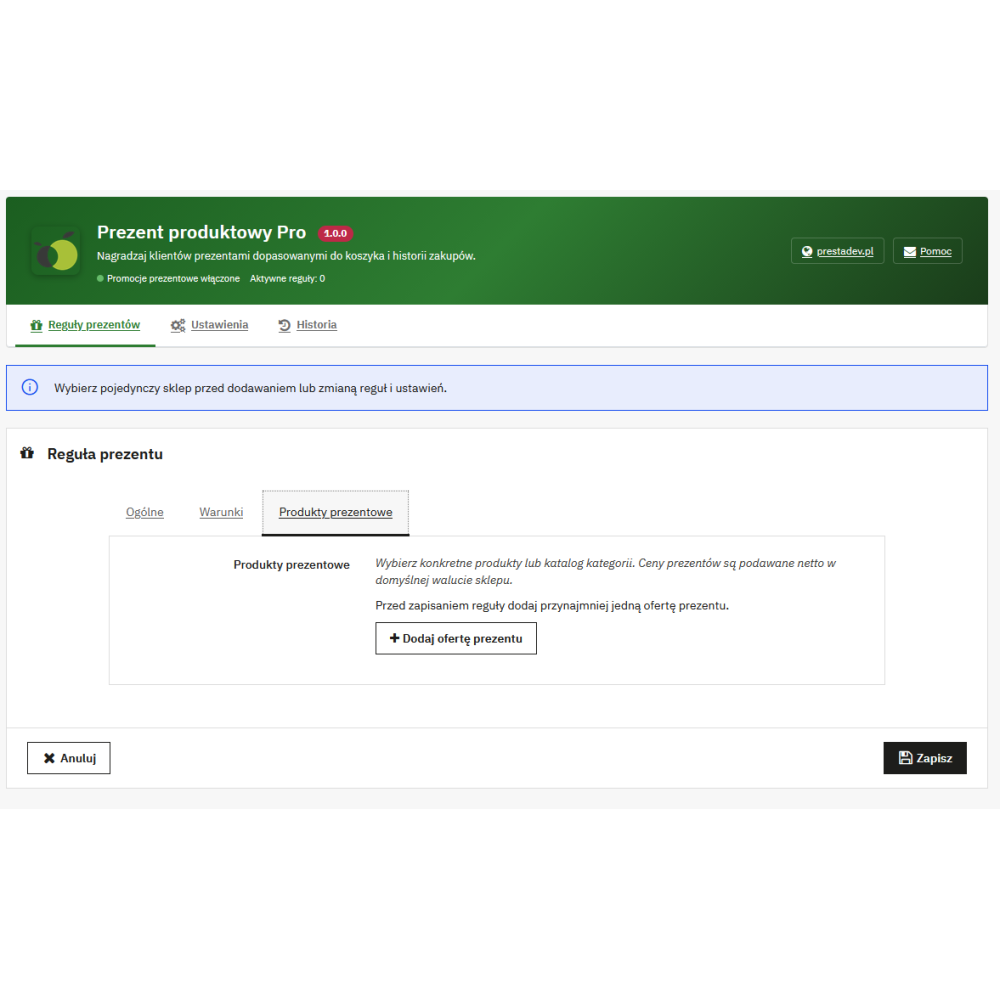
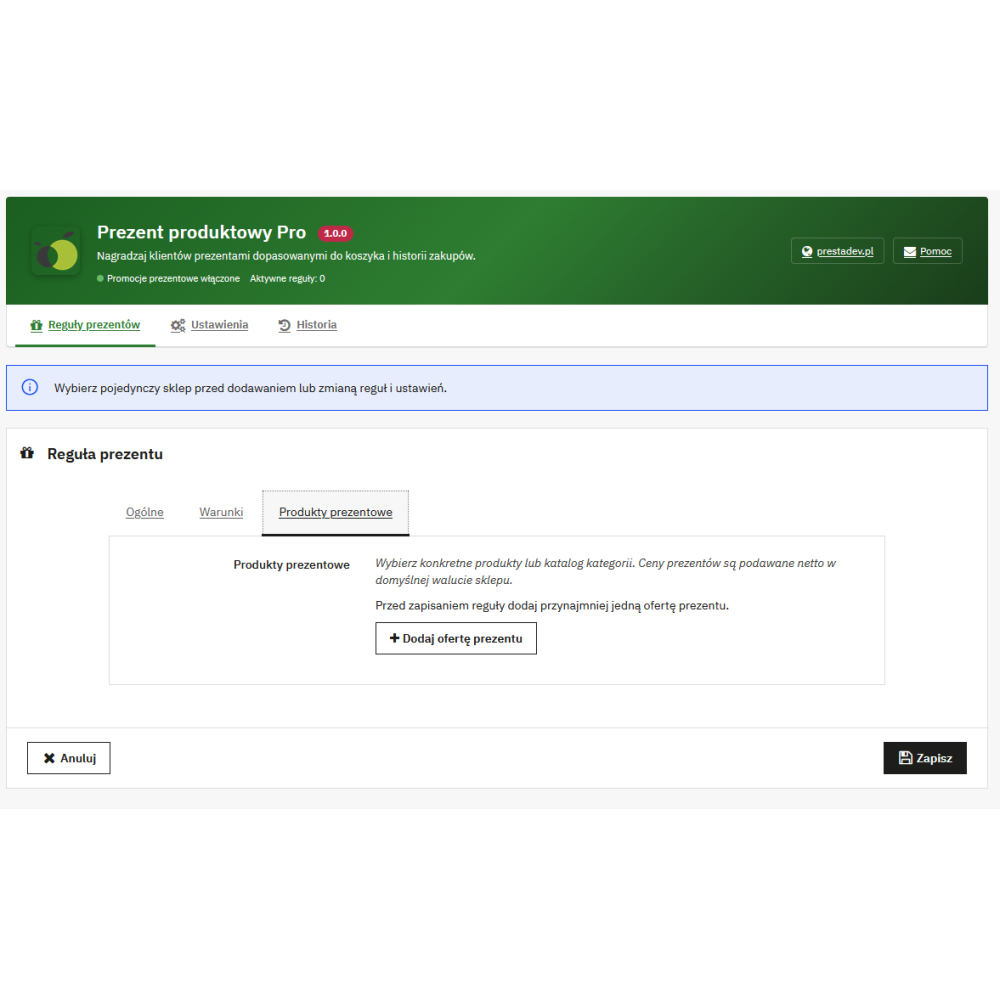
A gift offer points to a specific product or a product category from the store catalog. In an offer for a specific product, available combinations can be limited, e.g. colors or sizes. For a category offer, the customer chooses from products directly assigned to that category; the list supports subsequent product pages.
The gift price is set net in the store's default currency. A value of zero means a free gift, while a positive value allows the product to be offered at a fixed promotional amount. The module converts this price into the cart currency and applies the PrestaShop tax rules appropriate for the product and address. The product's catalog price remains unchanged.
An offer can be marked as available only as a gift. Products covered by this marking in active rules and offers are blocked from being added to the cart as a regular purchase. This also applies to products directly assigned to the specified gift category.
Manual selection, automatic addition, and gift thresholds
- Manual selection: the customer chooses the offer, product, and available variant; the rule may also allow specifying the quantity. The total number of selected gifts must stay within the limit of that rule.
- Automatic addition: a rule option adds an available gift from a specific product offer once the conditions are met. Category offers are used for manual selection. For an unambiguous offer, automatic addition can use the unit limit, taking availability into account.
- Fixed limit: a single rule defines the maximum number of gift units.
- Quantity thresholds: the number of purchased products meeting the rule filters determines the allowed number of gifts.
- Value thresholds: the basis is the gross value of purchased products meeting the rule filters; threshold amounts are defined in the store's default currency and converted into the cart currency.
In threshold mode, the number of gifts assigned to the highest reached threshold applies. Numbers from subsequent thresholds are not added together. Gift items do not increase the quantity or value of purchased products used as the basis for granting further gifts.
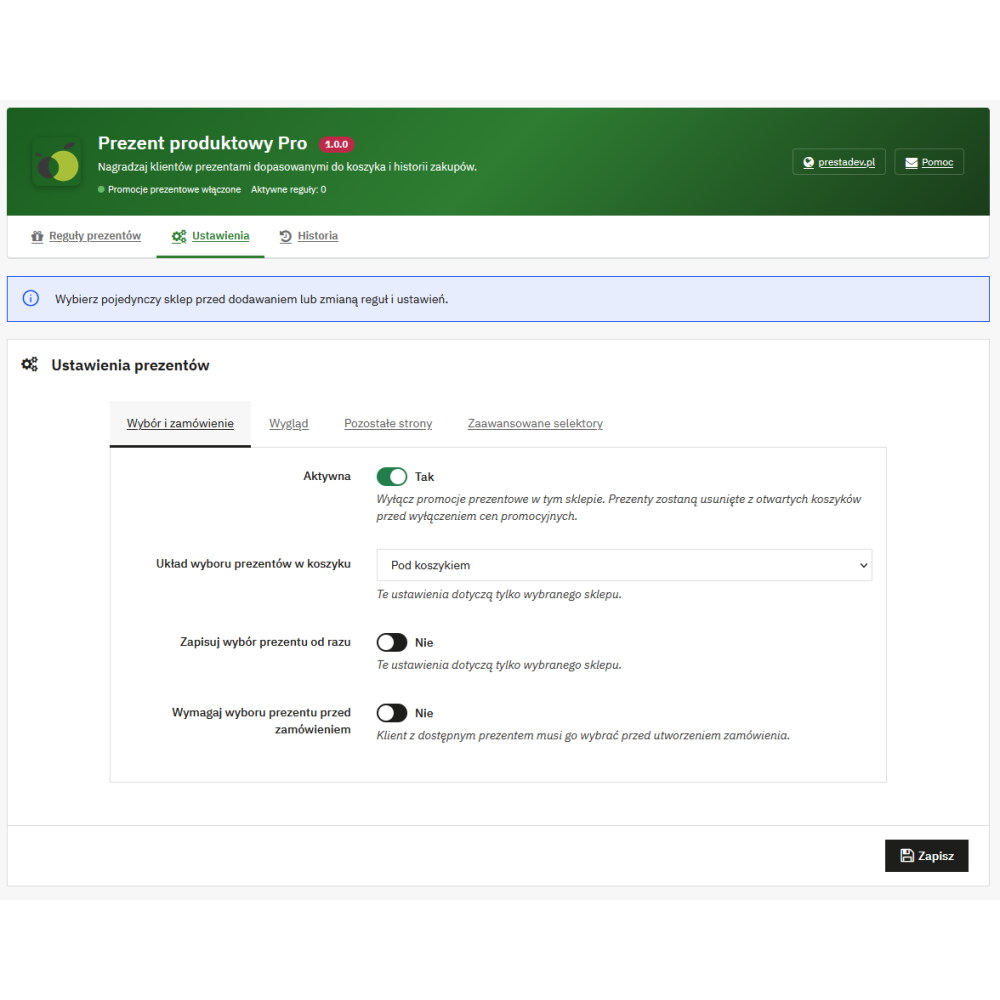
After a cart change, the module checks promotion eligibility again and removes or limits gifts that no longer meet its rules. The rule can also force a manually removed automatic gift to be added again if the offer is unambiguous and the conditions are still met. A separate setting allows requiring at least one gift to be selected before placing the order when an eligible, visible offer is available.
Offer appearance and presentation in the store
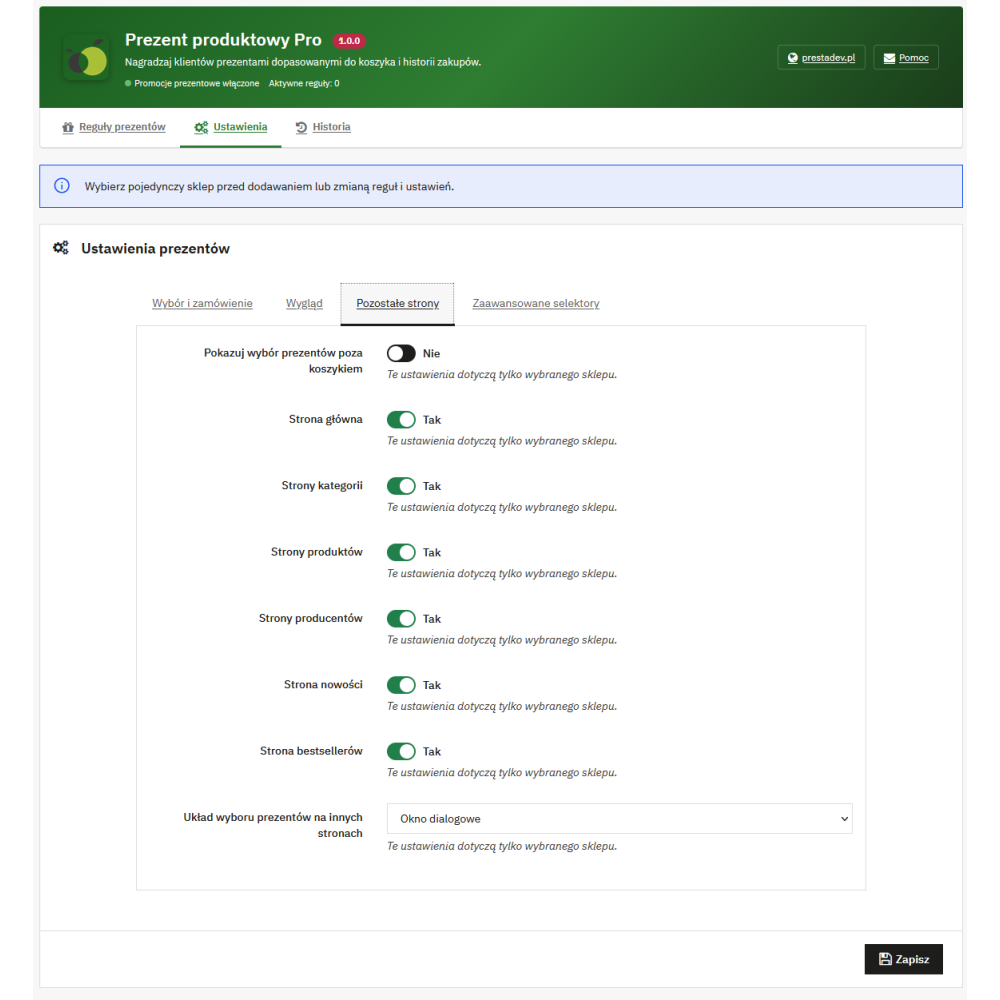
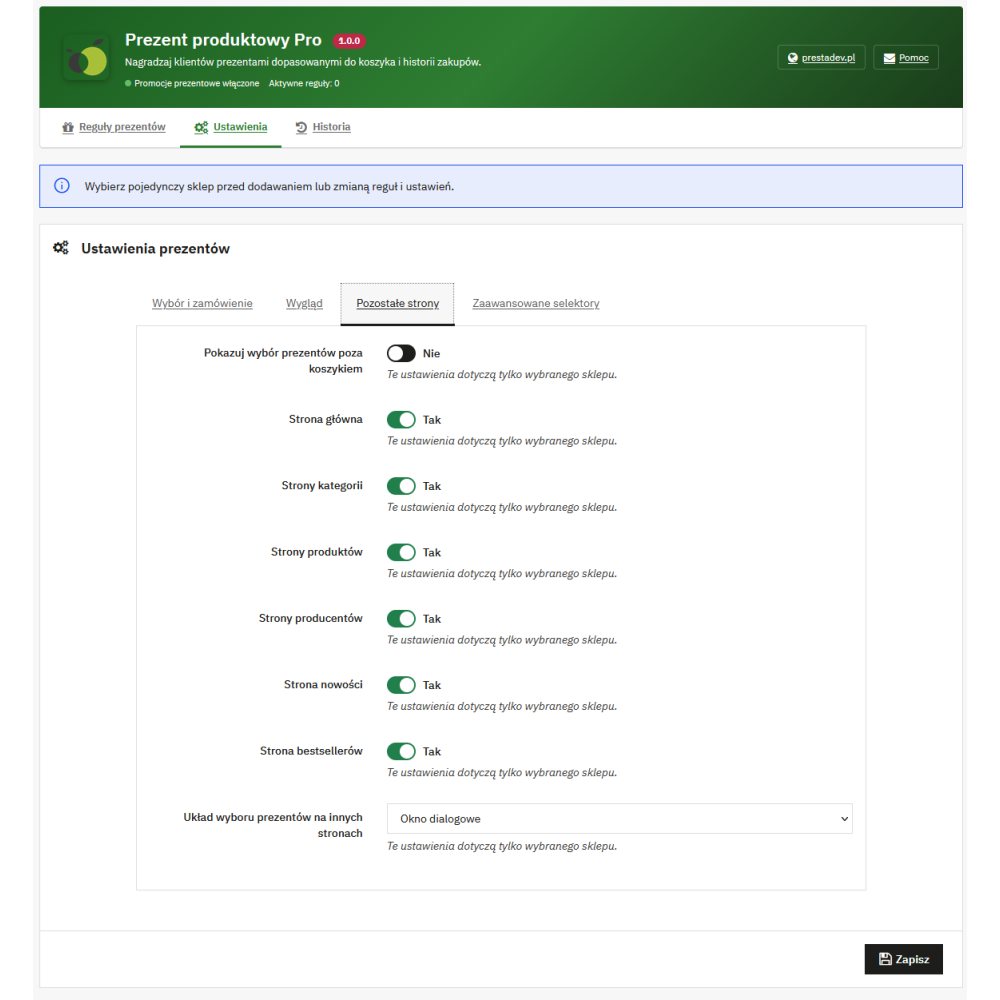
Three layouts are available in the cart: block, pop-up window, and side panel. Additional display can be enabled separately on the homepage, category, product, manufacturer, new products, and best-selling products pages. On these pages, the offer uses a pop-up window or side panel and refers to the customer's current cart.
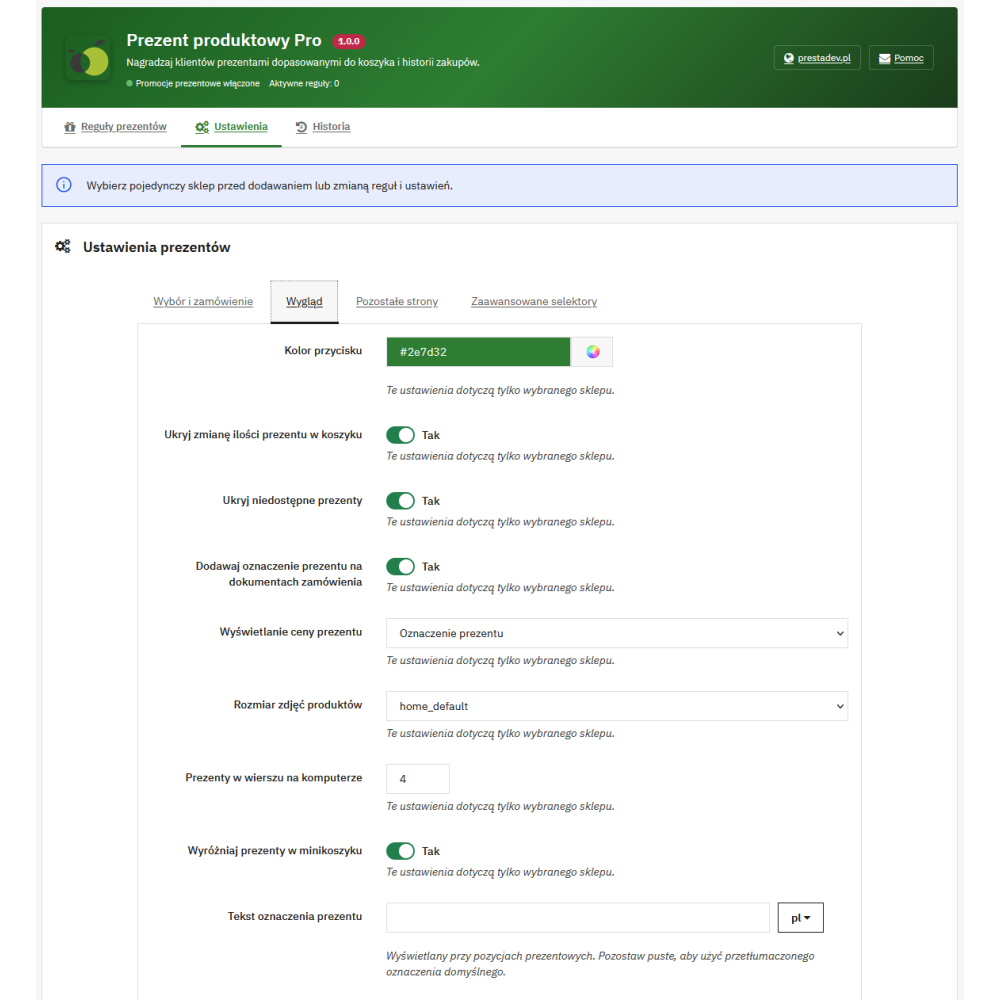
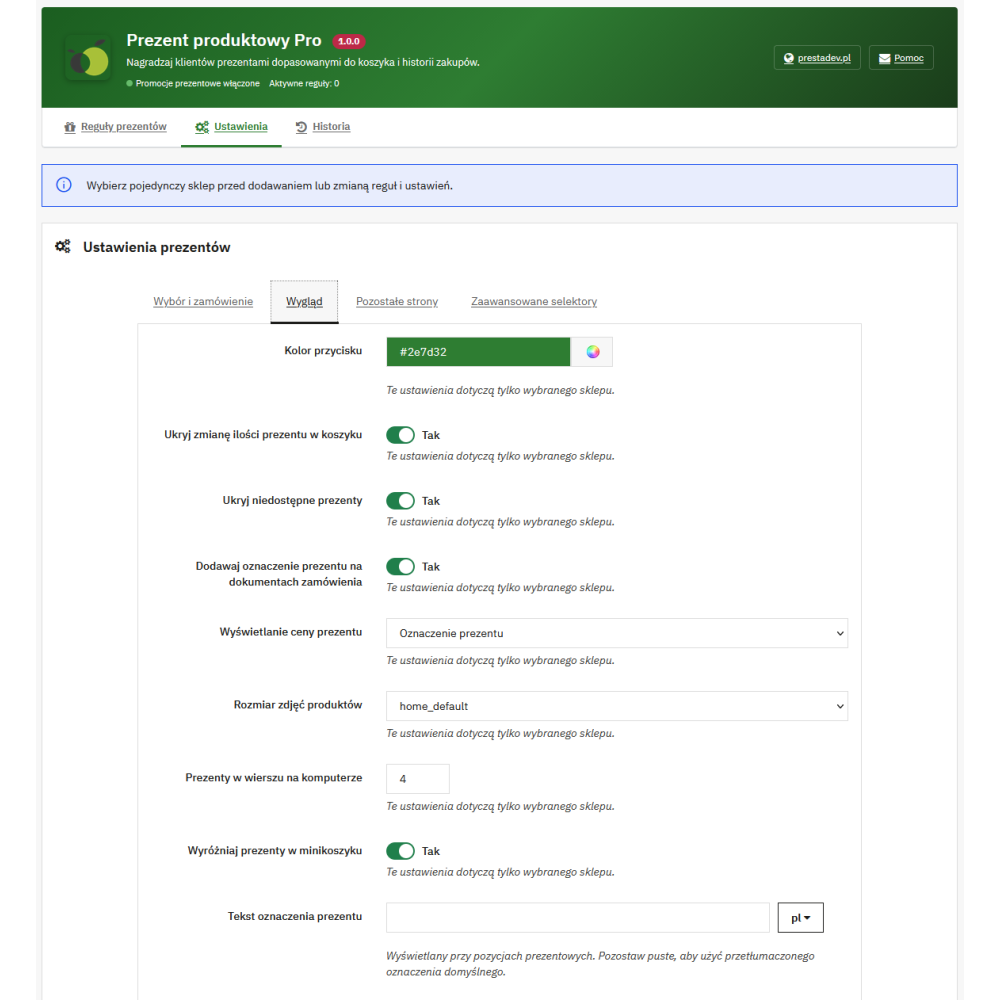
- Button color and selection of the product image type available in the store.
- From one to six products per row, with a layout adjusted to the screen width.
- Price presentation with a crossed-out catalog price, a free gift label, or a numeric price.
- Custom multilingual gift label as well as the rule title and description.
- Option to hide unavailable products and gift quantity controls.
- Option to add after selecting a product and to highlight the mini-cart containing gifts.
- Option to hide the block of a specific rule or messages about missing purchases.
For supported conditions of minimum value, quantity, and weight, the module can display information about how much is missing to meet the condition. The availability of such a message depends on the rule conditions; it is not a general progress indicator for every type of promotion.
Dates, limits, and combining promotions
Each rule has an activity status, order, optional start and end date, and a total usage limit and per-customer limit. The usage limit applies to rule applications, while the maximum number of gift units is set separately. When checking limit availability, the module takes into account uses completed with an order and active, temporary reservations of rule usage in other carts.
The administrator defines whether the rule can work together with PrestaShop cart discounts and with other gift rules. Simultaneous application of two gift rules requires permission for combining in both rules. The rule order is used during their automatic application.
Cart, order, and gift history handling
The same product can appear as a regular purchase and as a gift with a separate price and quantity. Gift products remain actual cart and order items, included in PrestaShop stock and shipping handling. A free gift does not automatically mean free shipping.
The selection takes into account product and combination availability, out-of-stock ordering rules, and pack handling. For a product with required customization, the customer first saves the required fields on the product page and then selects it as a gift.
Gift item prices are transferred to the order. A gift label can be enabled in the item name, also visible on the standard invoice and in the order confirmation using PrestaShop data. The module history contains links to the cart, order, and customer, as well as the applied rule, product, quantity, date, and current order status. The displayed value is the value according to the saved gross promotional price; for a free gift, it is zero.
Later editing or deletion of a rule does not recalculate saved gift prices in existing orders. When reordering a previous purchase, the module copies the purchased products, and gift eligibility is determined according to the current rules.
Managing rules, languages, and stores
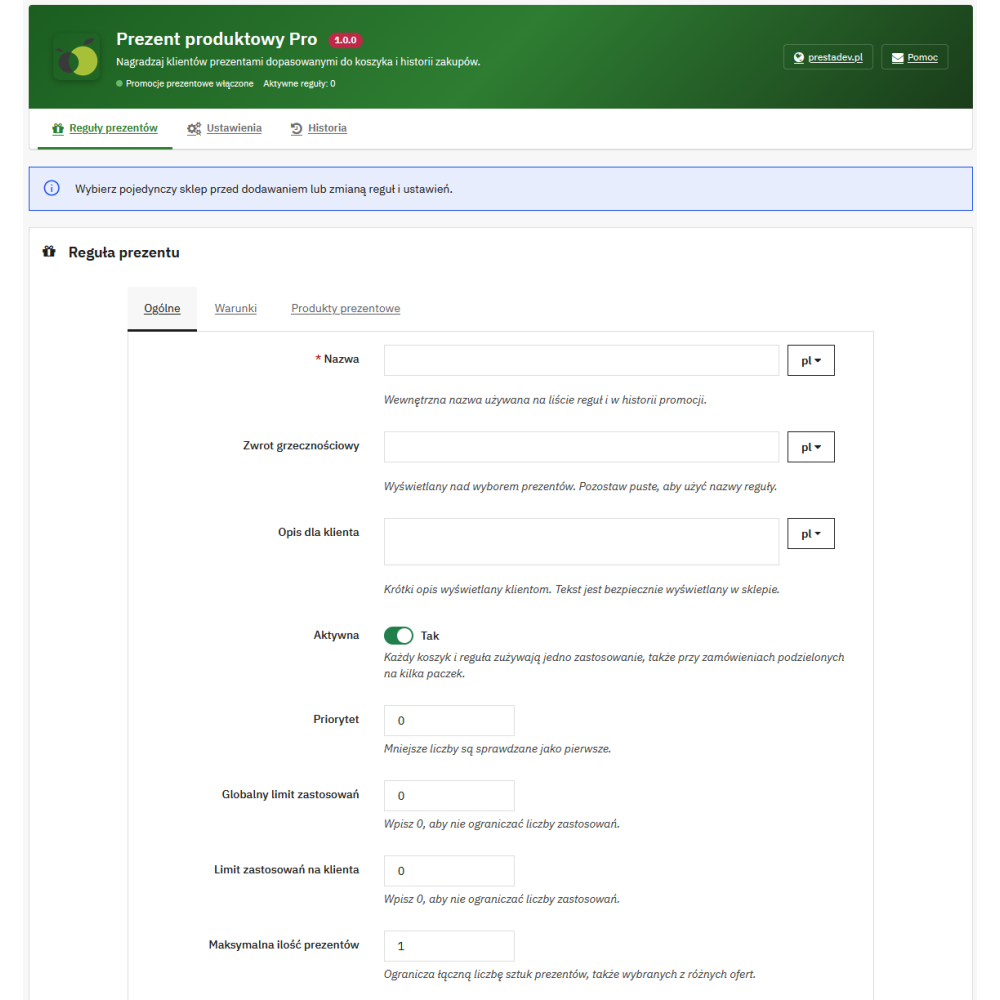
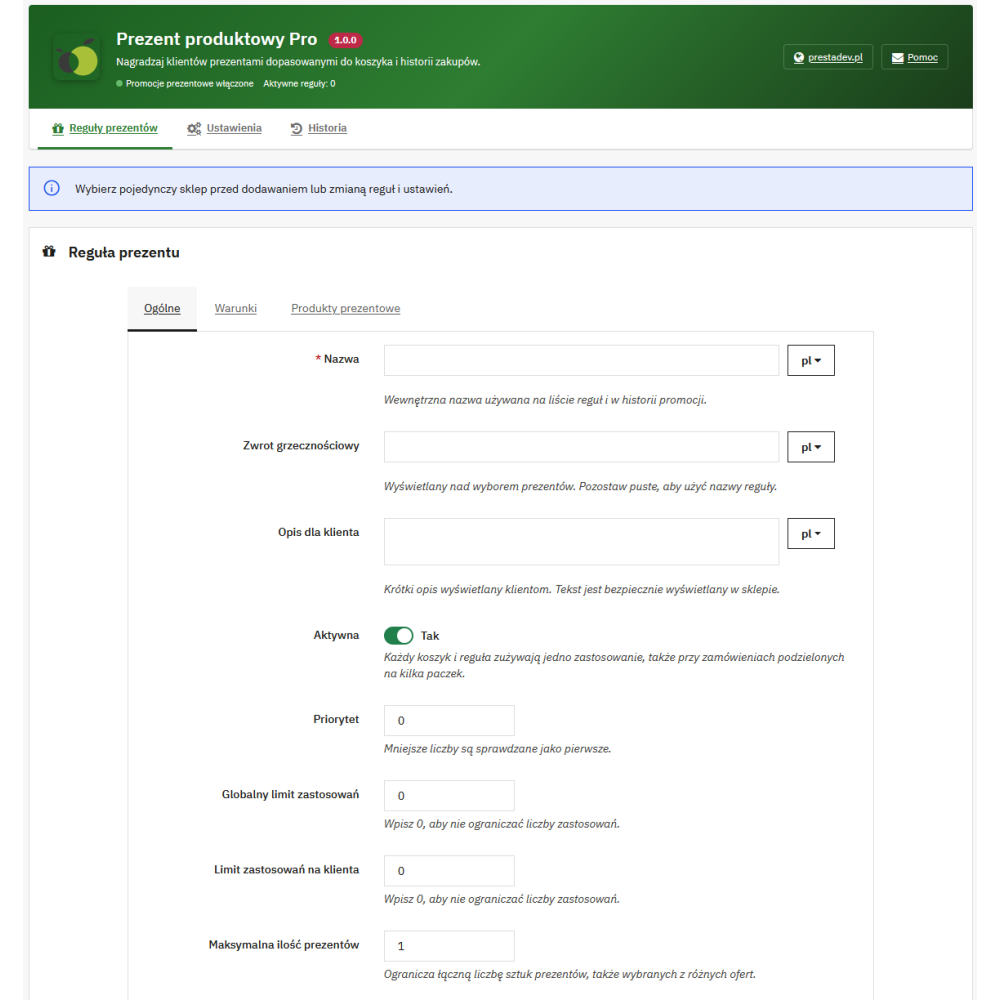
The administration panel contains the rule list, settings, and gift history. The "Add new rule" button leads to a form with general settings, conditions, gift products, and thresholds. Rules can be edited, duplicated, enabled, disabled, and deleted, also using the available bulk actions. Forms and lists use the standard mechanisms of the PrestaShop panel.
Configuration and rules are assigned to a specific store in multistore; editing requires selecting a single store. The rule name, title, and description, as well as the custom gift label, support multiple languages. The module includes Polish interface translations and uses both the classic and the new PrestaShop translation system.
Example uses
The scenarios below show configuration possibilities; the store itself defines the products, conditions, and limits of its promotion.
- Free gift from a specified purchase value: cart amount condition and a product offer with a zero price.
- Gift with the purchase of specified assortment: products-in-cart condition combined with a category of gift products to choose from.
- More gifts with a larger purchase: quantity thresholds, e.g. a maximum of one gift from three purchased units and two gifts from six units.
- Birthday or seasonal offer: customer birthday condition or selected month and days, optionally combined with a customer group condition.
- Promotion for returning customers: order history condition with specified statuses and period.
Compatibility and requirements
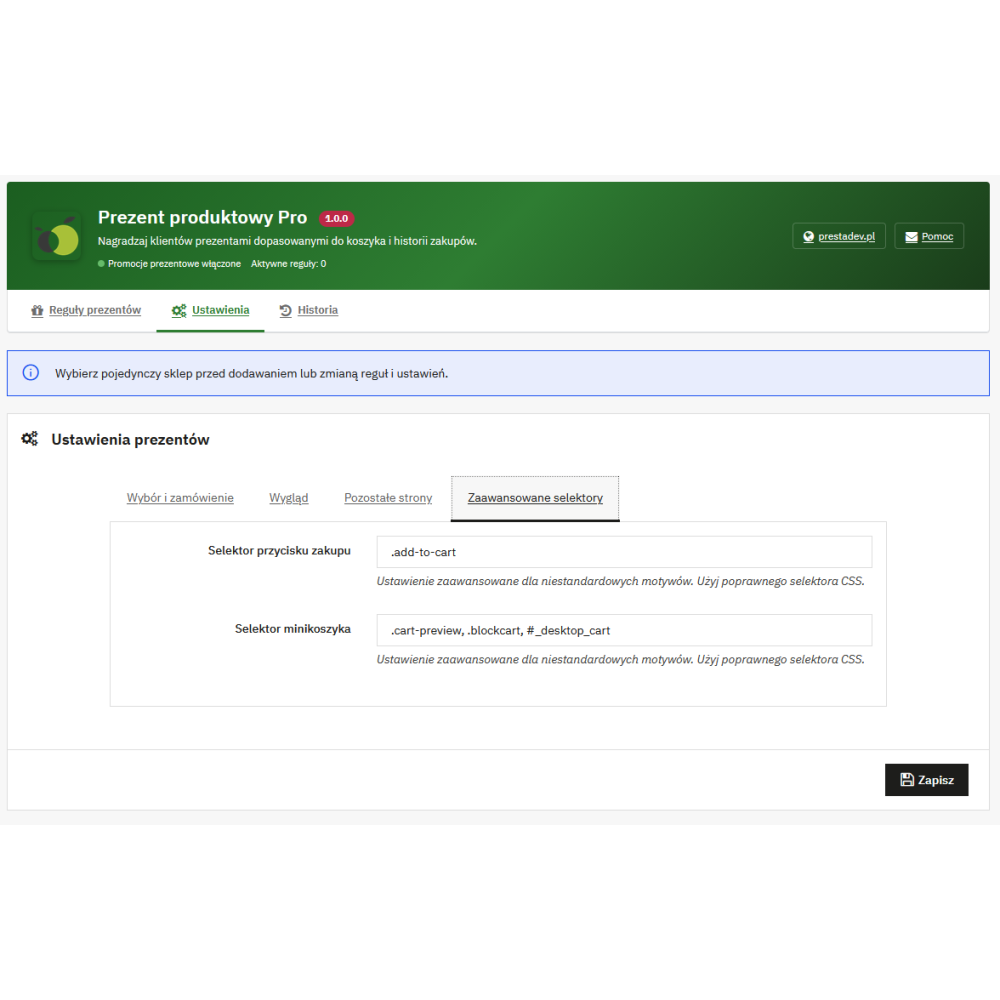
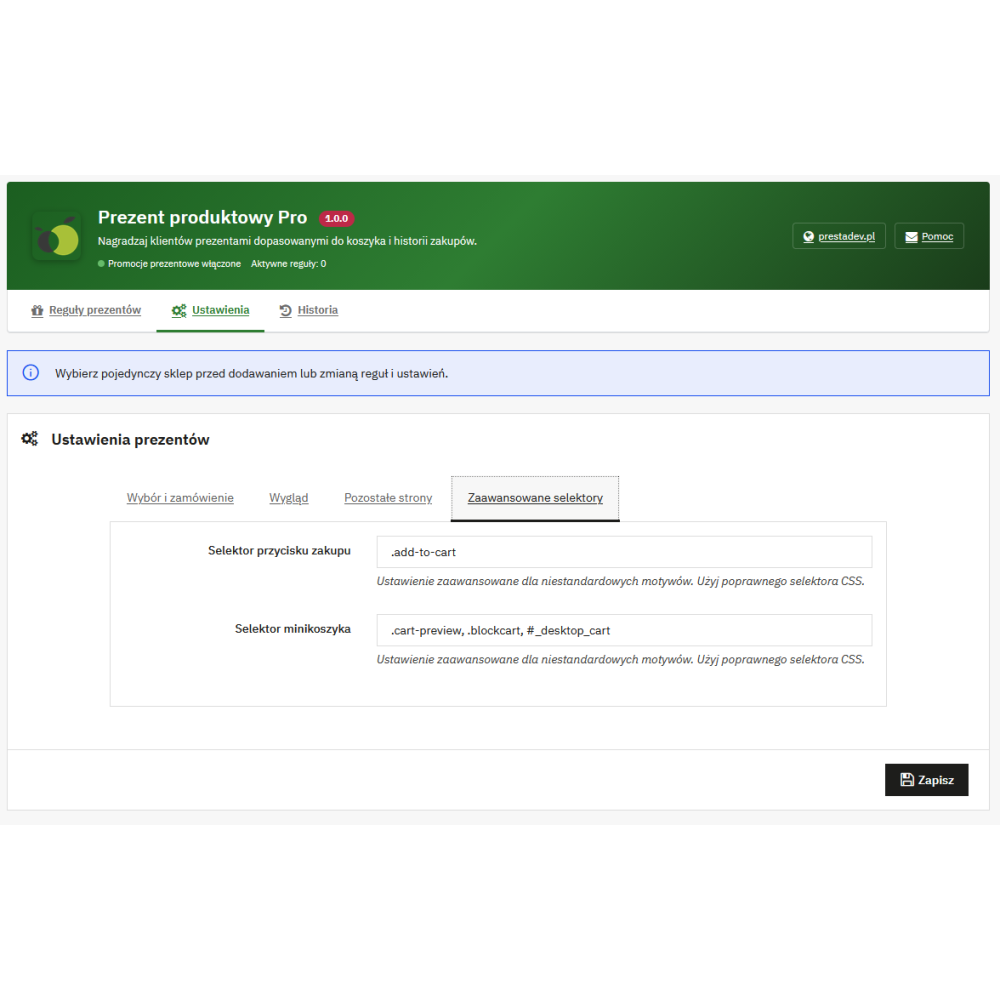
Product Gift Pro is intended for PrestaShop 1.7.x, 8.x, and 9.x. Installation requires the PrestaShop override mechanism to be enabled, no conflicting overrides of cart methods used by the module, and the InnoDB engine for cart and customization tables. The PHP version should match the PrestaShop version in use. The display method depends on the locations provided by the theme; a custom theme or checkout process may require integration adjustments, and the module settings allow specifying selectors for purchase buttons and the mini-cart.