
Moduł odznak / statystyk dla PrestaShop .1.5.x oraz. 1.6.x
Statistics counters in PrestaShop – Pro module | PrestaDev

Statistics Counters Pro module for PrestaShop

Module version: 1.3.7

PrestaShop compatibility: 1.7.x 8.x 9.x

Module file updated: 04/18/2026 13:57:03

Product data updated: 04/11/2026 18:30:08


PD Statistics Counters Pro is an advanced module for PrestaShop that lets you display animated counters and badges with statistics anywhere in your store — the number of customers, orders, products, reviews, or years in business — thereby building social proof and increasing buyer trust. You can enter values manually or choose from fourteen automatic data sources that pull live numbers from the store database, so the counters always reflect the real scale of the business without any administrator intervention. Each badge can be placed in one of twenty-two front-office hooks (header, homepage, product page, cart, footer, side columns) or in your own custom hook displayCustomStatBadges for precise placement in the theme template. The module offers an advanced editor with six tabs, five ready-made design presets (Custom, Subtle, Outline, Accent, Dark), full control over colors, icons (CSS class or image/SVG), number formatting, separators, and Bootstrap responsiveness across five breakpoints. Visibility rules let you display specific badges only on selected days of the week, within a defined date range, on indicated pages, for logged-in customers, or in specific languages — making them an ideal tool for time-based campaigns and seasonal promotions. Ready badge configurations can be exported to a JSON file and imported into another store with a single click, with a 2 MB limit and 500 items per import for security. The module fully supports multistore, PrestaShop 1.7.0 – 9.x, PHP 7.0 – 8.5, supports a dual translation system (classic dictionary + XLIFF), and does not require any external libraries or Composer.

License type / update
zł 89.00
zł 72.36no tax
Price history:

Description

PD Statistics Counters Pro — features, benefits and functionality

A professional module for PrestaShop designed to display animated statistics counters and badges with store indicators — customers, orders, products, reviews, years in business, or any custom numbers you choose. It builds social proof, increases buyer trust, and helps turn store data into a concrete sales argument on every front-office page.

Automatic data sources and static values

  • Static value — any number entered manually, perfect for messages such as “15+ years of experience”, “98% satisfied customers”, or “3 floors of showroom space in the city centre”.
  • Fourteen automatic data sources fetched live from the store database: number of registered customers, number of orders, number of newsletter subscribers, number of product reviews (from the productcomments module), number of customer messages, number of visits (connections) from PrestaShop statistics, number of active products, number of active categories, number of manufacturers, number of suppliers, number of active CMS pages, number of active carriers, number of discounted products, and number of active physical stores.
  • Per-request cache — each data source is queried from the database only once during a single HTTP request, even if the same number appears on the page in several different counters.
  • Read replica — all queries calculating auto-data values go through the PrestaShop slave connection (_PS_USE_SQL_SLAVE_), reducing the load on the database master.

Twenty-two front-office hooks + custom theme hook

  • Flexible positioning — you can place badges in: displayTop, displayNav1, displayNav2, displayHome, displayTopColumn, displayWrapperTop, displayContentWrapperTop, displayLeftColumn, displayLeftColumnProduct, displayRightColumn, displayRightColumnProduct, displayContentWrapperBottom, displayWrapperBottom, displayProductAdditionalInfo, displayReassurance, displayShoppingCart, displayShoppingCartFooter, displayFooterBefore, displayFooterAfter, displayFooter, or in the dedicated displayCustomStatBadges hook for manual insertion into any theme .tpl file.
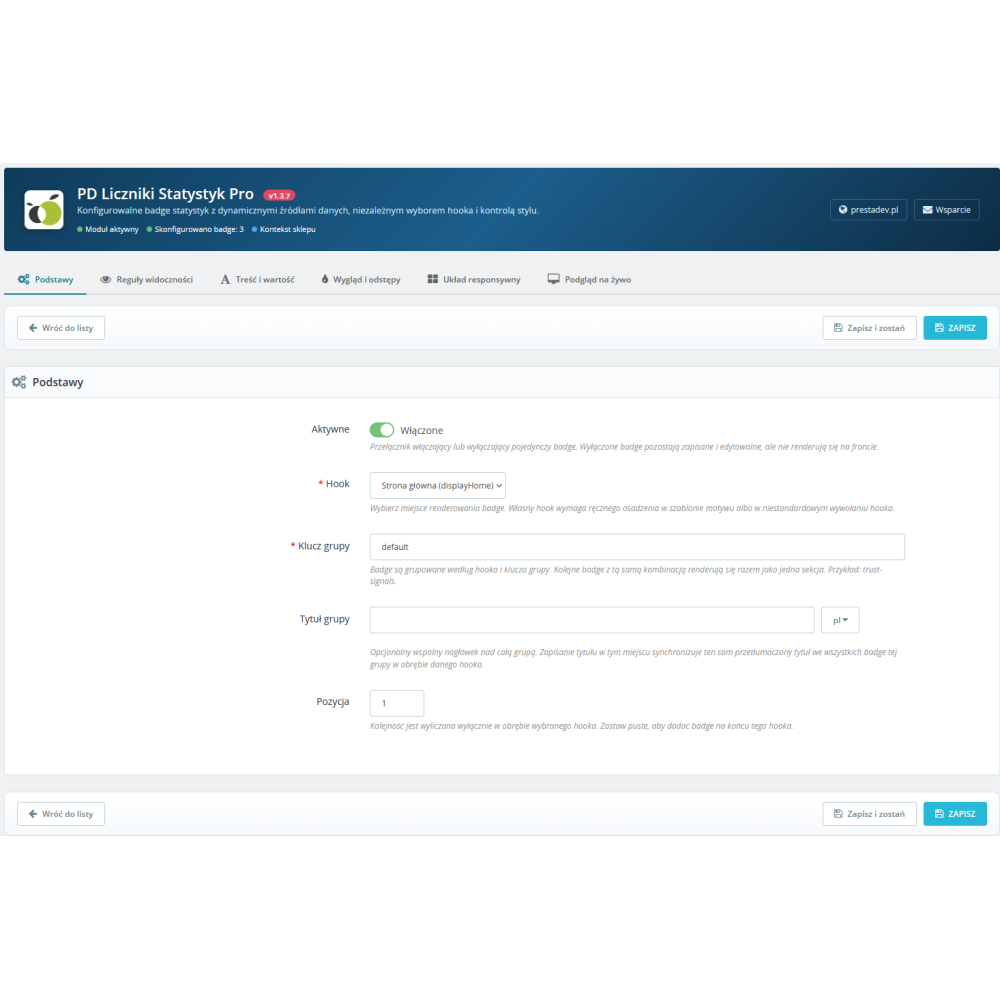
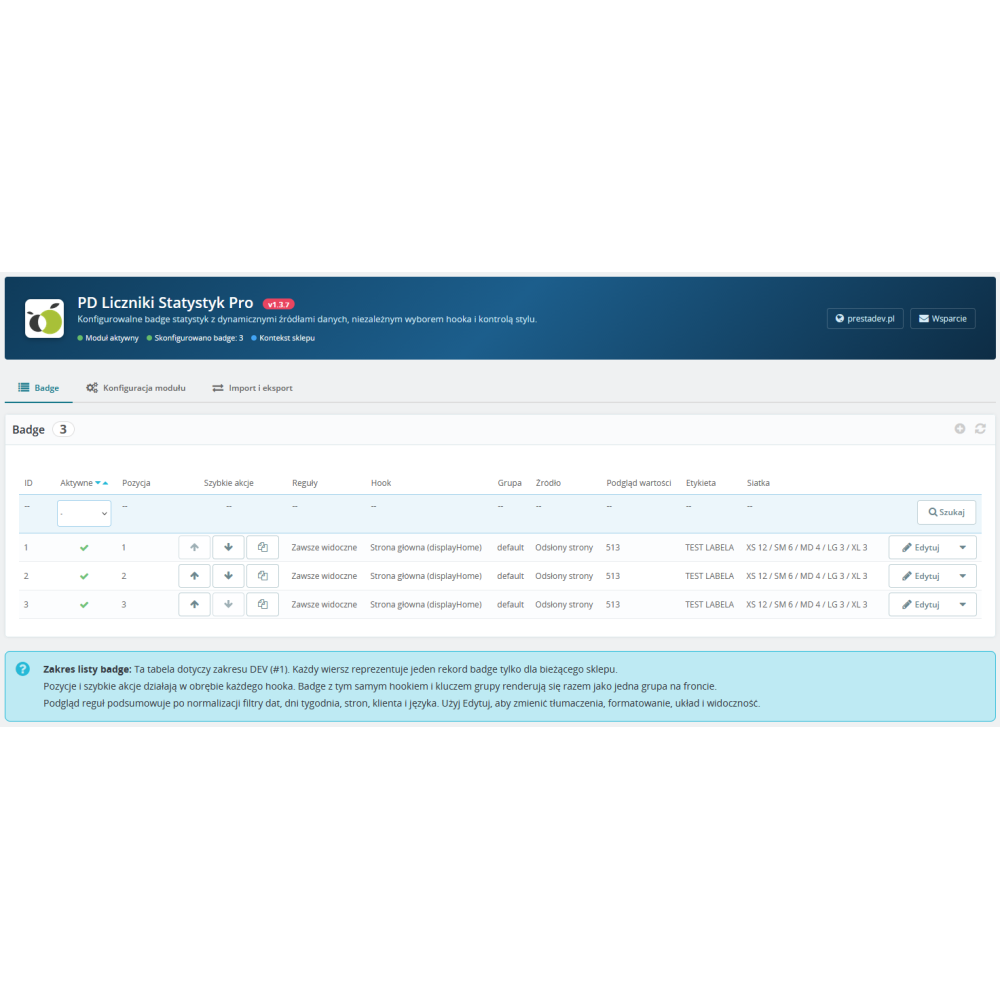
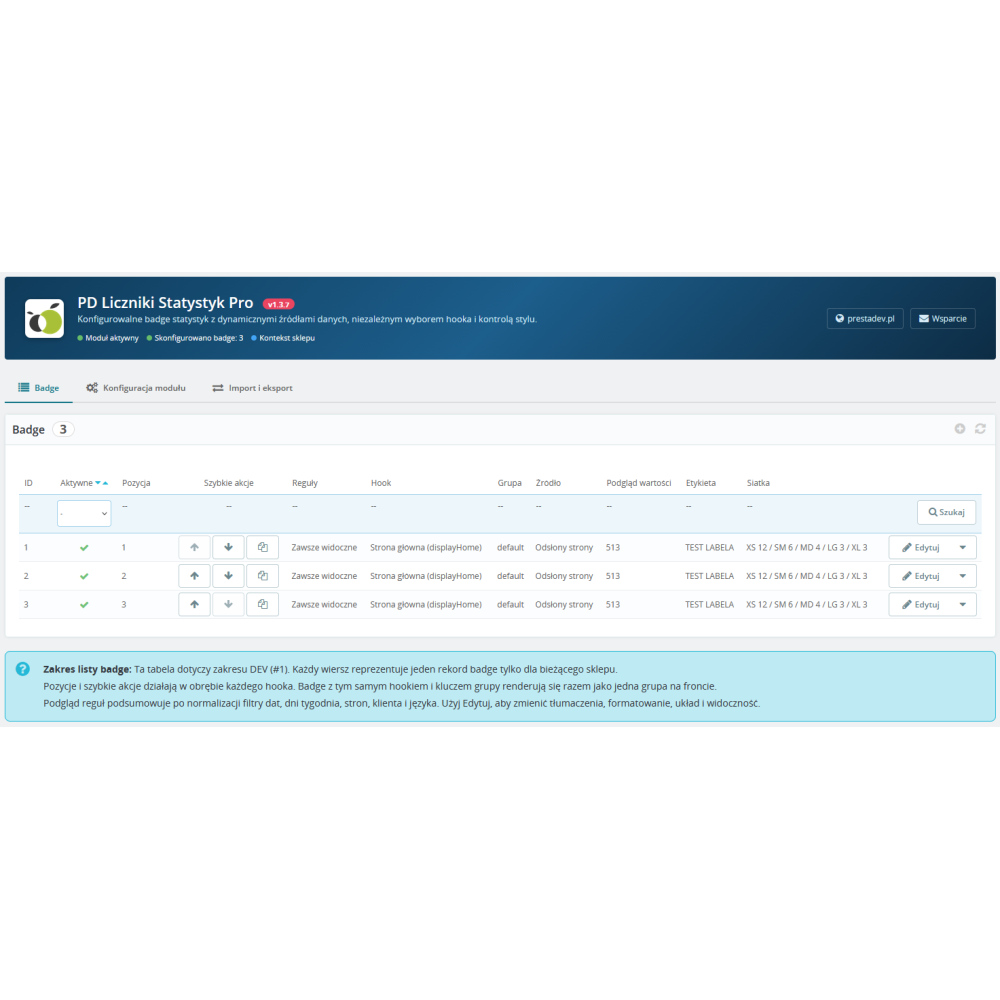
  • Grouping badges into sections — several consecutive badges in the same hook and with the same group key are rendered side by side as one cohesive section — ideal for “Why trust us” blocks with 3–4 counters in a row.
  • Shared group title — an optional multilingual heading displayed above the entire badge group, automatically synchronised across all badges in that group (saving the title on one badge updates the title of the others in the same group).

Advanced badge editor with six tabs

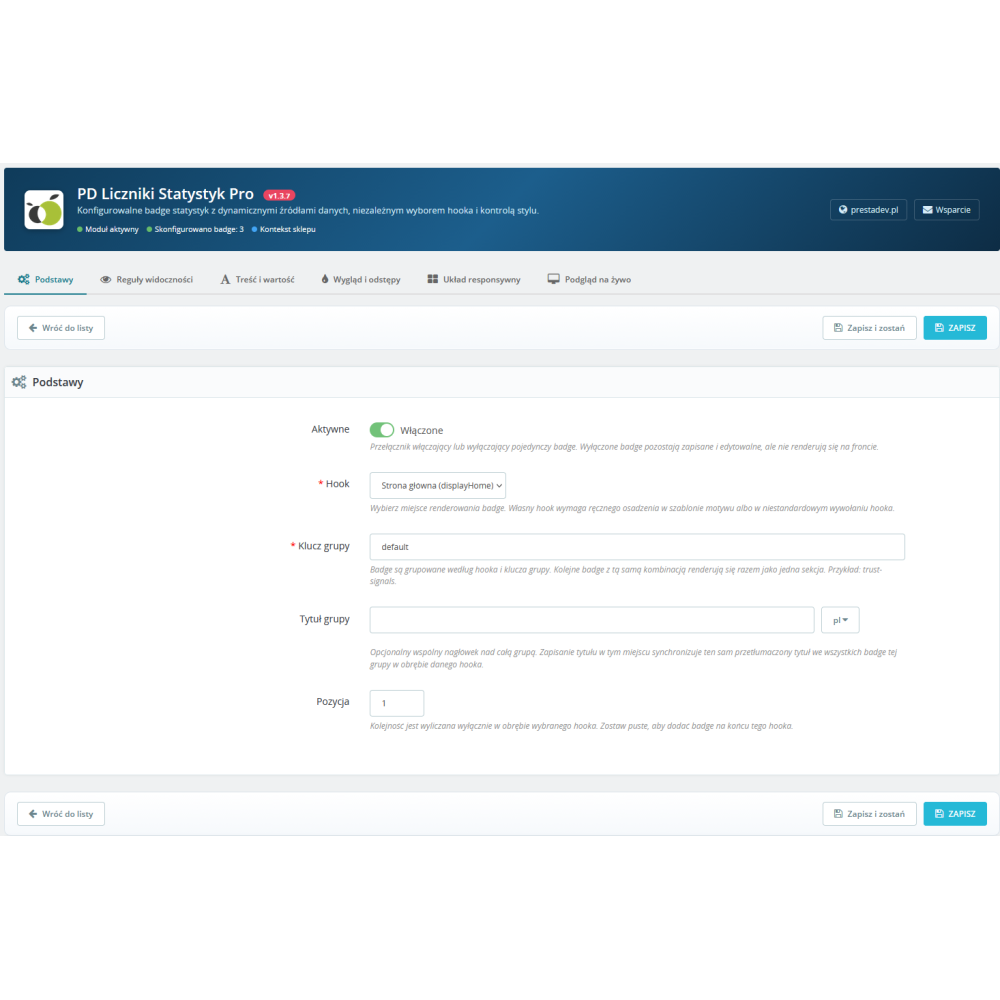
  • Basics — per-badge activation, hook selection, group key and multilingual group title, position (order) within the group.
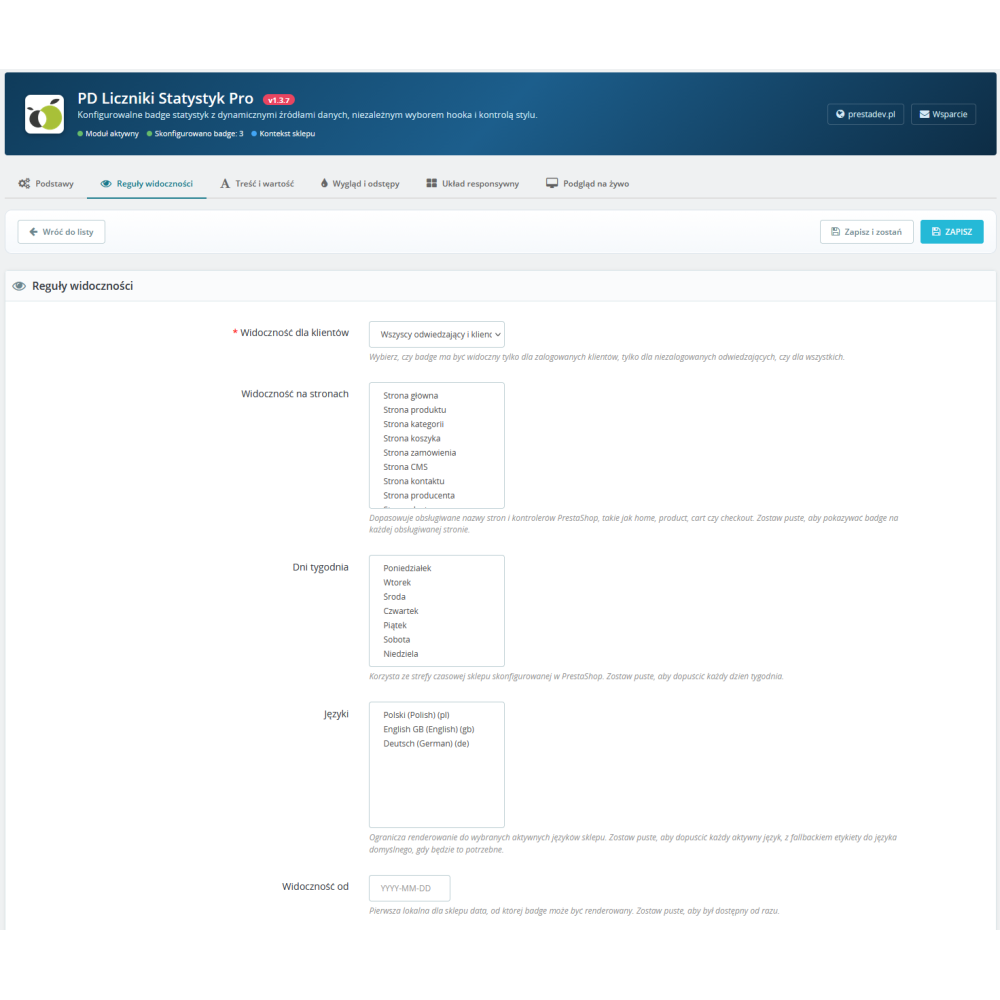
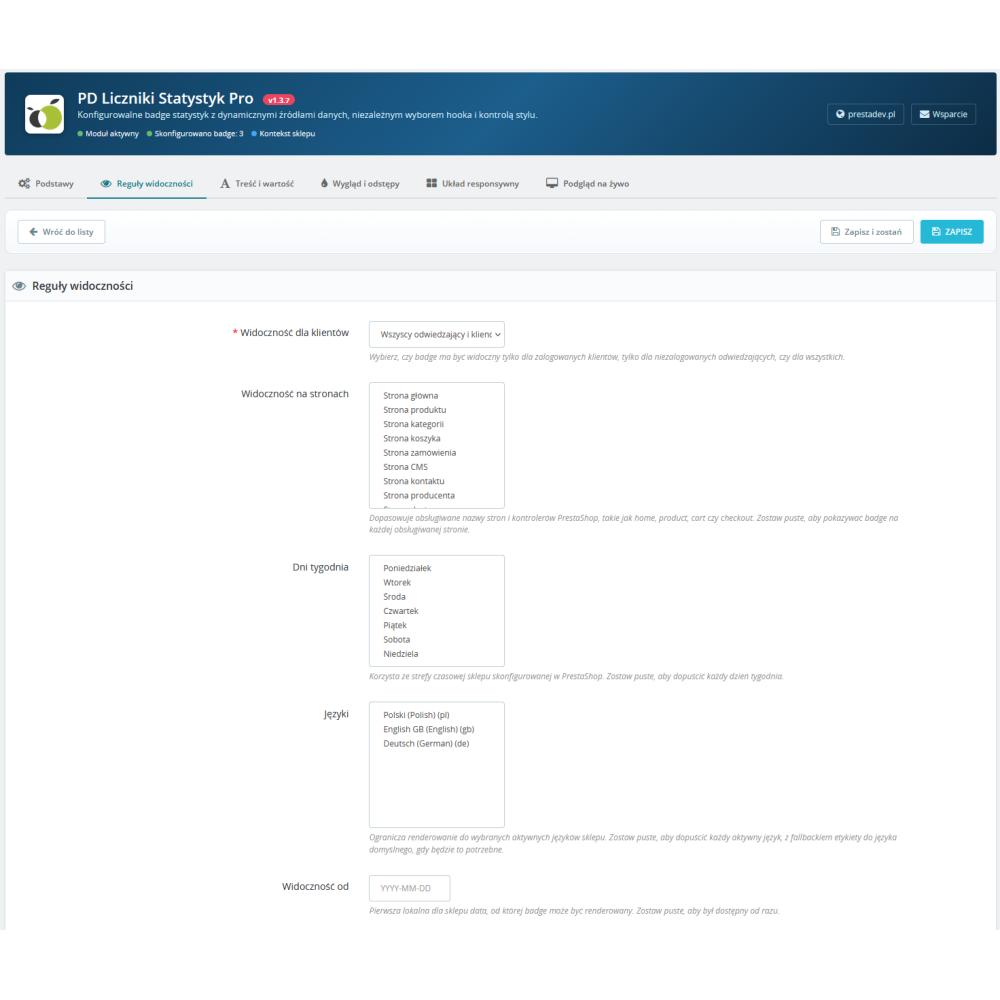
  • Visibility rules — date range from–to, days of the week (Monday–Sunday), page filter (list of PrestaShop controllers), customer scope (all / logged-in / guests), language filter.
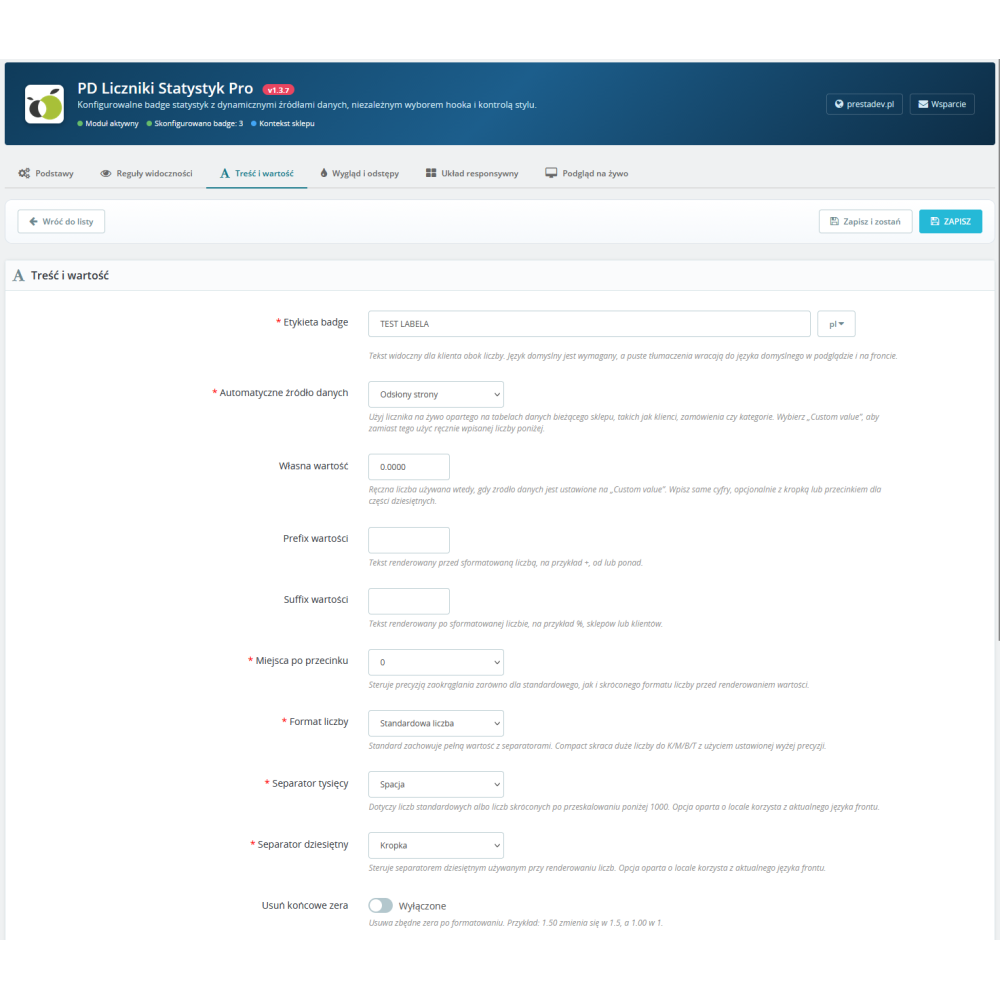
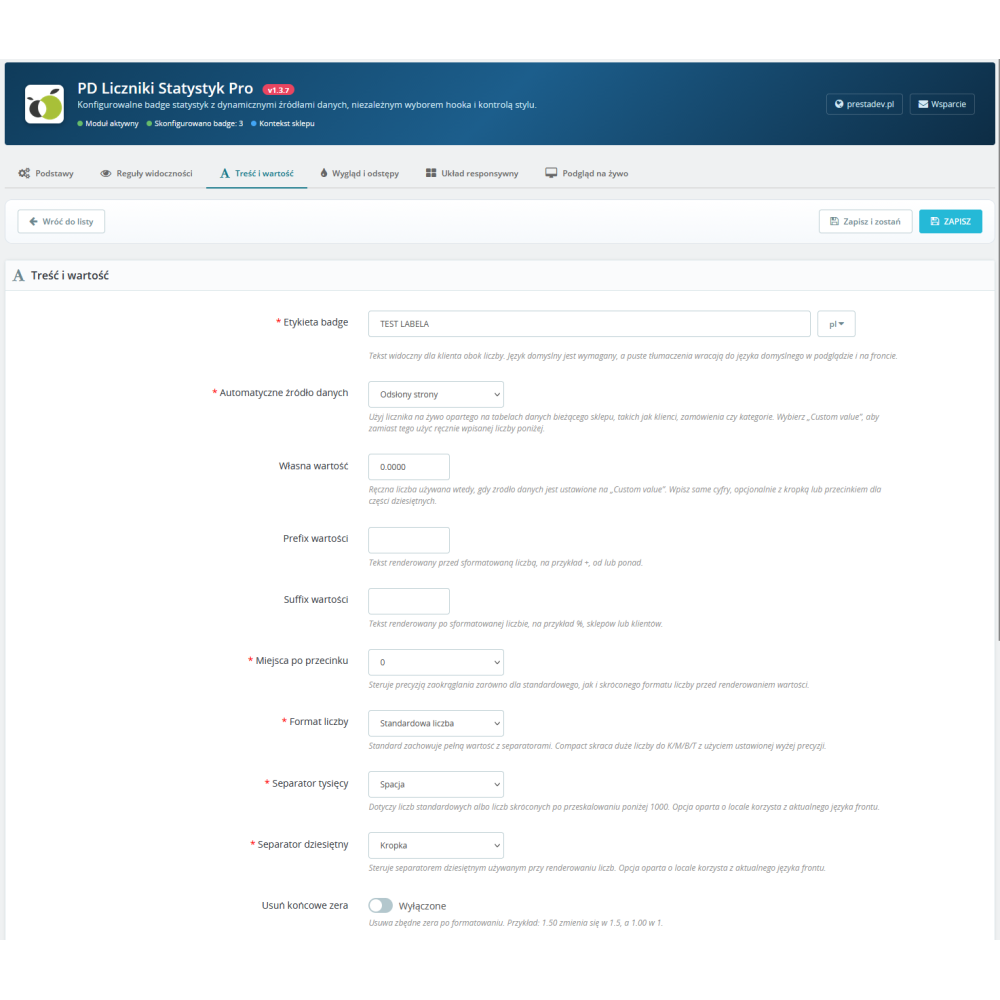
  • Content and value — multilingual label, data source selection (static or one of 14 automatic sources), numeric value, unit (e.g. “zł”, “+”), suffix, counter-up animation, number of decimal places (0–4), formatting mode (standard / compact), thousands and decimal separators, trimming trailing zeros, compact abbreviation style (K/M/B uppercase or lowercase), icon (CSS class or image/SVG URL), icon size (px), target link, open in a new tab.
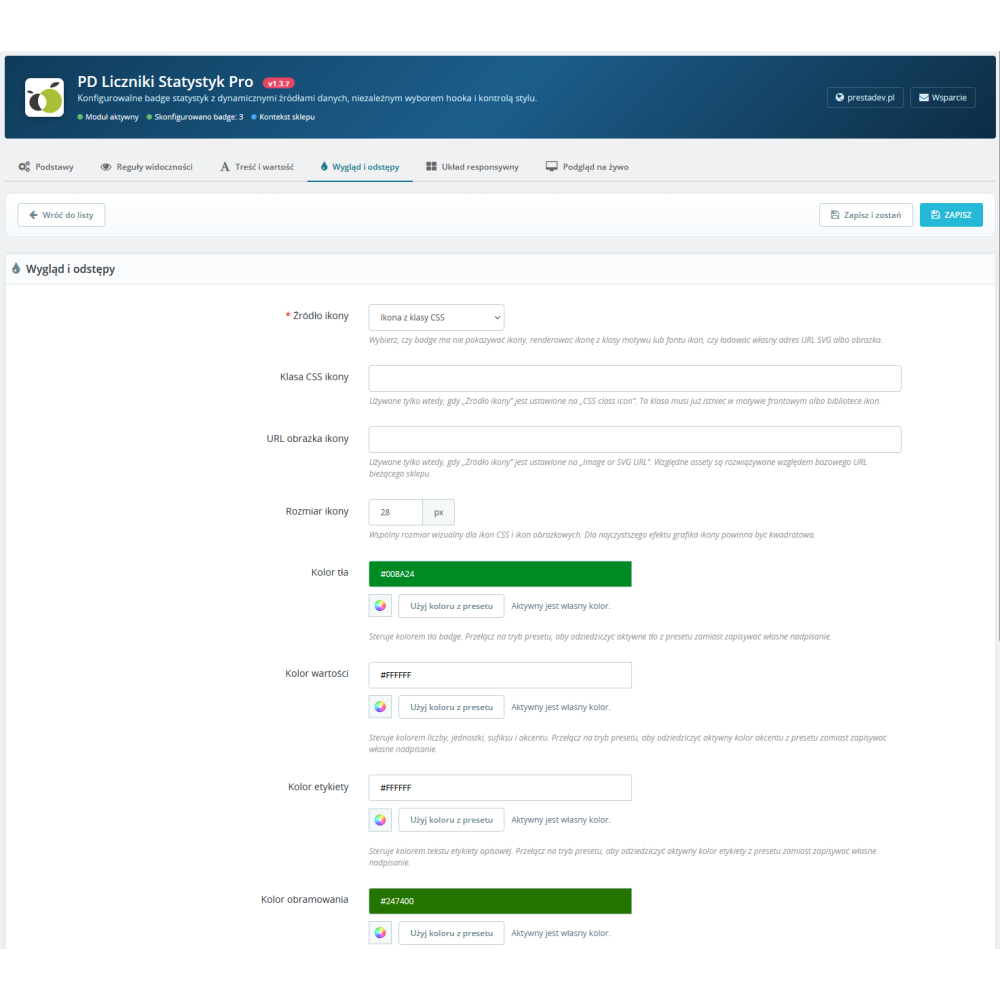
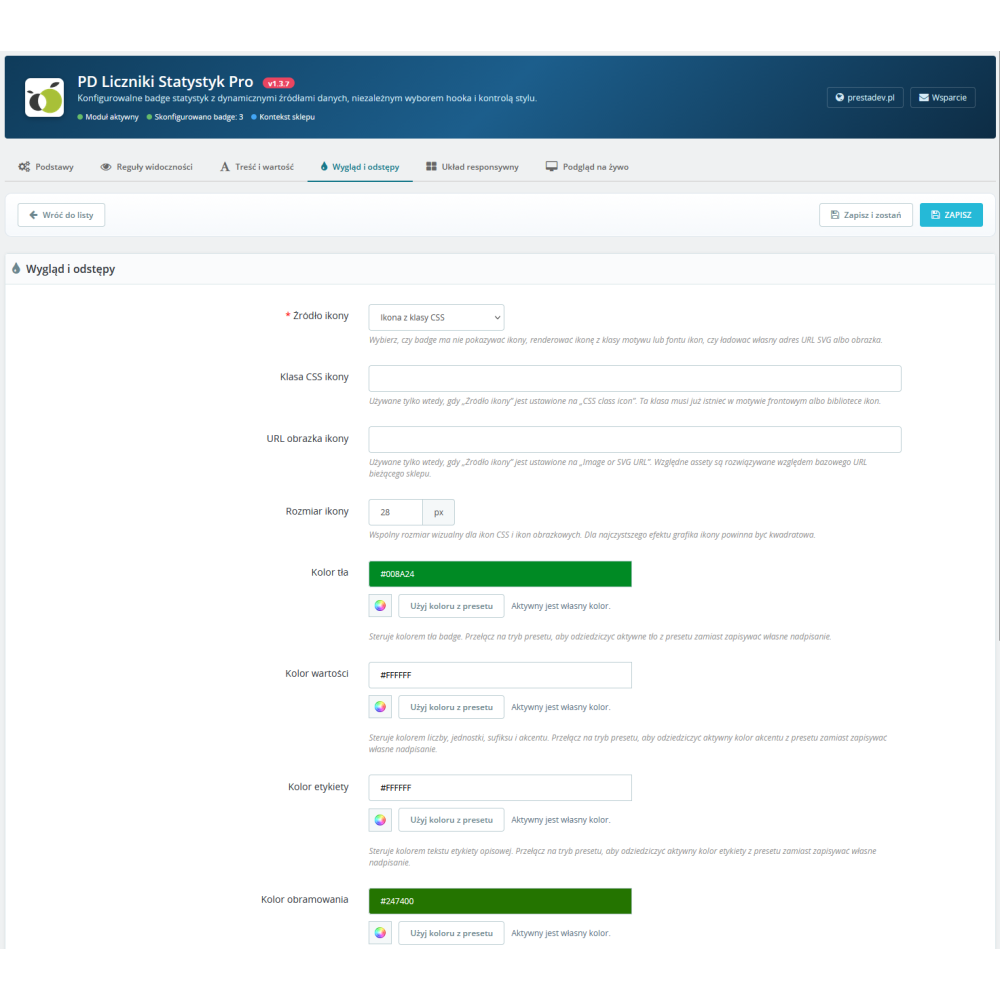
  • Design and spacing — HEX colours for background, value, label and border (each with an independent “inherit from preset” / “use custom” switch), corner rounding 0–200 px, vertical and horizontal padding 0–200 px, preset selection, shadow variant (None / Soft / Medium / Strong).
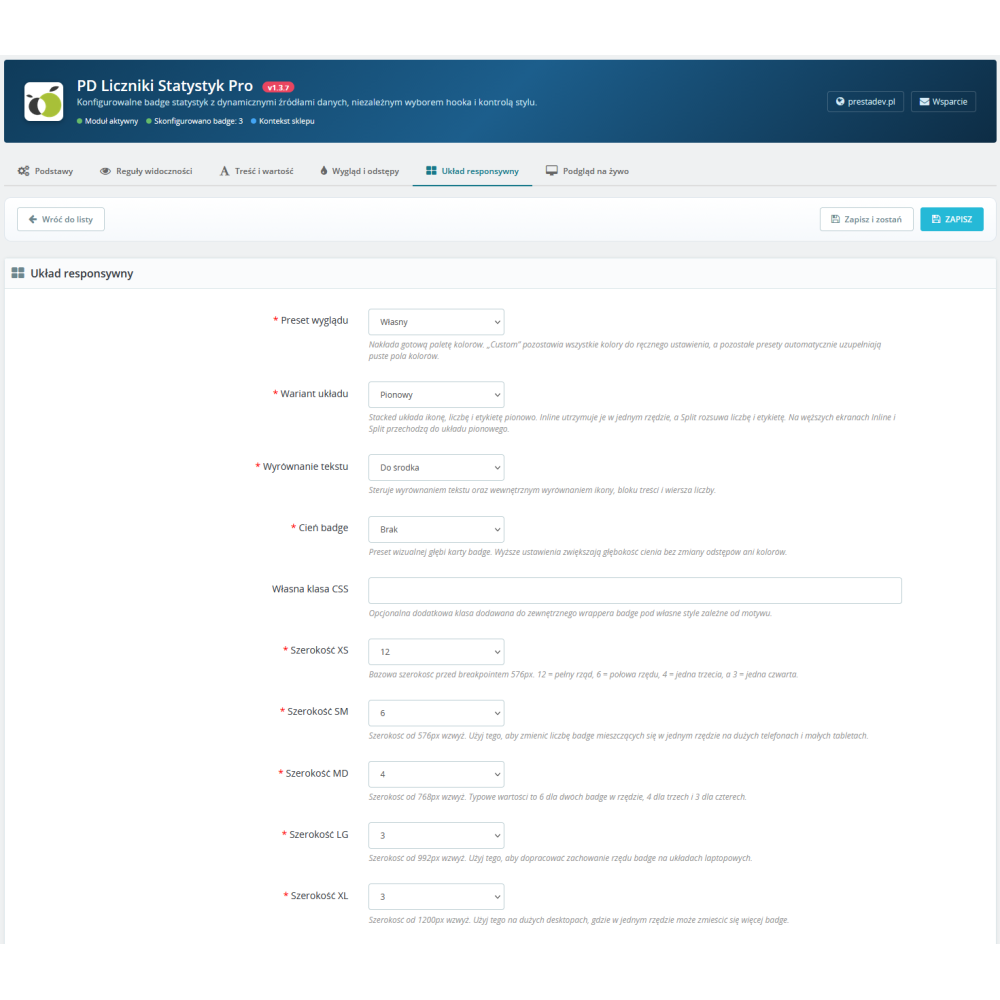
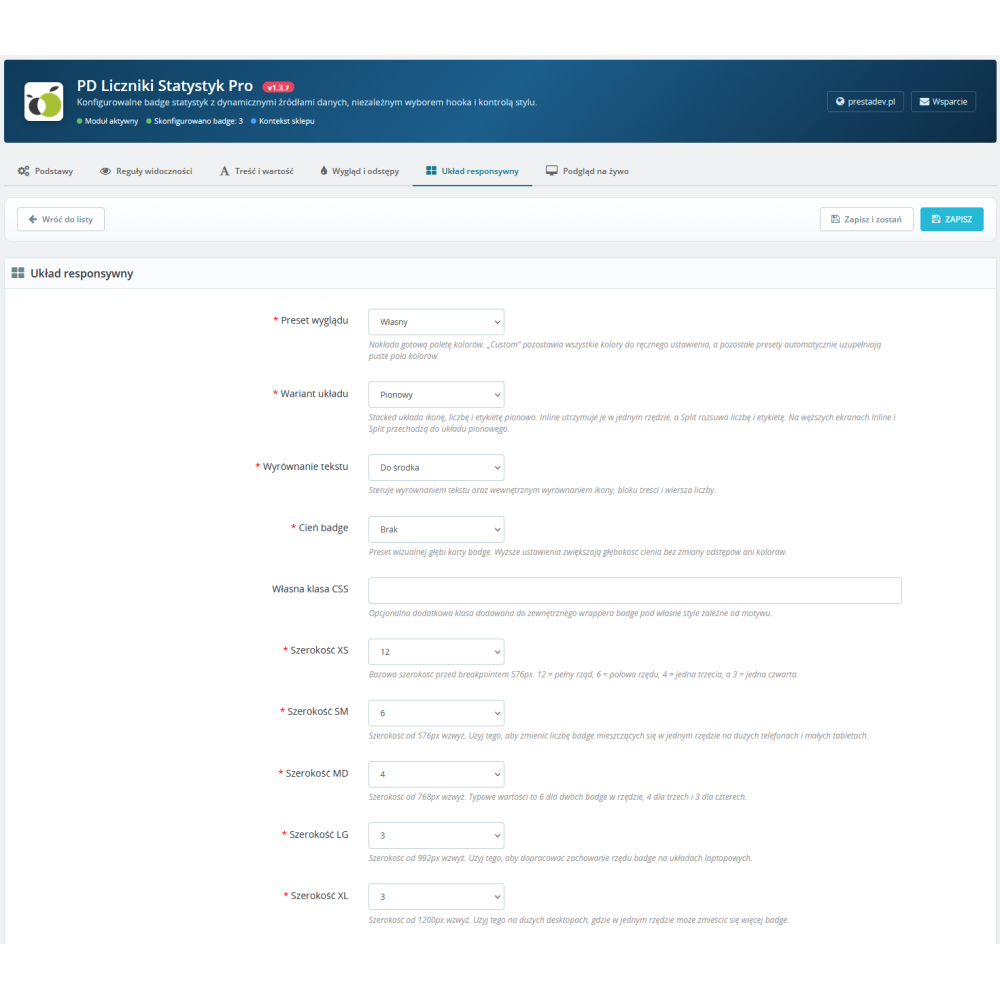
  • Responsive layout — three composition variants (Stacked vertically, Inline in a row, Split separated), text alignment (left / centre / right), Bootstrap width on five breakpoints (xs, sm, md, lg, xl) from 1 to 12 columns, custom CSS class for special use cases.
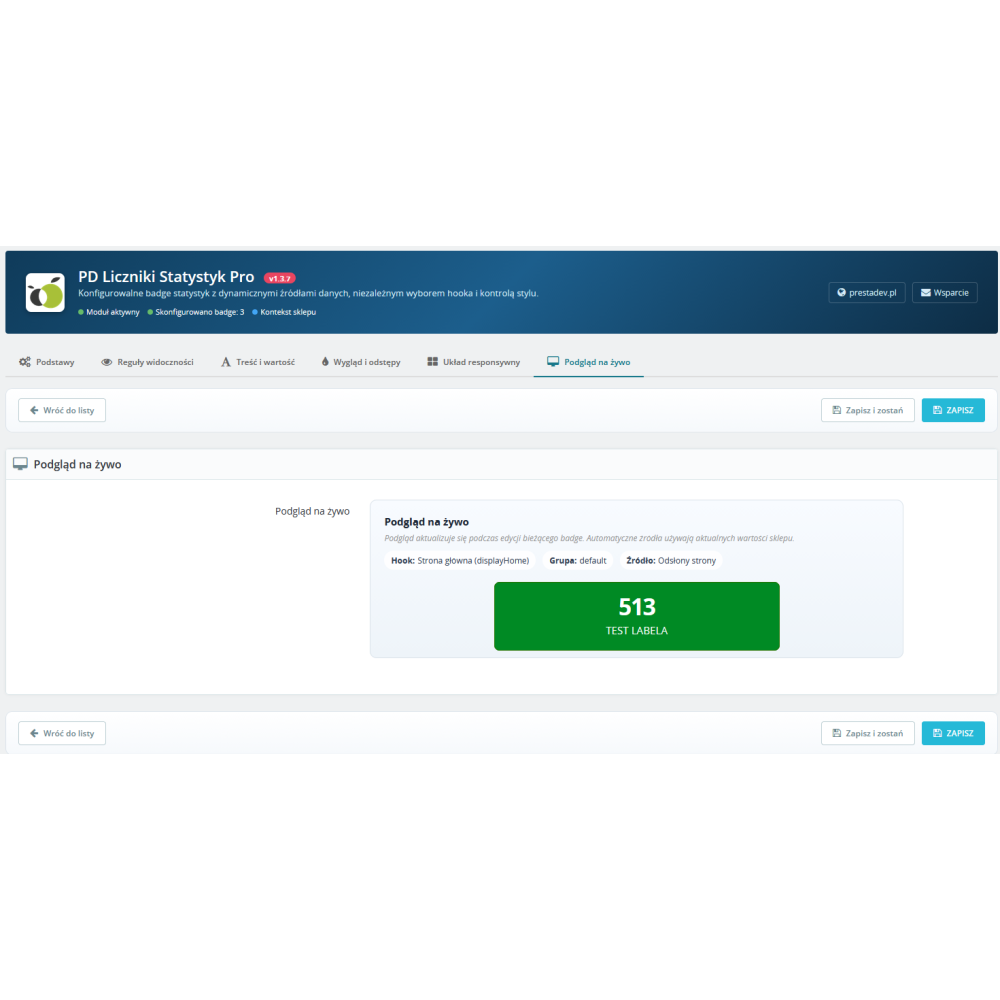
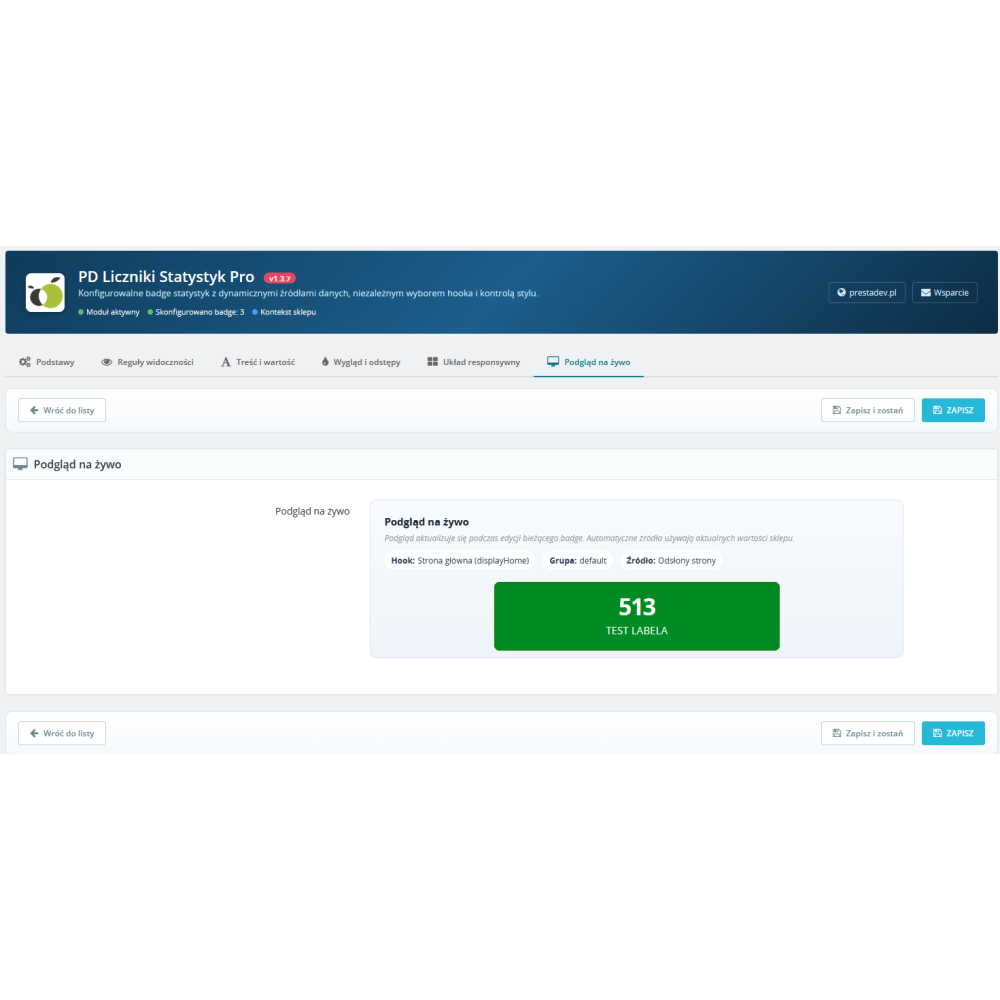
  • Live preview — built-in preview updating in real time while changing form fields, with no need to save and refresh the store front office.

Five design presets with colour inheritance

  • Custom — complete freedom, all colours set manually.
  • Subtle — delicate pastel background with soft outlines, ideal for product pages and category listings.
  • Outline — white background with a distinct border and colour accent, for minimalist B2B themes.
  • Accent — a bold accent colour block, intended for the homepage and hero sections.
  • Dark — dark theme with a contrasting number and light label, for stores with dark mode and premium themes.
  • Independent per-colour override — for each of the four colour fields (background, value, label, border), you decide separately whether it inherits the preset colour or uses its own HEX value (one-click switch directly next to the field).

Number formatting in Polish and international standards

  • Thousands separator — space (Polish standard), comma, dot, no separator, or “Based on locale” mode (automatically adjusts to the current store language).
  • Decimal separator — comma (Polish standard), dot, or locale-based mode.
  • Compact formatting — instead of “15000” it displays “15 K”, instead of “2500000” — “2.5 M”. Uppercase suffix style (K, M, B) or lowercase (k, m, b) can be selected.
  • Trimming trailing zeros — option to remove unnecessary “.00” from whole numbers (e.g. “1.50” → “1.5”, “1.00” → “1”).
  • Number of decimal places — from 0 to 4, with separate control for each badge.

Icons — CSS class or image / SVG

  • CSS class mode — any Font Awesome class, Material Icons class, or custom class from the theme (e.g. fa fa-users, icon-cart).
  • Image mode — URL to a PNG/JPG/SVG file, scaled to the defined size in pixels.
  • URL validation — the module blocks unsafe schemes (javascript:, data:) in image URL fields and target links.

Import and export of JSON configuration

  • One-click export — download the full badge configuration of the current store to a JSON file, including label translations, group titles, visibility rules, design presets, and formatting settings.
  • Import with validation — paste the exported JSON into the import form; the module recreates all badges in the current store with an optional “Replace existing” enforcement (removes old badges from that store before import).
  • Transactional import save — the entire import runs within a single database transaction; an error at any point triggers a full rollback and displays a clear message without damaging existing data.
  • Protection against oversized payloads — a hard limit of 2 MB for file size and 500 items per single import protects the store from PHP memory exhaustion in the event of suspicious or corrupted files.

PrestaShop multistore — full support

  • Badges assigned to a specific store — each badge has its own id_shop and is visible only on that store’s front office, allowing different campaigns for different brands within one PrestaShop installation.
  • Per-store master switch — the module’s main switch works in the context of the current store; disabling it in one store does not affect the others.
  • Import and export isolation — export includes only badges from the current store, import saves only to the current store — with no risk of accidental configuration leakage between stores.
  • Forced context selection — the administration panel blocks configuration in the “All stores” context and requires selecting a specific store before editing.

Product Details

Prestashop 9.x support
Yes
Support for Prestashop 8.x
Yes
Prestashop 1.7.x support
Yes
Prestashop 1.6.x support
Yes
Module translations
EN, ENG
Free updates (1 year)
Yes
Easy Installation
Yes
Requires engine modification
No
PDBSB-FULL

Changelog

Release history for this product. Expand an entry to see what changed.

  • moduł został kompletnie przepisany pod nowe standardy PrestaShop 9.x

FAQ

Find answers to the most common questions about this product.
The module allows you to display animated counters and statistic badges anywhere in your PrestaShop store — e.g. the number of customers, orders, products, reviews, years in business, or any custom figures. It builds social proof and increases buyer trust by turning your store’s hard data into a sales argument visible on the homepage, product page, in the cart, in the footer, or in any other front-office hook.

Both options are available. The value can be static (you enter any number when creating the badge) or fetched automatically from one of fourteen data sources: number of customers, number of orders, number of newsletter subscribers, number of product reviews (from the productcomments module), number of customer messages, number of visits (connections) from PrestaShop statistics, number of active products, number of active categories, number of manufacturers, number of suppliers, number of active CMS pages, number of active carriers, number of products on sale, and number of active physical stores. Auto-data values are queried live from the store database and update automatically on subsequent page views, without any administrator intervention.

You have 22 PrestaShop front-office hooks at your disposal: displayTop, displayNav1, displayNav2, displayHome, displayTopColumn, displayWrapperTop, displayContentWrapperTop, displayLeftColumn, displayLeftColumnProduct, displayRightColumn, displayRightColumnProduct, displayContentWrapperBottom, displayWrapperBottom, displayProductAdditionalInfo, displayReassurance, displayShoppingCart, displayShoppingCartFooter, displayFooterBefore, displayFooterAfter, displayFooter, and the dedicated displayCustomStatBadges hook for manual placement in any theme .tpl file. You select the hook in the Basics tab of the badge editor — each badge can be placed in a different location, and multiple badges in the same hook with the same group key are rendered side by side as one cohesive section.

In the badge editor, go to the Content and value tab and enable the Animation option. After saving, the counter will animate from zero to the target value when it enters the area visible to the user (while scrolling the page). The effect works for both static and automatic values and does not require the installation of any additional library — the animation script is built into the module and loads only when there is at least one active counter on the page.

In the Content and value tab, set the Thousands separator to Space and the Decimal separator to Comma. Additionally, you can choose the number of decimal places (0–4), enable trimming of trailing zeros (1.00 becomes 1), and compact mode, which will display 15 K instead of 15000, and 2.5 M instead of 2500000. There is also a Based on locale option, which automatically adjusts the separators to the current store language — an ideal solution for multistore setups with different languages.

In the Visibility Rules tab of the badge editor, set the from–to date range (e.g. 01.12.2026 – 31.12.2026 for a holiday campaign), select the days of the week on which the badge should be visible (Monday–Sunday), optionally choose specific pages (PrestaShop controllers — e.g. only the homepage and product pages), the customer scope (everyone, logged-in users only, guests only), and the language filter. Outside the set date range or on inactive days, the badge will not be rendered on the front end, even though it will remain saved in the database — ideal for time-limited campaigns and seasonal promotions without the risk of forgetting to disable the counter after the campaign ends.

In the Design and spacing tab, choose one of five presets: Custom (full flexibility), Subtle (pastel background), Outline (white background with border), Accent (bold splash of colour), or Dark (dark theme). For each of the four colour fields (background, value colour, label colour, border colour), you can decide separately whether it should inherit the value from the preset or use its own HEX colour — a one-click toggle is available next to each field. Additionally, you control the corner rounding (0–200 px), vertical and horizontal padding, and the shadow variant (None / Soft / Medium / Strong).

Create several badges with the same hook (e.g. displayHome) and the same group key (e.g. trust-signals). The module will automatically render them side by side as a single section. You can also provide an optional, multilingual group title, which will appear as a heading above the entire set of counters — entering the title for one badge automatically synchronises it across all badges in the same group. You set the width of each badge in the section in the Responsive layout tab across the five Bootstrap breakpoints (xs, sm, md, lg, xl), from 1 to 12 columns.

Yes — the module fully supports PrestaShop multistore. Each badge has its own id_shop and is visible exclusively on the front office of that store, allowing you to run different campaigns for different brands within a single PrestaShop installation. The module’s main switch (master-switch) operates in the context of the current store — disabling it in one store does not affect the others. JSON export and import are also isolated per store, so there is no risk of accidentally transferring configuration between stores. The administration panel requires selecting a specific store before editing a badge and displays a warning in the All stores context.

Go to the Import and Export tab in the module panel. Click Export — the module will download a JSON file containing the complete configuration of all badges for the current store, including label translations, group titles, visibility rules, design presets, and formatting settings. On the second store, install the module, go to the same tab, paste the contents of the JSON file into the Import field, and click Import. The optional Replace existing checkbox removes the store’s previous badges before import — useful for full synchronization. The entire import takes place within a transaction — if anything goes wrong, no changes will be saved.

The module accepts JSON files up to 2 MB and a maximum of 500 badges per single import. These hard limits protect the store from PHP memory exhaustion in the event of a suspicious or corrupted file. If you need to import a larger number of badges, split the file into smaller batches and import them one by one. If the limit is exceeded, the module will display a clear message in the administrator's language, without damaging the existing configuration.

No — the module is optimised for performance. Badges are fetched with a single SQL query using a LEFT JOIN on the translations table, with a fallback to the shop’s default language. The results are cached per (language, shop, hook) within a single HTTP request, so even a dozen or so badges on a page do not generate an N+1 problem. What is more, the module does not load any CSS or JS files at all on pages where there is no active badge visible in the current context — if you use counters only on the homepage, the rest of the shop has zero overhead from this module. Auto-data queries go through the PrestaShop read replica (_PS_USE_SQL_SLAVE_), offloading the database master.

The module works with PrestaShop from version 1.7.0 up to the latest 9.x, and with PHP from version 7.0 to 8.5. It supports both the classic PrestaShop 1.7 administration theme and the new Symfony-based back office in PrestaShop 8 and 9. It does not require any external PHP libraries or Composer — all code is written manually using only the native PrestaShop API. Supported databases include MySQL 5.6+ and MariaDB 10.x+ with the InnoDB engine and utf8mb4 encoding. The translation system is dual — the module automatically selects the classic dictionary (PS 1.6–1.7.5) or the new XLIFF system (PS 1.7.6+) depending on the store version.

Yes — in the Content and Value tab, you have two icon modes. The CSS Class mode lets you enter any class from Font Awesome, Material Icons, or a custom class from the theme (e.g. fa fa-users, icon-shopping-cart) — as long as the icon library is loaded by the store theme. The Image or SVG mode lets you provide a URL to a PNG, JPG, or SVG file, which will be displayed as a badge icon and scaled to the specified size in pixels. The module validates the URL for safe schemes and rejects potentially unsafe values such as javascript: or data:.

The most common causes: (1) for the Product review count source, the module requires the productcomments module to be installed and active — without it, the counter returns 0. (2) For sources based on multistore data (products, categories, manufacturers, suppliers), the badge counts ONLY items assigned to the current store — if your products are not yet linked to the store, the number will be lower than expected. (3) Counters such as Products on sale require the on_sale=1 flag to be set on products. (4) The Connections (visits) source comes from PrestaShop’s built-in statistics module and may be empty if statistics are disabled. In the badge editor, in the Live preview tab, you can see the number value in real time, which helps diagnose the issue even before publication.

Reviews (0)

No reviews