


Download company data by VAT / VAT EU number
Company Data by VAT Number in PrestaShop – GUS and EU VAT | PrestaDev

Retrieve company data by NIP number (VAT / VAT EU) Pro module for Prestashop

Module version: 1.4.3

PrestaShop compatibility: 1.7.x 8.x 9.x

Module file updated: 04/9/2026 04:38:51

Product data updated: 04/8/2026 23:28:13


1 Reviews

PD VAT Pro Address Data Auto-Completion is an advanced PrestaShop module that automatically retrieves and fills in company details based on the NIP or EU VAT number. The module displays a search form above every address form in the store — on the checkout page, registration page, address edit page, and in the administration panel — without the need to edit theme templates. The customer enters the NIP or VAT number, clicks the button, and the address fields (company name, street, postal code, city) are filled in automatically in a fraction of a second. For Polish NIP numbers, the module uses the official GUS (REGON) API, and for European VAT numbers, it uses a configurable provider chain: VIES REST, VATcomply, VATLayer, or viesapi.eu. The fallback system guarantees that if one provider does not respond, the module automatically switches to the next one — your customers will always receive the data. The module is fully compatible with PrestaShop from version 1.7 to 9.x and PHP from 7.0 to 8.5, and does not require any external libraries or Composer.

License type / update
zł 110.00
zł 89.43no tax
Price history:

Description

Main features and benefits

  • Automatic form injection — the module automatically adds a VAT/NIP search form above address forms on the storefront and in the admin panel. No theme file editing required.
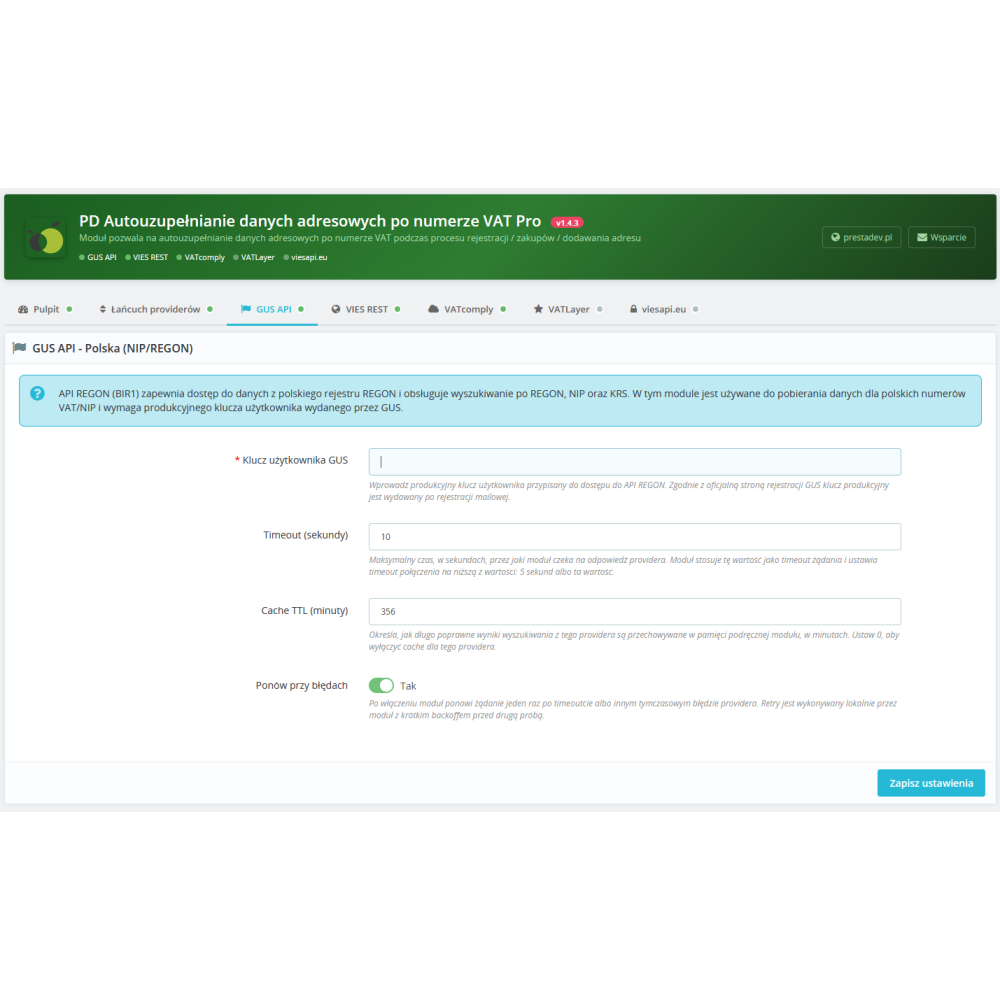
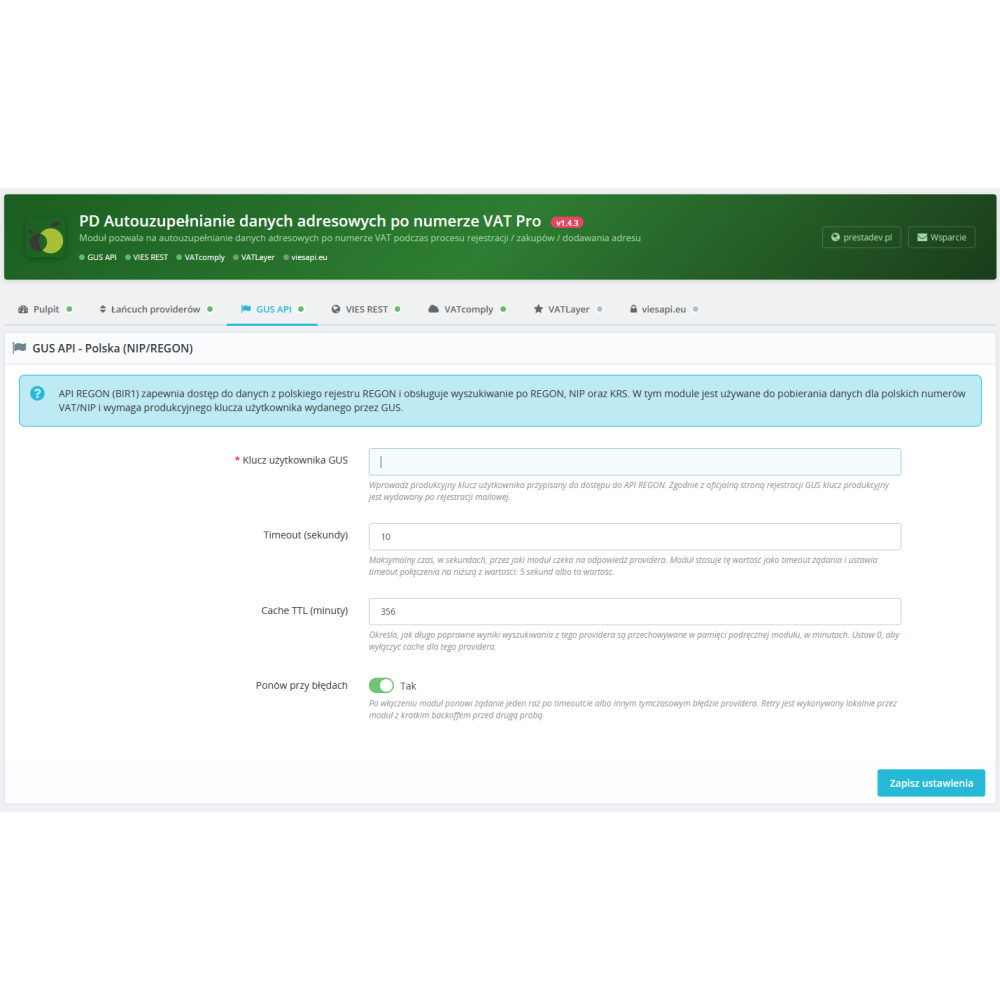
  • Support for Polish NIP numbers — integration with the official GUS (REGON) API allows you to retrieve full company data from the Polish registry: company name, address, postal code, city.
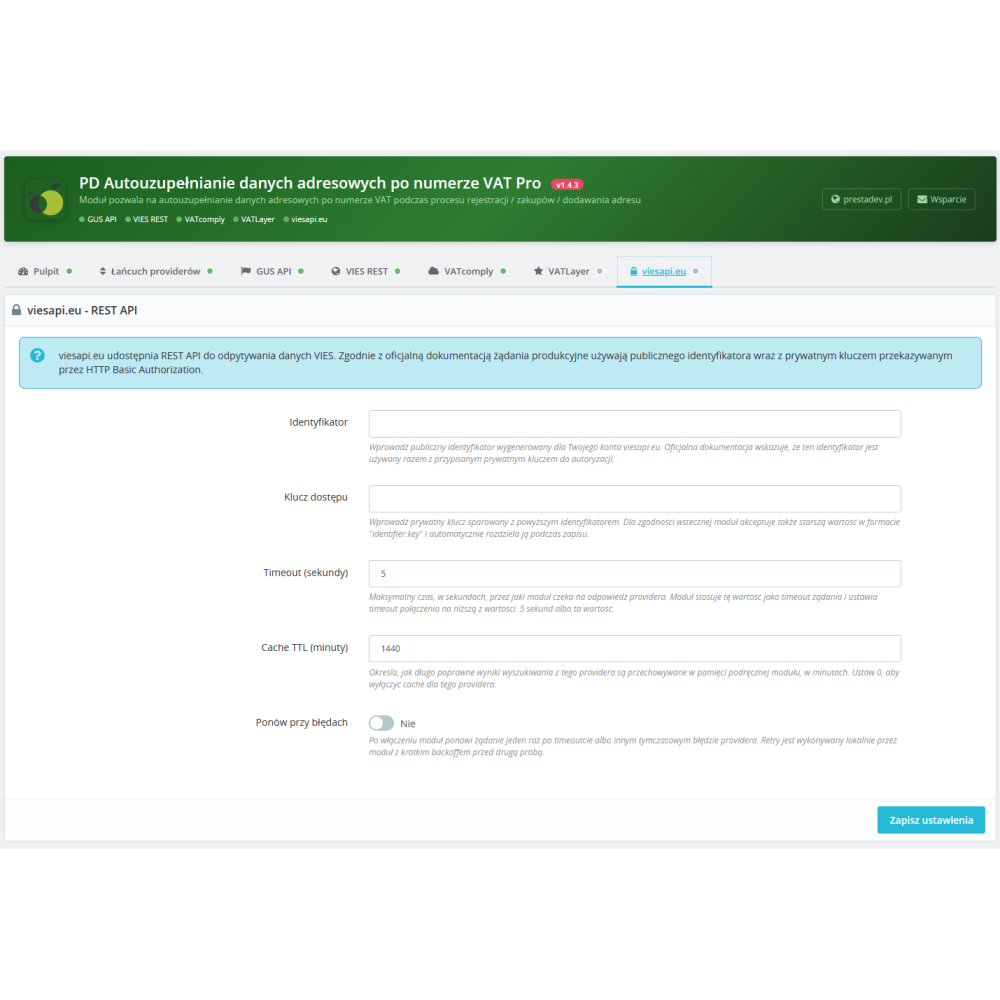
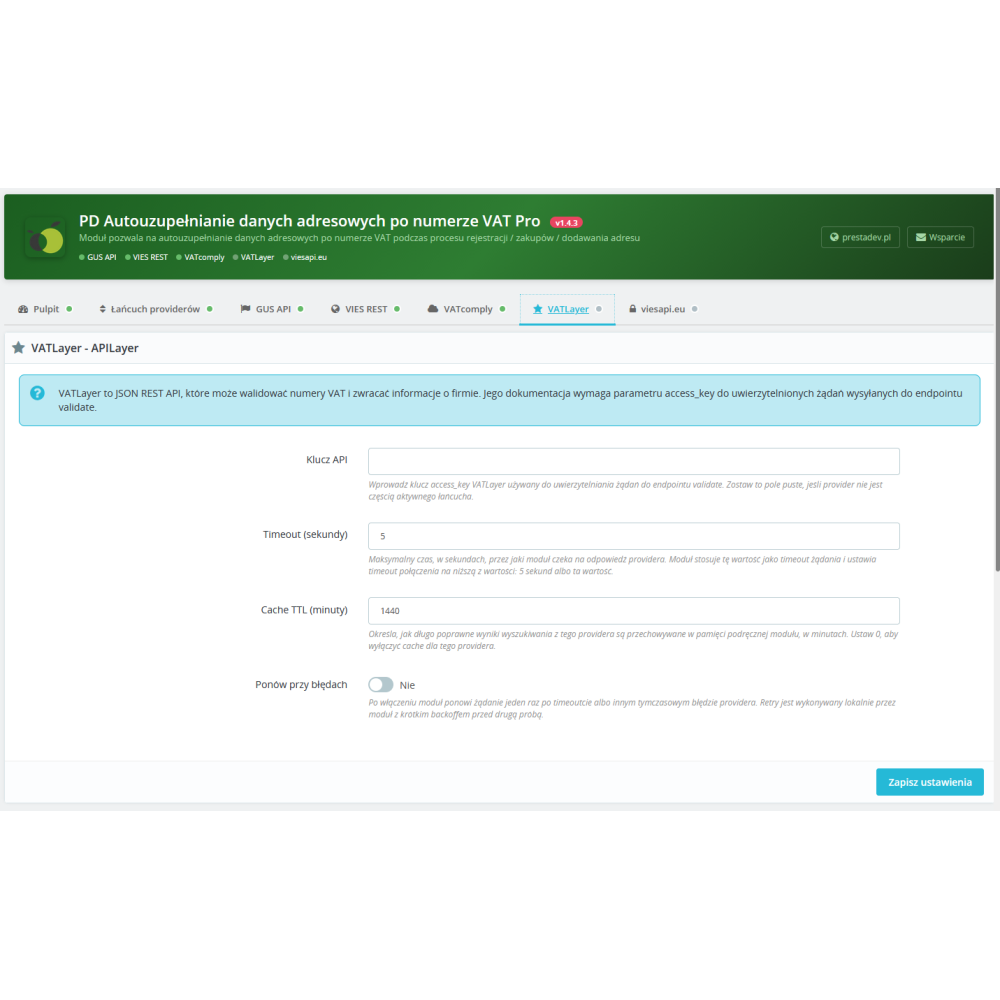
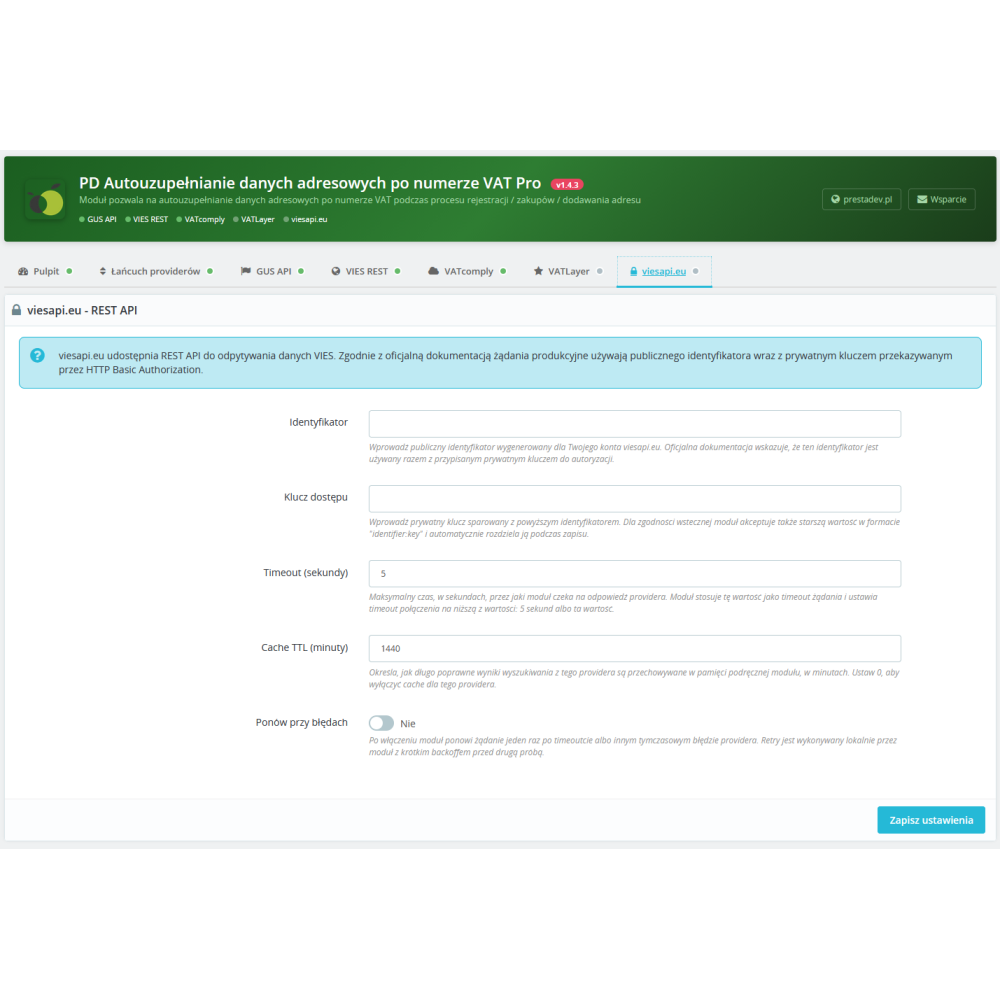
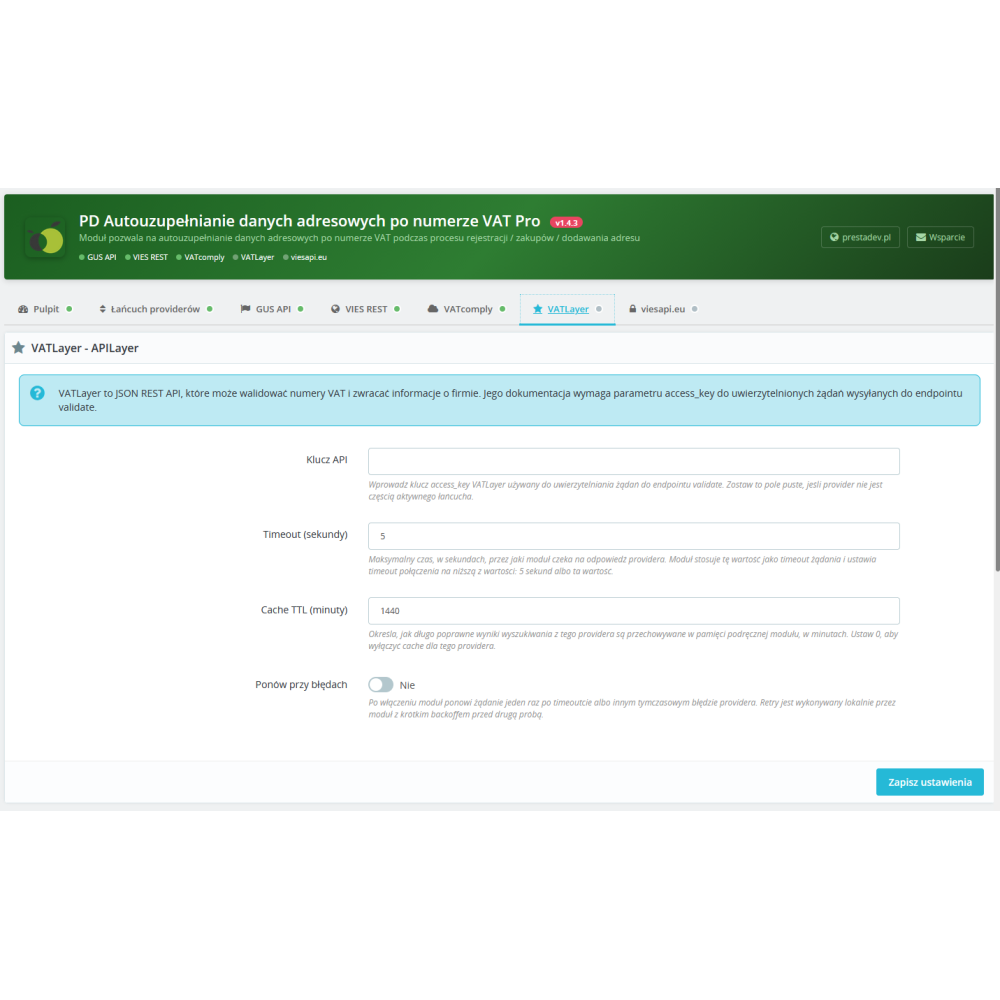
  • 5 EU VAT providers to choose from — VIES REST API (European Commission), VATcomply, VATLayer, and viesapi.eu. Two of them are completely free and do not require registration.
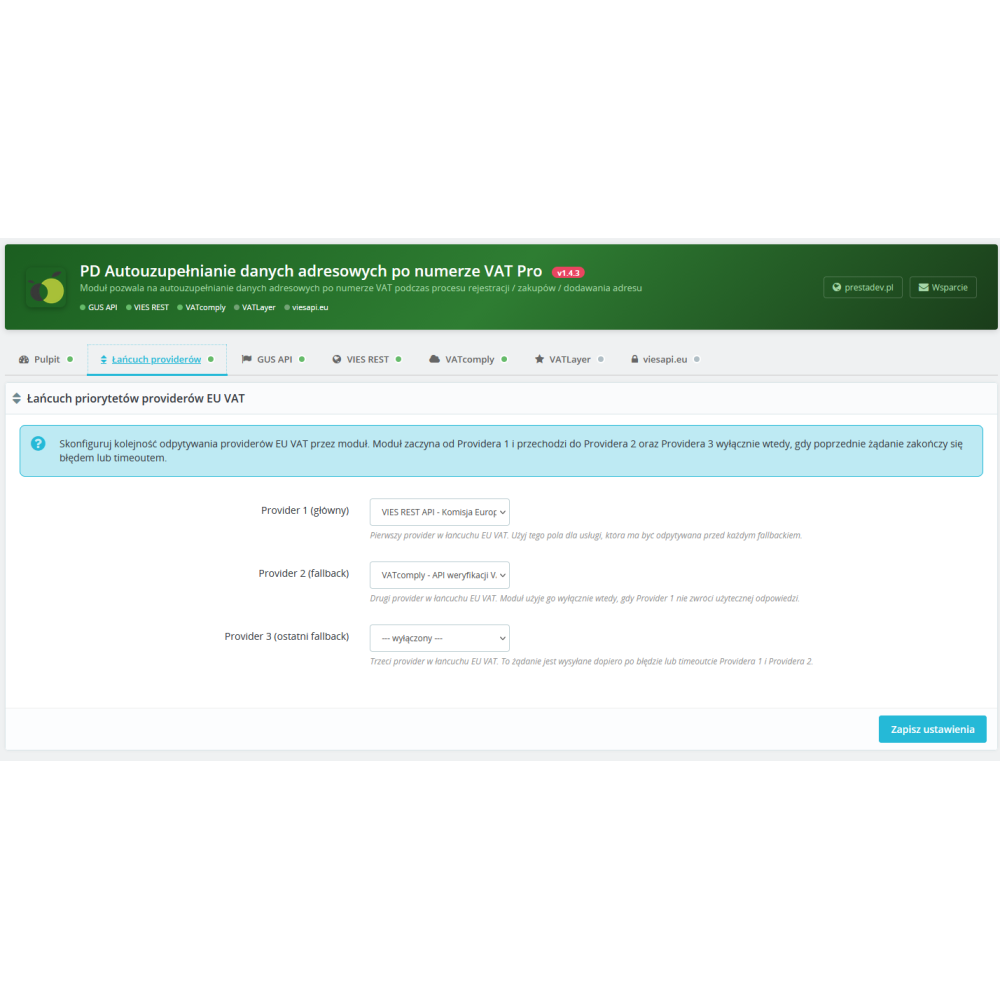
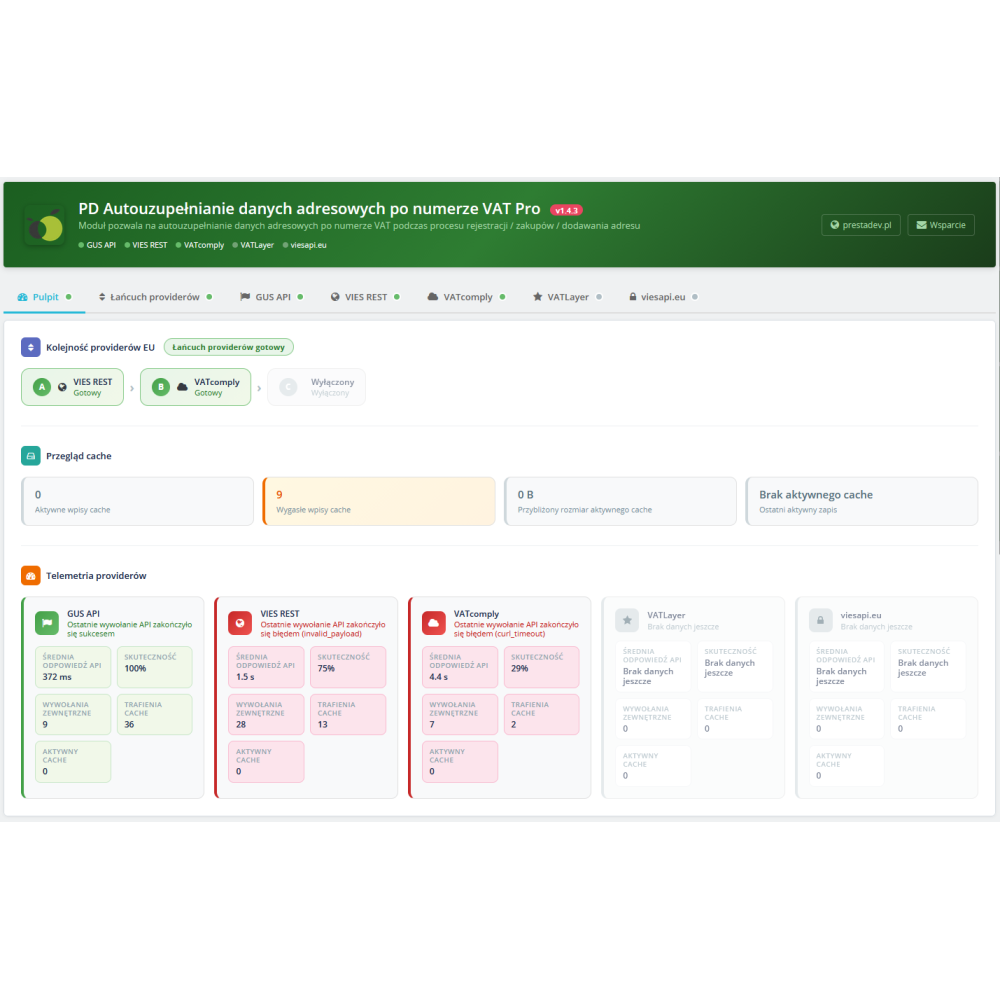
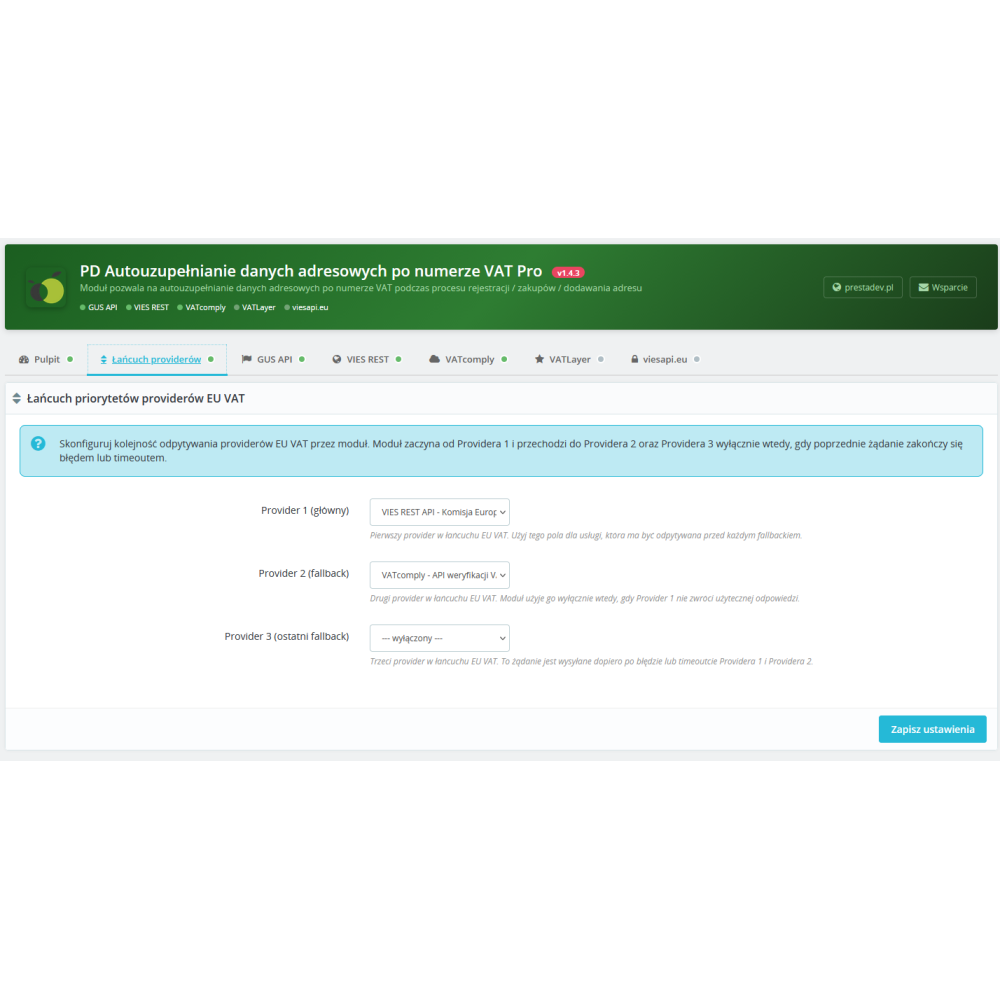
  • Provider chain with automatic fallback — configure the order of up to 3 providers. If Provider 1 does not respond or returns an error, the module will automatically query Provider 2, and then Provider 3.
  • Intelligent response cache — search results are stored in cache with a configurable lifetime (TTL) per provider. This reduces the number of API requests and speeds up repeated searches.
  • Configurable timeout and retry — for each provider separately, you can set the maximum wait time (1–60 seconds) and enable automatic request retry in case of server errors.
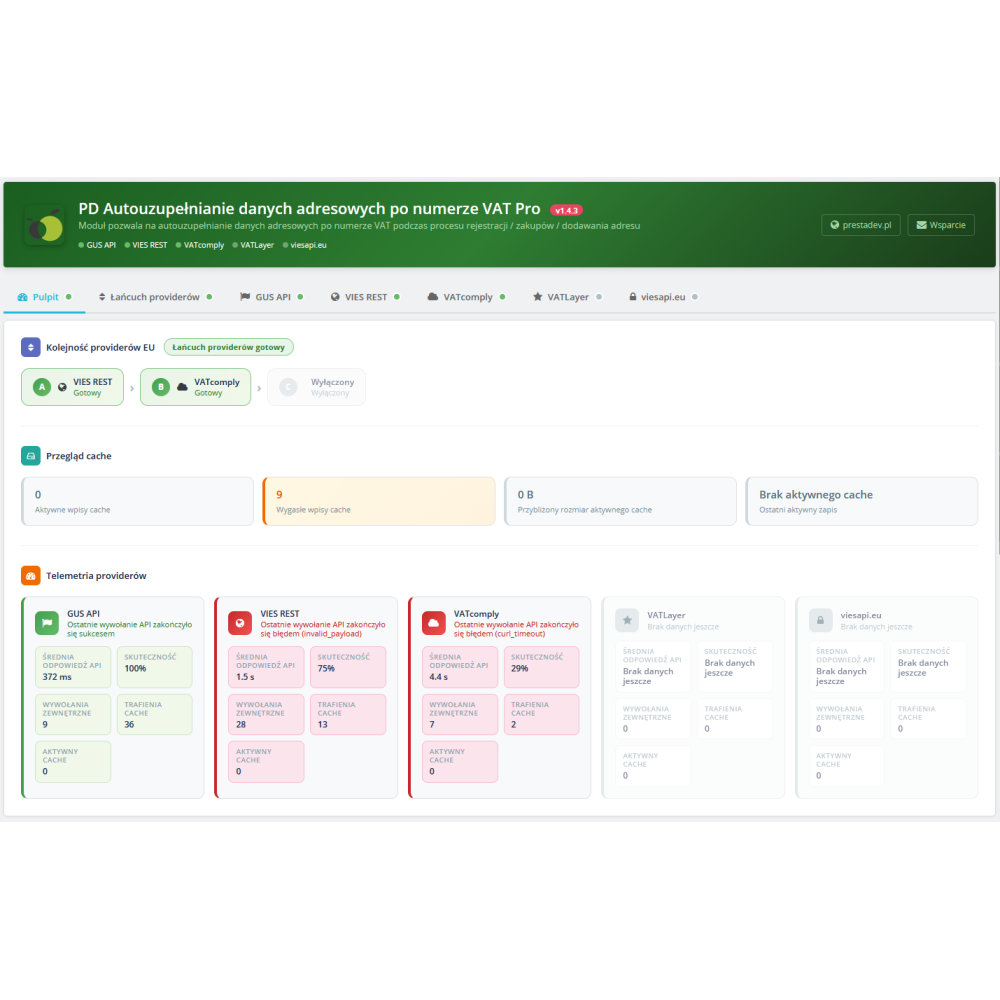
  • Dashboard with provider telemetry — the built-in dashboard shows in real time: average API response time, success rate, number of external requests, cache hits, and the status of each provider.
  • Cache overview — the admin panel displays the number of active and expired entries, cache size, and the date of the last write — full control over cache memory.
  • Works on checkout, registration, and in admin — the form appears automatically on the following pages: orders (checkout), address editing, account registration, as well as when adding/editing addresses in the admin panel (AdminAddresses, AdminCarts).
  • Support for dynamically loaded forms — thanks to the built-in MutationObserver, the module detects address forms that appear dynamically (e.g. AJAX checkout, modal windows) and automatically adds the search form to them.
  • Mutual exclusion of providers — in the provider chain configuration, the same provider cannot be selected in two slots. A selected provider is automatically blocked in the remaining select fields.
  • Full compatibility — PrestaShop 1.7.0 – 9.x, PHP 7.0 – 8.5, MySQL 5.6+ / MariaDB 10.x+. No Composer dependency, no external libraries. Works with any theme.
  • Multilingual support — the module is fully translated into Polish and English. It supports the PrestaShop translation system (legacy l() and modern trans()).
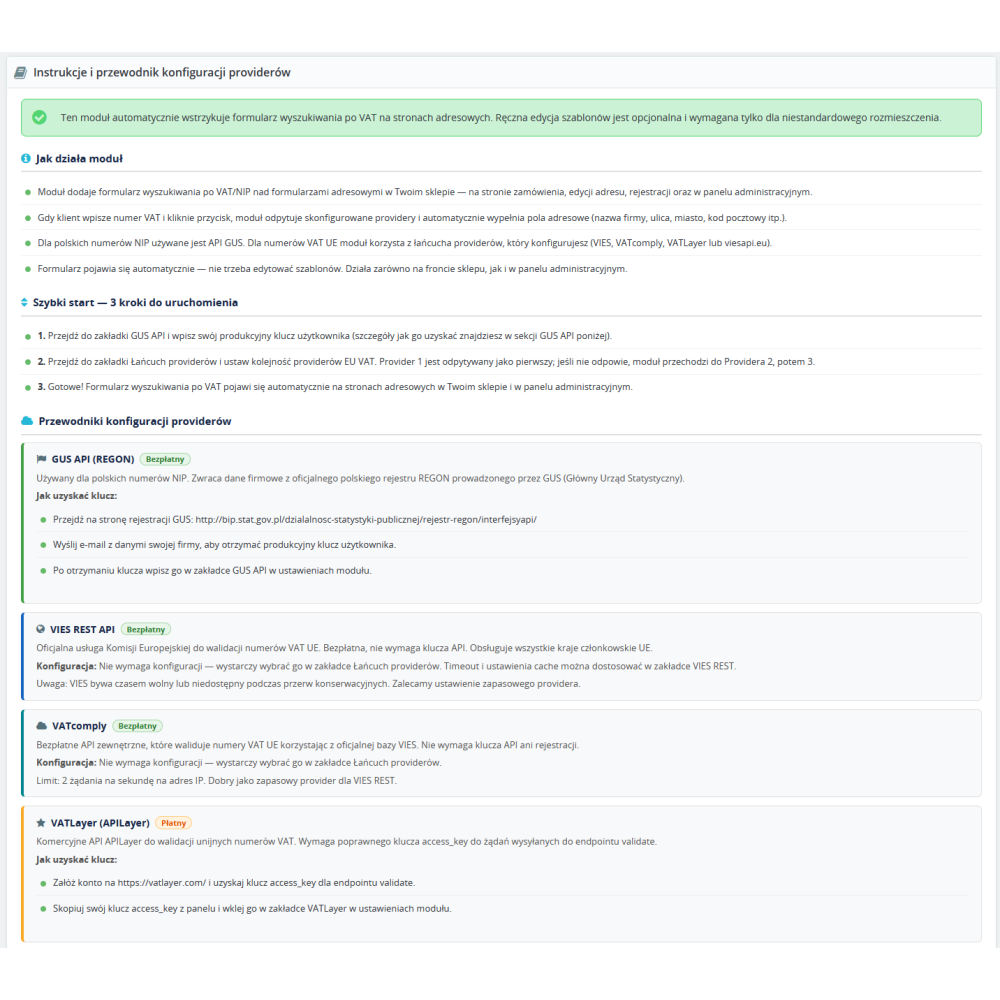
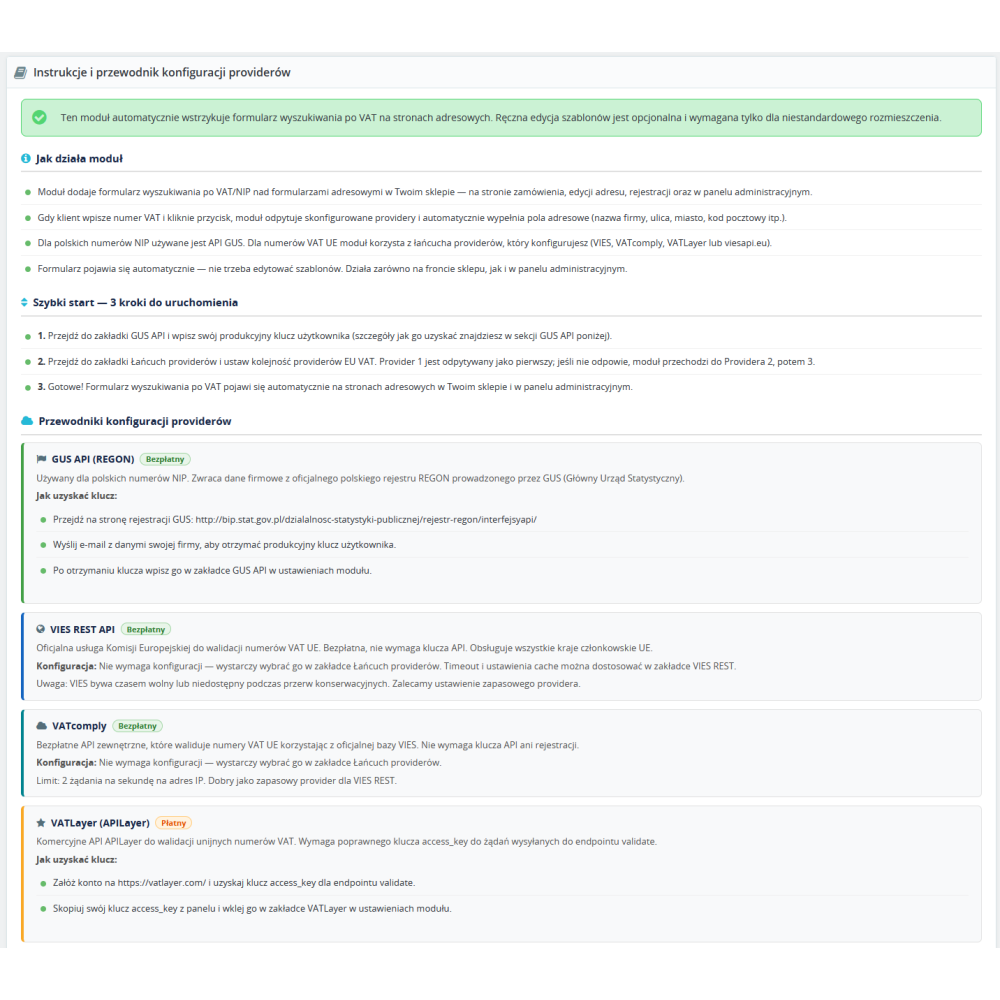
  • Detailed configuration instructions — a built-in guide with a description of each provider, instructions for obtaining API keys, and quick start steps available directly in the module panel.


Link to the module demo:

Admin panel demo:
https://moduly-prestashop.eu/pobierz-dane-firmy-po-nip/admin-dev

Front-end demo:
https://moduly-prestashop.eu/pobierz-dane-firmy-po-nip

Product Details

Prestashop 9.x support
Yes
Support for Prestashop 8.x
Yes
Prestashop 1.7.x support
Yes
Prestashop 1.6.x support
Yes
PrestaShop 1.5x support
Yes
Module translations
EN, ENG
Free updates (1 year)
Yes
Requires engine modification
Yes
Minimal PHP version
PHP7.3.x
PDGDBVNP-FULL

Changelog

Release history for this product. Expand an entry to see what changed.

  • moduł został kompletnie przepisany pod zgodność z nowymi standardami i systemem PrestaShop 9.x
  • dodano nowych providerów dla pobierania danych o firmie

FAQ

Find answers to the most common questions about this product.

The module automatically retrieves company details (company name, street, postal code, city) based on the VAT number or EU VAT number and fills them into the address form in the store. The customer enters the number, clicks the button, and the fields are filled in automatically -- without manually re-entering the data.

The form is displayed automatically above each address form: on the checkout page, when editing an address in the customer account, when registering a new account, and in the administration panel when adding or editing a customer address (AdminAddresses and AdminCarts). There is no need to edit any theme files.

The module supports 5 providers: GUS API (REGON) for Polish NIP numbers and 4 EU VAT providers -- VIES REST API (the official service of the European Commission), VATcomply, VATLayer and viesapi.eu. VIES REST and VATcomply are completely free and do not require registration. VATLayer and viesapi.eu are paid services requiring an API key.

The provider chain is the order in which the module queries EU VAT validation services. You configure up to 3 slots (Provider 1, 2, 3). The module always starts with Provider 1. If it does not respond, returns an error, or exceeds the timeout, it automatically moves on to Provider 2, and then to 3. Thanks to this, the customer will always receive the data, even if one service is temporarily unavailable.

Go to the website http://bip.stat.gov.pl/dzialalnosc-statystyki-publicznej/rejestr-regon/interfejsyapi/ and send an e-mail with your company details to receive a production user key. GUS issues keys free of charge. After receiving the key, enter it in the GUS API tab in the module settings.

Yes -- the GUS key is required exclusively for retrieving data of Polish companies by NIP number. If you only need validation of European VAT numbers, it is enough to select EU providers in the Provider Chain tab (e.g. VIES REST or VATcomply -- both free, no registration required). The module will work for all EU countries without a GUS key.

No — the module automatically injects the VAT/TIN search form using JavaScript. It detects address forms on the page and adds a search widget above them. This works both on the storefront and in the administration panel. Optionally, if you want to precisely control the form position, you can manually place the hook in the theme template — you will find instructions in the Instructions tab in the module settings.

The module stores search results in the cache to avoid querying the API every time the same VAT number is searched again. For each provider, you set the cache lifetime (TTL) separately in minutes. A value of 0 disables the cache for a given provider. The cache overview on the dashboard shows the number of active entries, expired entries, and the date of the last save.

Green means that the provider is configured correctly and ready to work. Orange is a warning -- e.g. the API key is missing, but the provider is not selected in the chain. Red means an error requiring attention -- e.g. the provider is selected in the chain, but the API key is missing or the access data is incomplete. Grey means that the provider is disabled.

Yes — the module uses MutationObserver to monitor changes in the page structure. When the address form appears dynamically (e.g. after clicking 'add new address' in the one-page checkout), the module will automatically detect it and add the VAT/NIP search form. This does not require any additional configuration.

Each provider can only be selected once in the chain -- there is no point in querying the same service twice after an error. The module automatically blocks in the select fields providers that have already been selected in other slots. The 'disabled' option is always available in all slots.

Telemetry is a built-in statistics panel on the module dashboard that shows for each provider: average API response time (in milliseconds), percentage of successful requests, total number of external requests, number of cache hits, and number of active cache entries. It helps assess which provider performs best and fastest.

The module has a minimal impact on performance. CSS and JavaScript files are loaded conditionally -- only on pages where the address form is needed (checkout, address, registration). API requests are made only after the customer clicks the button. The cache system additionally reduces the number of requests to external services.

The module works with PrestaShop from version 1.7.0 to the latest 9.x, and with PHP from version 7.0 to 8.5. It supports both the classic administration theme and the new Symfony theme in PrestaShop 8 and 9. It does not require Composer, does not use external PHP libraries -- the entire code is self-contained.

The module is compatible with the PrestaShop multishop environment. The configuration (API keys, provider settings, timeouts, cache) can be set separately for each shop. The VAT search form works independently in each shop within the multishop installation.

Reviews (1)

1 Reviews

Wszystko ok
Moduł działa z moim koszykiem customowym od reki...
By plytkisklep on 09/14/2024