
Shopping Cart

Module features and benefits
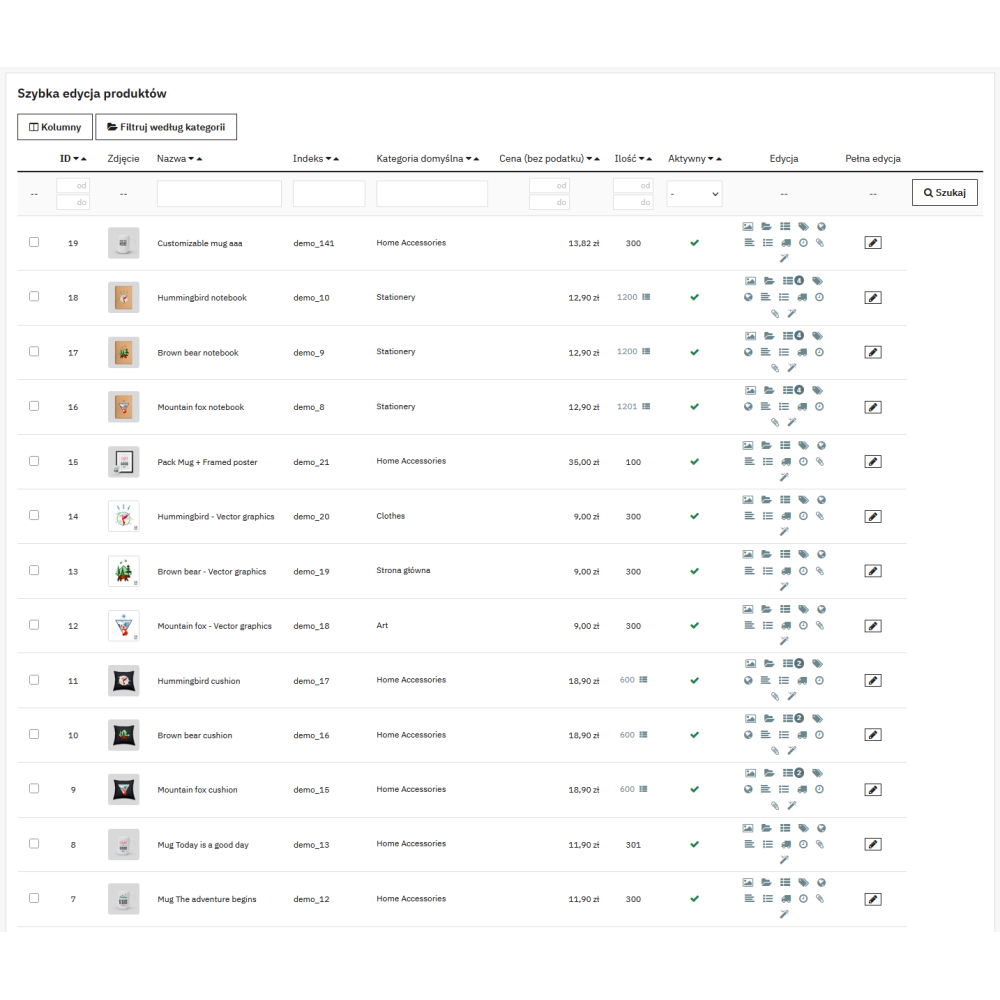
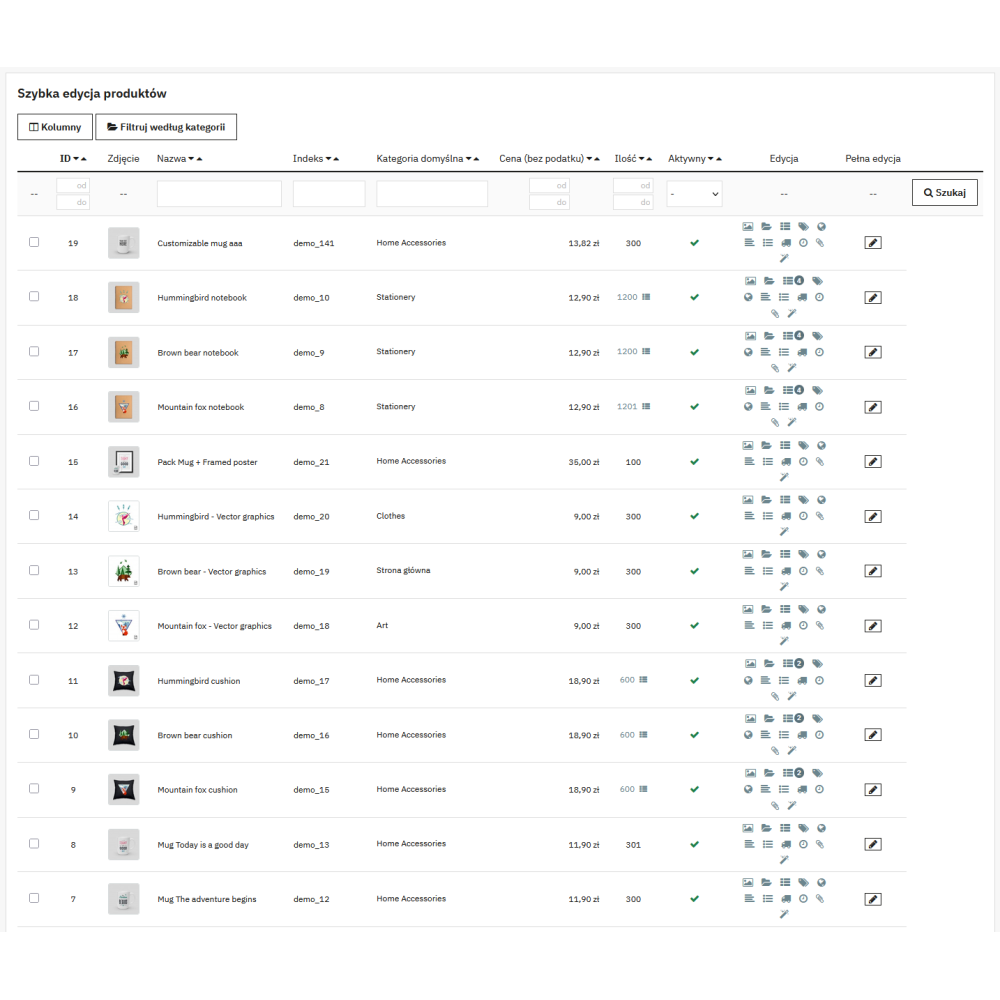
- Inline editing of over 20 product fields directly from the list — without opening the product page and without page reloads (AJAX save with green confirmation, and in case of rejected validation, a red frame with a message).
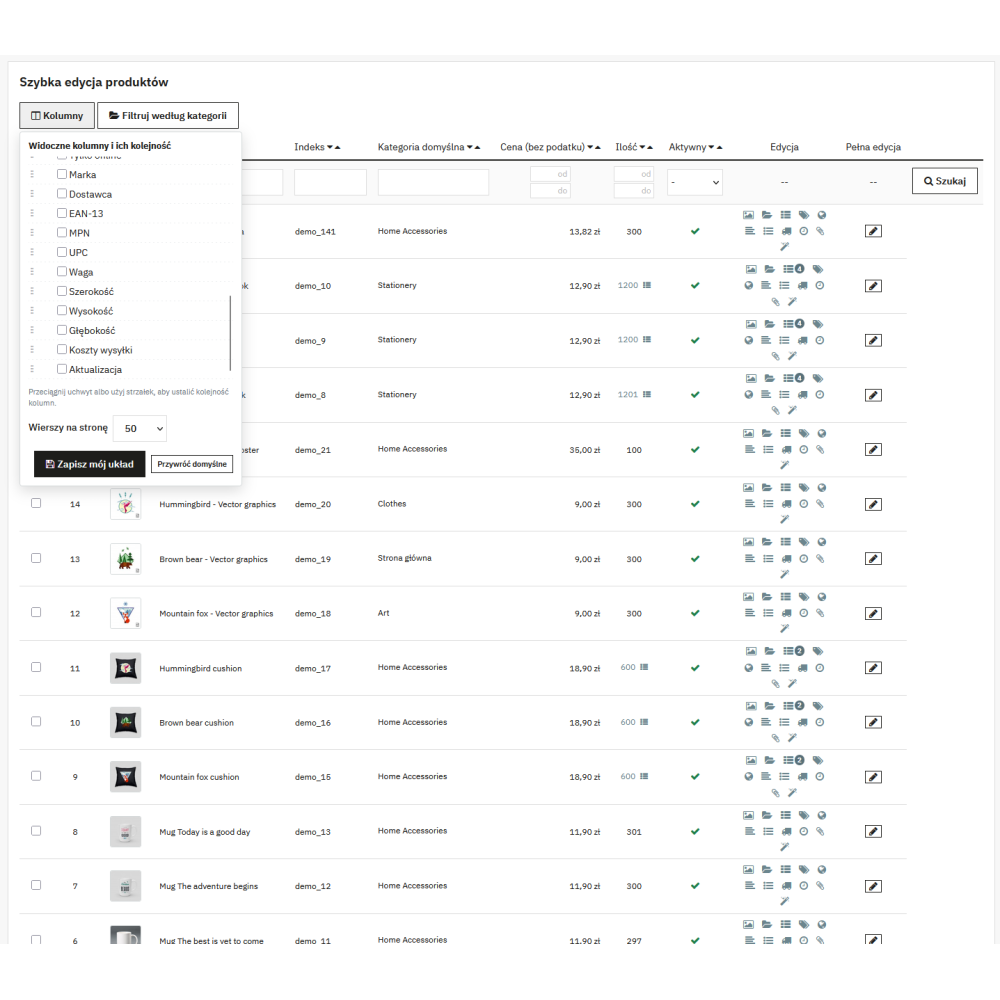
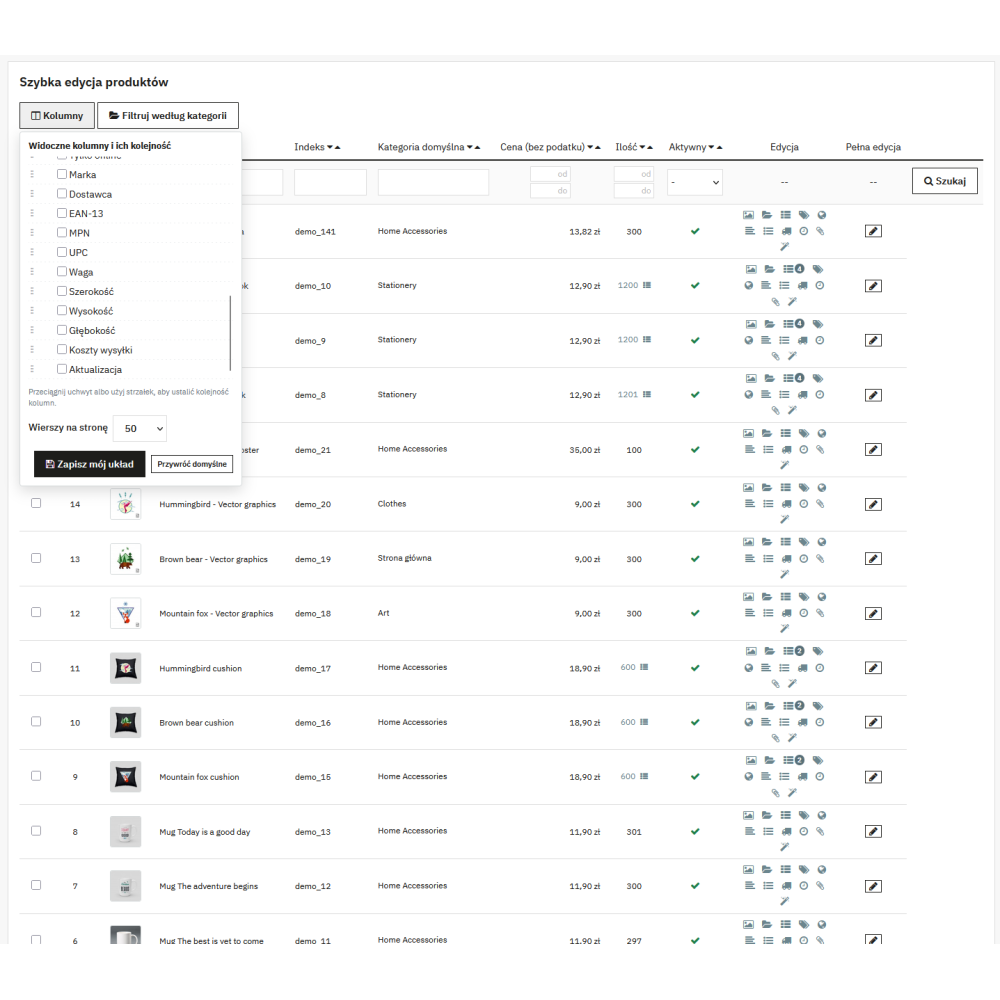
- Configurable table layout: 28 columns to choose from, order set by drag and drop or arrows, layout saved separately for each employee and each shop.
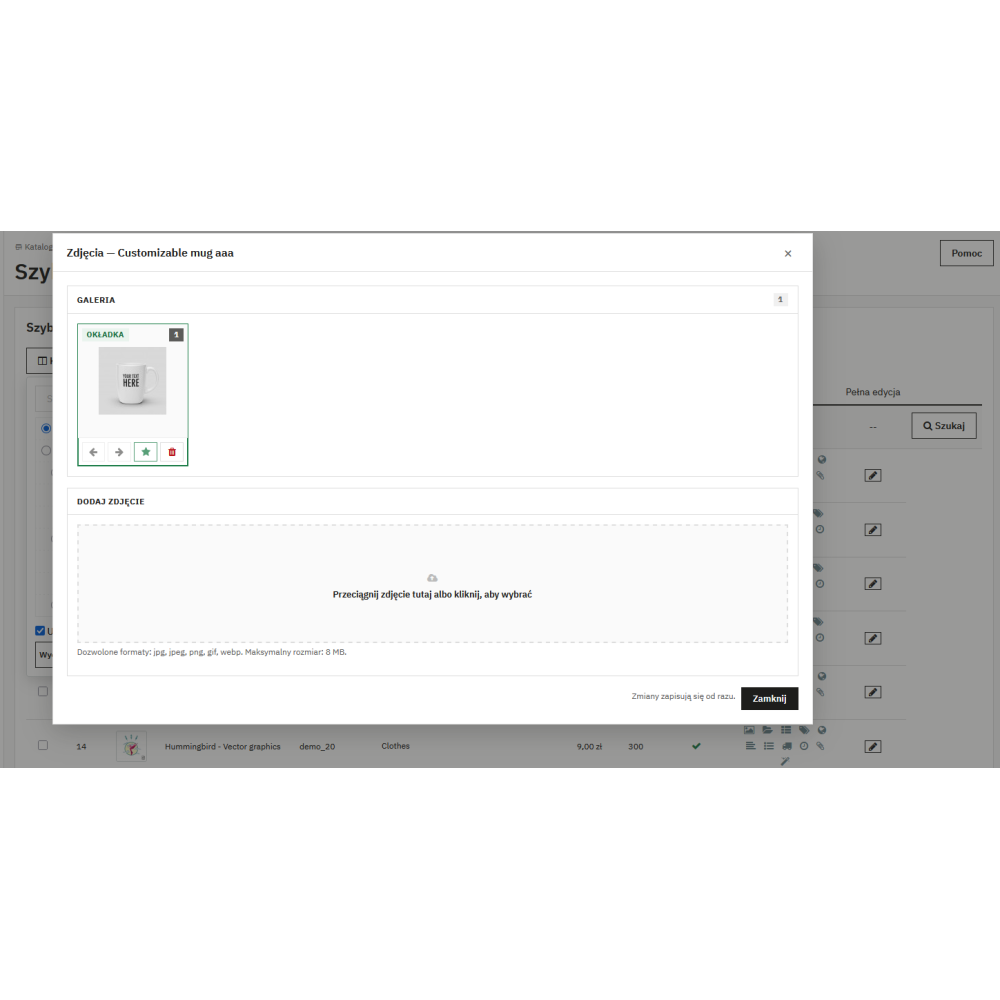
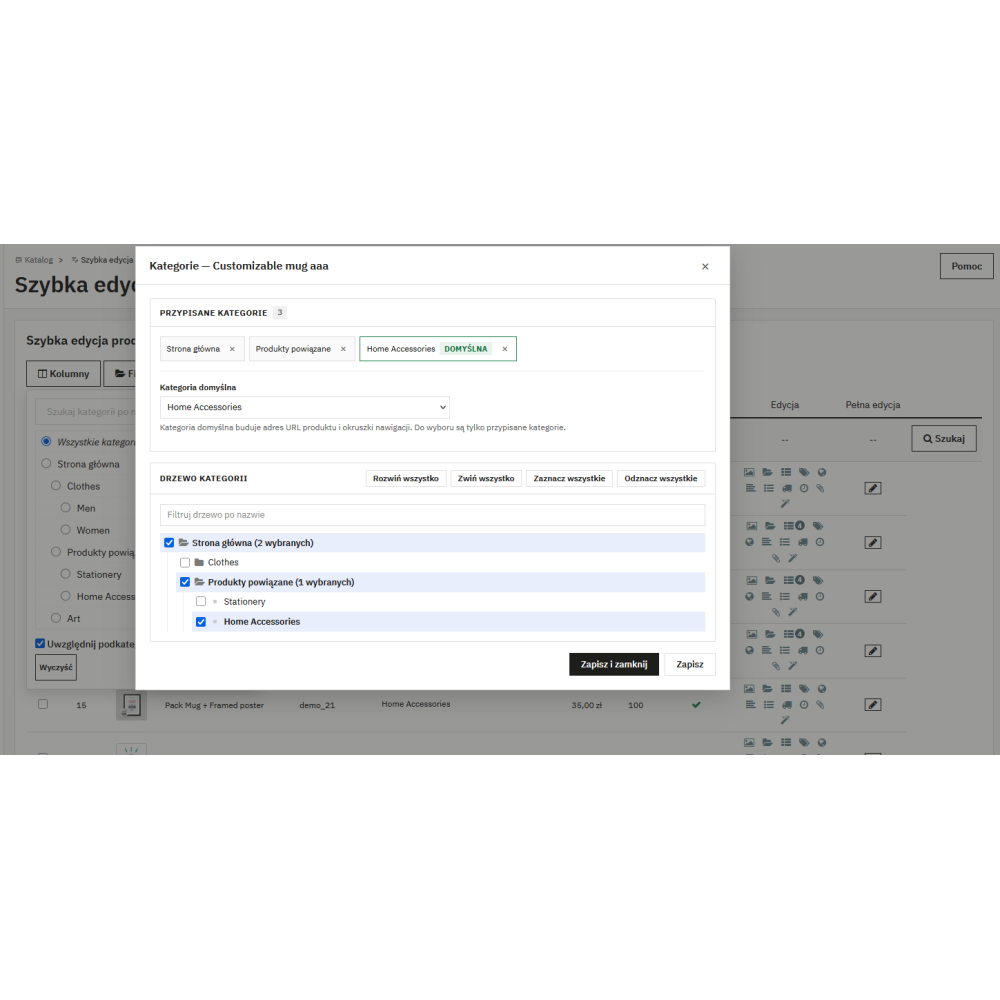
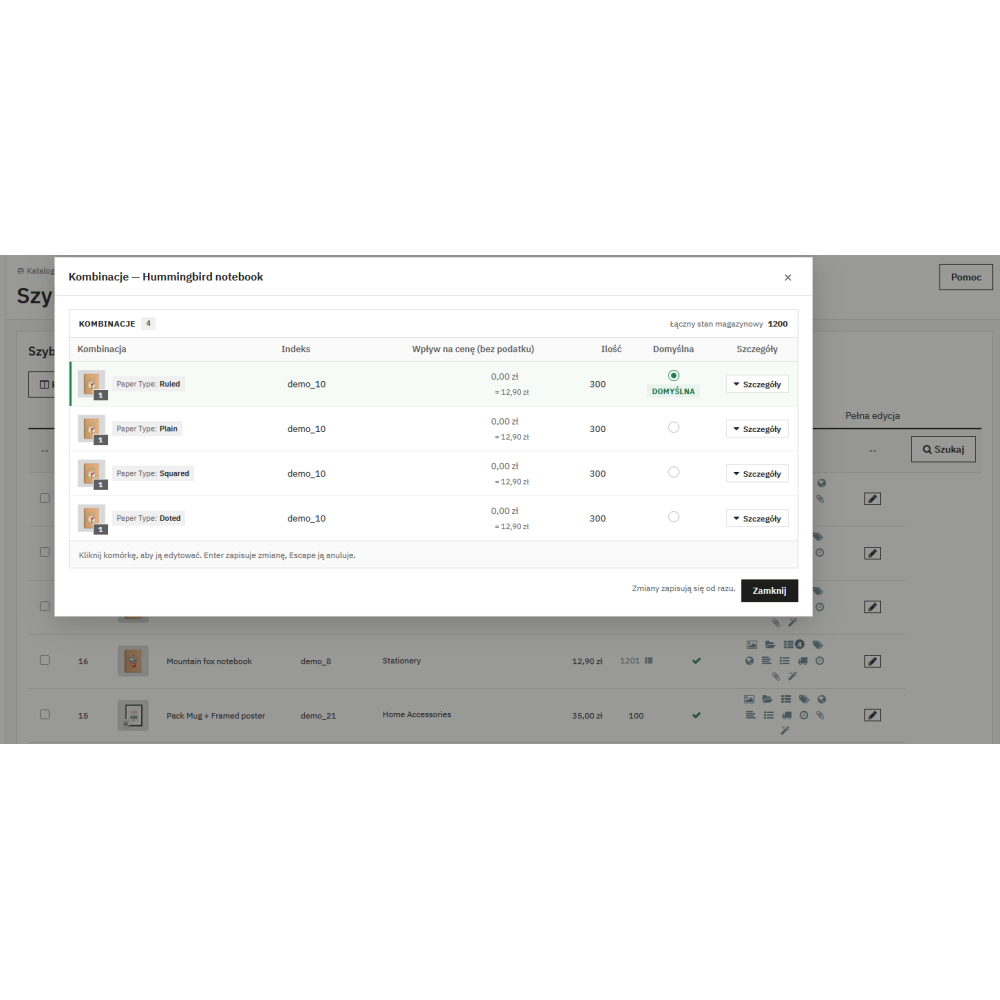
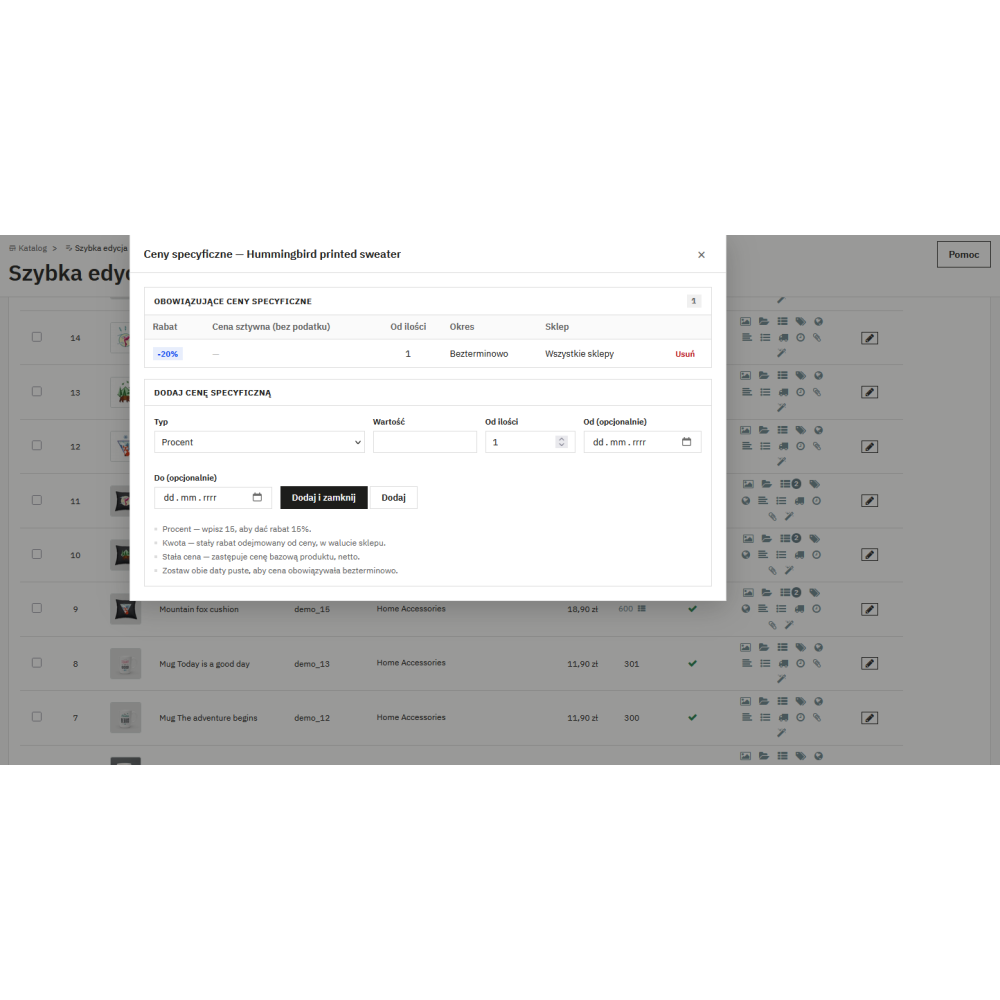
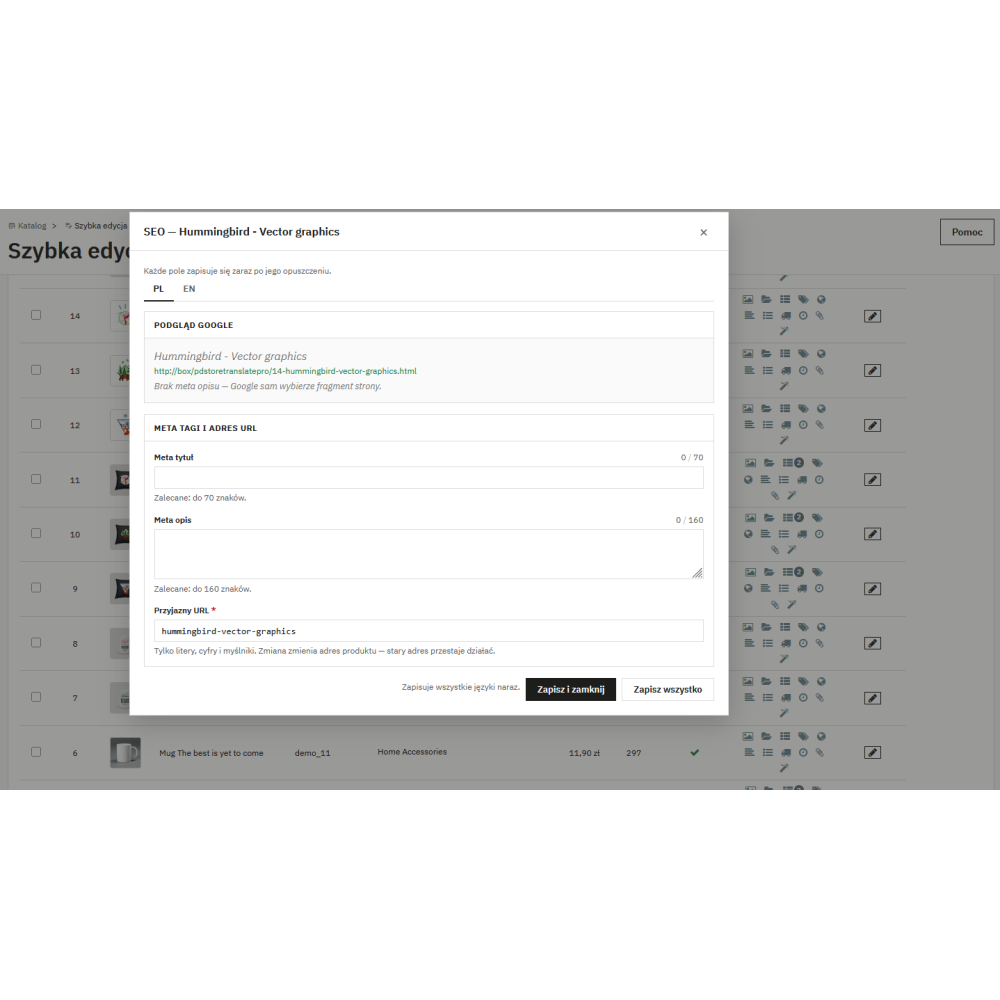
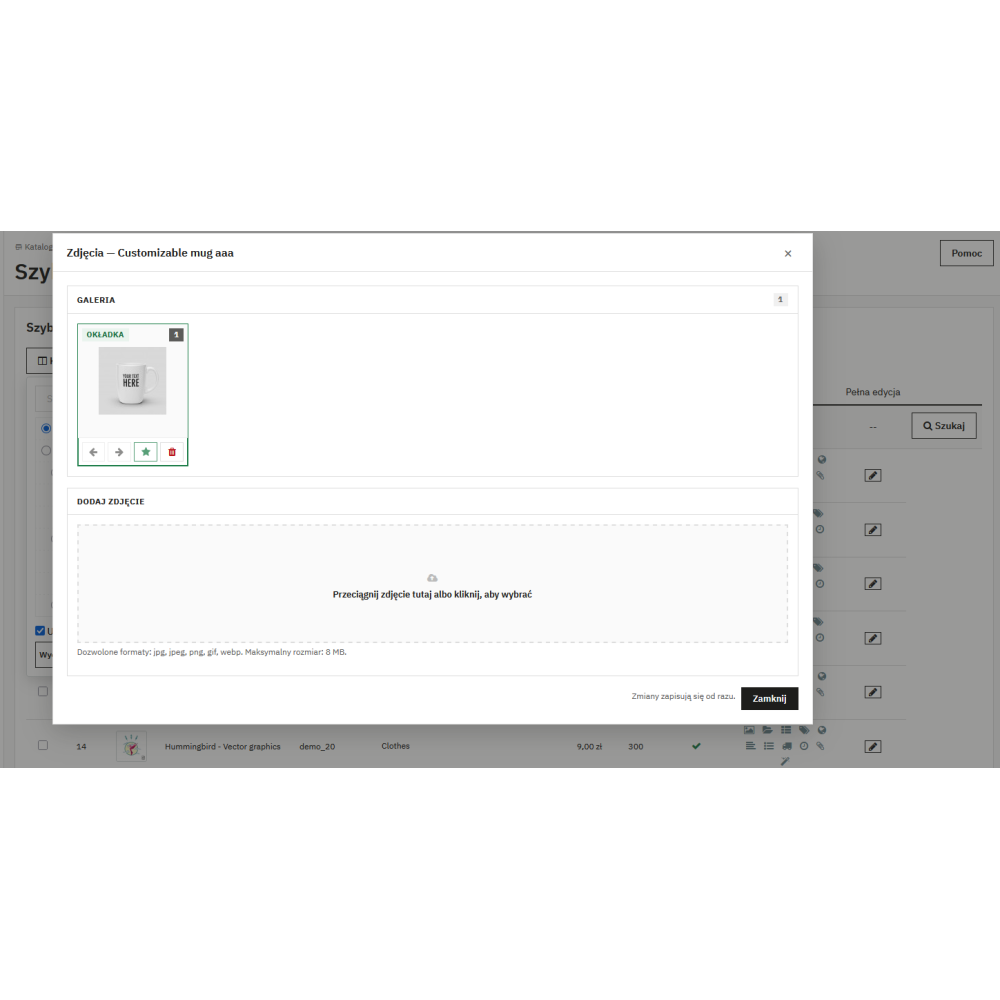
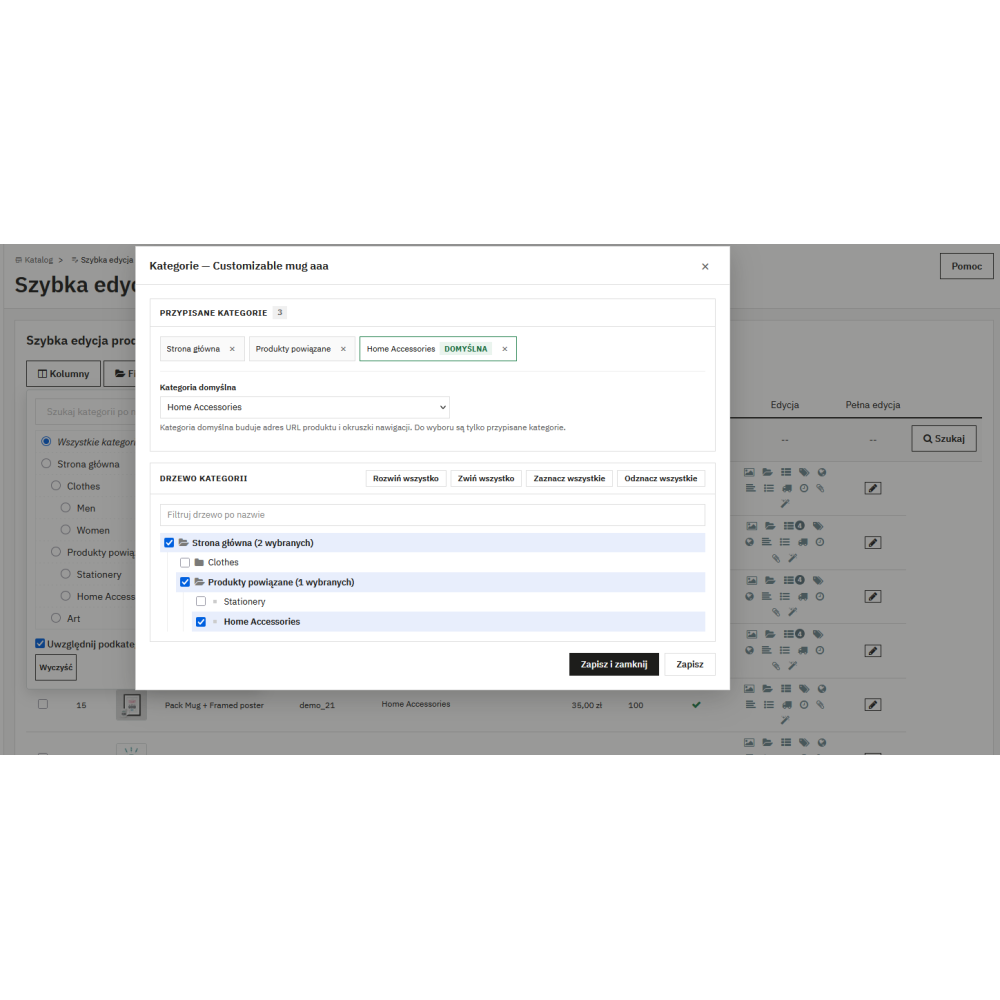
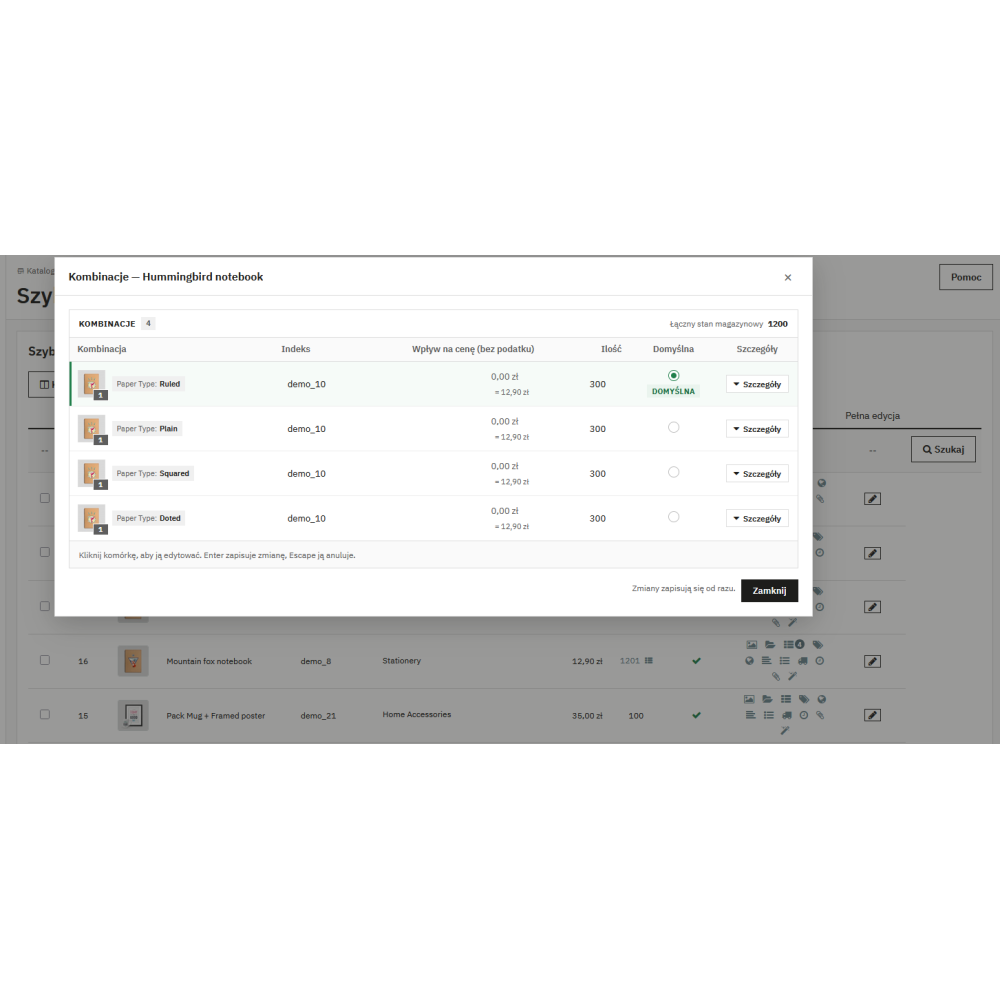
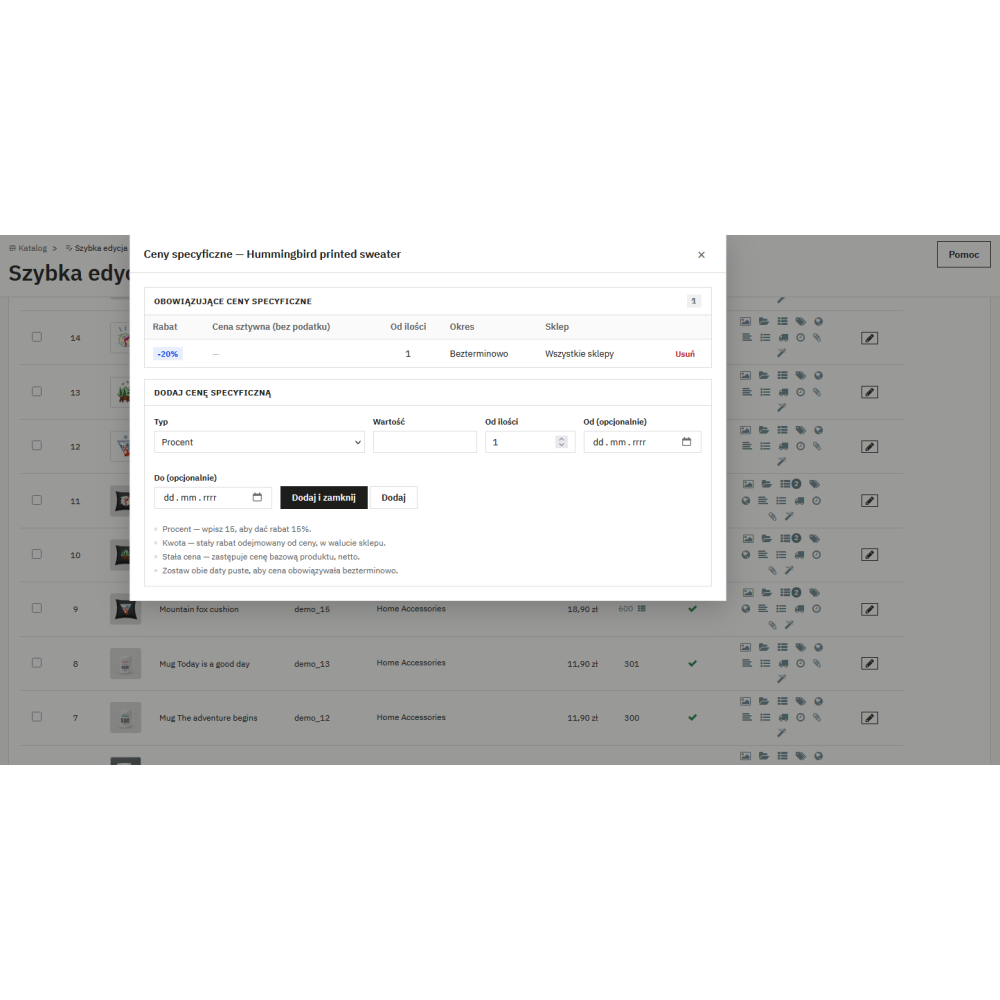
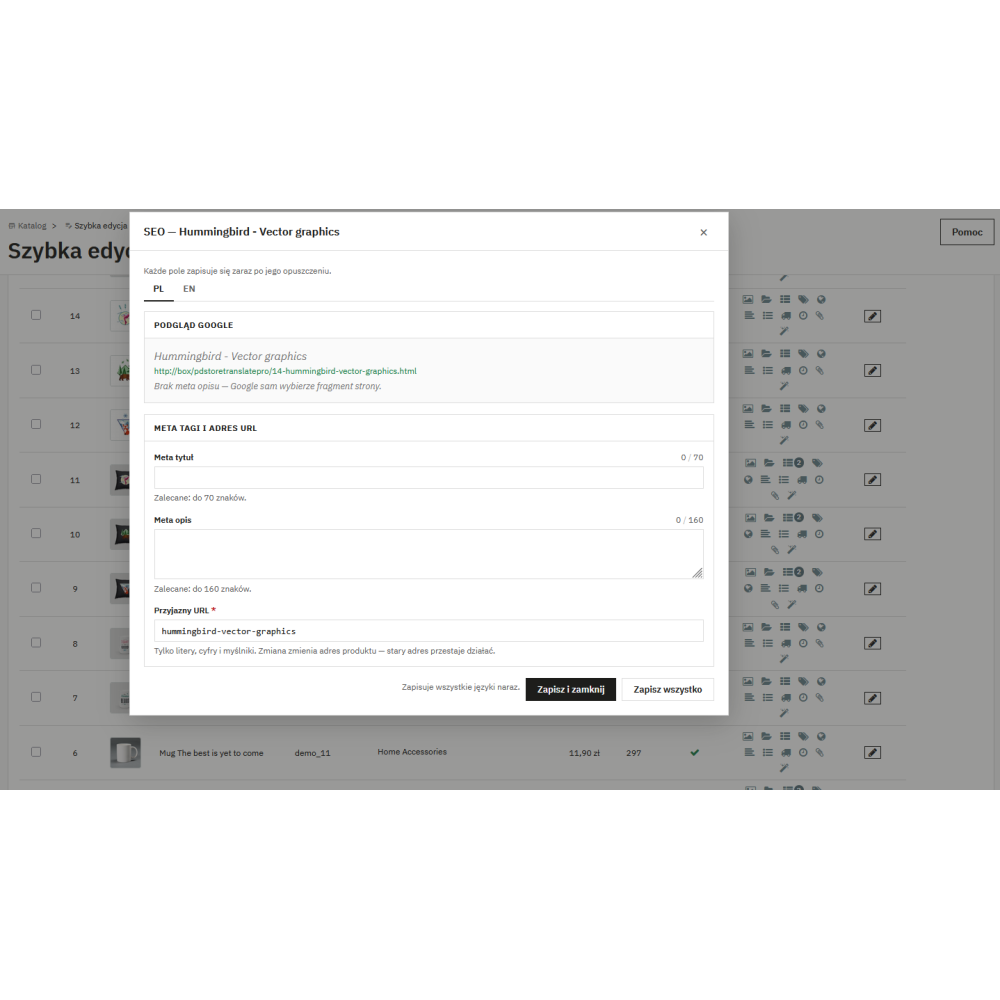
- Eleven modal windows covering the full product page: images, categories, combinations, specific prices, SEO, descriptions, features, carriers, delivery and availability, attachments, customizations.
- Bulk actions with preview before execution and batch saving — you see what will change before anything is saved.
- Saving exclusively via ObjectModel and dedicated core API (Product, StockAvailable, SpecificPrice) — every change triggers hooks and clears the price cache, so ERP, feeds, and other modules are informed about the change.
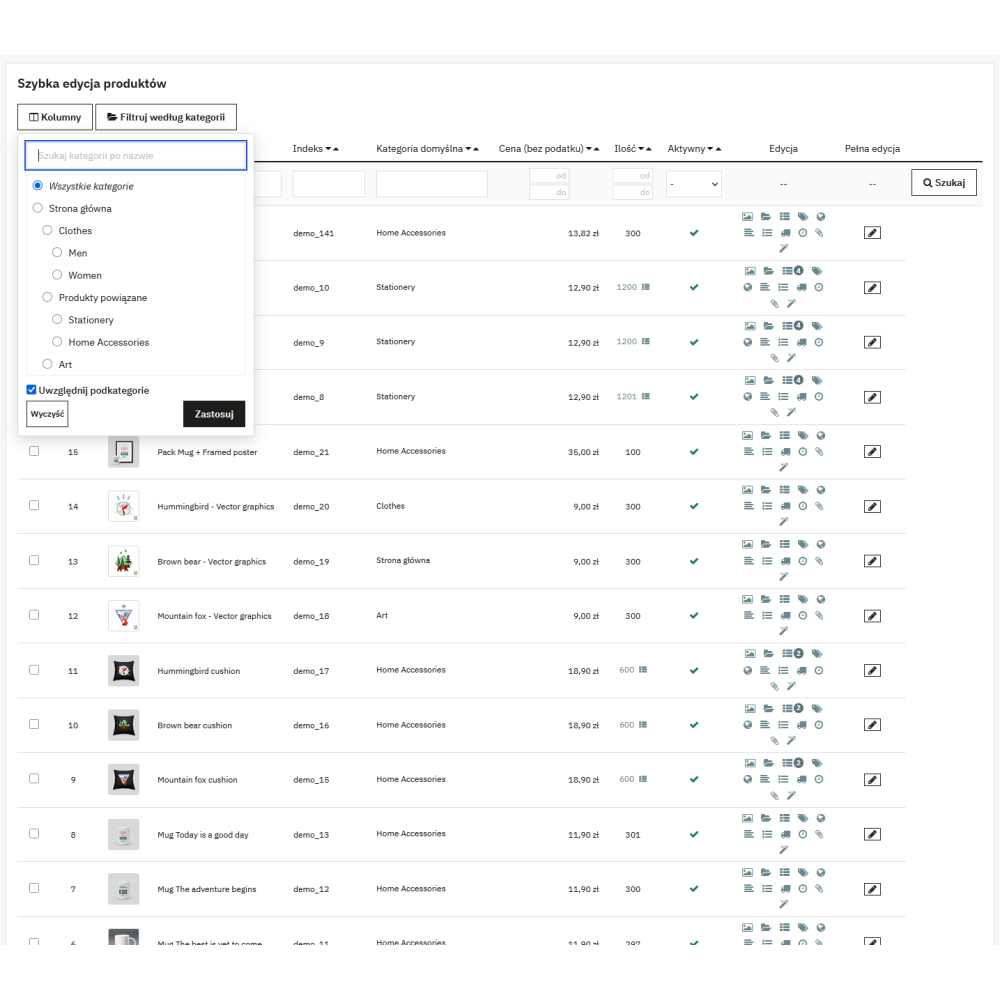
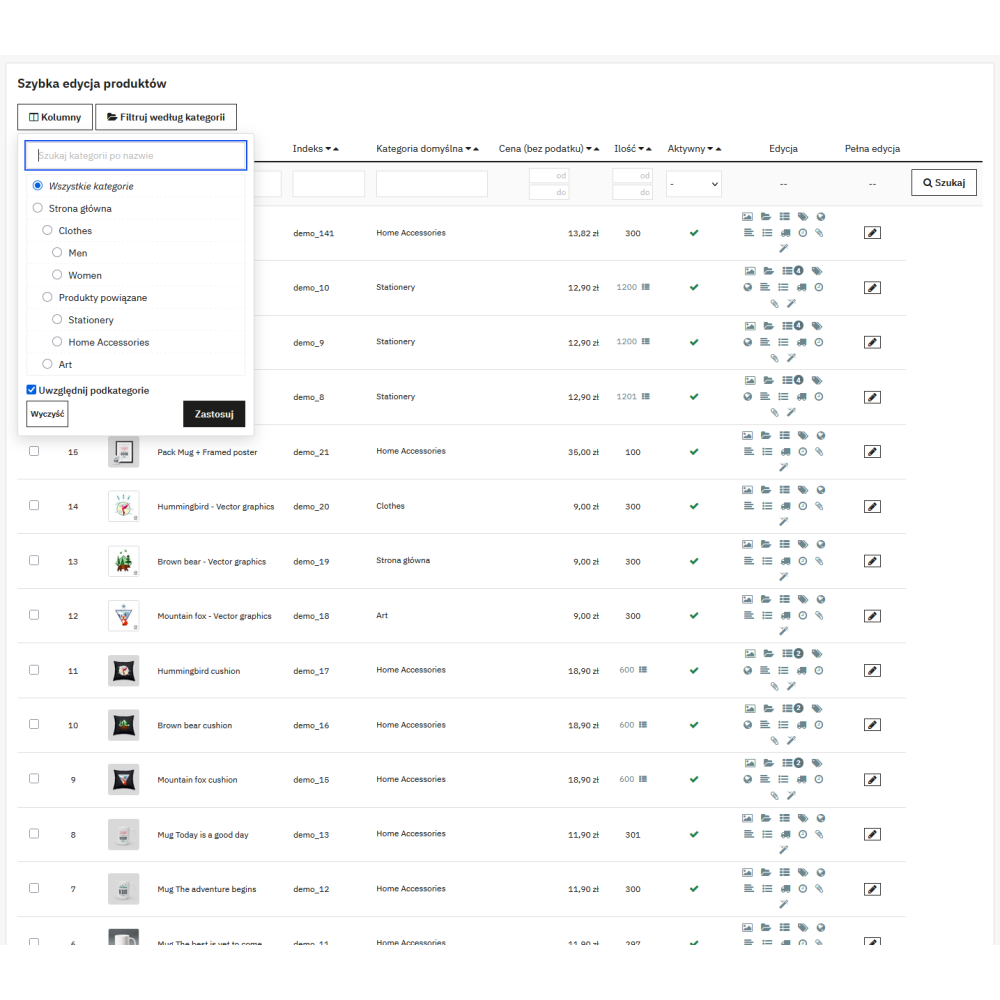
- Native HelperList filters under column headers plus from–to range filters (ID, price, quantity) and a category filter with name search and a subcategory option — all persisted between visits.
- Bundled TinyMCE 6.8.6 editor under the MIT license — you edit descriptions WYSIWYG without loading anything from a CDN.
- Full permission control: each endpoint checks employee profile permissions (view / edit) from the tab, all fields go through whitelists.
- Zero impact on the shop front office — the module does not register front hooks, does not add CSS/JS files for customers, and creates only one custom table (saved column layouts).
- Compatibility with PrestaShop 1.7.x–9.x and PHP 7.0–8.5; field presence and lengths (e.g. MPN, delivery texts) detected from the installed core definitions.
Key module functionalities
- The “Quick Product Edit” tab directly under the Catalog menu, next to the native product list.
- Inline editing: name, reference, net price, gross price, wholesale price, tax rule group, quantity, active status, visibility, available for order, “show price”, “online only”, brand, supplier, EAN-13, MPN, UPC, weight, width, height, depth, additional shipping cost, and modification date.
- Selectable columns (28): including ID, thumbnail, default category, and all editable fields; rows per page: 20 / 50 / 100 / 300.
- Images modal: upload, delete, set cover, and change image order.
- Combinations modal with parity to the native Variants tab: quantity, reference, EAN-13, ISBN, MPN, UPC, wholesale price, impact on price and unit price, weight, minimum quantity, low stock threshold and alert, availability date, default combination, and image assignment per combination.
- Specific prices modal: add and remove promotions — percentage or amount reduction (gross/net), date range with active/expired status, “from quantity” threshold, currency.
- SEO modal: meta title, meta description, and friendly URL with live length counters and limits read from the core.
- Descriptions modal: short and long description in TinyMCE 6.8.6 with character counters calculated the same way as in the PrestaShop core.
- Features modal: selection of values from the list and custom values, with cleanup of orphaned values after changes.
- Delivery and availability modal: “in stock” / “out of stock” texts, delivery times, availability labels, and behavior when out of stock.
- Attachments modal: upload new files and attach or detach files from the library (detaching does not delete the file).
- Customizations modal: text and file fields with per-language labels and a required toggle.
- Multilingual fields (name, descriptions, SEO, delivery texts, customizations) edited separately for each shop language.
- Autosave of modal fields when leaving the field, plus “Save” and “Save and close” buttons; when closing a window with unsaved changes, the module asks for confirmation.
- Bulk actions: price change (set / increase / decrease, by amount or percentage), quantity setting, category change (add / remove / set as main), setting brand, supplier, and tax rule group, duplication (creates a disabled copy), export of selected items to CSV, and deletion.
- Bulk action preview before saving with warnings — e.g. about products whose stock would drop below zero, or products with combinations skipped during bulk quantity change.
- Saving bulk actions in configurable batches (default 25 products per request) with a summary of completed and failed items.
- CSV export of selected products with values from active columns and a configurable separator.
- From–to range filters for ID, price, and quantity, plus a category filter with search and the “include subcategories” option.
- Thumbnail enlargement preview on hover — generated from a larger image format, without blocking clicks.
- The “Full edit” column opening the native product page in a new browser tab (Symfony route on PS 8/9, legacy address on PS 1.7).
- Configuration page: default column set for all employees, rows per page, CSV separator, and bulk action batch size.
- Keyboard navigation through editable cells (Tab / Shift+Tab) and focus trap in modal windows.
- Interface translated into Polish; dual translation system supporting both classic dictionaries and the new PrestaShop 1.7.6+ system.
Business use cases
- For shops with a large catalog, where daily correction of prices, stock, and product data via the product page takes too much time.
- For teams where each employee works with a different set of columns — warehouse staff on stock and EANs, marketing on SEO and descriptions, sales staff on prices.
- For shops integrated with ERP or product feeds that require every change to go through PrestaShop hooks, not raw SQL writes.
- For multistore shops, where stock, column layouts, and work context must be separated per shop.
- For merchants preparing seasonal sales — bulk price changes with preview before saving reduce the risk of mistakes.
Compatibility
- PrestaShop: 1.7.x - 9.x
- PHP: 7.0 - 8.5
- No Composer and no external PHP libraries; TinyMCE 6.8.6 (MIT) bundled with the module.
Link to the module demo:
Admin panel demo:
https://moduly-prestashop.eu/szybkaedycjapro/admin-dev
Front office demo:
https://moduly-prestashop.eu/szybkaedycjapro