


Pro Shipping Templates
Shipping costs by product in PrestaShop Pro | PrestaDev

Shipping Cost Templates Pro – shipping costs by product in PrestaShop

Module version: 2.1.2

PrestaShop compatibility: 1.7.x 8.x 9.x

Module file updated: 09/22/2026 12:37:19

Product data updated: 09/11/2026 13:38:26


A module inspired by shipping costs for multiple items on one of the largest Polish auction websites. This module allows you to create shipping templates for carriers. It also allows you to define shipping costs in a given template, taking into account the maximum quantity of a given product in a package. This template is then assigned to the product.

License type / update
zł 149.00
zł 121.14no tax
Price history:

Description

FEATURES AND BENEFITS

  • the ability to define different delivery templates for individual products, thus enabling the personalization of delivery costs
  • allows adding the maximum number of products in a package for a given carrier
  • the ability to define different delivery costs for subsequent products that do not fit in the original package
  • multistore support
  • the module currently supports only local delivery costs within Poland (Euro zones)
  • supports PrestaShop 1.6.x & PrestaShop 1.7.x

Product Details

Prestashop 9.x support
Yes
Support for Prestashop 8.x
Yes
Prestashop 1.7.x support
Yes
Prestashop 1.6.x support
Yes
Module translations
EN, EN
Free support
Yes
Free updates (1 year)
Yes
Easy Installation
Yes
Requires engine modification
Yes
PDPSP-FULL

FAQ

Find answers to the most common questions about this product.

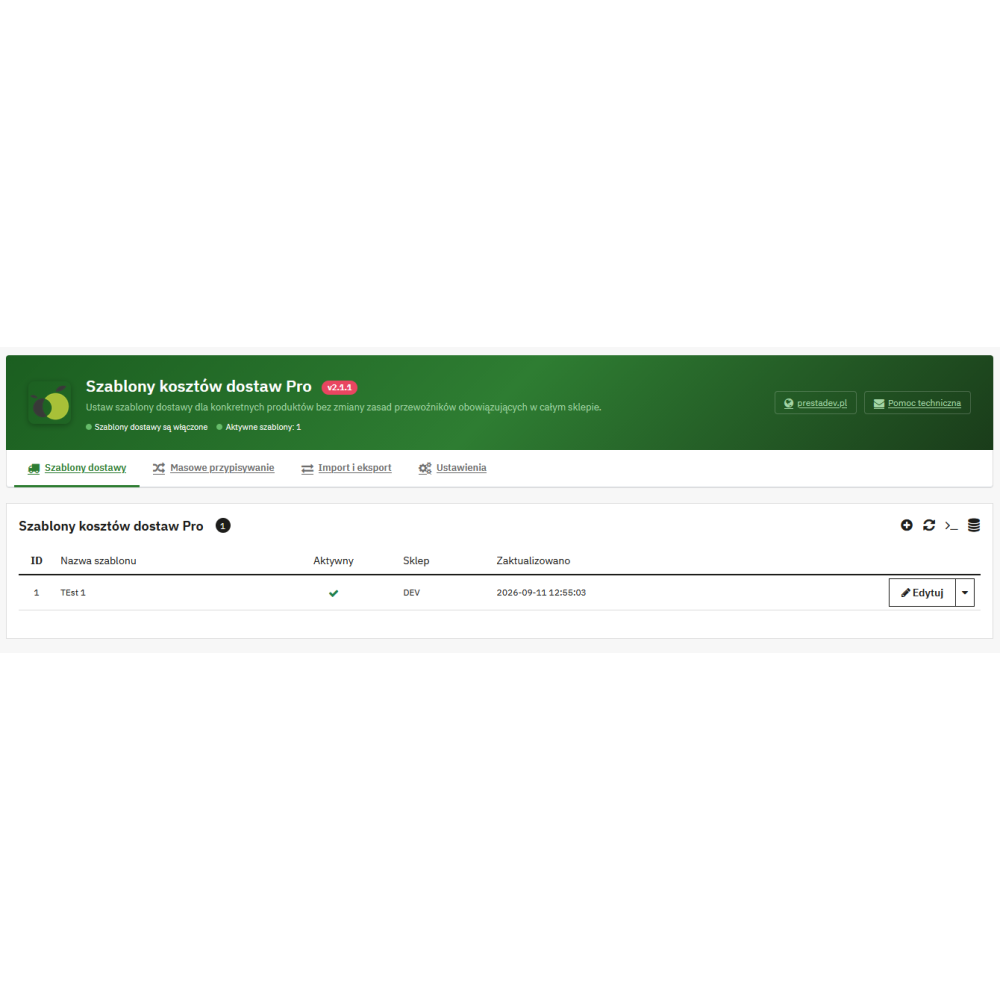
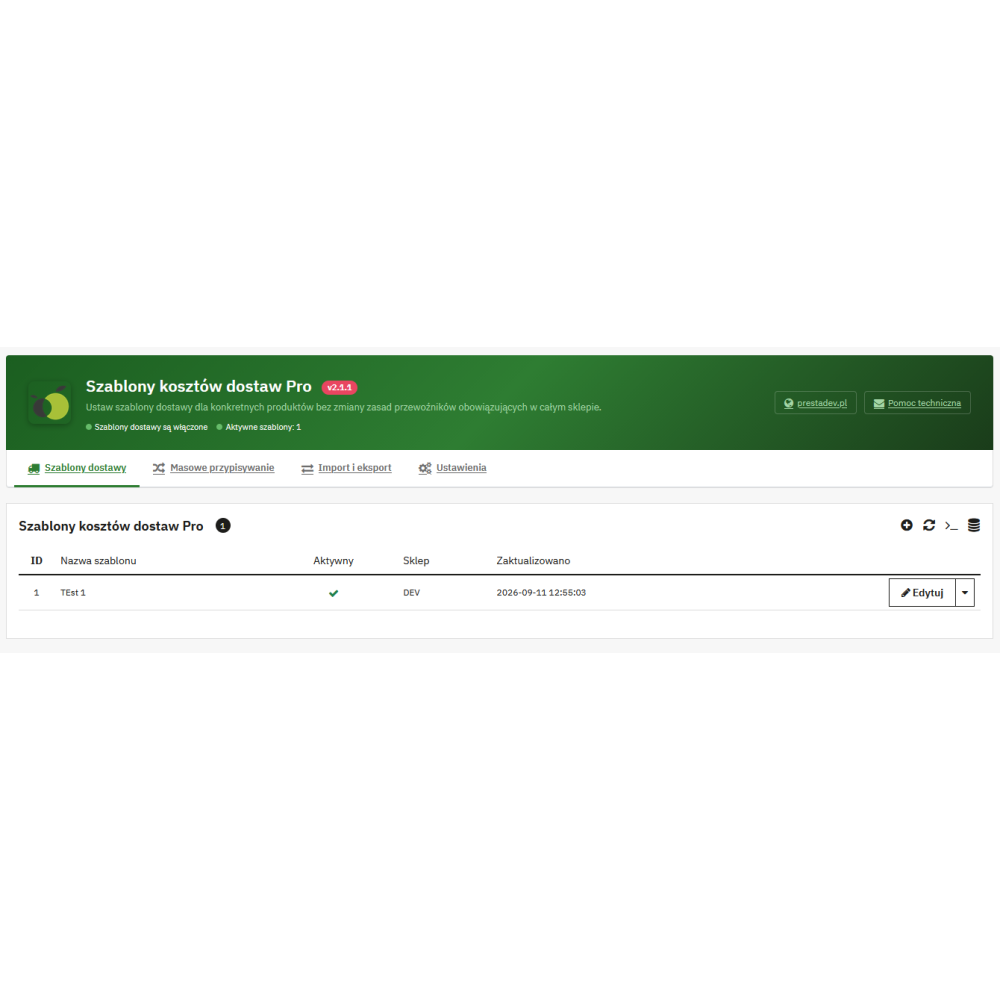
The module allows you to create shipping cost templates in PrestaShop and assign them to specific products. The template defines which existing carriers are available for the product and which net prices apply depending on the number of parcels.

No. The configuration is saved in the module templates and assigned to products. The standard PrestaShop carrier rules remain the base mechanism to which the module reverts when its pricing does not apply.

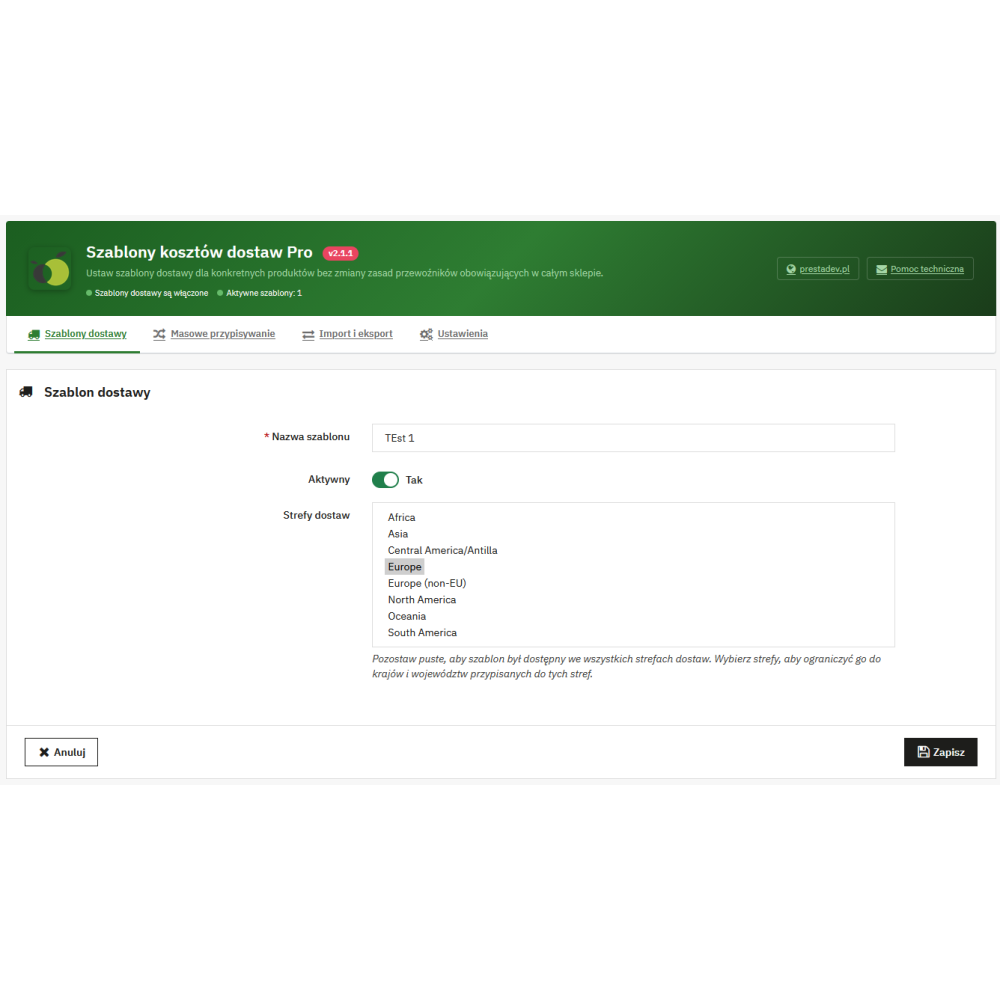
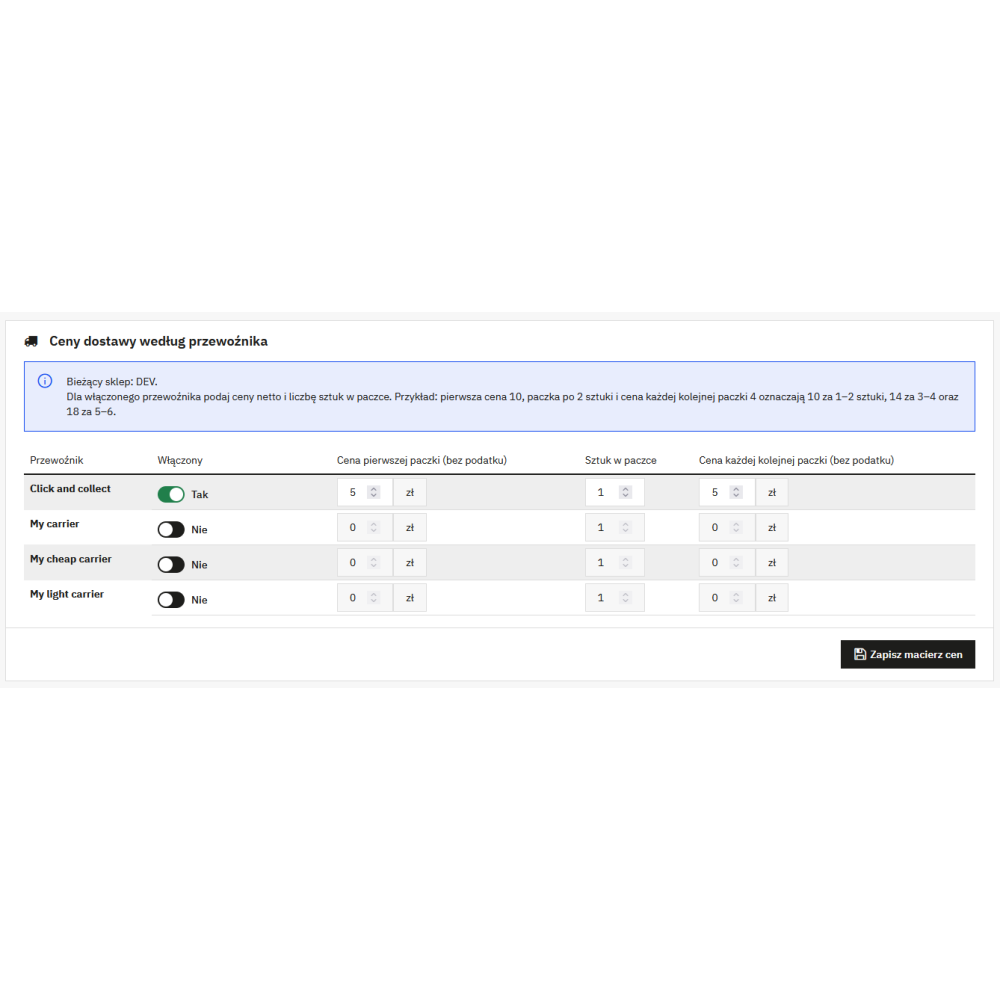
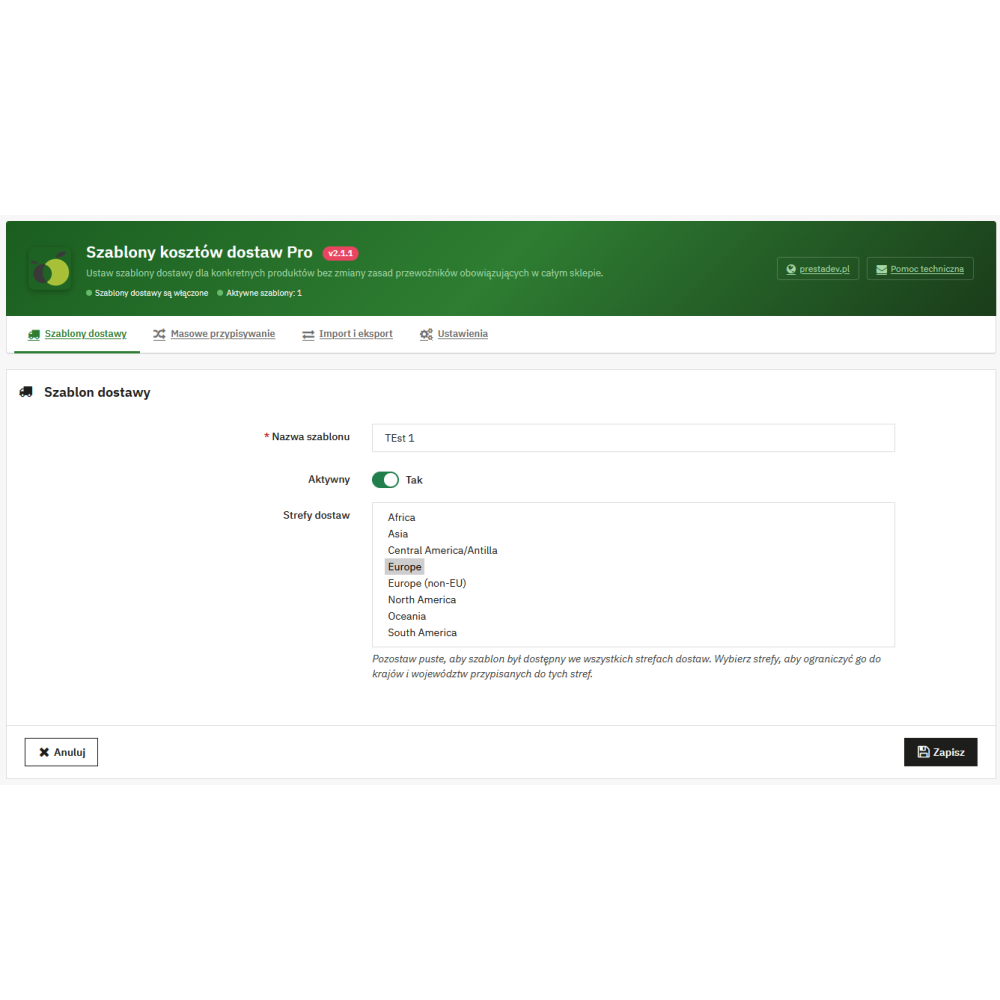
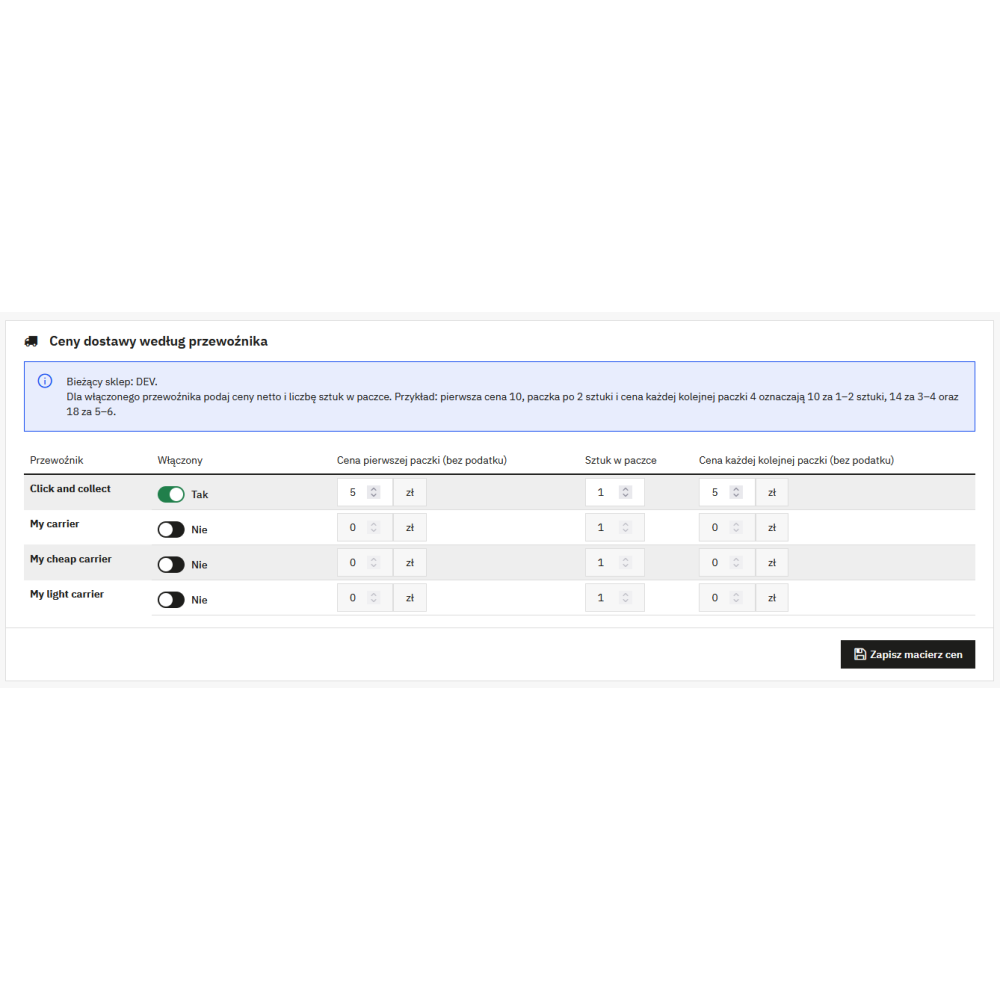
The template has a name, activity status, and an optional restriction to delivery zones. For each available carrier, you can enable or disable its use, set the net price of the first parcel, the number of items in the parcel, and the net price of each subsequent parcel.

For the product, the module divides its quantity by the number of units in the pack and rounds the result up. The cost is the price of the first pack plus the price of each additional pack multiplied by the number of packs beyond the first.

For 1–2 units, the module calculates 10, for 3–4 units 14, and for 5–6 units 18. These are the values of the product matrix before the standard cost elements handled by PrestaShop, such as tax, the carrier's handling fee, or the product's additional delivery cost.

Yes. The assignment stores one template identifier for the product in the given store. Changing the selection replaces the previous assignment, and selecting the default rules removes the module assignment.

Yes, when the product has an active template. The module filters the list of available carriers to those enabled in that template, taking into account the restriction to the delivery address zone.

The module calculates the cost separately for each physical product according to its template and sums the results. The selected carrier must be enabled in the template of each such product; otherwise, the quote for that carrier is unavailable.

In such a case, the module does not replace the shipping cost for the entire cart package. PrestaShop then uses its standard mechanism for calculating shipping costs.

No. The virtual cart is ignored by the module's pricing mechanism and does not receive a delivery cost from its matrix.

Yes. In the template form, you can select PrestaShop delivery zones. If the customer has an address outside the indicated zones, the template is not available for that address.

An empty list of zones means that the template is available in all delivery zones. However, this does not automatically make all carriers available — only the carriers enabled in the template matrix are available.

No. A new template is created as inactive, and activation requires enabling at least one carrier in its price matrix.

First, create the template as inactive, then open its edit page, configure it, and enable at least one carrier with correct prices and the number of items per package. Only then activate the template and assign it to the products.

In PrestaShop 9, the selection is added to the native Shipping section on the product form. In PrestaShop 1.7 and 8, the module uses a compatible additional area on the product edit page.

Yes. The module requires the ID of the saved product to create the assignment. On an unsaved product, it displays a message indicating that it must be saved first.

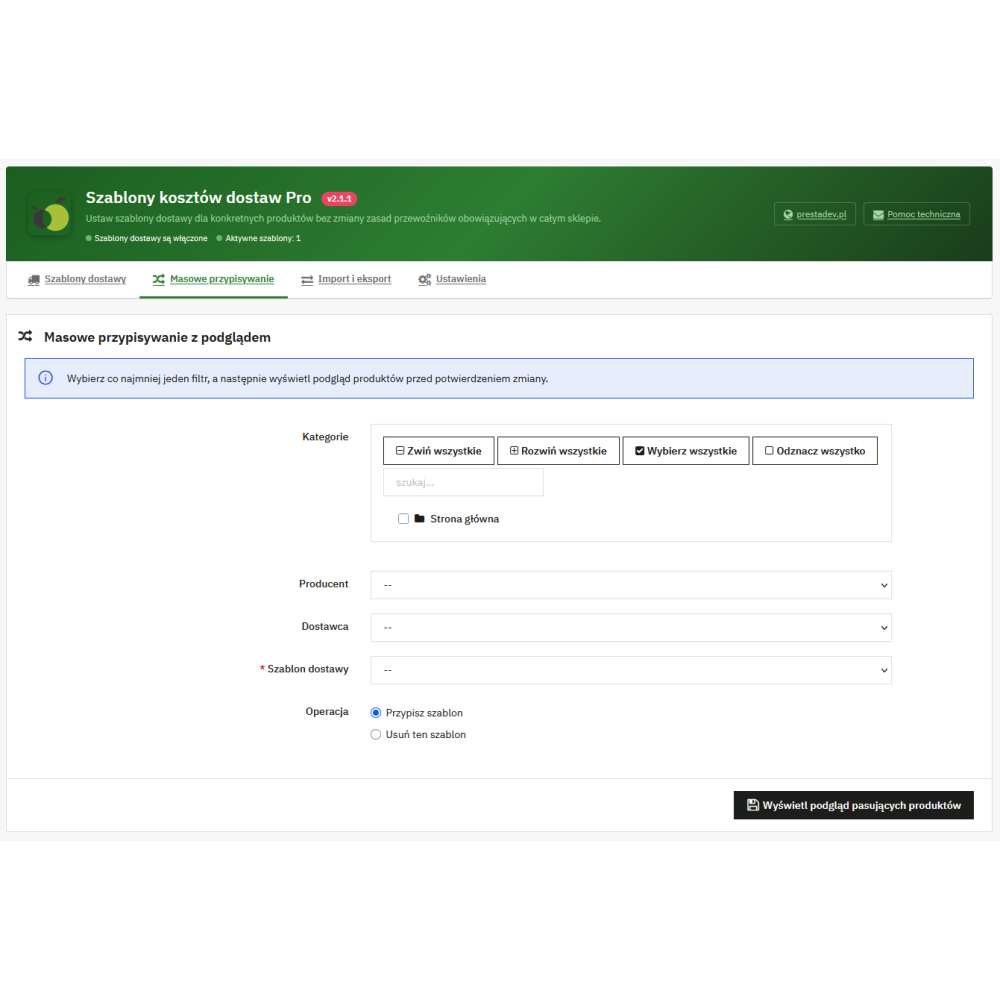
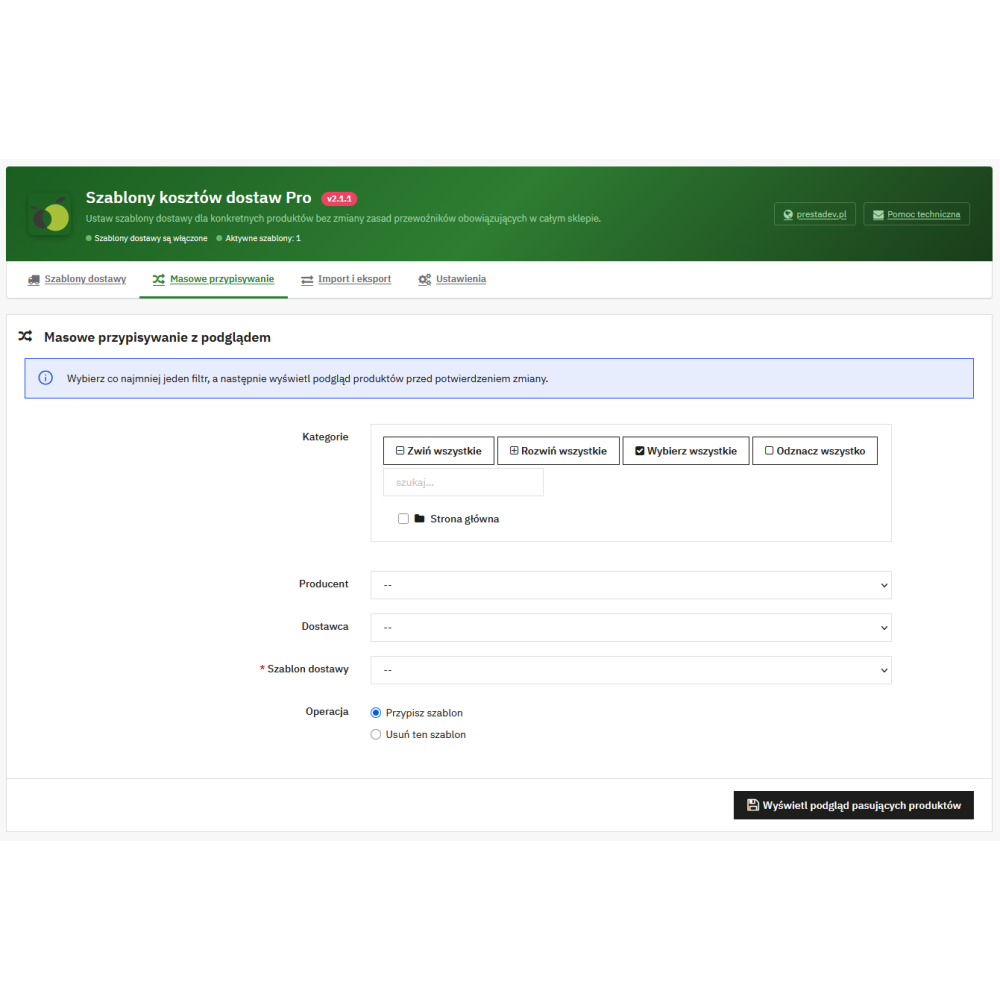
Yes. The bulk assignment panel allows you to select an active template and find products by at least one filter: category, manufacturer, or supplier.

No. A bulk operation requires at least one filter. This is an intentional safeguard against unintentionally changing all products in the store.

After selecting the filters, the panel displays the number of all matching products and the first 25 items. Before saving, the operation must be additionally confirmed; the product set is recalculated at the moment of confirmation.

Yes. The delete operation removes the assignment of the selected template from matching products in the current store. It does not remove the assignment of another template if the product already has a different assignment.

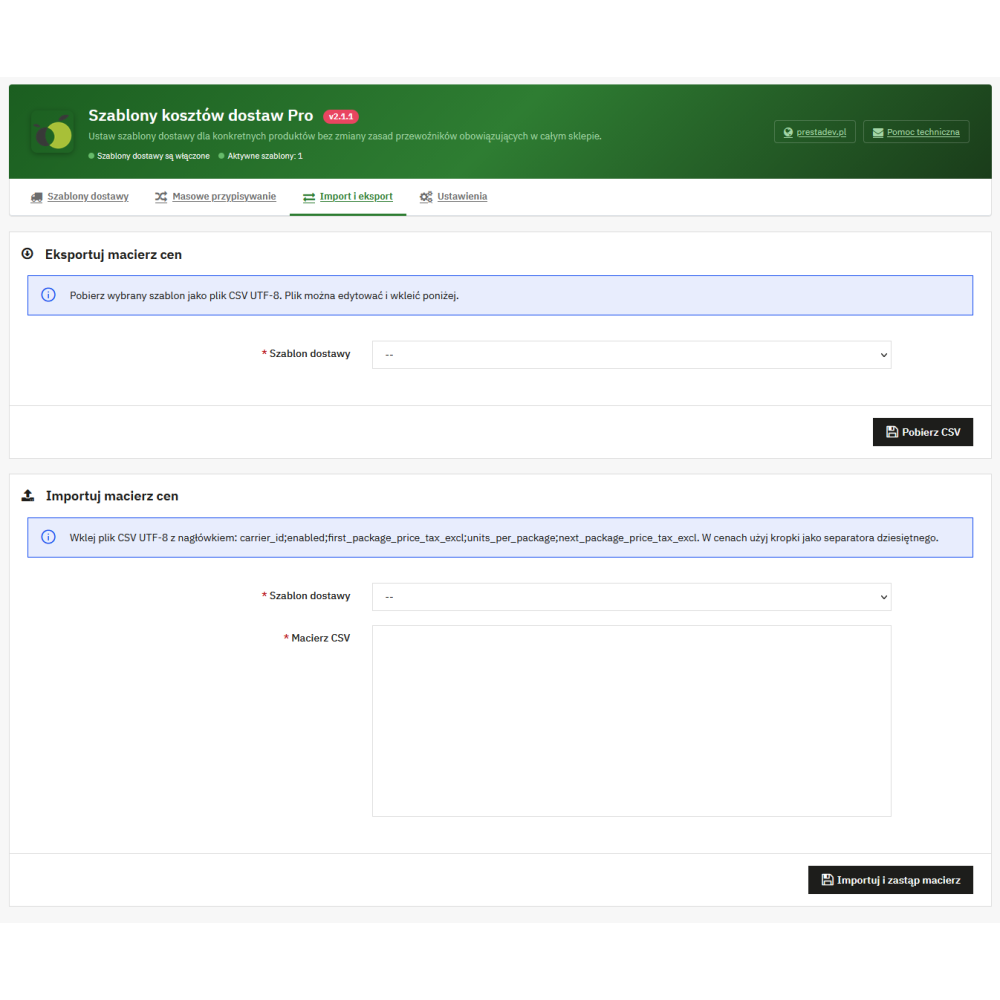
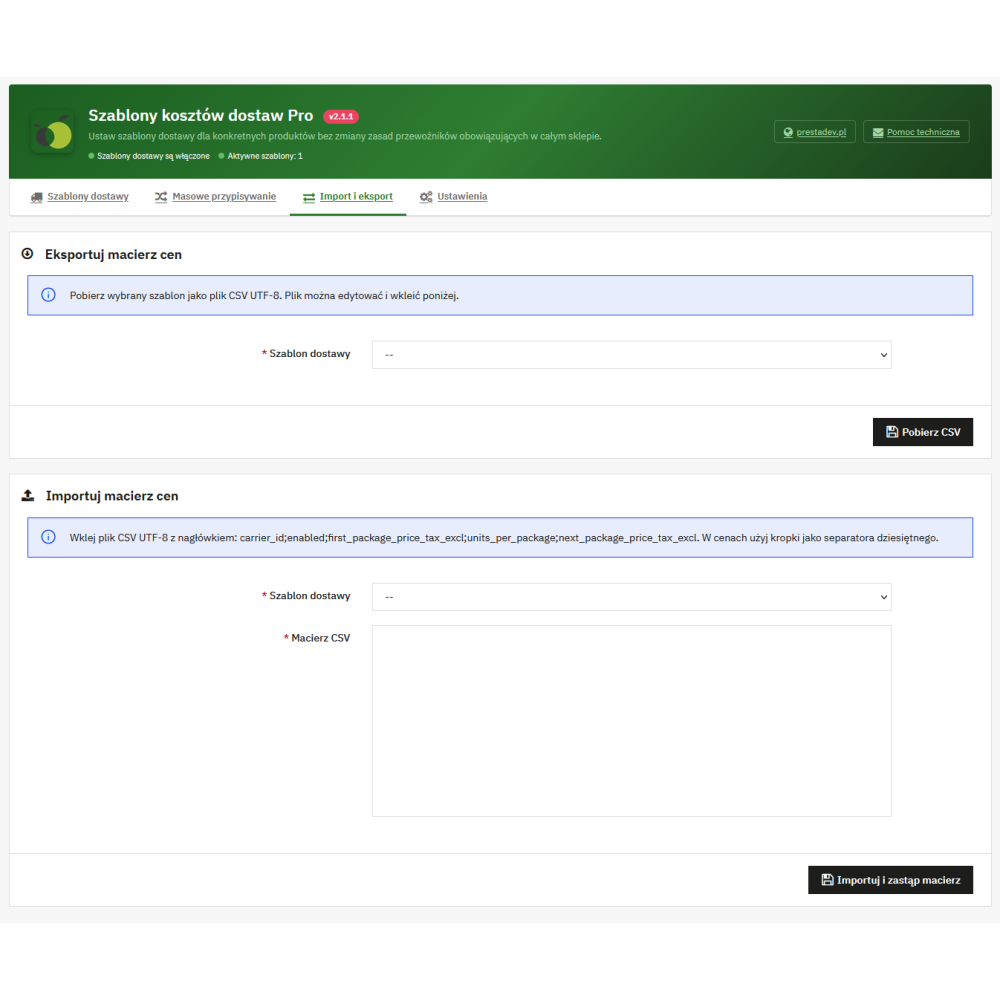
Yes. For the selected template, the panel generates a UTF-8 CSV file with the carrier ID, enabled status, first parcel price excluding tax, number of items per parcel, and subsequent parcel price excluding tax.

The data is pasted into the panel’s text field for the selected template. The module recognizes a semicolon or comma separator, accepts the export header, and validates five required values in each row.

The row contains: carrier_id, enabled, first_package_price_tax_excl, units_per_package and next_package_price_tax_excl. The enabled status takes 0 or 1, the number of units per package must be at least 1, and the prices are non-negative and use a dot as the decimal separator.

Import replaces the price matrix of the selected template. Before importing, it is advisable to download the CSV export to have a copy of the current configuration.

No. The import checks whether the identifier appears in the current list of carriers available in the store and rejects invalid or duplicate rows.

Yes. Templates, product assignments, price matrices, zones, and the module enable setting are saved with the shop ID. The administration panel displays and modifies the data of the current shop context.

No. The template model is not a multilingual model, therefore the template has one name saved for the given store. The module interface, however, uses PrestaShop translations.

No. The module works with carriers already existing in PrestaShop and allows them to be enabled in specific templates. It is not a module for creating or booking courier services.

The module responds to carrier updates via the PrestaShop hook and updates the stored carrier ID in its price matrices for the current shop.

Yes. After summing the prices from the matrix, the module adds a handling fee if the carrier applies one, as well as the product's additional delivery cost. It then uses the standard PrestaShop settings for currency conversion and tax calculation.

Not within this module’s matrix. Its own rule is based on the product quantity and the number of units in a pack. Weight and price ranges, as well as free shipping thresholds, are part of the standard PrestaShop configuration, used when the module does not take over the pricing.

No. Delivery cost templates Pro calculate the cost and limit the availability of selected carriers. The module does not schedule delivery dates, does not handle pickup points, does not track shipments, and does not integrate with an external courier API.

Yes. During installation and activation, the module checks the module overrides setting. If overrides are globally disabled, the module will not prepare the required integration with the appropriate version of PrestaShop.

The module code declares compatibility with PrestaShop from 1.7.0.0 to 9.99.99. It includes separate integration variants for older 1.7 versions, PS 1.7.7–8, and PS 9.

Yes. The module pricing works only when the module is active and its “Enable delivery templates” setting is enabled for the current store. When disabled, the module does not override the delivery cost with its own matrix.

Uninstallation removes the created administrative tab, the module enable setting, and the module tables with templates, product assignments, carrier prices, and zone restrictions. If the configuration is to be preserved, you should make your own copy of the data before uninstalling.

Reviews (0)

No reviews