


Google Pro Customer Reviews
Google Customer Reviews in PrestaShop – Pro module | PrestaDev

Google Customer Reviews Pro module for PrestaShop

Module version: 1.1.3

PrestaShop compatibility: 1.7.x 8.x 9.x

Module file updated: 09/22/2026 15:54:08

Product data updated: 09/22/2026 15:53:49


1 Reviews

Professional integration of the Google Customer Reviews program (formerly Google Consumer Opinions) with the PrestaShop store. The module automatically displays the opt-in survey on the order confirmation page and an optional Google Store Widget (trust badge) on selected store pages.

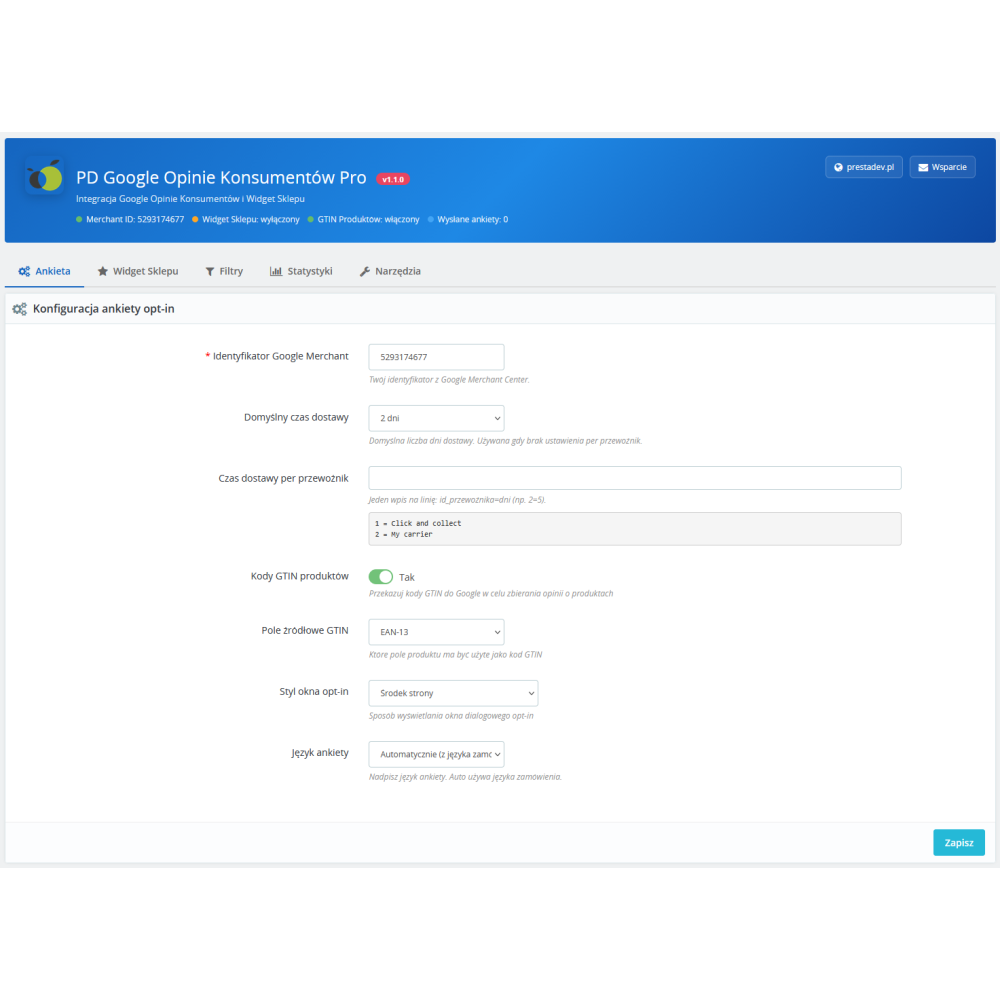
After placing an order, the customer receives an invitation to participate in the Google satisfaction survey. After giving consent, Google sends an email with the survey after the estimated delivery time has passed. The collected reviews affect the seller rating displayed in Google Shopping results and Google Ads.

License type / update
zł 98.00
zł 79.67no tax
Price history:

Description

Key features

  • Google Customer Reviews opt-in survey on the order confirmation page
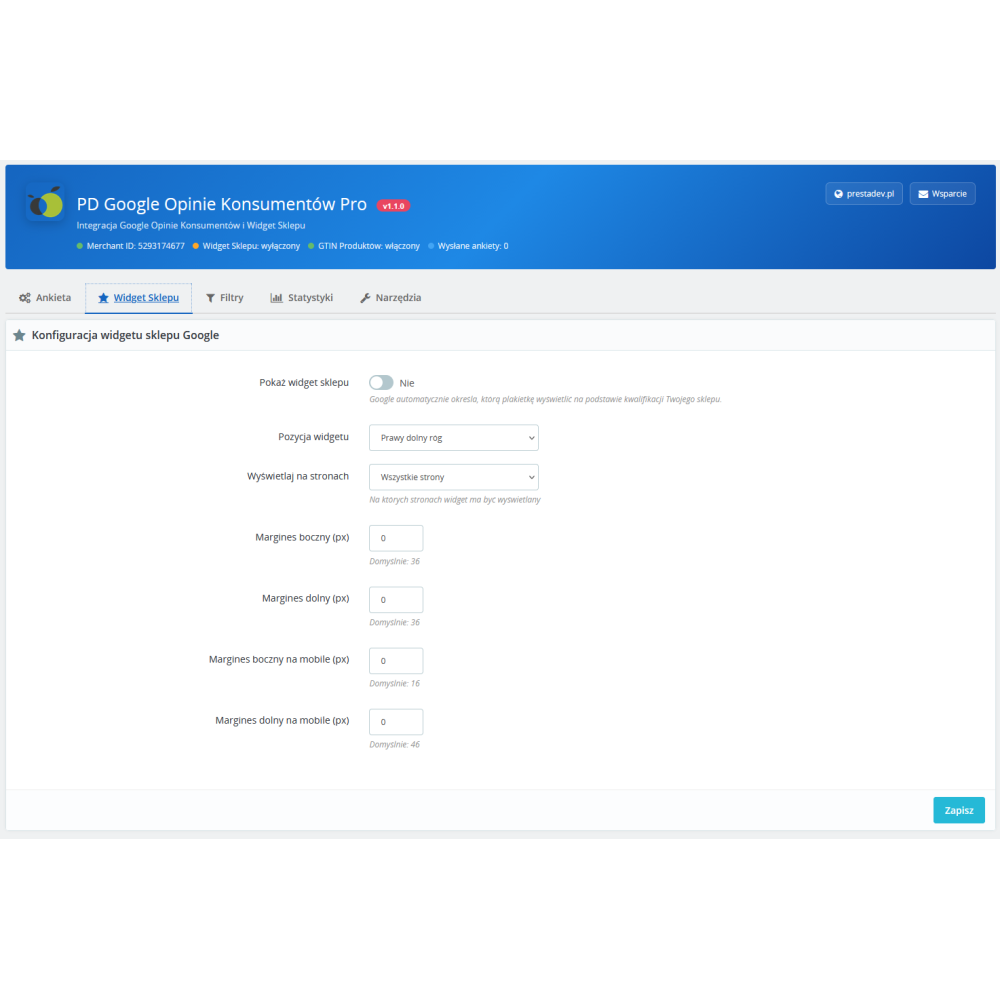
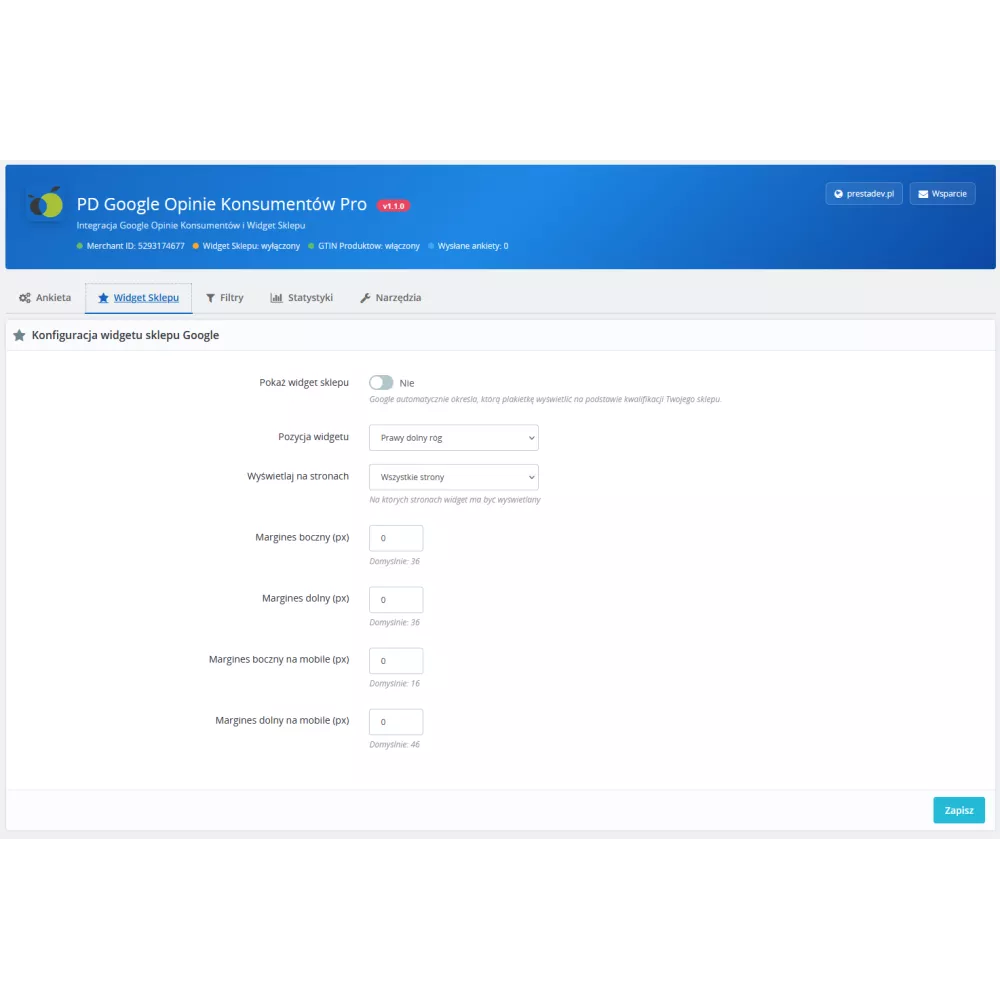
  • Google Store Widget (trust badge) with position and margin configuration
  • Passing product GTIN codes (EAN-13, UPC, ISBN, MPN) for collecting product reviews
  • Configurable delivery time — global or per carrier
  • 6 opt-in window display styles (CENTER_DIALOG, BOTTOM_RIGHT_DIALOG, BOTTOM_LEFT_DIALOG, TOP_RIGHT_DIALOG, TOP_LEFT_DIALOG, BOTTOM_TRAY)
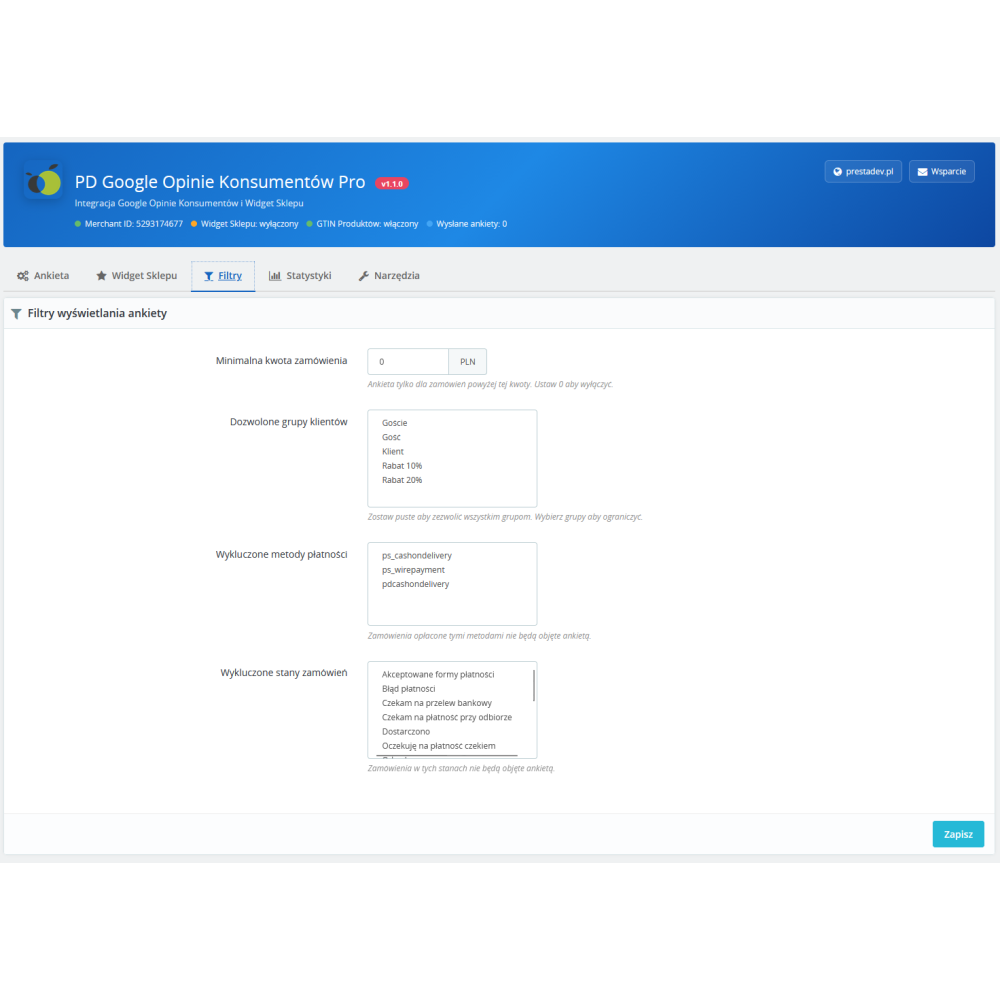
  • Filtering: minimum order amount, customer groups, payment methods, order statuses
  • Selection of pages where the widget is displayed (all, homepage, products, categories)
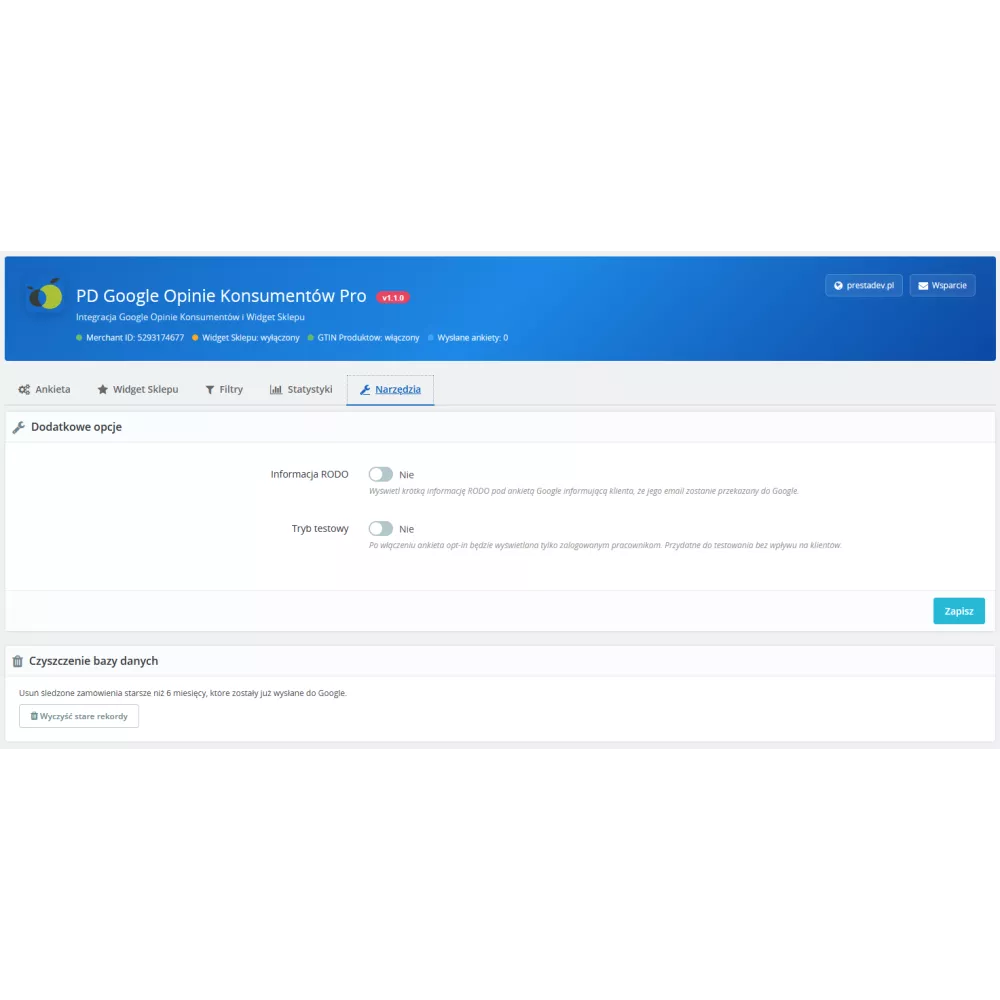
  • GDPR information below the opt-in survey
  • Test mode — the survey is visible only to logged-in store employees
  • Dashboard with statistics: sent surveys, pending, list of recent orders
  • Tool for cleaning old records from the database
  • Multistore support — separate configuration per store
  • Google survey language override
  • Compatibility with PrestaShop 1.7.x – 9.x and PHP 7.0 – 8.5

Requirements

  • An account in Google Merchant Center with the Customer Reviews program enabled
  • Verified store domain in Google Merchant Center
  • PrestaShop 1.7.0 or newer
  • SSL certificate (HTTPS) — required by Google

How it works

  1. The customer places an order in the store
  2. The Google opt-in window appears on the order confirmation page
  3. The customer can consent to receive a satisfaction survey
  4. Google sends the survey by email after the estimated delivery time
  5. The collected reviews build the seller rating (Seller Rating) in Google


Link to the module demo:

Admin panel demo:
https://moduly-prestashop.eu/google-opinie/admin-dev

Front office demo:
https://moduly-prestashop.eu/google-opinie

Product Details

Prestashop 9.x support
Yes
Support for Prestashop 8.x
Yes
Prestashop 1.7.x support
Yes
Prestashop 1.6.x support
Yes
Module translations
PL, ENG
Free updates (1 year)
Yes
Easy Installation
Yes
PGCOP-FULL

Changelog

Release history for this product. Expand an entry to see what changed.

  • moduł został kompletnie przepisany pod PrestaShop 9.x zgodność
  • dodano nowe opcje konfiguracyjne

FAQ

Find answers to the most common questions about this product.

Google Customer Reviews (formerly Google Consumer Opinions) is a free Google program that allows you to collect customer reviews after purchase. The module automatically displays an opt-in survey on the order confirmation page. If the customer gives consent, Google sends them an email with a satisfaction survey after the estimated delivery time has passed. The collected reviews build the seller rating (Seller Rating) visible in Google Shopping and Google Ads.

Google Merchant ID is the identification number of your account in Google Merchant Center. You can find it after logging in at merchantcenter.google.com — it is displayed in the top right corner of the panel or in the account settings. It is a string of digits, e.g. 123456789.

Yes. The Google Customer Reviews program requires an active Google Merchant Center account with the Customer Reviews program enabled and the store domain verified. Without this, the opt-in survey will not work.

Google Store Widget is an element displayed on store pages that presents the seller rating, the number of reviews, and information about the store quality. Google automatically determines which badge to display (Top Quality Store, Store Rating, or Store Quality) based on your store's qualifications. The widget is loaded from Google's servers and appears only on verified domains.

The Google Store Widget requires: (1) a verified domain in Google Merchant Center, (2) operation over HTTPS, (3) compliance with Google’s quality criteria. On localhost, test domains, or unverified domains, the widget will not appear — this is normal behavior on Google’s side, not a module error. Also check whether the Show Store Widget option is enabled in the module configuration.

GTIN (Global Trade Item Number) is a global product identification number. The most popular formats are EAN-13 (Europe), UPC (USA), ISBN (books), and MPN (manufacturer number). The module allows you to choose which PrestaShop field GTIN should be retrieved from. These codes are passed to Google for the purpose of collecting reviews about specific products (product reviews), not only about the store.

In the module configuration, you can set the default delivery time (e.g. 5 days) and override it for specific carriers. Format: one entry per line in the form carrier_id=days, e.g. 2=3. The list of available carriers with their IDs is displayed below the configuration field. Orders shipped with a given carrier will receive the appropriate estimated delivery time in the Google survey.

This is a filter that allows the opt-in survey to be displayed only for orders above a specified amount. For example, if you set PLN 50, orders below this amount will not be included in the review programme. Set 0 to disable the filter and display the survey for all orders.

You can limit the display of the survey to selected PrestaShop customer groups. If you choose, for example, Customers and Guests, customers from the Wholesalers group will not see the survey. Leaving the field empty means there are no restrictions — the survey will be shown to all groups.

In the Filters tab, select the payment methods for which the survey should not be displayed. For example, if cash on delivery (COD) orders are often not collected, you can exclude this payment method from the review programme.

When test mode is enabled, the opt-in survey is displayed only to store employees logged in to the administration panel (back office) who are simultaneously browsing the store front. Regular customers do not see the survey. This allows you to test the module's operation without affecting customers.

In accordance with the GDPR, before transferring the customer's email address to Google, the customer must be informed about it. After enabling this option, a short text is displayed under the opt-in survey informing the customer that their email will be transferred to Google for the purpose of sending a satisfaction survey.

Yes. Each store in a multistore installation can have its own separate configuration — a different Google Merchant ID, different delivery times, different filters. To configure settings per store, select the specific store context in the multistore selector in the administration panel before saving the settings.

Exactly once per order. After displaying the opt-in survey, the module marks the order as sent and does not display it again. If the customer closes the page before seeing the survey, it will not be displayed again.

In the Tools tab, there is a button that removes from the module table records older than 6 months that have already been sent to Google. This prevents unlimited table growth in large stores with many orders.

The module is compatible with PrestaShop 1.7.0 to 9.x and PHP 7.0 to 8.5. It uses a dual translation system (trans/l) ensuring compatibility with all versions.

The module does not add any SQL queries or assets on regular front-office pages (products, categories, cart). The Google Store Widget is loaded asynchronously (defer) from Google's servers. The opt-in survey is displayed exclusively on the order confirmation page.

In the module configuration, in the Statistics tab, there is a dashboard with the number of tracked orders, sent surveys, and pending ones. Below, a table is displayed with the 50 most recent orders along with the survey sending status.

Reviews (1)

1 Reviews

Adam
Moduł działa świetnie zgodnie z opisem, instalacja była bezproblemowa !!!!
By Patryk Marek on 10/27/2022
