
Shopping Cart

Entity mapping system
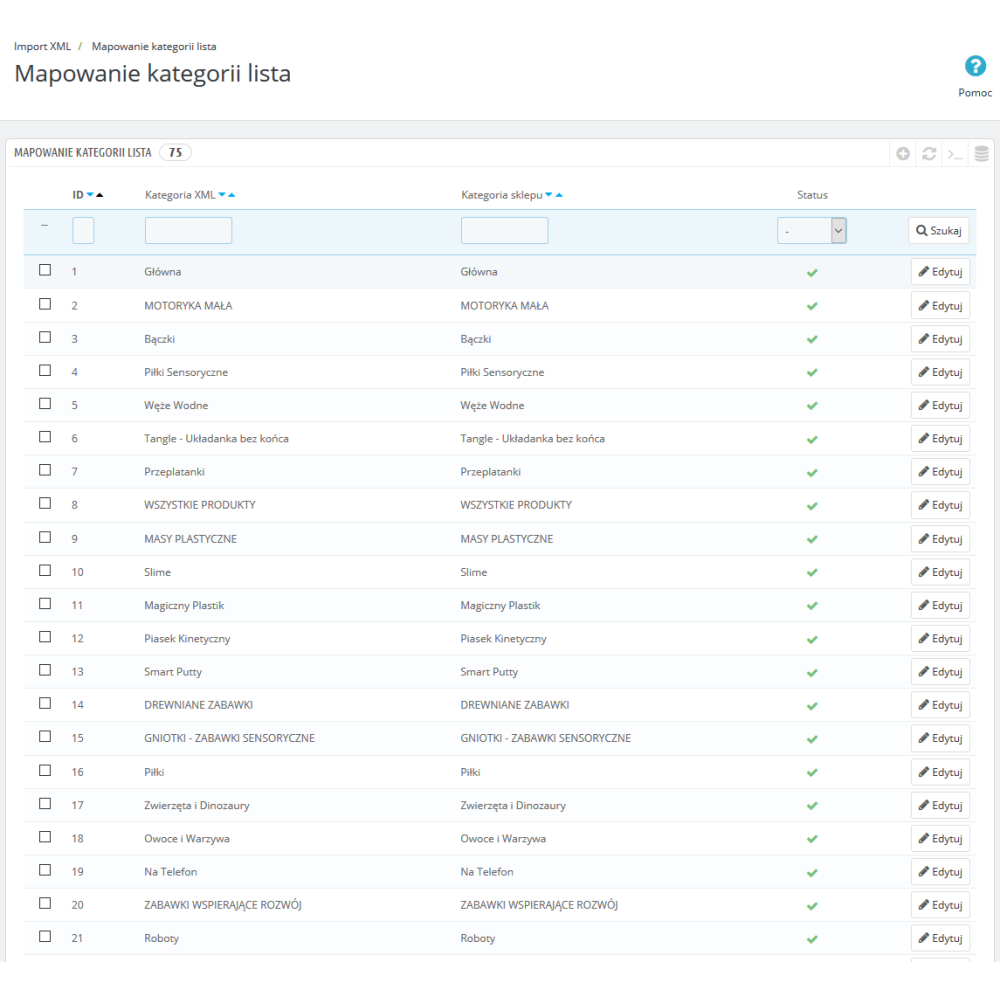
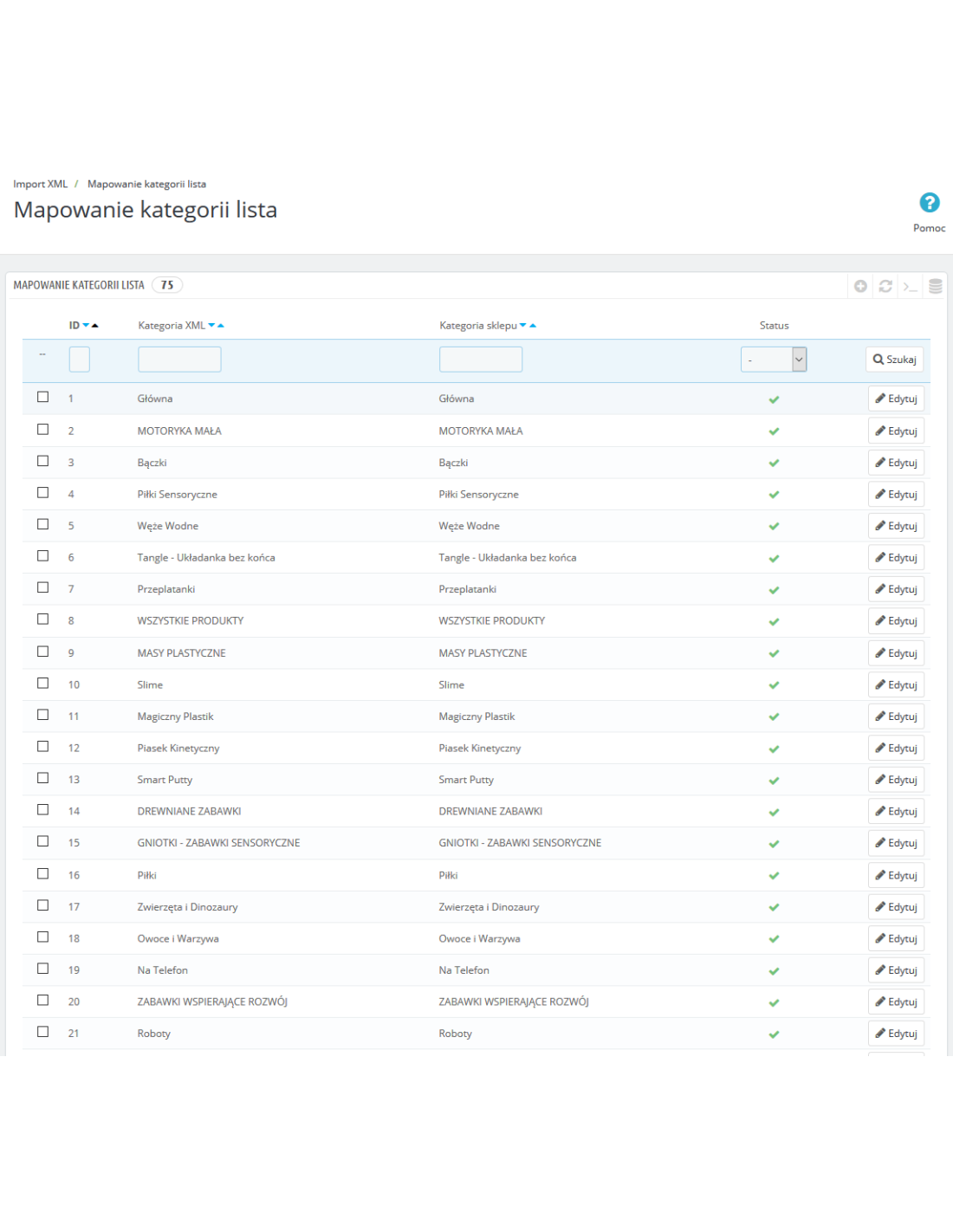
Each entity (category, manufacturer, supplier, feature, attribute) has a dedicated mapping page in the administration panel. You can assign entities from XML to existing entities in the store, enable and disable individual items, and the module will import only products from active/mapped entities.
Smart update with change detection (hash)
During subsequent imports, the module compares the hash of each product with the previous import. Only products that have changed in the XML are updated. Thanks to this, a repeated import of 14,000 products takes seconds instead of minutes. The "Force full update" option allows you to bypass the hash and reimport everything.
Granular update control
For each product field (name, description, price, quantity, images, features, manufacturer, dimensions, identifiers), you can decide separately whether it should be updated during subsequent imports. Separate settings for imported products and products mapped by reference/EAN.
Price margin
Pricing rules system with multiple criteria: price range, category, manufacturer, supplier. Supported operations: multiplication, addition, subtraction, percentage (+%, -%). Rules are applied automatically during import. Rounding of net or gross prices.
Product dictionary
Rules for automatic text transformation during import. Applies to the following fields: name, long description, short description, meta title, meta description, URL. Supports search/replace and regular expressions (regex). Rules can be limited to specific categories.
Handling missing products
When a product disappears from the XML file, the module can: do nothing, deactivate the product, reset stock quantity to zero or both at the same time.
Mapping by reference / EAN / UPC / MPN
Imported products can be automatically matched to existing products in the store based on reference code, EAN-13, UPC or MPN. This prevents duplicates from being created and allows updating products previously added manually.
XML export — key features
Export of the product catalog to an XML file with full control over the content:
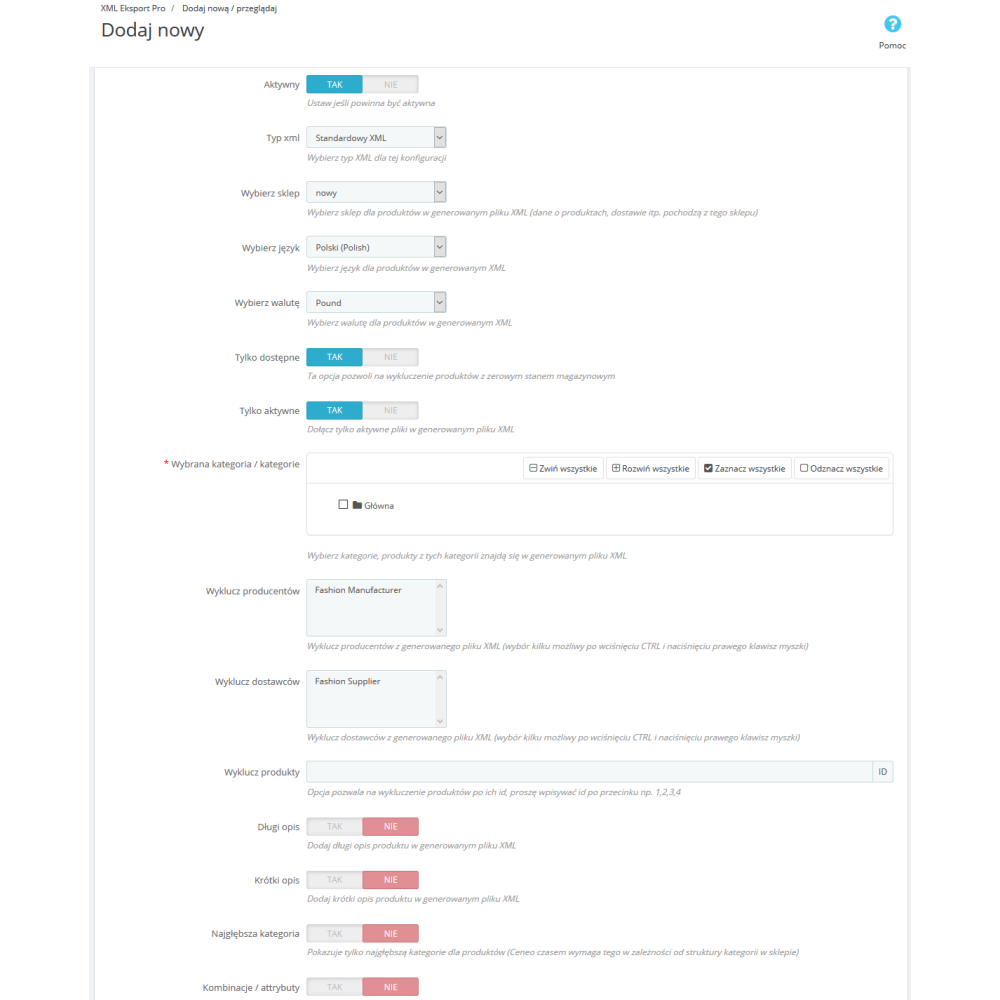
- Over 40 product fields — prices, stock levels, barcodes, dimensions, descriptions, meta data, images, features, combinations, attachments
- Multilingual support — export in multiple languages at the same time (xml:lang attributes)
- Multi-currency support — prices in the selected store currency
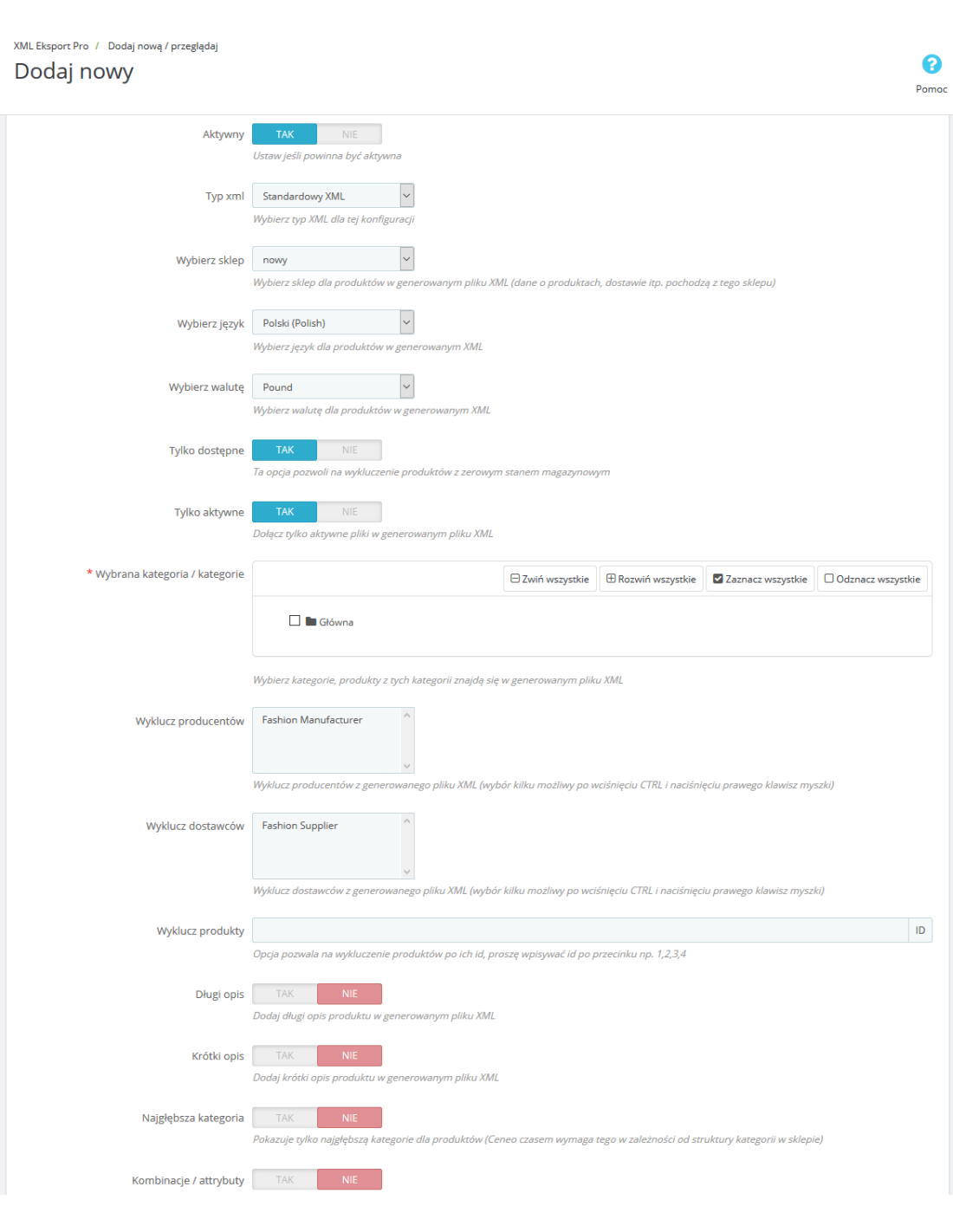
- Product filtering — by categories, availability, activity status, with exclusion of manufacturers, suppliers and specific products
- Optional content — enable/disable descriptions, features, combinations and attachments
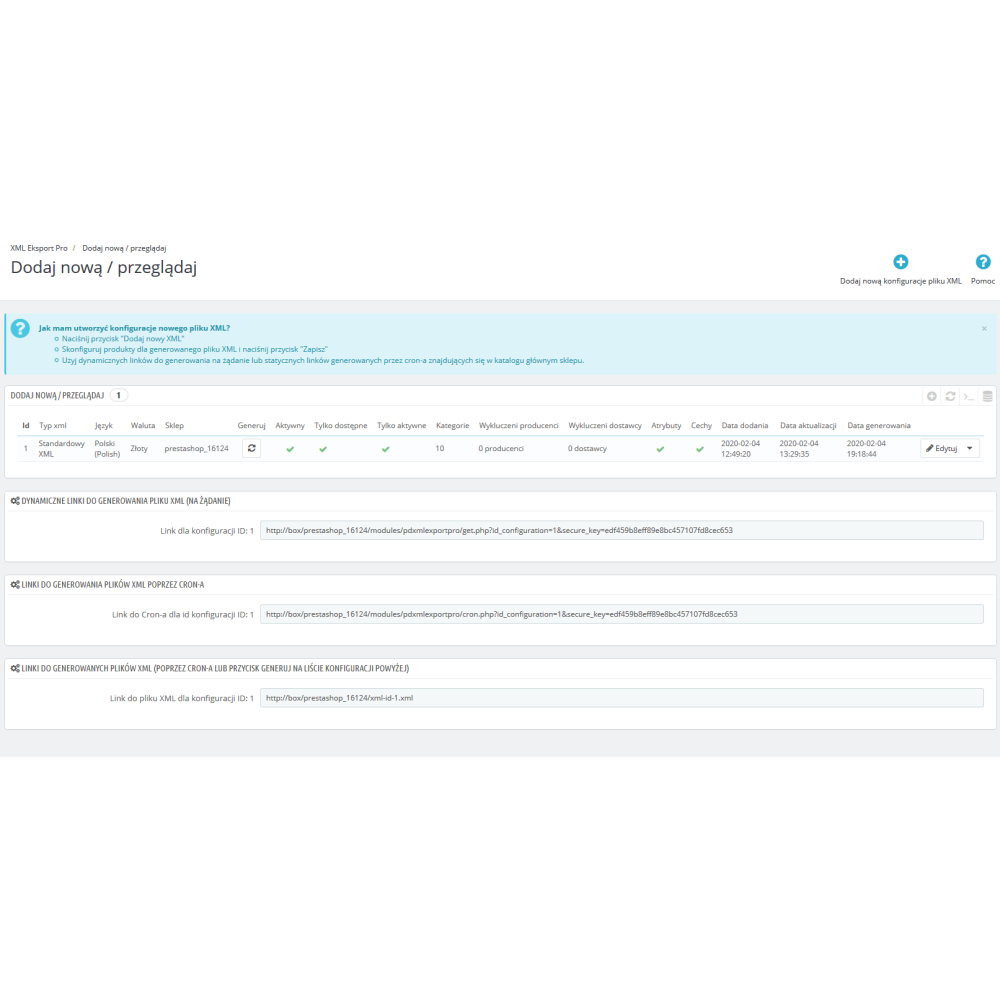
- Multiple export configurations — each with its own filters, languages and currency
Generation methods
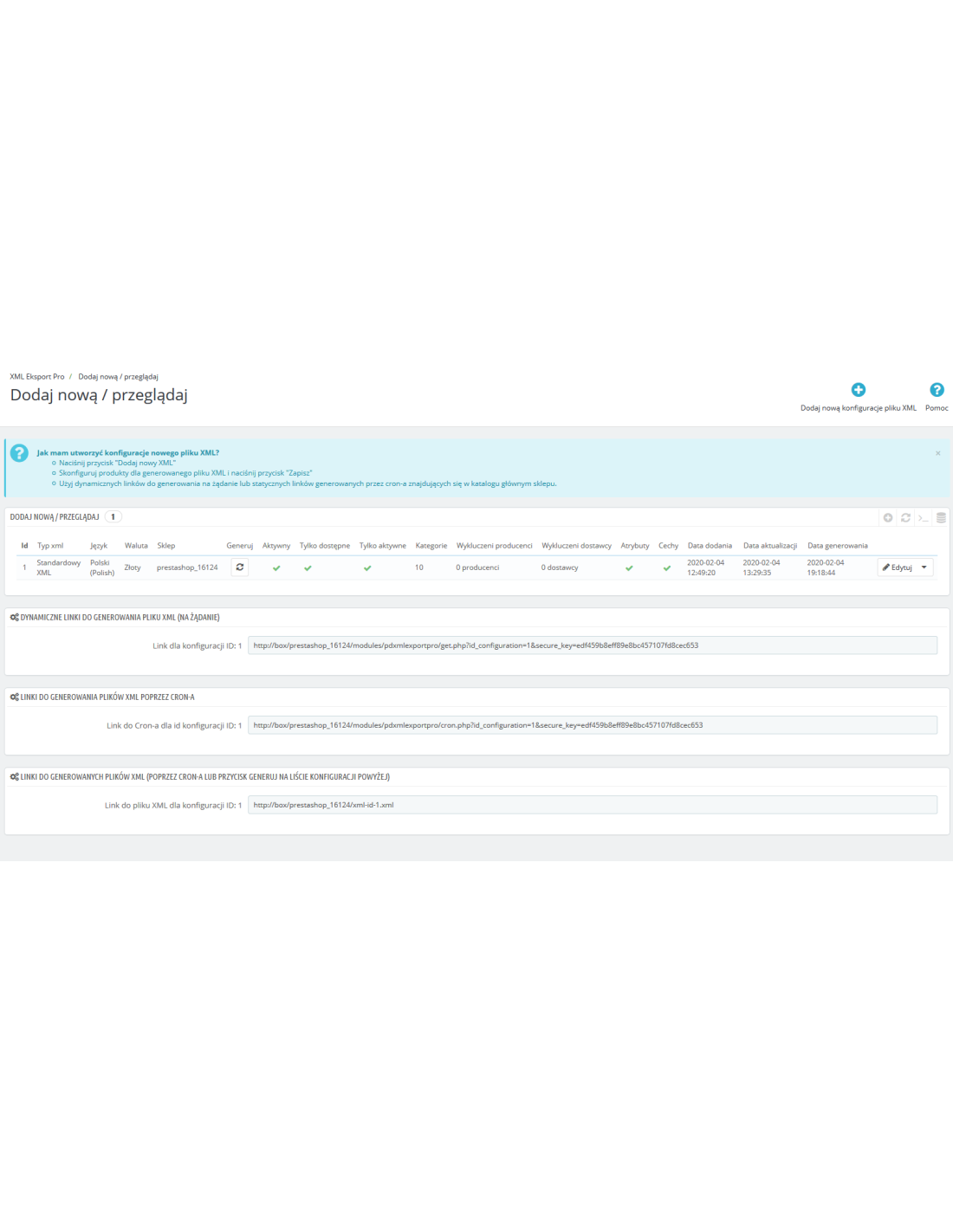
- On demand — dynamic XML generation via URL with a security key
- CRON — automatic generation of the XML file on the server according to schedule
- Manually — "Generate" button in the administration panel
Automation — CRON and CLI
The module offers full import and export automation:
- CRON import — ready-to-use URLs for cron scheduling: XML download, full update, quick update (prices/stock only)
- CLI (command line) — import from the terminal without timeouts:
php cli.php --secure_key=XXX import - CRON export — automatic generation of the XML file from the store catalog
- Quick update — streaming mode updating only prices, stock levels and activity status (direct SQL, minimal memory usage)
Performance and reliability
- Streaming XML parsing (XMLReader) — 100+ MB files without memory issues
- Batch processing — configurable batch size (default 200 products)
- Pause / Stop / Resume — the import can be paused, stopped and resumed at any time, even after refreshing the page
- Duplicate protection — UNIQUE INDEX on the product table + INSERT IGNORE
- Automatic memory release — clearing PrestaShop cache every 50 products
Administration panel
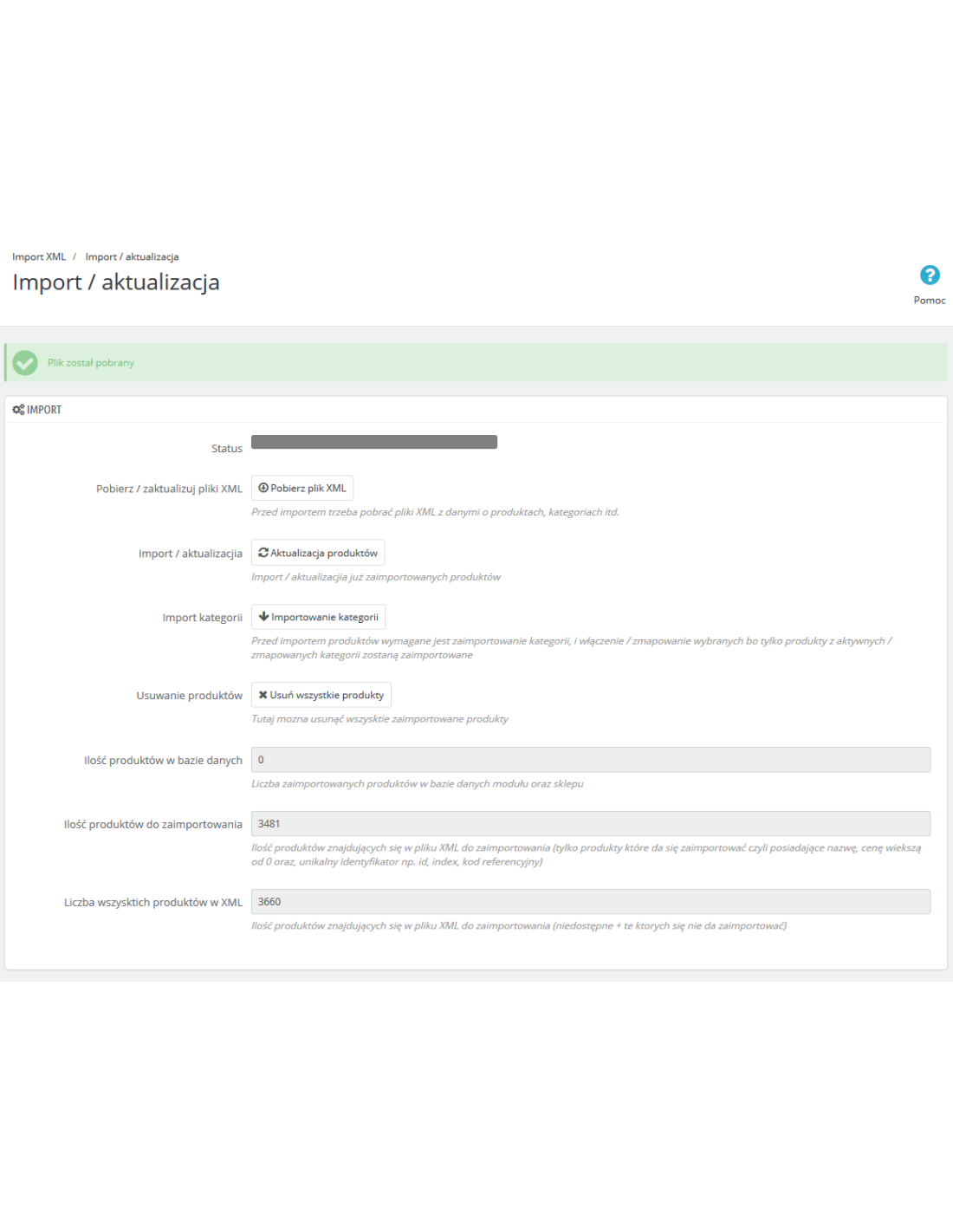
- Dashboard with status cards (products, categories, manufacturers, suppliers, features, attributes)
- "Getting started" guide — 2 scenarios (quick import / import with mapping)
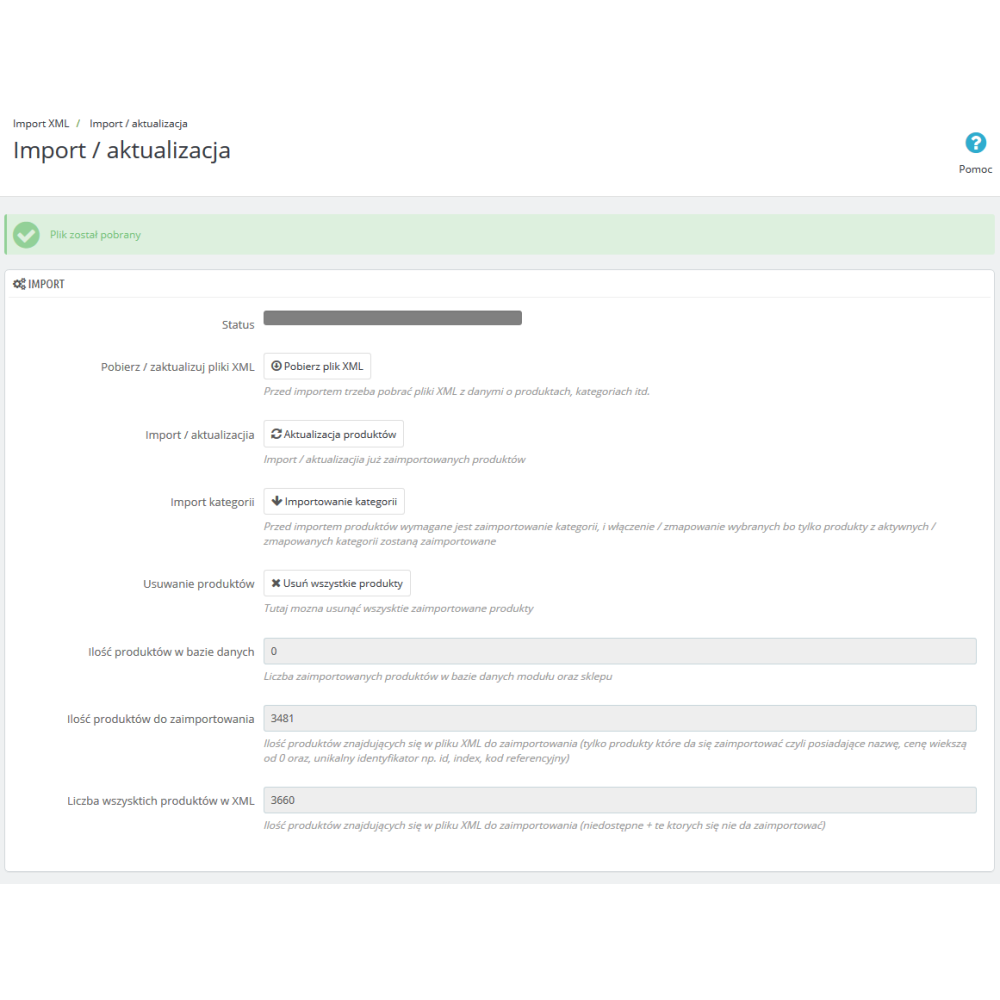
- Real-time import console with operation logs
- Full import in one click or individual actions per entity
- Logging system — operation history with levels (info, warning, error, success), CSV export
- 11 administration pages — dashboard, configuration, mapping of 5 entities, margins, dictionary, logs, AJAX
Compatibility
- PrestaShop 1.6.x, 1.7.x, 8.x, 9.x
- Multi-store — selection of target stores, logs per store
- Multilingual support — import and export of products in multiple languages
- 6 VAT rates — mapping to PrestaShop tax rule groups (23%, 8%, 7%, 5%, 4%, 0%)
- Module translation — full PL translation, XLF system compatible with PS 8+
Feature list of the Export / Import Products Pro module
- Import products from XML — names, descriptions, prices, stock levels, images, EAN/UPC/MPN codes, variants
- Import categories — hierarchical structure with automatic creation or mapping
- Import manufacturers — automatic creation or mapping to existing ones
- Import suppliers — automatic creation or mapping to existing ones
- Import product features — feature groups and values with mapping
- Import attributes and combinations — full support for product variants
- Export products to XML — over 40 fields, multilingual, with filters
- Multiple export configurations — each with its own filters and settings
- Entity mapping — dedicated pages per entity (categories, manufacturers, suppliers, features, attributes)
- Change detection (hash) — update only changed products
- Price margin — pricing rules with criteria (range, category, manufacturer, supplier)
- Product dictionary — search/replace and regex on names, descriptions, meta data, URL
- Granular update control — per field, separately for new and mapped products
- Mapping by reference/EAN/UPC/MPN — matching to existing products
- Handling missing products — deactivation, stock reset or both
- 6 VAT rates — mapping to PrestaShop tax rule groups
- Price rounding — net or gross
- Image download — with per-product limit, tracking in the database
- CRON automation — XML download, full update, quick update, export
- CLI (command line) — import without timeouts from the server terminal
- Quick update — streaming mode (prices, stock, status only)
- Pause / Stop / Resume — full control over the import process
- Streaming XML parsing — XMLReader, 100+ MB files without memory issues
- Configurable batch size — 50-500 products per batch
- Multi-store — selection of target stores, logs per store
- Multilingual support — import and export in multiple languages
- Multi-currency support — export in the selected currency
- Dashboard — status cards, guide, import console
- Logging system — operation history with CSV export
- Prefixes for descriptions — text before/after long and short description (multilingual)
- Availability labels — delivery and availability messages (multilingual)
- Duplicate protection — UNIQUE INDEX + INSERT IGNORE
- Compatibility — PrestaShop 1.6, 1.7, 8.x, 9.x
- Security — SHA256 security key for CRON and export
Advantages of the Export / Import Products Pro module
- One solution instead of two — import and export in one package, consistent configuration
- Performance on large catalogs — streaming XML parsing handles 100+ MB files and tens of thousands of products without memory issues
- Time savings — change detection (hash) means updating 14,000 products takes seconds, not hours
- Full automation — CRON and CLI eliminate manual imports; quick price/stock updates in streaming mode
- Control over every field — you decide separately for each field whether it should be updated during import
- Flexible mapping — assign XML entities to existing store entities instead of creating duplicates
- Data security — pause, stop and resume import at any time; duplicate protection at the database level
- Margins and transformations — automatic price margin calculation and transformation of names/descriptions during import
- Backward compatibility — works on PS 1.6 to 9.x without modifications
- Simple export — multilingual XML with filters, ready to share with partners or comparison engines
- Multi-store ready — import products into selected stores in a multi-store installation
- Clear panel — dashboard with status cards, real-time import console and a guide for beginners