
Shopping Cart

Engraving configurator on the product page
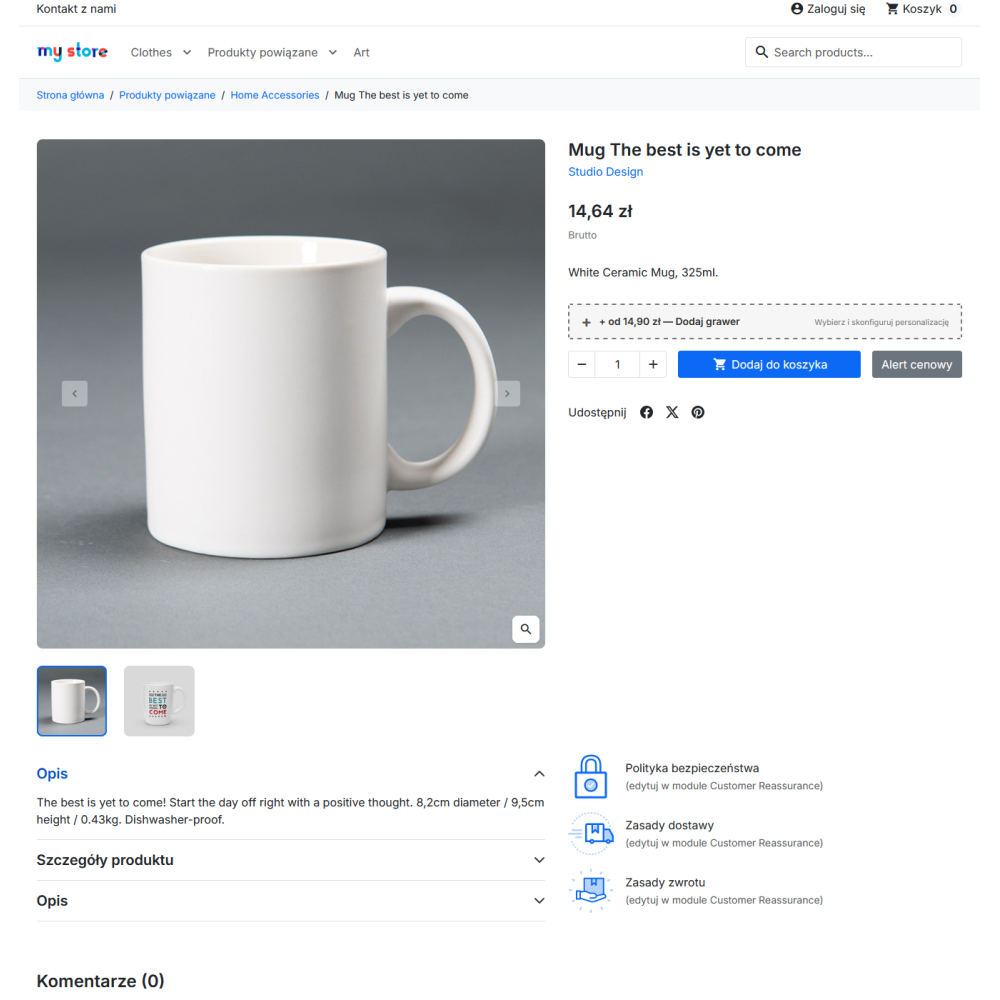
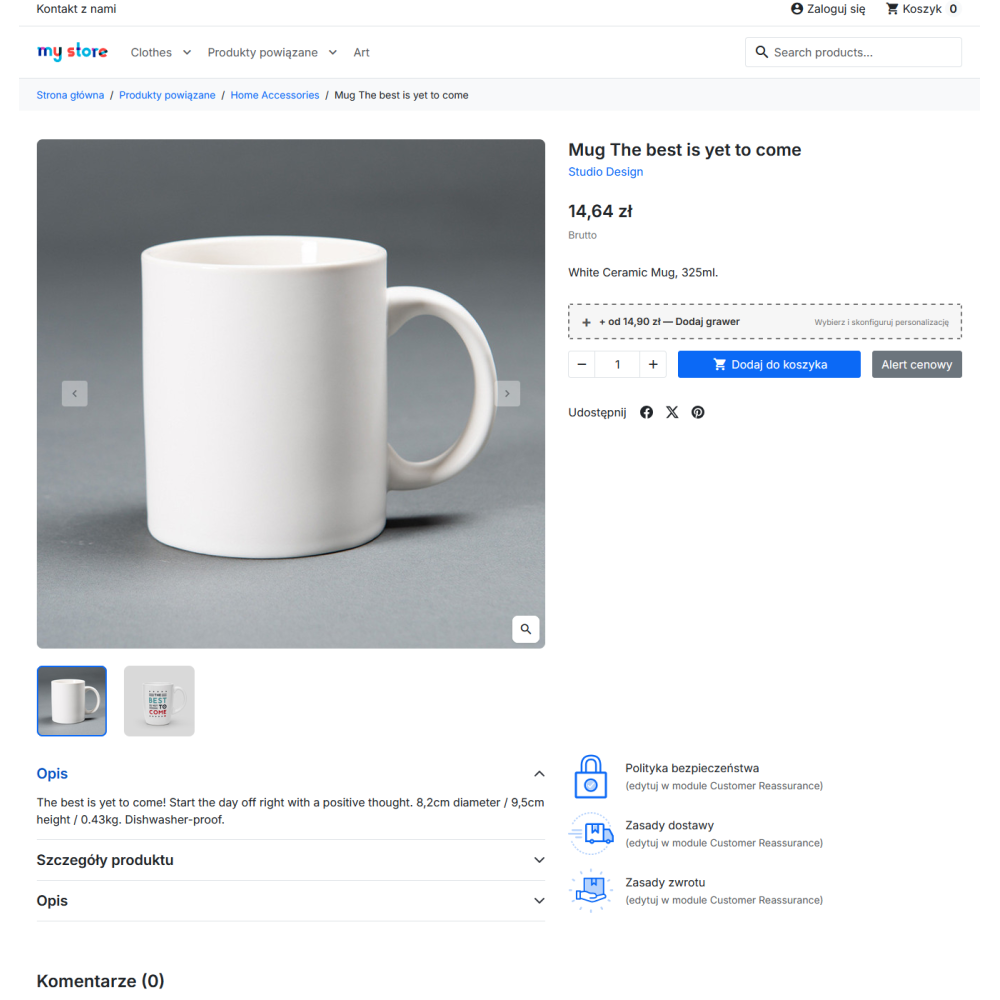
- Button with price from: a personalization button appears on the product page with the lowest price among the enabled engraving types, and when prices differ, the price is preceded by the word “from”.
- Free engraving with a crossed-out amount: if any engraving type has a price of zero, a label informing about free personalization is displayed next to the button, while the regular amount remains visible as crossed out.
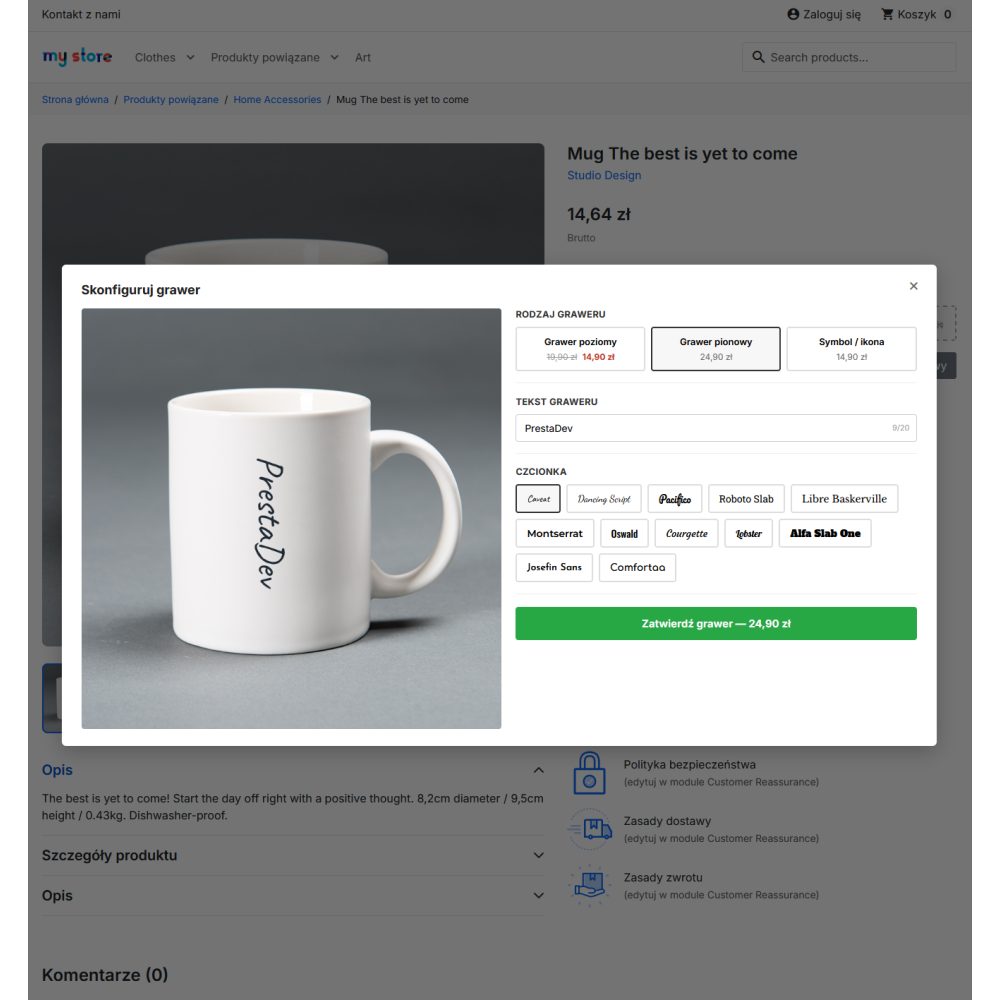
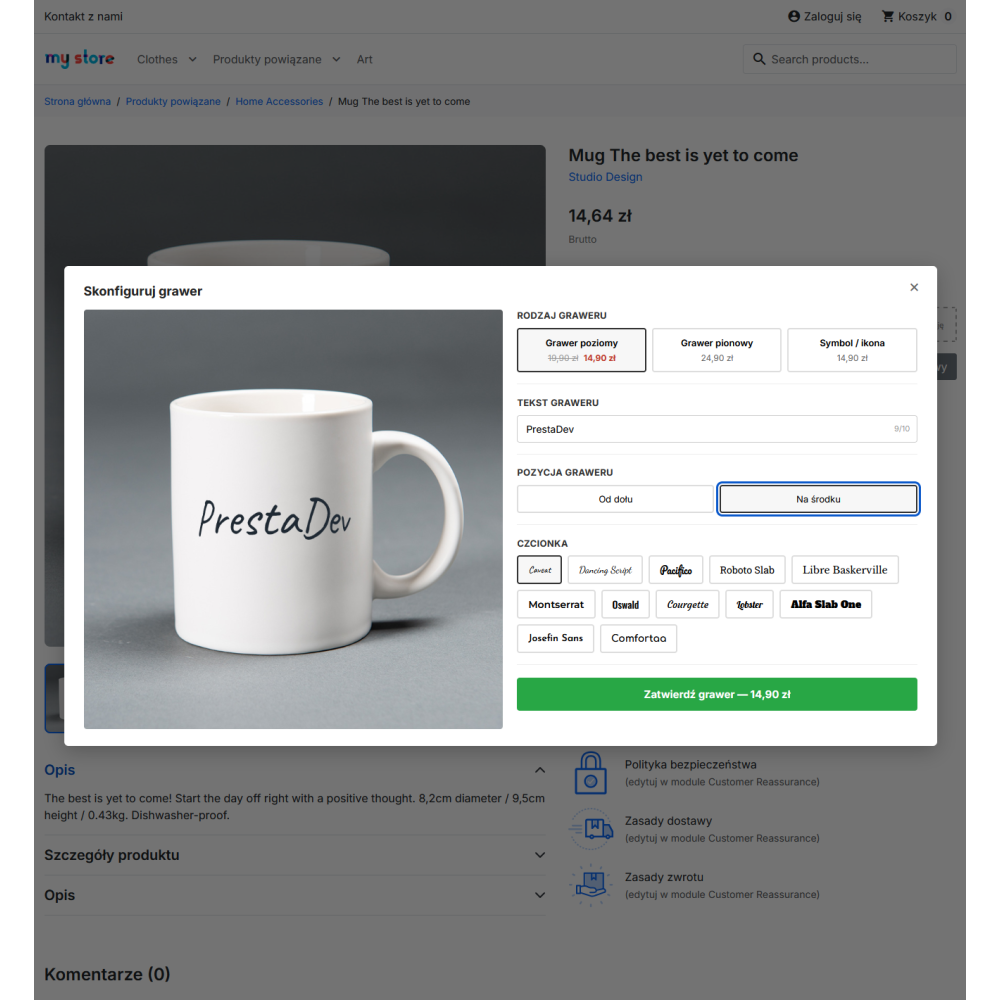
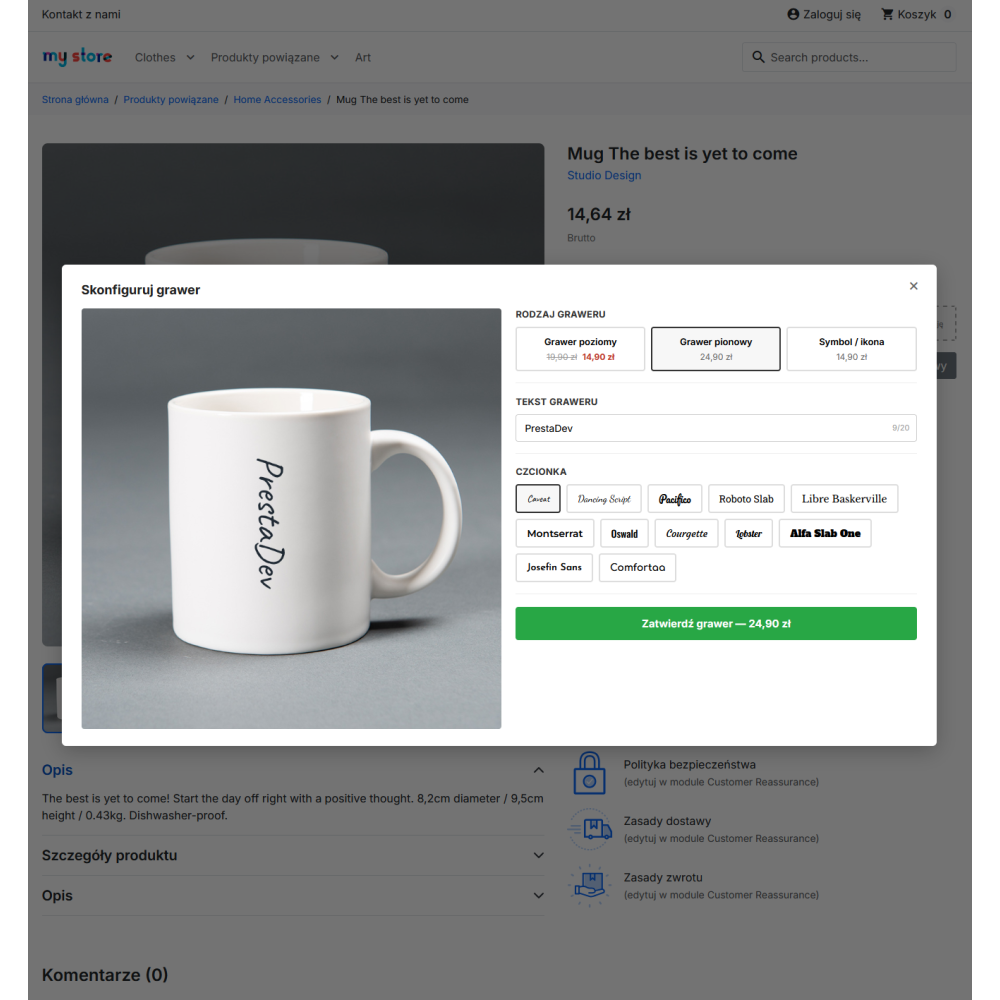
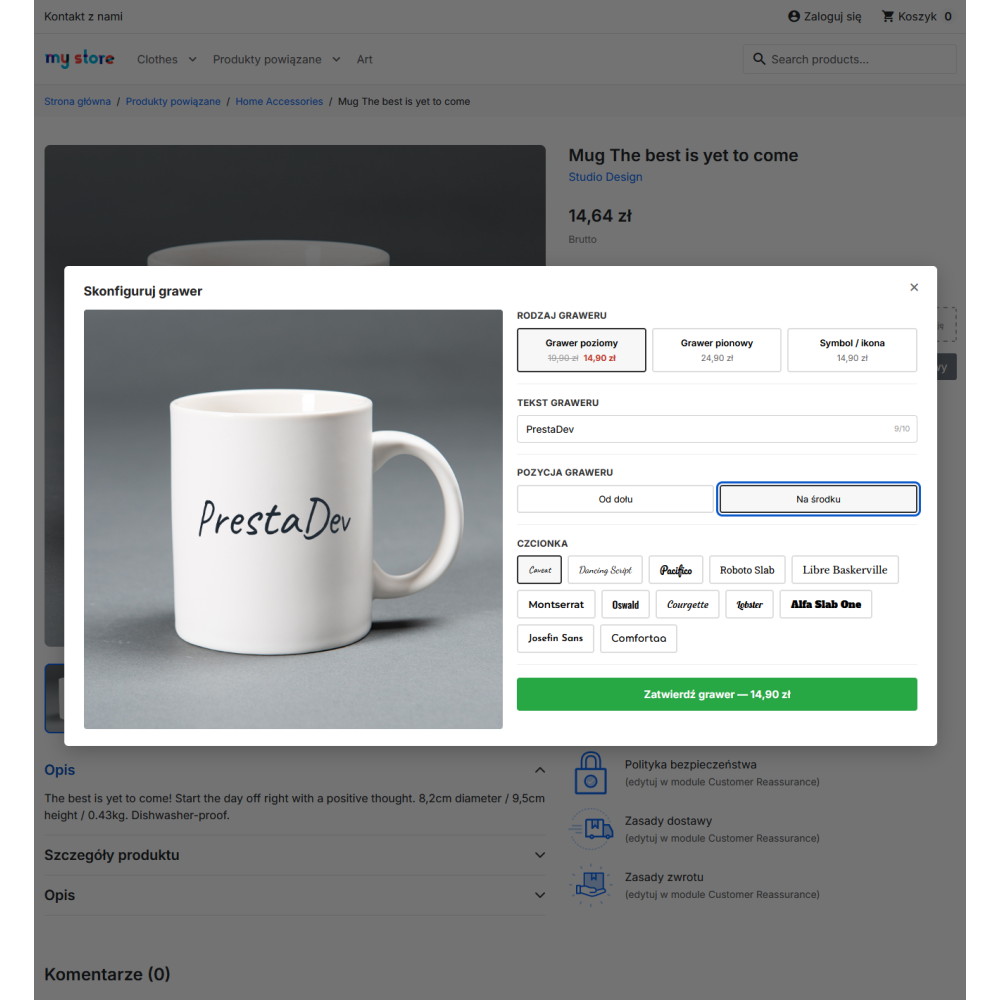
- Configurator window: personalization takes place in a modal window on the same page, without redirecting the customer to a separate form and without losing the previously selected product combination.
- Three types of personalization: horizontal engraving, vertical engraving, and a symbol or icon, each with its own price, its own character limit, and its own font size saved in the preset.
- Two engraving positions: the customer chooses the layout “from the bottom” or “in the middle” of the designated area, which makes it possible to handle both text under an existing print and centered text.
- Step order enforced by the interface: the text field, font selection, and confirmation button are revealed only after selecting the engraving type, and the confirmation button remains inactive until the personalization is complete.
- Character counter: the text field shows the current number of entered characters in relation to the limit applicable to the selected engraving type.
Preview on the product image rendered in the browser
- Rendering on a canvas element: the preview is generated on the client side, at the resolution of the image used as the mockup, and updates after every change to the text, font, position, engraving type, or selected icon.
- Text arranged on the surface of the item: the module calculates the letter layout separately for each character, taking the surface curvature into account, so the text on a mug, bottle, or other rounded item does not look like a flat overlay.
- Preview consistent with what goes into the order: the same rendering mechanism creates the image saved with the order, so the customer and the workshop see the same result.
- Fonts loaded on demand: font files are downloaded only when the configurator is opened, not on every visit to the product page, which does not burden page loading for customers who do not use personalization.
- Resources loaded conditionally: the module stylesheet and scripts are added only to product pages with engraving enabled – on other store pages the module adds no files at all.
Presets – engraving area and text appearance
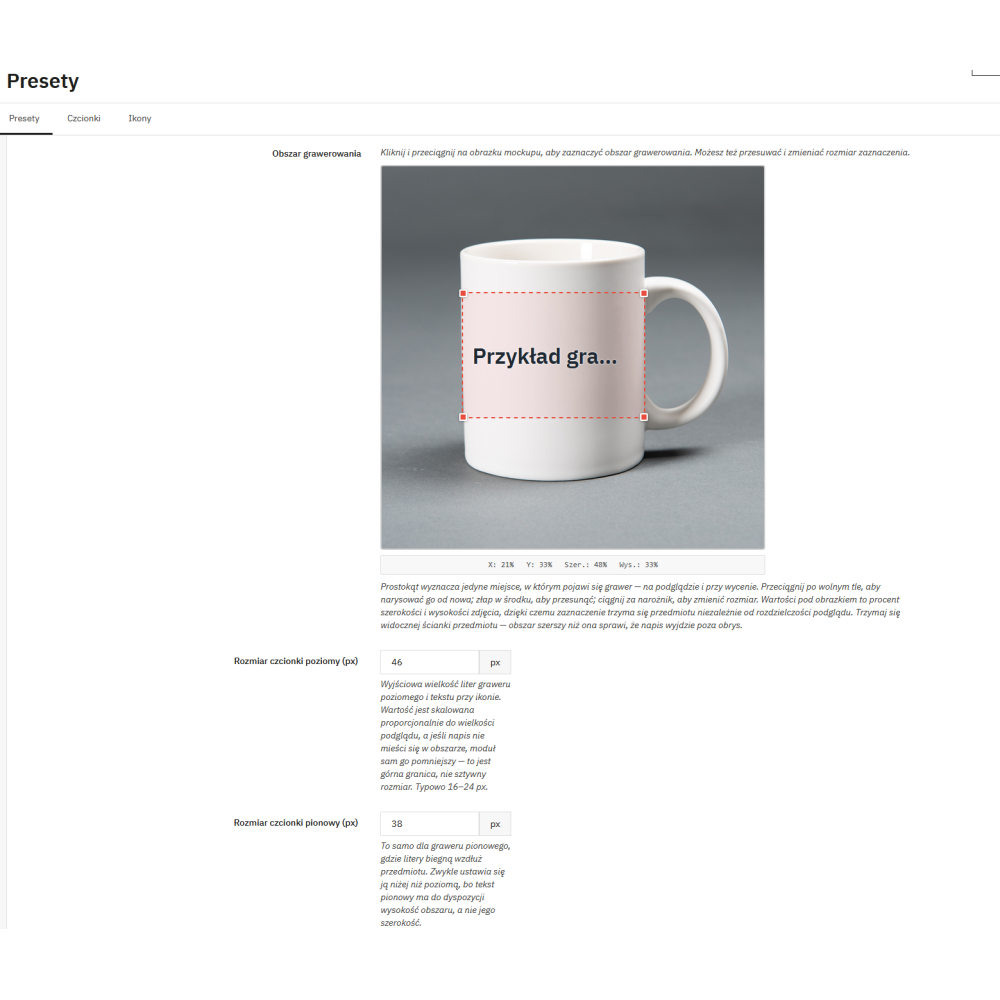
- Base image for personalization: a JPG, PNG, or WebP image is uploaded to the preset, on which the customer will see their engraving; this may be the product’s catalog image.
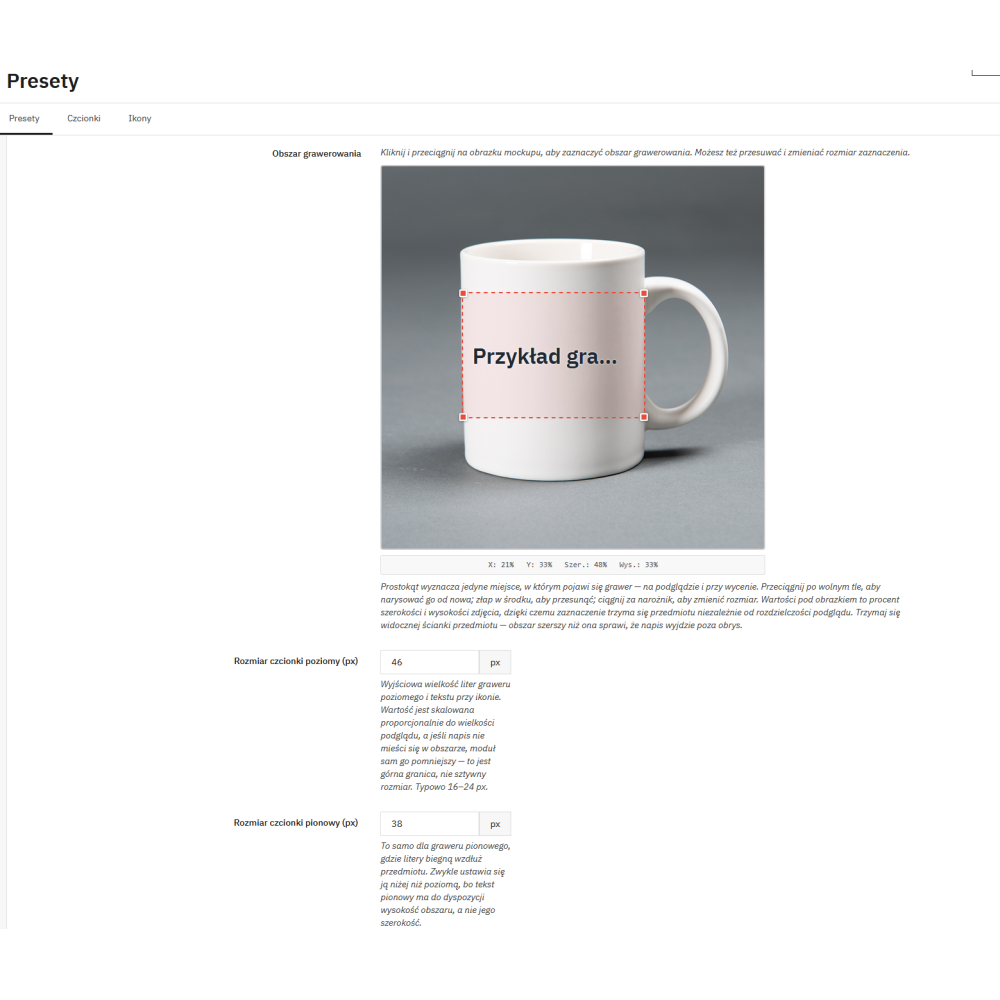
- Area marked with the mouse on the image: the engraving rectangle is drawn directly on the preview – by dragging across the background, grabbing the center to move it, and grabbing a corner to resize it.
- The same values available from the keyboard: four numeric fields allow entering the position and size of the area without using the mouse, making the module’s most important setting available for keyboard operation as well.
- Area saved as percentages: the position and dimensions are stored as a percentage of the image width and height, so the selection remains correct regardless of the preview resolution.
- Separate font sizes: the preset stores a size for horizontal engraving and a separate one for vertical engraving, because the same text in both layouts requires a different scale.
- Text color defined by the store: the engraving color is defined by the store owner in the preset so that it matches the effect achieved on the given material; the customer does not change it.
- Preset order by drag and drop: the preset list in the panel supports manual ordering as well as enabling and disabling individual items.
Font gallery managed in the panel
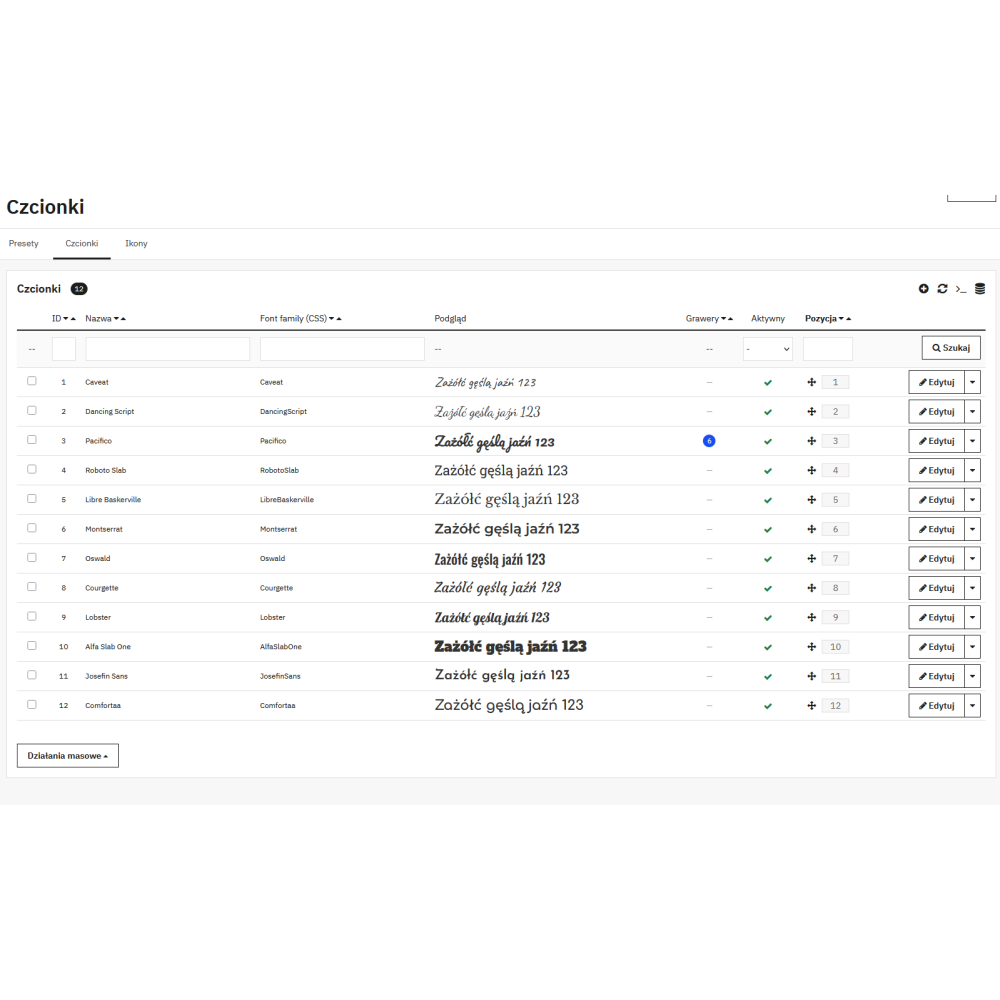
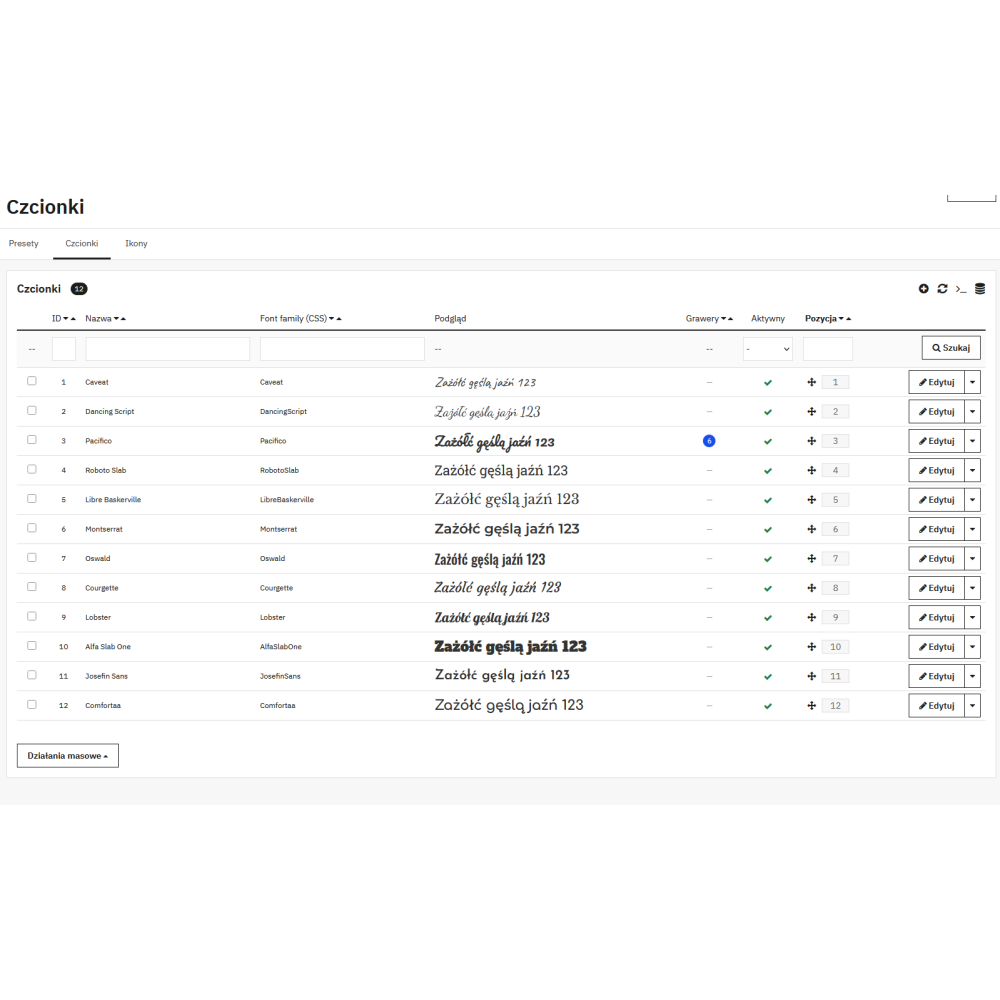
- Custom font files: the panel accepts files in WOFF2, WOFF, TTF, and OTF formats, so the store can offer exactly the typefaces that can be produced in the workshop.
- Twelve typefaces after installation: the module installs a ready-made set of twelve fonts, including Caveat, Dancing Script, Pacifico, Roboto Slab, Libre Baskerville, Montserrat, Oswald, Courgette, Lobster, Alfa Slab One, Josefin Sans, and Comfortaa.
- Typeface preview on the selection button: each font button in the configurator displays its own name in that very typeface, so the customer sees the choice before confirming it.
- Enable, disable, and order: each font can be hidden without deleting the file, and the order in the list is set by dragging.
- Protected font directory: the module creates access rules in the font storage location that restrict how the files can be downloaded.
Icons and symbols with file security control
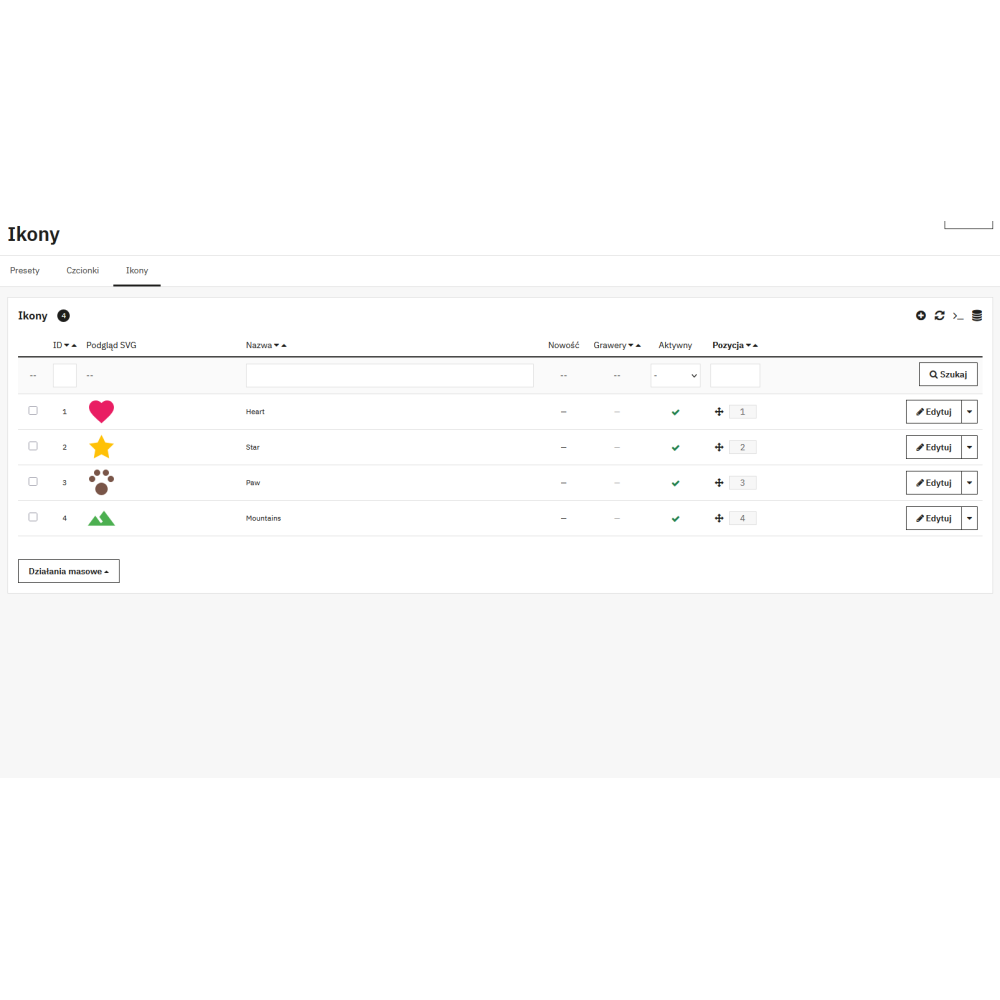
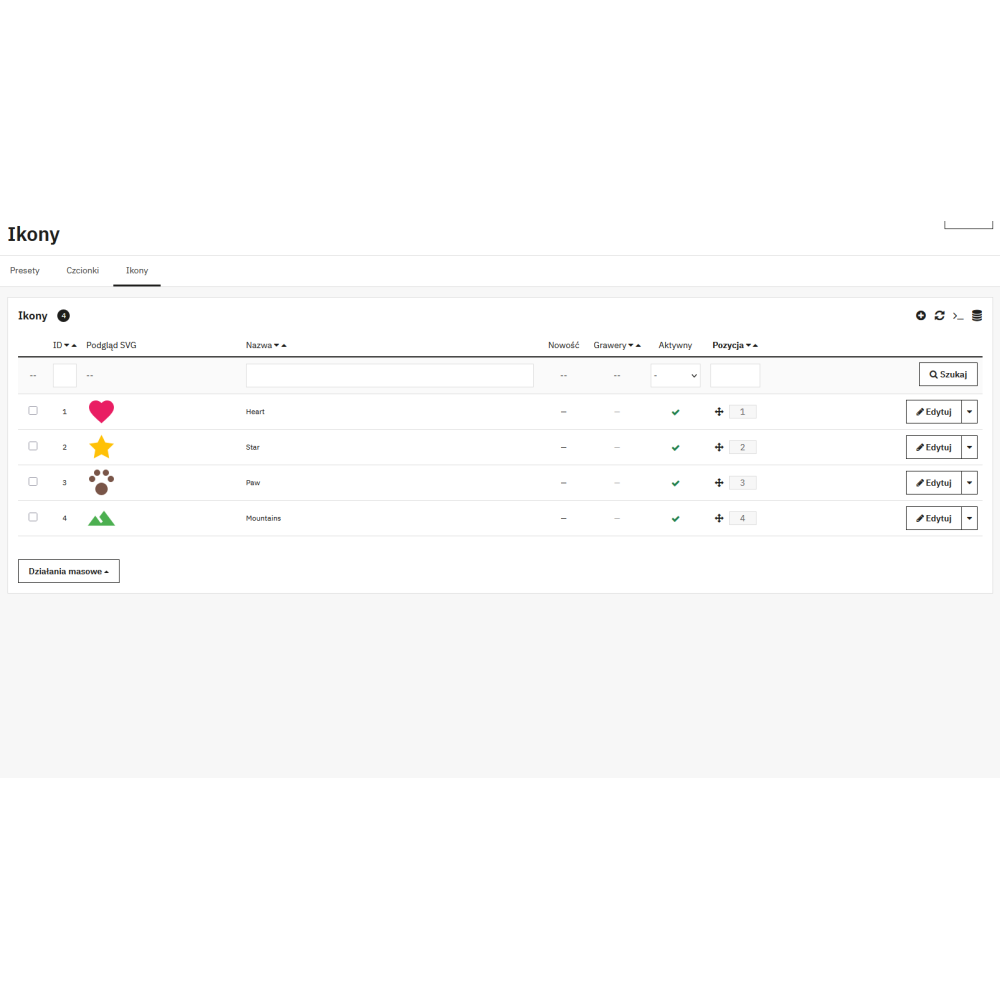
- SVG vector graphics: symbols are uploaded as SVG files, so they scale without loss of quality regardless of the preview resolution.
- Sanitizing the uploaded file: before being saved in the store, the SVG file is processed and stripped of executable elements – scripts, event attributes, external references, javascript addresses encoded as entities, and imports in styles.
- “New” label: selected icons can be highlighted in the gallery with a new label, which helps direct the customer’s attention to newly added designs.
- Four symbols after installation: the module installs a starter set containing a heart, star, mountain, and paw.
- Automatic step hiding: if there are no active icons in the store, the “symbol” personalization type is not shown to the customer at all.
Engraving settings for a single product
- Separate tab on the product page: engraving is enabled directly in product editing in the panel, without going to the module configuration.
- Preset selected from the list: the product points to one preset, so the same area and the same font sizes can be used across a whole group of similar products.
- Six price fields: for each product, the price of horizontal engraving, vertical engraving, and symbol, as well as their corresponding promotional prices, is set.
- Promotional price visible to the customer: when a promotional price is set, the configurator shows it next to the crossed-out regular price for the given engraving type.
- Enable without deleting settings: product personalization can be disabled while keeping the preset and prices for later.
Variants – different image and different color for a product variation
- Mockup assigned to an attribute value: a separate base image can be uploaded for individual product variations so the customer sees the engraving on the variant they selected.
- Combination image from the catalog: the module can use a combination image already existing in the store, provided it keeps the framing relative to which the engraving area was defined.
- Text color per variant: next to the image, the engraving color can be overridden, which reflects the real difference in effect on different materials and colors.
- Override at the whole product level: when each color is a separate product in the store, one image and color override is enough instead of creating a separate preset.
Control of content entered by the customer
- List of allowed characters: the module configuration contains a set of characters accepted in the engraving, so text containing a character that cannot be produced will not reach the workshop.
- Length limits separately for each type: by default ten characters for horizontal engraving, twenty for vertical engraving, and ten for symbol; the values can be changed in the settings.
- Server-side validation: the character limit and the list of allowed characters are checked again when saving, not only in the browser.
- Token-protected saving: saving and deleting personalization takes place through the module endpoint requiring a valid session token.
Cart, order, and communication with the customer
- Standard PrestaShop personalization: the approved engraving is saved as product personalization, so it goes through the cart and checkout process using the store’s own mechanisms.
- Thumbnail replaced with the engraved image: in the cart, in the order summary, and on order pages in the panel, the product image is replaced with the generated personalization preview.
- Clear description next to the order item: a description containing the engraving type, content, position, and font name is added to the item, prepared to fit within the length limit of the PrestaShop personalization field.
- Engraving details in the email: the module supplements the order confirmation message with information about the ordered personalization.
- Adding the personalization price: the engraving cost is included in the value of the order item according to the price list set for the given product.
Order handling in the administration panel
- Engraving panel on the order page: a separate table lists the preview, product name, engraving type, content, font, position, icon, and price – the complete set of data needed to fulfill the order.
- “Engraving” column on the order list: the order list in the panel gains a column marking orders containing personalization, placed next to the payment column.
- Preview next to the order item: a link to the engraving preview image appears next to the personalized item.
- Link limited to module files: the preview address is built solely on the basis of file names generated by this module and saved in the personalization database.
Data maintenance and store orderliness
- Cleanup task run cyclically: the module provides an address for a CRON schedule that removes preview images originating from abandoned carts and orphaned personalization data.
- Token generated for the store: the cleanup endpoint requires a token set during installation and compared using a method resistant to response-time analysis, so knowing the address alone is not enough to run the task.
- Configurable age of deleted data: the minimum age of files intended for deletion is passed as a call parameter, which makes it possible to adapt cleanup to the length of the typical purchase path.
- Date of the last run: the module saves the moment of the last execution of the cleanup task.
- Cleanup after product deletion: deleting a product in the store removes the engraving configuration and variant data associated with it.
- Limits for images: the module accepts image files up to two megabytes and edges up to 2400 pixels, and saved previews are supplemented with a thumbnail with a 600-pixel edge.
Deployment, multistore, and updates
- Data separated by store: presets, fonts, icons, product settings, and variants are stored with store assignment, which makes it possible to run different personalization offers in a multistore environment.
- Starter set after installation: installation creates the directory structure for files, copies fonts and icons, and sets default values for limits and the list of allowed characters.
- Own section in the panel menu: the module adds a section with three management screens – presets, fonts, and icons.
- Upgrade path: the package contains thirteen upgrade scripts taking the installation from the first releases to the current version, without manual changes in the database.
- Clean uninstallation: uninstallation removes the module tables, its settings, and the directory with font, icon, and base image files.
- No external dependencies: the module does not require Composer, external PHP libraries, or network services – it works solely on the code delivered in the package and on the PrestaShop API.
Benefits for the online store
- Higher cart value: personalization is a paid product add-on, the price of which the store sets separately for each engraving type and each product.
- Fewer pre-purchase questions: the customer sees their text on the product image before adding it to the cart, so they ask customer service less often what the result will look like.
- Fewer mistakes in the workshop: the order reaches the panel with a preview and a full description – type, content, font, and position – instead of a note in the order comment.
- Personalization as a marketing argument: free engraving can be highlighted on the product page with a label and a crossed-out regular price.
- Configure once, use repeatedly: one preset supports a whole group of products with a similar shape and image framing.
- Control over what can be produced: the list of allowed characters and length limits restrict orders to texts that can actually be fulfilled.
- No growing file clutter: the cleanup task removes previews from carts that never became orders.
Compatibility
PD Engraving on Products Pro is prepared for PrestaShop from version 1.7.8.2 through 8.x to 9.x, and for PHP 7.0–8.5, while storing data in MySQL 5.6+ or MariaDB 10.x+. The module does not require Composer or external libraries, and the engraving preview is generated in the customer’s browser without references to external services. The customer and panel interface is translated into Polish, and the module supports a multistore environment, assigning presets, fonts, icons, and product settings to a specific store.