If spam gets through despite CAPTCHA, first check whether the server verifies submissions from this specific form. A visible checkbox, a reCAPTCHA badge, or an active module is not enough. Protection must cover both token generation in the browser and the server’s decision before creating an account, saving a subscription, or sending a message.
This guide is for PrestaShop store owners and people responsible for their technical maintenance. It helps identify the source of the problem and prepare a verifiable test. It does not assume that every case requires replacing the module.
1. Determine how the spam is actually getting through
Start with one example: the time of the submission, the type of event, and the form you associate it with. Do not publish the customer’s address, the content of private correspondence, or the full request containing tokens. For a report to a developer, anonymized data and instructions for reproducing the problem are sufficient.
A message in the store inbox may have come from the standard contact form, a form on the product page, a review module, or directly from email. Contact form protection does not automatically filter messages sent to a public email address. Likewise, CAPTCHA on account creation does not by definition secure newsletter signup.
Record the exact URL and the name of the module handling the form.
Determine whether the problem occurs for a guest, a logged-in customer, or both groups.
Reproduce the submission on a computer and a phone if the forms differ in layout.
Check whether the form is submitted traditionally, via AJAX, or through an external checkout.
Only with such a description should you compare the scope of reCAPTCHA Pro for PrestaShop with the actual location of the problem. The general statement “CAPTCHA is enabled on the site” does not allow assessment of the effectiveness of a specific path.
2. Check the key type, domain, and complete configuration
v2 keys, v3 keys, and Enterprise configuration belong to different modes. The verification type set in the module must match the service configuration. Also check the domain used by the customer: a test copy, the production domain, and an additional host do not necessarily have the same permissions.
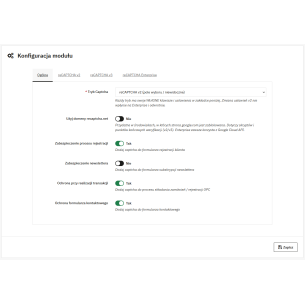
In the reviewed version of reCAPTCHA Pro 1.4.9, an empty public key causes the central validation to be skipped. Therefore, an installed module and a checked toggle are not proof that protection has been fully enabled. Check whether the required fields for the selected mode are actually filled in; do not include the private key in screenshots or in the page code.
Set domain restrictions on Google’s side. The reviewed module code does not perform an additional comparison of the hostname field in the response. The Google documentation on domains explains that disabling their verification requires independent host checking in the backend. Do not disable this restriction as a random attempt to fix the form.
3. Separate browser behavior from the server’s decision
In developer tools, check whether the CAPTCHA script was loaded, whether there is a JavaScript error, and whether a token appears when the form is submitted. If the problem occurs only after a specific decision in the cookie panel, trace the script loading order and consent integration. Do not blindly change cookie classification just to make the error message disappear.
Then check the request sent to the store. The token should reach the path that performs the protected action. Hiding the button or checking the field only in JavaScript does not replace server-side control.
Google describes the response token as single-use and valid for two minutes. Therefore, a form left open for too long, resubmitting the same request, or two independent validations of one token may result in rejection. After an error, a proper retry with a new token is required. Details and error codes are included in the reCAPTCHA response verification documentation.
In v3, the absence of a checkbox is normal. The score and the action context are evaluated. The threshold should result from observation of actual traffic; the result from a test copy does not have to reflect production behavior. Google describes the score and the action name separately. During diagnosis, record the reason for rejection instead of automatically lowering the threshold with every error.
4. Verify the actual scope of forms
The table below describes the paths found in the code of reCAPTCHA Pro 1.4.9. It is information about integration, not a declaration of correct operation for every theme and every version of other modules.
Forms and conditions requiring verification
Location
What the code covers
What must be confirmed in the store
Customer registration
Dedicated validation hooks and JavaScript form handling.
An active registration option and execution of hooks in the form being used.
Standard contactform
An override checking CAPTCHA before passing a correctly completed contact form for sending.
Whether the implemented override is executed and the contact form is not handled by another module.
Newsletter ps_emailsubscription
A hook that can stop the submission and handle the confirmation process.
Hook binding and form recognition; email confirmation is a separate step.
TheCheckout
A separate toggle and integration code.
Whether the final confirmation actually triggers server-side validation. The mere presence of the widget does not confirm this.
Login, password reset, third-party forms
They are not part of the default list of protected paths described above.
The existence of separate, verified integration before considering the form secured.
5. Your own test: accepted and rejected response
We conducted a controlled test of the unchanged code of reCAPTCHA Pro 1.4.9 and the implemented contact override. We replaced the service response with prepared data and the sending function with a call counter. We checked the program’s decision; we did not send messages, did not use customer tokens, and did not measure Google’s anti-spam effectiveness.
Test results with controlled provider responses
Case
Prepared conditions
Observed result
Valid contact response
Positive success, action equal to contact, score 0.9 with a threshold of 0.5.
One pass to the substitute sending function, with no CAPTCHA error.
Invalid contact response
Negative success and the code invalid-input-response.
No pass to sending; error message.
No token
The public key is configured, but no token was provided.
The validator rejects before calling transport.
Score too low in v3
Score 0.1 with a threshold of 0.5.
The validator rejects.
No public key
Incomplete configuration.
Validation is skipped; therefore, configuration requires separate verification.
Such a test allows you to check the gate in the code. Full acceptance of the implementation still requires going through the actual form on a store copy: with its theme, PrestaShop version, form module, and settings. For an external checkout, confirm in particular that backend rejection stops the final action.
6. Also take care of the normal user
After rejection, the form should explain the problem and allow another attempt. Check behavior after a longer pause, network loss, and a service error. Assess whether the user can keep the entered content and whether the button does not remain permanently blocked. These are acceptance criteria for a specific implementation, not an automatic feature of every module set.
If the protected path works correctly and the problem concerns heavy server load or direct email, choose protection for that layer. Request limits, WAF, and inbox filtering require separate settings. CAPTCHA is not a guarantee of eliminating all bots.
Next step: check the scope of reCAPTCHA Pro for your form. If you cannot identify where control is being interrupted, use PrestaShop technical support, providing the URL, versions, and an anonymized test flow.
Checked on 13/09/2026. Scope: module source files 1.4.9, controlled validator responses, and Google documentation. The illustration is editorial material, not a screenshot of the tested interface.
Google reCAPTCHA Pro is a modern module for protecting forms in PrestaShop against spam, bots, and fake registrations, designed for maximum effectiveness and user convenience. It supports reCAPTCHA v2, v3, and reCAPTCHA Enterprise (including score-based and checkbox modes), so you can easily adjust the level of security to your store’s needs. The module...
Patryk Marek — owner of PrestaDev.pl and a developer specializing in PrestaShop. For many years, he has been involved in creating, developing, and maintaining online stores. He combines work on store and module code with the configuration of the server environment in which these solutions operate.
He designs and develops PrestaShop modules, customizes existing features, and prepares integrations with wholesalers and external services. He works on product data import and updates, catalog management automation, the order process, and tools supporting the store owner's daily work.
His experience also includes store updates and migrations, error diagnosis, performance analysis, and the configuration of servers and services required for PrestaShop to operate. When solving problems, he takes into account the dependencies between modules, the theme, PHP, the database, and hosting settings.
On the blog, he shares knowledge gained from many years of programming practice and working with the technical backend of stores. The guides focus on specific problems, ways to verify them, and the limitations of the described solutions. They help store owners and technical specialists prepare changes, assess their scope, and verify the result.


Comments (0)