- moduł został całkowicie przepisany pod zgodność z najnowszą wersja PrestaShop-u 9.x
- dodana pełna obsługę Google reCaptcha Enterprise w wszystkich 3 wariantach
- dodano obsługę modułu Szybkie Zakupy Pro / The Checkout tak by działał z nim moduł bez problemów
Features and benefits of the module
- full support for Google reCAPTCHA v2, v3, and reCAPTCHA Enterprise lets you choose the optimal level of protection for your store, regardless of whether you prefer the classic checkbox, invisible mode, risk assessment based on score, or an enterprise-class solution for larger implementations.
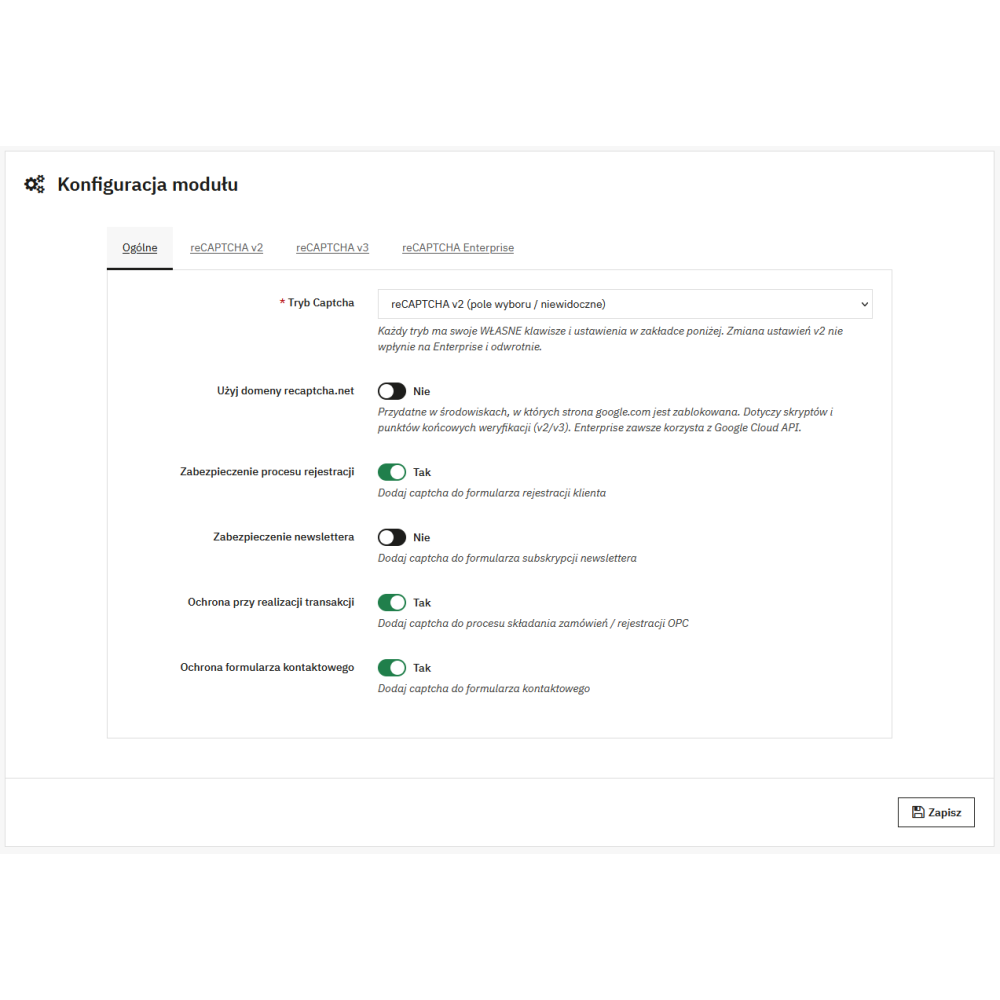
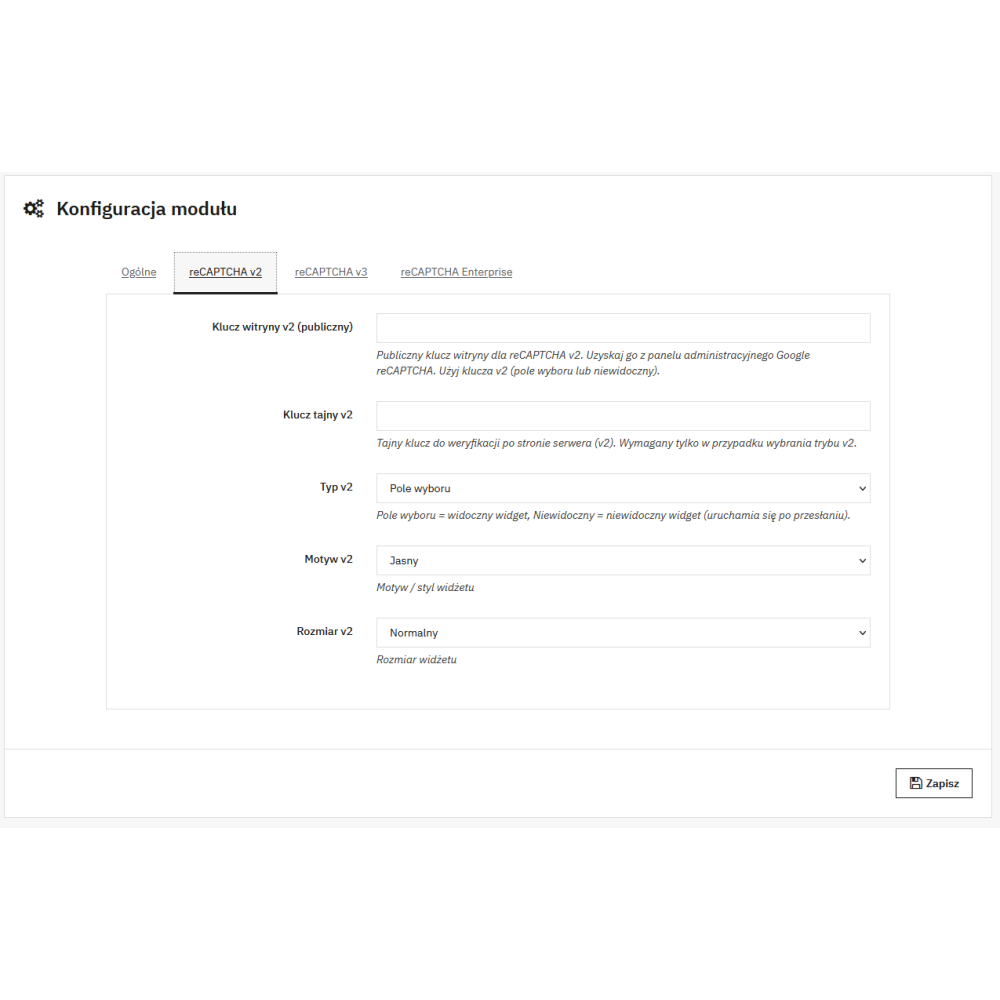
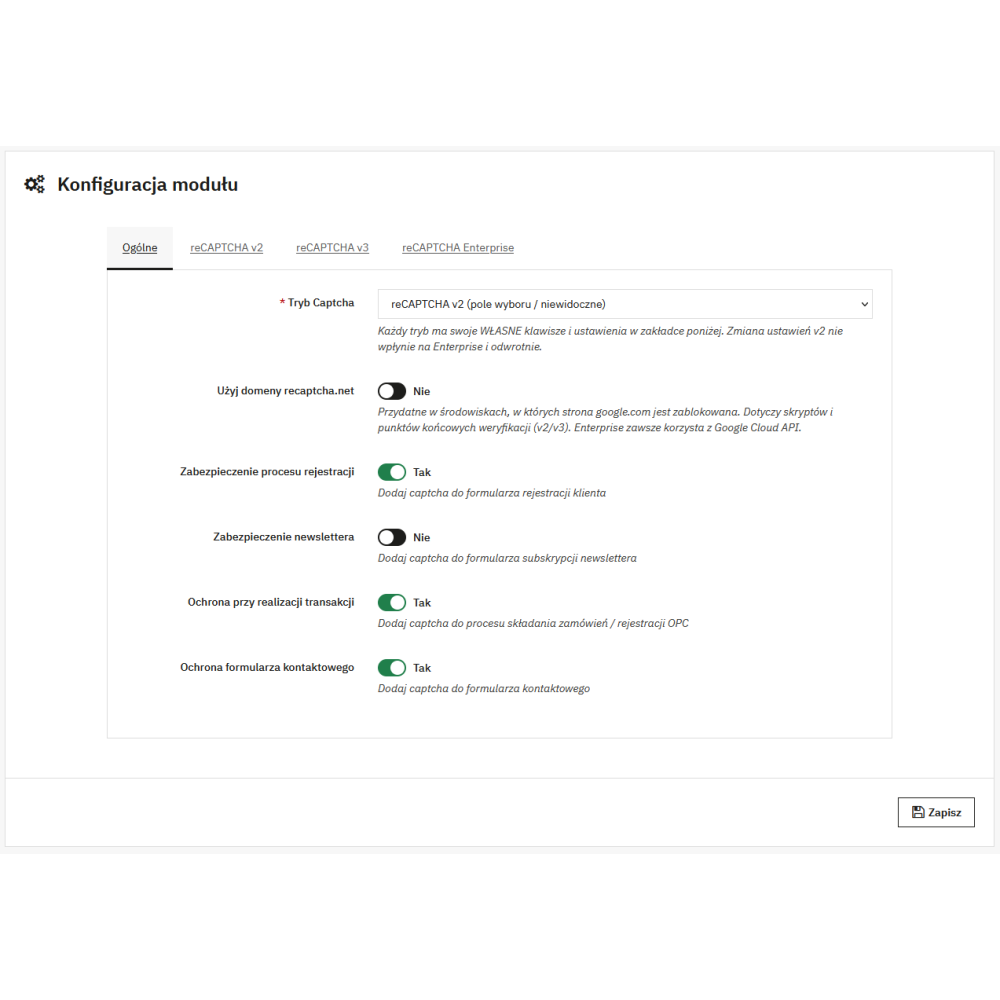
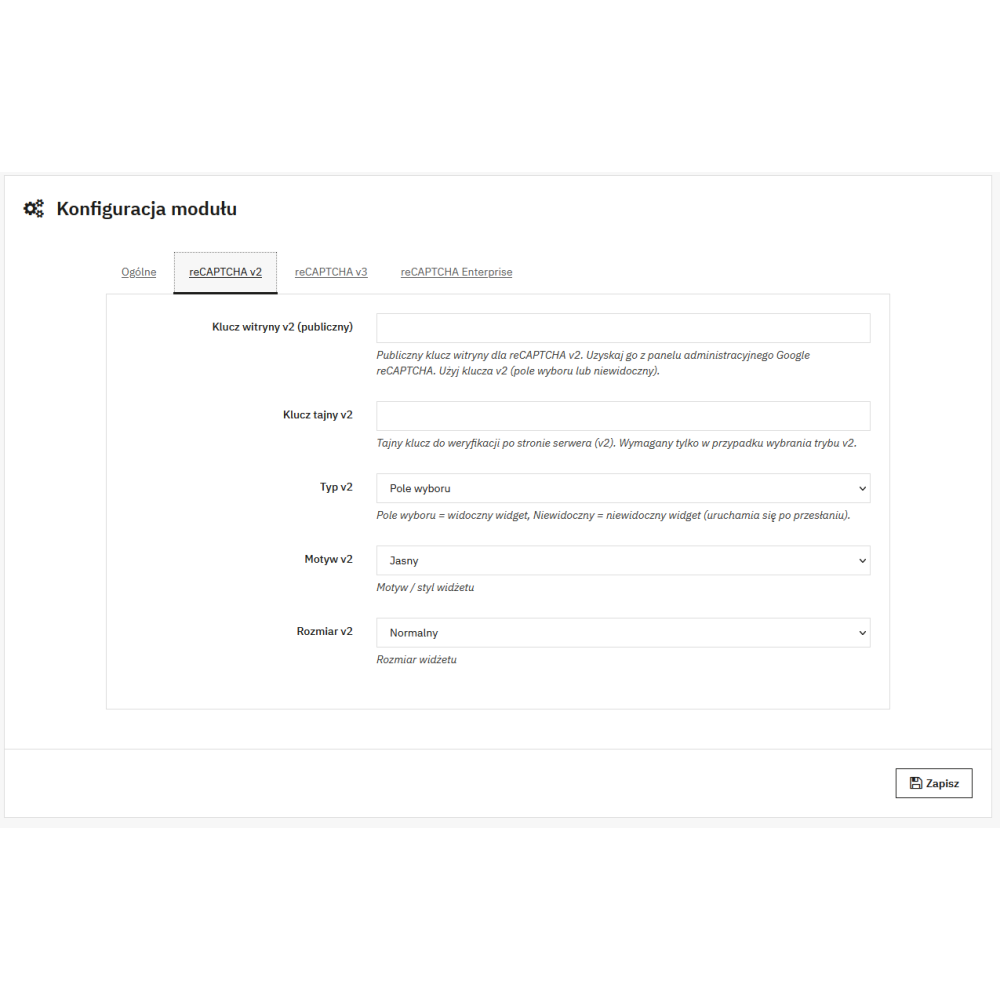
- separate, consistent configuration for each captcha type in individual tabs ensures that v2, v3, and Enterprise settings do not affect one another, which eliminates configuration mistakes and saves time during implementation and later updates.
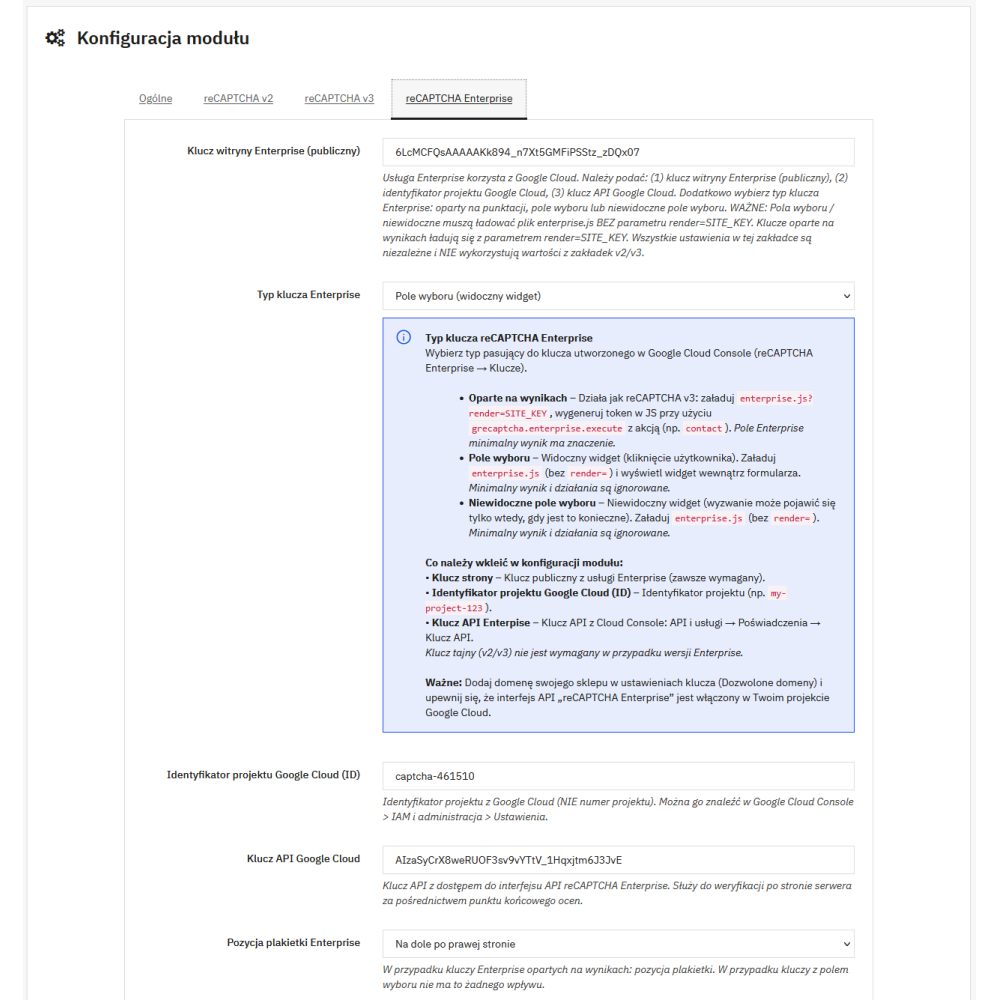
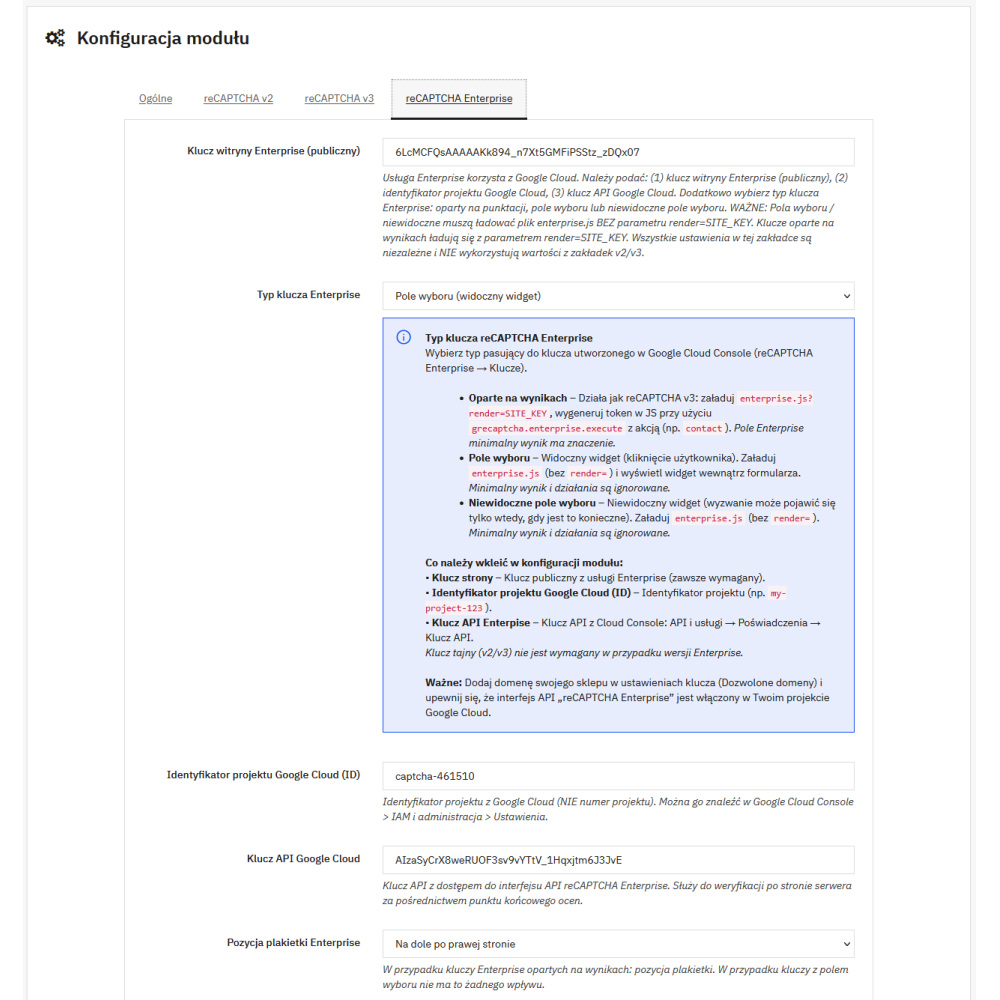
- dedicated configuration fields for reCAPTCHA Enterprise (a separate public Site Key, Project ID, and API Key) enable correct and secure Enterprise setup without “mixing” data from v2/v3 and without the risk of errors resulting from the wrong key type.
- selection of key type in Enterprise mode (Score-based / Checkbox / Invisible Checkbox) allows you to match the integration to exactly the type of key you have in Google Cloud, so you avoid issues such as 400 errors and can be sure that the correct script (enterprise.js) and the correct verification method are used.
- captcha verification on the PHP side provides real protection against bypassing validation by bots and scripts, because the final decision to accept the form is made on the server, not in the user’s browser.
- intelligent differentiation of rejection reasons (e.g. low score, invalid token, permission error, API error) helps maintain a high level of security while also enabling quick configuration diagnostics, without guessing “why it doesn’t work,” especially in production environments.
- user-friendly messages for customers in the store language instead of raw technical errors from the Google API ensure that the user receives clear information on what to do next, while diagnostic details remain in the administrator logs.
- event and error logging in PrestaShop makes problem analysis easier (e.g. API key restrictions, allowed domains, limits, or key configuration), making implementation faster and more predictable.
- protection of key store forms allows you to effectively reduce spam and abuse in sensitive areas such as the contact form, customer account registration, and other processes that, depending on the module configuration, you can secure selectively.
- stable integration with the contact form based on a contactform module override ensures correct validation and display of field errors, without unwanted side effects such as “the empty form just refreshes” or mixed validation messages.
- proper support for registration in PrestaShop 1.7.2+, 8, and 9 eliminates the problem of “reloading without creating an account” and guarantees that after successfully passing the captcha, the registration process follows the standard PrestaShop flow.
- automatic compatibility with different Google script loading types (api.js for v2/v3 and enterprise.js for Enterprise) helps avoid MIME/nosniff and 400 errors resulting from an incorrect way of calling the library for a given key type.
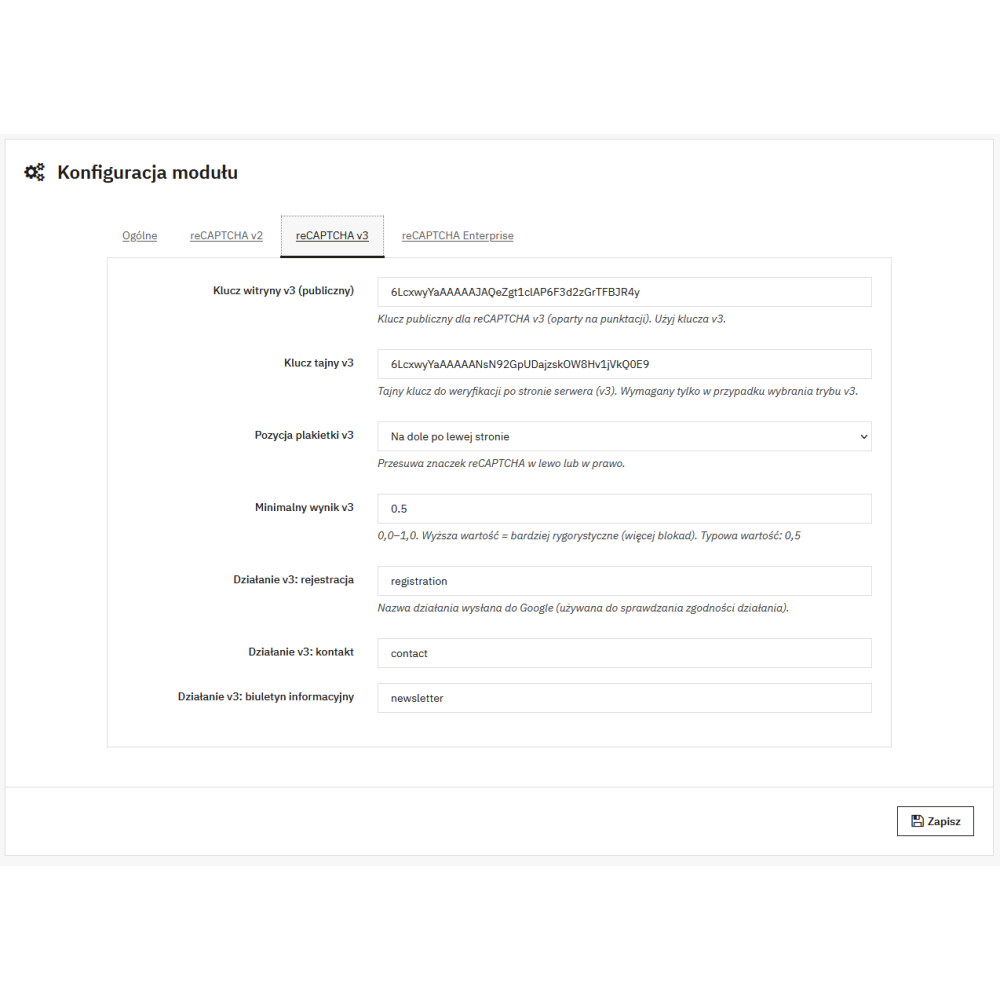
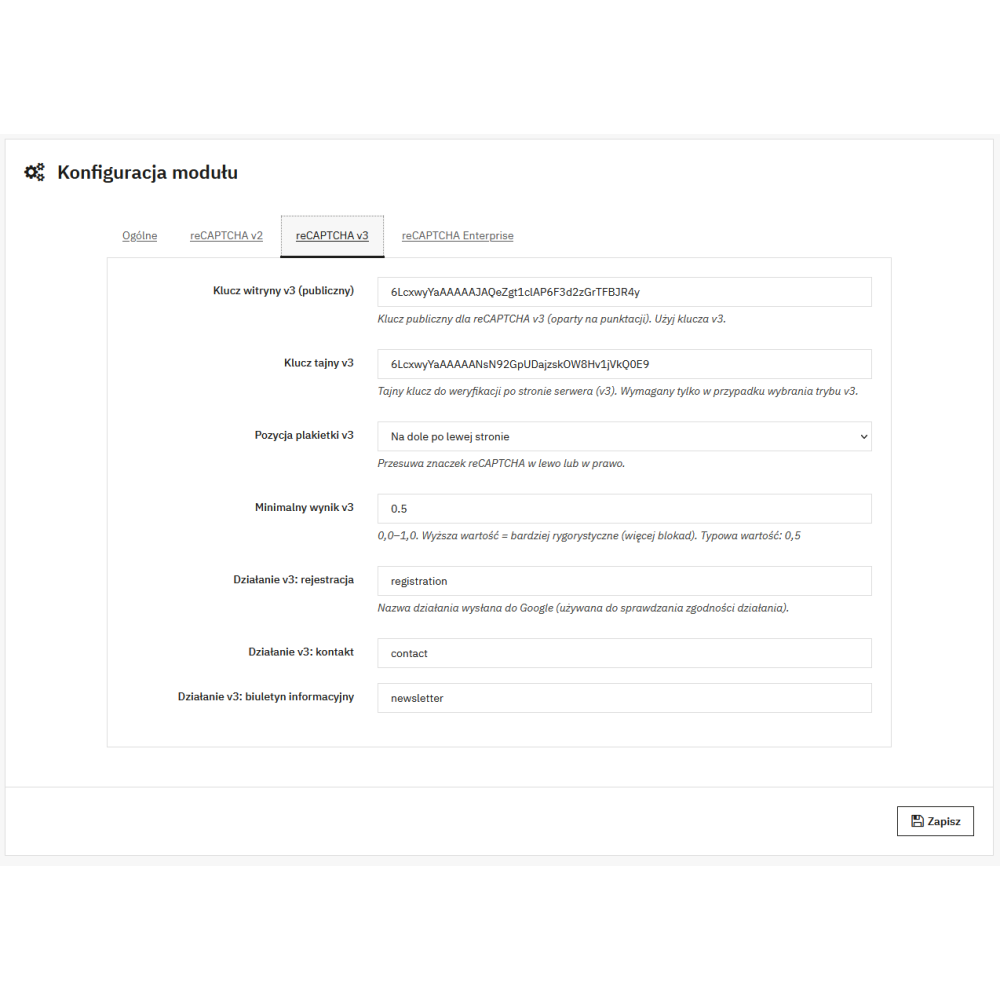
- the ability to set a minimum score threshold in score-based modes (v3 and Enterprise) enables precise balancing between security and conversion, so that bots are blocked while genuine customers can still shop without difficulty.
- support for actions for score-based tokens allows validation to be tied to a specific form context (e.g. registration, contact, newsletter), which improves the quality of risk assessment and makes it harder to reuse the token elsewhere.
- configurable widget appearance settings (e.g. size and display variants for checkbox/invisible) allow you to match the captcha to the store layout and reduce the impact of security measures on UX, especially on mobile devices.
- mechanisms preventing submit errors and loss of button flags guarantee that PrestaShop correctly recognizes form submission, so field validation and error messages work predictably in every scenario.
- compatibility with modern trans() translation and prepared, unambiguous translation keys enable quick adjustment of message content in the Back Office without digging into the code and without the risk that customers will see English or technical wording.
- a secure approach to API configuration with clear descriptions of “what to paste and from where” minimizes the risk of implementation errors, such as pasting a key from another project, incorrect API key restrictions, or missing allowed domains.
- ready for use in production stores thanks to the focus on predictable operation, separated configuration, and server-side validation, which translates into less spam, lower handling costs, and more reliable data in the store.