If events from PrestaShop do not match products in the Meta catalog, compare the full offer identifier with the value sent in content_ids. The prefix, separator, and combination number all matter. For the integration, the identifiers 812, ps_812-41, and ps_812_41 represent different strings, even though a person may associate them with the same product card.
This guide helps verify the cooperation between the product feed and the Pixel. The examples are for demonstration purposes, without customer data. They are not a screenshot from an advertising account or confirmation of campaign results.
The catalog, Pixel, and Conversions API perform different tasks
The catalog contains offers: identifiers, names, images, prices, and availability. The feed is one way of delivering this data. The Pixel sends events from the browser, such as a product view or add to cart. The Conversions API allows events to be sent from the server side.
A correctly fetched catalog does not prove that events refer to the correct offers. Likewise, the presence of a purchase event does not prove that every product from that purchase has a match in the catalog. First, determine which part of the connection you are diagnosing.
Also check whether you are viewing the correct catalog and the correct event source. With several stores, an old Pixel, or a test feed, you may be comparing technically correct data coming from different configurations.
Example: one product, two combinations
Let us assume a product with ID 812 and combinations 41 and 42. The feed exports variants as separate offers with the ps_ prefix and a hyphen. For the first combination, the identifier is therefore ps_812-41.
Demonstration comparison of identifiers in three places
Place
Combination 41
Combination 42
What you compare
PrestaShop
Product 812, combination 41.
Product 812, combination 42.
The identity of the product and the selected variant.
Feed: g:id
ps_812-41
ps_812-42
The identifier of a specific offer in the catalog.
Event: content_ids
["ps_812-41"]
["ps_812-42"]
Whether it points to the offer corresponding to the user's action.
Group in the sample feed
812
812
The shared variant group; it does not automatically replace the offer ID.
The simplest check is to copy the values from the processed offer and the event into two lines. Compare them character by character. Do not remove the “unnecessary” prefix until you determine what the other integrations refer to.
What was checked in the PrestaDev modules?
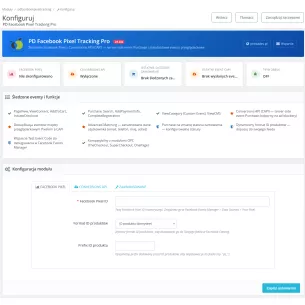
In the code of Facebook Pixel Pro 1.4.5, there is a choice of how to build the ID and an optional prefix. One path creates the product ID combined with the combination ID using a hyphen, another uses an underscore. There are also modes based on other fields. This is a configuration that must be compared with the actual export, not selected solely by name.
The checked code of Meta feed 2.9.2 saves g:id during combination export in the form of prefix + product ID + hyphen + combination ID. For this setting, the variant ps_812_41 sent by the Pixel will not be identical to ps_812-41 in the feed. In this path, the feed saves the shared g:item_group_id as the product ID without the prefix.
This confirms the way data is built in the listed code versions, not proof of matching on a specific Meta account. After changing the settings, you still need to check the generated file, the catalog import, and the actual event.
content_ids and content_type must be consistent
content_ids contains identifiers related to the event. content_type defines how products or their groups are referenced. You should not change product to product_group just to make a message disappear: this changes the meaning of the identifiers the event refers to.
In the example discussed, we select a specific variant offer and content_type: "product". A simplified data set for viewing a variant looks like this:
This is a fragment of sample event data, not complete implementation code or an API request. The field types of content_ids, content_type, value, and currency can be checked in the official Meta SDK — CustomData. When diagnosing a specific account, also check the current messages in Events Manager.
After changing the variant, perform a new test
The correct ID on the first page load is not enough. The theme may change the variant without reloading the document. The event integration should use data corresponding to the current action instead of staying with the default combination.
Select a product with at least two combinations present in the feed.
Save their full identifiers from the file and from the catalog after import.
Open the product in a controlled test session, with the correct consent settings.
Check the event data for the first variant.
Change the combination and add the selected variant to the cart.
Compare the event ID, quantity, value, and currency with the current cart.
Check whether the same action is also being sent by a second Pixel installation, for example through another module or tag manager.
Do not interpret the absence of an event as a catalog error before checking consents, script blocking, and event source configuration. Sending data through the server also requires proper privacy configuration; CAPI should not be treated as a way to bypass the user's decision.
Value and currency are a separate check
An identical ID does not confirm the correct amount. For a product event, check the price of the selected combination, and for a purchase, the agreed definition of the value of the entire order. Do not compare a single item with the cart total or a net amount with a gross amount without determining how the implementation works.
The currency must match the transmitted value. For a multi-currency store, perform a separate test after changing it. If the data comes from an order, compare it with the saved order, not with the current catalog price read later.
Product matching vs purchase deduplication
Deduplication recognizes two copies of the same event sent from the browser and the server. It is not used to merge product variants. The official Meta SDK states that for corresponding events, the browser eventID should match the server event_id, and the event name is also used in the process. Source: Meta — Event description and setEventId.
Two different identifiers, two different tasks
Identifier
Demonstration example
What it should identify
content_ids
["ps_812-41"]
The product or variant related to the action.
eventID / event_id
purchase_demo_1001
One specific purchase event sent through two channels.
A fixed event_id equal to the product ID would be an incorrect idea for different purchases of that product. Conversely, matching event identifiers will not fix an incorrect content_ids. Check these two things separately. If you are also analyzing GA4, use the existing guide on purchase tracking.
Where to start improving the integration?
Choose one product and keep three pieces of data: the ID in the store, the ID imported into the catalog, and the ID from the event. Determine the format, change the correct setting, refresh the required source, and test again. Do not change the prefix, separator, variant export method, and several Pixel installations at the same time — this will make it harder to determine which correction solved the problem.
Check the consistency of the ID format in both integrations:Facebook Pixel Pro and Meta XML product feed. Their configuration should result from the same catalog model. Correct matching is an element of data quality, not a guarantee of ad profitability.
Substantive verification: 13 September 2026. The code of Facebook Pixel Pro 1.4.5, Meta feed 2.9.2, and public definitions in the official Meta SDK were checked. No publication or test purchase was performed on the client's advertising account.
Professional Facebook Pixel integration with PrestaShop with support for Conversions API (CAPI). The module automatically tracks the customer's entire purchase journey — from product view, through add to cart, to order completion — sending standard Facebook Pixel events. Thanks to the built-in Conversions API, the Purchase event is sent server-side...
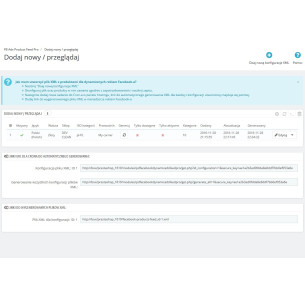
Facebook Product Export for Dynamic Ads Pro is a PrestaShop module that generates XML files with the store offer intended for the Meta catalog and Facebook Dynamic Ads campaigns. For each feed, you can independently select the shop, language, country, currency, customer group, carrier, product range, and the method of data preparation. The export...
Patryk Marek — owner of PrestaDev.pl and a developer specializing in PrestaShop. For many years, he has been involved in creating, developing, and maintaining online stores. He combines work on store and module code with the configuration of the server environment in which these solutions operate.
He designs and develops PrestaShop modules, customizes existing features, and prepares integrations with wholesalers and external services. He works on product data import and updates, catalog management automation, the order process, and tools supporting the store owner's daily work.
His experience also includes store updates and migrations, error diagnosis, performance analysis, and the configuration of servers and services required for PrestaShop to operate. When solving problems, he takes into account the dependencies between modules, the theme, PHP, the database, and hosting settings.
On the blog, he shares knowledge gained from many years of programming practice and working with the technical backend of stores. The guides focus on specific problems, ways to verify them, and the limitations of the described solutions. They help store owners and technical specialists prepare changes, assess their scope, and verify the result.


Comments (0)