
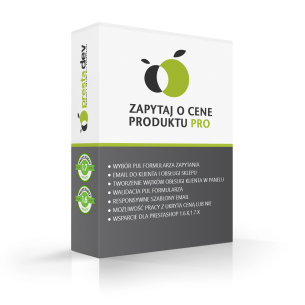
Ask about the price in PrestaShop – Pro module | PrestaDev

Ask About Product Price Pro Module for PrestaShop

Module version: 3.0.1

PrestaShop compatibility: 1.6.x 1.7.x 8.x 9.x

Module file updated: 04/5/2026 16:52:28

Product data updated: 09/28/2026 04:09:38


1 Reviews

PD Ask for Price Pro is a professional PrestaShop module that allows customers to send product price inquiries directly from the product page via an elegant Bootstrap modal with full client-side validation. The module automatically replies to the customer with a calculated price (with an optional percentage discount) and creates a thread in customer service, which shortens response time and increases conversion. It supports all products or only selected ones, with conditional button visibility (e.g. only when the price is hidden or set to 0). The built-in administrator dashboard presents inquiry statistics, the Top 5 products generating interest, and a 30-day chart. The module includes anti-spam protection (inquiry limit per IP), Google ReCaptcha, and full GDPR compliance with automatic cleanup of old inquiries via CRON. It is fully compatible with PrestaShop from 1.7.0 to 9.x and PHP 7.0–8.5, and supports multistore and multilingual functionality. Thanks to configurable labels, headings, and modal descriptions, you can match the form to your store’s branding without the need to edit the code.

License type / update
zł 87.00
zł 70.73no tax
Price history:

Description

Front-end features

  • Bootstrap modal — an elegant popup on the product page with full client-side JS validation.
  • Flexible button positions — 6 hooks to choose from: displayProductAdditionalInfo, displayProductActions, displayLeftColumnProduct, displayRightColumnProduct, displayProductButtons, displayAskAboutProductPriceCustom (custom position).
  • Display conditions — “only when the price is hidden or = 0” or “on all active products”.
  • Operating mode — all products or selected ones from the product edit page.
  • Configurable modal — custom button text, modal header and description, product thumbnail + short description.
  • Configurable form fields — first name, last name, company, VAT number, email, phone, mobile, prefixes, address, city, postal code, combination, message (select which are visible and which are required).

Automation and notifications

  • Auto-reply with price — the customer immediately receives an email with the calculated product price.
  • Percentage discount — in the auto-reply, you can apply a 0–100% discount relative to the catalog price.
  • Email to the store — full inquiry details are sent to the specified address.
  • Customer Service thread — automatic creation of a CS thread for each inquiry.
  • Price availability notification — the customer subscribes to notifications when the price becomes public.

Security and GDPR

  • Rate limiting — inquiry limit per IP per product (configurable cooldown 30–120 s).
  • Google ReCaptcha — protection against bots (public + secret key).
  • Tokenized CRON — secure data cleanup in compliance with GDPR.
  • GDPR data retention — automatic deletion of inquiries older than X days (0 = disabled).
  • Privacy policy URL — link next to the consent checkbox in the form.
  • Customer consent — required acceptance of the policy before submission.

Admin panel

  • Statistics dashboard — total number of inquiries, new/replied/closed, 7 and 30 days, Top 5 products.
  • 30-day chart — sparkline with the number of daily inquiries and date labels every 5 days.
  • Inquiry list — sortable, filterable, with columns ID/Date/Product/Customer/Email/Status.
  • Bulk actions — mark as replied, mark as closed, delete selected.
  • Inquiry statuses — New / Replied / Closed with colored badges.
  • Administrator note — internal comments for the inquiry.
  • List export — built-in export to CSV.

Compatibility

  • PrestaShop 1.7.0 – 9.x — full support for classic HelperForm and Symfony.
  • PHP 7.0 – 8.5 — no external dependencies, no Composer.
  • Multistore — per-store context, store-based list filtering, per-store configuration.
  • Multilingual support — dual translation system (trans() + l()), Polish translations included.
  • Themes — works with Classic, Hummingbird, and all popular Bootstrap-based themes.


Link to the module demo:

Admin panel demo:
https://moduly-prestashop.eu/zapytaj-o-cene/admin-dev

Front-end demo:
https://moduly-prestashop.eu/zapytaj-o-cene

Product Details

Prestashop 9.x support
Yes
Support for Prestashop 8.x
Yes
Prestashop 1.7.x support
Yes
Prestashop 1.6.x support
Yes
PrestaShop 1.5x support
Yes
Module translations
PL, EN, DE, CS, IT, FR, RU, GB, ES, UK
Free updates (1 year)
Yes
Easy Installation
Yes
ASKFORRODUCTPRICEPRO-FULL

Changelog

Release history for this product. Expand an entry to see what changed.

  • moduł przepisany kompletnie pod zgodność tylko z nowymi Prestashop-ami od 1.7.x, 8.x do 9.x, dodano nowe zabezpieczenia (limit wysyłanych mail per x czasu, honeypot)

FAQ

Find answers to the most common questions about this product.

The module allows customers to send a product price inquiry directly from the product page via a Bootstrap modal with client-side validation. It is useful when you do not want to publish the prices of all products (e.g. B2B, made-to-order products, design variants) or when you want to collect leads from interested customers. After submitting the inquiry, the customer can automatically receive the calculated price by email, and the store receives a notification with full details and can optionally create a thread in Customer Service.

You can choose one of 6 positions in the configuration: additional product information (displayProductAdditionalInfo), product actions (displayProductActions), left or right column (displayLeftColumnProduct / displayRightColumnProduct), product buttons (displayProductButtons), or a custom position via the displayAskAboutProductPriceCustom hook. For a custom location, insert {hook h="displayAskAboutProductPriceCustom"} in your template and {hook h="displayAskAboutProductPriceCustomList" id_product=$product.id_product} in listings.

Yes — in the configuration, select “Display condition: show only when the price is hidden or equal to 0”. Then the button will automatically appear only for products without a price or with a price of 0. Alternatively, you can choose the option “Show on all active products” so that the button is always visible.

In the module configuration, set “Operating mode for products” to “Selected products”. Then go to edit a specific product in the admin panel — in the left column of the product form, a checkbox will appear to enable the module for that product. This gives you full control over which products the form is available on.

When auto-reply is enabled, the customer receives an email with the calculated product price immediately after submitting the form. Optionally, you can apply a percentage discount (0–100%) relative to the list price — for example, a fixed 10% discount for all B2B enquiries. If you set the discount to 0, the customer receives the standard price. This speeds up the purchasing process and reduces the number of enquiries to customer service.

The available fields are: first name, last name, company, VAT number, email, landline phone, mobile phone (both with country prefixes), address, city, postal code, product combination, and message. For each field separately, you decide whether it is visible and whether it is required. You select the fields using checkboxes in the “Available fields” section of the module configuration.

Rate limiting restricts the number of enquiries from a single IP address for the same product within a specified time window (recommended 30–120 seconds). When a customer tries to submit another enquiry too quickly, the form displays the message “Please wait a moment before sending another enquiry”. This is an effective protection against bots and abuse that does not require Captcha.

Yes — in the configuration, you can provide the Google ReCaptcha public key (site key) and secret key. Once both keys are filled in, the Captcha widget will appear in the modal before the submit button. Requests without a correctly solved Captcha are rejected. ReCaptcha works independently of the rate limit — you can use both mechanisms at the same time.

The module includes a privacy policy acceptance checkbox required before submitting the form, a configurable URL to the privacy policy page, and automatic deletion of old inquiries (data retention). Set “GDPR data retention (days)” to e.g. 180, configure CRON, and inquiries older than 180 days will be automatically deleted. Setting it to 0 disables automatic cleanup.

In the module configuration, below the form, you will find the “CRON URL (for GDPR cleanup)” section with a ready-made link containing a security token. Copy the URL and add it to the server crontab: 0 3 * * * curl -s "https://twojsklep.pl/module/pdaskaboutproductpricepro/cron?token=..." > /dev/null. We recommend running it daily at 3:00 AM, when traffic in the store is at its lowest.

In the Customers menu, you will find the “Price Inquiries” tab with a complete list of inquiries: ID, date, product, customer, email, status (New / Answered / Closed). The list can be sorted, filtered, and exported to CSV. Bulk actions are available: mark selected as answered/closed or delete. Each inquiry has a detailed view with an administrator note.

At the top of the inquiry list, there is a statistics dashboard: total number of inquiries, number of new/answered/closed inquiries, and inquiries from the last 7 and 30 days. Below, you have a Top 5 table of products generating the most inquiries and a 30-day chart (sparkline) showing the number of daily inquiries. This helps assess which products attract the most interest when prices are hidden.

Yes — in the “Customize appearance” tab of the module configuration, you can override: the button text (e.g. “Request a quote” instead of “Ask about the price”), the modal heading, and the description displayed above the form. Leaving a field empty means the default text will be used. This allows you to tailor the form to your store’s tone of communication without editing the code.

Yes — if you enable the “Create a thread in customer service” option, each inquiry will automatically create a new thread in the PrestaShop Customer Service module. In the configuration, you choose which contact should be used (e.g. “Customer Service”, “Sales Department”). The thread contains the full inquiry details and is visible in the standard CS panel, where you can reply to the customer.

Yes — the module fully supports PrestaShop multistore: configuration, statistics, and the list of inquiries are per shop. It also works in multiple languages thanks to the dual translation system (trans() for PS 1.7.6+ and l() for older versions). Polish and English translations are included. The module is compatible with PrestaShop 1.7.0 – 9.x and PHP 7.0 – 8.5, with no external dependencies and no Composer.

Reviews (1)

1 Reviews

Polecam!
Działa bez problemowo, i ma masę fajnych opcji.
By Wenet on 09/14/2024