
Shopping Cart

Key features and functionalities of the module
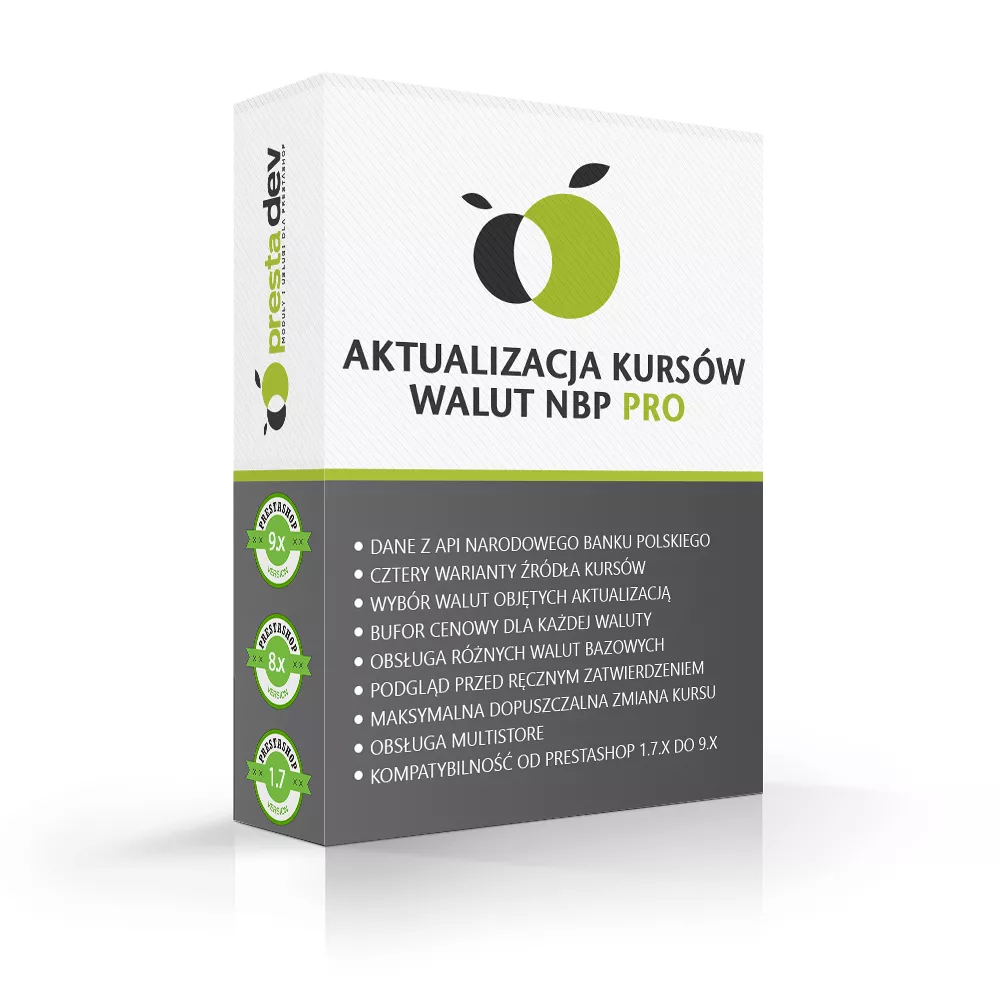
- Data from the National Bank of Poland API: fetching exchange rate tables via HTTPS, with validation of response correctness and publication dates.
- Four exchange rate source variants: table A, combined tables A and B, the buying rate from table C, or the selling rate from table C.
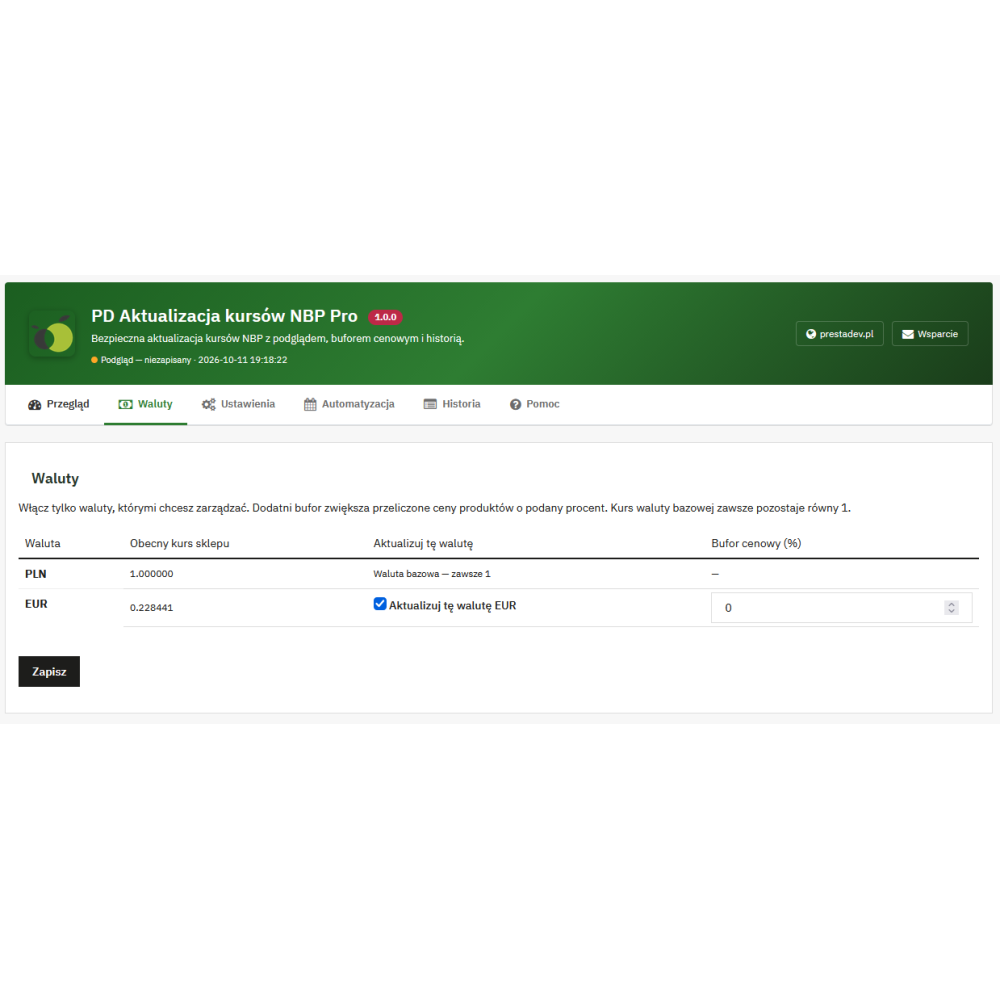
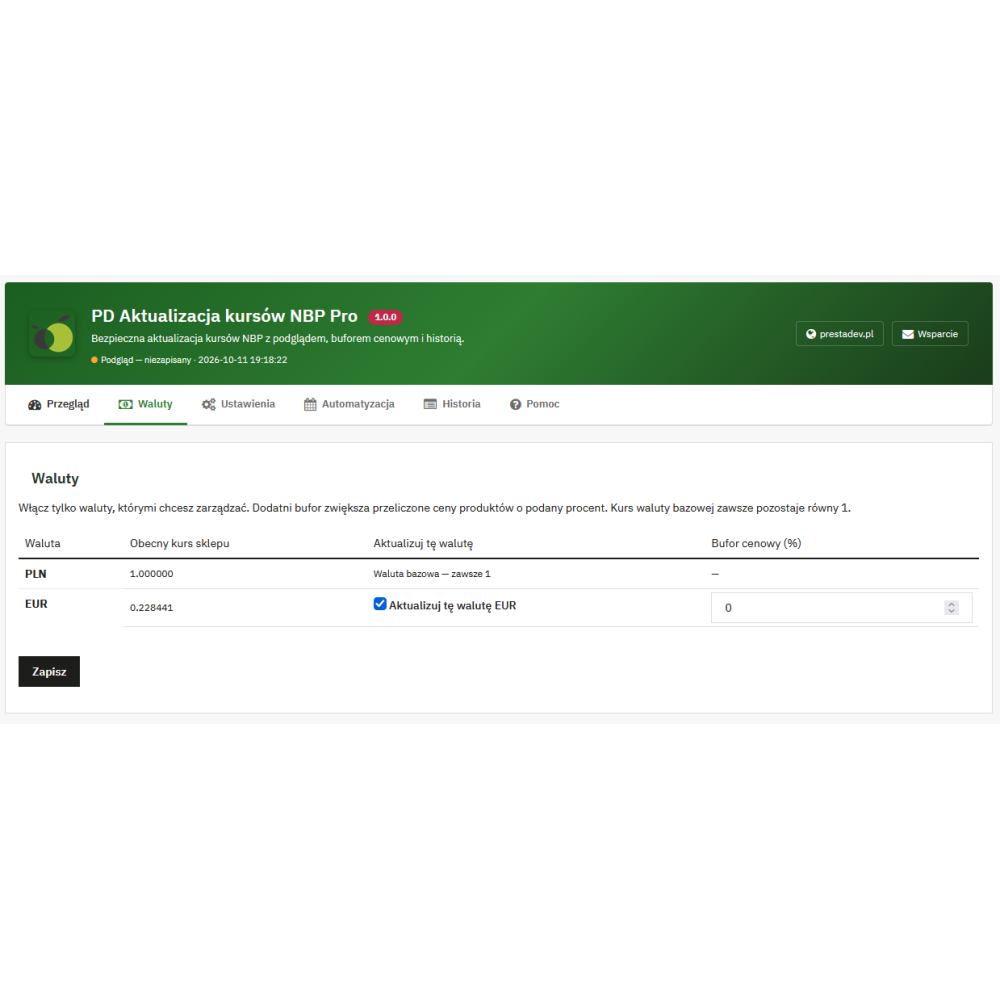
- Selection of currencies covered by the update: indicating existing, active foreign currencies linked to the selected shop in PrestaShop.
- Price buffer for each currency: a separate percentage value from 0 to 50%, taken into account when calculating the shop rate.
- Support for different base currencies: conversion through reference values in PLN, provided that the base currency and selected currencies are available in the source used.
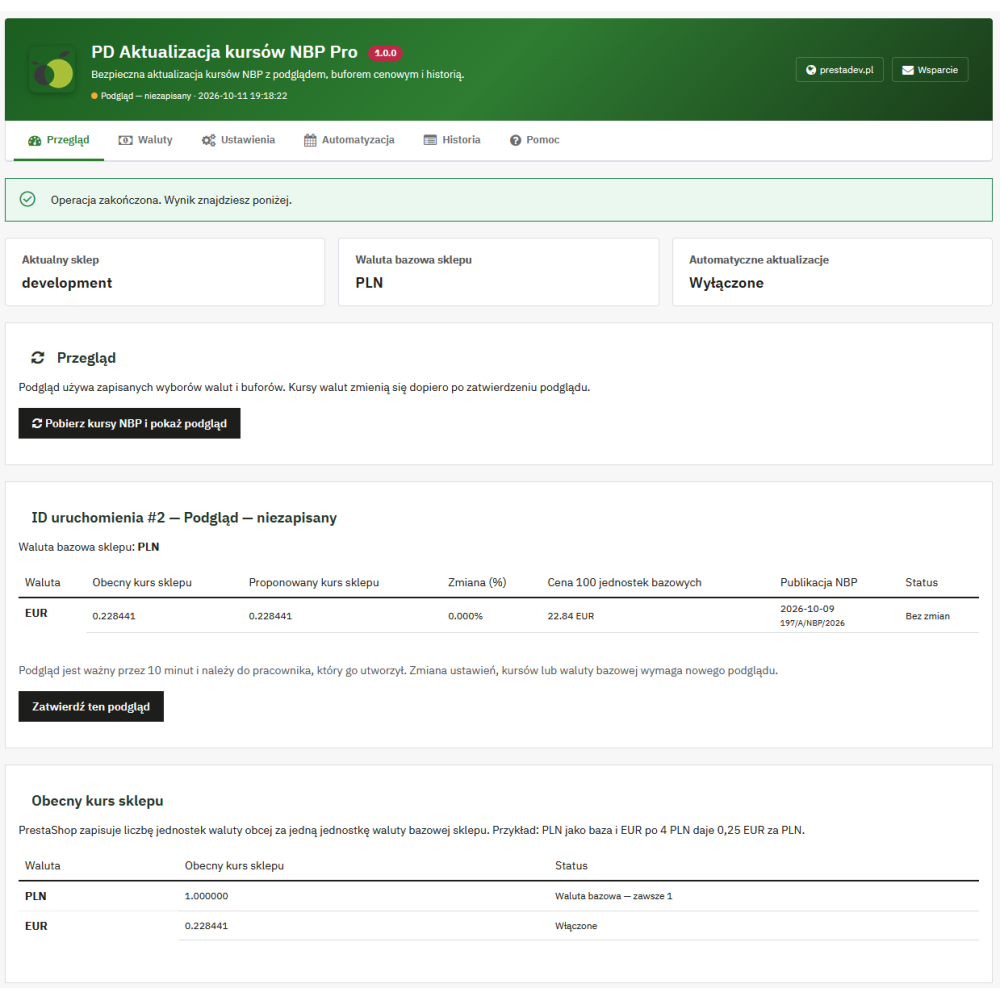
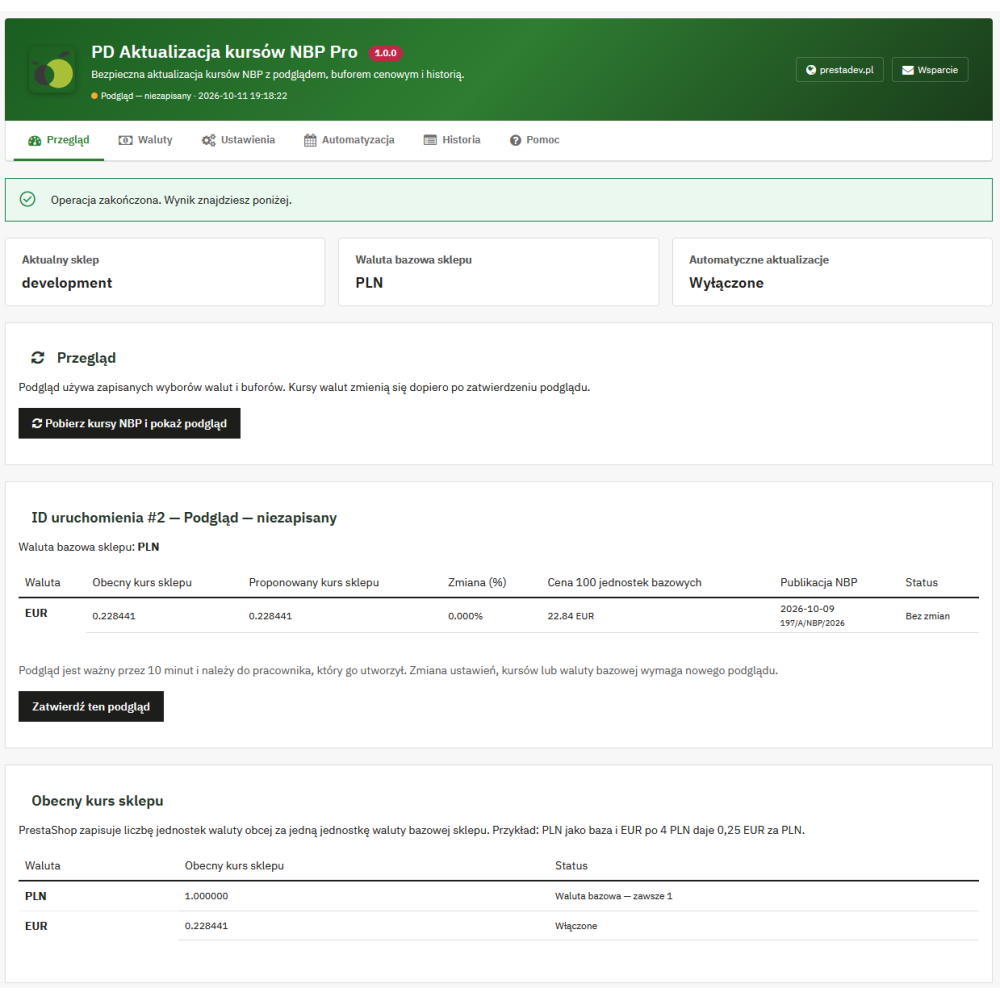
- Preview before manual approval: comparison of the current rate with the proposed one, the percentage difference, the NBP table date and number, and the conversion of 100 units of the base currency.
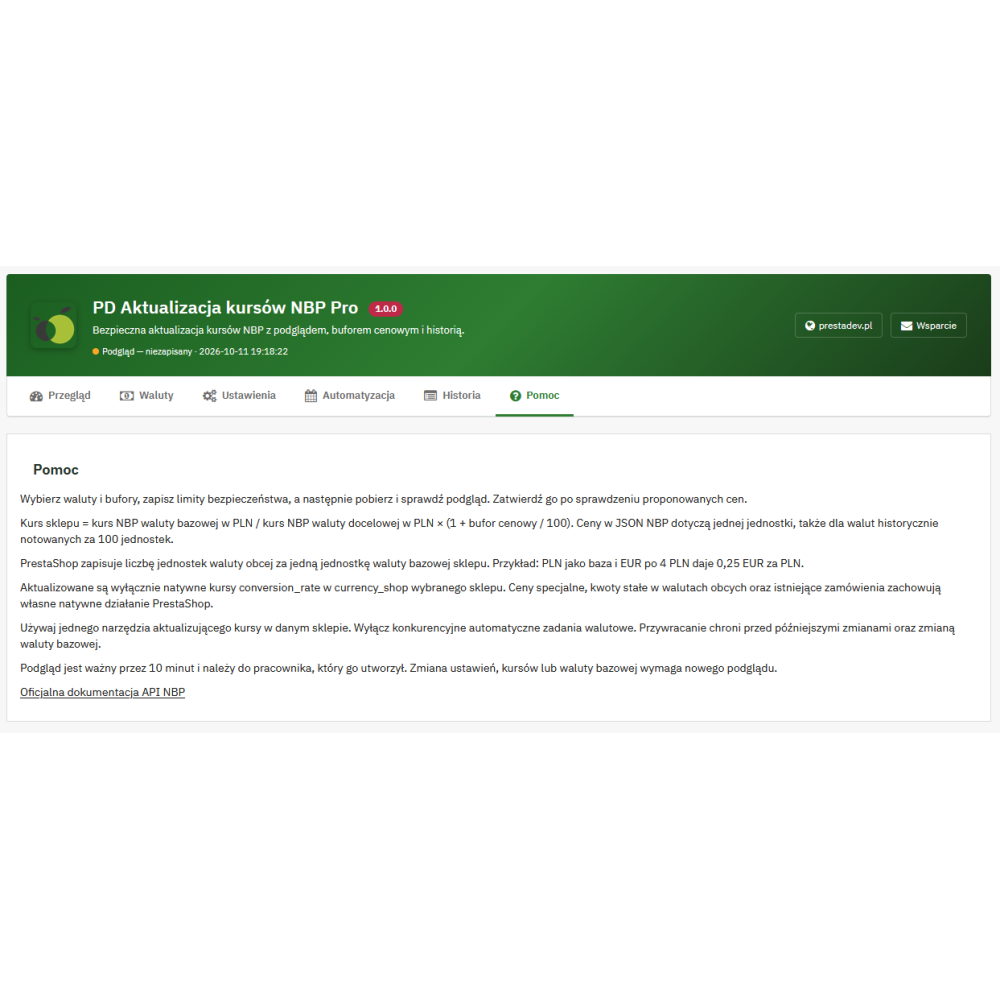
- Preview validity for 10 minutes: approval by the employee who created it, after rechecking the rates, settings, and base currency.
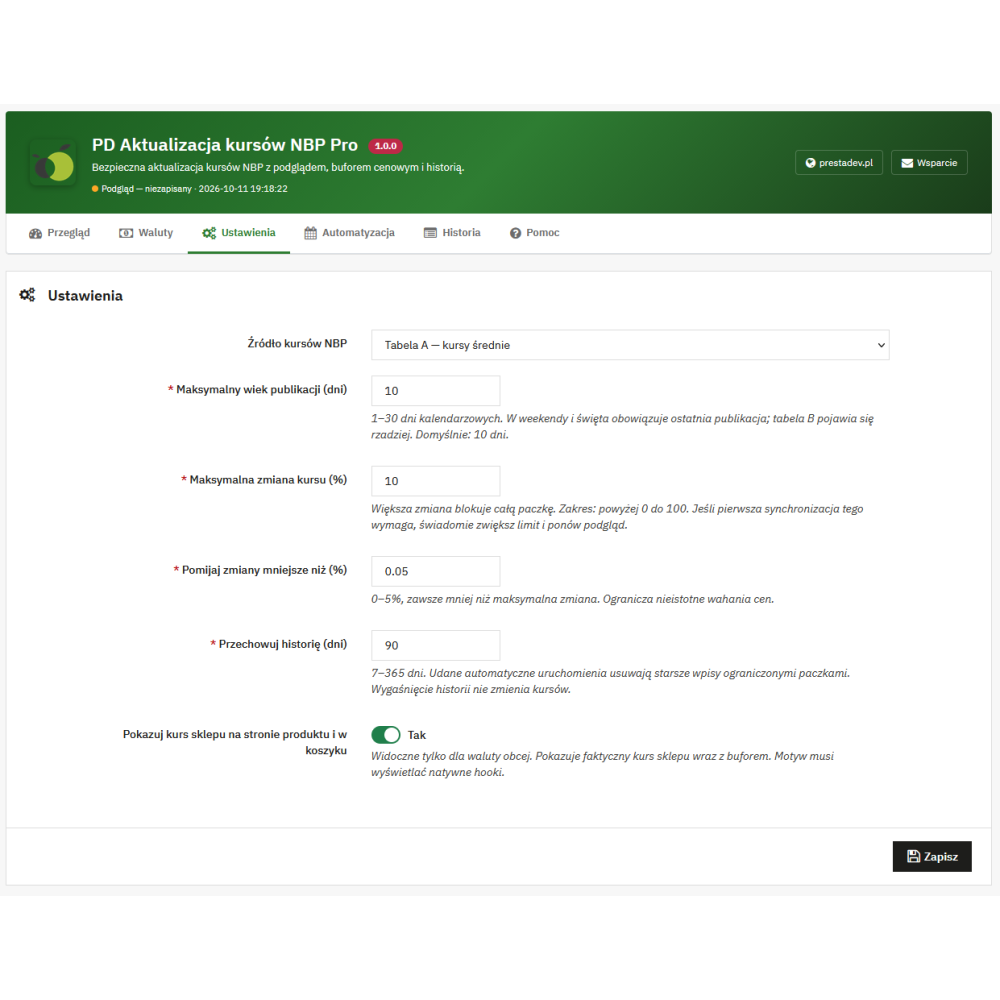
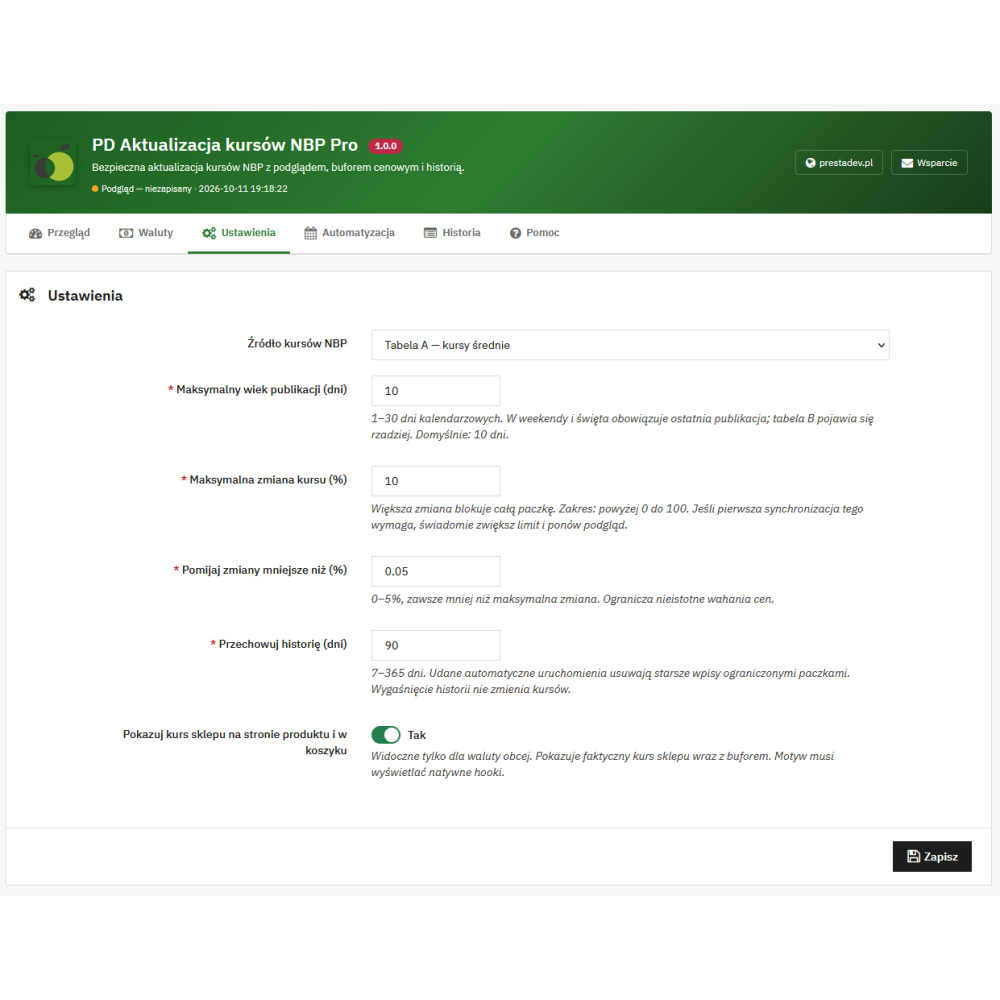
- Maximum allowed rate change: exceeding the configured threshold by one of the selected currencies blocks saving the entire package.
- Skipping minor changes: a minimum change threshold from 0 to 5%, allowing the rate to remain unchanged without saving when differences are smaller.
- Publication age control: a limit from 1 to 30 calendar days, taking into account the dates of the data used for conversion.
- Shared saving of rates and history: a database transaction and a lock on this module’s operations for a given shop reduce the risk of partial saving and parallel updates.
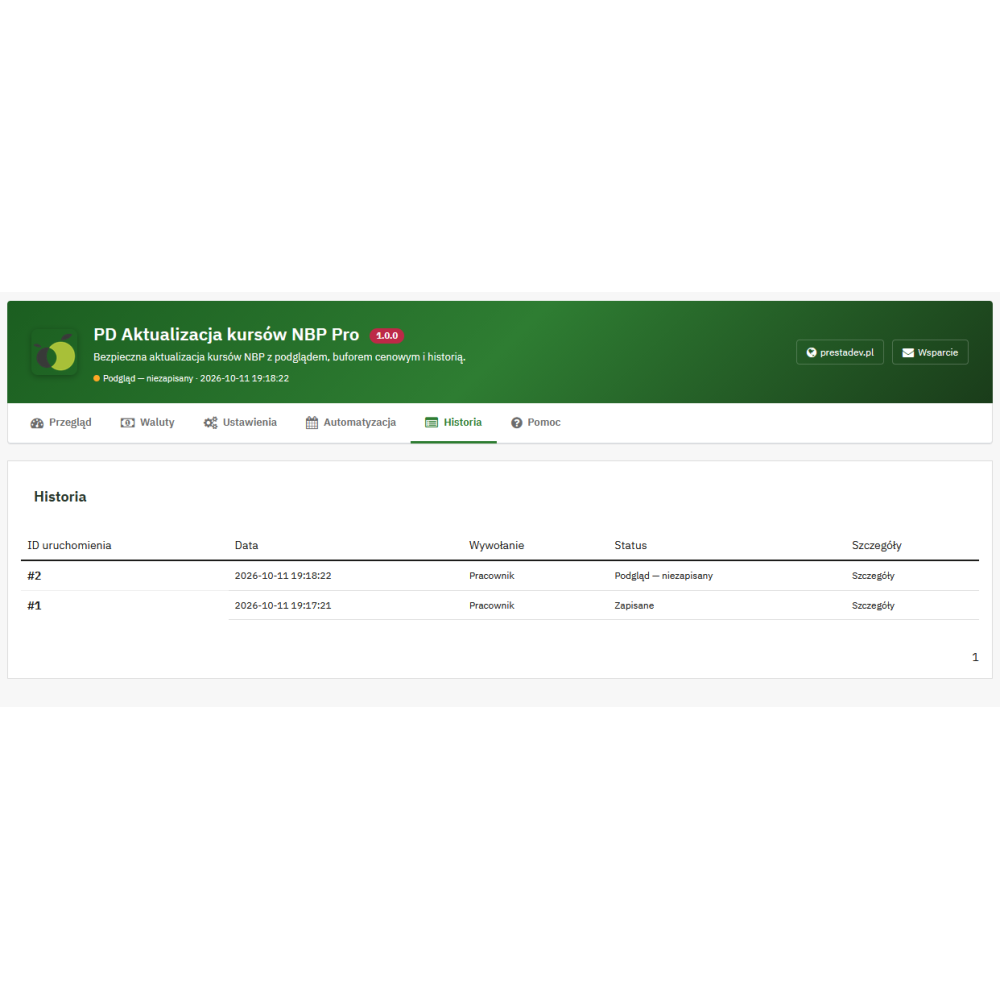
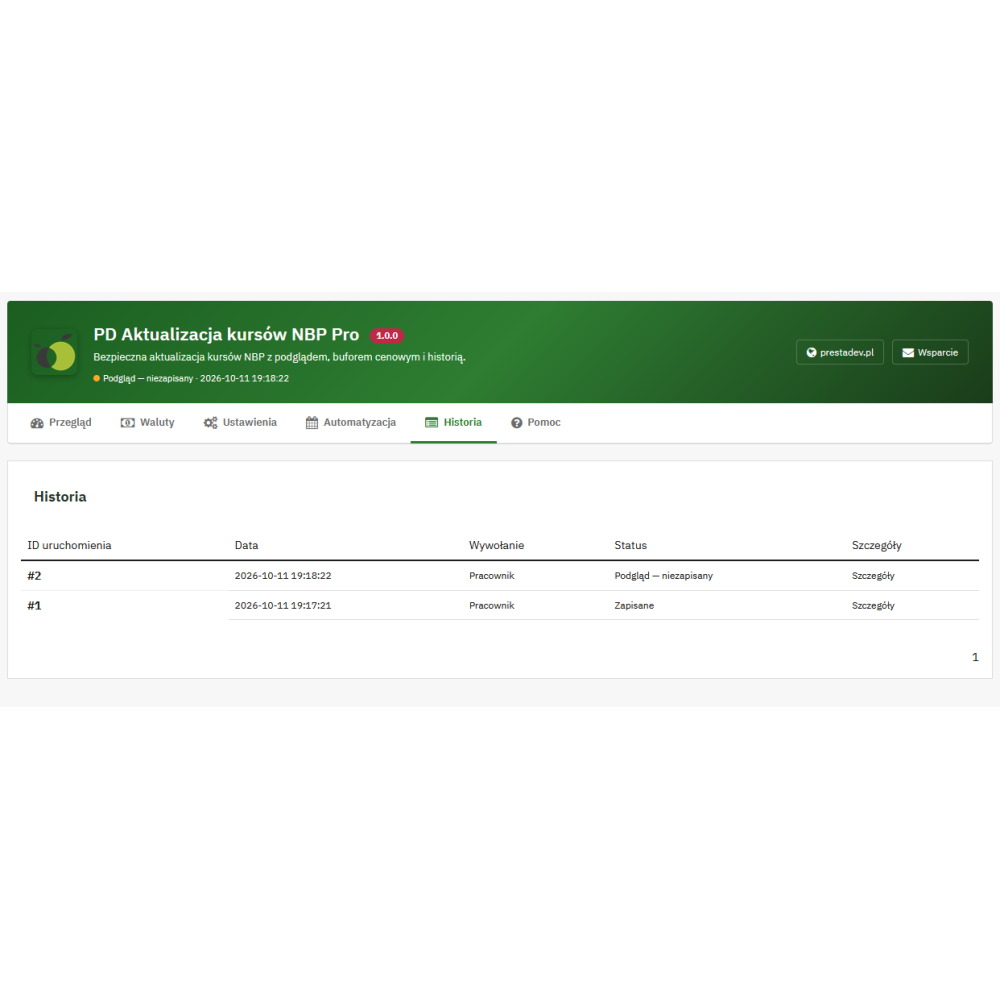
- History with access to details: operation date, manual or CRON mode, status, reason for the recorded block or error, and details of the created preview or change.
- Restoring previous rates: reverting a saved update is available if the rates covered by it still match the result of that operation.
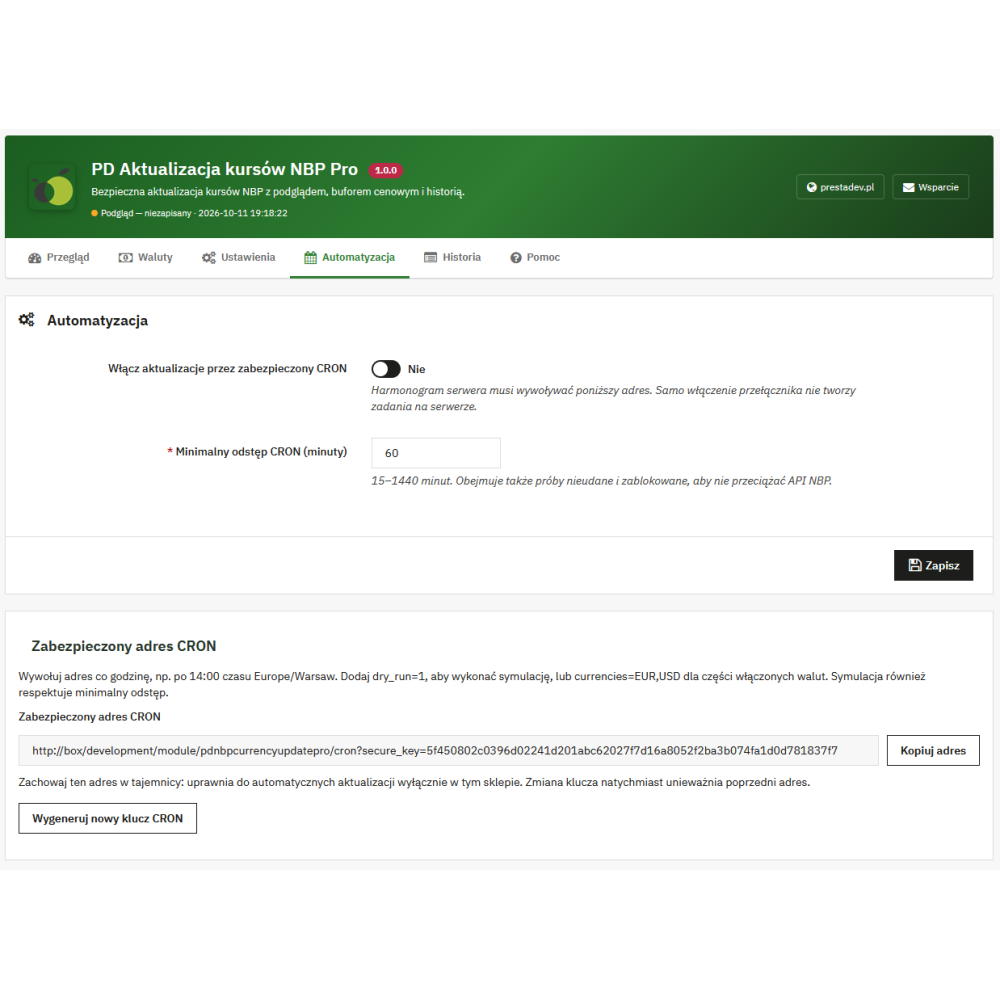
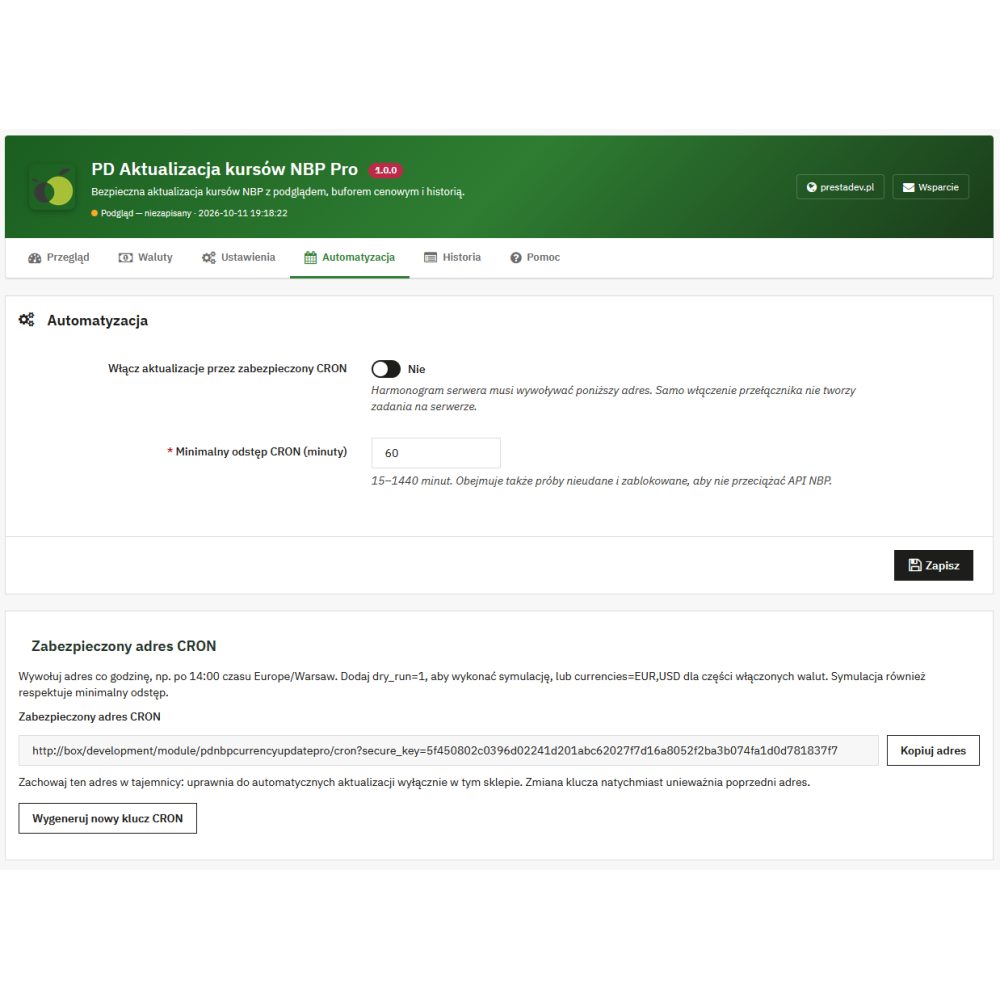
- Automation via CRON: a private address for the shop, a minimum interval between attempts from 15 to 1440 minutes, and the option to change the access key.
- Automatic task simulation: the
dry_run=1parameter checks the update plan without changing the shop rates. - Updating a subset of currencies via CRON: the
currenciesparameter limits the call to the indicated currencies from among those previously enabled in the module. - Conversion information for the customer: an optional message on the product page and in the cart shows the actual shop rate for the selected foreign currency.
- Configuration separately for shops: in multistore, settings, history, the CRON key, and rate records apply to a specific shop.
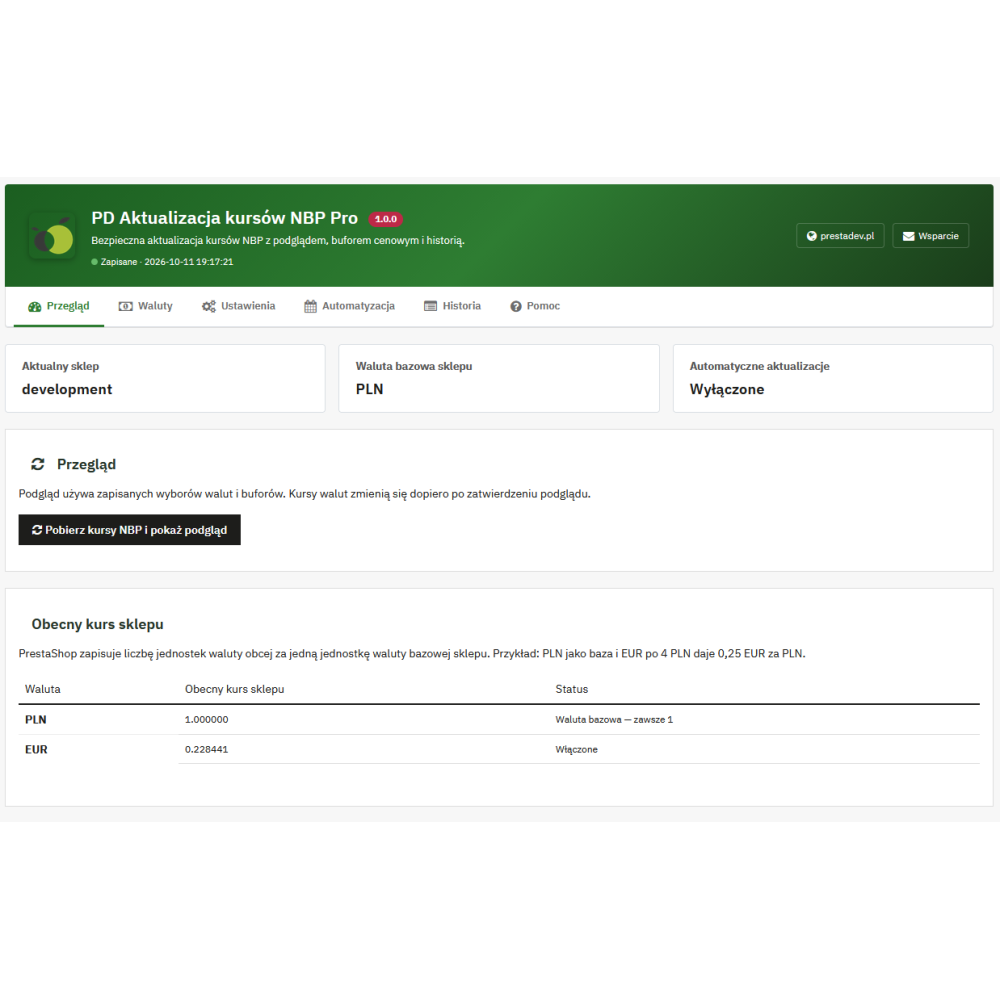
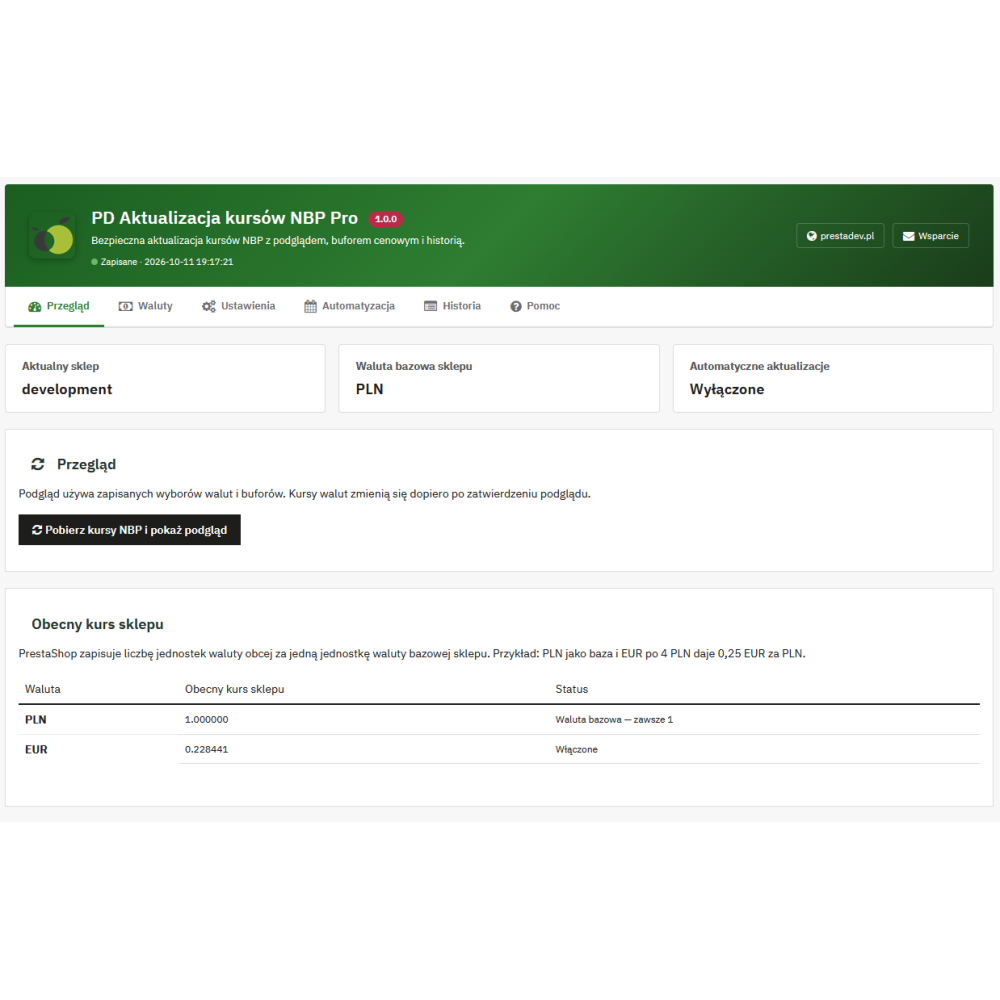
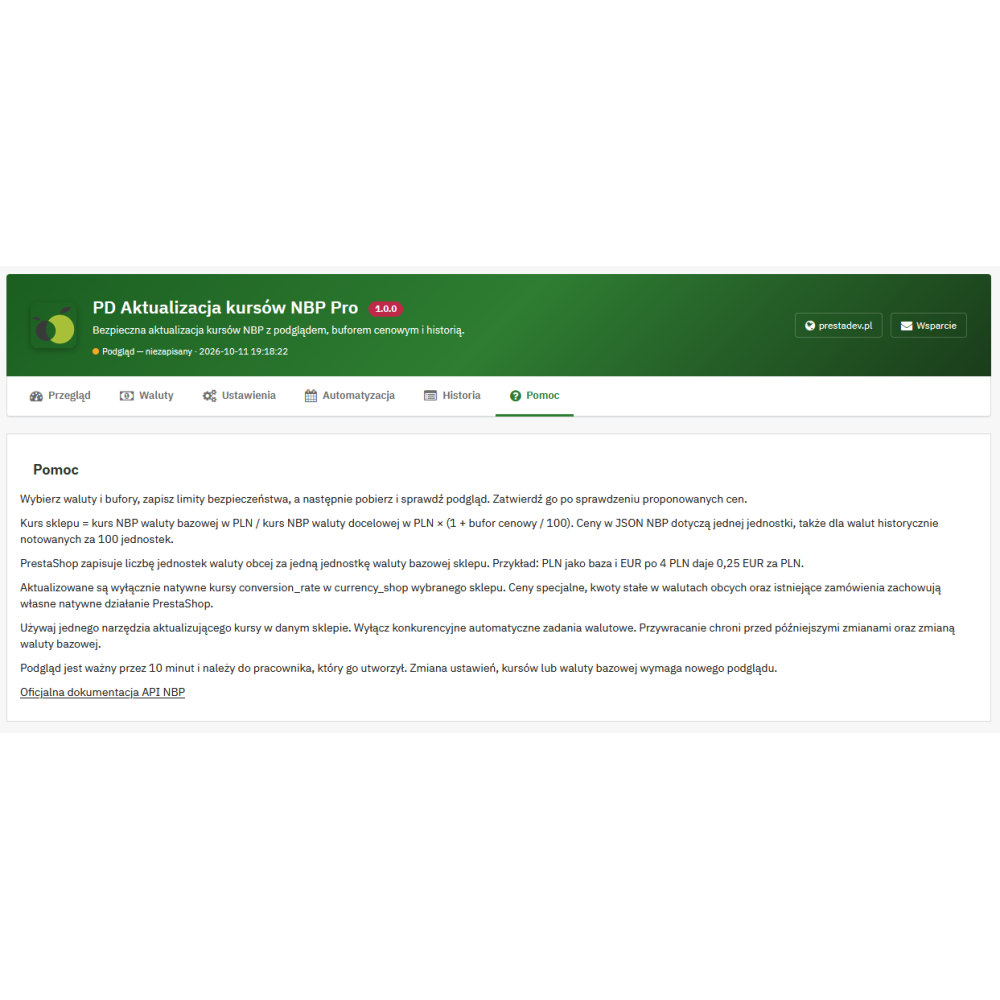
- Panel with six tabs: Overview, Currencies, Settings, Automation, History, and Help organise configuration and update handling.
- History retention period: a setting from 7 to 365 days, with cleanup of older entries after correctly processed CRON updates; simulation does not trigger cleanup.
Which NBP rates can be used in the shop?
| Source | Data type | Use in the module |
|---|---|---|
| Table A | Average rates | Conversion of currencies available in table A. |
| Tables A and B | Average rates from both tables | Also including currencies published in table B, with date control for both sources. |
| Table C — buying | Buying rates | Calculating shop rates based on buying values from table C. |
| Table C — selling | Selling rates | Calculating shop rates based on selling values from table C. |
The selected source must contain the shop’s base currency and the currencies being updated. PLN serves as the reference with a value of 1. Tables A and B may have different publication dates, so the module checks the age of the data needed for a given conversion.
How do exchange rate conversion and the price buffer work?
PrestaShop stores the number of units of the target currency per one unit of the shop’s base currency. The module calculates this rate as: value of the base currency in PLN ÷ value of the target currency in PLN × (1 + percentage buffer ÷ 100). The result is saved with a precision of six decimal places.
Example: with PLN as the base currency and a quotation of 1 EUR = 4 PLN, the shop rate is 0.25 EUR for 1 PLN. A 2% buffer increases it to 0.255, so an amount of 100 PLN converted at this rate gives 25.50 EUR. The buffer affects standard price conversion, but it is not a bank fee or a margin guarantee.
What does the shop staff gain?
- Less manual rewriting of rates: data comes from the selected NBP source, and after adding a schedule, updates can be performed by CRON.
- Control before changing prices in foreign currencies: the preview allows evaluation of the proposed conversion, and buffers and change thresholds can be adjusted to the shop’s rules.
- Access to previous values: details of the saved update make it easier to check the difference and possibly restore the rates.
- Separate multistore handling: different sources, buffers, and automation rules can be used for individual shops.
What information does the customer receive?
After enabling the message, a customer using a foreign currency can see on the product page and in the cart a conversion in the form “1 unit of the base currency = rate in the customer’s currency”. The message also states that prices use the shop rate, which may include a price buffer. The time of the saved update and the NBP publication date appear when the entry from the last read history matches the current base currency and the customer’s rate; after restoring rates, no new NBP date is added.
The message is hidden for the base currency and can be disabled in the settings. Display requires that the theme provides supported locations on the product page and in the cart. When displaying these pages, the module reads the saved shop rate without fetching NBP tables.
How to start updating NBP rates in PrestaShop?
- Select the shop, then in the Currencies tab mark the active foreign currencies and set their buffers.
- In Settings, select the NBP source, the maximum and minimum rate change, and the allowed publication age.
- Fetch a preview in Overview and compare the proposed values. The preview itself does not change the rates.
- Approve the correct preview and check the result in the history.
- If you need automation, enable it in the Automation tab and add a task on the server that calls the generated CRON address. The available simulation lets you check the result in advance without saving the rates.
Operating conditions and scope of updates
The module is intended for PrestaShop 1.7.x, 8.x, and 9.x. It requires a PHP version supported by the given shop release, the cURL extension, proper handling of HTTPS certificates, and server access to the NBP API. The tables storing the shop’s currency rates and the module history must use the InnoDB engine. The base currency must be active and have a rate equal to 1; the module does not change it to another one.
The rates of the shop’s currencies are updated, not product price records or previous orders. Specific prices, fixed amounts in foreign currencies, vouchers, and rounding retain PrestaShop’s native behaviour. Only one automatic exchange rate update mechanism should be used in one shop.
Installation does not change current rates and leaves CRON disabled. The default buffer is 0%, the maximum change is 10%, the minimum change is 0.05%, the allowed publication age is 10 days, the minimum interval between automatic attempts is 60 minutes, and the history period is 90 days. Restoration requires a preserved history entry, still matching rates, and the same base currency; it is not intended to overwrite later changes.