Key features and benefits
- Google Consent Mode v2 — sends ad_storage, analytics_storage, ad_user_data and ad_personalization signals to supported Google tags. The store’s tag configuration and loading order must be adjusted.
- Facebook Pixel integration — separate handling of fbq consent grant/revoke commands, depending on the presence of the Pixel and the mapping of advertising consent. This is separate from the Google Consent Mode protocol.
- Google Tag Manager — can send the cookie_consent_update event to dataLayer. Configure the event handling and tag firing conditions in the GTM container.
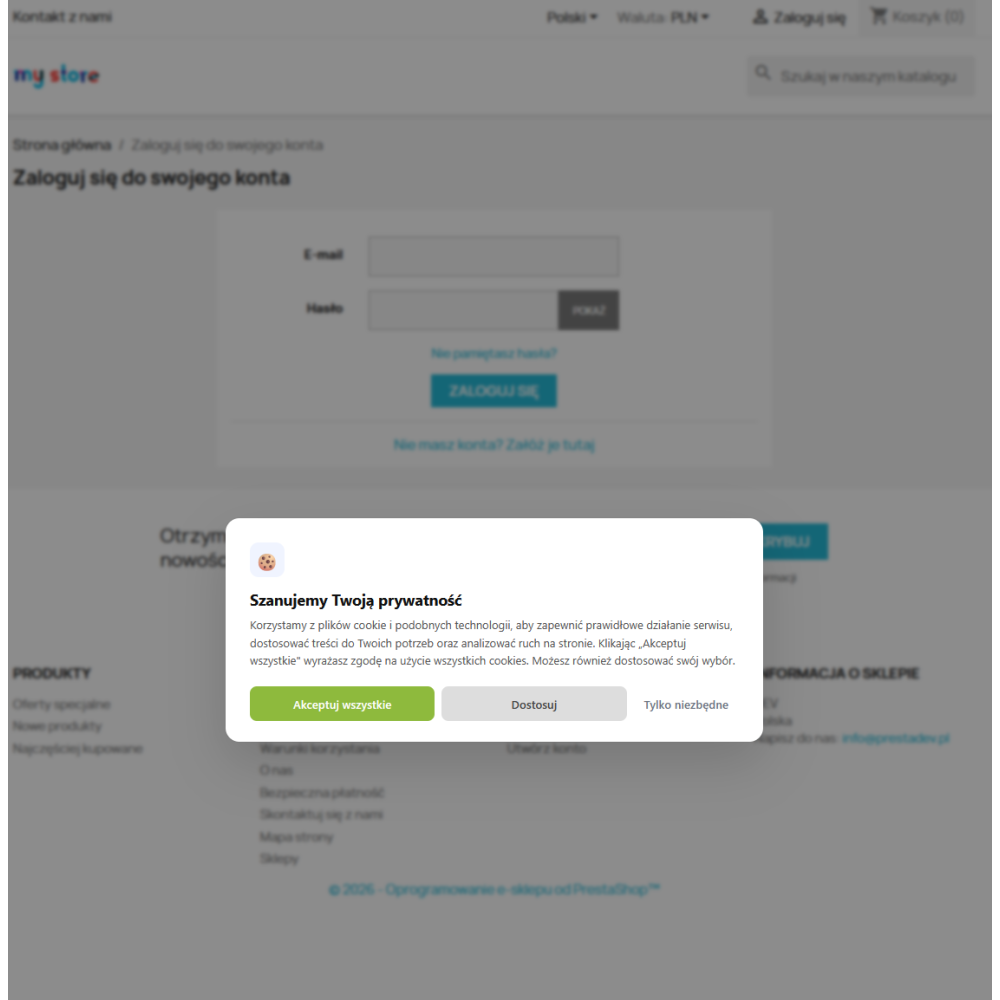
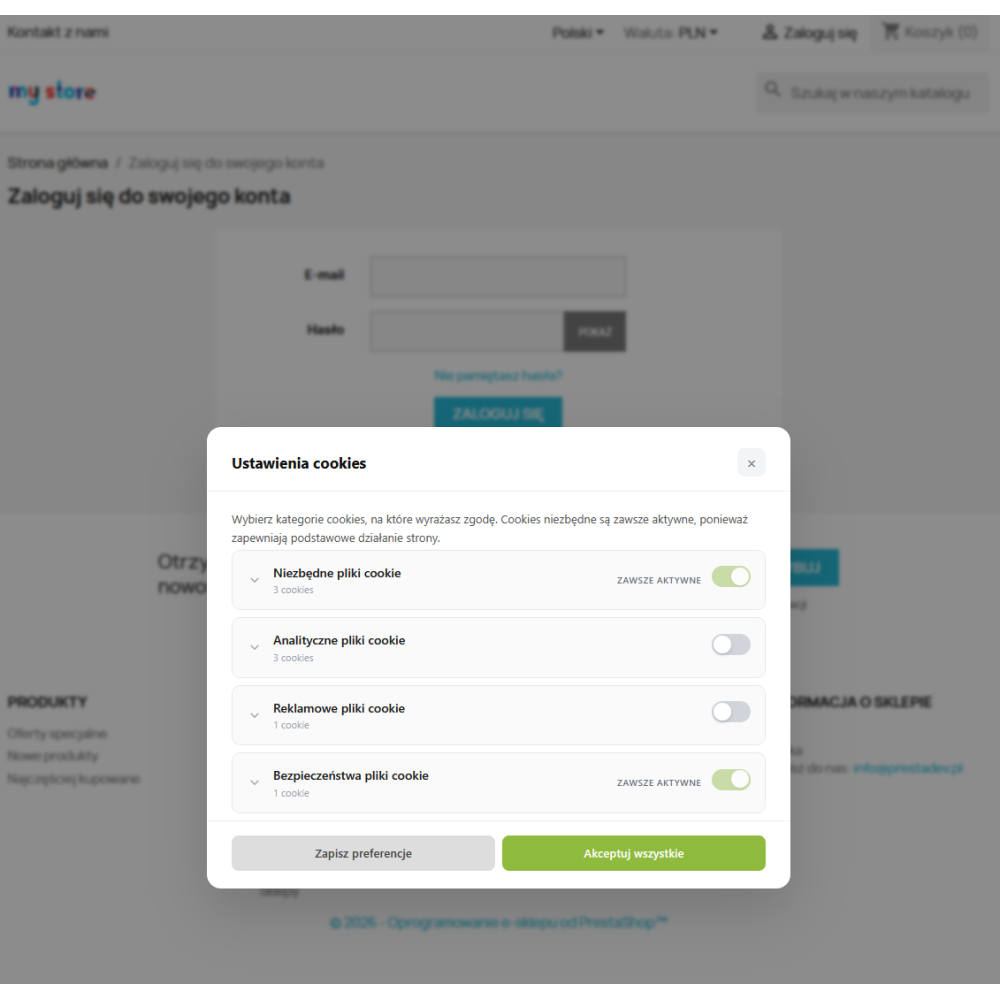
- Two-layer popup — first screen with three buttons (accept / customize / essential only), second screen with cookie categories as an expandable accordion with details of each cookie
- Desktop and mobile layout — styles for desktop and mobile screens; check the layout, buttons and interaction with other overlays on the theme used by the store.
- Handling user choices — tools for selecting preferences, reopening settings and recording decisions. The module alone does not establish the legal compliance of the entire implementation.
- Display by country — optional display based on the country available in the PrestaShop context. Before enabling it, check how the country is determined, the configured country list and tag behaviour outside that list.
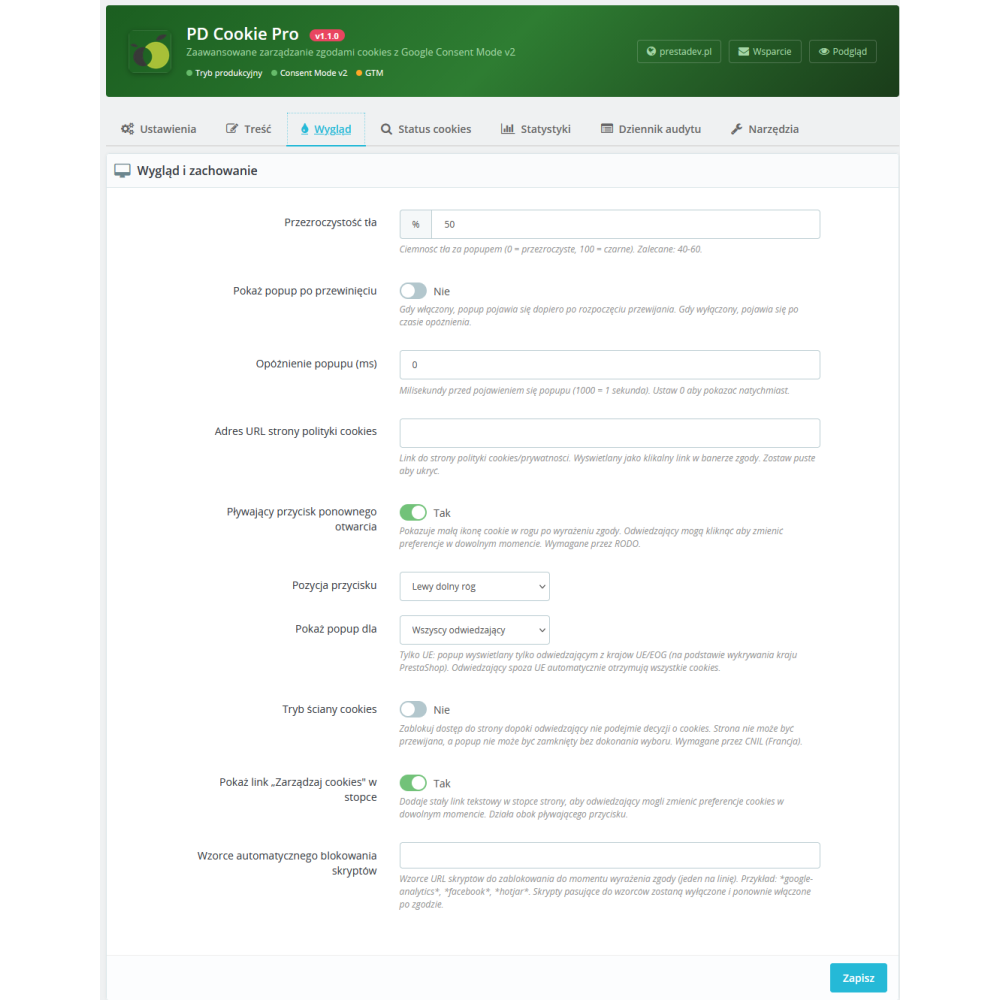
- Banner decision mode — an optional mode requiring a decision in the banner before continuing to use the site. CNIL does not impose a general requirement to use cookie walls; check both acceptance and refusal.
- Floating reopen button — a small cookie icon in the corner of the screen after acceptance, allows changing preferences at any time without searching for settings
- “Manage cookies” link in the footer — a permanent text link alongside the floating button, providing two ways to reopen settings.
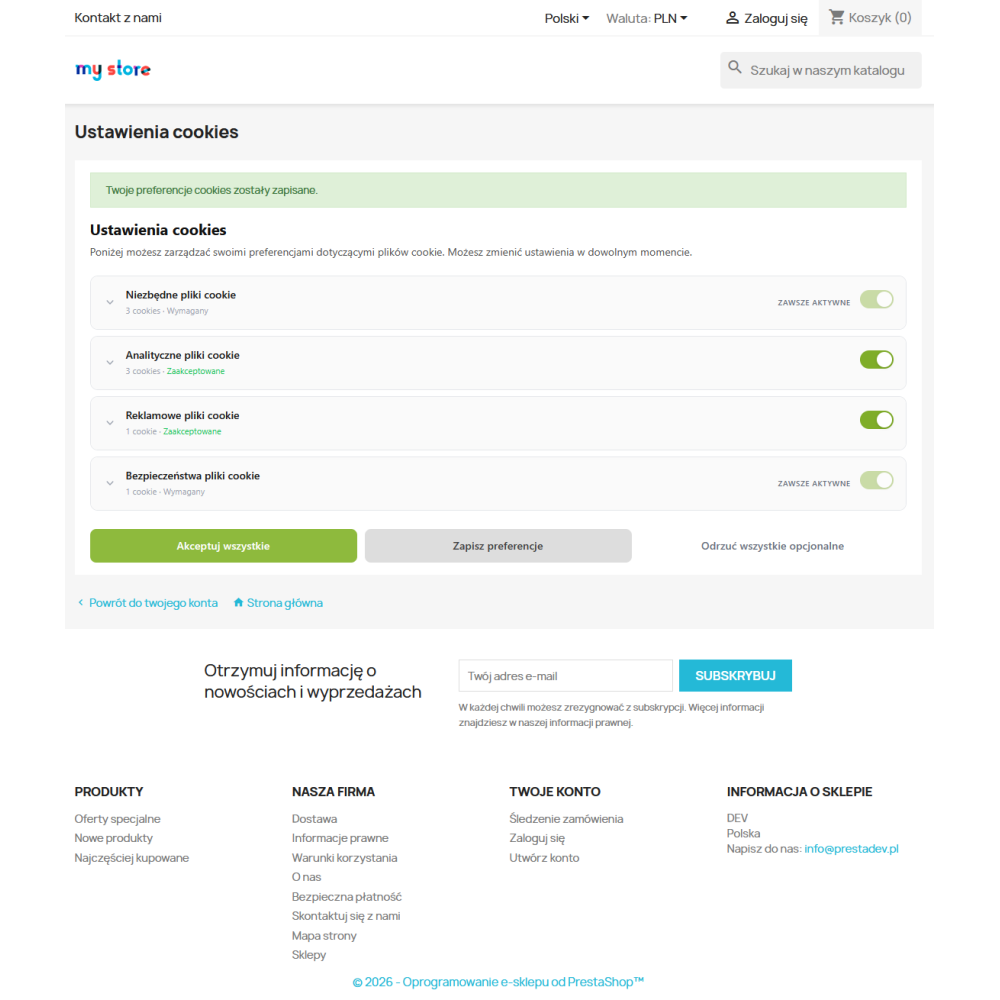
- Settings page in My Account — logged-in customers have a dedicated page for managing cookie consents with a full list of categories and action buttons
- Multilingual button texts — title, content, button names and footer link configured separately for each store language from the admin panel
- Color editor — background, text and hover colors for each button and toggle switches, match the popup to the store’s visual identity without CSS
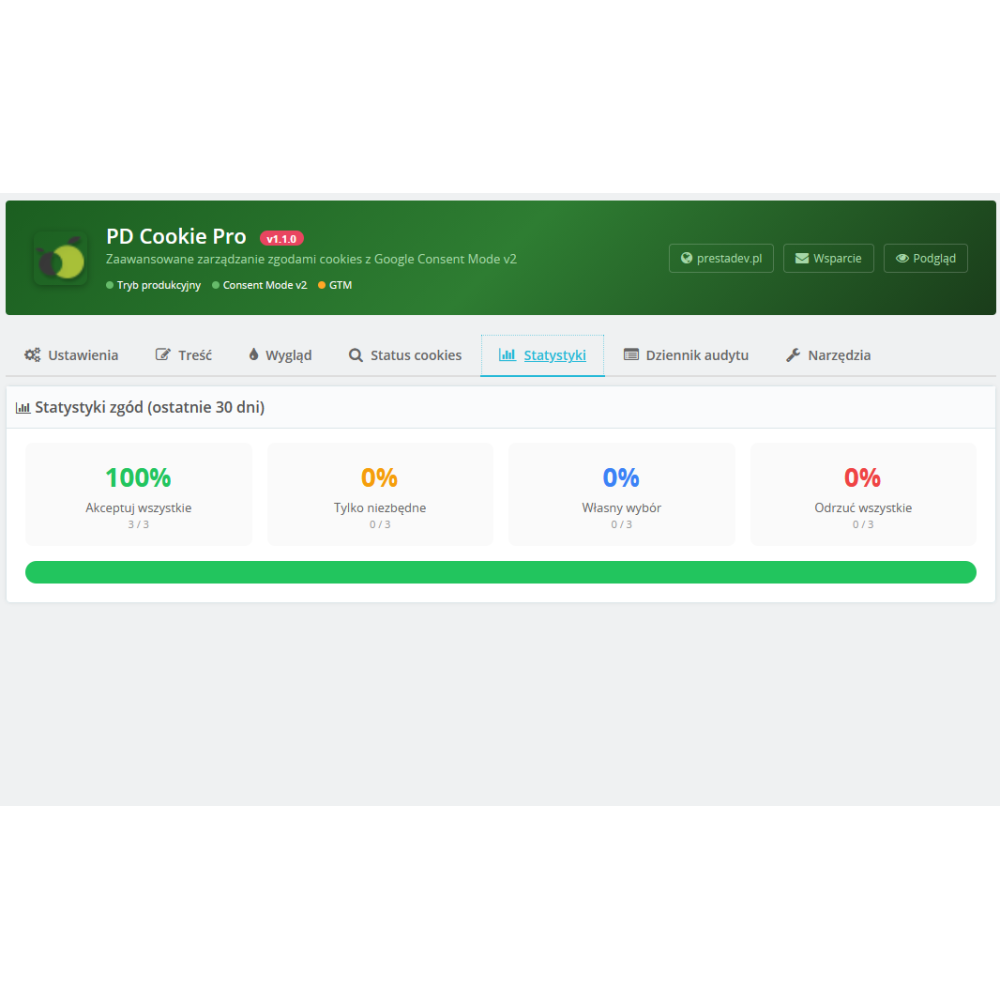
- Consent statistics — dashboard in the admin panel showing the percentage of: accept all / essential only / custom choice / reject all for the last 30 days
- Decision log — records stored decisions, including the time, cookie groups, configuration identifier and an IP address hash. It helps document consent handling; it does not replace checks of record completeness or a legal assessment of the implementation.
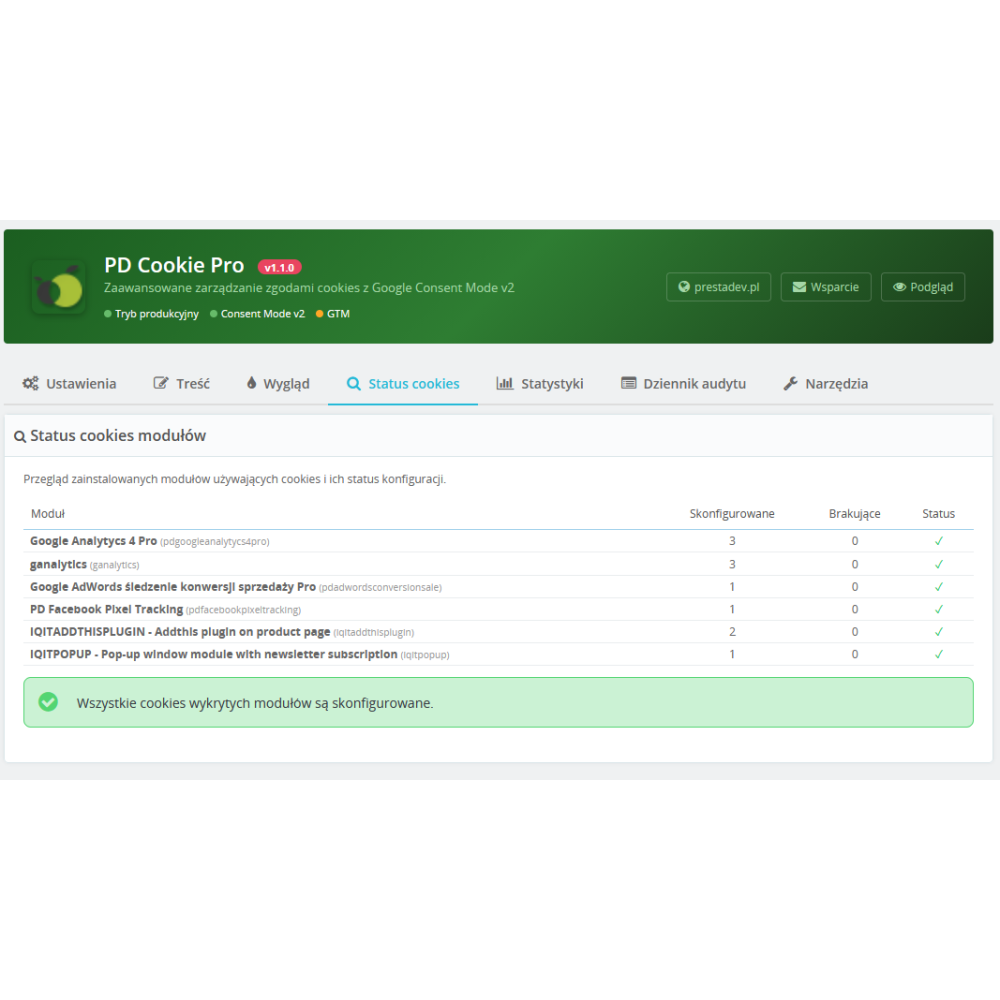
- Module cookie scanner — suggests cookie entries based on recognised modules. Compare the list with the store’s actual scripts and network requests; it is not a complete scanner of every tool.
- Automatic script blocking — a supporting mechanism based on configured URL patterns. It cannot undo a script that has already run. Check the loading order and behaviour of each tag.
- Conditional script loading — enables scripts assigned to accepted categories to load. Custom tags and scripts added by other modules need separate configuration and verification.
- Import / export configuration — download the full configuration as JSON (groups, cookies, colors, multilingual texts) and upload it to another store with one click, ideal for agencies
- Persistent cookie (365 days) — sets the expiry of stored preferences to up to 365 days. Deleting cookies, browser settings or configuration changes may require a new choice.
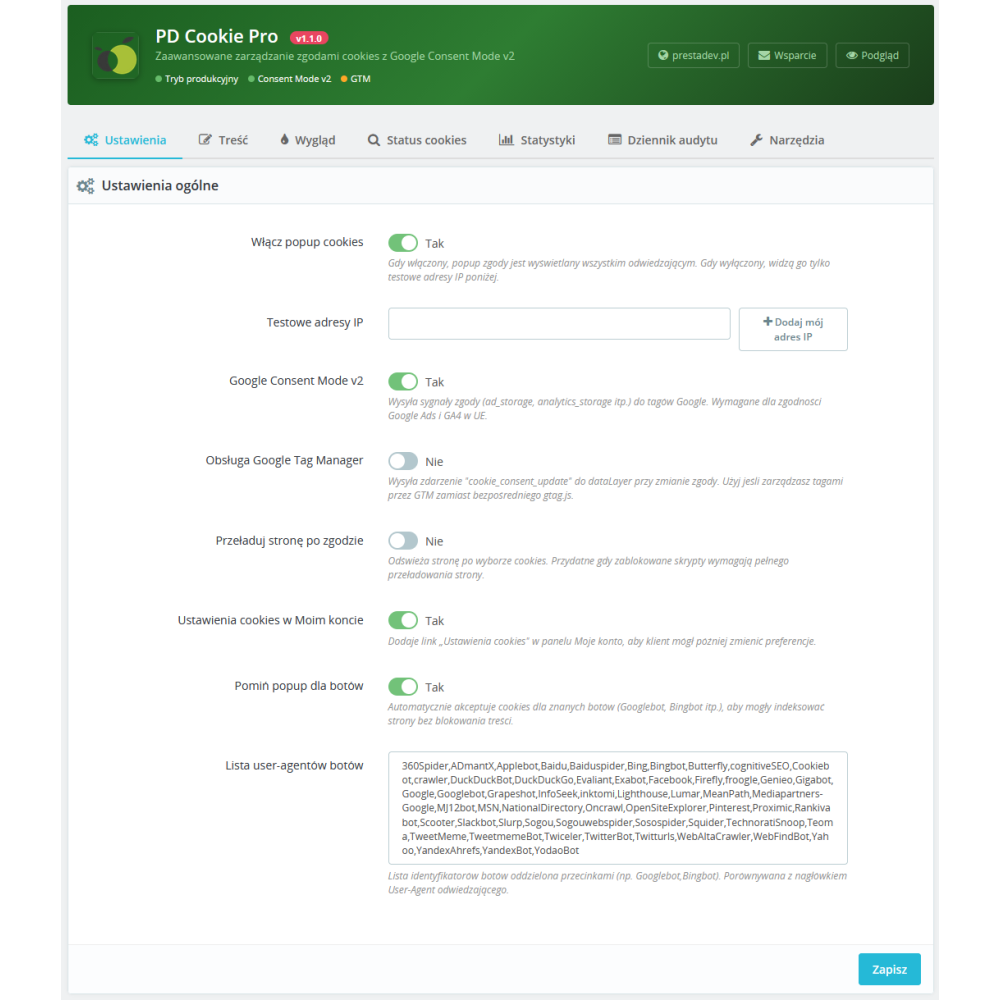
- Skip popup for bots — optional banner skipping based on a configured User-Agent list. This does not verify a crawler’s identity or establish that a page will be indexed.
- Predefined cookies — initial entries to help configure common tools. Compare names, purposes and lifetimes with the cookies actually used by the store.
- Tabbed admin — clear configuration interface with 7 tabs: Settings, Content, Appearance, Cookie status, Statistics, Audit log, Tools
- Accessibility mechanisms — keyboard and focus handling, ARIA attributes and reduced animation support. Check accessibility in the completed implementation; the presence of these mechanisms is not a WCAG compliance certificate.
- JavaScript assets and performance — the banner script uses native JavaScript without jQuery. Admin assets use PrestaShop mechanisms. Measure the impact on page loading in the target configuration.
- Compatibility - declared offer range: PrestaShop 1.6.x, 1.7.x, 8.x and 9.x. Before purchase, confirm the correct package and the PHP and database requirements for your store version. Not every PrestaShop version works with every PHP version. Before deployment, check the module on a copy of your store with the theme and analytics modules you use.
Module demo
Admin panel demo:
https://moduly-prestashop.eu/zarzadzanie-cookie/admin-dev
Front-end demo:
https://moduly-prestashop.eu/zarzadzanie-cookie
What should you check before launch?
Record the PrestaShop version, theme, and analytics or advertising tools. Configure the categories, banner texts and tags. In a new session, compare no decision, necessary cookies only, selected categories and acceptance of all cookies. Then withdraw the previous choice and check network requests, tag states and stored preferences after returning to the site. Separately check readability on a phone, keyboard operation and the ability to return to settings.
The appearance of a banner or the transmission of a consent signal alone does not establish that the entire implementation works correctly. Google Consent Mode documentation explains the scope of signals and responsibility for tag configuration. CNIL describes criteria for assessing cookie walls; it does not impose a general requirement to use them.
Licence, test-copy and update terms: section 7 of the Shop Rules (in Polish). Content checked on 3 October 2026; this description does not replace testing the store’s configuration.