
Shopping Cart




Key features and benefits
- Clear information for the customer: the message can show the amount remaining to reach the threshold as well as the free delivery threshold itself.
- Support for the carrier's free range: the module detects a matching weight or price range with a price of 0 for the carrier selected in the cart.
- Control of the final cost: the free delivery message from the range appears only when the final cost of that carrier is also 0.
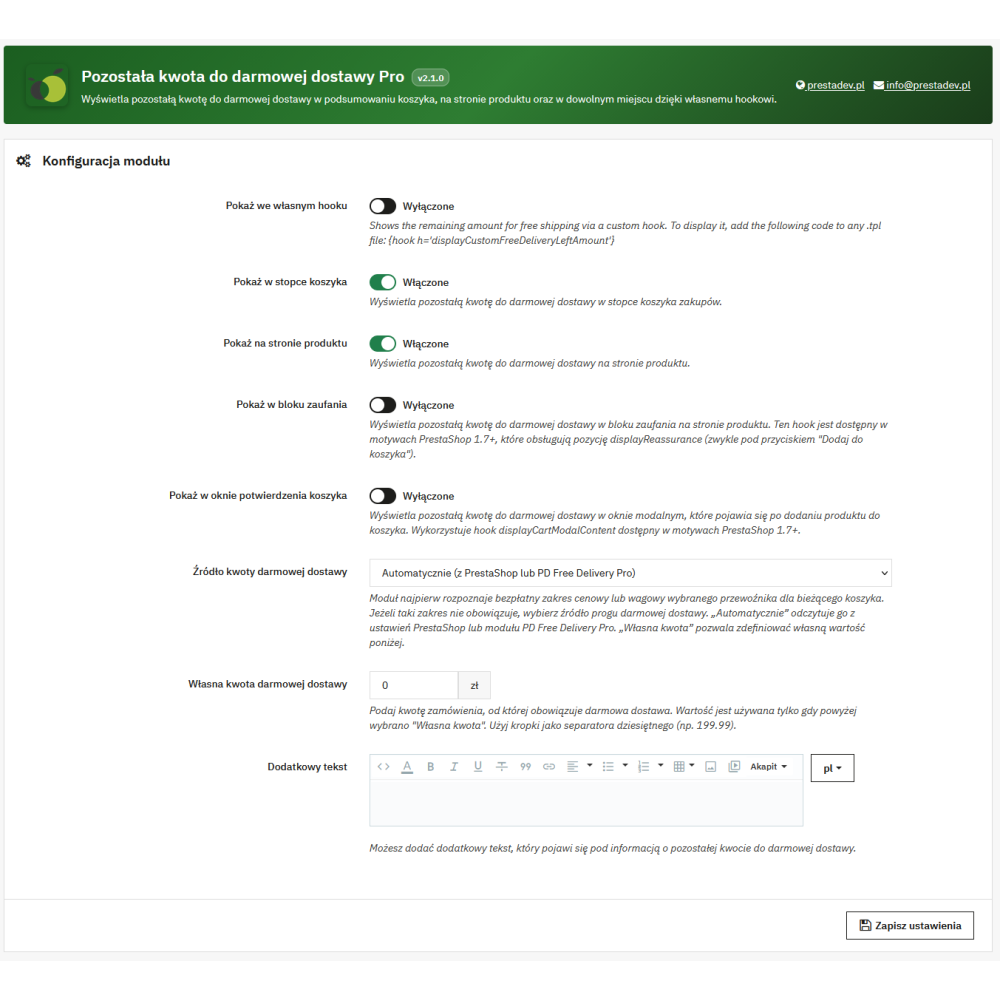
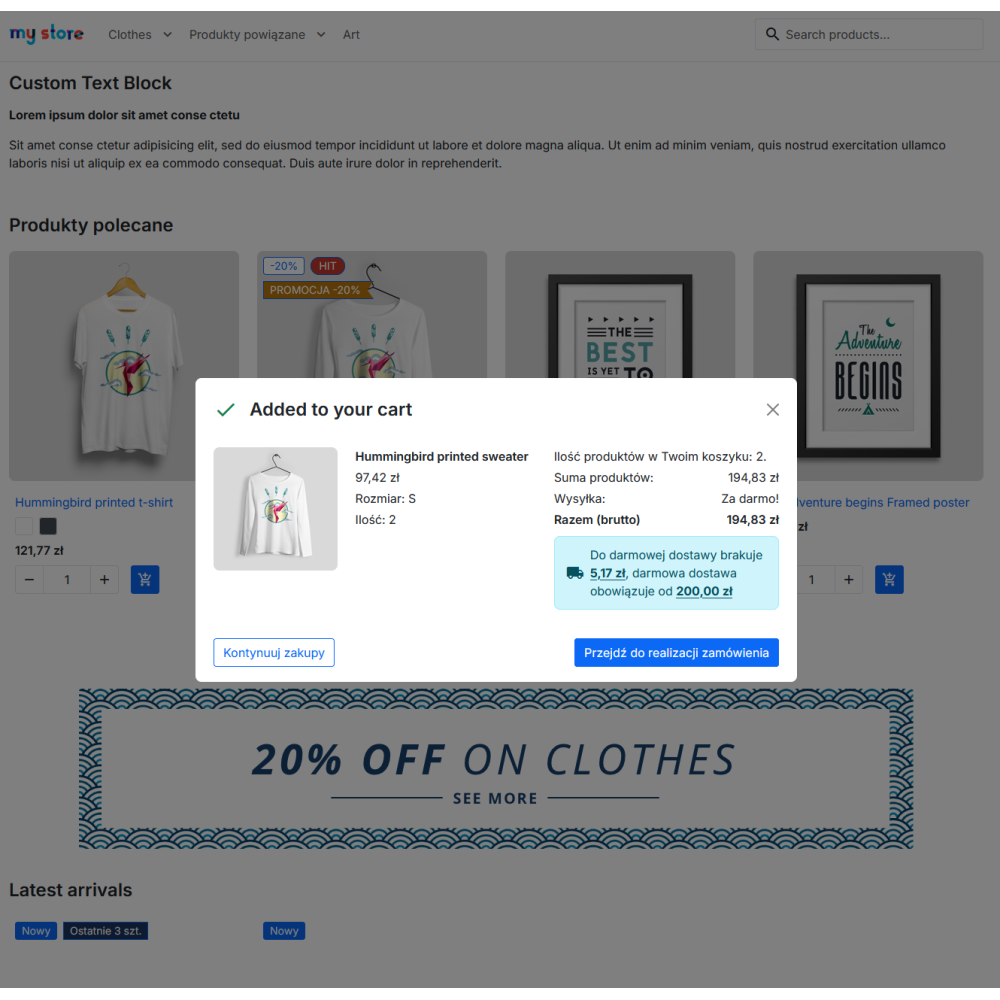
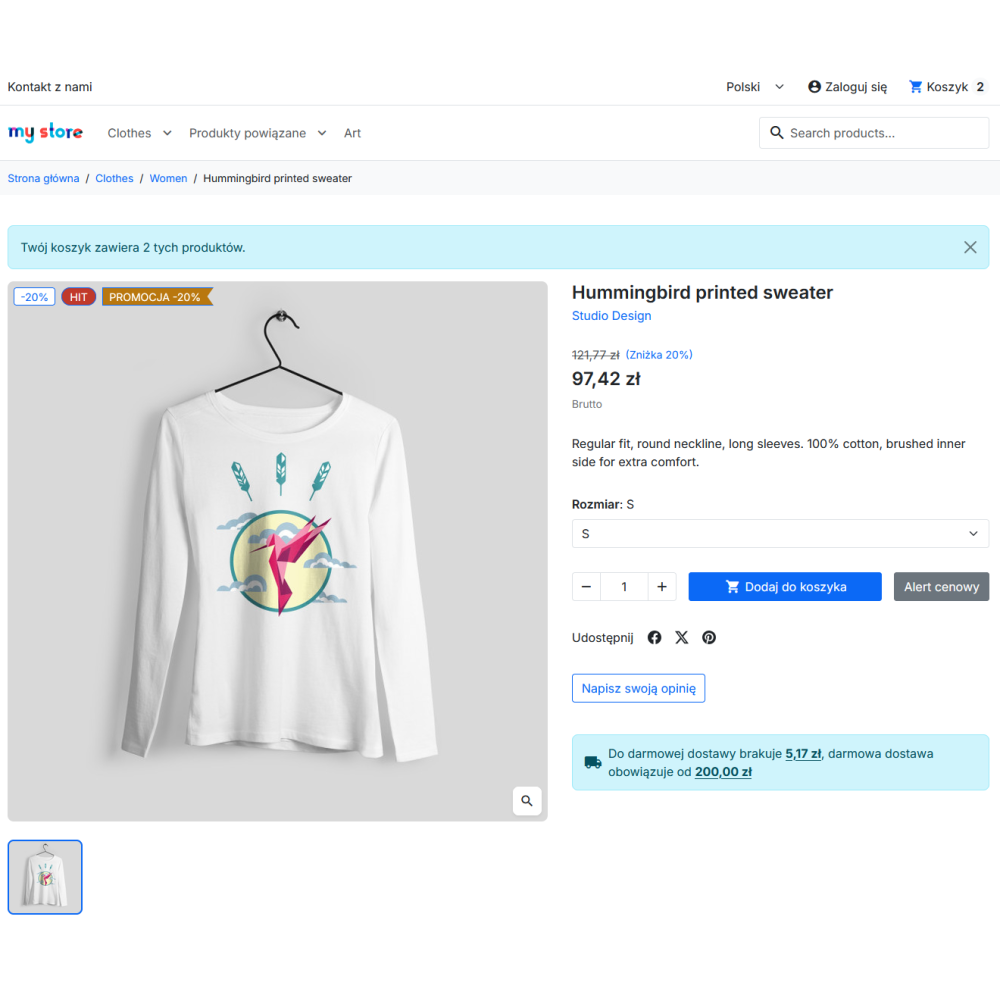
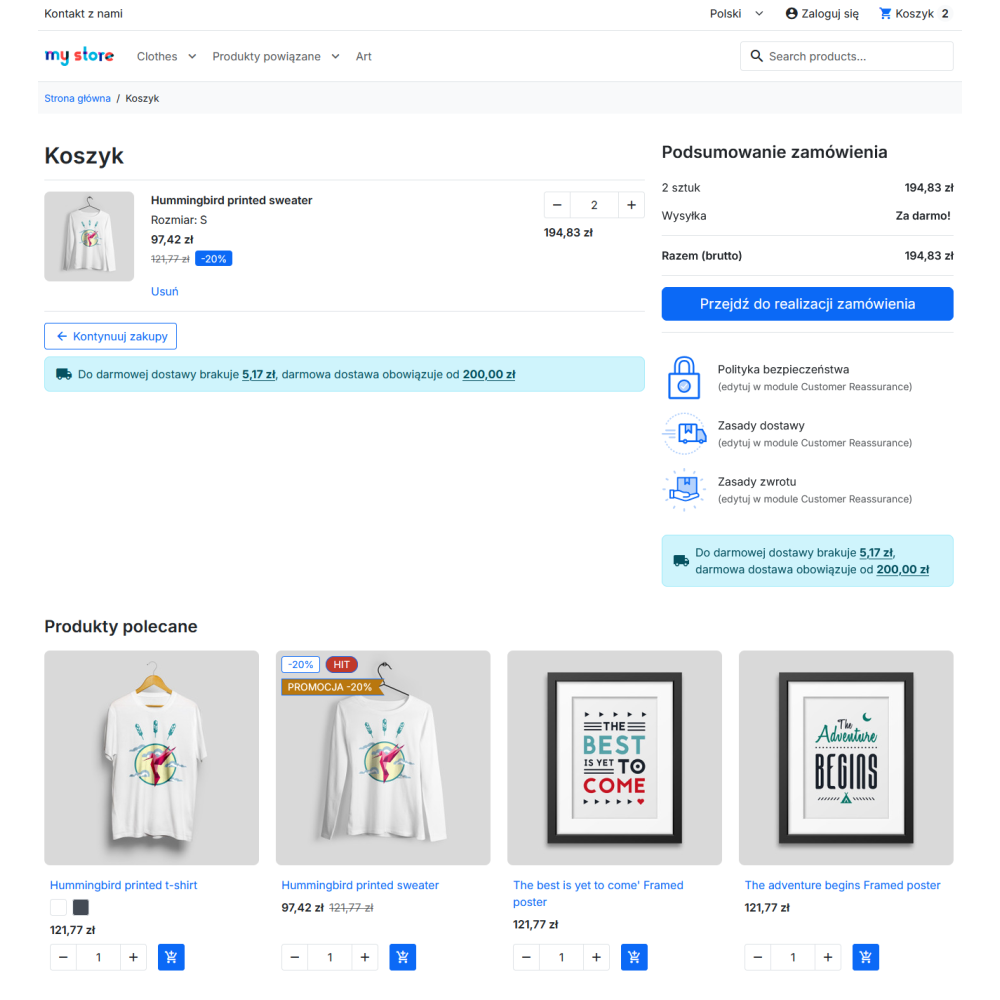
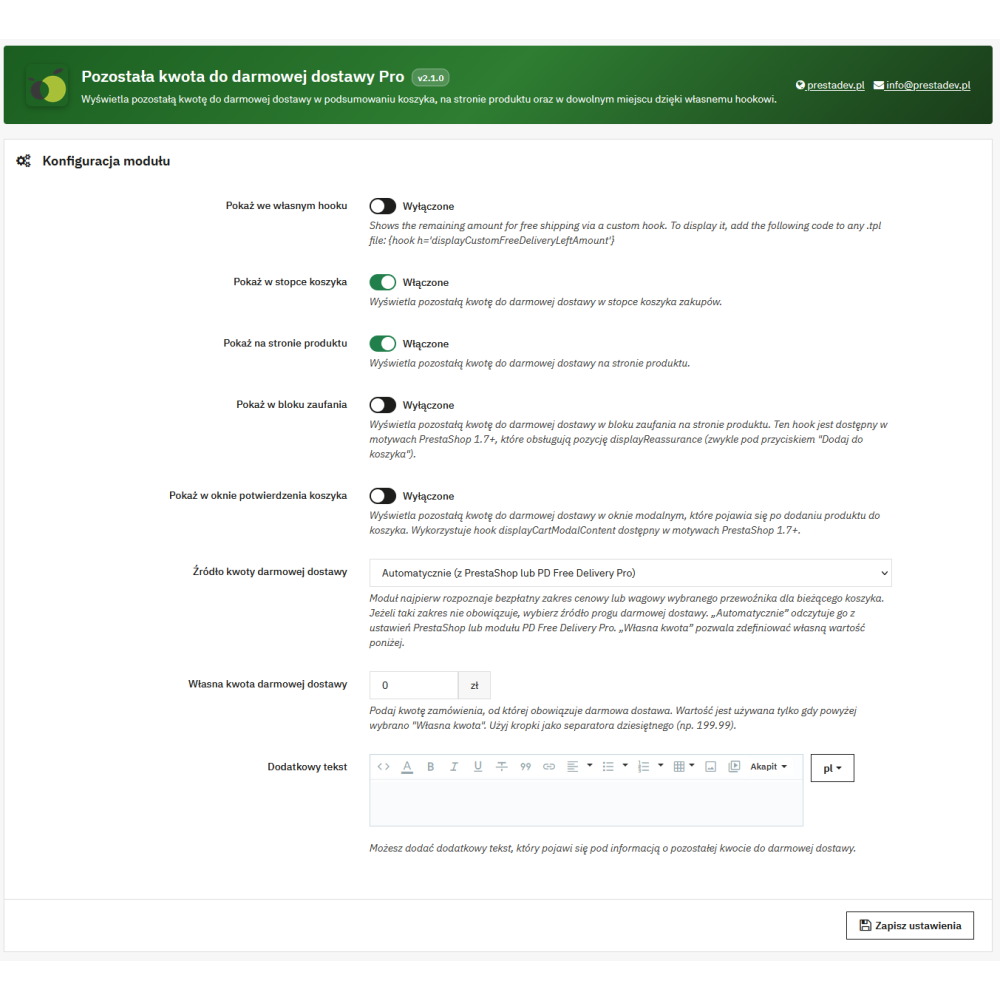
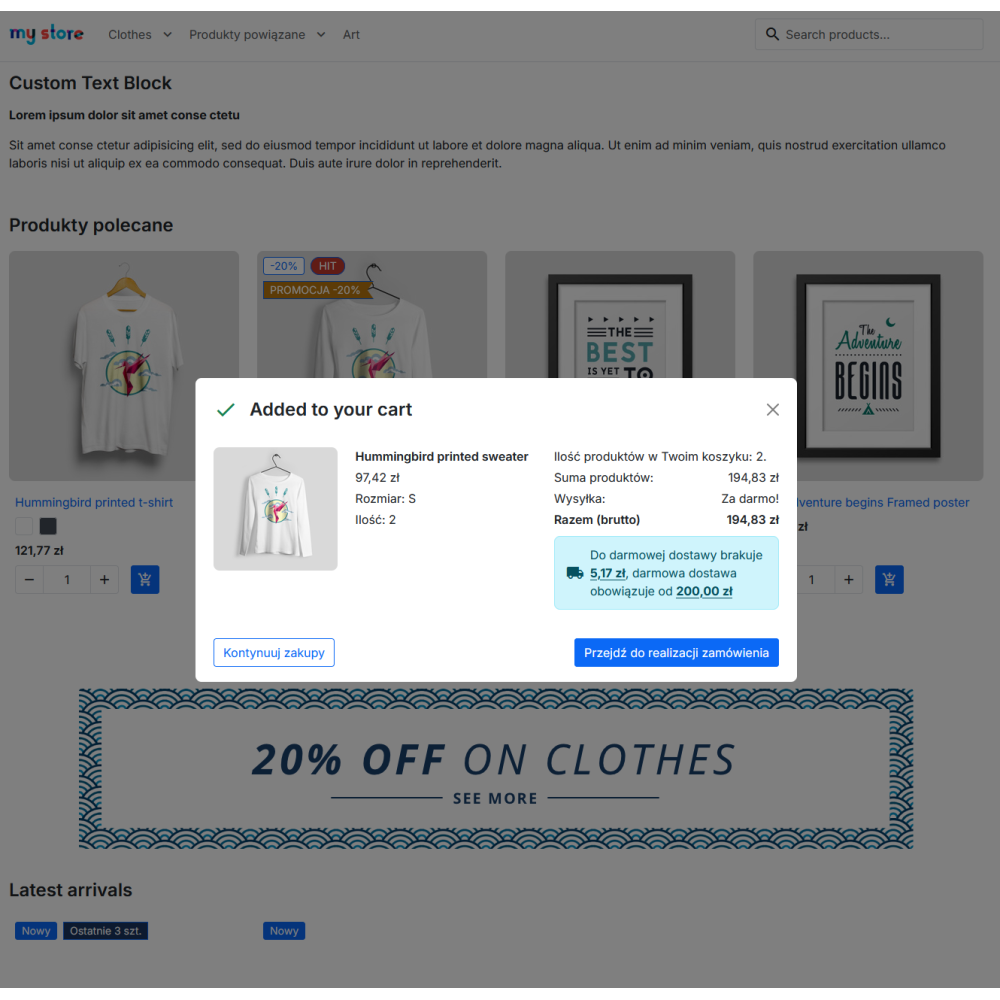
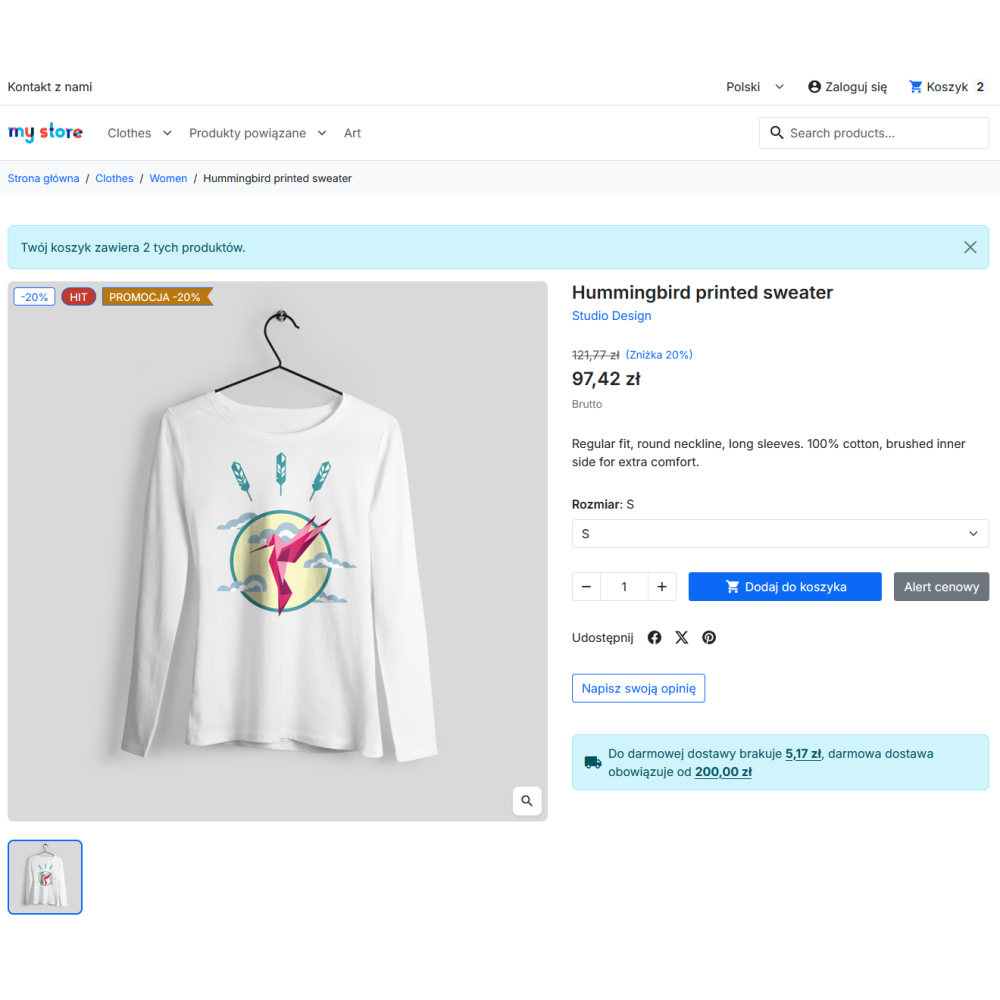
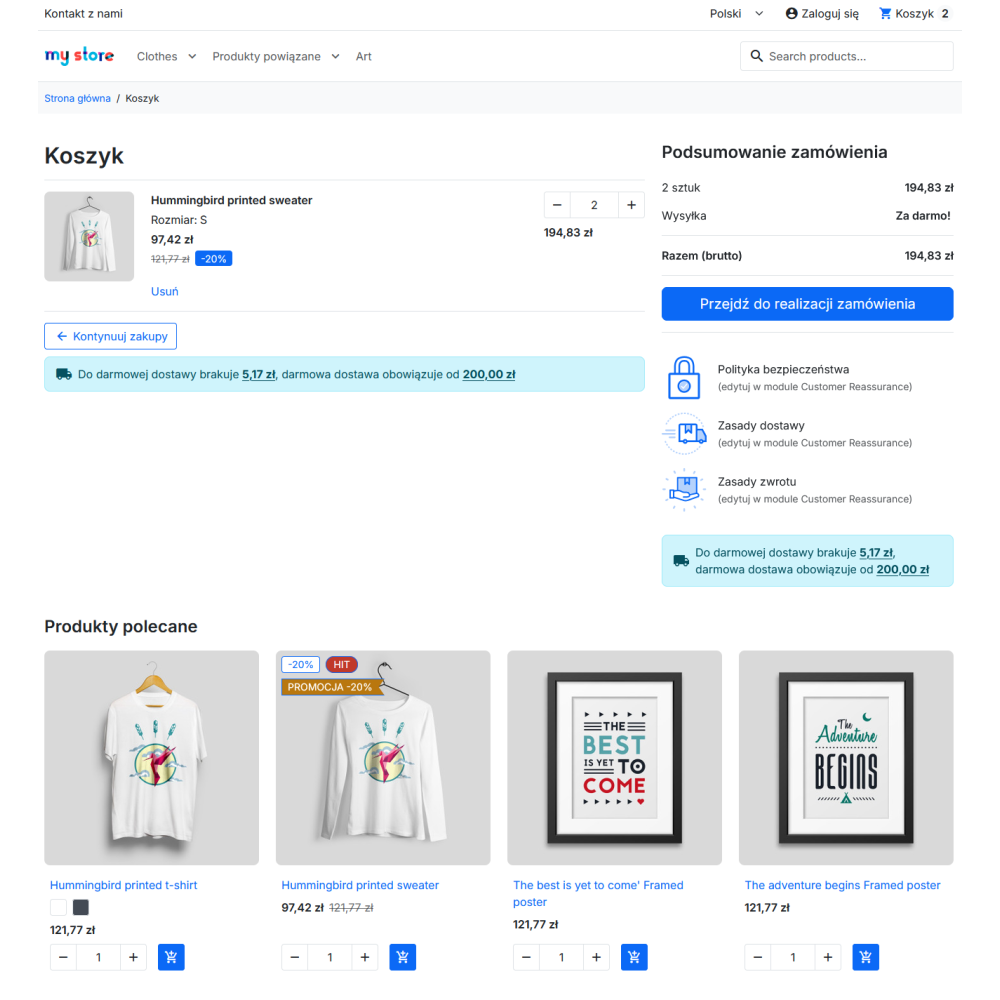
- Configurable display locations: the cart footer, product page, reassurance block, add-to-cart popup, and a custom hook can be enabled independently.
- Update after cart changes: after the cart update event, the module fetches current data and refreshes the visible message.
- Custom text below the message: the administrator can add additional content separately for the languages available in the store.
Where does the module get the free delivery threshold from?
| Source | How it works |
|---|---|
| Automatic | The module reads the free delivery amount threshold from the PrestaShop settings or, when PD Free Delivery Pro is active, from the configuration returned by that module for the current carrier and cart. |
| Custom amount | The administrator enters their own amount threshold in the module configuration. |
| Carrier range | Regardless of the selected source, the module first checks whether the current cart falls within the selected carrier's free price or weight range. |
For the carrier range, the module uses the delivery calculation method set for that carrier: by weight or by order value. For example, if the range from 0 to 30 kg has a price of 0 and the next range is paid, a customer with a cart that falls within the first range will receive a message about available free delivery. After entering a paid range, the module does not present that message as free delivery.
Why is the final delivery cost also checked?
A price of 0 in the range table alone does not always mean that the customer will pay 0 for delivery. PrestaShop may add a handling fee, an additional product shipping cost, or a cost returned by an external carrier module. Therefore, the module first confirms a matching free range and then checks the result of the delivery calculation for the same carrier and cart. If the final cost is not equal to 0, the information about free delivery from the range is not displayed.
Where can the message be displayed?
- Cart footer: via the
displayShoppingCartFooterhook. - Product page: via the
displayProductButtonshook. - Reassurance block on the product page: via the
displayReassurancehook, if the theme in use supports this position. - Popup after adding a product to the cart: via the
displayCartModalContenthook, if it is supported by the theme. - Custom location in the theme: via the
displayCustomFreeDeliveryLeftAmounthook.
To use a custom location, in the selected Smarty template file you need to enable the custom hook option in the module configuration and add the code {hook h='displayCustomFreeDeliveryLeftAmount'}. The availability of individual locations depends on the hooks called by the theme in use.
Current carrier, currency, and cart value
The module calculates the message for the carrier selected in the current cart. If the cart does not yet have a selected carrier, the store's default carrier is used for the check. The amount threshold is converted to the cart currency, and the calculation of the missing amount takes into account the price display method assigned to the customer's default group. The message does not determine what change in weight or value would be needed to enter another carrier range; it identifies the range that applies to the current cart.
Scope of operation and requirements
- The module declares compatibility with PrestaShop 1.7.x–9.x.
- To display the message, a cart with physical products and a carrier available for the determined delivery zone are required.
- It does not create carriers, weight ranges, price ranges, or free delivery rules — these settings must be configured in PrestaShop.
- It does not replace the delivery calculator in checkout; it reads the result of the carrier and cart configuration to display information in the store.