
Shopping Cart




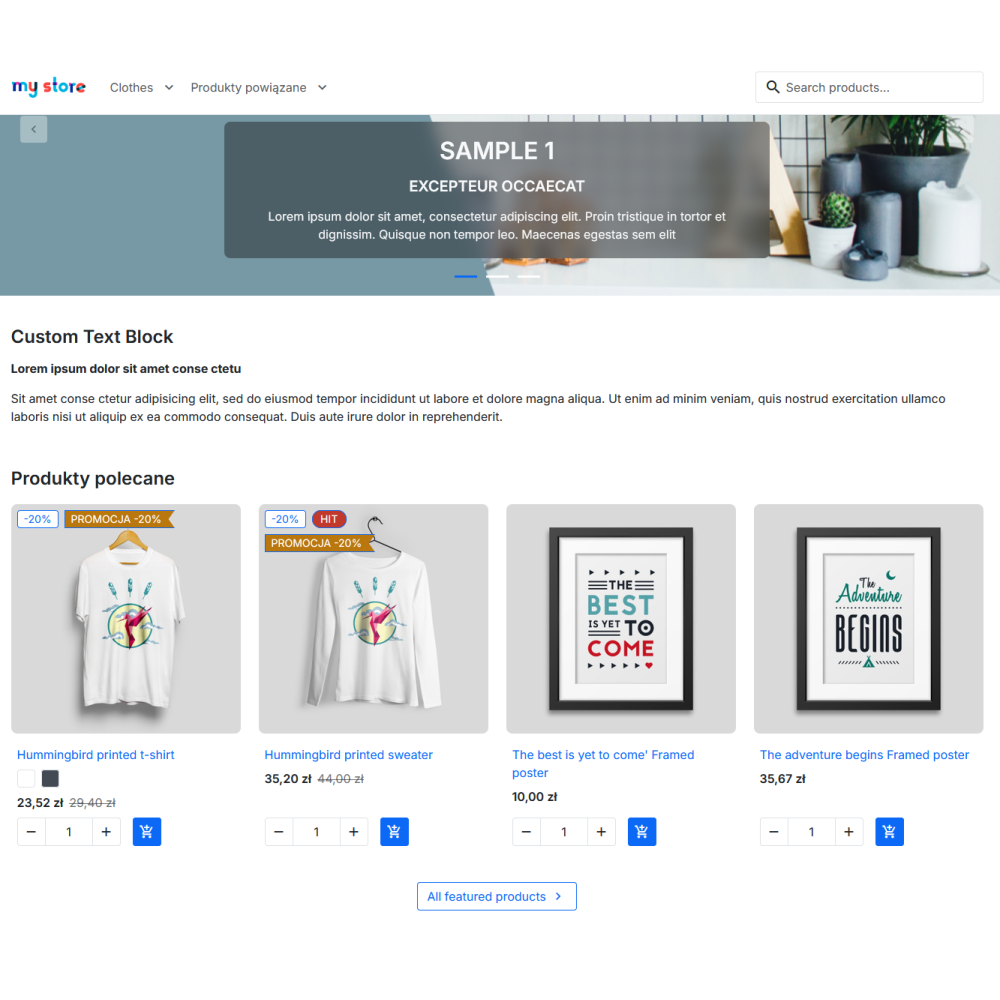
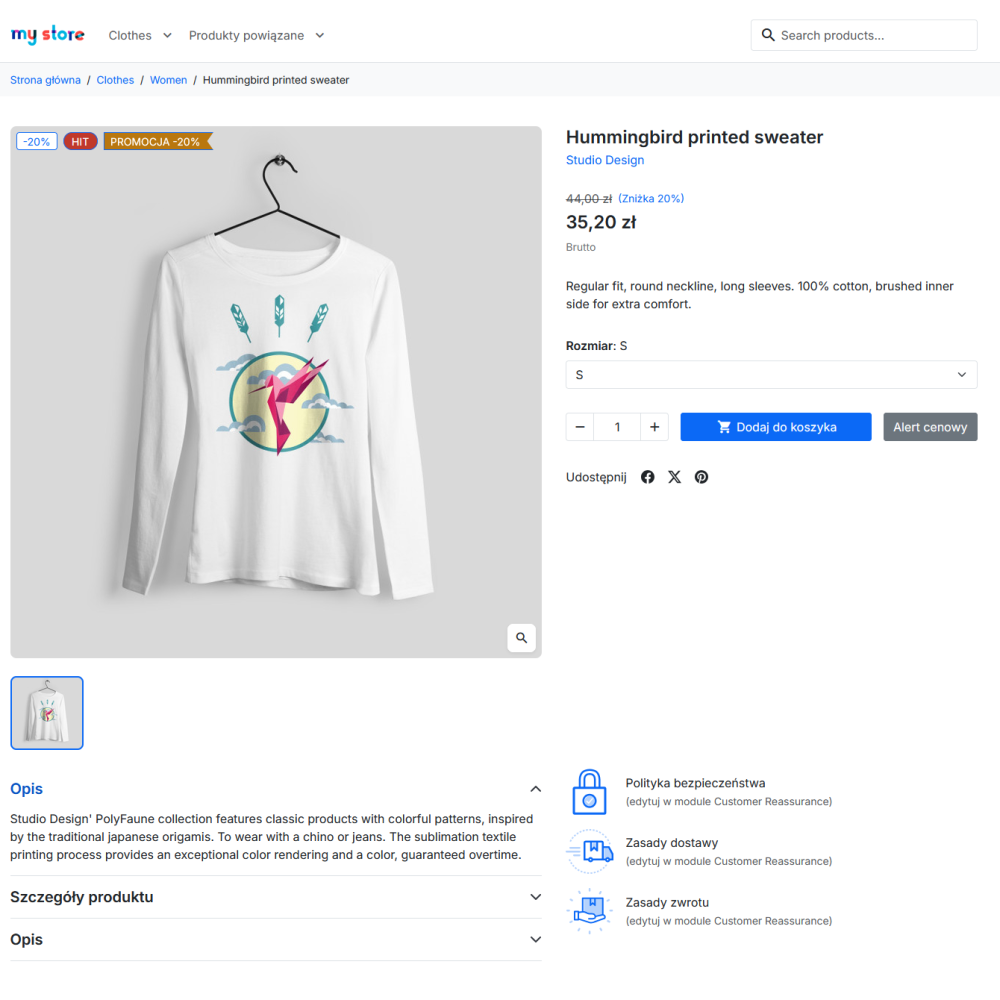
Module features and benefits
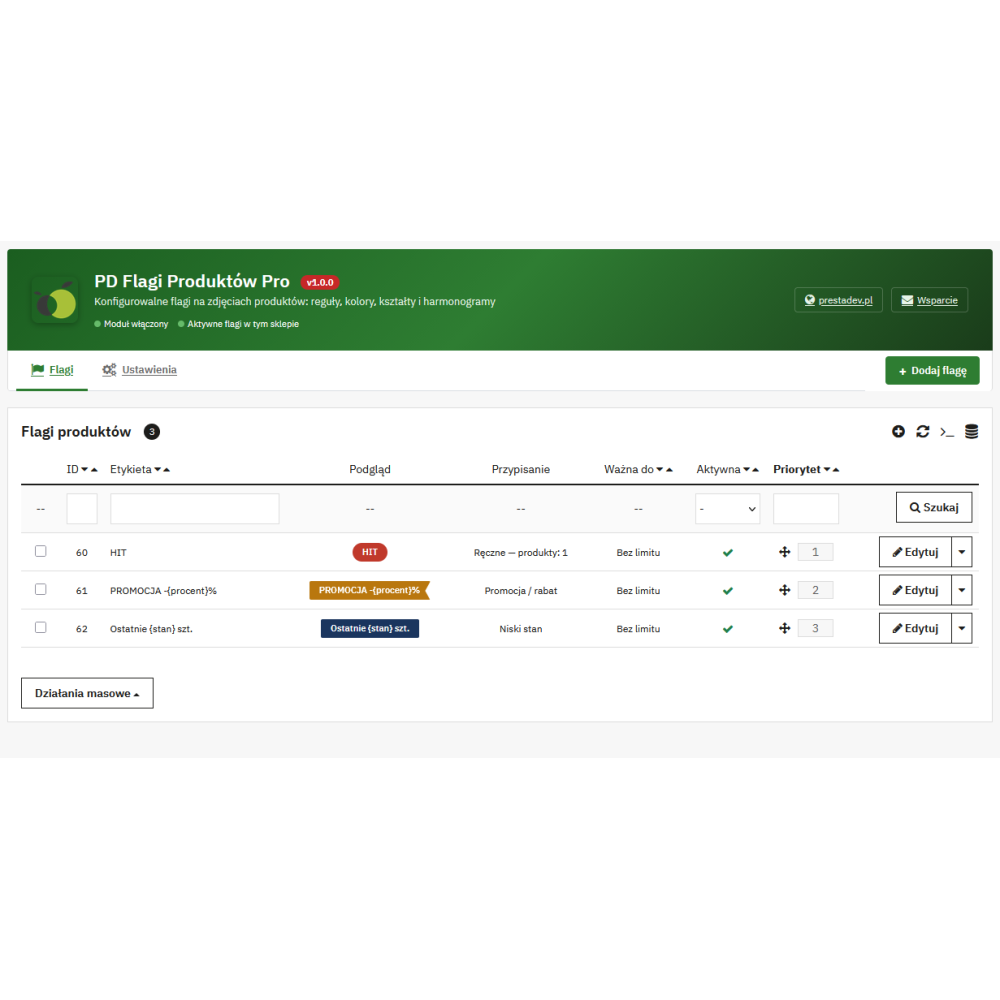
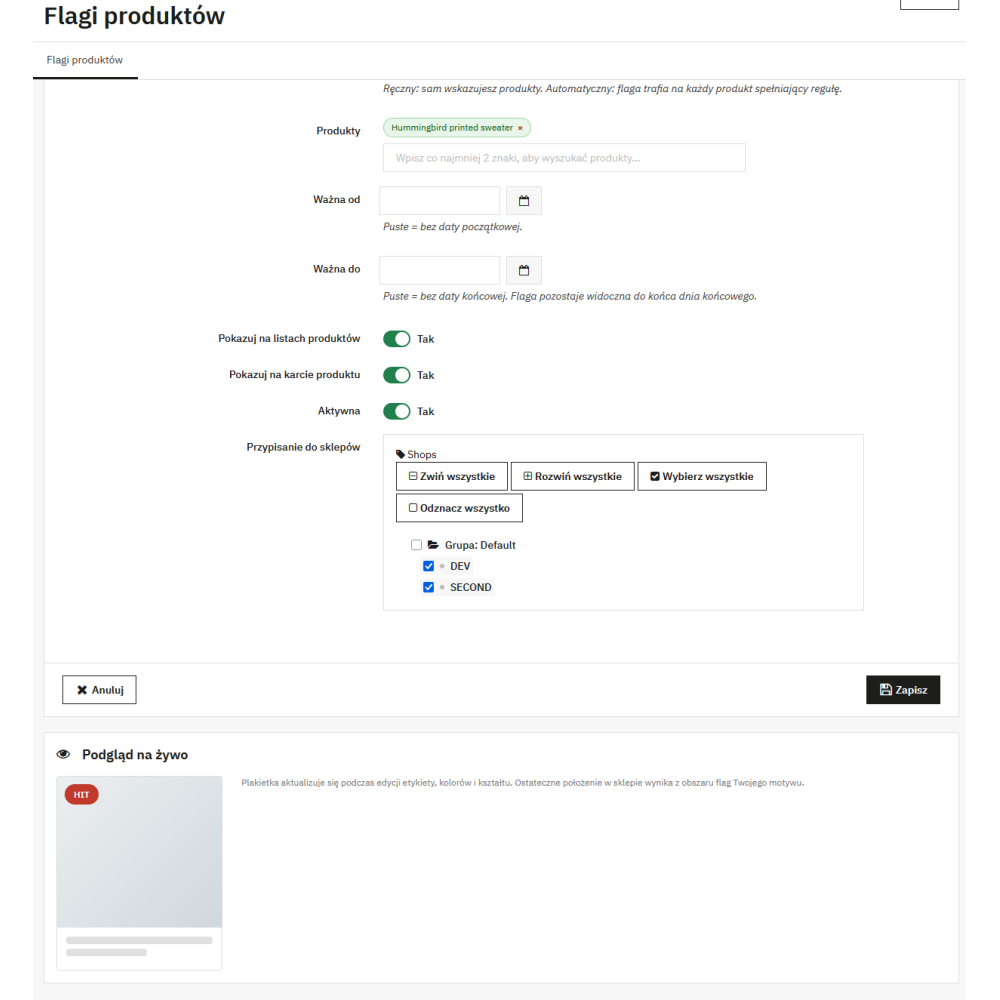
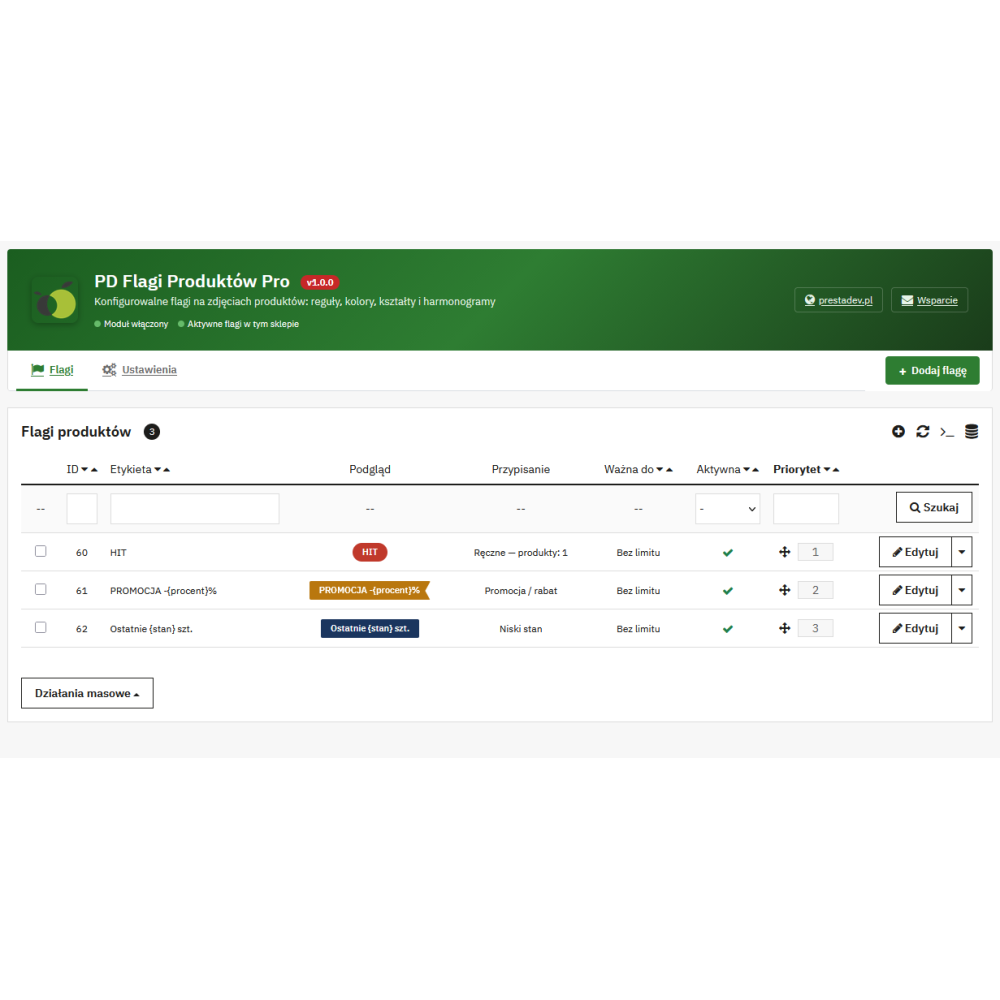
- Two assignment methods: a flag can be selected manually for specific products or assigned automatically by a rule.
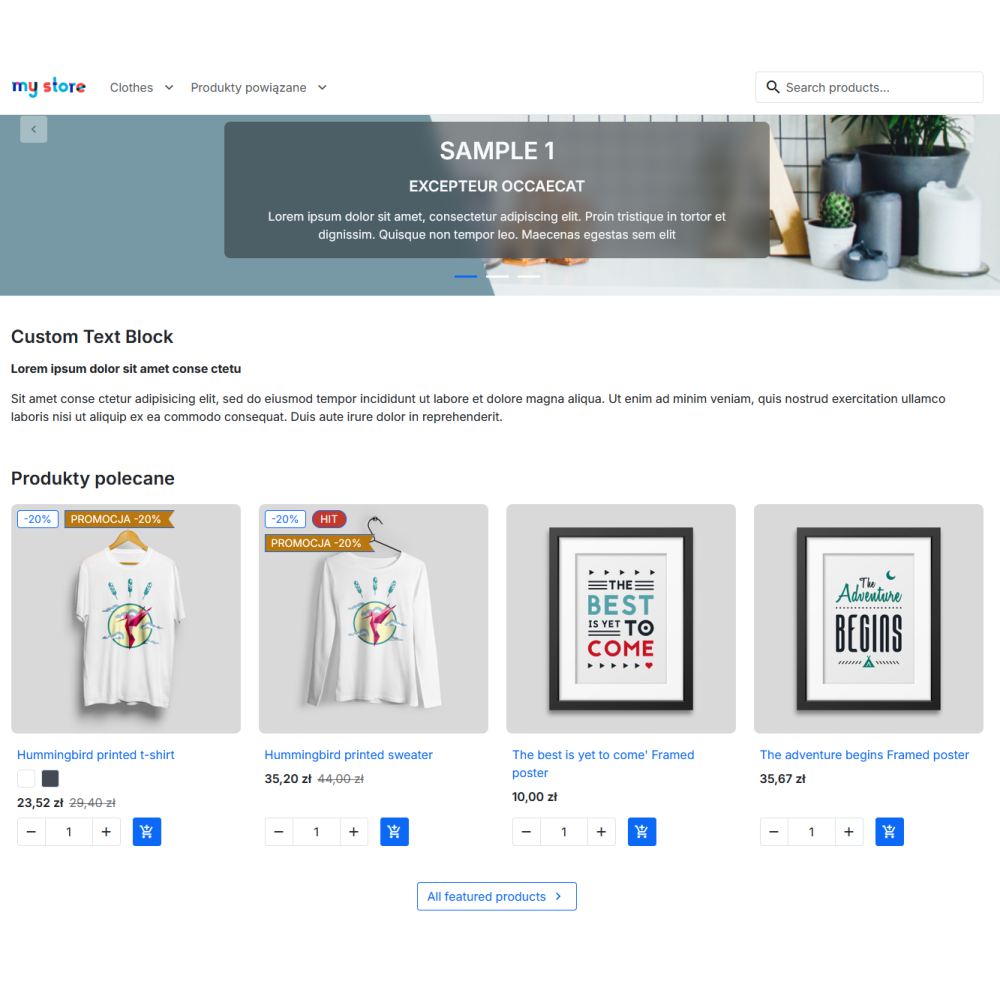
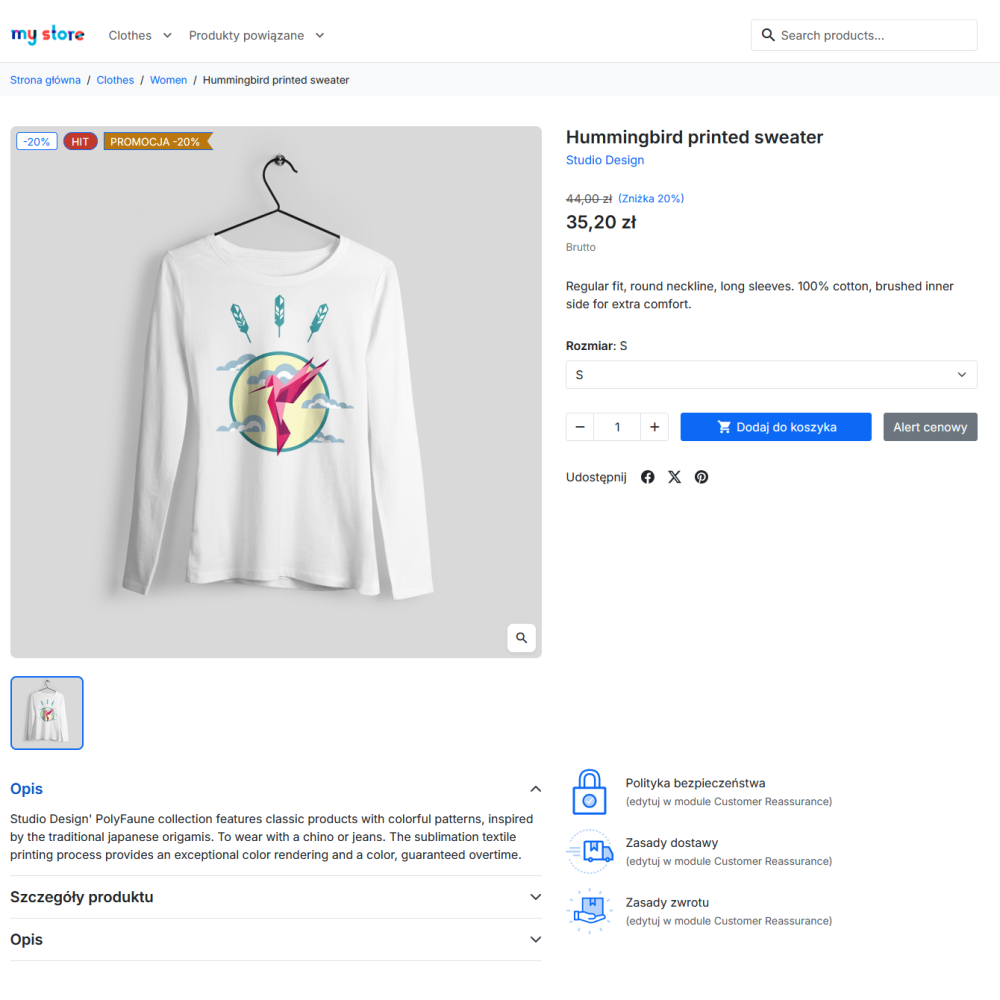
- Clear communication on catalog pages: labels use the native product flags area instead of creating a separate content block next to the product.
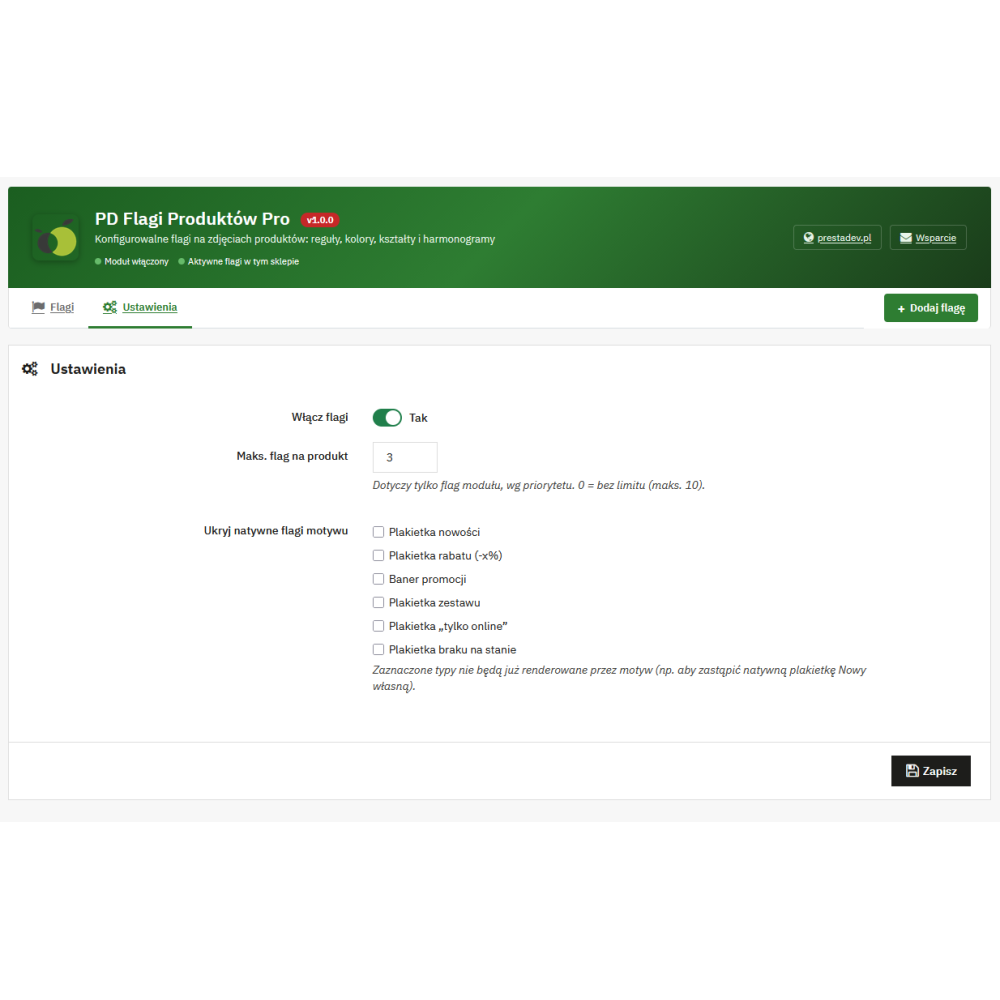
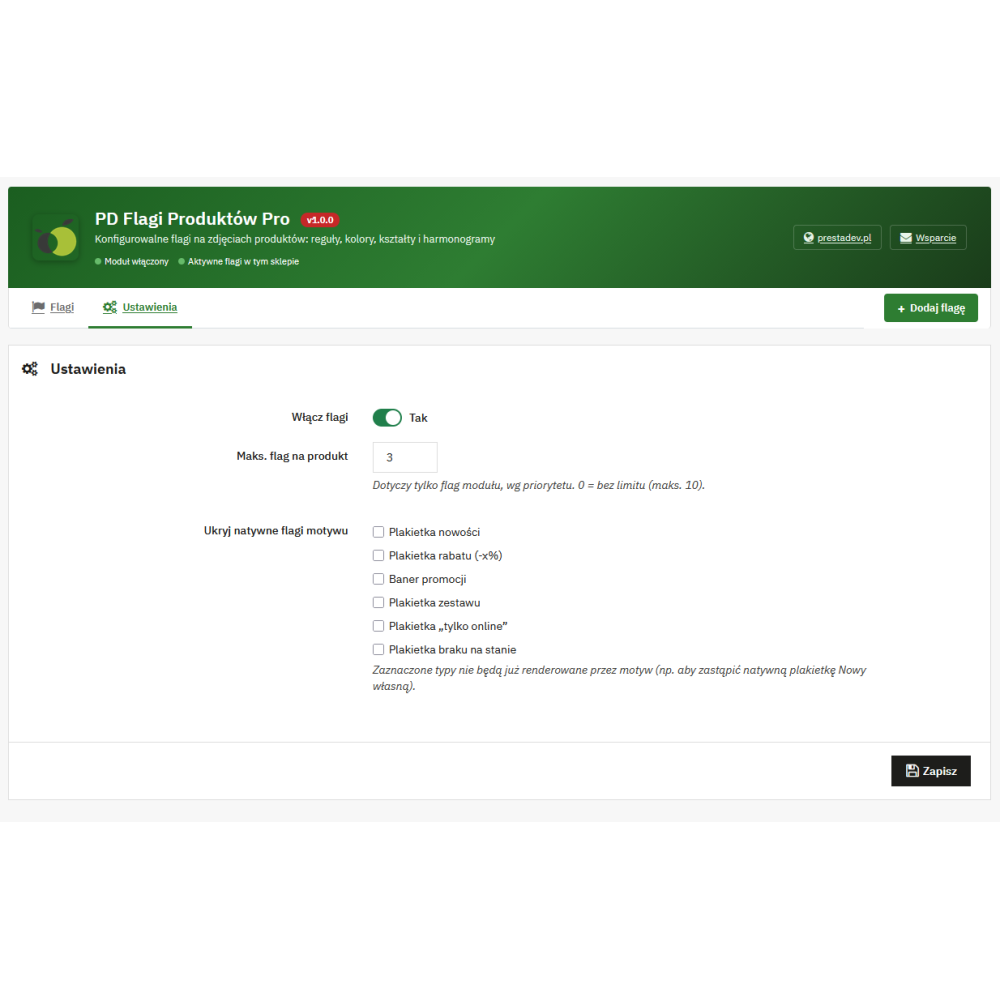
- Control over order: flag priority determines their order, and a global setting lets you limit the number of visible module flags for a single product.
- Consistent appearance without editing theme files: for each flag, you choose the background color, text color, and the rectangle, pill, or ribbon form.
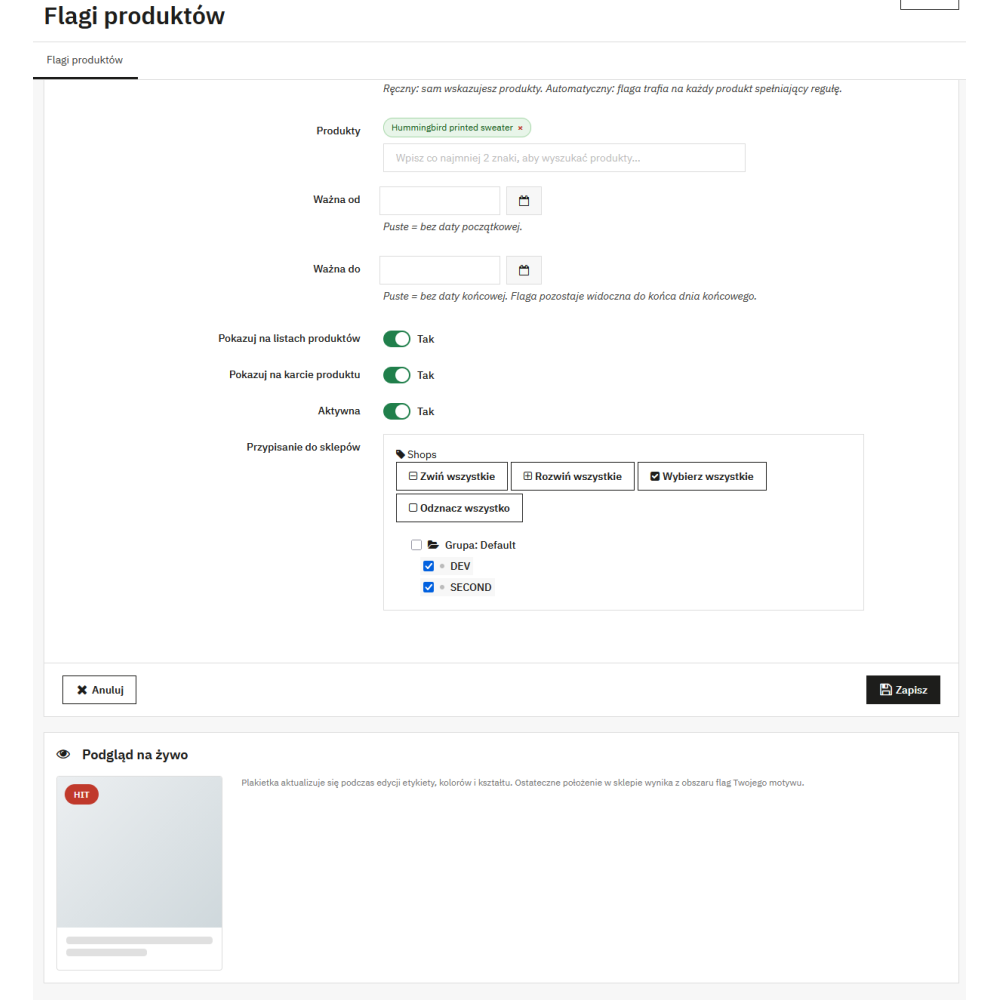
- Communication scheduling: the “from” and “to” dates let you limit the flag’s activity to a selected period; the end date includes the entire indicated day.
- Separate display scope: each flag can be shown independently on product listings and on the product page.
- Multilingual labels: the flag text is a language field, so you can prepare separate wording for the languages available in the store.
- Multistore support: flags are assigned to stores, and the panel respects the current store context and the employee’s permissions to edit it.
- Working with native markings: you can hide selected flag types provided by the theme if they are to be replaced with your own configuration.
- Preview during configuration: the flag form includes a live label preview updated after changing the text, colors, and shape.
Key functionalities
- Manual product marking: products are selected in the flag form through a search by name, reference, or ID. The same manual flags can also be selected on the product page in the modules panel.
- “New” rule: the automatic flag uses the “new” information passed by PrestaShop to the product presentation.
- Promotion and discount rule: the flag can work for products marked as on sale or covered by a discount, with an optional minimum percentage threshold.
- Stock status rules: low stock flags with a custom quantity threshold and out-of-stock flags are available. Both rules remain inactive when stock management is disabled in PrestaShop.
- Price range rule: it covers the final gross price after discounts; thresholds are given in the store’s default currency, and the upper threshold may be left empty.
- Category and manufacturer rules: you can select categories, optionally including their subcategories, or indicate one or multiple manufacturers.
- Dynamic flag text: you can use the
{procent}placeholder for the calculated discount percentage and{stan}for the product stock quantity in the label. - Management list: the Back Office provides a preview of the appearance, activity status, expiry date, information about the assignment method, and priority changes.
- Native types to hide: settings include the following markings: new, discount, sale, pack, online only, and out of stock.
SEO and GEO — actual scope
Product Flags Pro organizes messages visible next to the offer, for example about promotions, availability, or category membership. This may help users quickly recognize product features while browsing the catalog, but it does not add SEO descriptions, meta tags, canonical links, sitemaps, schema.org data, or data for generative systems. Therefore, the effect in the SEO or GEO area depends on the entire product page, the quality of catalog data, the theme, and the way the store is indexed, not on the flag itself.
Compatibility
- PrestaShop: from 1.7.6 to 9.x.
- The module uses the
actionProductFlagsModifierhook, so it is not intended for older PrestaShop versions that do not provide this mechanism. - The final position of the flag on the image results from the flags area rendered by the active PrestaShop theme.