
Shopping Cart


Key features and benefits
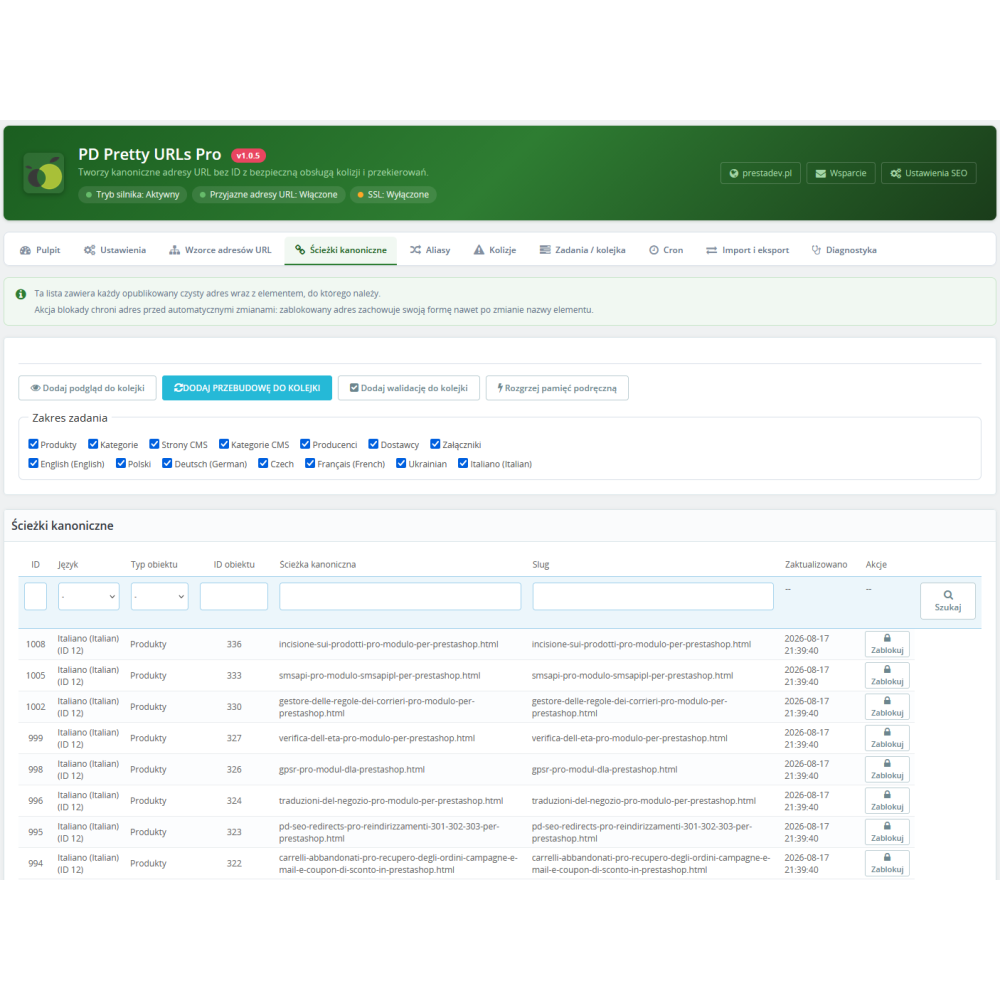
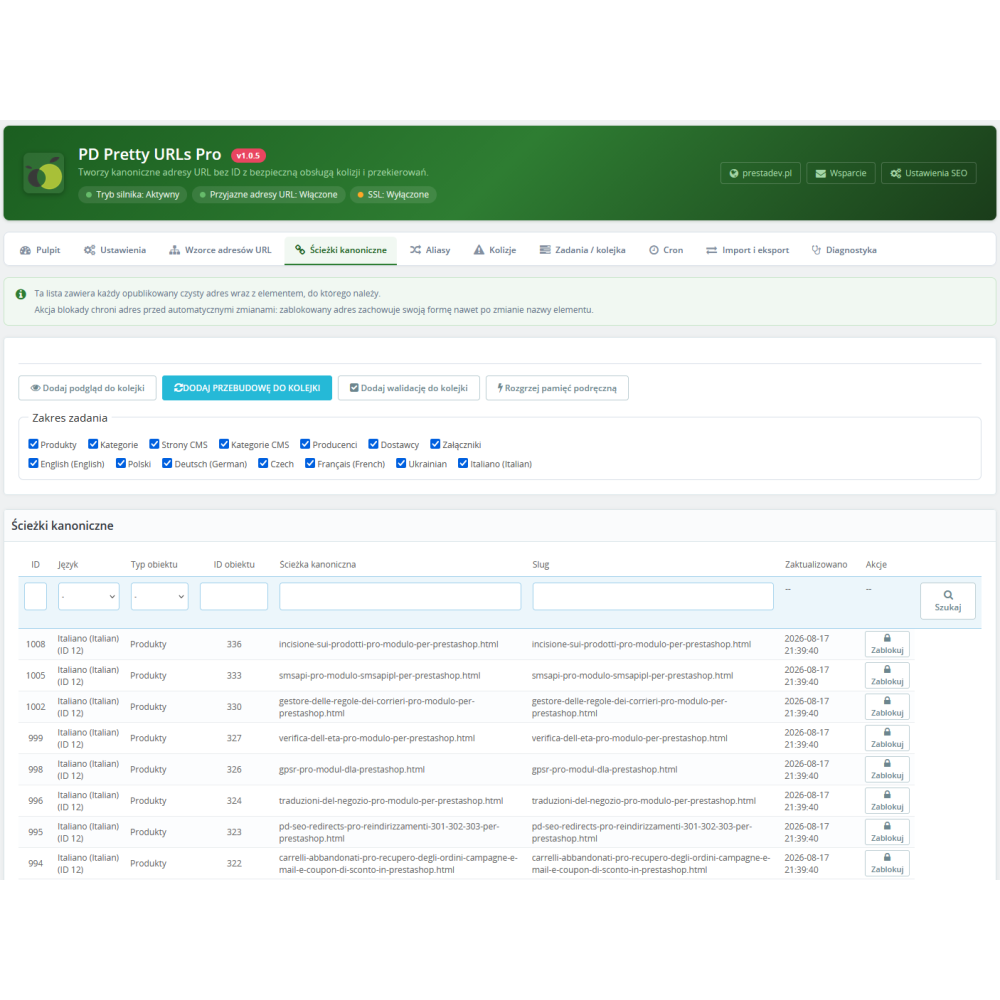
- ID-free URLs based on your own patterns — you decide what the URL for each content type looks like, e.g.
product/product-nameor — after enabling prefix-free patterns — evenproduct-name.htmldirectly in the store’s root directory. - No SEO loss when changing URLs — permanent 301/308 redirects from native URLs and from every previous URL format transfer the search engine rankings you have built up to the new URLs instead of creating duplicates and 404 errors.
- Safe, reversible deployment — nothing changes in the store until you activate the engine yourself; before that, you build and verify everything in the background, and rollback is just as gradual as deployment.
- Compatibility with other modules without modifying them — the Link class override ensures that every module retrieving URLs through the standard PrestaShop API (Google/Facebook feeds, sitemaps, modules running from cron and the back office) receives canonical URLs automatically.
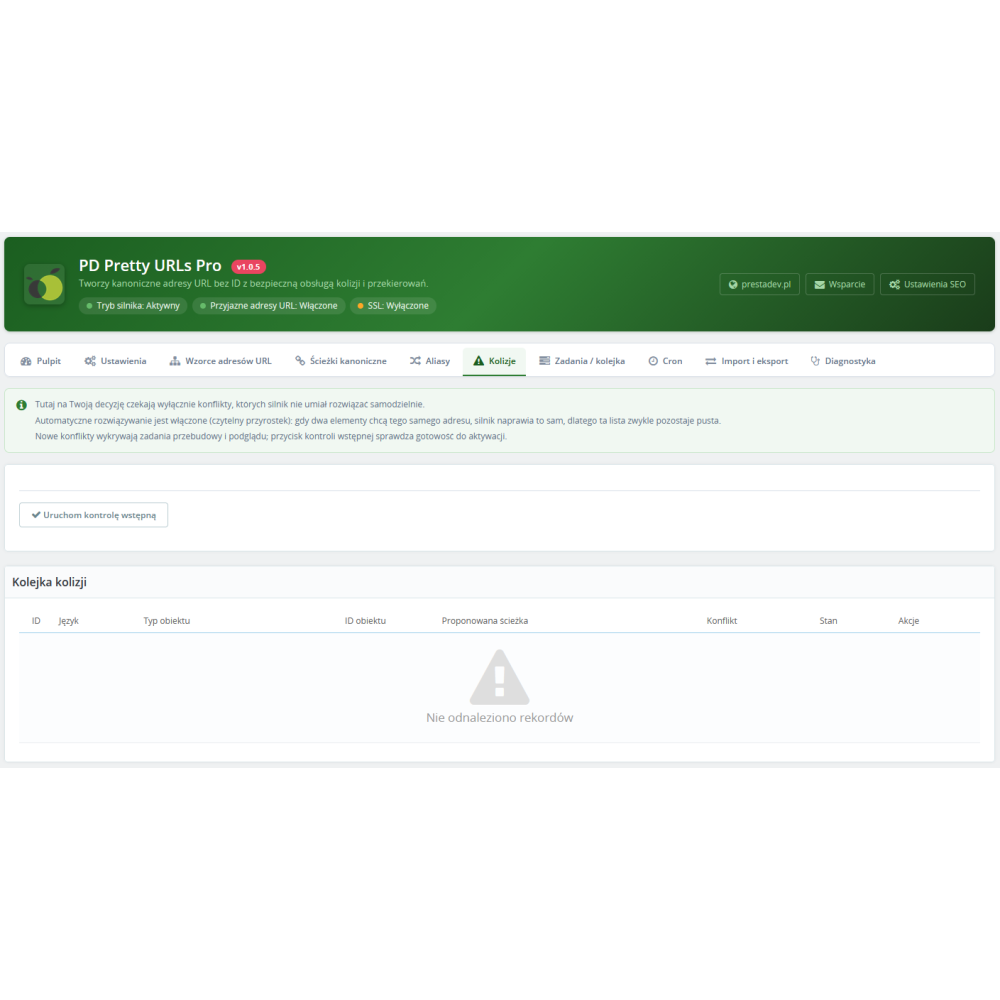
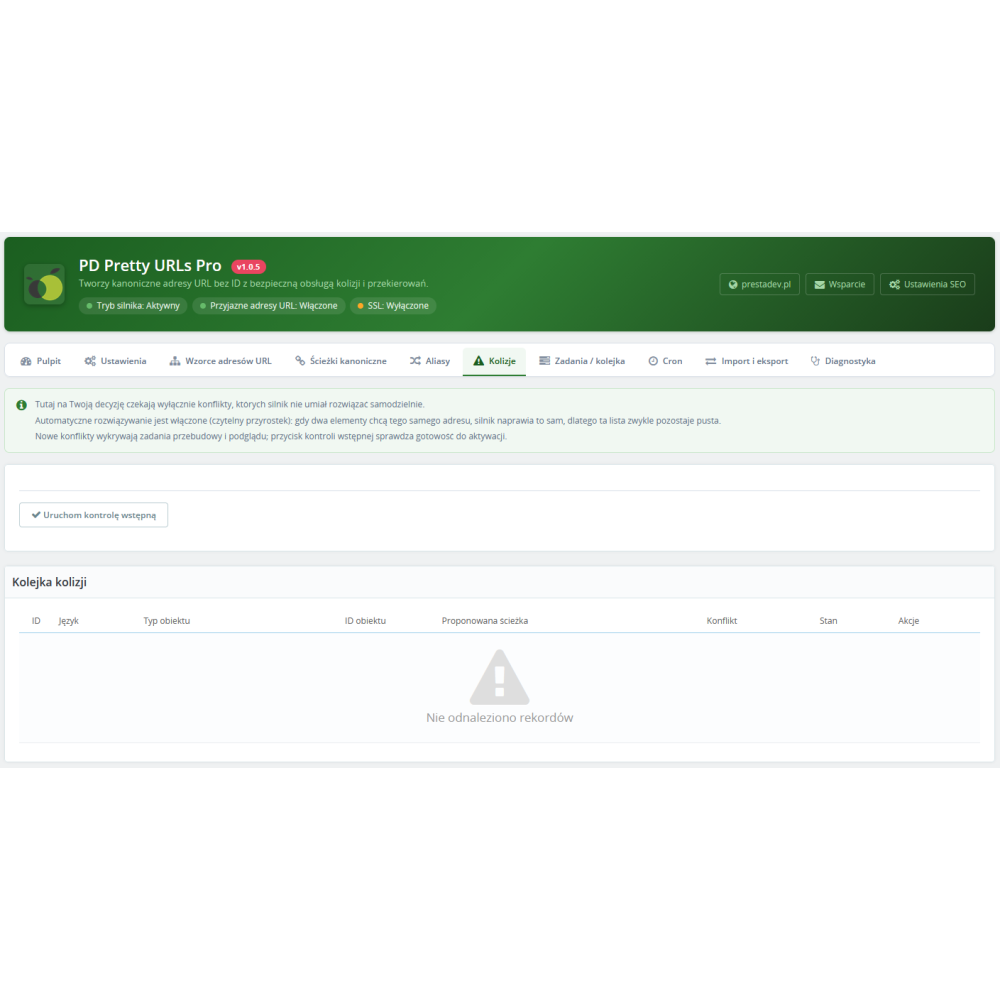
- Automatic handling of name conflicts — when two items have the same name, the engine automatically assigns a readable suffix or parent path or — if you configure it that way — waits for your decision; nothing is published blindly.
- Protection of existing pages — the module automatically detects and reserves URLs already used by PrestaShop itself and other modules (cart, contact, sitemap), so a clean product URL will never take over an existing page.
- A panel understandable even for non-technical users — a dashboard with a step-by-step guide, descriptions for every option, status descriptions on every tab, and diagnostic messages that clearly tell you what to click and where, including one-click repair buttons.
- Fail-closed architecture — in the event of any error (corrupted registry, cache failure, conflict with another modification), the store immediately falls back to native URLs instead of showing errors to customers.
Features in detail
Patterns and URL building
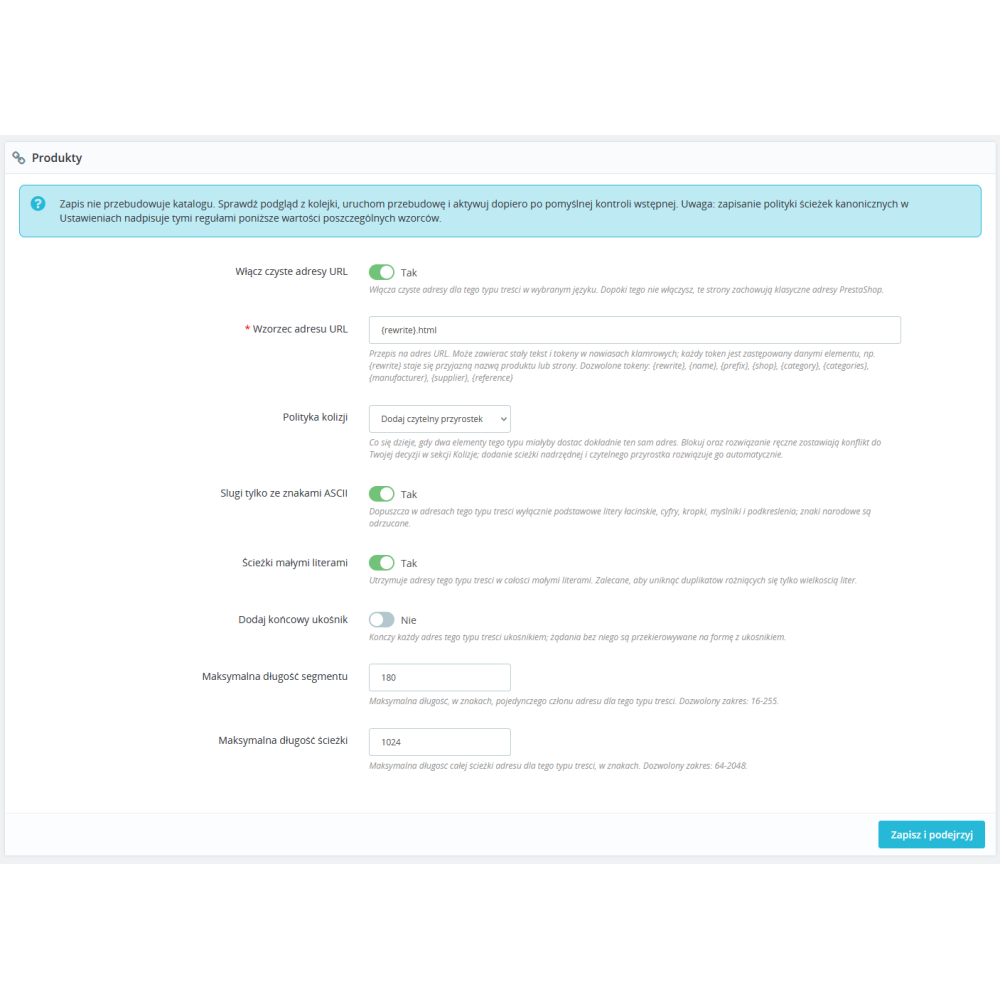
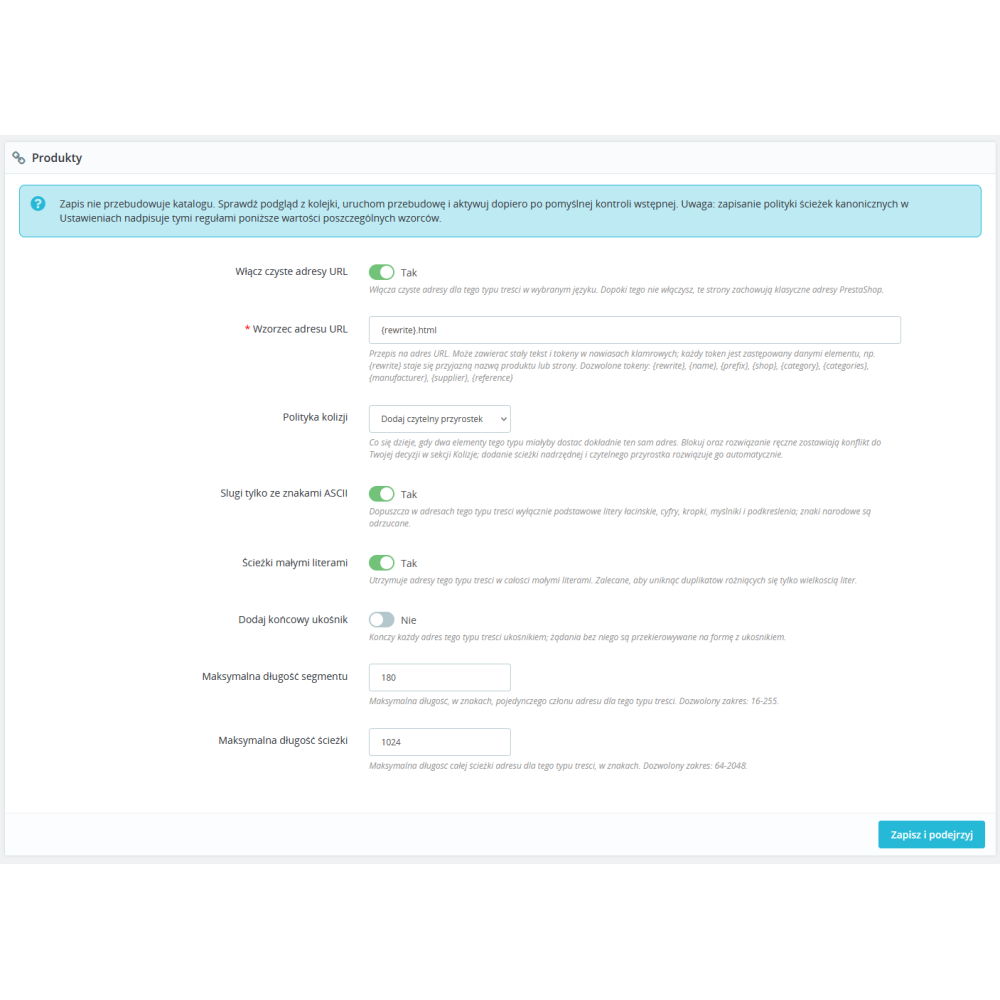
- A separate URL pattern for each content type (products, categories, CMS pages, CMS categories, manufacturers, suppliers, attachments) in every language and store.
- Tokens in patterns: friendly name, full category path, parent category, manufacturer, supplier, reference, language prefix, and others — depending on the content type.
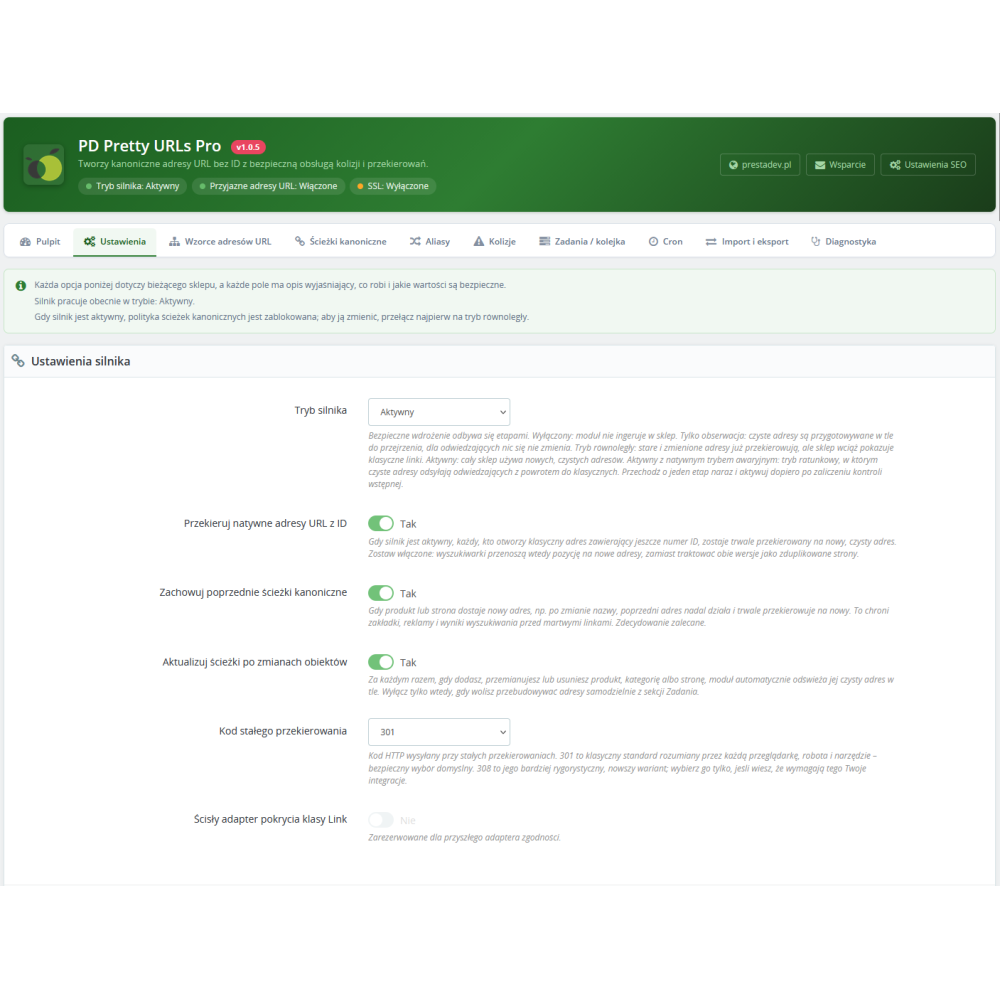
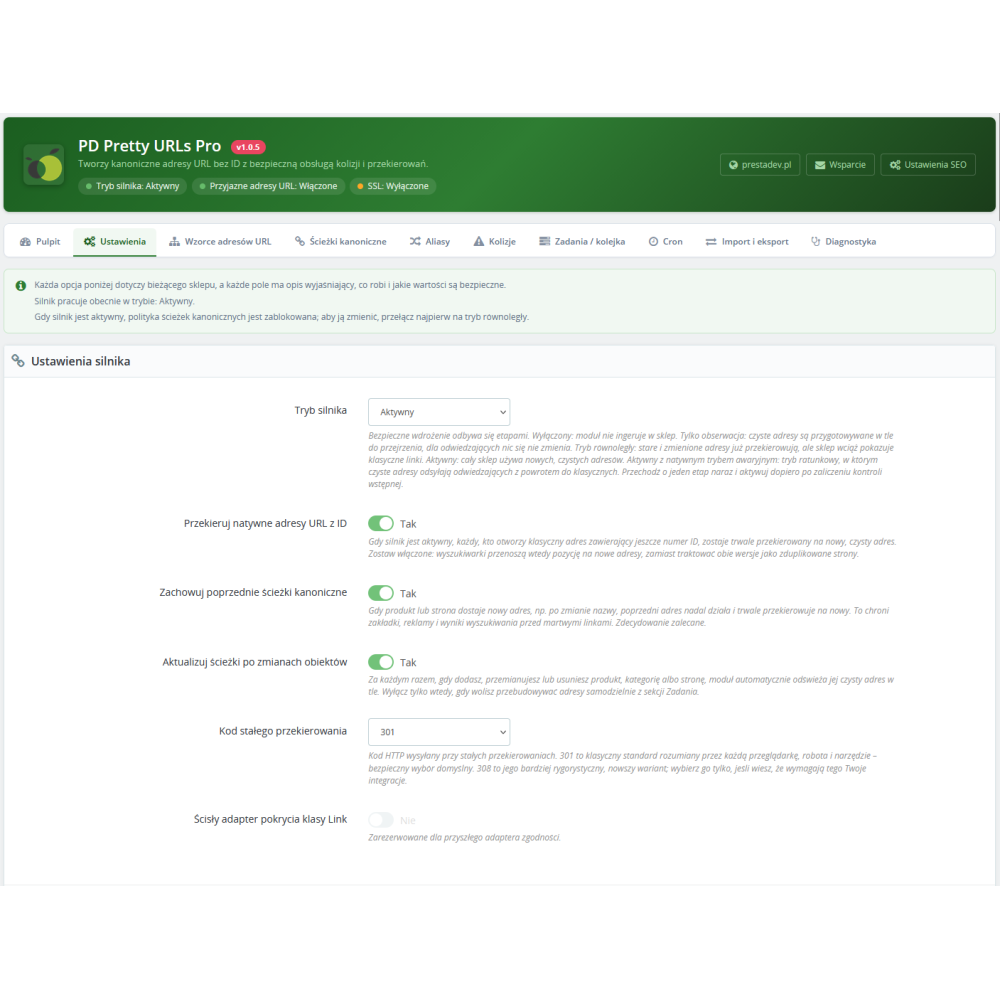
- Global path policy: lowercase letters, ASCII characters only, trailing slash, segment and full path length limits, control over slugs made up only of digits — with per-pattern overrides available.
- Patterns without a fixed prefix (URLs directly in the root directory) for PrestaShop 8.1.2 and newer, always verified by preflight checks.
- Product combination URL policy: one shared canonical URL for all variants (including removal of the combination anchor after the # sign) or preserving the functional variant parameter.
Phased deployment and diagnostics
- Five engine modes: disabled, observation only, parallel mode (old URLs already redirect, the store still shows native links), active, and emergency “active with native fallback”.
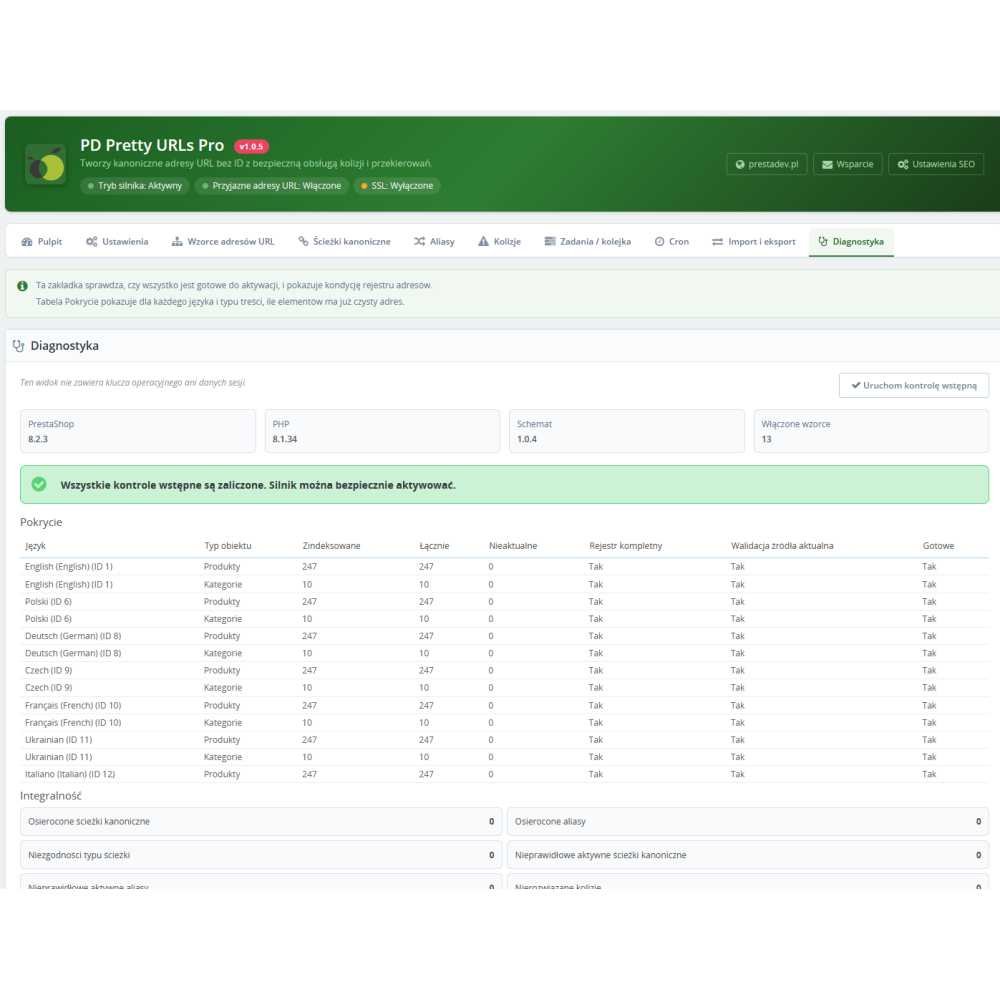
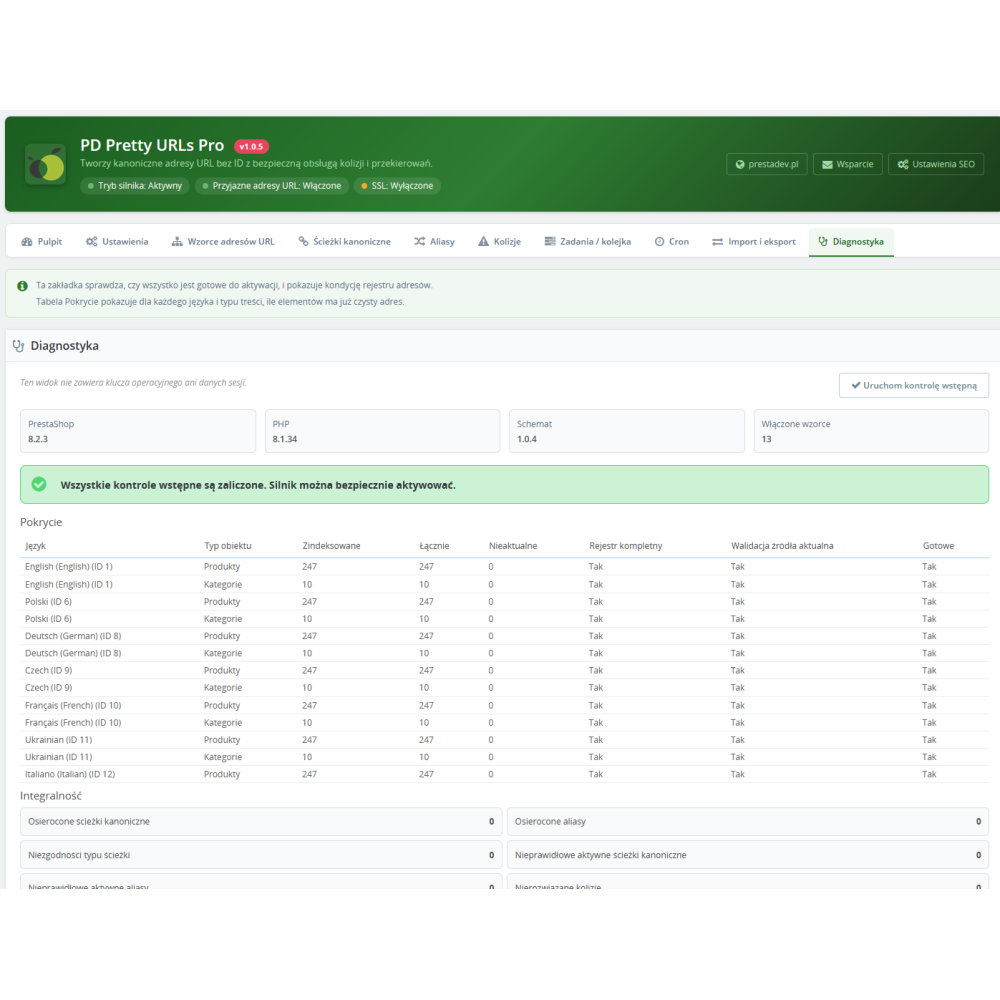
- Preflight checks blocking activation until all conditions are met: complete registry, fresh validation, resolved collisions, completed jobs, correct database schema, registered hooks, no pattern conflicts.
- Diagnostic messages indicating the exact cause and where to fix it, with buttons that queue missing rebuilds or validations with one click for exactly the scopes affected by the issue.
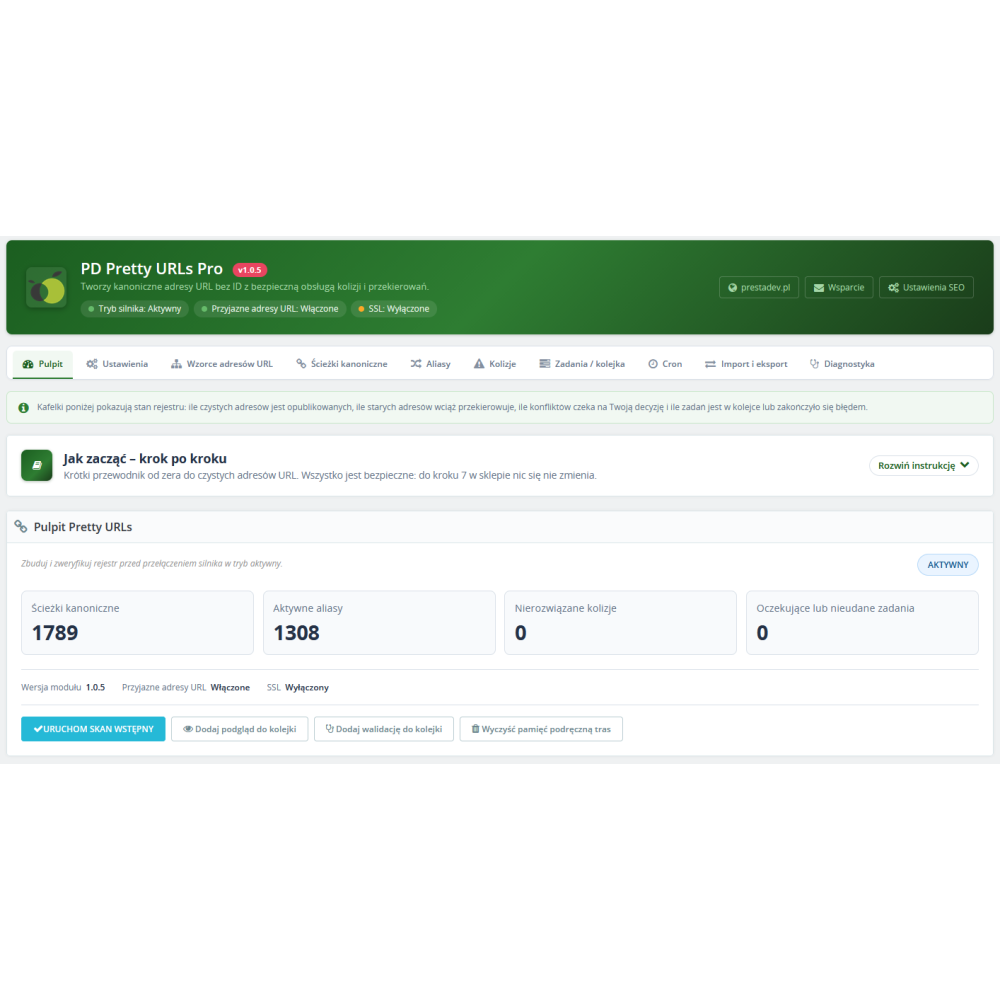
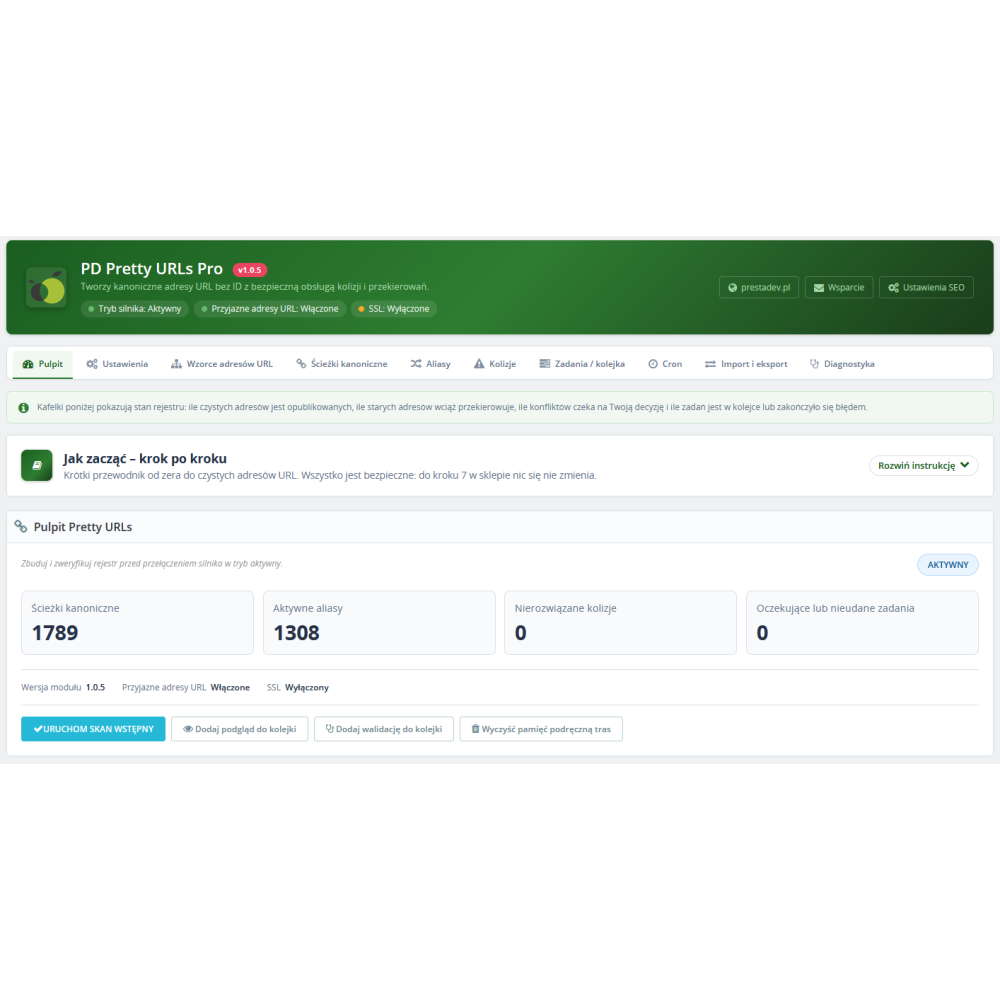
- A coverage table showing for each language and content type how many items already have a clean URL, plus a registry integrity report.
- Protected transitions between modes — from active mode, you cannot accidentally jump straight to disabled mode without verification.
Redirects, aliases, and SEO protection
- Automatic permanent redirects from native ID-based URLs to canonical URLs (301 or 308, your choice), excluding listing pages with sorting and filter parameters.
- URL history: every change to a canonical URL leaves behind a working redirect, so bookmarks, ads, and search results never lead nowhere.
- Manual and imported aliases targeting a store object, any URL (with host security policy: current store only, a list of allowed HTTPS domains, or any HTTPS), or a 410/404 response.
- Response codes for aliases: 301, 302, 307, 308, as well as 404 and 410; deleted objects can return either 410 Gone (faster removal from the index) or 404.
- Redirects preserve campaign parameters (utm_source, utm_medium, utm_campaign, utm_term, utm_content), ad click identifiers (gclid, fbclid, msclkid), and a defined list of functional parameters.
- Request normalization: URL variants differing in letter case or trailing slash are redirected to a single canonical form, with no duplicate content.
- Optional redirect usage statistics with sampling — you can see whether anyone is still using old links.
Compatibility and integrations
- Link class override: all modules using the standard PrestaShop URL API — including product feed generators and sitemap generators running from the back office or cron — receive canonical URLs without any changes to their code, with automatic fallback to the native URL when a clean URL is not available.
- Public API for developers: single and batch retrieval of canonical URLs (with registry preloading for sitemap generators) and hooks allowing other modules to reserve their own paths and react to route changes.
- Full multistore support (configuration, patterns, and registry per store) and multiple languages; in older PrestaShop versions where the core requires it, the module enforces identical patterns across languages.
- Compatibility: PrestaShop 1.7.x–9.x, PHP 7.0–8.5 syntax (within the requirements of the core in use), MySQL 5.6+/MariaDB 10.x, Apache and Nginx, stores in a subdirectory — without Composer or external libraries.
Automation, jobs, and performance
- Automatic updates: adding, renaming, or deleting a product, category, or page automatically refreshes the URL and queues the necessary rebuilds, including dependencies (a category change refreshes products, a product change refreshes attachments).
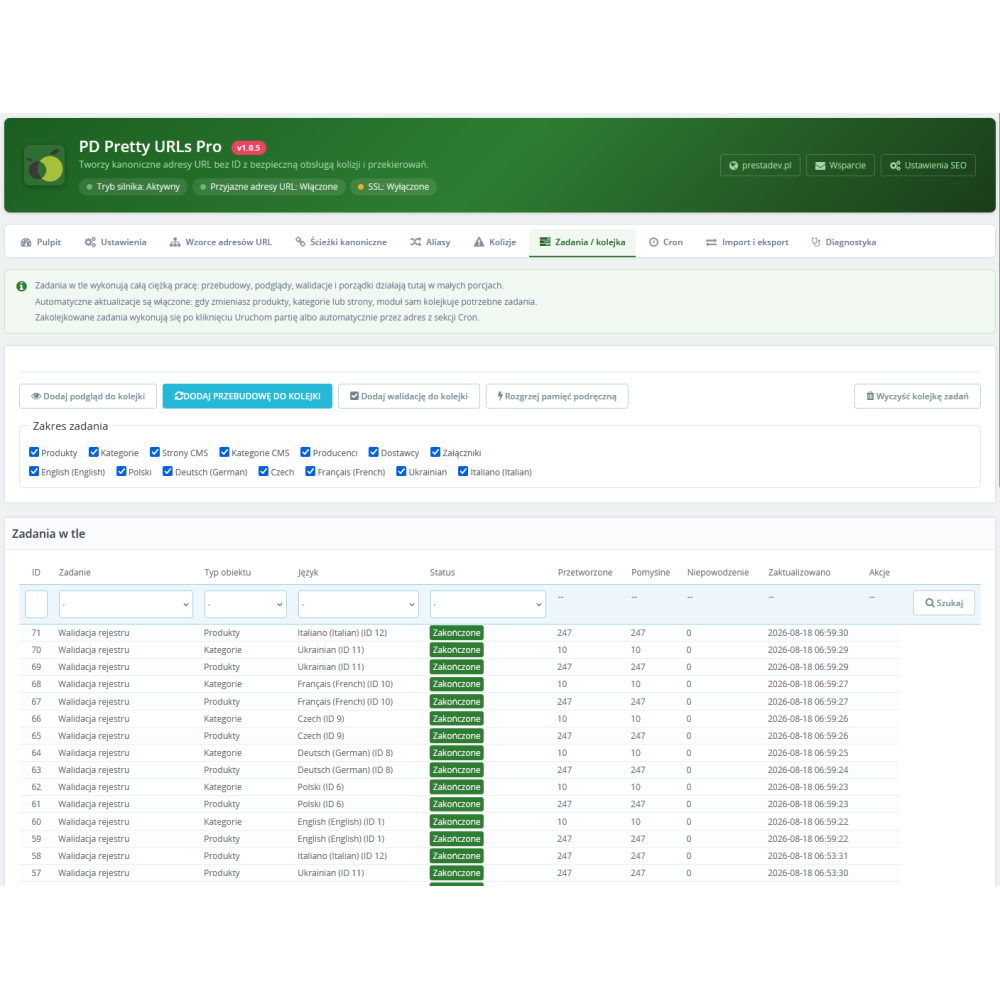
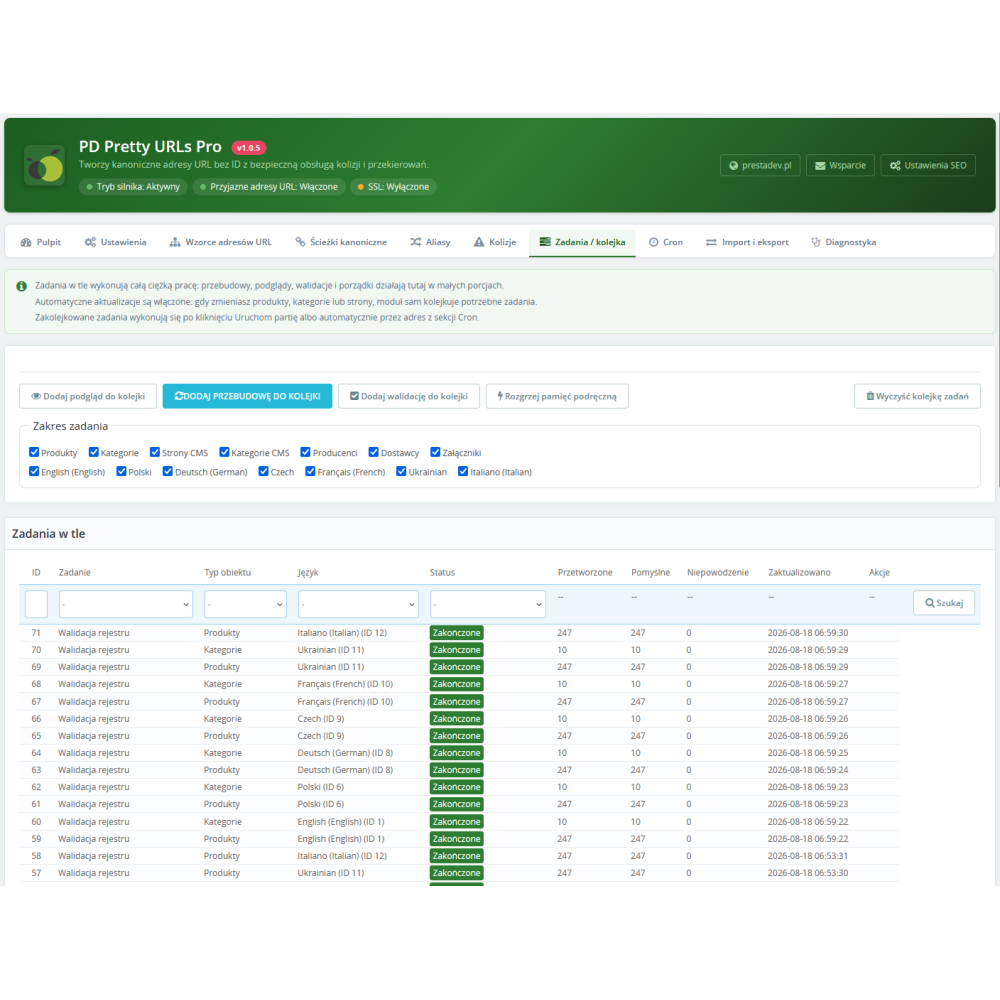
- Background job system: scanning, previewing (without saving), rebuilding, validation, cache warming, import, export, and cleanup — executed in configurable batches, with pause, resume, cancel, and one-button clearing of the entire queue.
- One-link cron: a ready-to-copy URL with a secret token (Cron section in the panel, together with instructions and a crontab line) processes the queue automatically; overlapping calls are blocked; a CLI interface is also available.
- Segmented file-based route cache (configurable segment size and expiration time) with database fallback — URL resolution does not burden the database on every page view.
- Audit log of URL changes with configurable retention, plus automatic cleanup of completed jobs and expired entries.
- CSV alias import with separate preview and validation before saving (up to 500 rows per file, atomic save) and export of settings, routes, aliases, reservations, collisions, and diagnostics to JSON/CSV — without secrets or customer data.
Admin panel and security
- Clear panel with a dashboard (registry metrics), a collapsible “How to get started — step by step” guide that remembers its state, configuration status descriptions on every tab, and descriptions for every option.
- Lists of paths, aliases, collisions, and jobs with standard PrestaShop filtering: language and object type as dropdowns, ID, path, and slug as text fields, with native pagination.
- Permissions aligned with PrestaShop employee profiles (view, edit, delete), enforced in the panel and in every AJAX action.
- Security: tokens and signatures for administrative requests, request origin verification, timing-attack-resistant key comparisons, a per-store secret operational cron key, hard path normalization rejecting control characters and double encoding.
- Reliability: transactional installation with automatic rollback and restoration of the previous configuration in case of error, uninstall lock while routing is active, persistent failure markers forcing safe mode after a critical error, and complete cleanup of tables and configuration on uninstall.
Requirements
- PrestaShop 1.7.0–9.x with friendly URLs enabled (Shop Parameters → Traffic & SEO).
- PHP 7.0–8.5 (version supported by the PrestaShop core in use), MySQL 5.6+ or MariaDB 10.x.
- No additional dependencies: the module does not use Composer or external libraries.