If you run a PrestaShop store, you probably invest in your offer, photos, descriptions, and marketing. And yet in Google, it often happens that the competition “looks better”: they have rating stars, a number of reviews, sometimes additional elements in the search result, while your store appears as a regular link. Often the reason is simple – there is a lack of properly implemented Schema.org structured data, or it has been implemented in an incomplete, inconsistent, or duplicated way.
In this article, I show why Schema.org matters, what the typical problems are in templates and modules, and how to solve them in practice using the PD Schema.org Pro module, which adds complete JSON-LD data and can clean up what gets in the way.
What is Schema.org structured data and why does Google like it?
Structured data is a “description in machine language” that tells the search engine exactly what is on the page: whether it is a product, a company, breadcrumbs, a contact page, search results, or perhaps the entire website. The most popular and safest implementation method is JSON-LD – code embedded in the page that does not interfere with HTML and does not break the layout.
Well-prepared Schema.org helps Google better understand your offer, and this can translate into: a richer appearance in search results, better content interpretation, and often simply a higher click-through rate (CTR), because the user sees more information already in the results list.
“Stars” and reviews – why are they so important?
There is no point hiding it: product ratings (stars) and the number of reviews work as social proof. A user who sees a product with a rating and reviews is more likely to click and more willing to buy, because it feels like a “proven choice”.
However, for rating data to be credible and correctly read by the search engine, it must be consistent: the rating, the number of reviews, and the product identification should match, and the implementation should be unambiguous (without duplicates). And this is where things get tricky, because many templates and modules add their own pieces of structured data on their own – sometimes well, sometimes just “for the sake of having it”.
PD Schema.org Pro works with popular review modules (productcomments, iqitreviews, posproductcomments), which makes it easier to organize the review topic. If you also collect reviews through external solutions (e.g. survey systems, review platforms), the module allows you to build a solid structured data foundation in your store and avoid the chaos that often arises after several integrations at once.
The most common problem: data duplication and “mess” in the template
In practice, in PrestaShop you encounter three situations:
- no data – the template and modules do not add meaningful Schema.org, or they add it only partially.
- incomplete data – required or recommended fields are missing, and Rich Results tests show warnings and errors.
- duplication – the same data type (e.g. Product) appears several times because it is added by the template and two different modules, which breaks consistency.
Duplication is particularly deceptive: everything “seems to work”, but conflicts appear in Google tools, and the search engine does not know which source to trust. The result? Instead of a better appearance in search results – no changes or unpredictable outcomes.
The solution: one “main” module and a clean JSON-LD implementation
The idea is simple: we organize what already exists and implement structured data in one controlled place. The PD Schema.org Pro module does exactly that: it cleans existing microdata/JSON-LD from the template and adds its own, more extensive and detailed data in the Schema.org standard.
Importantly from the perspective of a store owner (and your developer): the implementation does not require manual digging through files, does not rely on overrides, and can be maintained over time – including during updates.
Which Schema.org types does the module support and what are they used for?
The module supports a set of types that truly matter in e-commerce and in the store structure:
- Product – the foundation for product pages: product data, identification, price/configuration, as well as ratings and reviews.
- BreadcrumbList – navigation breadcrumbs; helps Google understand the category structure and makes it easier for users to navigate.
- Organization – company/brand data; builds consistency of information about the store owner.
- LocalBusiness – when you also run local sales or want to strengthen signals about the company in a specific location.
- WebSite – a description of the website as a whole, often combined with information about the store search engine.
- WebPage – data about the page the user is currently on (useful for standardizing the schema across the entire store).
- ContactPage – a clearly described contact page, especially important for stores that care about credibility.
- SearchResultsPage – the store search results page (often overlooked in standard implementations).
- CheckoutPage – a description of the order completion page (helpful for data consistency and organizing the page type).
Control and flexibility: enable only what you need
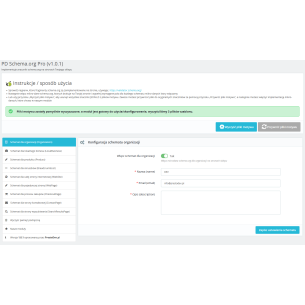
Every store is different. One wants to strongly emphasize the brand and company, another focuses on products and reviews, and yet another has an extensive multistore setup with different data for individual stores. That is why in the module you can enable and disable selected microdata types and fill in parameters such as: name, description, alternative name and other details required by specific schemas.
A practical advantage: most data is automatically filled in during installation, so you do not start “from scratch”. You only complete what is specific to your business.
Multistore and compatibility with PrestaShop versions
If you run several stores in one PrestaShop installation, you know that “one configuration for all” rarely makes sense. The module supports multistore, so you can tailor structured data for each store separately.
Additionally, the solution is designed for broad compatibility: PrestaShop 1.6.x, 1.7.x, 8.x and 9.x. This is important, because many stores operate for years on older versions, yet still want to benefit from modern SEO standards.
How to implement it sensibly (without “magic” and without stress)?
The best practice looks like this:
- start with order – remove/disable sources that generate duplicate structured data (template/modules).
- run the cleanup in the module so that the page is “clean” for the new JSON-LD.
- configure the key schemas (Product, BreadcrumbList, Organization/LocalBusiness) and fill in the missing fields.
- test selected subpages in tools such as Rich Results / structured data validators.
- monitor the effects in Google Search Console (over time you will see whether warnings/errors appear and how CTR grows).
This process does not require a revolution in the store, but it gives something that is usually missing: consistency and control. And in SEO, that is often what wins over random “patches” added over the years.
Who is this module best for?
- for stores that have missing or incomplete structured data in the template,
- for owners who want to organize duplicates after many integrations and theme changes,
- for stores focused on growing product and brand visibility and improving CTR in search results,
- for multistore installations, where company data and settings differ between stores,
- for those who collect reviews through review modules and want a solid foundation for stars and product credibility.
Summary
Schema.org structured data is not a “magic button for rankings”, but in e-commerce it can make a real difference: it improves the way your offer is presented, organizes information about the company and products, and increases the chance that the search result will be more attractive to the customer. If your store has chaos in JSON-LD or does not have it at all, PD Schema.org Pro allows you to implement it properly: with control, with the ability to clean the template, and with compatibility for many PrestaShop versions.
Do you want to organize structured data in your store? Take care of the foundations (Product, BreadcrumbList, Organization/LocalBusiness), connect reviews, and test the results – and the rest will be a natural step in developing visibility, buy now.

Comments (2)