Clean URLs in PrestaShop make it possible to replace links with IDs with readable paths, but changing a product address also requires handling its previous versions. A customer may open a link saved in bookmarks, sent in a newsletter, or found on Google. The new address should work, and the old one should lead to the right place. That is why removing IDs is best treated as a change in the way addresses are handled in the store.
Does removing the ID from the address improve SEO?
Google recommends simple, descriptive URLs, words understandable to users, and hyphens separating words. An example like /ceramic-mug.html is easier to read than a string of unclear parameters. These principles are described in the Google Search Central URL structure documentation.
However, these recommendations do not mean that simply removing the ID will guarantee a higher ranking. A URL containing an ID can still be readable. Before changing a working store, define a specific goal: a consistent link structure, shorter addresses for sharing, or better-organized naming. The cost of the change also includes redirects and updating places that use the old URLs.
What does the Clean URLs Pro module change?
Clean URLs Pro for PrestaShop, available in the panel as PD Pretty URLs Pro, creates its own registry of addresses linked to store objects. It supports products, categories, CMS pages and categories, manufacturers, suppliers, and attachments. Patterns are configured for a specific content type, store, and language.
For example, the pattern produkty/{rewrite}.html can create the address /produkty/ceramic-mug.html. The fragment {rewrite} comes from the friendly URL name saved for the object. Patterns using the name, category, or brand are also possible, depending on the content type.
This is a decision about the future structure of the catalog. If you include the category in the product address, later moving it to another category may affect the URL. Choose a structure that will still fit the store after the offer expands.
New URL, 301 redirect, and canonical: three different tasks
Let us assume that a product changes its address from /12-mug.html to /mug.html. These are example paths; the actual result depends on the pattern, language prefix, and store configuration.
| Element |
What it is responsible for |
| New product address |
Opens the correct product under the new path. |
| 301 redirect |
Moves the visitor from the old address to the new one and signals a permanent change. |
rel="canonical" |
Indicates to Google the preferred address among identical or very similar pages. It does not redirect the browser by itself. |
For a permanent change, Google recommends a 301 or 308 server-side redirect. Both redirects and the canonical address designation help indicate the preferred version of a page. So check not only the browser bar, but also the address saved in the canonical tag.
What will happen to old product links?
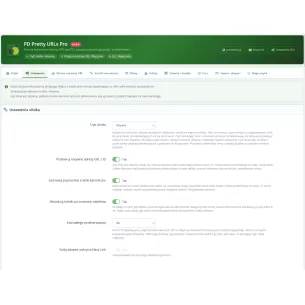
PD Pretty URLs Pro has an option to redirect native PrestaShop addresses to clean URLs. In active mode, with the option enabled and a new route available, a recognized product address with an ID can lead to its current address without the ID.
A separate mechanism is the address change history. When the module changes a saved route, with history retention enabled it can keep its previous version as an alias. A historical alias points to an object, for example a product, so it can lead to its current address even after another name change.
The module will not recreate in this way just any URL from before installation that it never had in its registry. Such addresses must be collected and assigned to targets. CSV alias import is available with preview and validation before saving; one file can contain up to 500 rows of data.
Ultimately, an old link should lead directly to the current page. Google discourages redirect chains and mass redirecting unrelated addresses to the homepage. After migration, it recommends keeping redirects in place for as long as possible, usually at least a year. These guidelines are included in the site URL change guide.
Two products with the same name: which one gets the address?
After removing the ID, two products may receive the same proposed path, for example /mug.html. A similar conflict may occur between a product and a category, or an address used by another module.
Clean URLs Pro checks path occupancy and reservations. Depending on the settings, it may try to add a parent path, apply a suffix such as /mug-2.html, or leave the conflict to be resolved in the panel. The number in such a suffix is used to distinguish addresses and is not the product ID.
Separate prefixes, such as /products/ and /information/, make it easier to separate content types. Patterns without a fixed prefix are an advanced option in the module. Before choosing them, also check category paths, information pages, and the remaining modules.
How to prepare for an address change in a live store?
- Save the current state. Prepare a backup of the database and configuration, as well as a list of important addresses: products, categories, and pages targeted by ads or external links.
- Define patterns and scope. Choose content types and languages. The module requires friendly URLs to be enabled in PrestaShop. Also check the settings for history, redirects, and parameters.
- Prepare the registry in shadow mode. This mode allows you to work on routes without switching the store’s generated links to clean addresses. It may already handle configured aliases, so include them in the plan.
- Run preview, rebuild, and validation. Complete the tasks in the queue and resolve conflicts. Preflight diagnostics check, among other things, route completeness, validation status, and unfinished tasks; detected blockers prevent activation.
- After activation, check specific transitions. The old URL should return the correct redirect, and the final address should open the correct product. Also compare the language, selected variant, category, and attachment download if the change includes them.
- Check the places where links are published. Compare the menu, descriptions, sitemap, feeds, and ads with the current addresses. In Search Console, monitor indexing and traffic on the changed pages.
A positive Preflight concerns the module’s technical readiness. Search results must be monitored separately: Google warns that while processing address changes, temporary visibility fluctuations may occur.
Will the new addresses also go into the sitemap and feeds?
The module integrates with the PrestaShop Link mechanism. Thanks to this, other modules using this API can retrieve current clean addresses. A batch URL retrieval function for integrations is also available.
The condition is a working integration and the use by a given generator of a supported link creation mechanism. A previously saved XML file must be generated again. A link entered manually in a product description, article, or message template requires separate verification.
Google recommends consistency of addresses in internal linking, the sitemap, and canonical tags. It describes this in the e-commerce URL recommendations. The module’s correct data transfer alone does not yet confirm the contents of every export file.
Campaign parameters and variants: what should not be removed without checking?
A parameter in a URL may carry information needed for analytics or for selecting a specific variant. Therefore, a “clean address” does not automatically mean removing everything after the question mark.
PD Pretty URLs Pro has settings for preserving basic UTM parameters and the gclid, fbclid, and msclkid identifiers during redirects. It also allows you to define allowed parameters and how product combinations are handled. Verify a link leading to a specific size or color. If you use other advertising parameters, check them separately.
Clean URLs in PrestaShop: frequently asked questions
Can you remove the ID and keep the .html ending?
Yes. The ending can remain part of the pattern, for example produkty/{rewrite}.html. Removing the ID does not require changing all the other address elements at the same time.
Does the module translate addresses into other languages?
It builds addresses from the data available for a given language; it is not a content translator. If the friendly name remains in Polish, the new pattern alone will not give it a German meaning. We describe how to complete this data in the article about translating a PrestaShop store.
Are shorter URLs enough for visibility in AI answers?
No. A readable address organizes the way users reach content. Google indicates that for AI Overviews and AI Mode, the basic SEO principles still apply, without any special URL format for AI. The value of the product description and the ability to read it remain important.
Clean URLs Pro combines creating addresses without IDs with change history, conflict handling, and redirects. Before launching it, choose a durable structure, prepare old links, and check several complete transition paths. Then the change will cover both the appearance of the new address and the way customers reach it.

Comments (0)