
Shopping Cart


Automation rule configuration
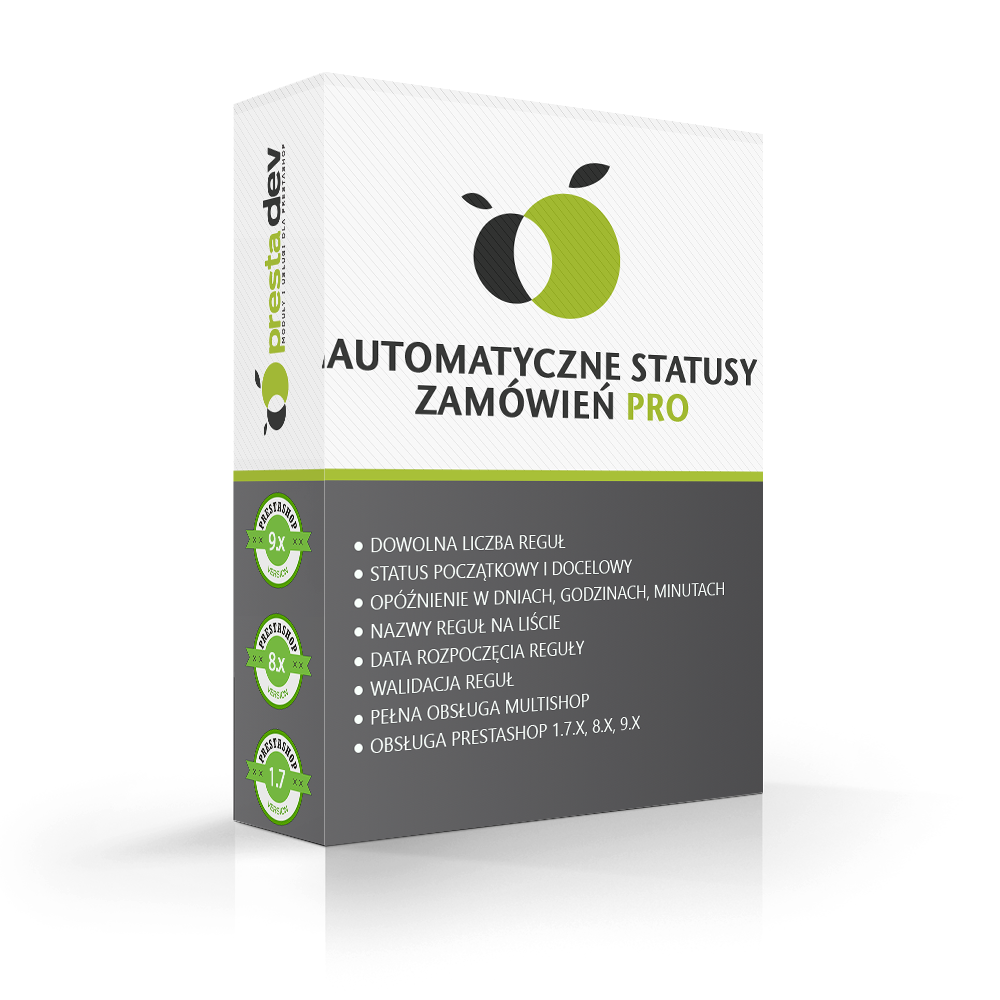
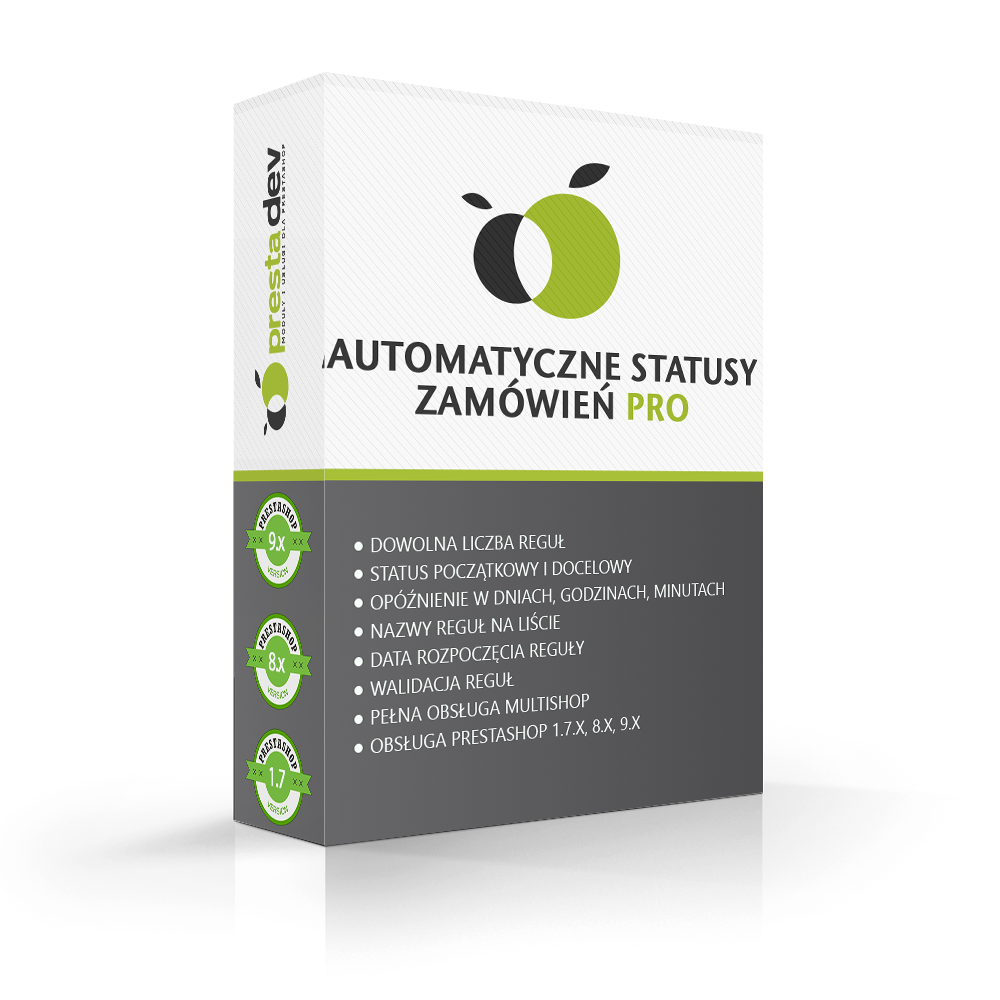
- Any number of rules — you can create an unlimited number of automation rules, each with its own set of conditions and time delay.
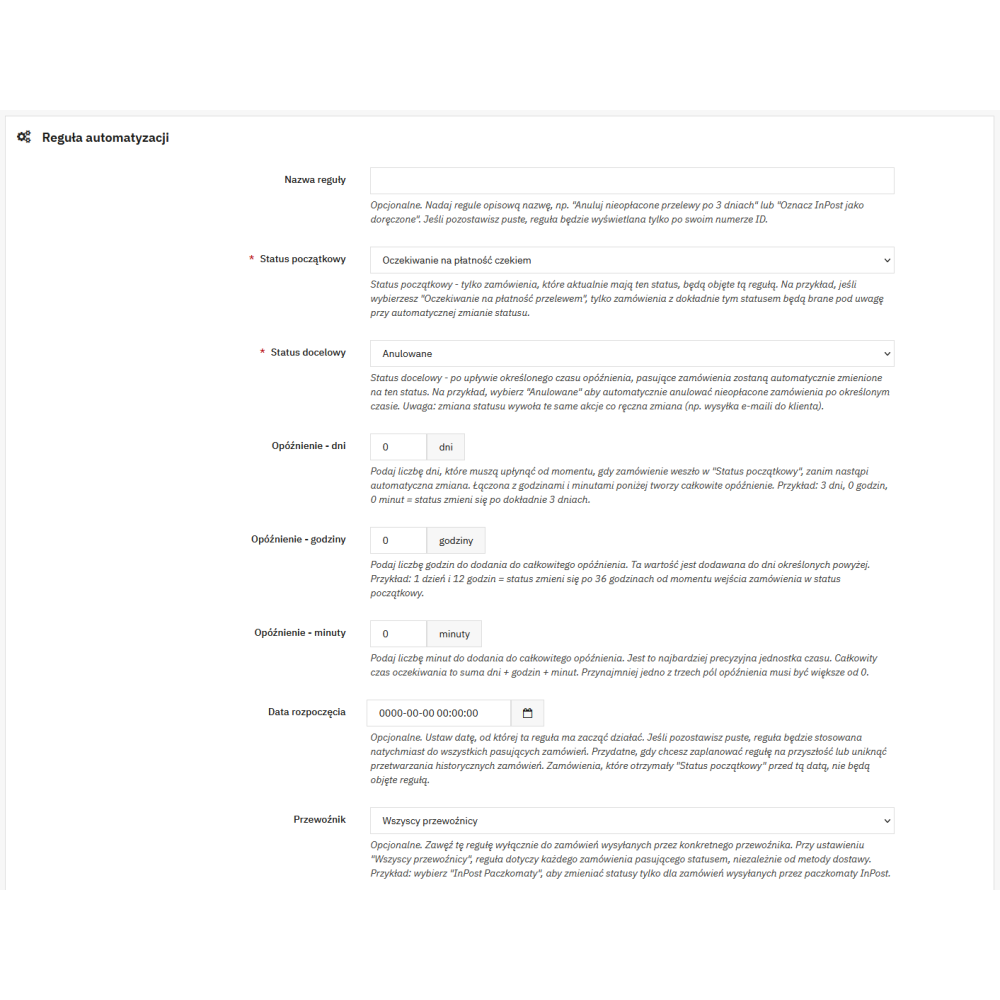
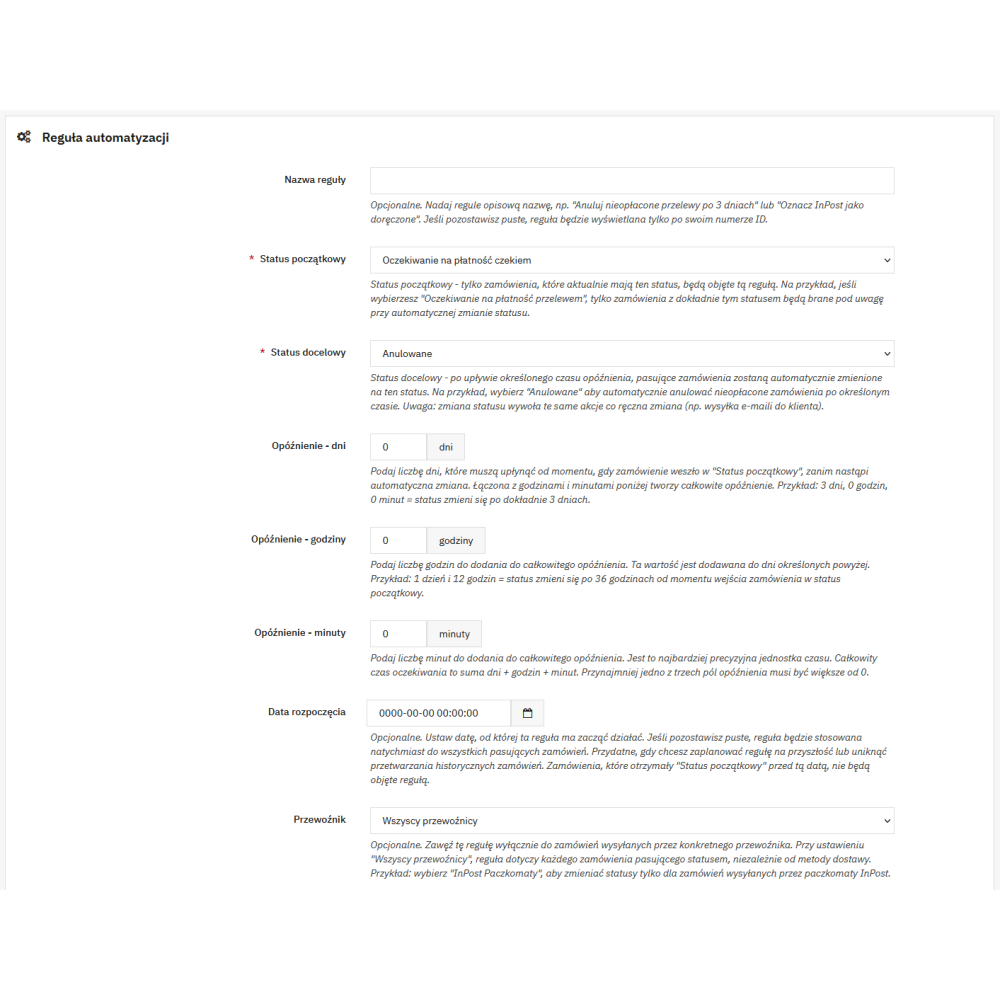
- Initial and target status — for each rule, you select the status the order is currently in and the status it should be automatically changed to.
- Delay in days, hours, and minutes — precise configuration of the waiting time before the status change. The time is counted from the moment the order entered the initial status.
- Rule name — an optional text field that lets you assign the rule a clear name, e.g. “Cancel unpaid bank transfers after 3 days”, making it easier to identify in the list.
- Start date — an optional date from which the rule starts working. It allows you to schedule the rule activation for the future or avoid processing historical orders.
- Enabling and disabling rules — each rule has an activity switch, allowing you to temporarily pause its operation without deleting the configuration.
- Rule validation — the module does not allow saving a rule in which the initial status is identical to the target status.
Order filtering
- Carrier filter — the rule may apply to all orders or only to orders shipped by the selected carrier. The list of carriers is automatically retrieved from the store’s active carriers.
- Payment module filter — the rule may apply to all orders or only to orders paid with a specific payment module. The list of payment modules is automatically retrieved from the installed payment modules.
Automatic CRON processing
- Secured CRON endpoint — order processing is triggered by calling a URL with a unique security key generated during the module installation. The URL is displayed directly in the module panel.
- Batch processing — up to 100 orders per rule are processed in a single CRON call, which protects against server overload when handling a large number of orders.
- Full status change — the automatic status change triggers the same actions as a manual change in the administration panel, including sending email notifications to the customer if the given status provides for it.
- Error handling — if changing the status of a single order fails, the error is logged in the PrestaShop log, and processing of the remaining orders continues.
- Information about the last run — the module panel displays the date and time of the last CRON run and the number of orders changed during the last execution.
Administration panel
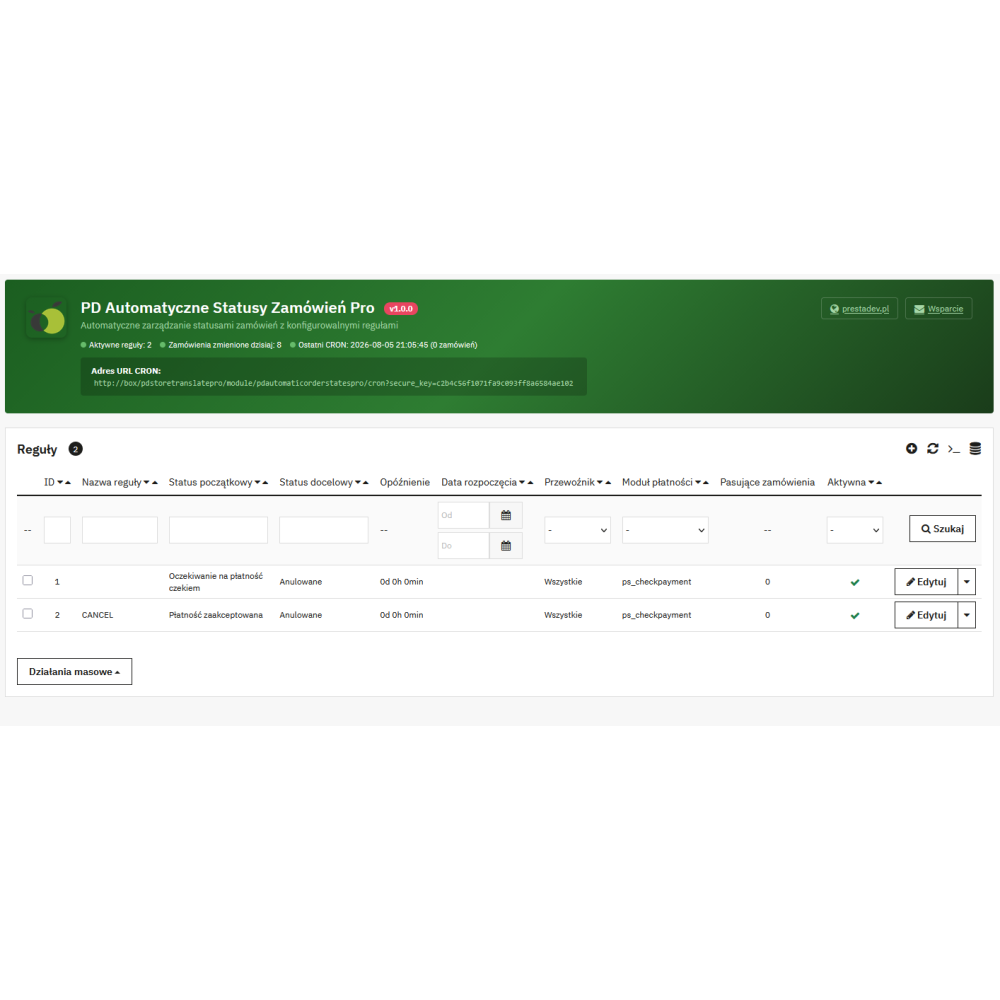
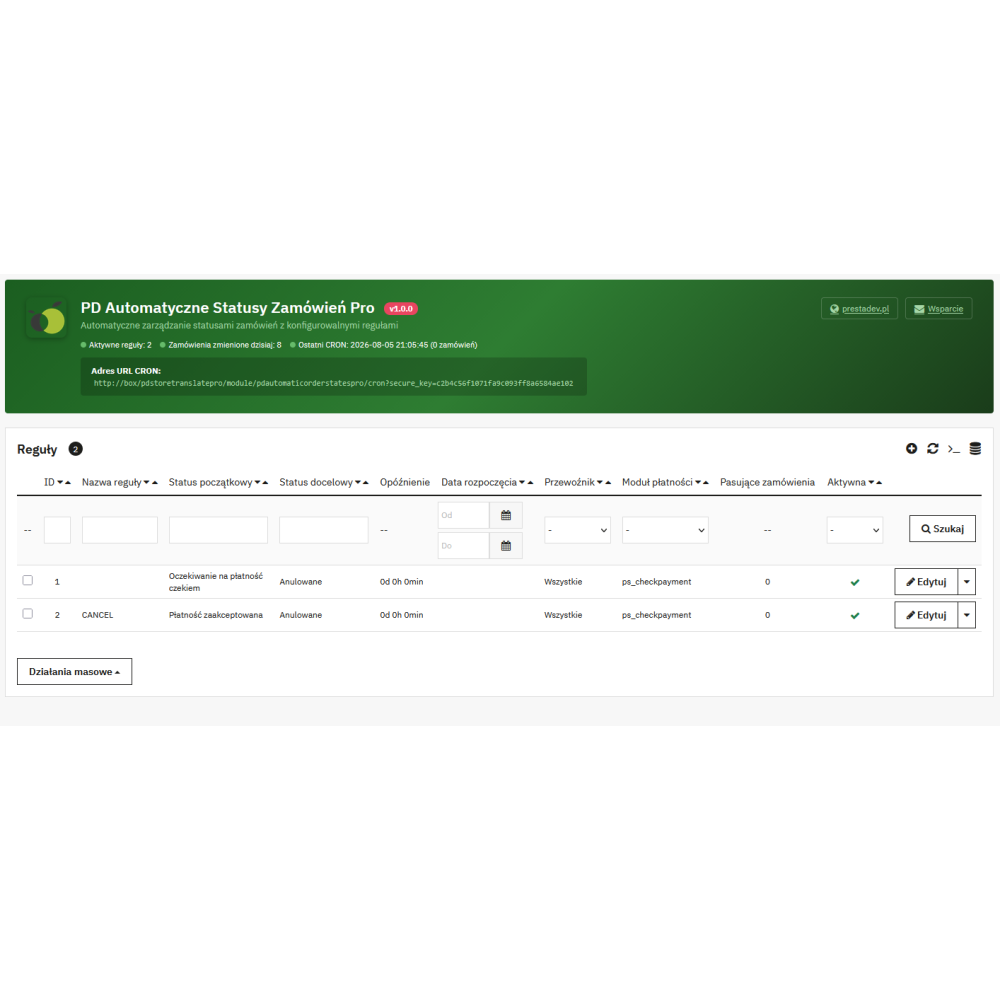
- Rule list with filtering — a clear table with all rules, containing the following columns: name, initial status, target status, delay, start date, carrier, payment module, number of matching orders, and activity switch. The carrier and payment module columns have filters in the form of drop-down lists.
- Matching orders counter — next to each rule, the current number of orders meeting that rule’s criteria is displayed, allowing you to immediately assess its scope.
- Rule duplication — an existing rule can be copied with a single click. The copy is created as inactive, with “(copy)” appended to the name.
- Bulk actions — selecting multiple rules in the list allows you to enable, disable, or delete them simultaneously.
- Header with summary — above the rule list, an information panel is displayed with the number of active rules, the number of orders changed on the current day, the date of the last CRON run, and the URL for configuring the CRON task.
Change log
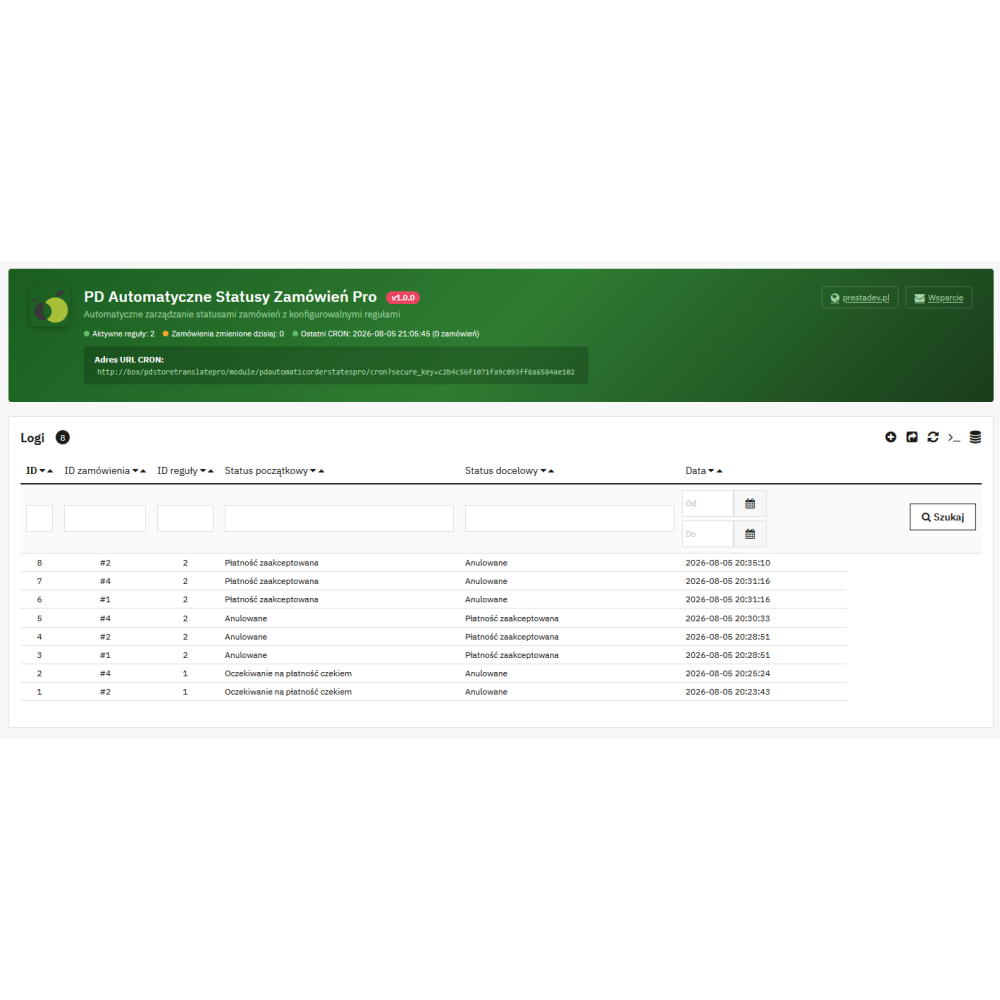
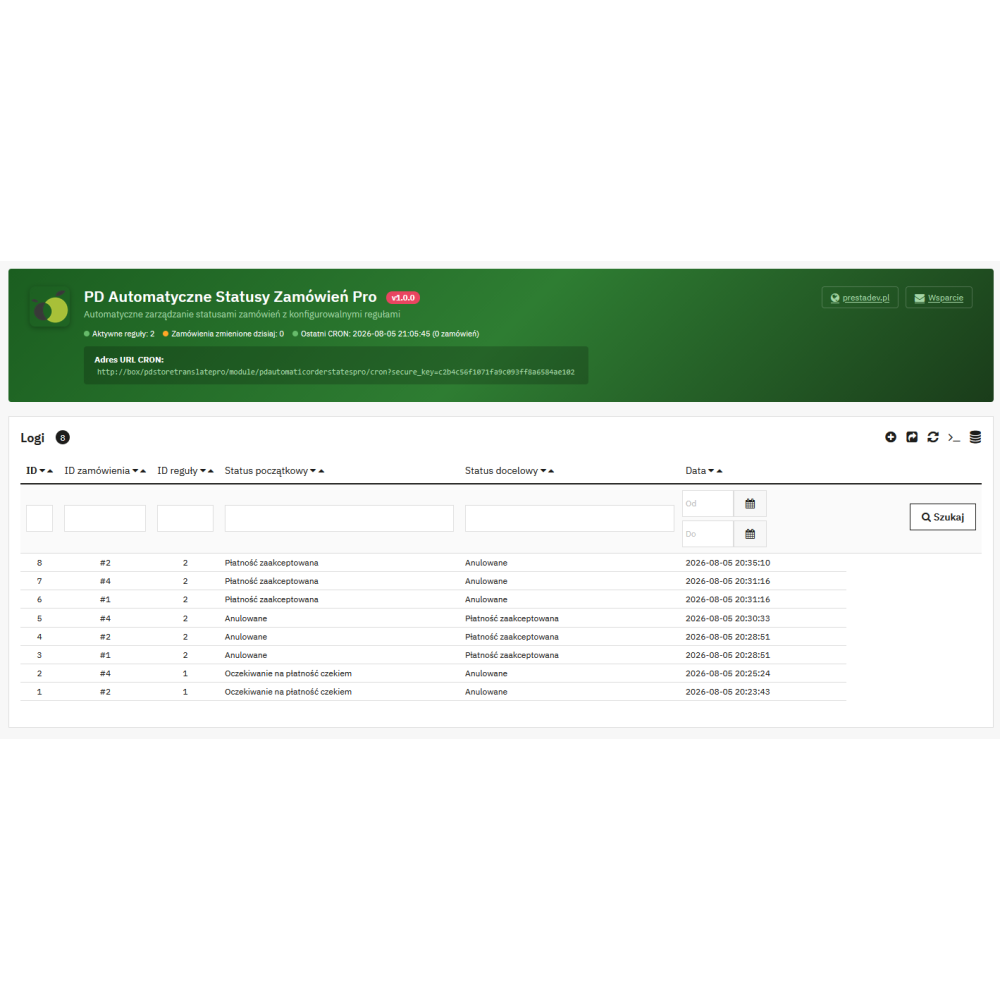
- Full change history — every automatic order status change is logged with the order number, the identifier of the applied rule, the initial and target status, and the execution date.
- Direct link to the order — the order number in the log is a clickable link leading directly to the order details page in the administration panel.
- Filtering and export — the log allows filtering entries by order number, rule identifier, and date. The data can be exported to a file.
- Cleaning old entries — a button in the panel allows you to remove entries older than 30 days with a single click, preventing unlimited growth of the log table.
Compatibility and security
- PrestaShop 1.7.0 – 9.x — the module works on all PrestaShop versions from 1.7.0 to the latest 9.x, supporting both the classic administration panel and the new Symfony-based one.
- PHP 7.1 – 8.5 — the module code is compatible with a wide range of PHP versions without the need to install additional libraries or Composer.
- Multishop support — automation rules and the change log are assigned to the currently selected store in the multistore context.
- Secure SQL queries — all database queries use PrestaShop security mechanisms: integer casting, the pSQL() function, and prepared statements.
- Translations — the module is fully translated into Polish in both PrestaShop translation systems: the classic one (dictionary file) and the new one (XLF files).