


Form Builder in PrestaShop – Pro module | PrestaDev

Advanced Forms Pro – forms module for PrestaShop

Module version: 1.6.29

PrestaShop compatibility: 1.7.x 8.x 9.x

Module file updated: 04/22/2026 17:04:20

Product data updated: 04/10/2026 15:41:32


Advanced Forms Pro is a PrestaShop module that lets you create modern forms tailored to the real needs of your store: product inquiries, contact, complaints, service, B2B, or partnership applications. Without modifying the theme, you can build a form with your own fields, set up data validation, and conveniently handle all submissions in the admin panel. The module streamlines communication thanks to routing (directing submissions to the right people) and clear handling statuses, which speeds up responses and improves the customer experience.

License type / update
zł 246.00
zł 200.00no tax
Price history:

Description

Module features and benefits

  • create multiple forms for different purposes – from a simple contact form to advanced B2B, complaint, or service forms, without tinkering with theme files.
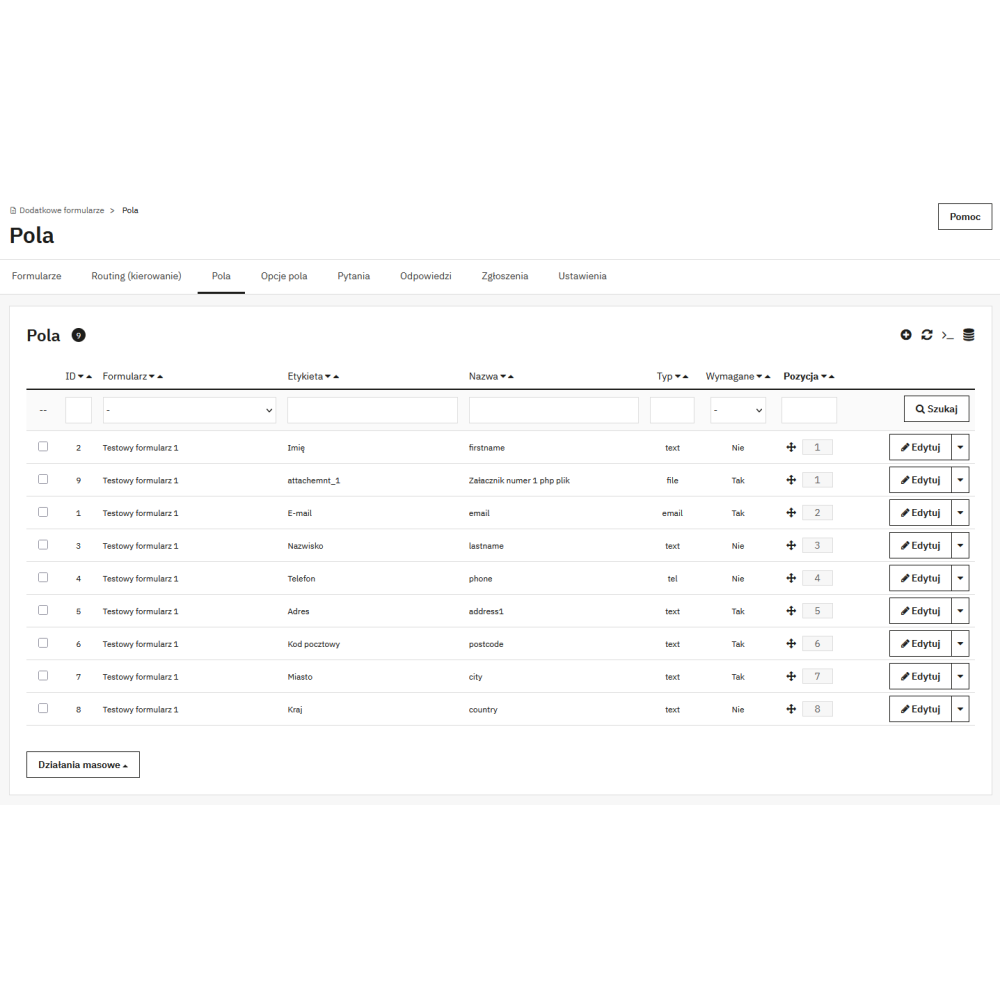
  • flexible fields and question layout – add exactly the elements you need (text, email, select, checkbox, file), and the form remains clear and convenient for the customer.
  • data validation and required fields – fewer errors in submissions, more complete information that can be handled right away.
  • secure file upload – for file-type fields, the module blocks risky extensions by default (e.g. PHP/JS/HTML), which increases store security.
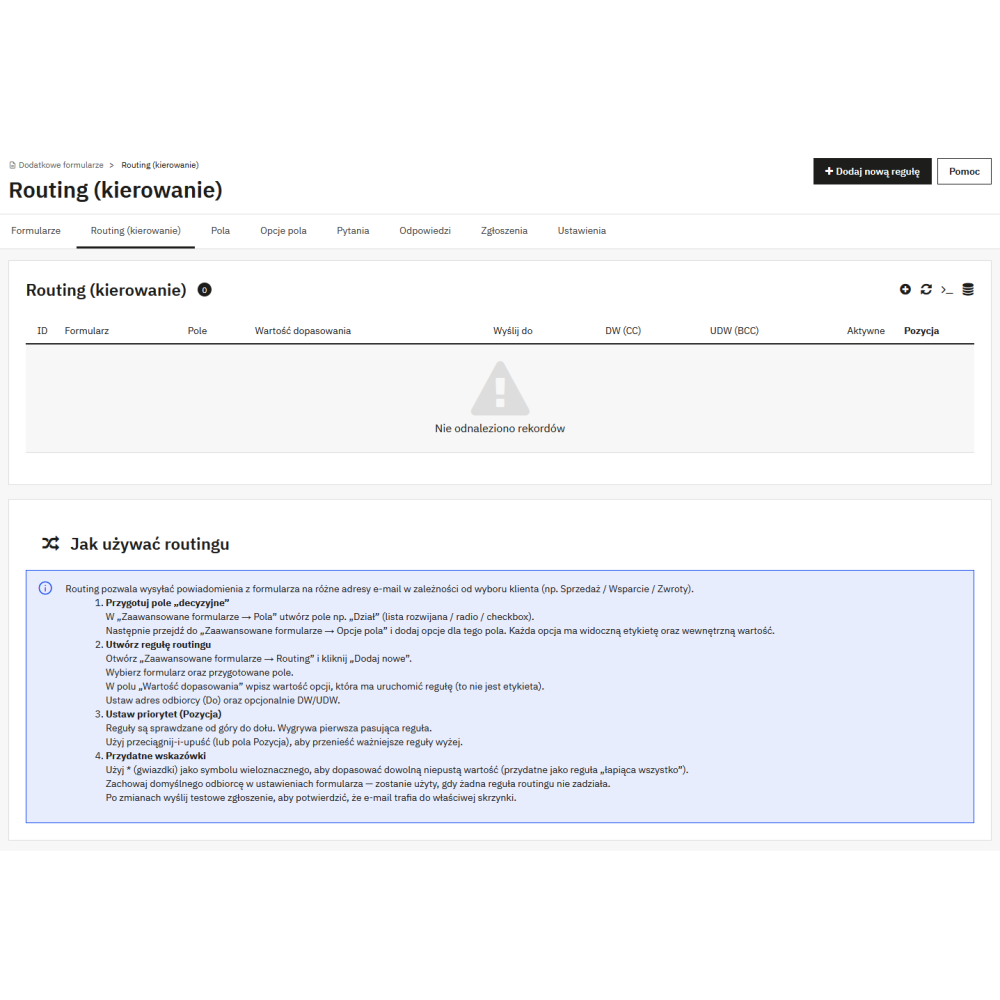
  • submission routing – automatically direct messages to the right department (e.g. “Complaint” → complaints, “B2B” → sales representative) so nothing gets lost in the inbox.
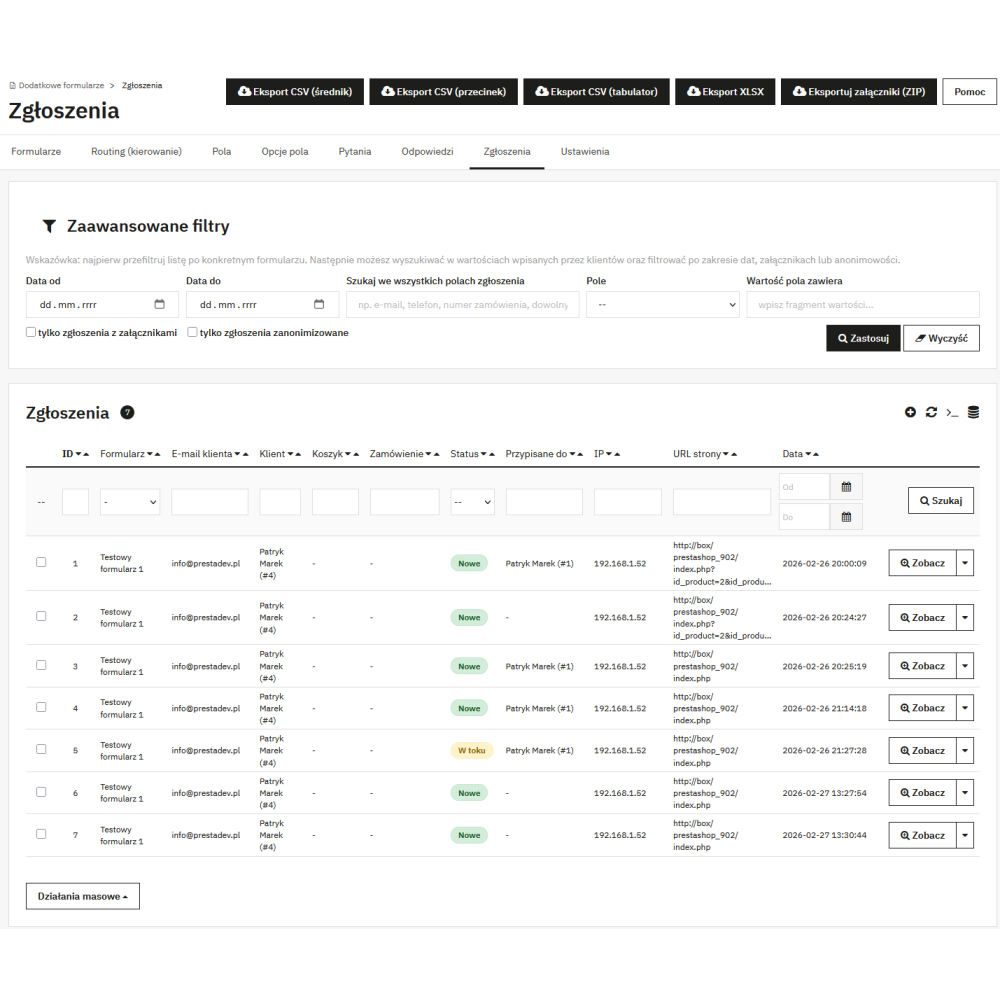
  • submission panel in the Back Office – all submissions in one place: customer data, form, status, filters, and quick search.
  • processing statuses – a clear overview of which submissions are new, in progress, and closed, making the team’s work easier.
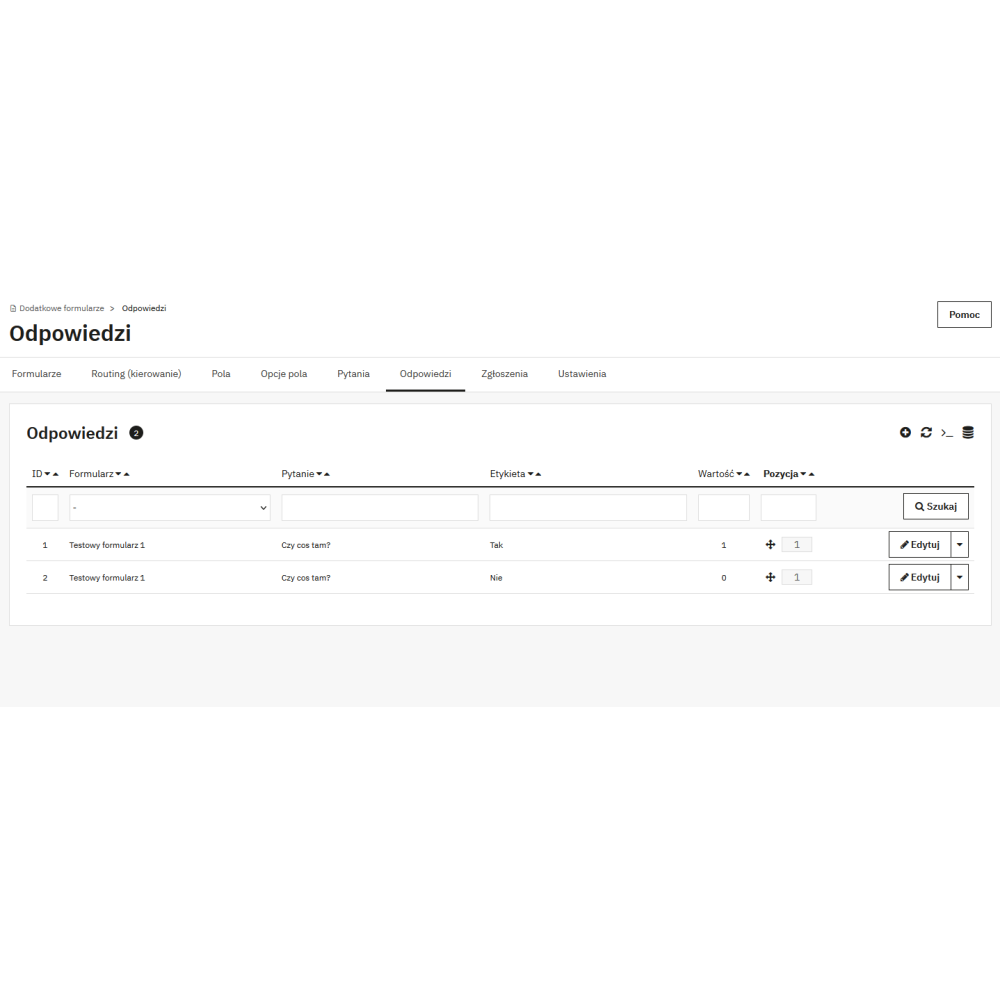
  • standard filters on lists – filtering under column headers (input/select), including select by form, to quickly find the required records.
  • email templates – consistent communication with the customer thanks to ready-made templates and the ability to tailor the content to your store.
  • multiple languages and multistore – a solution ready for multilingual stores and multistore environments.
  • compatibility with PrestaShop 1.7 → 9.x – one module for different store versions, easier implementation and updates.


Link to the module demo:

Admin panel demo:
https://moduly-prestashop.eu/formularze-pro/admin-dev

Front-end demo:
https://moduly-prestashop.eu/formularze-pro

Product Details

PDEFPRO-FULL

FAQ

Find answers to the most common questions about this product.

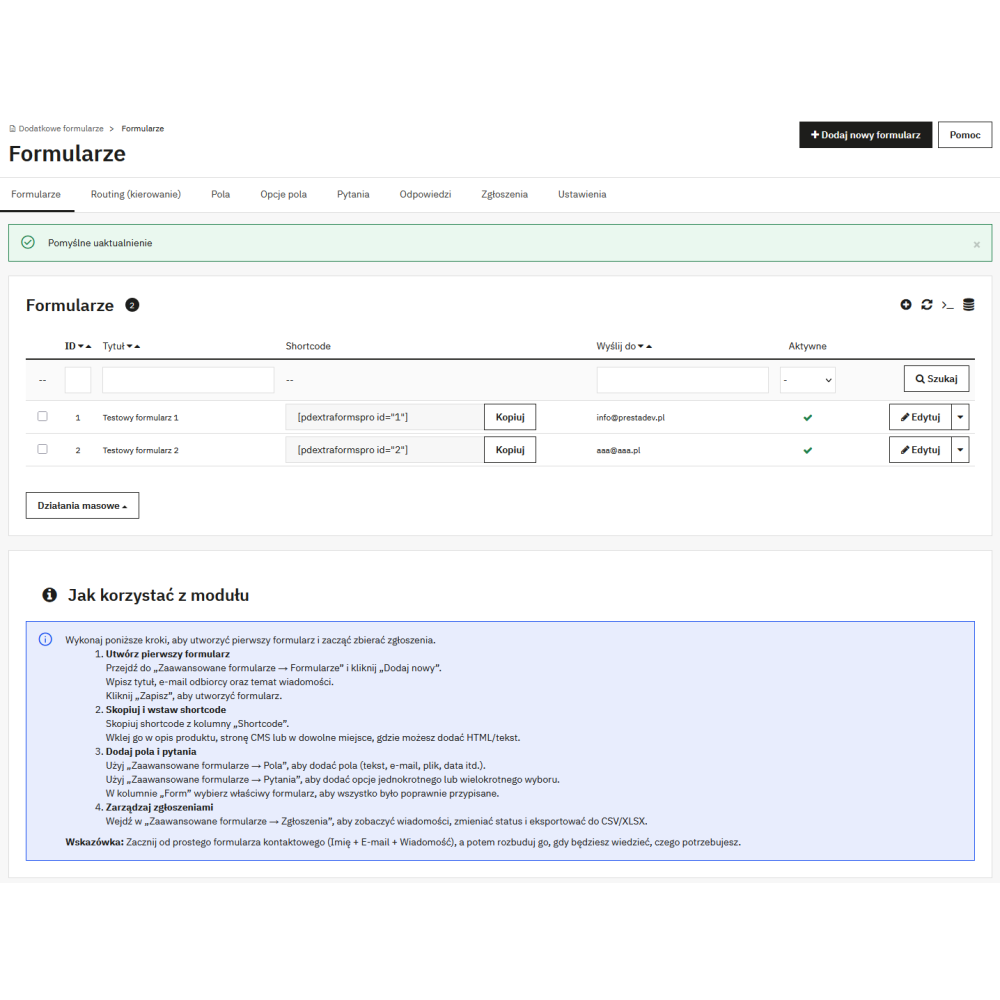
This is an advanced form builder that lets you create any forms in your PrestaShop store (contact, product enquiry, service request, recruitment, B2B) without modifying the theme. The module saves submissions in the administration panel, makes them easier to manage, and allows you to respond quickly to customer needs.

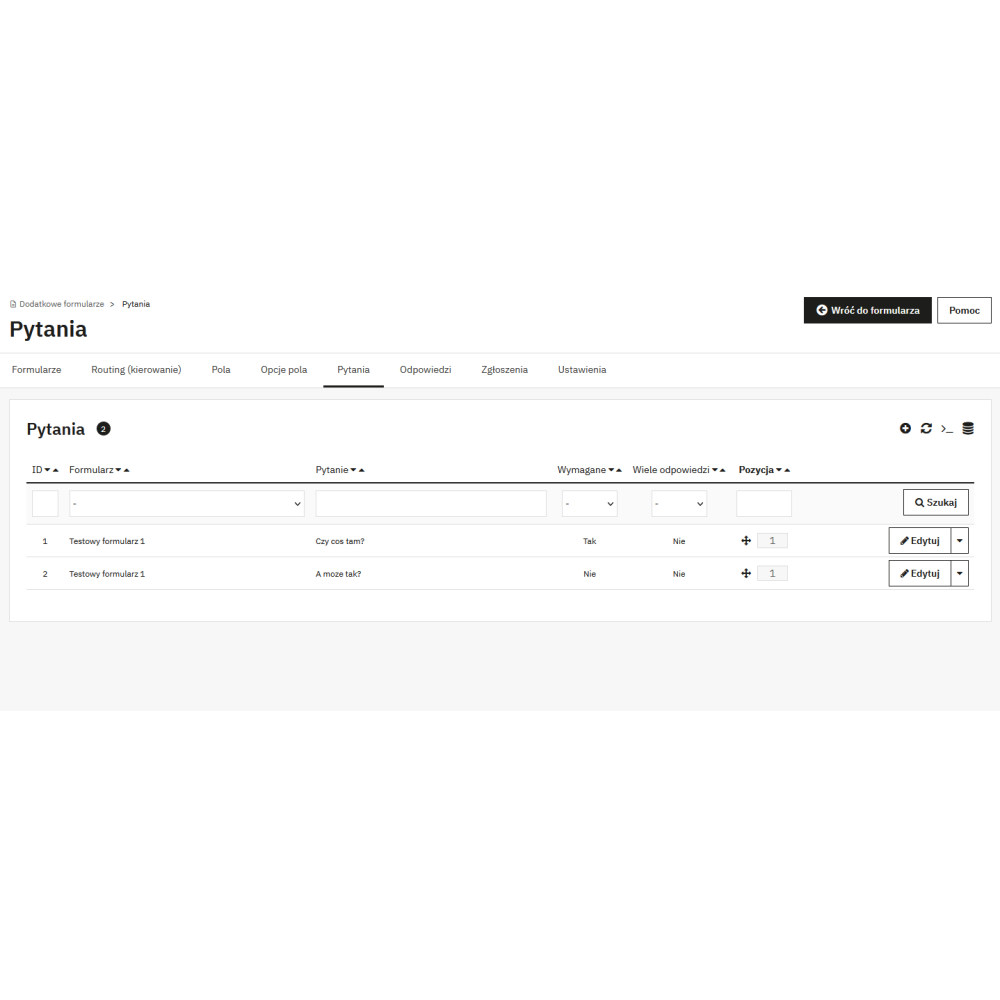
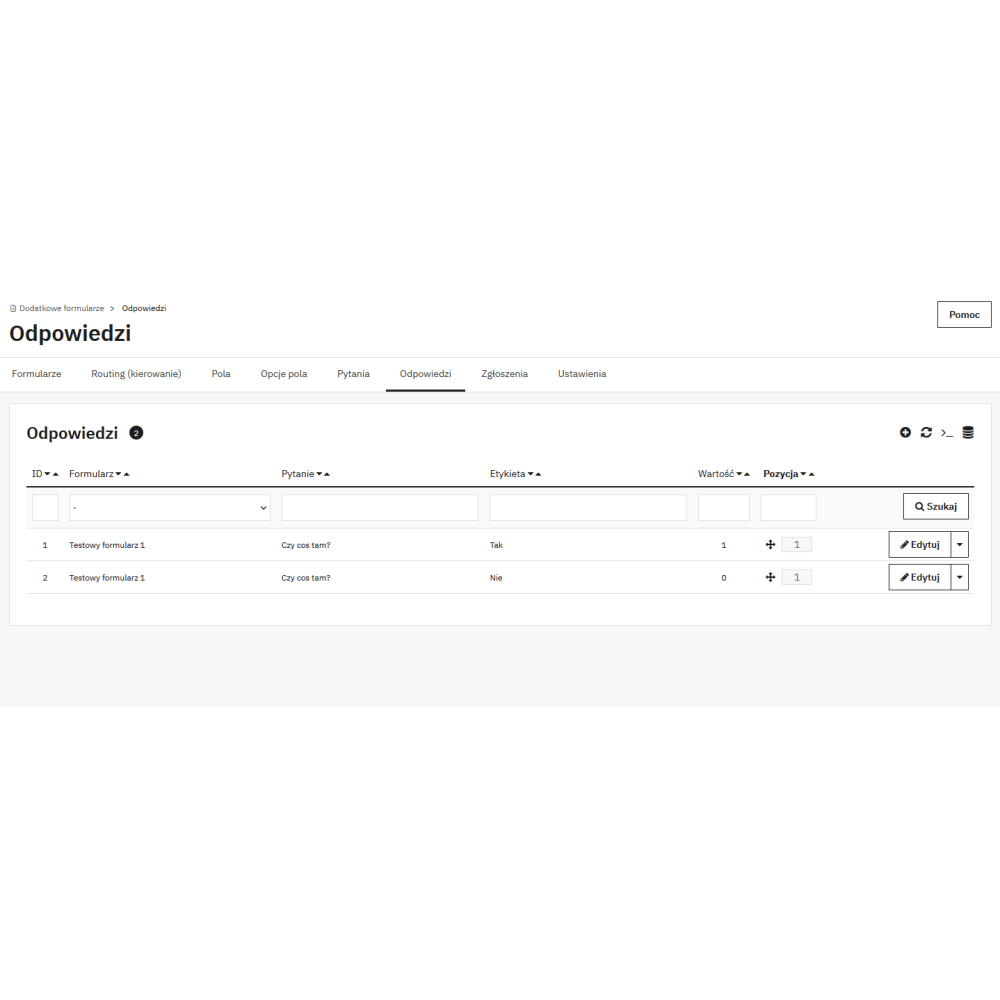
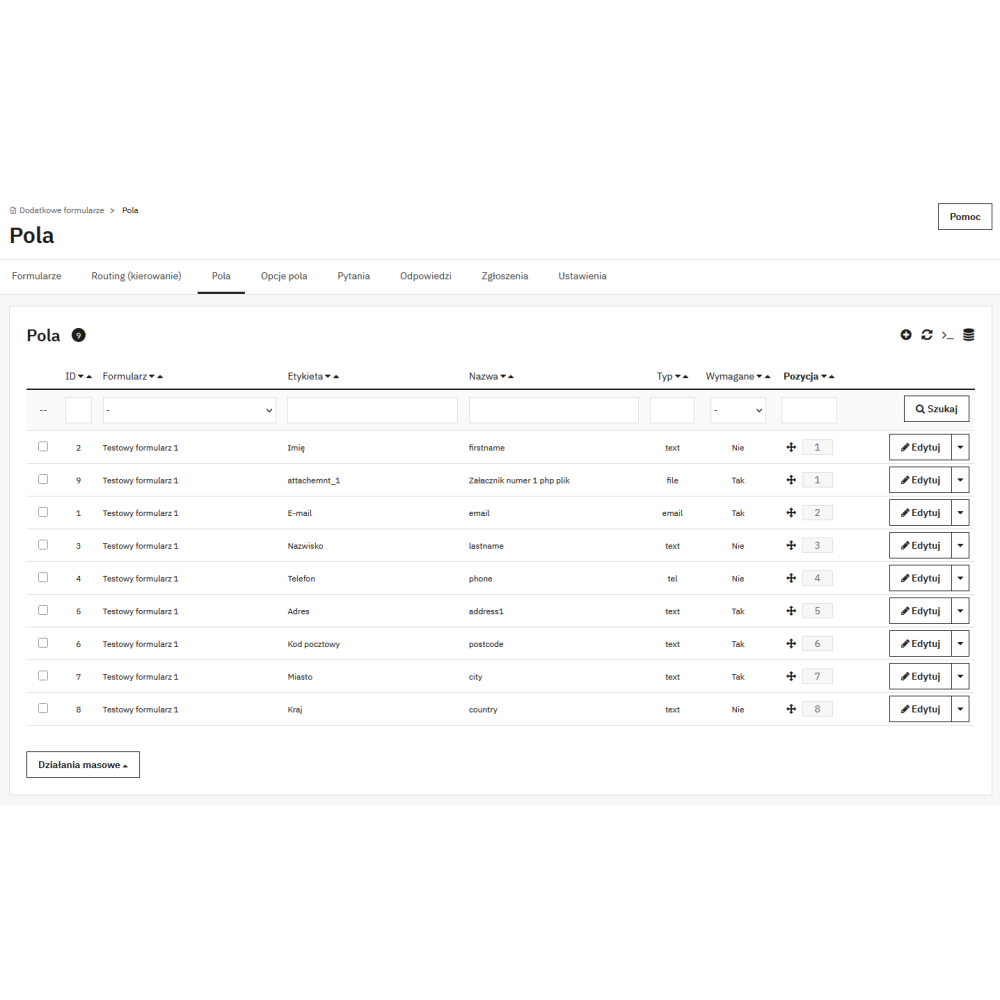
Go to “Advanced Forms → Forms”, click “Add New”, enter a name and save. Then add fields in “Advanced Forms → Fields”, build the question layout in “Advanced Forms → Questions”, and finally insert the form in the selected place in the store using a shortcode (in CMS content, the category/product description, or in an HTML block).

You can insert the form in many places: on the contact page, on the product page (e.g. “Ask about the product”), on CMS pages (e.g. complaints/returns), on landing pages, and in any descriptions where you can paste a shortcode. This way, one module can handle many scenarios in the store.

Yes — you decide which fields and questions the form should contain, whether they are required, what the labels and descriptions should look like, and how they should be validated. This allows you to create both simple contact forms and more advanced B2B or service forms.

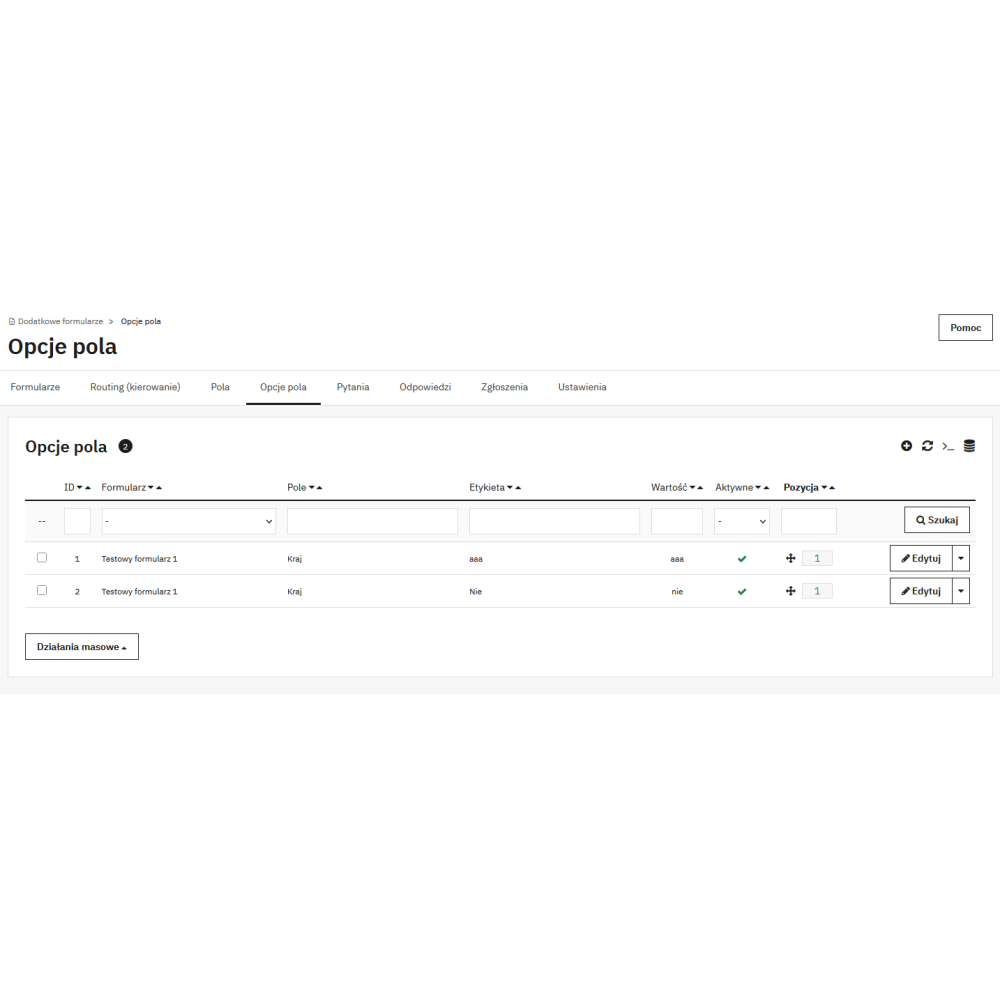
In “Advanced Forms → Fields”, you add the field type (e.g. text, email, select, checkbox, file), set the requirements (e.g. required/not required), and define the basic validation rules. This ensures that customers provide correct data, and you receive clear and complete submissions.

Yes — you can add a “File” field to the form, and the module blocks dangerous extensions by default (e.g. PHP/JS/HTML) and lets you control which files can be uploaded. This is convenient for scenarios such as complaints, B2B documents, or attachments to submissions.

Routing allows you to direct requests to the appropriate people or inboxes depending on the customer's response. Example: if the customer selects "Complaint", the request is sent to the complaints department, and if "B2B cooperation" — to the sales representative. This saves you time and helps you respond to enquiries more quickly.

Yes — the module sends email notifications after the form is submitted, and you can tailor the content of the message templates to match your communication style. This helps maintain a consistent brand image and improves customer service.

In “Advanced Forms → Submissions” you have a list of all submitted forms: customer details, email, form, and status. You can filter, quickly find a specific submission, and change the handling status (e.g. new / in progress / resolved).

Yes — the lists in the panel have standard filters under the column headers (inputs and selects), including a filter by form as a select. This makes it easy to filter the data even in a large store.

Yes — you can create forms and content in multiple languages and use the store settings in a multistore environment (according to the PrestaShop configuration). This is especially important for stores serving multiple markets.

Yes — the module is designed to work across a wide range of PrestaShop versions, so you can implement it both in an older 1.7.x store and in newer 8.x / 9.x installations.

The module is lightweight in operation — on the front end it displays only what is needed to render the form, and you perform administrative operations in the panel. In practice, it works well in both small and larger stores.

Check whether you are inserting the correct shortcode and whether the form is active. It is also worth clearing the PrestaShop cache and making sure that the insertion location allows content rendering (e.g. CMS/description). If the issue concerns a specific theme, it is usually enough to change the insertion location or slightly adjust the style.

No — the module is designed so that most things can be configured in the panel: creating forms, adding fields, routing, handling submissions, and email content. A developer is only needed if you want a highly customised form appearance for a custom theme.

Reviews (0)

No reviews